Leaderboard


Popular Content
Showing content with the highest reputation on 08/20/2026 in Posts
-
Hi, You can send Barry a personal message with this question: https://www.pteavstudio.com/forums/profile/671-barry-beckham Or perhaps Barry will see your question and answer it himself. Please read the 11 mini tutorials for all the new major features in PTE AV Studio 12: Every publication tells about a new feature, includes screenshots or a video demonstration, and sample projects: https://www.pteavstudio.com/forums/tags/new feature/ 2. The online help has updated articles for new features: https://docs.pteavstudio.com/en-us/12.0/v12_wn/main 3. Also read the What's New page on our website: https://www.wnsoft.com/en/pte-av-studio/whats-new-12/ It tells about new features and includes screenshots and video demonstrations.2 points
-
"Wave" Music By Antônio Carlos Jobim Lead Vocal & Arranged by Alan Russell My Swam Orchestra (Audio Modeling) Ambiente The Roland AE-30 Pro - Solo Muted Trumpet & Tenor Sax Cubase 15 Pro - Yamaha Genos Midi Keyboard PTE AV Studio 11 - Slideshow Headphones are highly recommended https://youtu.be/v5iq7J2Uzk4?si=IorQvIueCi8Mx63d1 point
-
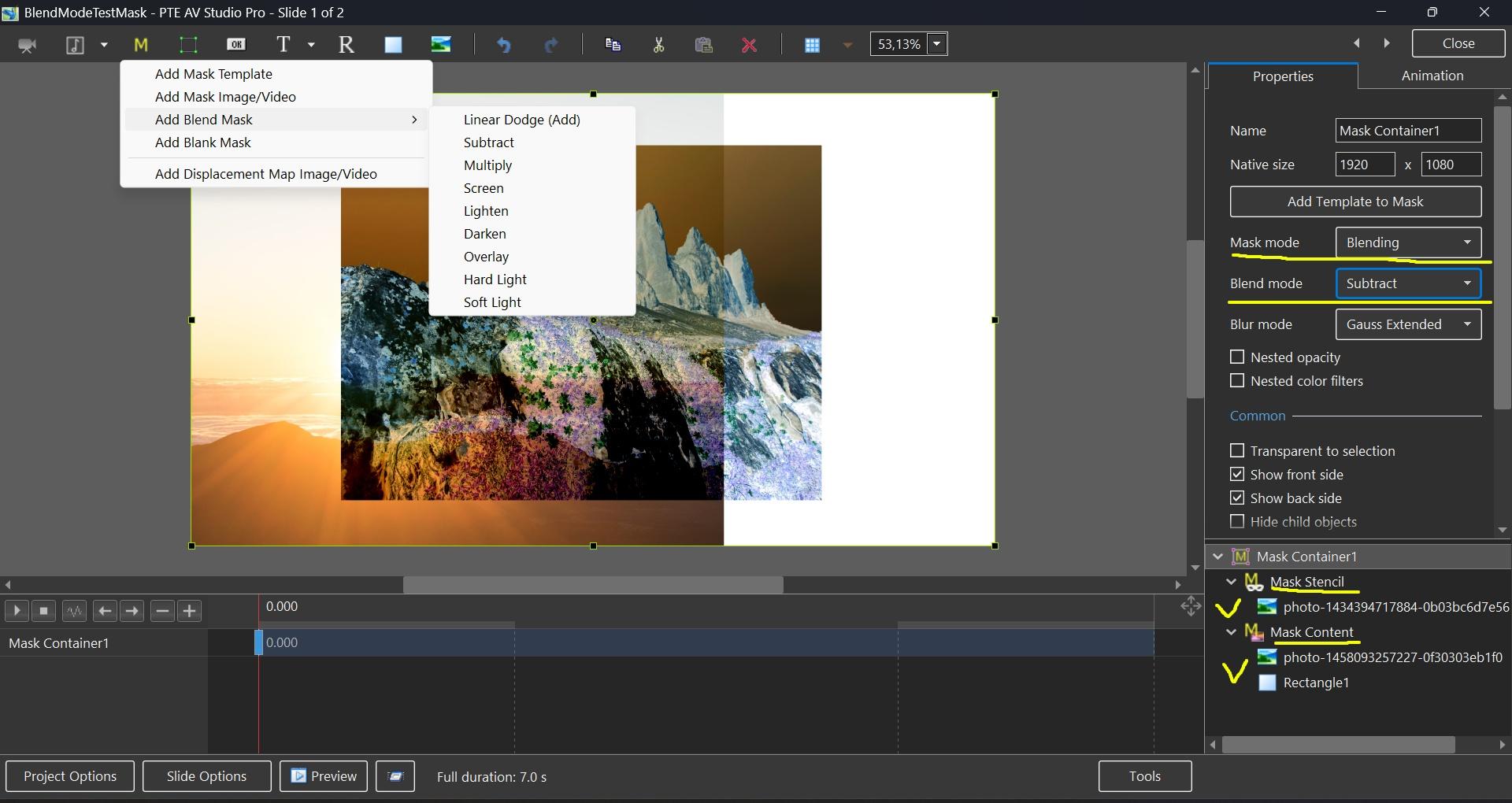
Hi, In PTE AV Studio 12 we've added a new "Blending" mode to the Mask container with support for 9 blend operations: Linear Dodge (Add), Subtract, Multiply, Screen, Lighten, Darken, Overlay, Hard Light, and Soft Light. To use: place the first image into the Stencil, and the second image into the Content of the Mask container. You can add video, text object, rectangle object, or multiple objects (several images, for example). Watch a video example. Click the play button: BlendMode.mp4 BlendMode.zip
 1 point