Ken Cox
-
Posts
8,069 -
Joined
-
Last visited
-
Days Won
2
Everything posted by Ken Cox
-
fyi only see http://www.afterdawn.com/news/archive/9109.cfm there are quite a bunch of help files including info on codecs ken
-
New AV Show, Please Release Me, Let Me Go
Ken Cox replied to Lloegyr's topic in Slideshows & AV Shows
good show Mike -a classic goes to the smelter - how long did it take for the moss to grow made me get of some of the "Hump"s" tunes ENGELBERT HUMPERDINCK - His Greatest Love Songs ken -
Mike you were already at the thread when i directed you Mar 23 2007, 04:50 AM to THE ORIGINAL CHANTILLY THREAD HERE http://www.picturestoexe.com/forums/index....amp;#entry31182 ken
-
Silvia I know literaly nothing about adobe stuff other than it is expensive:( sorry ken
-
SILVIA I have watched JPD's original exe and the one from you cant see much difference embarassed to ask but what are the changes? OK I BURNED BOTH AND played on different dvd/tv's at same time -- different transitons ken
-
THE ORIGINAL CHANTILLY THREAD HERE http://www.picturestoexe.com/forums/index....amp;#entry31182 might save a search for interested parties ken
-
they can play the mpeg's ok on their MAC's with no problems? years ago i said to do that but the author of the thread never did say whether it worked or not ken
-
SILVIA looks good when burned to dvd ken
-
Gerard ANOTHER EXAMPLE OF TIME REQ'D TO ENCODE -- i have an avi file -a documentary by a Canadian singer - not made by pte - 359 mb - to encode and burn with nero express 3 with a standard nero produce menu took 23 + mins the resulting video is 1.24 gb in size hope these facts will help you in your task ken
-
Silvia i checked my archives and Chantilly pte is in JPD's folder ken
-
well "rome was not built in a day" lets hope somebody jumps in to help you further ken
-
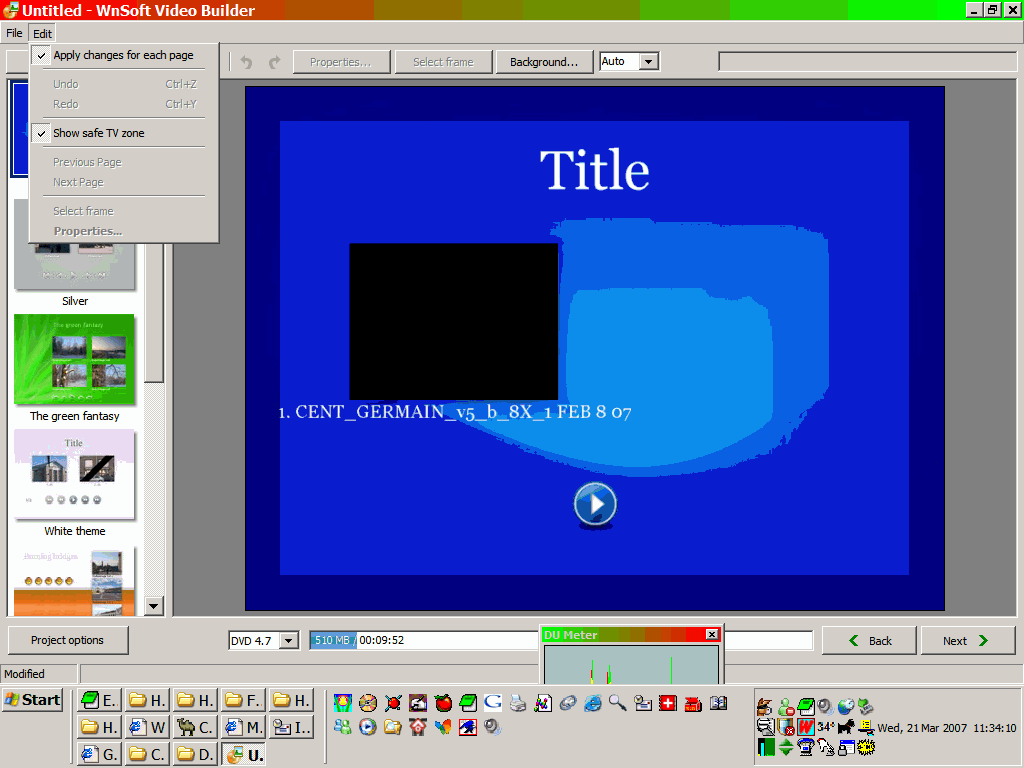
when you get to the menu page under edit the is a check box to show tv safe zone -- make sure it is selected 1. IF YOU DOUBLE CLICK TITLE IT WILL OPEN AND YOU CAN RENAME SHOW and keep your text within the tv size area 2.drag the square box -- the pte - to centre the box 3. if your want to rename route to smething else do the same with it as you did in #1 4. position the text boxes same as in #2 for your first go this should get you to go to next -- you will have to fill in the name etc as well as the things you want to do see my screenshots in a couple of threads http://www.picturestoexe.com/forums/index....amp;#entry39148 http://www.picturestoexe.com/forums/index....amp;#entry39202 hope this gets you going ken
-
from my archive faq News of development. November 24th, Road to final release of v5.00 http://www.picturestoexe.com/forums/index.php?showtopic=5173 ken
-
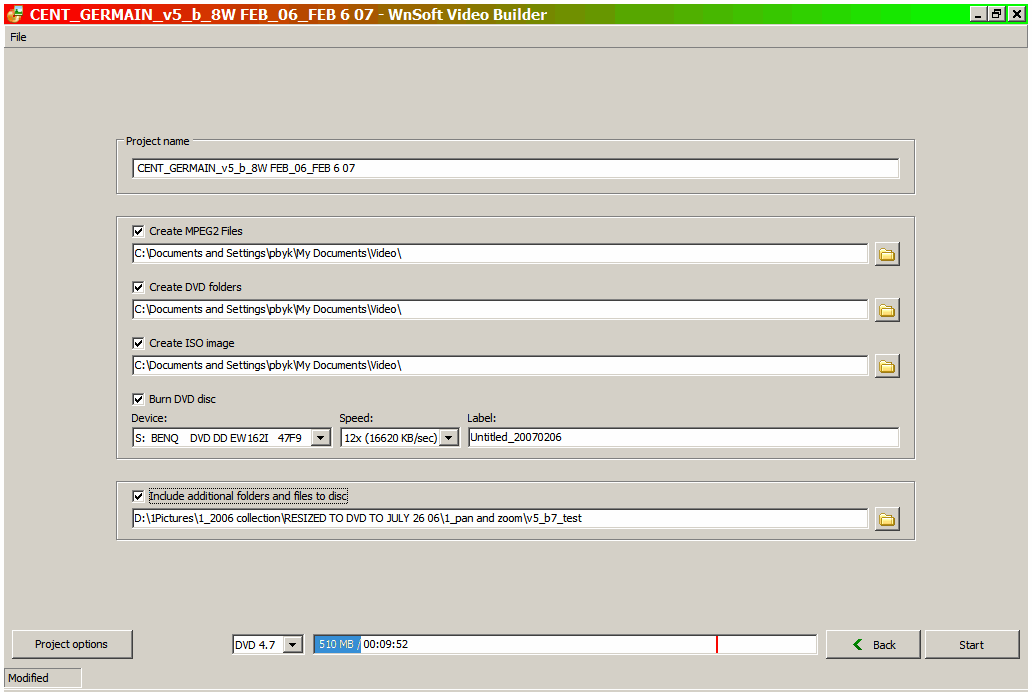
drag the pte that you want to do - the one above your grr icon:) down to the lower box of your picture and then click next the long strip below the main box should show you the size of the file will be in relation to the capacity of the disc ken
-
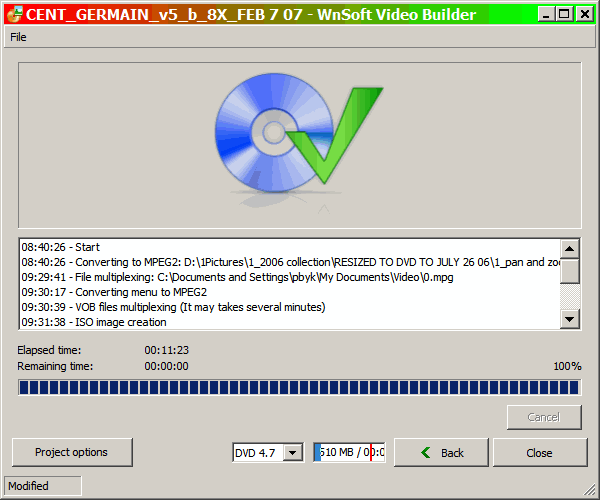
Gerard here is a screenshot example of the steps and times to make the dvd dont get impatient:) ken
-
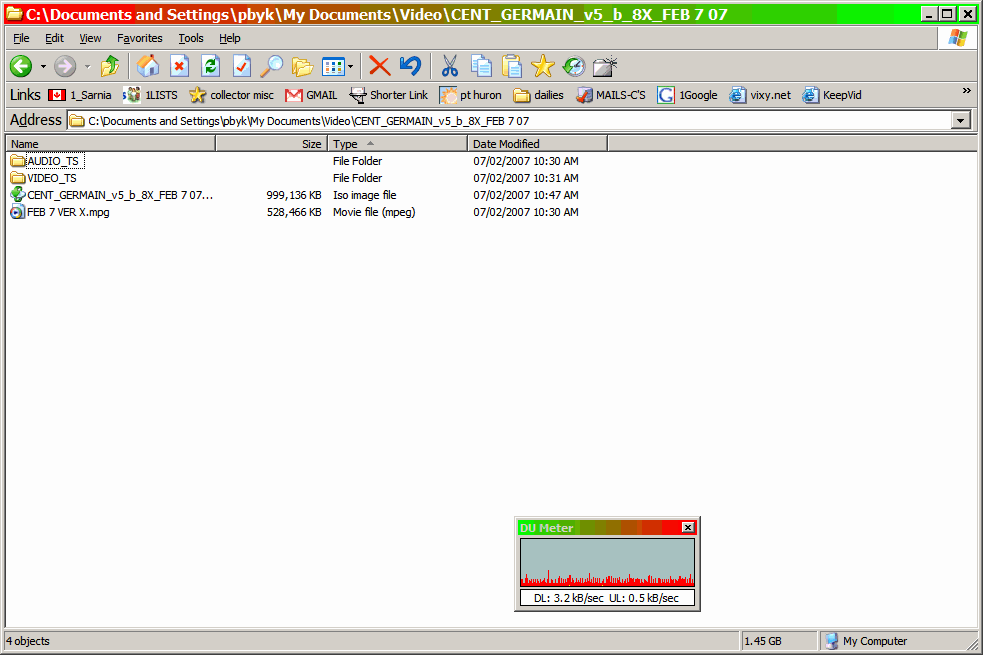
Gerard this is a screenshot of a show which contains 77 frames/picts = 1280/960 80 to 100% quality -- the show contains 3 mp3's also see http://www.picturestoexe.com/forums/index.php?showtopic=6338 these are shots of the contents of the folder that shows are made from this show runs 9 mins 45 secs -- 256 ram on video card -2.8 ghz pent4 processor video is big and takes more time than people are used to when making exe"s:) ken
-
Bernard a keeper without a doubt -- scary looking places where some of the houses are built ken
-
Al working now ken
-
Bernard did you upload the revised 3d show? ken
-
al see http://www.picturestoexe.com/forums/index.php?showtopic=6338 down thread a bit had to send JEB pict by email k
-
Brian see http://www.picturestoexe.com/forums/index....amp;#entry39148 problems i had ken
-
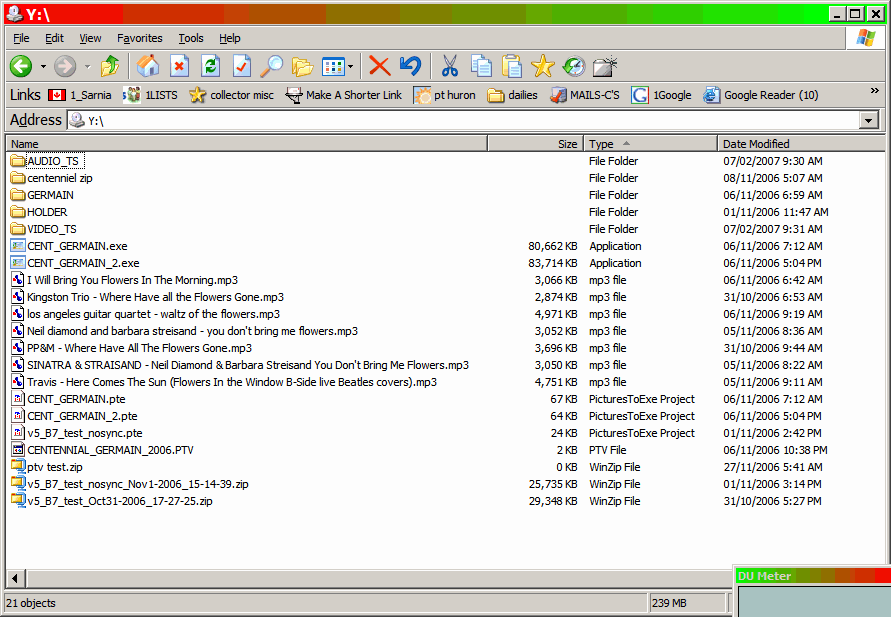
yes you can you can include all items will send you a screenshot pict shows contents of what i selected for a dvd
-
-
John sending to your email acct now ken
-
JEB once you get menu sorted out next gives you the selection i will try and get the pict posted in a minute cant seem to make it go but got it to go in the test thread http://www.picturestoexe.com/forums/index....amp;#entry39145 but at present you cannot view it -- board gives error message <b>IPB WARNING</b> [2] readfile() has been disabled for security reasons (Line: 309 of /sources/classes/attach/class_attach.php)<br /> k