Leaderboard


Popular Content
Showing content with the highest reputation on 11/13/2026 in Posts
-
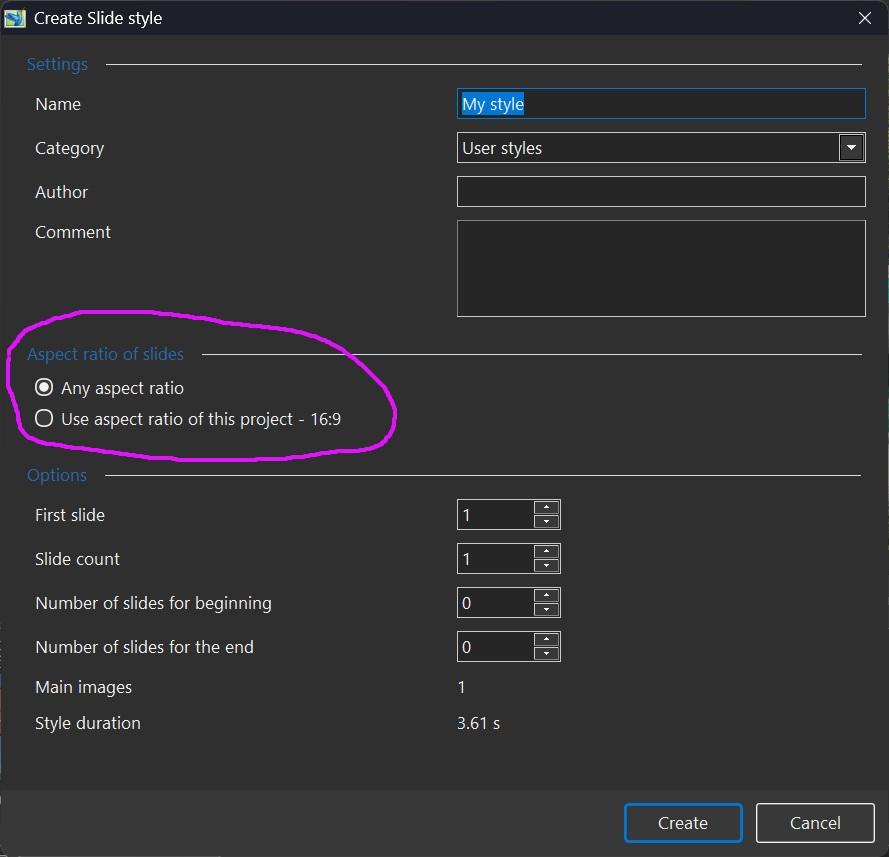
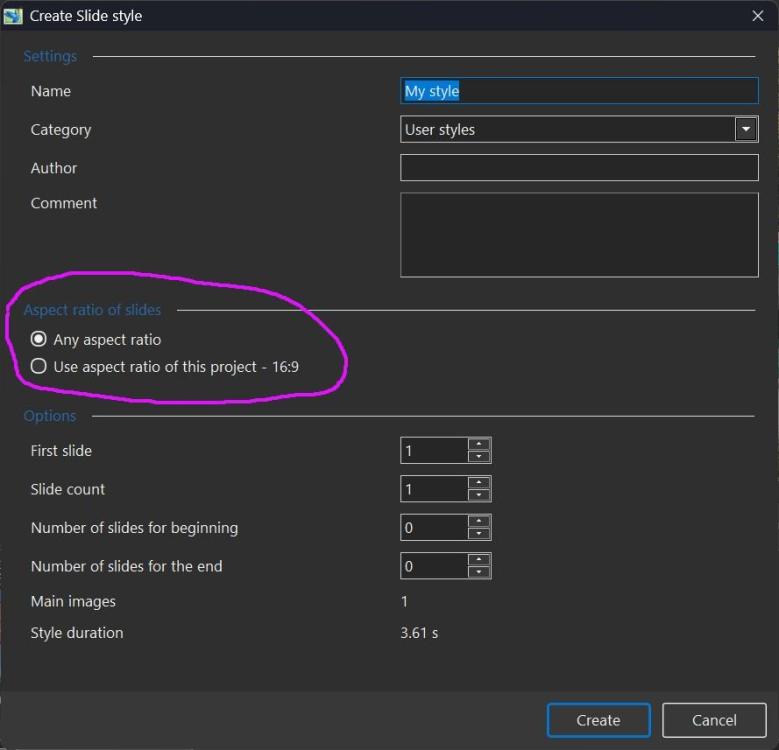
A created slide style (and exported style) contains TWO variants if the author chooses the "Use aspect ratio of this project.." option and then creates another slide style under the same name with a different aspect ratio option ("Any aspect ratio" or "Use aspect ratio of this project - 4:3", for example). The two styles will be combined and displayed as one virtual style. In other words, author creates 2-3 visually optimized slide styles for "16:9" projects and for “1:1” (or 4:3, etc.) projects under the same name. When the user applies this smart style, PTE will automatically choose the optimized version according to the current project’s aspect ratio (or the nearest variant for a non-standard aspect ratio). Generally, I recommend to create a single universal style with the "Any aspect ratio" option. The exported style will then contain only one version, for projects with any aspect ratio.
 2 points
-
This I have already done, please see above. When building a Style it is inevitable that there will be interim versions. Instead of overwriting, it is probably best to give each a unique number. DG1 point
-
Rebuilt Version: Snowing 16_9 - 2.ptestyle DG1 point