AleAle5025
-
Posts
304 -
Joined
-
Last visited
-
Days Won
47
Everything posted by AleAle5025
-
Hi. Thanks for the reply. There are dots on the slide. And I have different modifier settings. So that the butterfly flies more or less normally.
-
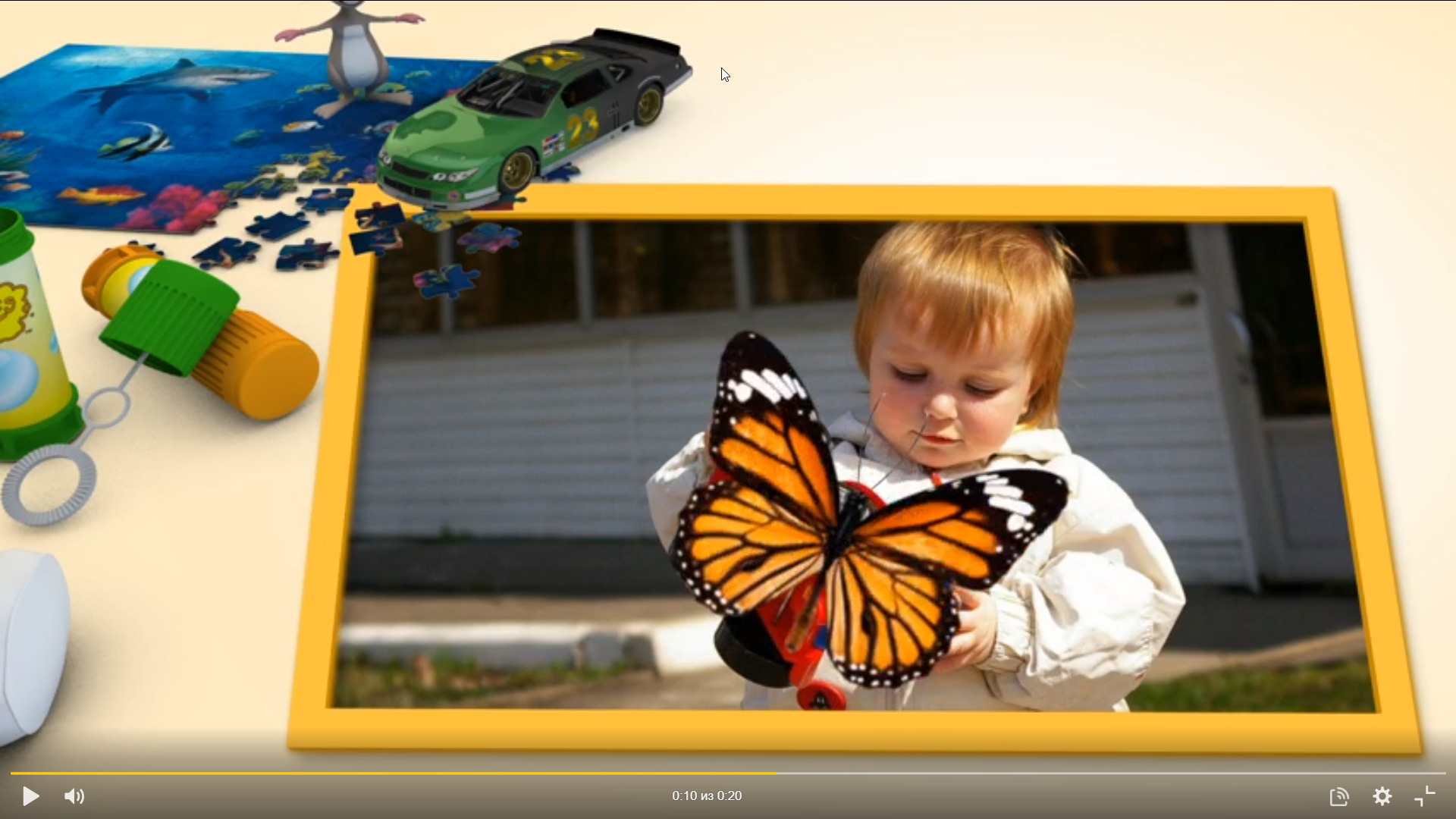
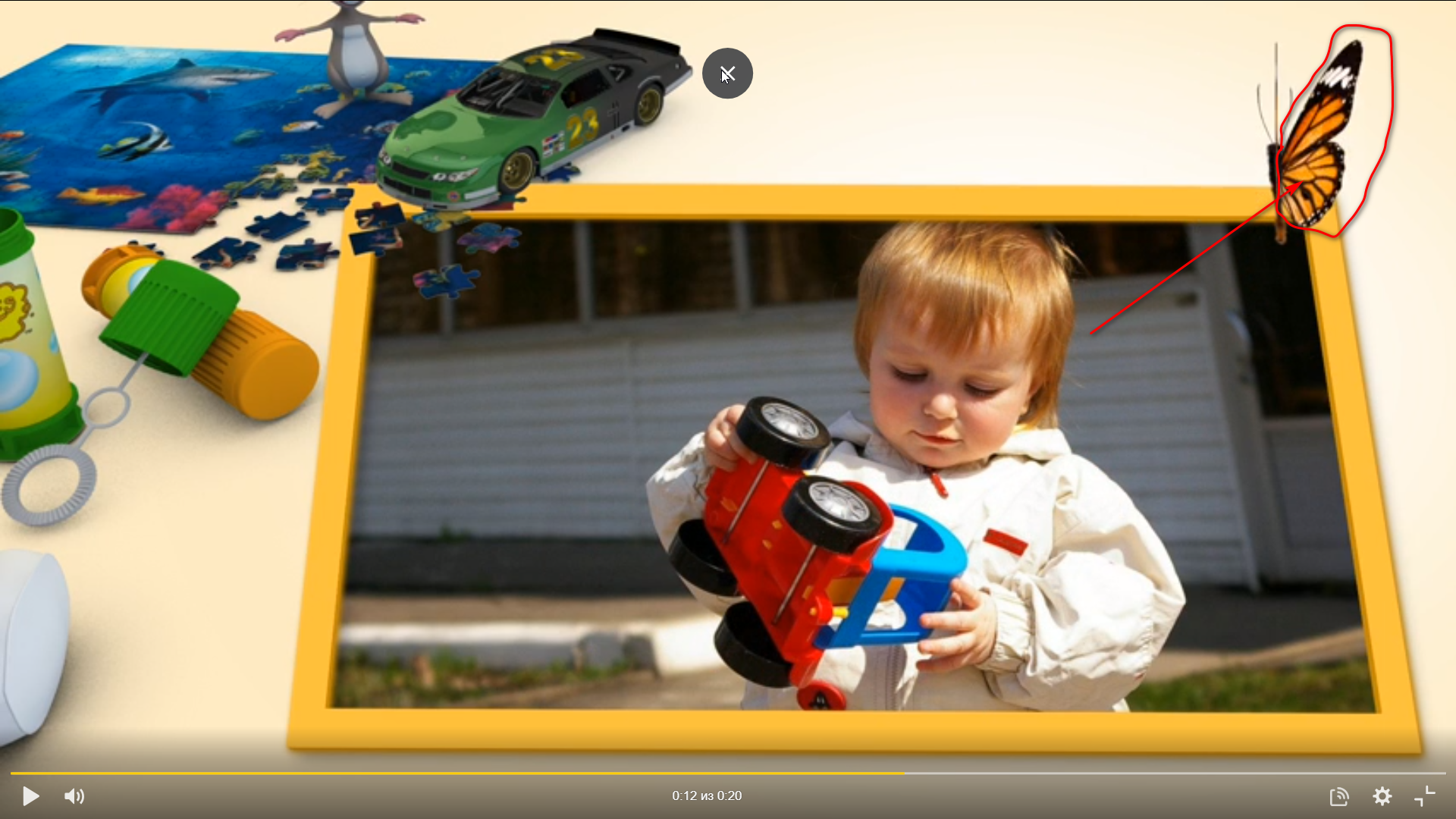
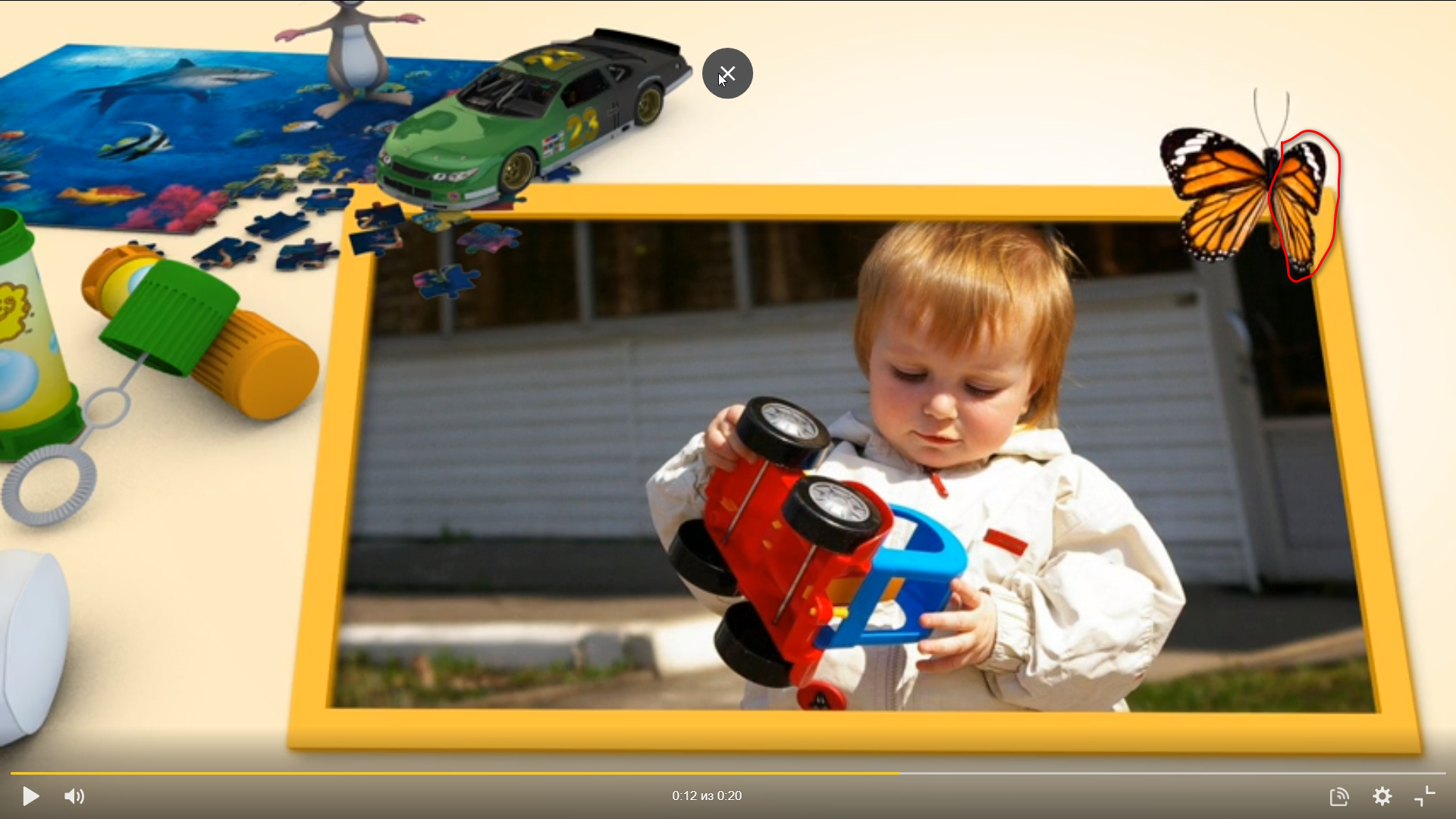
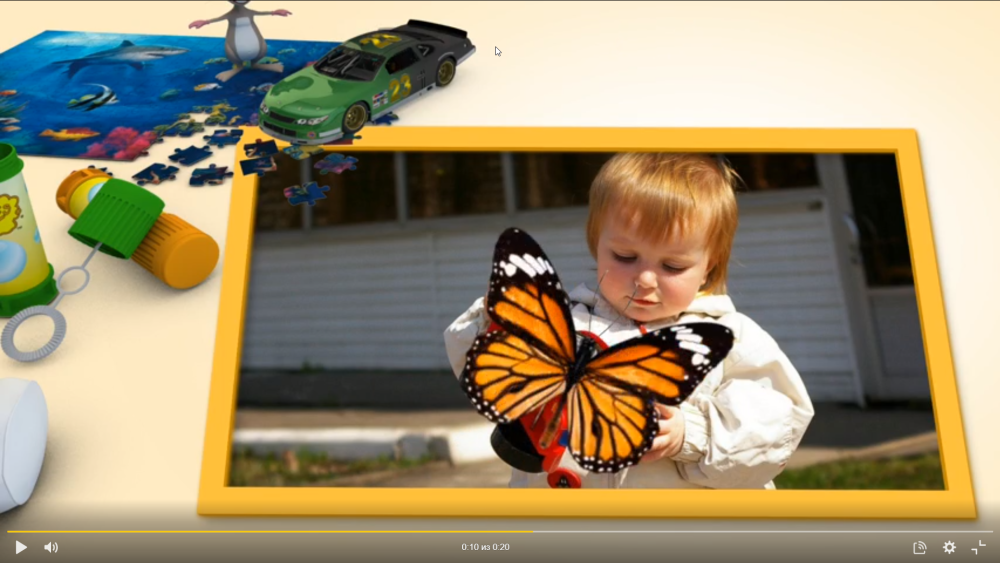
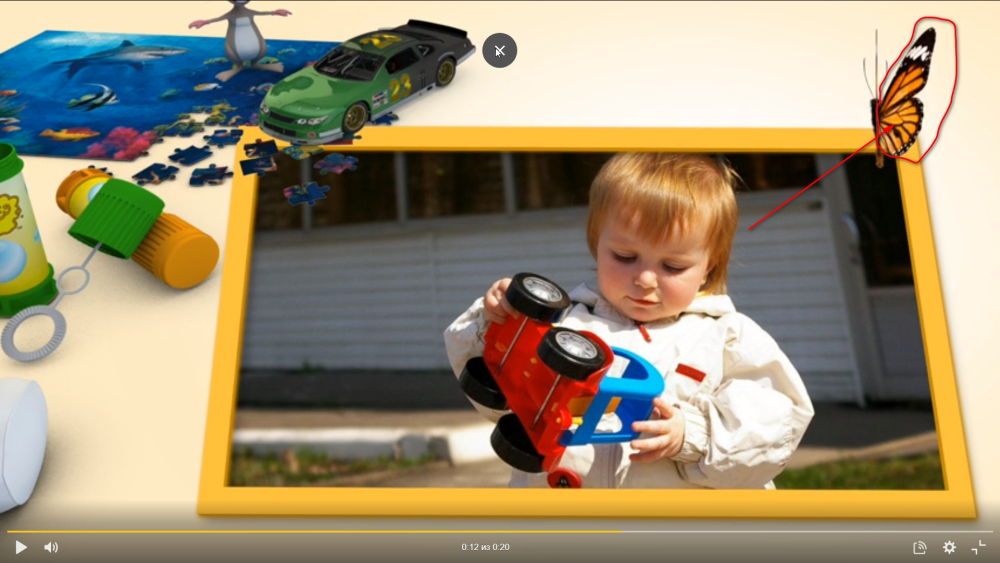
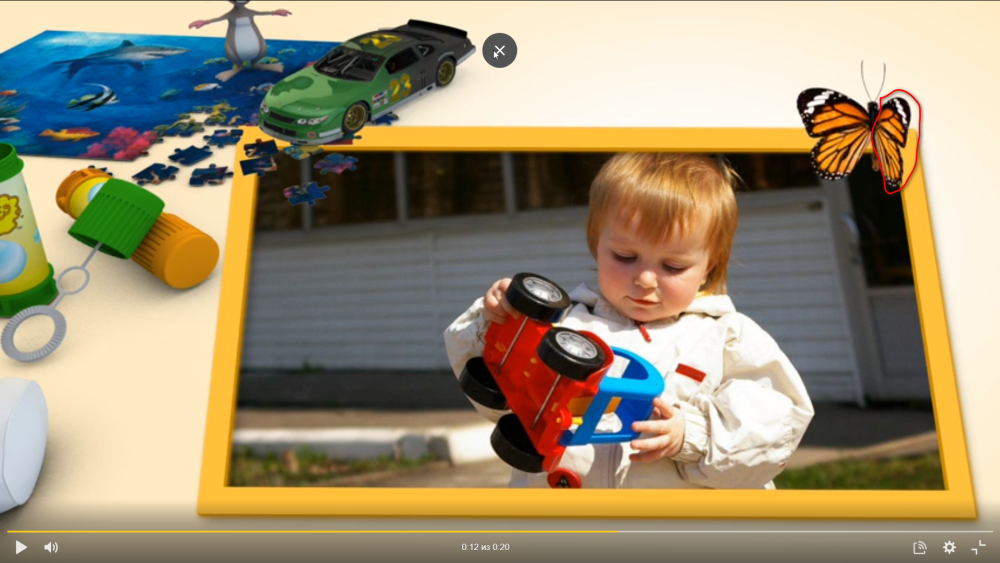
From the behavior of the butterfly, I thought there was a camera in the program The correct butterfly movements are lost in the upper right corner. And he won't be able to fly correctly from the photos. Трудно заставить бабочку двигаться должным образом. Вы можете увидеть, о чем я говорю, на фотографиях.
-
Maybe I explained something wrong.. I made a butterfly to flutter through the photos.. As long as the butterfly is in the middle of the frame, everything is fine, it's worth moving to the edge. The butterfly does not flap its wings, but rolls from right to left. I'm going to post a video now.
-
The camera does not turn off. It would be nice if it could be turned off.
-
 Thank you. Happy upcoming holiday.
 -
Hi PTE is an excellent program. It's a pity that the camera is always on in the program. The camera creates problems on some slides. For example, shifting a slide away from the center causes it to be distorted. I have to come up with something. To make everything look as it was intended.
-
I like the program. You can create almost any theme for a slideshow.
-
Two styles of 3d Balls for Christmas tree
AleAle5025 replied to AleAle5025's topic in Styles & Templates
Hi. Вячеслав. Thank you. Happy New Year. -
Thank you so much for the kind wishes and good reviews. Have a good mood. It's great to meet and spend the new year. Thank you.
-
Two styles of 3d Balls for Christmas tree
AleAle5025 replied to AleAle5025's topic in Styles & Templates
Hi. Thanks for the kind wishes. Have a good rest and good mood. Happy upcoming holiday. Good luck. -
Two styles of 3d Balls for Christmas tree
AleAle5025 replied to AleAle5025's topic in Styles & Templates
Hi. Thanks for the positive feedback. Have a good mood and have a great Christmas. Good luck. -
The Adobe After Effects style is assembled in PTE.
-
- 3
-

-
Two styles of 3d Balls for Christmas tree
AleAle5025 replied to AleAle5025's topic in Styles & Templates
Berny Thank you for the congratulations and feedback on the slide show. I was lucky in my life that I knew Pavel (stranger2156) Have a great Christmas. Health, happiness, and well-being to you and your loved ones. -
Two styles of 3d Balls for Christmas tree
AleAle5025 replied to AleAle5025's topic in Styles & Templates
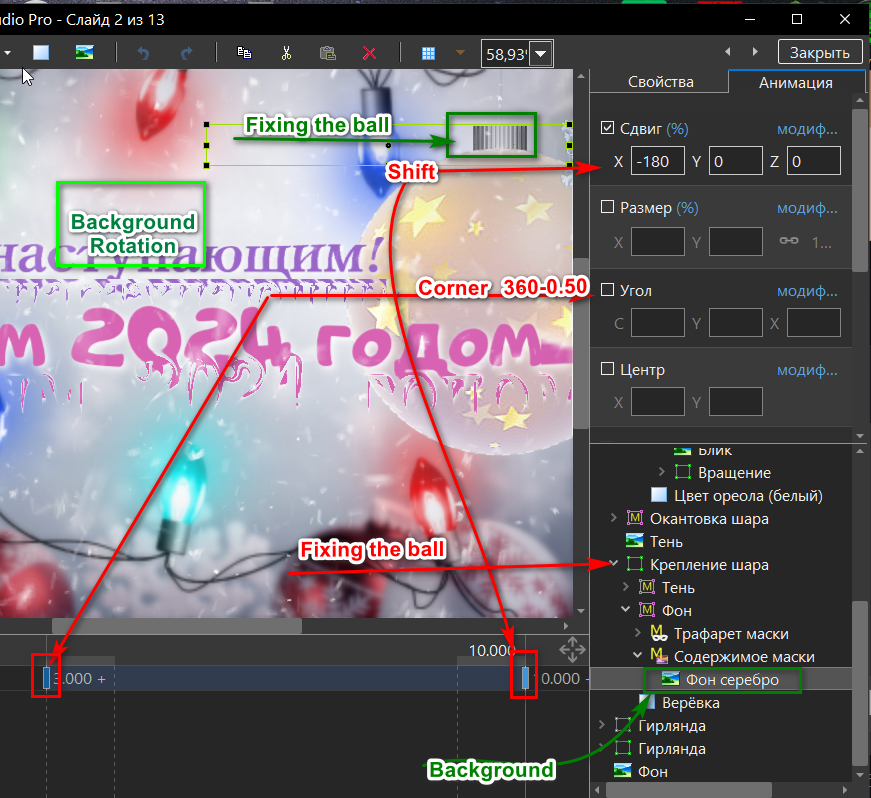
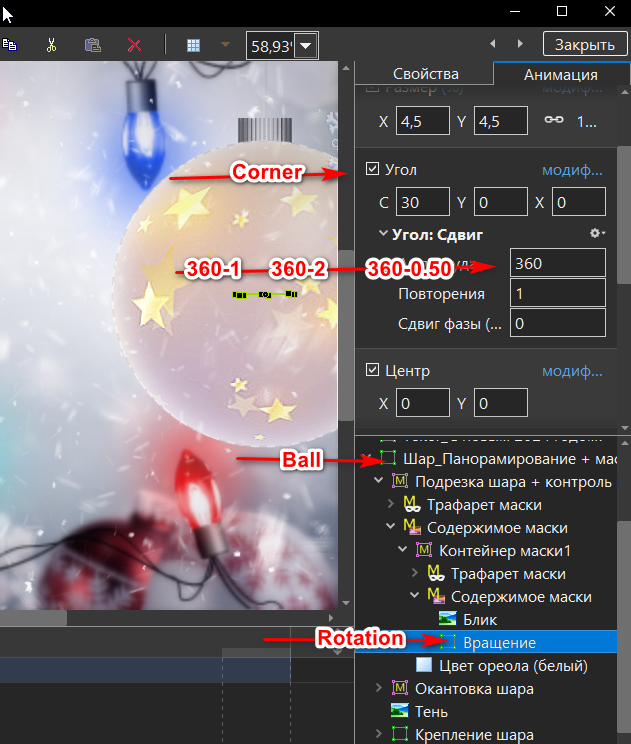
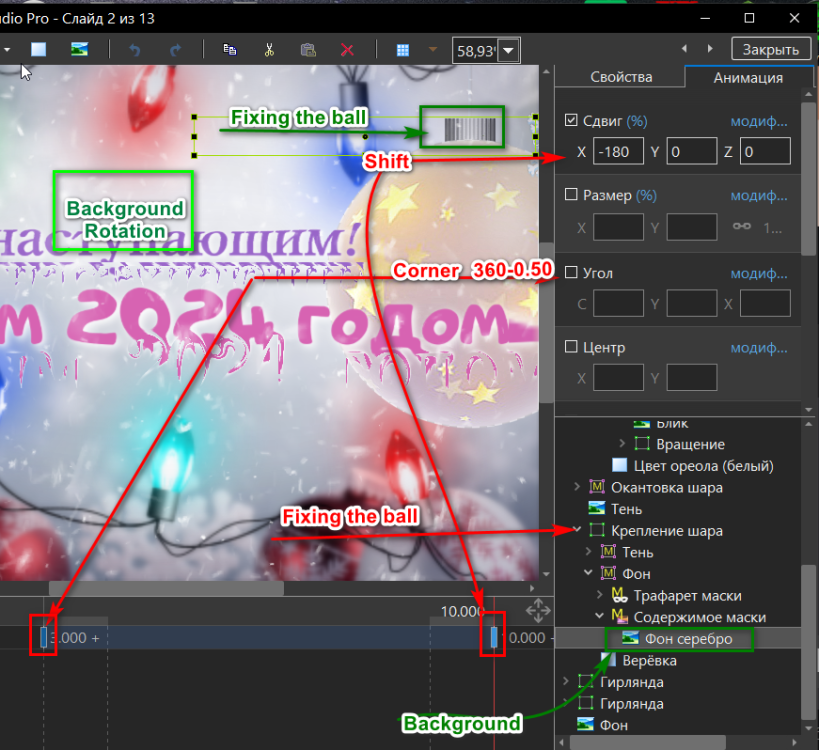
Hi Yes, there is one image and two images in each ball. The rotation of the ball can be set to one revolution or three at will. We create the main slide in the program. Then we create the balls style on the timeline. We go into the balls style. We copy the balls style and paste it into the main style. So you can insert several balls into the slideshow.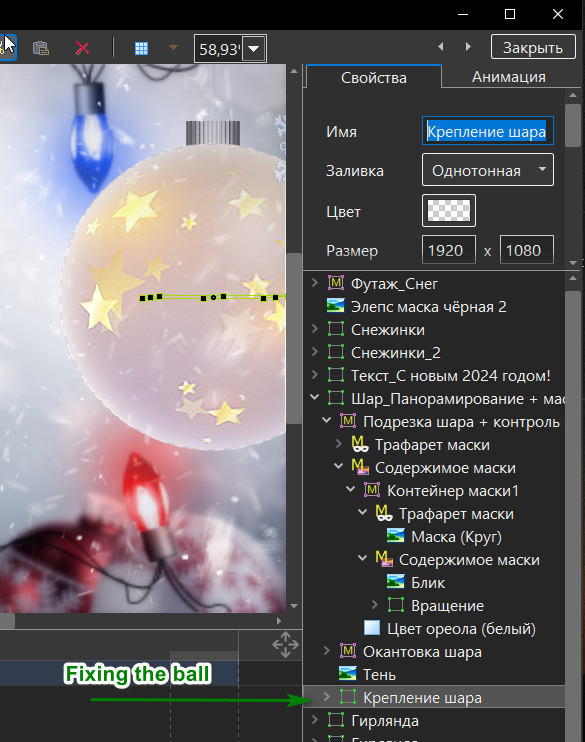
-
Hi I used to publish this style, it doesn't work correctly. Delete it. Upload a new style. Errors have been fixed in it. The style is based on Patrick's textbook. The lesson was translated into Russian by Pavel (stranger 2156). I collected 3 D balls according to Pavel's lesson. And I was collecting balloons for the Christmas tree. Download: https://disk.yandex.ru/d/dBwg46hKpT0gFg https://disk.yandex.ru/d/pA6zQBSwW-QHfw
-
Hi. We have 30 degrees. Winter is always beautiful in the city in nature. New Year's Eve is a favorite holiday Thanks for the feedback.
-
Hi Garland 4 for the Christmas tree. Success https://disk.yandex.ru/d/BtJuXmYQjmjigQ
-
- 3
-
-
Hi. Merry Christmas, Happy New Year. Good luck, good health.
-
Hi. Map offsets. Suitable for New Year's style and text. The style turns out to be bright. New Year's Eve, interesting. Thank.
-
Hi I did not use an offset map in the slides. In this work, I applied an offset map to text and photos. It turned out to be such a slide show.
-
Hi.. Good job. Thanks for the demonstration.
-
Hi Thank you for your positive feedback
-
I wish you to spend time with benefit, pleasure and a cheerful mood.
-
Free Template - Room Slideshow ID 15082023
AleAle5025 replied to Bad Dancer's topic in Styles & Templates
The work is impressive. Thanks. -
Thank you. Henry