Ken Cox
-
Posts
8,069 -
Joined
-
Last visited
-
Days Won
2
Everything posted by Ken Cox
-
I have just pinned the tutorial section that i started quite some time ago please enter all future links here re tutorials lets see how this works out ken
-
Dave go ahead and make a posting -- Igor plans on making changes to the format and if this tutorial is earmarked hopefully he will catch it i will definitley add it to my faq list ken
-
thanks to ronwil http://www.ronwil.statacom.net for providing this link http://cameraclubs.photopro.co.uk/ ken
-
see http://dvddemystified.com/dvdfaq.html http://www.videohelp.com/vcd http://www.videohelp.com/ ken
-
v5 introduces animation effects maybe wait at least a week before you try it you are going to want to try it so you might as well give it a go and then as things come up in the forum you can try it ken
-
If people took the time to print out threads that pertain to a particular problem, or develop an index of urls to frequent questions [ my url faq is 1.3 mb +- zipped up] they would soon have a very good and current reference manual -- currently i have 2 3 ring binders and 2 clipboards on the go + i do not hesitate to save threads to hard drive filed in members designated folders. we all agree that the help file etc is lacking but we keep plugging away -- Igor and crew are trying their best to satisfy all, planning ahead - vista ready-- trying to get hdwe mfg's to correct drivers and to do " geez it would be nice if you could do this Igor-- hint hint" If you look back at Leonard's postings since he joined you will see that we have bent over backwards to help him but he always had an excuse why the answers did not meet his needs ken
-
BOB hawk and i verified this problem for Bill off list then we got Bill to post see http://www.picturestoexe.com/forums/index....amp;#entry36460 not enabled as yet ken
-
Carywelcome to the forum objects are not enabled in ver 5 from ver 4 as yet see What's still missing from version 5? http://www.picturestoexe.com/forums/index....0&hl=navbar ken
-
when you save the pte where do you save it what name do you give it it makes life easier if you have copies of all the the picts msic etc in a properly named folder and then you dont have to look for it ken
-
AN ARTICLE IN OUR GLOBE AND MAIL yesterday SEE http://www.theglobeandmail.com/servlet/sto...Technology/home they seem to be looking for entries if the article is not available, i saved it and can email it ken
-
RAY for experimental purposes see http://www.pcworld.com/printable/article/i.../printable.html http://new.photos.yahoo.com/davejoh975 there are good selection of all types /shapes max size is 640 480 then when you get show working the way you want simply replace with your own ken
-
LIN no problem on mine ken
-
Cal to be honest i had forgot that it was there -- there was some chatter on forum years ago about copyright but had not been brought up in a long time but then i suffer from "CRS" so it figgers ken
-
can you put up 2 screen shots of custom logo ken
-
Stevie i didn't even get a popup at Cindy's site ken
-
Cal also see http://www.picturestoexe.com/forums/index....amp;#entry36752 start at post #3 ken
-
Mike "it's done by using curling of page effect (the exemple was done a lot of time with V4.xx)." ken
-
JP a beauty you spoil us ken
-
JP the link "this one" does not seem to be active/valid nothing happens copy shortcut command gives http:/// ken
-
Lin dandy shots / effects ken
-
wideangle this is a very deep subject i have always found that the pte default codec sufficed but if i wanted a permanent avi i had to pick one from the many that are on my system with the advent of dvd builder Igor has given us the option to make a permanent mpg see http://en.wikipedia.org/wiki/Video_codec a while back we learned if you have a collection of avi's from various sources if you r mouse / properties sometimes the codec is listed that was used also you can get a free tool http://avicodec.duby.info/ that will tell you the ino as well as list all codecs on your system also SHERLOCK - The Codec Detective http://www.updatexp.com/sherlock-codec-detective.html this thread More Video Coding Comments, Producing AVI files from PTE started by Jeff Evans has a wealth of info in it http://www.picturestoexe.com/forums/index....2&hl=codecs ken
-
Jean alrobin and Hawk have extensive tests on this subject they will be sure to answer you in the interim try to search the forum Hawk stays up all night huntin mice ken
-
Garic "The only problem is with chapter 2 having no pictures, but works when I create executable." --this is a symptom of closing the pte program before an avi has been made or trying to use a saved avi file -- the exe is a completed file -- many of us have been burned with the idea that the temporary avi is complete, but if you are trying to add the pte to the video builder and it has access to all the components of the show - pictures as well as music, then you have me baffled is it possible to supply us with some screen shots of the dvd builder? have you tried just making a dvd with chapter 2? ken
-
mightec welcome to the forum we are currently testing v5 beta and the are quite a few things not enabled -- it brings pan and zoom and many other features to the package but if you visit this section http://www.picturestoexe.com/forums/index.php?showforum=3 there are numerous demos posted also one our members Bill Hines hosts a site where you can see shows made with the older version as well as shows made with the beta's - there are also tutorials and demos posted http://www.beechbrook.com/pte/ also see http://thefreedom.free.fr/share/portal.php it is best to try the latest stable version 4.48 first before tackling ver 5 try it -- i dont think you will be disappointed ken
-
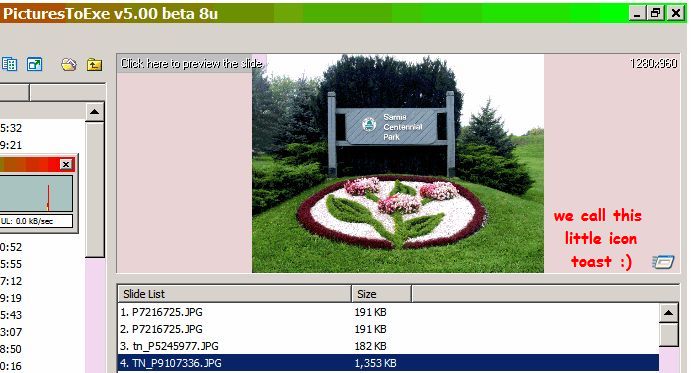
Sharon see toast Al refers to Everything, except make the morning coffee (it even has a piece of toast! - inside joke) ken