davegee
-
Posts
9,323 -
Joined
-
Days Won
59
Everything posted by davegee
-
Thanks Doug, Ron's explanation might be the answer - more than one version on computer. However, as I indicated earlier, it is not something I would do. I rarely edit JPEGs and always return to a previously save TIFF or even RAW if my JPEG does not look the way I want it to look. DaveG
-
Doug, If it is any consolation, I tried to add my CS3 to the list and failed - further investigation required. I think that it is a Windows issue and not PTE. DaveG
-
I copy all that has been said....... .....but the second display EXE does nothing? If it works for anyone else, can you please describe your setup? I have tried it with second monitor in a "clone" configuration and also with the "Extend my desktop..." ticked. The second display exe seems to do nothing. DaveG
-
Right click on image. Click on Explorer. Click on Open With. Choose Photoshop. DaveG
-
Right click on image. Click on Explorer. Click on Open With. Choose your weapon. Folks around here know that I frown on that sort of thing, but if you must.............. DaveG
-
Do you mean that you are trying to open it in PS from within PTE? DaveG
-
For those who have picked images and/or music from a variety of folders /locations it gathers all of the constituent files together in one folder, its location specified by you. In your case it would eliminate any files in your folder which you have not used in your project. DaveG
-
Do they apply the same rules to single imae print comps i.e. straight out of camera - no manipulation? DaveG
-
Quote: There are two option available in PTE that allow you to create either a 'Template' or a 'Back up in Zip' and I have never really been sure of the difference between the two. Perhaps somebody could clarify the differences and the suggest the best option to use please. I took this to mean that Ron was asking specifically about the differences between the two options available in PTE 5.xxx ???? DaveG
-

How to show images full screen in PTE
davegee replied to Ronniebootwest's topic in General Discussion
Ron, Have you checked your image resolution? Have you checked the resolution of your desktop monitor? DaveG -
It depends on whether it's just Eric that's concerned or the whole club. If it's the whole club then I would have thought that a change of rules would be easy to arrange. DaveG
-
OK, I have a guitar effects pedal that would make you sound like Mickey Mouse or Paul Robeson or anywhere betwenn. These are fairly easy to come by. However they won't hide your accent. DaveG
-
How to show images full screen in PTE
davegee replied to Ronniebootwest's topic in General Discussion
Ron, Are you talking about an external LCD Monitor or the monitor of your laptop? It sounds like your external monitor is bigger than 1680x1050 and by setting the Fixed Size Of Slide you are making the 1680x1050 images show at actual pixels instead of "Fit to Screen". Check your monitor resolution and the resolution of your images. DaveG -
How to show images full screen in PTE
davegee replied to Ronniebootwest's topic in General Discussion
The settings that you describe SHOULD give you a full screen 16:10 show. They certainly do for me - 16:10 (1920x1200). How do they look in O&A screen - do they fit the "window" there? DaveG -
Get someone else who is not a member to do the voiceover? DaveG
-
.....or apply selective sharpening to offending images. Don't sharpen trees (lots of detail) or skies etc. DaveG
-
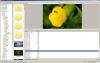
Hmmmm, I normally use vertical view and don't want to change permanently but on changing to Classic View I get this: I get name by toggling Ctrl+1 - I just remembered!!!!!!!! DaveG
-
Lin, Can you post a screen shot - I don't have "name" anywhere in my "Classic View". I get it in the View section of main menu? DaveG
-
You did ask: "Another point that confuses me is the fact that, when using the 'Template' option, the default folder is always created on the users 'C' drive yet I notice that this can be changed to a drive of the users own preference - what is the point of this?" Just guessing here - TEMPLATES are useful for storage on your own system - Backup In Zip is handy if you want to e-mail? DaveG
-
Hi Ron, A possible way around that is to partition the one disc that you do have. This allows for programmes and data to be kept separated - by performing regular defragging with smart placement on the "c" partition the computer then works to its highest efficiency. Just my opinion. DaveG
-
I downloaded 5.6.4 on May 21 at 09:20 and installed pretty much straight away - no problems. It will e-mail if anyone desperately wants a copy? DaveG
-
Templates - every time (and regularly) for backing up finished projects. Re your other question - your C drive is for programmes - not data. DaveG
-
I use a mixture of "high pass" sharpening and "unsharp mask". When I have finished editing I create a new layer with my merged down, edited image in it. I create a high pass sharpening layer above that and then apply unsharp mask to the merged layer. It is then possible to alter the opacity of both these layers to produce the desired result. Layer masks also allow for selective sharpening. DaveG
-
http://www.picturestoexe.com/forums/index....ost&p=65354
-
Ed, Having faced the same problem over the last year I would ask: Why 1050 high? There are a growing number of 1920x1080 projectors now in use and they are the highest you are likely to find in common usage. This resolution also applies to LCD TVs. On the other hand the norm for home PC monitors is fast becoming 1920x1200 (OR BIGGER) so passing shows on to friends might involve them viewing your 1050 high show at 1200 high. There is no easy answer but thinking along the lines of catering for the HIGHEST res you are likely to come across in NORMAL circumstances why not make your shows at 1080 high or 1200 high? DaveG