All Activity
- Past hour
-
Interesting problem. 1. If you have V11, could you check it there? Now about V12. 2. Let's try to figure out if this problem occurs with any text or specific letters or words. Try typing: Hello, world Then try typing in French. Try typing different French words. If some work, but others don't, give me exact examples. For example: Merci - doesn't work (won't print any symbol) Bonjour - works Hello, world - works 2. Check another text field (box) in the Objects and animation editor. Add a new Text object, and in the Properties tab, try typing text in the text box. Same words.
-
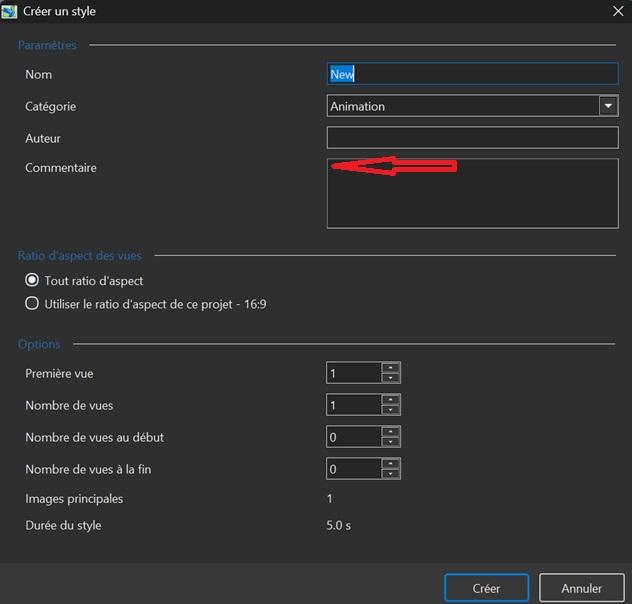
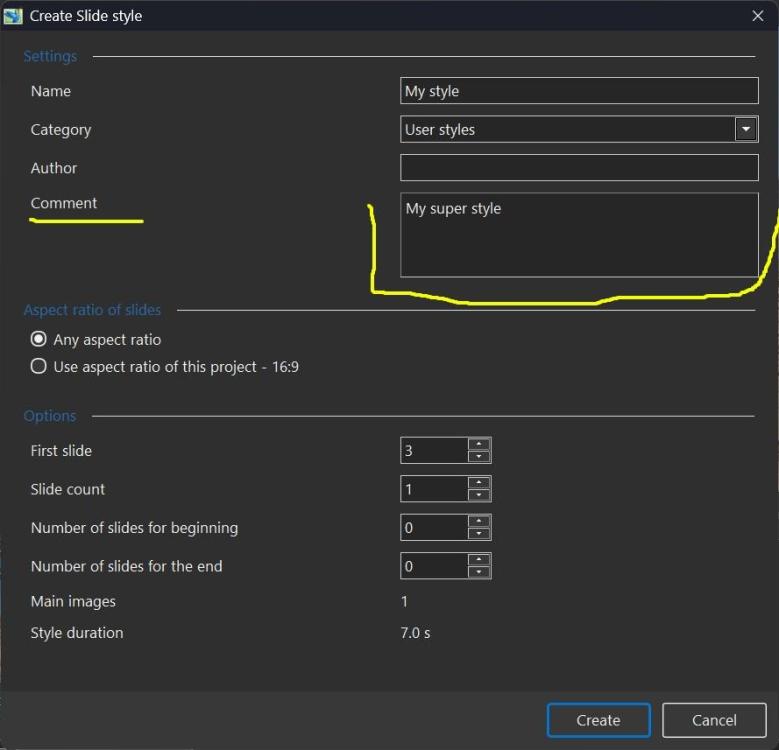
This happens when I click on the red arrow. So, in the top left of the comment field box.
- Today
-
Yes, it's the comment box field. The vertical cursor line is blinking correctly. I can paste text from Windows. I can see the context menu when I right-click. What's strange is that it doesn't happen every time. Only on the first letter I type. Perhaps it's a problem with my setup or my keyboard... Thanks
-
Hi Roan, Do you mean the Comment box field, as shown in the screenshot below? It works for me. Does the vertical cursor line blink when you click inside an empty text field? Can you paste some text from Windows Clipboard (Ctrl+V)? Do you see a popup menu on the right mouse click? With commands Undo, Redoe, Copy, Paste, etc.
-
Guys thanks for the kind words and glad you enjoyed the show. More to come in the future, if could stay young mentally.
-
Great Job, of telling one of the first space flights, I got lucky and met John Kennedy in person when he was on the campaign trail in Oregon, and met Yuri Gagarin's in Moscow at some Russian affair back in 1971, I was touring Europe on a poor boys budget, i had just returned from Nam and wanted to see how the rest of the world really lived before I died. Your so right on AI it is a real mental challenge top stay in focus and not get carried away your ego, and a lot of patience. The AV use was fantastically well done, keep up the good work. 😉💥
-
Well done Ian!!!!! Excellent production and seamless integration of Ai material
-
Igor has asked me to post a link to my new AV sequence. The background is that my AV Group had a challenge to produce a new sequence using some form of AI, either images, video or audio. I decided to make one about Yuri Gagarin's pioneering space flight in 1961. Very few images exist of this, so the use of AI was a good option to re-imagine the story. See what you think:
-
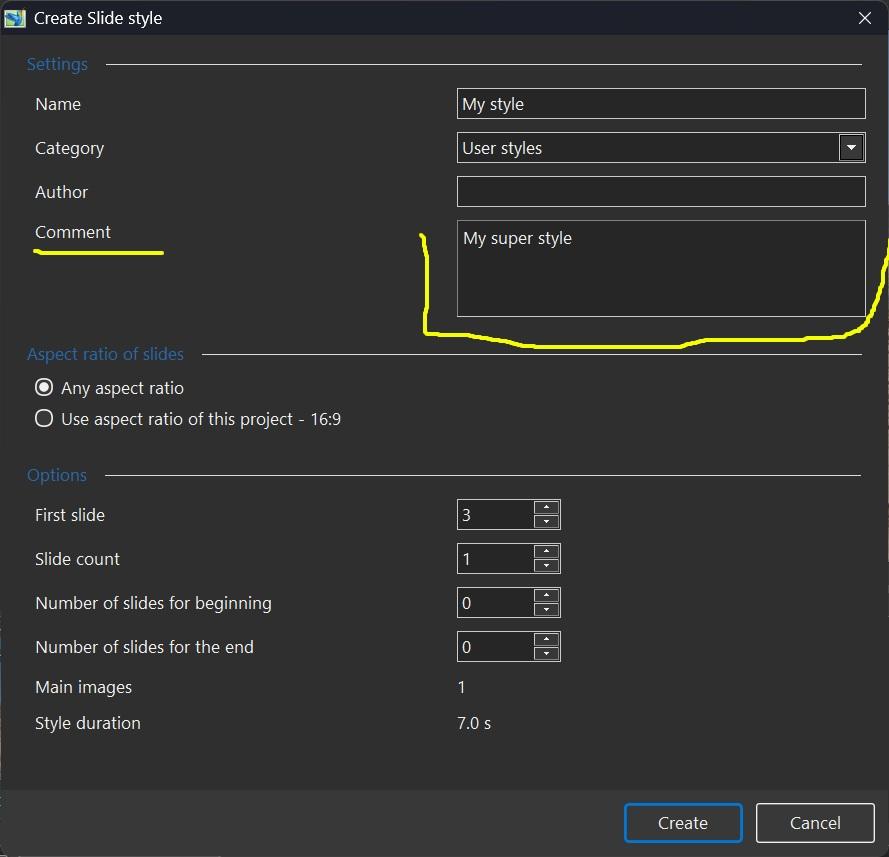
Hi Igor, When I create a style and want to add text to the comment box (if the box is empty), the cursor doesn't move when I type the first letter. I think this problem was present in previous versions. It's really a very minor detail. Roan
-
 Izak joined the community
 -

Strange behavior regarding the "Transitions" project option: [SOLVED]
Igor replied to Roan Jon's topic in Troubleshooting
Roan, thanks for the confirmation! -
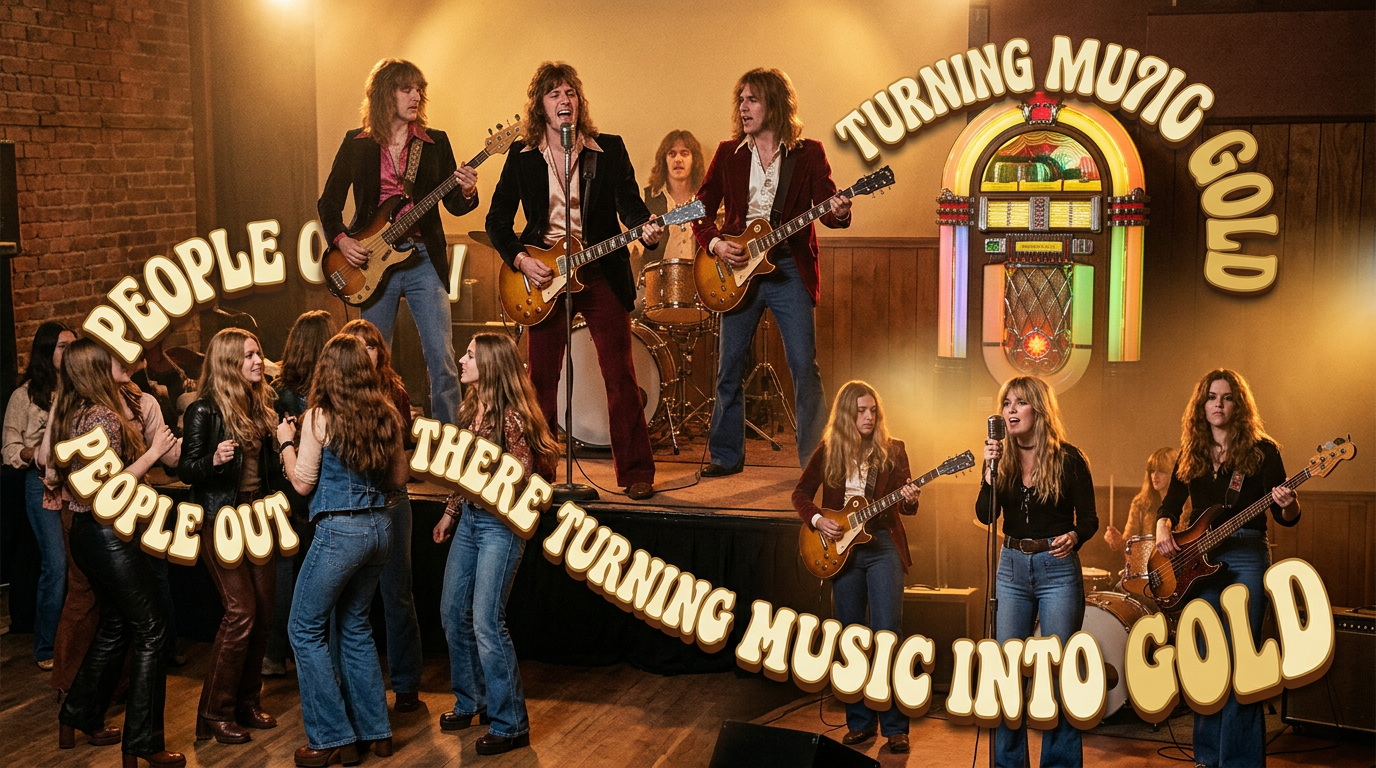
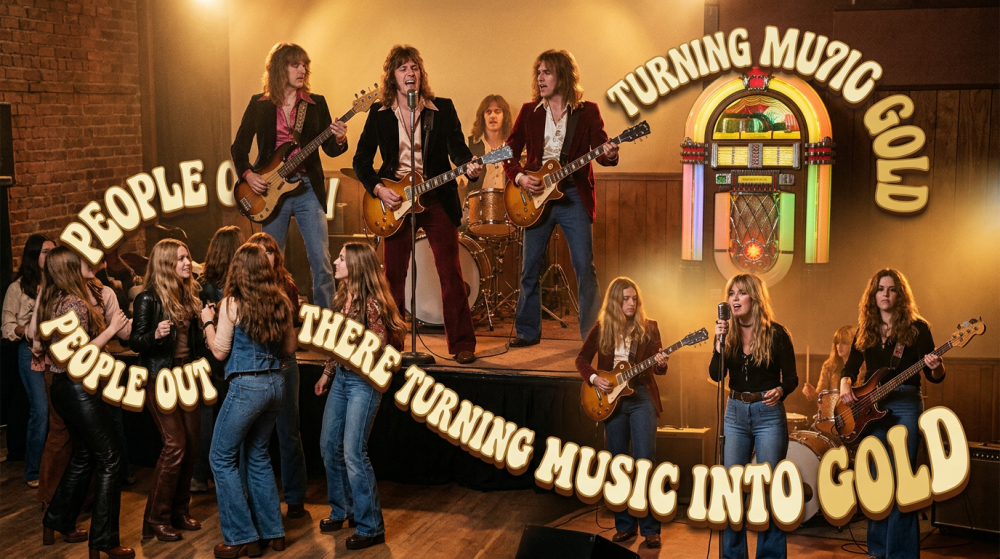
Nice work, well done. A lot of effects and images so qute a few hours as you mentioned. I think you got the music first, then the words and created the images to the words with the timing - great job. The AI image generation would have taken a lot of time and practice. Despite what people think, you just don't type in a prompt to get images like that. A few observations from me. Maybe a little too much of the text "Turning music into gold". Warping the text around the images was well done and it may have been the learning? If you are like me, when I find out how to do something, I then have a tendency to use it probably too much but that is me. When I first started out on the digital AV jouney over 30 years ago, I remeber what the judge said who was a good friend. "Just because there are hundreds of effects in an application, you don't have to use all of them in the one show". A reference from the AV slide days and how little control you had with fades etc unless you had multiple prjectors etc. Congratulations - great effort. Av's can be very subjective (like photography) but as long as you are happy, that is the important thing. Thanks for shring. Mark
- Yesterday
-
Yes I can see producing the show was a lot of work
-
Music to Gold Show, Some May Like It, Others Won't, But The Ending Will Surprise Ya... All I can say is creating this show was a real challenge from beginning to end. And I learned a trick or to, nothing like a education. Hope you enjoy the show. Music to Gold Show Link: https://www.pnwhiker.org/MusicGold/MusicGoldShow.htm
-
Tanks for replay. I imagined as much.
-
This is something that has been asked for, but currently not possible, I have the same problem with eyesight. One option if you work with 2 monitors is to drag the window out across both monitors. This does help a bit. Using the arrow keys to tab between the KeyFrames can also be useful, rather than trying to drag with the mouse. Jill
-
Good evening everyone. Is it possible to enlarge the keyframe bar in the O&A (Objects and Animation) section of PTE PRO 12 so that I can better see the spacing between keyframes when they are very close together? For example, five transition points spaced just one or two hundredths of a second apart. Unfortunately, my eye sight isn't what it used to be. Thanks in advance for your replies. Ale53.
-
Strange behavior regarding the "Transitions" project option: [SOLVED]
Roan Jon replied to Roan Jon's topic in Troubleshooting
Hi Igor, I just tested build 3. Everything is working well. Good job. Thanks. Roan -
Please can you translate your message to English (Google Translate, DeepL, ChatGPT) and tell in more details.
-
Strange behavior regarding the "Transitions" project option: [SOLVED]
Igor replied to Roan Jon's topic in Troubleshooting
We fixed this issue. Try the new v12.0.1 Build 3: PC: https://files.wnsoft.com/test/pteavstudio-setup.exe Mac: https://files.wnsoft.com/test/PTE-AV-Studio.dmg -
Les videos incorporées sont saccadées, il faut les mettre en externe ou découper le diaporama en plusieurs parties
-
Michel74700 joined the community
-
Camera 2 Transitions For PTE AV Studio 12 (and sound)
chanfi22 replied to jienense's topic in Styles & Templates
Hi Javier thanks for sharing this interesting transitions. Well done -
Camera 2 Transitions For PTE AV Studio 12 (and sound)
digartal replied to jienense's topic in Styles & Templates
Fantastic, well done. Brings back memories of my trip to Barcelona last year. Thanks for sharing the project. Is it alright to edit for my images? I have had a look already and I am learning by reverse engineering or editing. Loved the video use as well. Have lots of camera and 360 degree images of Sagrada Família and can use some of them for a show using this template as well as other Europpena locations. Thanks for sharing. Mark -
Free Music / SFX Resource - Over 2000 Tracks
Eric Matyas replied to Eric Matyas's topic in General Discussion
Greetings Fellow Creative Souls, "STRATOSPHERE" (Looping) is this week's new release in higher-quality Ogg format. I originally created this track for people who make drone videos, but realized that it might sound really nice in open-world games, too. You can listen to it here: https://soundimage.org/wp-content/uploads/2026/07/Stratosphere_Looping.ogg And freely download it here: https://soundimage.org/aerial-drone/ Please be sure to check out my Ogg GAME MUSIC MEGA PACK which enables you to bulk-download all of my game music at once...a huge time-saver. https://soundimage.org/ogg-game-music-mega-pack/ CUSTOM MUSIC If you happen to need some custom music for your game or project, I'd love to help out! Feel free to contact me here: https://soundimage.org/custom-work/ As always, enjoy, stay safe and keep being creative! 🙂 -
Strange behavior regarding the "Transitions" project option: [SOLVED]
Igor replied to Roan Jon's topic in Troubleshooting
Hi Roan, Thanks for your message! I confirm this issue, we're already working on the solution. -
15 transitions with camera sound, for this new version of PTE V 12, I hope you like it. Download: https://javier-pteavstudio.blogspot.com/