davegee
-
Posts
9,365 -
Joined
-
Days Won
60
Everything posted by davegee
-
What is a "Black Titles Slide" and where did you insert the text? The "normal" way to create a title slide would be to key ALT + S on keyboard to create a new BLANK slide - go to O&A and insert text there via the TEXT Button. Nothing in the Comments Tab would alter that.
-
Gerard, You make it too easy!!!! It is sometimes/mostly better to find out these things for one's self (with a gentle nudge in the right direction). DG
-

HDMI ignores "Fixed size of slide..." setting?
davegee replied to fh1805's topic in General Discussion
+1 DG -
HDMI ignores "Fixed size of slide..." setting?
davegee replied to fh1805's topic in General Discussion
I'm reminded of the 6 P's which were drummed into me relentlessly when I was in gainful employment. I admit to having "fallen down" many times but it always comes back to me (after the event): http://www.urbandictionary.com/define.php?term=the%206%20p%27s This and "never use someone else's equipment". DG -
Gary is this what you mean: DG
-
It is an option when you click on "insert template".
-
Lin, I wonder if there are other variables such as the "quality" (for want of a better word) of the Media Players installed in different makes (and models) of TV? Can we assume that they are all equal? I haven't reached the limit of the "taxing animations" of which you speak or I would notice it straight away. There are too many variables here to make anything other than generalities. DG
-
We may have been writing at the same time - I was looking at the V7 AVI options. Try looking at the V7.5 Beta 4 AVI options. MPEG4-ASP = AVI DG
-
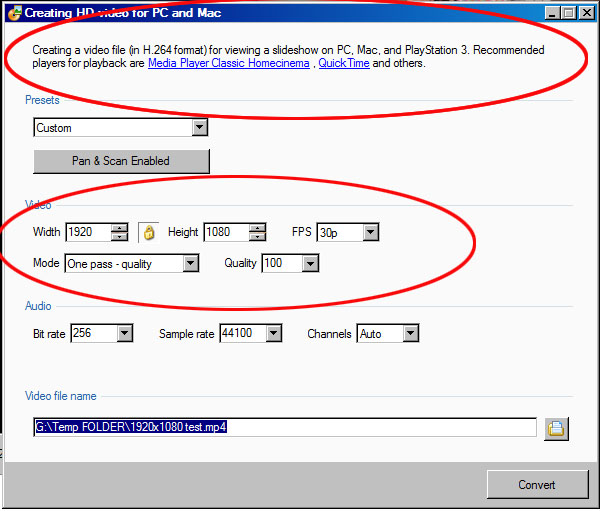
Never used Freemake - can't answer that. Perhaps there's an answer within PTE. If you use Publish > AVI Video File the custom setting offers the XVID Codec version as an MPEG4 file. The HD Video option is the one that produces the H.264 option.
-
HDMI ignores "Fixed size of slide..." setting?
davegee replied to fh1805's topic in General Discussion
Forgive my late thought - You can try this yourself. Connecting a laptop to a TV via HDMI is the same as connecting a Laptop to a PROJECTOR via HDMI. But here I go again - I make the assumption that you have access to a laptop with HDMI? DG P.S. You don't have to crawl under the table to see whether your monitor connection is VGA or DVI - look at the monitor end. -
Good explanation Xaver. Gary, I tried one of my MOV files through the converter at the Quality % which produced the same size file and the does not appear to be that much difference. PTE's Converter defaults to 50% and I tried 30-40% with acceptable results and same size files compared to the original. What % figure produced the 300+ Mb file from a 70Mb file? DG
-
If you don't click on Set for existing Slides you don't get anything so I don't think it was that. I've tried all possible scenarios (except one) and it works every time. DG
-
HDMI ignores "Fixed size of slide..." setting?
davegee replied to fh1805's topic in General Discussion
It sounds like the laptop did not set itself to 1920x1080 when the HDMI was connected - it's happened to me (albeit with a laptop whose native res was 1280x800). You don't specifically say whether you were playing EXE files or MPEG4 files which you make for TV? I assume that you meant EXE? DG -
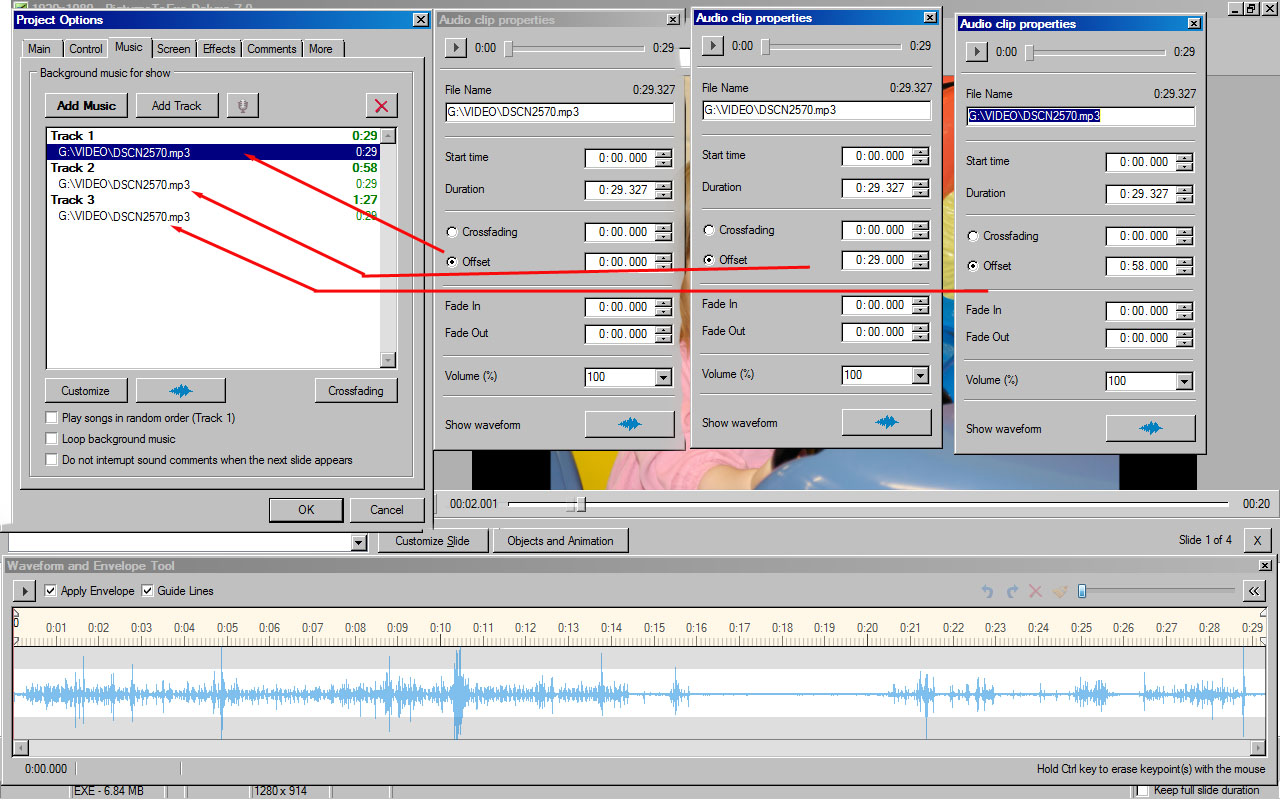
The waveforms in Project Options are the individual Waveforms - the composite Waveform is only shown in the Time Line. If you click on each clip in turn it shows the Waveform for THAT clip alone. In V7.0.7 the only way of doing what you want is via the CUSTOMIZE - AUDIO CLIP PROPERTIES. I hope that I have understood your "problem"? DG
-
Your first request for info was in the post that I made refering to Video Output from PTE so that confused me? Have you tried the PTE Video converter and does it not do what you want? I'm using video straight out of my wife's Nikon (H.264 MOV) and I'm not finding any problems with it (so far). I need to try it on other computers! My laptop handles it OK and the spec is not that good.The file size is not a concern but I would not want a stuttering performance!! DG
-
Why convert at all? Which Camera? DG
-
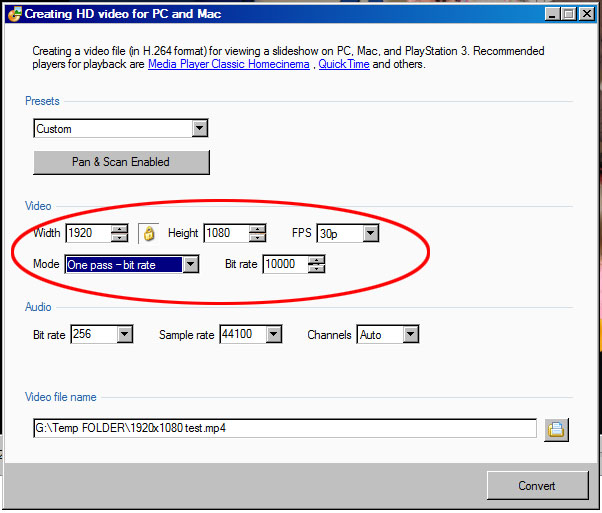
You're right. The highlighted screen shot that I posted shows that the presets are all variations on the H.264 MPEG4. Video - builder offers some different codecs? DG
-
Project Options > Comments > Set Comment For New Slides > Insert Template > Slide Number (Set for existing slides)?
-
Igor, When using some of the options in "PUBLISH" there is no "CANCEL" button and the only way out is the "x" button. e.g. HD Video I would like to see a "Cancel" option? DG
-
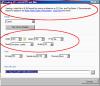
Hi Gary, I have never set foot into those murky waters. I have always used the default preset of 1920x1080. if you then go to Custom I think it displays the settings for that preset? DG
-
Correct Gerard - NIK and NIKON are two different companies. NIK developed NX2 for NIKON with the injection of some cash a while ago but the partnership is now dissolved. Nik produces some great effects for both NX2 and PS. I use Colour EFX3 for NX2 and it works extremely well now that it is 64 Bit Compatible. The upgrade from 32 Bit NX2 to 64 Bit NX2 caused a bit of a stir when CEFX3 was not compatible for a short time. But NIK relented and gave us V3.0.0.4 which is 64 Bit Compatible. But it will not be developed any further. I have used their HDR Software until I found Oloneo which is (IMHO) a better buy. DG
-
Footnote. It might be obvious (now) but MPEG4 (H.264) Video Files do not "fit to screen". If you have a TV which is "HD Ready" but not necessarily 1920x1080 (one of my TV's is 1366x768) then a portion is lost when it is presented with a 1920x1080 default MPEG4 from PTE. Since 1366x768 is not one of PTE's presets the CUSTOM option has to be used. DG
-
Use BACKUP IN ZIP. File Menu. That puts everything in a ZIPPED folder that you can upload to DROPBOX or MEDIAFIRE etc.and download on your laptop. Unzip and start working again. If the file size is low enough you MIGHT be able to e-mail it (less than 8-10Mb usually). DG P.s. You could put the Backup ZIP on a key?
-
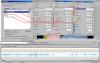
Steven, This is what Lin originally tried to explain. You cannot see all of the Audio Clip Properties boxes at the same time - clicking on each of them brings up the correct box in turn - you then set the individual offsets to suit. Tracks are (IMHO) the best way to go. Lin will get you through it!! DG
-
quality DVD for PC and TV i need both on one disc
davegee replied to dcrau's topic in General Discussion
If your Laptop has HDMI you can connect it to your TV and play the EXE at full HD resolution? Apart from the EXE - one of the proven methods (at the moment) is the MPEG4. This can be presented to the TV in a couple of ways. 1. USB on TV. 2. USB on a Blu-Ray Player (not expensive). 3. USB on a Satelite or Freeview Decoder. If you could justify upgrading any of those you would be in business but do your research - make sure that the spec stipulates MPEG4 is recognized. My Freesat Decoder only takes AVI. DG