Lin Evans
-
Posts
8,206 -
Joined
-
Last visited
-
Days Won
12
Everything posted by Lin Evans
-
Hi Ken, The cameras which I use don't have a wide format option so I probably won't do that. I primarily shoot to make prints and the problem is that there really are no commonly available frames for the wide format aspect ratio. It's too bad that serious cameras and the entertainment industry can't agree on a format. Actually, even with consumer cameras, the sensors are not wide format so when you choose a 16:9 format you are just cropping what the sensor actually captures and throwing away a part of your available resolution. If the entertainment industry and the camera industry ever concur on an aspect ratio format it would be nice. Best regards, Lin
-
Hi Tom, Thanks! It was a bit much for my XP system with my nVidia 8800GT card too. It stuttered a bit on the zoom, but was smooth as silk on the new system. There are quite a few large PNG files with all the snow and that tends to make things difficult for less than optimal systems. I'll have to look into trying to do a snow slide style. I connected a new speaker system on my new computer tonight and after hooking everything back up, my modem failed. The lights would come on for about one second then go out. I called Century Link (formerly Quest) where I have my DSL service and they suggested I buy a new one from BestBuy. I just finished configuring it for my two desktop systems and my notebook and got everything up and running once again. Hopefully this one will last longer than the old one! Best regards. P.S. I'm typing this on the new system and the text is running all the way across the 25 inches horizontal of the screen I'll have to look at it on the other system to see if it wraps... LOL
-
Thanks Jim, Glad the download worked this time! Best regards, Lin
-
Yep, that's what happens when you use 3:2 aspect ratio. Best regards, Lin
-
Hi Bert, Thanks! My cameras shoot in 3:2 aspect ratio so trying to squeeze the images into a wide format causes more trouble than it's worth for me because I compose using the full sensor and screen. In order to do that (wide aspect ratio), I would have to either use images I've purposely shot as less than optimal zoom and cropped (very few of my hundreds of thousands) or recent photos done specifically for wide aspect ratio. Even my new 30" display is 16:10 rather than 16:9. Best regards, Lin
-
First one with new system. I "really" love the 30" high resolution display. Amazing clarity and easy on the old eyes to see with strain. Link For PC - about 30 meg zipped exe Link For MacIntosh - about 30 meg zipped native mac exe 3.2 format for wide screen zipped Win Executable Lin
-
Hi Judy, So far it's great! I can sit back a bit further with my feet up and still see the display very easily. The 30" display is truly great for photos at 4 megapixel resolution. It's not retina display pixel density - only about 103 ppi, but very, very sharp. Best regards, Lin
-
Hi Derek You can also simply copy and paste the text to alternate slides, then change the content of the text which will not affect the keypoint timing. If you are going to be doing many it probably would be worth making a slide style, but for just a dozen or so you may just want to copy/paste the text then alter the text itself where needed. Best regards, Lin
-
Hi Sandy, If you can tell me where you live (which country) perhaps I can help you. There are two different snow globes which Panos created Photoshop actions for, and I created falling snow animations for. Best regards, Lin
-
Hi Ken, It does have a couple nice speakers, but I'm getting a big set with bass reflex, etc., as soon as I can afford it... I found a nice one at BestBuy for about $99.00 I have a battery backup system coming soon which will let it play about 45 minutes without power so I will have plenty of time to shut down. I still have to update from Win 8.0 to Win 8.1 but haven't been able to find it on the Windows Store page yet. It has a smaller footprint than Win 8/64 and built-in anti-virus. Later... I discovered I had to do all Win 8.0 updates before Win 8.1 would show up in the Windows Store. The update is free so I'm downloading now. It's a bit over 3 gigabytes so will likely take all night.... Lin
-
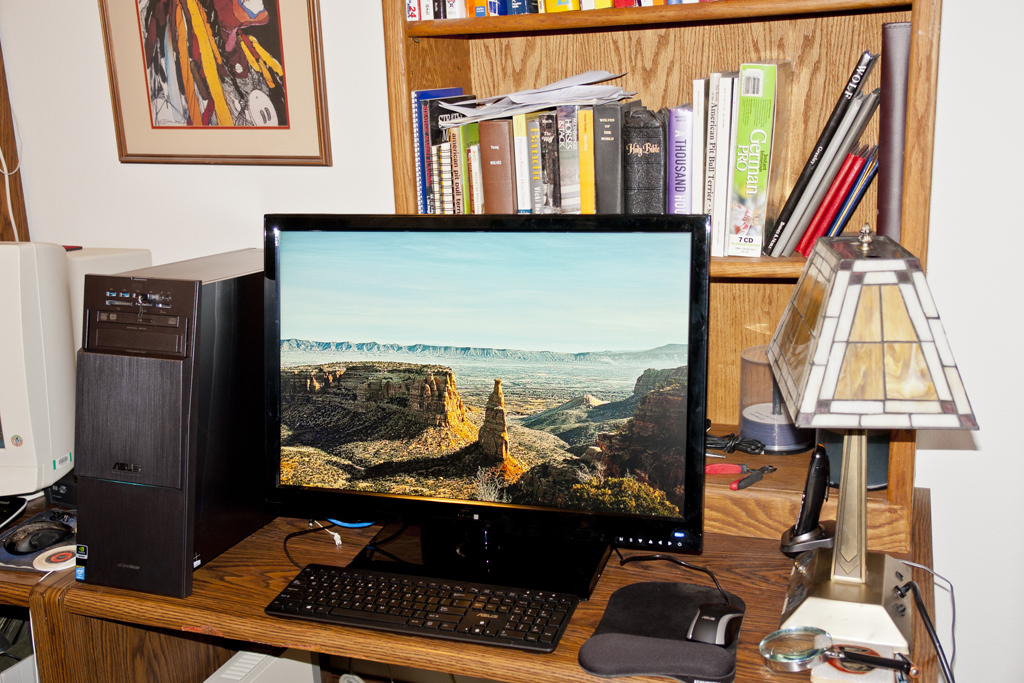
The new ASUS ROG (Republic Of Gamer's) Windows 8 with 32 Gig RAM Intel i7 and nVidia GeForce 760 with 3 Gig RAM is working very well. I just put it up tonight and the great 30" 2560x1600 CTL Display is a dream. Lin
-
Wrong slide duration with unprivileged user
Lin Evans replied to gaaned92's topic in General Discussion
HI Dave, Just answering the question of how to modify the title - I suppose it all depends on the reason one wants to modify the title... Best regards, Lin -
Business Report Here (Link) Lin
-
HI Mick, I was just going by the Wikipedia explanation: The effect is achieved by using the setting of a zoom lens to adjust the angle of view (often referred to as field of view or FOV) while the camera dollies (or moves) towards or away from the subject in such a way as to keep the subject the same size in the frame throughout. There are probably lots of useful variations possible... Best regards, Lin
-
Maybe something like this? MacIntosh Link Windows PC Link Lin
-
O.K., now I understand why. What you really need, I think, is to be able to add audio as an object just as we add images or video. Perhaps that might be something which Igor could consider for a future version. Best regards, Lin
-
Hi Tom, I'm a little unclear of the exact procedure you are using. If you want to add the audio of a video to a slide, wouldn't it make more sense to just add the audio to the slide via the "add video for audio feature" then "link to slide" rather than make the video transparent? Or maybe I'm misunderstanding what you are actually doing? Best regards, Lin
-
Hi Daniel, Bucolic and tranquil !! Thank you!! Best regards, Lin
-
Hi JT, This is the last link I have..... http://www.diapositif.net/forum/viewtopic.php?t=35945 Best regards, Lin
-
Hi Dominique, There are multiple possibilities for moving an object in curved or circle paths. If you could further explain exactly what you want to do then we can make further suggestions. As David has demonstrated, You can attach an object to a position as a child of another invisible object such as a frame then move that object causing multiple types of motion. You can use multiple frames or invisible objects with child objects attached. Also, on the French forum there one of our French users has created a program which will allow following a Bezier Path. I have several free tutorials which demonstrate alternate ways of moving an object in circular or elliptical paths. I will place a few links below for you: Download Tutorials 3, 4, and 33 French Forum Link Another French Forum With Many Tutorials Best regards. Lin
-
Hi Tom, Like a kid in a candy store!! It is fun isn't it? For the spiral effect - if anyone wants to see how it done manually, back when you discovered it on YouTube and asked the question on the forum, one of our Belgium members told us that it was originally done by Marcel and posted on the French forum. Marcel then came on this forum and gave us a link to his PDF which was in French. I copied Marcel's PDF instructions in French into a JPG and posted it on the forum. Subsequently, I made tutorials and posted them in the tutorials section on the forum. The one on creating the spiral effect is found on this link. Tutorial # 36 Link - How to Create Marcel's Spiral Effect Link to tutorials - # 36 for Spiral Effect.... Best regards, Lin
-
Hi Tom, Actually, the Chinese got this from Célou (Marcel) from our French users. Igor then gave us yet another way to do the same.... Best regards, Lin
-
Congratulations Igor and development team, on producing the finest presentation slideshow product available at ANY price! Take a break and enjoy the Christmas holiday! We are all extremely thankful for this incredible product and hope that you and the Wnsoft team have a fantastic and well-deserved break for the season!! Best regards, Lin
-
Hi Cici, Very nice, that was quite a production!! Thanks!! Best regards, Lin
-
Actually, there are "professionals" using PTE - I've used PTE "professionally" for a number of years making my clients which have been some pretty prestigious art galleries and museums quite happy with AV shows. I don't believe I'm the only one doing this either. For my clients, there is absolutely zero advantage in using Wings except considerably more cost. The end product is no better for all the additional cost, and the difficulty in my experience a great deal more. The only time I would consider using Wings Platinum is if there were multiple projections, curved screens and other considerations not possible with PTE. In the vast majority of cases for my purposes Wings is overkill and m.Objects simply not stable enough. I have a friend in Norway who puts on extremely professional AV theatrical shows with huge projections, dozens of displays and high resolution video and he doesn't use Wings, m.Objects or PTE. The problem arises when we define the term "Professional Use." Professional means being paid for what you do. I have been paid very well for both my photography and for my creation of AV products by my clients and I find no problem at all with defining PTE as a Professional tool. As for the length of time it takes to produce the end product - that depends greatly on the skills of the user. What might take an experienced user of PTE a few hours could take a week to do with Wings Platinum depending on the degree and type of desired end product. If serious animation is involved, in my experience it's no contest. PTE wins hands down. PTE works very well for me as it is without the "features" used by lesser products. I would be very happy if someone would send me a "professional" AV made with Wings Platinum to be played on a single projected screen or high resolution display which is superior in any way to what I can accomplish with PTE. What the developers must decide is if they want to dabble with countless "features" to make the product more amenable to those who would probably be quite happy with the "standard" version or if they want to concentrate on the more important things which the experienced AV worker or professional photographer wants. Not having this feature under discussion has not kept PTE from being the # 1 choice among serious AV competitors. There are countless products which resize, resample, rename, etc., and adding that as yet another option to PTE seem to me to be superfluous. Will it really help sell the product? If so to whom? What are people using now which they will give up for PTE and for what purpose are they using their present product? That's my $.02 Best regards, Lin