tom95521
-
Posts
3,711 -
Joined
-
Last visited
-
Days Won
53
2 Followers

Recent Profile Visitors
34,591 profile views






tom95521's Achievements

Advanced Member (6/6)
-
I uploaded a poem to chatGPT and asked it to create a slideshow. Each line in the poem stanza added one second to the slide duration. It was interesting. I still prefer manual creation over the AI version. Tom
-
 One of the new features of RapidRAW is relight. It does ray tracing for shadows and depth mappin and fog. This free software continues to improve. Usually the update cycle is about every 2 weeks. Tom https://www.getrapidraw.com/ Example of shading and color mixing. https://cleanshot.com/share/tBQkR9bZ
 -
https://mapanimator.baldinger.se/ It works with GPX data files and photos along the map.
-
- 3
-

-

-
I can see how this would be great for rapid prototyping of apps but not optimized for speed like hand coded apps. Today I asked aistudio to make a HDR camera app. After a few minutes of typing and debugging it works. Definitely much faster than coding by hand. It must copy and paste various Java libraries into the app depending on what you want in your app.+ https://cleanshot.com/share/LH2jwqbr Tom
-
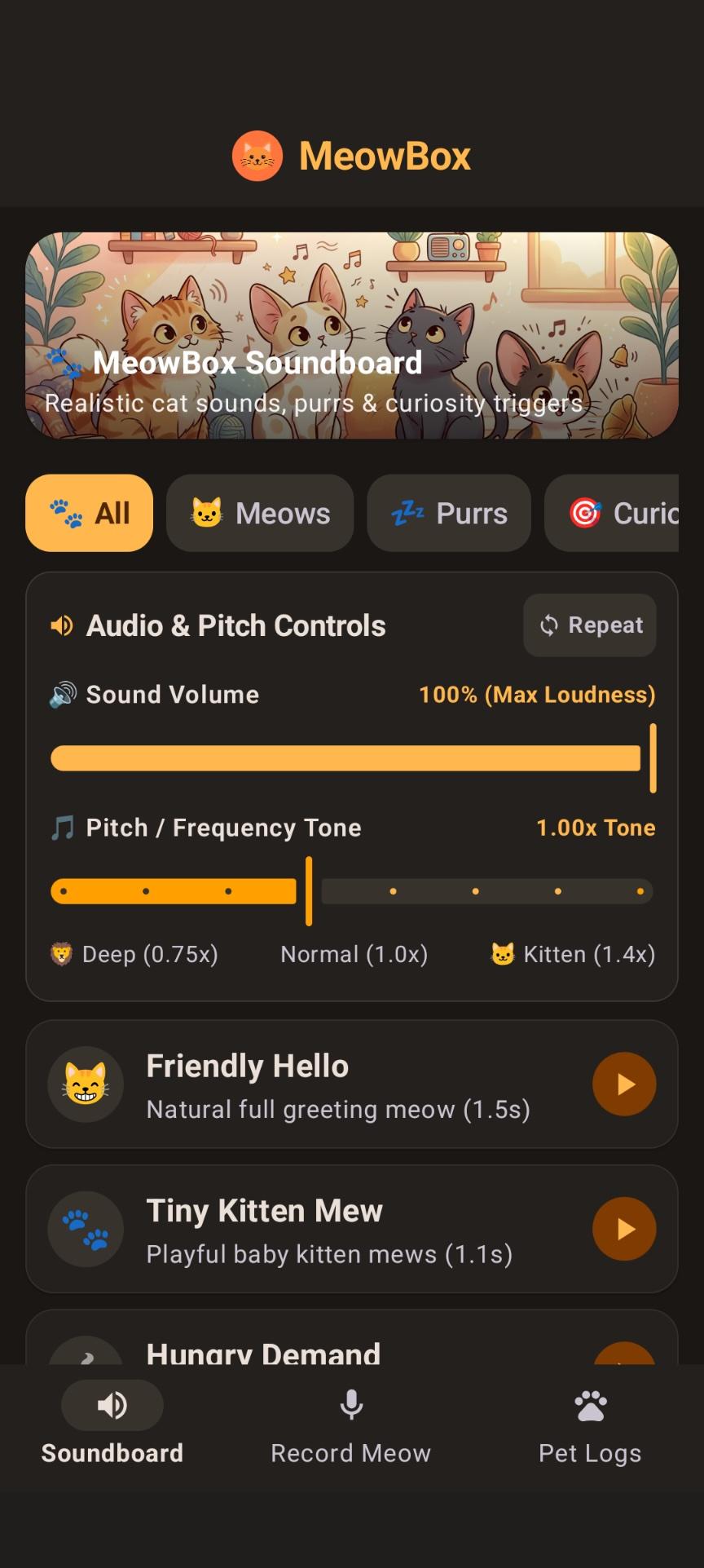
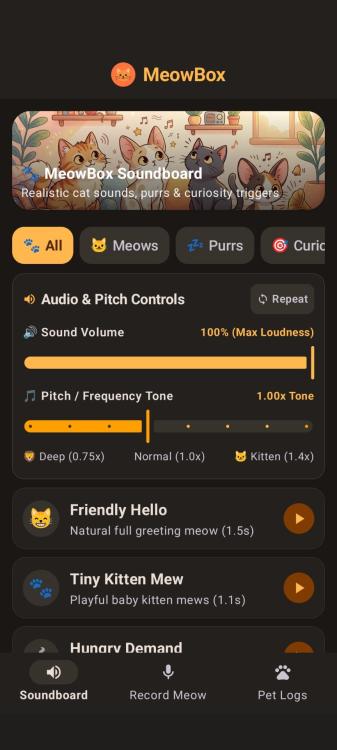
With more Vibe "developers" appearing every day I thought I would try creating an app for fun. I visited Google AI Studio. Total time from concept to working app less than 30 minutes. I was impressed but also kind of shocked with this type of coding. I gave it a basic command create an app that makes cat sounds for my pet and allows users to record their own meows. After configuring my Pixel phone for developer mode and connecting to PC with USB cable the AI studio browser window uploaded an .apk file. The app had audio bugs which I described to AI stuido and it created a new .apk that works. the app sounds are very quiet and very fast. I have identified and resolved the causes for the sounds playing quietly and ending prematurely: What was Happening Premature Playback Cut-off: The playback engine was streaming PCM chunks into an in-memory buffer without awaiting real-time playback completion. This caused the coroutine to release and stop the AudioTrack after only ~10ms, cutting off 99% of the sound before it could exit the device speaker. Short Initial Durations: Several procedural algorithms had short sub-second durations that felt abrupt rather than natural. Volume Channel & Normalization: The audio channel used notification sonification instead of media playback, and peak waveforms were not normalized to maximum 16-bit PCM amplitude. Fixes Applied Complete Playback in MODE_STATIC: Switched to AudioTrack.MODE_STATIC with AudioAttributes.CONTENT_TYPE_MUSIC and USAGE_MEDIA. The audio hardware plays the entire buffer to completion before stopping, tracking playbackHeadPosition to update playback progress smoothly. Realistic Natural Durations & Rich Acoustics: Extended cat sound durations to authentic feline vocalizations (e.g., Friendly Hello is now 1.45s with warm vocal cavity formants, Tiny Kitten Mew is 1.1s, Hungry Demand is 1.65s with repeated urgent calls, and Deep Purr is 3.6s with low 26Hz resonant breathing cycles). Peak Volume Normalization: Added an automatic loudness normalization pass to scale every synthesized sound to peak at 31,500 (safe maximum for 16-bit PCM without clipping). Volume Control Slider: Added a dedicated Sound Volume slider in the app's audio controls (ranging from 20% to 100% maximum loudness). All tests passed (BUILD SUCCESSFUL), verifying that: Sounds now play with natural durations (1.1s to 3.6s). Audio output reaches maximum loudness (peak amplitude normalized to 31,500). Playback runs to completion through AudioTrack.MODE_STATIC with media stream volume and interactive volume controls.
-
Interesting. Still in alpha release. Written using AI and Rust programming language. https://getartcraft.com/apps Review of Lighroom clone from my favorite photo editor reviewer.
-
- 1
-
-
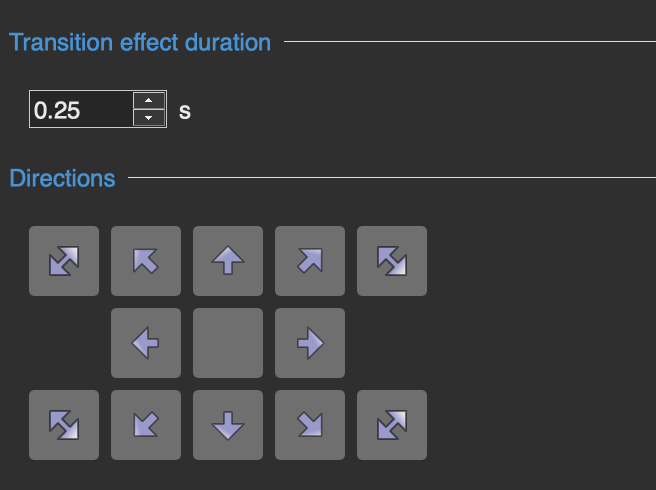
My latest version. Modify and improve if you want to. I was interested in designing a button layout for the two additional effects. Thanks, Tom Update: I noticed after posting 2 of my arrow icons are different than the others. Here is what they look like now. You can easily edit them iso I will not post a new version of the transition (see image below). Quick Slide V3.pteeff
-
Hi Igor, Thanks for the improved version. I'm always learning new methods of using PTE even after all these years. It never gets old (except me). I am looking forward to using PTE more this winter when super El Niño arrives in the Pacific Northwest.
-
Thanks. It is fun creating new transitions and styles. Tom
-
It would be nice if we could right click on slide and open the file manager with file selected. It is already in file list, but missing from slide list. Thanks, Tom
-
This transition is emulation of Google Photos Slideshow transition. I have recently started using PTE again and amazed at the transitions recently posted. Tom Quick Slide.pteeff
-
Add ability to read Jpeg XL (.jxl)
tom95521 replied to tom95521's topic in Suggestions for Next Versions
Interesting. So many file formats available now. I use a Pixel 10 Pro and can shoot Jpeg+RAW. I can not create bracketed exposures for HDR using Google Camera. I must use 3rd party app but no 50 Mp sensor data due to API restriction (still testing MotionCam Pro). Instead a dedicated camera is required. -
PTE is amazing that it can already import many image formats including HEIC and AVIF. Jpeg XL is an improved open source version of jpeg with higher quality and smaller file sizes. Many photo editors like Nitro (Mac), Acorn (Mac), RapidRAW, Luminar, ON1, Photoshop 26.8, and Affinity can export jpeg xl .jxl files. The software is available for Pascal. https://github.com/Xelitan/JPEG-XL-encoder-decoder-in-pure-Pascal-for-Free-Pascal-Delphi-Lazarus Thanks, Tom
-
I have been using ChatGPT for photo enlargements. I also have Topaz Photo AI 3 (old version), but I think ChatGPT does a better job from my limited testing. AI seems to be everywhere now. Original image with prompt "enlarge this image 4 times and improve quality" https://cleanshot.com/share/xFfSPhYt ChatGPT 4x results with description "Seagull Gliding Over Sparkling Blue Ocean" https://cleanshot.com/share/NCTtdGk5
-
AI like ChatGPT can recover much more detail. After AI identifies the subject (or you describe it), then it can add more detail to the feathers because it knows what a Night Heron looks like. You can use a budget low resolution camera and get good results by enhancing with AI. AI masking, sky replacement, resizing, and noise reduction is common in most photo editors today. I almost always use AI to help identify new birds I have never seen before.