All Activity
- Past hour
-
Hi Mike, You need to use the 3D rotation to adjust it. I have used 3D movements X, Y & Z to correct converging verticals. It may not be as accurate as doing it in something like Photoshop, but with some trial & error you can get it near enough. Jill
- Today
-
I would like to add a mask to an image but would like to pull each corner of the mask into a point on the image which whilst rectangular is asymmetric. Can this be done? I have looked in the help file and the forum, maybe I have searched using the wrong term. Any suggestions would be helpful. I want to map a video image onto a building where the building is asymmetrical partly because I have used a wide angle lens.
-
Hi, I'm testing HEIC images support for a PC (Windows) in PTE AV Studio right now. If all is OK, we'll add it for V12 soon. It was not easy to support this tricky format! Interesting fact, a typical HEIC image file from your iPhone contains a grid of 48 small video fragments (4 x 8 tiles - 512 x 512 pixels short video clips which contain 1 frame, still picture) + meta data (rotation, color profile, thumbnail picture). I discoverd that even latest IrfanView cannot display correctly colors in HEIC images, colors are distorted slightly.
-
Hi, Please wait for Beta 9. We'll publish it within 2 days. We've added many improvements to this editor. Also we updated video decoders/encoders in Beta 9.
-
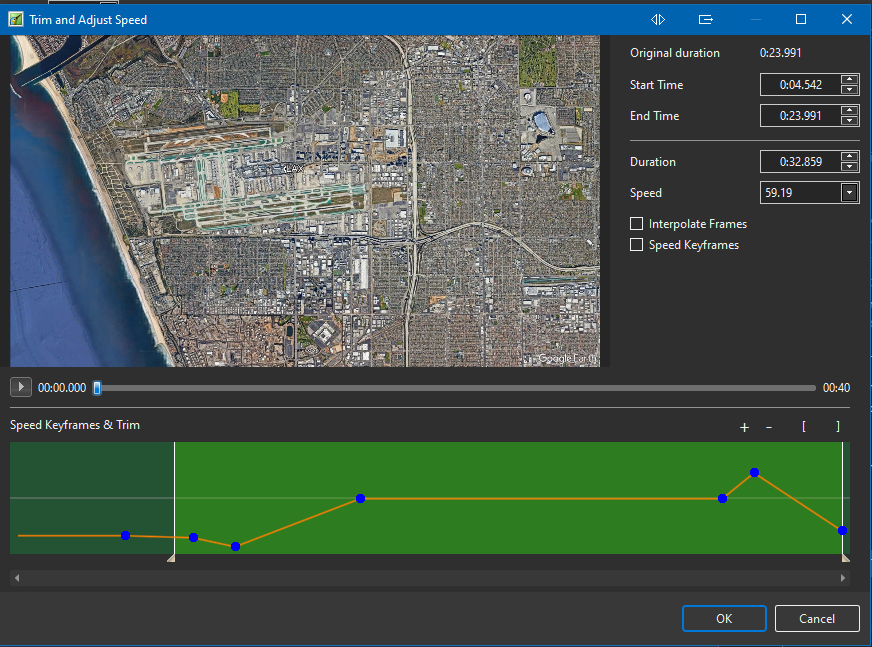
Still having a problem with the Trim and Adjust Speed option in Objects and Animation for a single video clip. I used Google Earth to record a "movie" that shows flight path from A to B. I open the clip in PTEAV and I wanted to start the beginning a bit later and then alter the speed during the rest of the clip. This is what it looks like in the Trim and Adjust Speed window and it plays fine in that window. HOWEVER, when I close the O&A window and view the clip in the main PTEAV window the playback does not match what was shown while in the O&A screen. What am I doing wrong?
- Yesterday
-
Took the words right out of my mouth (if I had any there:-)). Thanks for the meaningful explanation. John
-
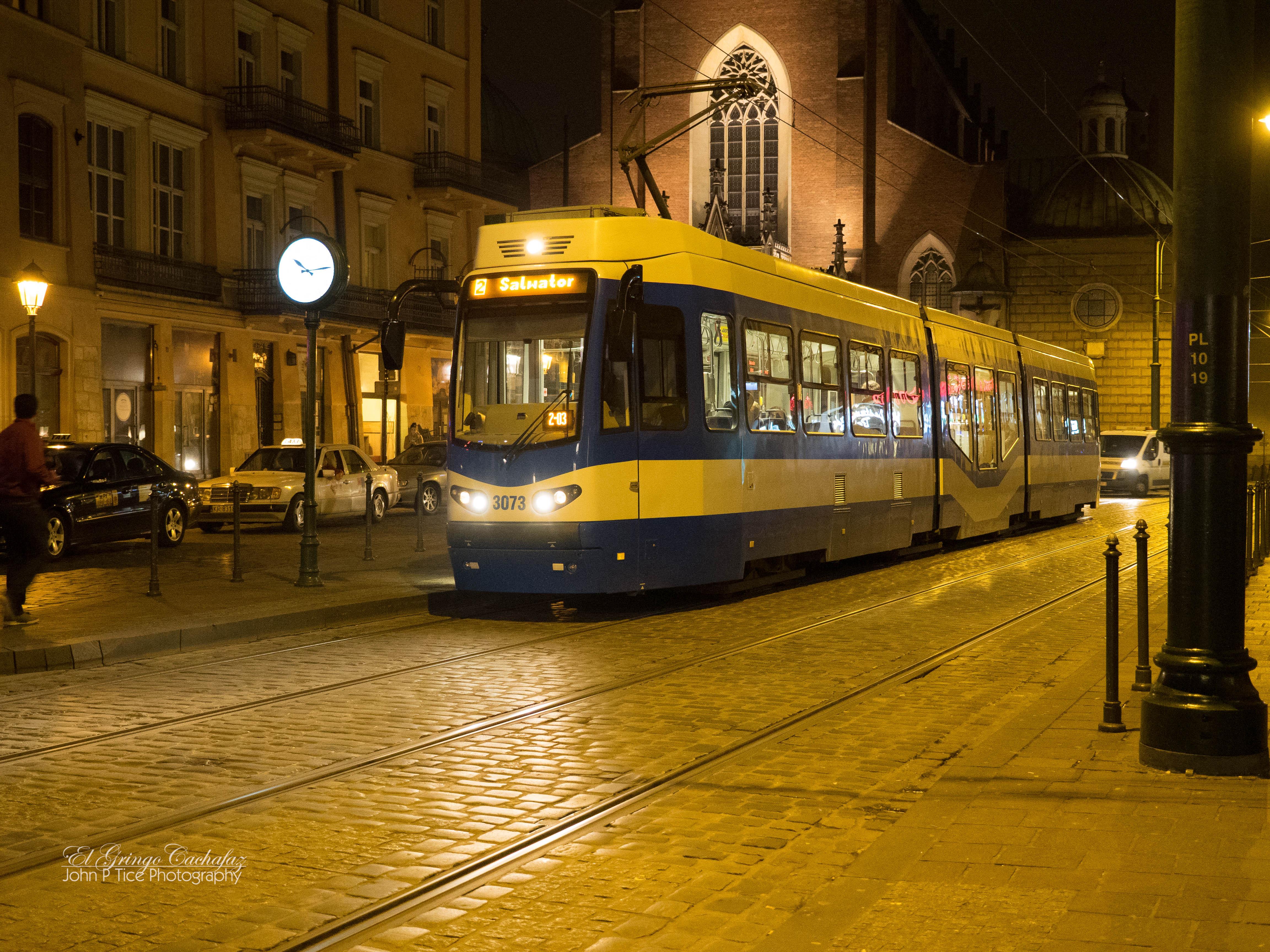
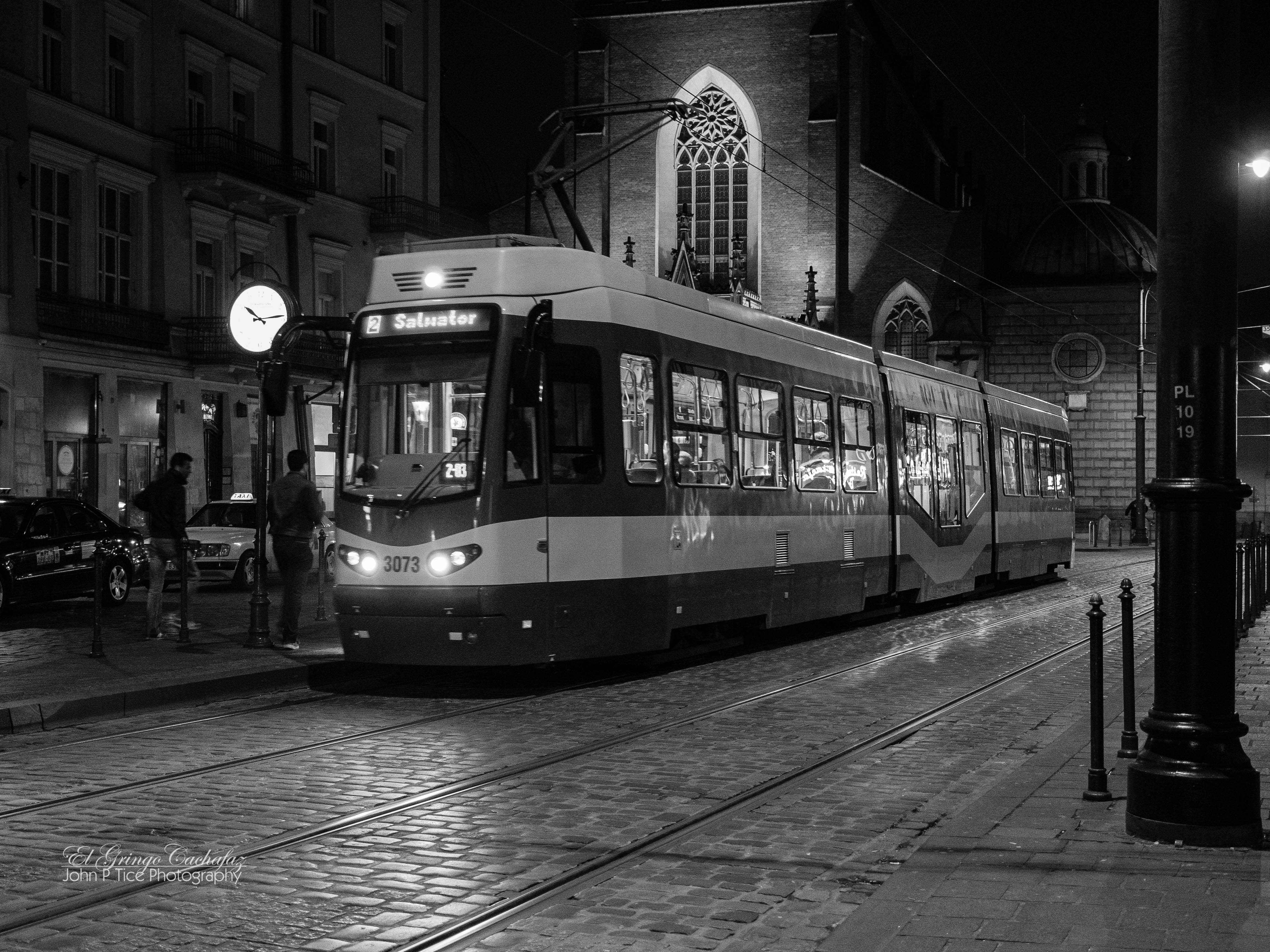
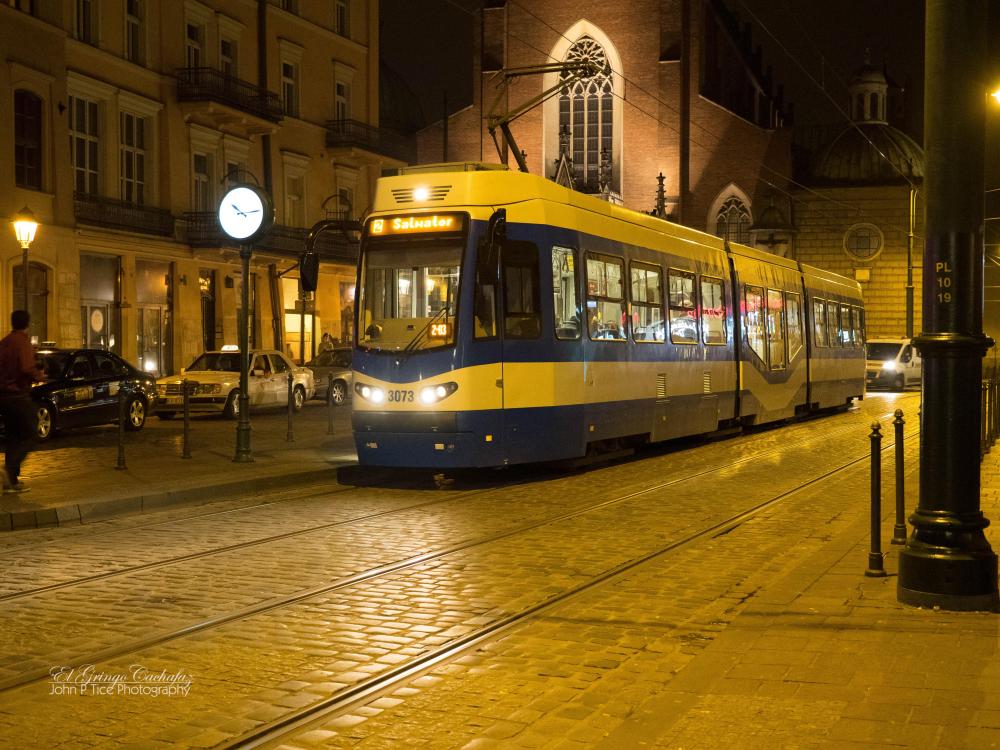
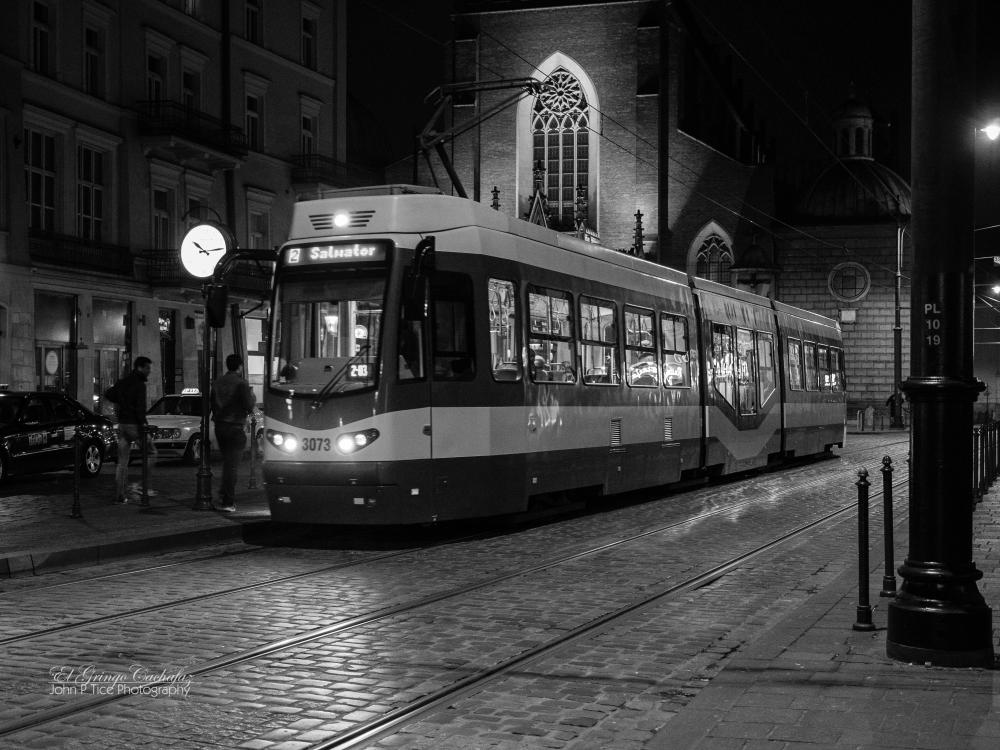
Yes definitely. In this instance, the colour almost appears as a tone or colour cast. Gestalt's Visual Hierarchy Theory proposed that the viewer's attention is drawn by elements by importance, using the colour of the whole image to establish order and prominence. Color dictates prominence through brightness, contrast, warmth, and overall tone. Gestalt principles (similarity, proximity, closure, figure-ground) organize elements into meaningful groups or patterns. The removal of colour in this instance certainly allows more emphasis on those elements, shapes, and the closeness of the tram/light rail, as well as the angled composition of the image.
-
Sorry for the long delay. I agree very much with your colour distraction observation. This street car example, for me, really emphasizes your comment. I shot these in 2015 in Krakow. Color: meh. B&W: hits the mood of the scene (for me).
- Last week
-
Yes adding Motion Blur will greatly increase the time to render. Jill
-
On a somewhat related issue, I have created a number of mp4 shows from past projects and seem to recall that the Time Remaining for the resulting mp4 was generally around the time length for the actual overall project (my shows are usually 20-30 minutes total). I am in the Publishing step of a current project that is 21 minutes in length. The Publishing phase shows about 3 HOURS for the process which seems weird. The only difference is that I changed the "motion blur" option from disabled to enabled with the recommended settings. Is this what is causing the seemingly excessive Publishing Time?
-
 MatLow joined the community
 -
Hello, I’m not sure if you’ve noticed a change in the Styles window—it now looks like the “Transitions” window. When creating a style with many variants, the categories end up with very long lists. I think it would be better organized if, when creating a style within a category, you could also create a list with multiple variants within that style—I think that’s what it’s called. I’m not sure what you think about having an organization similar to Transitions. Thank you.
-
You can easily do all of this in PTE. Simply start a New Project, edit your clips so that each portion is on a separate Slide. You can then add whatever Transition you need between each one. Publish as an MP4 & then insert that into your final Project. I always use PTE to edit my video clips & find it quick & easy. Jill
-
I probably should have described my process better. Basically there are times on trips where I have a series of separate videos related to an overall single activity. For example going out on a boat for whale watching or taking a gondola up a mountain and then walking around and then back down the mountain. So the overall "activity" might consist of 4 or 5 separate pieces of video taken on my phone. What I do is load ALL of those clips in Movavi and of course leaving them all intact as originally taken results in an overall boring and too long clip. So I start snipping out pieces and deleting them (e.g., the 30 seconds of going up the mountain taken from the gondola might be reduced to 15 seconds, etc.). In the end I might end up with a number of pieces (all in one single piece) that total 30 or 40 seconds. But if I do nothing beyond that there are a bunch of jerky distracting changes from one piece to the next. So one of the Movavi tools is to insert transitions between the pieces resulting in a much smoother overall clip. So I do not have separate video slides with a transition between slides (I think that is what you were suggesting) but, rather, one overall video created from a number of clips with transitions in between each clip. Does this make sense? By the way I realize I could probably do all this within PTEAV and/or Optimizer but I wanted to end up with a resulting single video clip/slide.
-
A selection of over 500 camera images from the full moon rising behind the Byron Lighthouse. Still not perfect with camera movement even though I used a remote. Some cropping and may redo and ailgn images. Captured with the Sony A7RV and the 200 - 600 mm lens from 3.5 klms away. Used the timelapse Style to create the audio visual.
-
- 2
-

-
I thought you needed a simple way to merge several video files. Then PTE AV Studio would probably be suitable for adding transitions between videos.
-
Thanks for the info. I was just used to using Movavi and it has some nice transitions to insert between each clip. Is that also the case with Video Optimizer?
-
I doubt if many people would need this. If I do have a Slide that has Objects which don't appear at the start of the Slide, I simply go into Timeline & drag the Playhead along. I have never found it an issue. I would say leave it as it is. Jill
-
Merci Igor pour votre réponse. Oui c'est aussi vrai pour les anciennes versions de PTE. C'est un problème qui ne concerne que des montages particuliers contenant des objets animés ou des vidéos avec décalage. Cette amélioration ne concernerait sans doute que peu de monde, on va voir. Thank you Igor for your reply. Yes, it is also true for older versions of PTE. This is an issue that only affects specific projects containing animated objects or videos with offsets. This improvement would probably concern only a small number of users, we’ll see. Bernard
-
Just an idea. Try PTE Video Optimiser. It can combine several video files into one.
-
Hi, If I understand correctly, it is not a V12 bug, and the same applies to all versions of PTE AV Studio. Thumbnails in the Slide List (Timeline) display the slide content at the end of the slide transition. We could potentially redesign this, but there are several options for how it could be implemented. Another problem is that adapting a setting for one project may not be optimal for another. I will glad to hear suggestions of members.
-
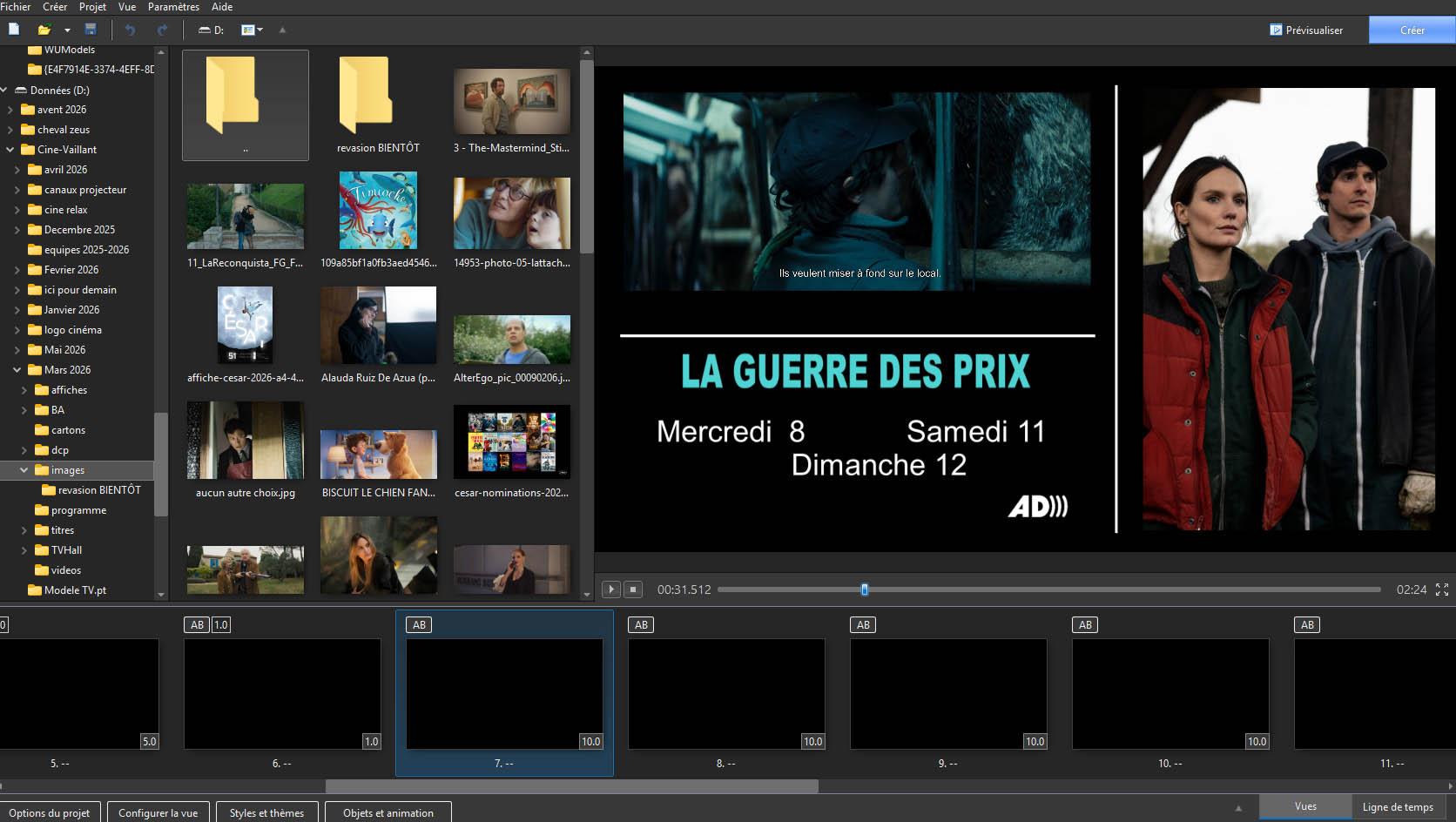
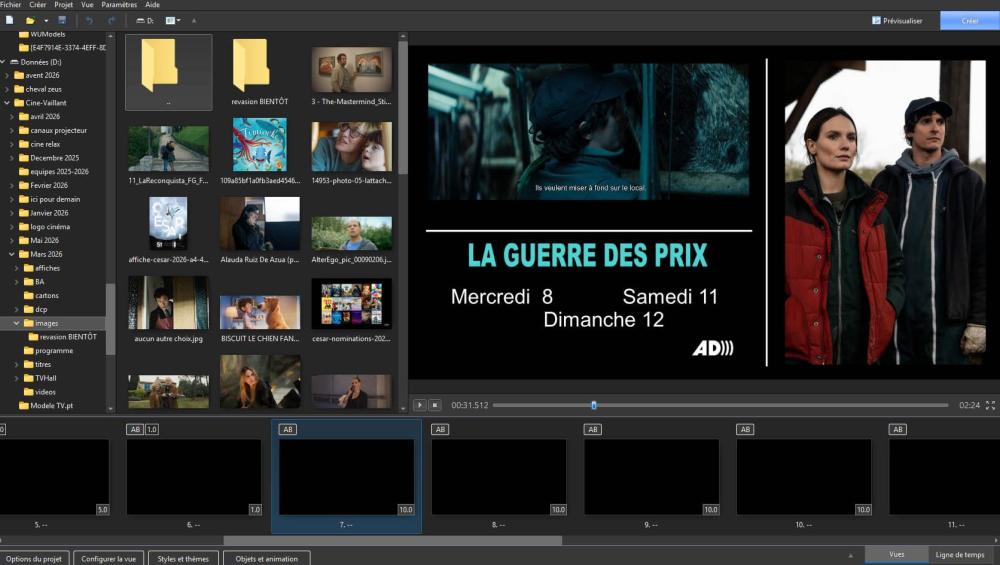
Bonjour Igor Quand des diapositives comportent uniquement des objets qui apparaissent graduellement pendant la durée de la vue et qu'au départ la vue est vide, la liste des vues dans la timeline ne comporte que des images vides (Noire). C'est le cas lorsque la transition est instantanée ou que sa durée est inférieure à la première animation d'objets). Serait-il possible de définir par une option, comme pour exporter les vues en image, que l'image dans la liste des vues soit celle de la fin de la durée de la vue Cordialement Traduction IA Hi Igor When slides contain only objects that appear gradually during the viewing time, and the slide is initially empty, the slide list in the timeline shows only empty (black). This occurs when the transition is instantaneous or shorter than the first object animation. Would it be possible to add an option (similar to exporting slides as an image) so that the slide in the slide list corresponds to the end of the slide’s duration ? Yours sincerely Bernard France
-
Ah I see said the blind man! I missed the obvious about just clicking the line to create the points and then moving those points up or down exactly like the audio adjustments. Thanks much!
-
You just click in the Green bar & add keyframes just as you do when editing sound. Click & then drag it up or down Jill
-
I am also confused about what can be done with video clips. In my case I had 4 or 5 clips that I ended up merging into a single clip using Movavi. Now I put that resulting clip as a slide in a PTEAV show I am creating and it works fine--no problem. But after-the-fact I realized it would be nice for me to slow down a particular few second portion of that video. In Objects and Animation I open the Properties and see the Video section and a button for Trim and Adjust Speed which I click. The I see some checkboxes one of which is "speed keyframes" which sounds like something I am looking for. But I can't find a way to actually add any keyframes in the overall clip. What am I missing??
-

Google Earth Studio FPS transition time and duration time
JudyKay replied to JudyKay's topic in General Discussion
Also, a quick shout-out for PTE Video Optimiser. It needs a little more love on the forums. I have several other video editing programs, but nothing is quite as quick, fast, and most-used as PTE Video Optimiser. If you haven't bought it yet--do.