JudyKay
-
Posts
709 -
Joined
-
Last visited
-
Days Won
4










JudyKay's Achievements

Advanced Member (6/6)
-
Probably way over my head, but I hope we get to see the project.
-
There is so much to know that I don't know. Yet. But am learning.
-
Looks like you figured it out. Just raise or lower the yellow line. Add points for more control. Is that what you are asking?
-

Google Earth Studio FPS transition time and duration time
JudyKay replied to JudyKay's topic in General Discussion
Also, a quick shout-out for PTE Video Optimiser. It needs a little more love on the forums. I have several other video editing programs, but nothing is quite as quick, fast, and most-used as PTE Video Optimiser. If you haven't bought it yet--do. -
Google Earth Studio FPS transition time and duration time
JudyKay replied to JudyKay's topic in General Discussion
Thanks. That works pretty well. -
I am working on some Google Earth Studio (GES) videos. GES output is individual frames. If I have 450 1920 X 1080 frames and display at 30 fps--how do I set up the images to create video? Transition at 0.0333 and slide duration 0.0333? Transition at 0.0333 and slide duration 0? Transition at 0 and slide duration 0.0333? Should I use motion blur? Interpolation? Other ideas? Is there a better way to do this? (I don't have After Effects) (I presume I would simply adapt the best method to 900 frames at 60 fps?)
-
Why not just Lightroom? Or Github has ready-made Python code to do so--if you are up for that.
-
Thank you, Igor. I am grateful for your amazing work.
-
Never mind. I understand why: I am on a PC. Thanks for the progress on this.
-
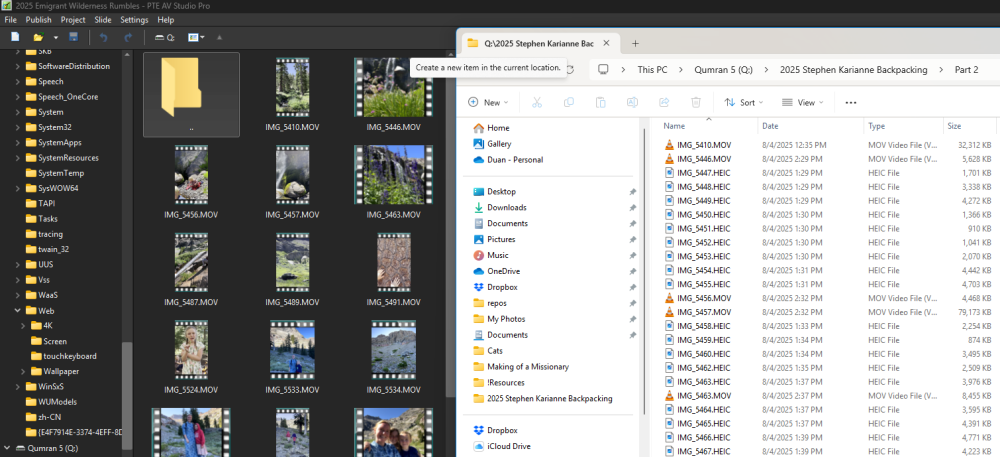
Thank you. Why am I not seeing the HEIC files?
-
I didn't search the boards or documentation for updated info (apologies), but are HEIC / HEVC not supported? Will they be? What about PTE Video Optimiser? Does it open HEVC?
-
Quite creative. Thanks.
-
Really nice! I like it! Thanks.
-
Thanks for the great price, Igor. I bought the PTE Video Optimizer today. This truly is excellent value for an excellent product, and I will be telling the good news to others.
-
I would like to be able to quickly duplicate a video in order to use multiple non-linear parts of a clip. Ctr+C / Ctr + V would be nice.