SoCu
-
Posts
66 -
Joined
-
Last visited
Everything posted by SoCu
-
Smoke Backgrounds Free Downloads, No Strings Attached
SoCu replied to Pnwhiker's topic in Styles & Templates
Thanks Pnwhiker, I tried to open the page where the Zip files are located, and it shows an error, the page doesn't open. -
+1
-
Yes, that issue has been lingering for a few beta versions now. I hope it can be fixed; there are some styles I won't correct until the problem is resolved.
-
Yes, it's true, I'm blind, I haven't seen it, even though it's first on the list, I was surprised not to have that option.
-
Hi, when you're in “timeline” mode, is there an option to mute the audio track, or one of the audio files on the timeline? If not, it would be great to add this option. Thank you.
-
Yes, if the goal is to create a 9-second transition, when creating the transition, you should be able to edit the timings to ensure the transition has the necessary seconds to function correctly, preventing it from ending up with only 2 seconds.
-
I'm not sure if Google Translate got it right, but I'm not asking for a preview to see how the transition looks at different speeds. As I mentioned in my first message, what I'm asking is that the transitions not be limited to two seconds. Those two seconds are fine when you add an image, but when you add videos longer than two seconds, those fixed two seconds are no longer effective. If I add a 9-second video, the transition will never look right. Ideally, we should be able to create a transition and set it to any length we want, not be limited to two seconds.
-
If the transition, when I create it, I cannot give it the time that I want, for example, 10 seconds of transition, when I apply it, if I remember the seconds that that transition has, I can give it the time that the video of the transition has, but if that transition is used by someone else, it will not know the real time that the transition has, it assumes that it is two seconds, so if it has to be playing with the times, it is a waste of time, apart from the fact that if it is not given the real time, it will not be seen good.
-
Hi davegee, there are video clips that are longer than 2 seconds. If you speed them up to fit into those 2 seconds, the transition doesn't look very good when played back because they go by too fast, and there are videos that need more time for the effect to be seen clearly. I think it's better to set the transition to the necessary duration when you create it, so you don't have to keep testing each transition.
-
Hi jkb, thanks for your reply. I'm not asking how to use it; I'm asking about creating a new transition.
-
Hello, Why can't I create transitions longer than two seconds? Would it be possible to change this so I can use files with longer durations? Thank you.
-
Hi JudyKay, no, that's not what I'm asking. I know you can use those little dots to turn the volume up and down, and there's also an option to set keyframes at a specific position. What I'm asking for is an option to adjust the volume level using the keyboard.
-
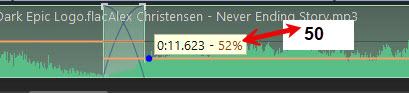
Hi, is there a way to set or adjust the audio volume level? If it’s not there, would it be possible to add it? That way, we could have more control over the volume. There are times when the volume control is a bit off, and you end up spending half an hour turning it up and down until you get it right, 😁
-
Yes, it's Beta 9. In this case, it didn't crash; I was able to close the application, but when I opened version 11, it told me the project was already open. I checked the Task Manager because it was still running.
-
Hi, it looks like it's happening again. I was editing a slide when suddenly the preview window stopped showing anything. The slide contains layers of text and video masks. When this error occurred, I switched to editing it in version 11, and I noticed that the timing had changed; the text no longer syncs with the video. I'm not sure if this is the same issue discussed here: locked screen.mp4
-
Hello, I’m not sure if you’ve noticed a change in the Styles window, it now looks like the “Transitions” window. When creating a style with many variants, the categories end up with very long lists. I think it would be better organized if, when creating a style within a category, you could also create a list with multiple variants within that style, I think that’s what it’s called. I’m not sure what you think about having an organization similar to Transitions. Thank you.
-
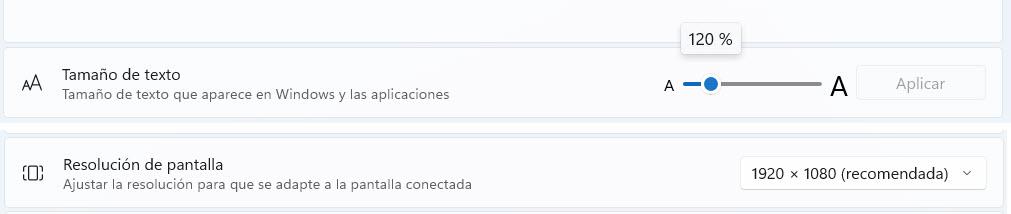
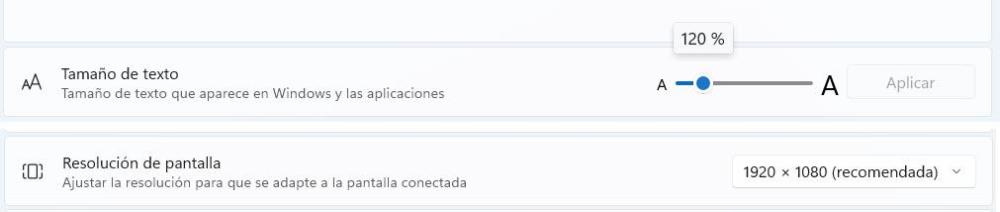
Set to 120% and it looks good now. I'll have to get used to the big font, 😀👀 Edited: I knew it was too big, I don't know why, but it doesn't respect the size. I set it to 120% and I see that Windows changes it to 175%. Thanks.

-
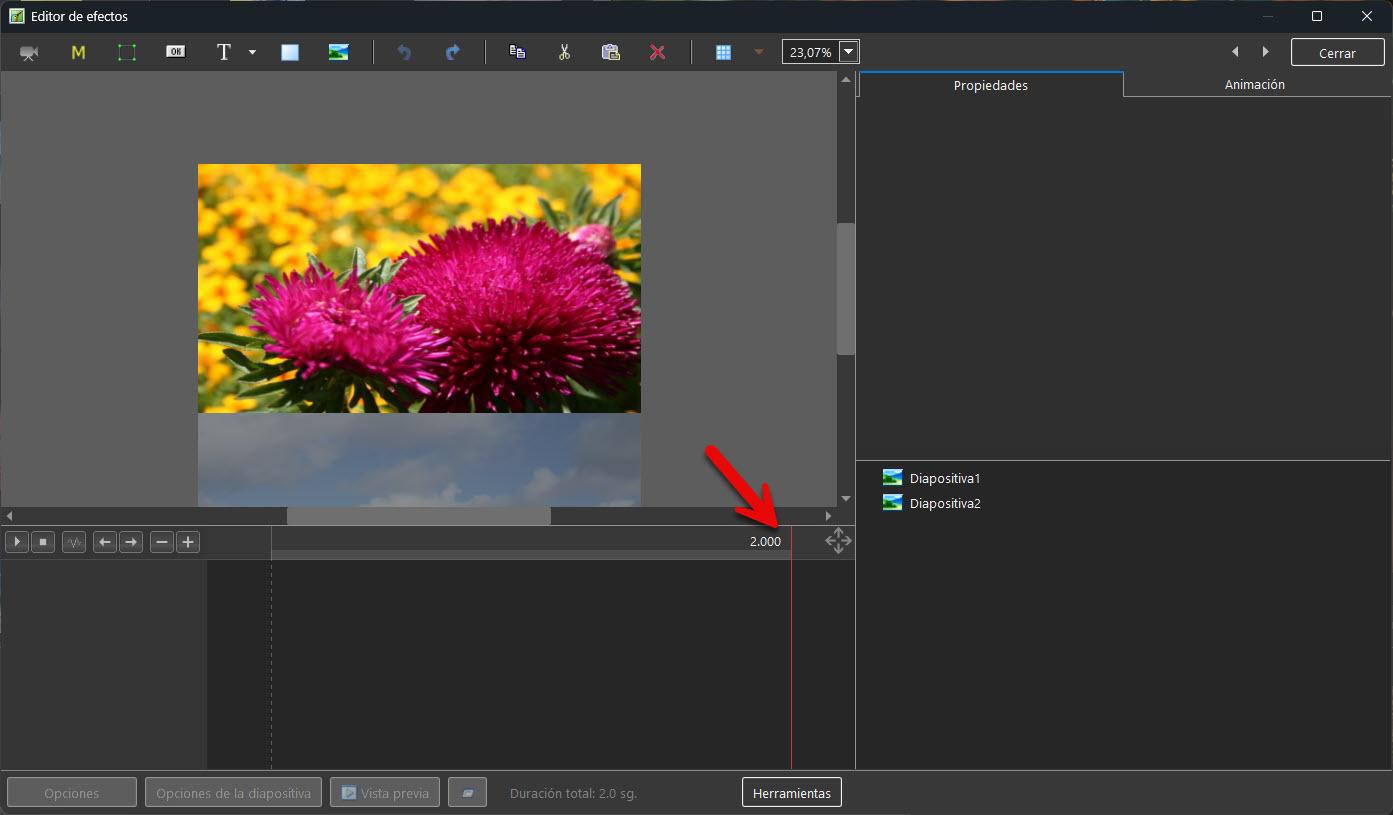
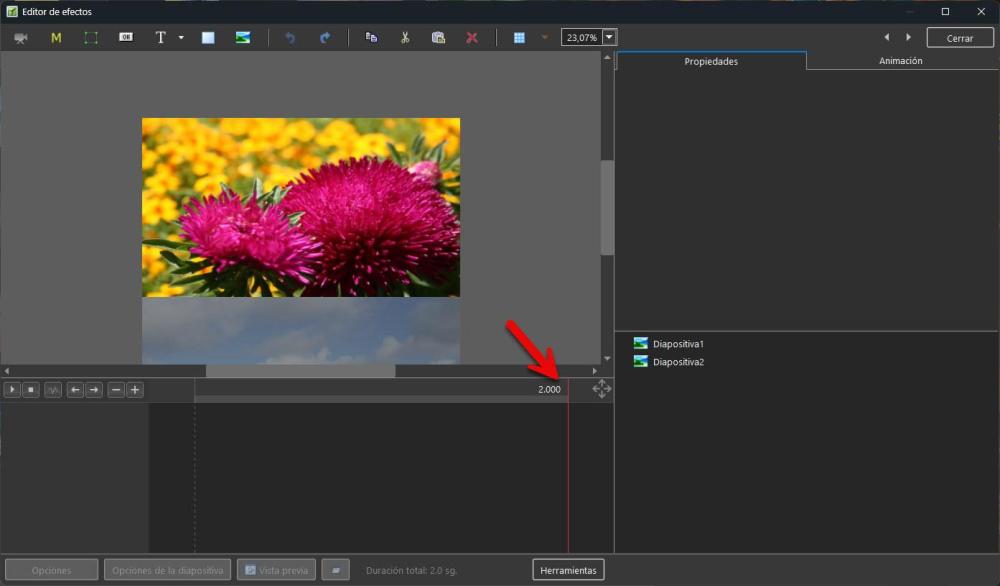
I posted the message in the other subforum; I thought it was a problem with version 12. Text size 120% Screen 1920 x 1080
-
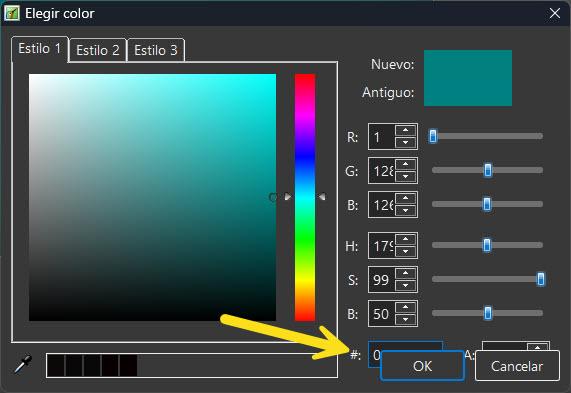
Hi, the buttons in the color selection window are displayed on top of other options, hiding them.
-
Hello, since it’s been a few years now and it still doesn’t seem to be there, I’d like to bring this post back up and make a new request to see if the warning message mentioned by jienense could be added. I think it’s helpful to know which fonts aren’t installed on your system but are used in the project.
-
- 2
-

-
The thing is, when I open this project in version 11, I don't have that problem.
-
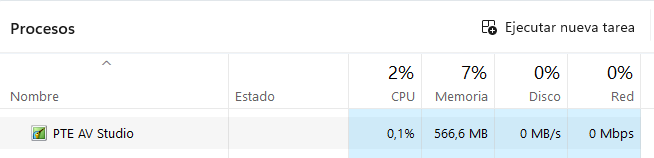
Hi, the app freezes when you least expect it; the slide disappears, and nothing is displayed. I've also noticed that the *.lock file remains at 0 KB. I close the app, but I can't delete that file. I check the task manager, and PTE is still running, even though I've closed it. These crashes happen almost constantly Thank you. Bloqueo.mp4
-
Well, what can you do ¯\_(ツ)_/¯ But can PTE Video Optimizer create a reversed video, or can it only play one?
-
Hi, is it possible to add an option to reverse a video? For example, a video that shows an image appearing from right to left; once it appears on the screen, it disappears by reversing the video from right to left.