

Ken Cox
-
Posts
8,069 -
Joined
-
Last visited
-
Days Won
2
Everything posted by Ken Cox
-
Henri from http://www.epson.ca/cgi-bin/ceStore/consum...mp;oid=60501675 and in the pdf file • Whisper-quiet (24 dB) operation ken
-
the monitor will always be sharper than your tv see http://www.picturestoexe.com/forums/index.php?showtopic=5355 http://technology.sympatico.msn.ca/Viewing...&date=False ken
-
Technical Support for PicturesToExe 5.1 Deluxe
Ken Cox replied to [email protected]'s topic in General Discussion
Sherrill i have a Canon PowerShot S3 IS and shoot as big as i can - asa set at 200 in program mode picts are 3 to 4 mb each - i bulk resize with 80% quality using Easy Thumbnails http://www.fookes.com/ezthumbs/?Easy%20Thumbnails=0 to 1280/960 and the picts are then +- 600 kb each and then let pte do its thing -- picts are not grainy ken -
did you use the tdk disks? ken
-
DOES THE EXE PLAY OK- on the computer? ken
-
Technical Support for PicturesToExe 5.1 Deluxe
Ken Cox replied to [email protected]'s topic in General Discussion
have you rebooted since the install ken -
will it play in a stand alone dvd player /tv setup ken
-
did you try turning off the built in mike? ken
-
In 2004 "Conflow" made a manual show tutorial - it was for the 4 series but it might help some if they seen the basics ken
-
MY VER OF 4.48 SAYS it will still create templates get ver 4.49 install it http://www.wnsoft.com/download.htm make yor shows in 4.49 save pte then if you want some of ver5 featuresopen the 449 pte with ver 5 save as the pte under a diffent name 5 can open 4 series but 4 cant open 5 series ken
-
desktop see http://www.picturestoexe.com/forums/index....tion+to+Desktop nav bar not likey what you want but http://www.picturestoexe.com/forums/index....amp;#entry46058 i tried a 4.48 show c/w nav bar and could not get it to do what you want ken
-
did you download the tutorial is there a section in it that is not too clear - that you could reference the problem to so that we could better advise ken
-
for starters see http://www.picturestoexe.com/forums/index....ost&p=49547 ken
-
did it run before do you have any exe existing shows on system to try get a show from beechbrook etc and see itf it will run what error message do you get are you trying to install 4.49 or latest 5 ken
-
FROM MY COLLECTION SEE http://www.picturestoexe.com/forums/index....ost&p=47020 http://www.picturestoexe.com/forums/index....ost&p=44031 KEN
-
PTE Made Easy tutorials - Continuously Updated
Ken Cox replied to Lin Evans's topic in Tutorials & Video Lessons
Mario using www.videolan.org/ and selecting the download button i did not have to fill anything download came down with no problem once i selected type to download ken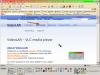
-
PTE Made Easy tutorials - Continuously Updated
Ken Cox replied to Lin Evans's topic in Tutorials & Video Lessons
Mario "after handing over my name and email address. Is it free or not" i suspect you signed up for their newsletter http://www.videolan.org/ states VLC media player 0.8.6d It is a free cross-platform media player ken -
we can never have enough tutorials the more the merrier ken
-
Barry you have to install http://magnifier.sourceforge.net/ to read the fine print as to where the download button is ken
-
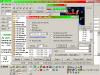
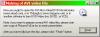
when you create the avi the pte must still be open - running then you must import the avi into a dvd authoring program ex - NERO DELUXE DVD SUITE - or similar the pte must remain open/working until the burn process is complete see the basic instructions here http://www.picturestoexe.com/forums/index.php?showtopic=1408 ken
-
"I don't know HOW many CD's I have done through for this one slideshow and I am about to go crazy!" you cannot make a dvd using cd blanks - you must use a dvd blank ken
-
Virus Protection - Norton versus AVG
Ken Cox replied to Ronniebootwest's topic in General Discussion
"Now if you want it to execute 'Repairs' you must pay for this or exit the Program" companies that practice sort of crap should be in the bait and switch category ken -
PTE Made Easy tutorials - Continuously Updated
Ken Cox replied to Lin Evans's topic in Tutorials & Video Lessons
see http://www.divx-digest.com/software/mpeg4codec.html ken -
GILBERT go to my controls and edit your profile from there ken
-
snagit has pulled their free offer ken


