Ken Cox
-
Posts
8,069 -
Joined
-
Last visited
-
Days Won
2
Everything posted by Ken Cox
-
think hawk told you that a couple days ago see http://www.picturestoexe.com/forums/index.php?showtopic=4914 ken
-
fyi took a chance and installed latest FFDSHOW and wmp seems to be playing avi's again checked all boxes during install so will have to do a lot of checks see http://www.afterdawn.com/guides/archive/how_to_play_avi.cfm The "easy way" If you prefer to use some other video playback software instead of VLC, but wish to keep the process simple, there is a one codec that works for most of the downloaded videos. The codec is a free, open source project called FFDSHOW. Download FFDSHOW from here. SO seeing as I suffer from"CRS", please remind me the next time i cant play run of the mill avi's the strange part of this secenario wmp would still play the temp avi's created by the pict to exe proggie ken
-
FISH welcome to the forum postings at the Cottage are generally up for 30 days and the page url can change depending on other postings. So as long as you properly ID your show on your AV forum the members of said forum should be able to get it. Depending on your email addie the address will be truncated as necessary to fit the box http://beechbrook.com/pte/ Pan by the water. File Size: 10.9M By: [email protected] ken
-
tassie welcometo the forum the latest advice we gave re similar problem http://www.picturestoexe.com/forums/index.php?showtopic=4831 hawk displays his shows on a 50" hd plasma tv the exe/monitor combination is the ultimate -- pretty hard to duplicate the quality on dvd/tv not apples and apples ken
-
Fred http://www.microsoft.com/windows/windowsme...er/default.mspx http://labnol.blogspot.com/2006/02/how-to-...-encoder-9.html Lin music is not my cupppa - but video fine ken
-
"Screen/Caption of show"--what does this do???
Ken Cox replied to goddi's topic in General Discussion
buy me a laptop and a projector and i will try have no idea - somebody with above equipment will have to answer, sorry ken -
"Screen/Caption of show"--what does this do???
Ken Cox replied to goddi's topic in General Discussion
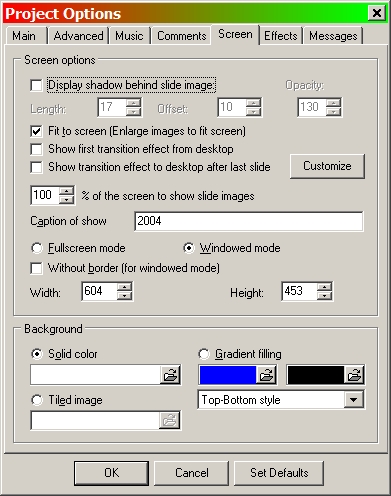
ver 4.48 SCREEN/CAPTION of show when checked shows along top of window when running the program in windowed mode in the 1, screen shot, i show that i entered 2004 and when i run the show - 2 - just above the nav bar 2004 is shown so you have to be running windowed mode and i would suggest running it a size less than your normal screen size so if you are running 1024/768 then you would set the show size to less than that if you want the picture name on every slide you have to go to the comments tab and check the appropriate boxes -- colour position etc ken

-
sperrinejr YOU can open a v 4 show with ver 5 but not the reverse so if you do all your preliminary work in 4, then if you want animation open it with ver 5 i have not diddled with background in 5 but in ver 4 you can make it any colour you wish as well as gradient background may not be enabled in 5 ken
-
Dom apparently my system was going into crash mode at the time i checked the file, as the time progressed ,i was getting all sorts of errors not only with p2e stuff -- i was on msn video with hawk and tried to check something else for him when i finally had to reboot yet i had plenty resources before reboot all is well i hope ken
-
Dom am i supposed to get an error message when i try to look atthe o/a field ken
-
YA BETTER WRITE A TUTORIAL KEN
-
i believe you had to recheck a box in controlpanel/sounds audio devices after you ran the dxdiag command ken
-
JP i guess you have not been sitting on your hands smooth on my 64 mb card great picts and movements you brought a smile on my wife's face ken
-
TRACY welcome to the forum " also do not have a DVD burner" -=- when you buy a burner you will quite likely get bundled software with it -- quite likely it will be a lite version andwill not likley make dvd for tv also see http://www.cdrinfo.com/Sections/DVDMediaFormats/ http://www.videohelp.com/glossary http://dvddemystified.com/dvdfaq.html you will have to wait to see what will be the final offering of deluxe ken
-
translated via babelfish http://world.altavista.com/tr Hello Silvia. Thank heavens that is somebody in this forum that speaks Spanish. Or you solved the problem that you thus had when it requested version to you 1,6 or something? This happens with the presentations done with PTE 5 that try to be executed by your computer with a previous version which you have installed. In order to solve that beta x executes first program PTE version 5 and once opened xxxx.pte sees look for the file that it interests to you. There is a participant of this called forum LIN that I am in warning to me when he was a manual of English Picturestoexe 5 in helping him to translate it to the Spanish. I do not know in which it will be. Silvia you change the default English to Spanish view/language/spanish there is a help file in Spanish within the main program if that is any help to you when you set it up that way i think all your commands will be in Spanish ken
-
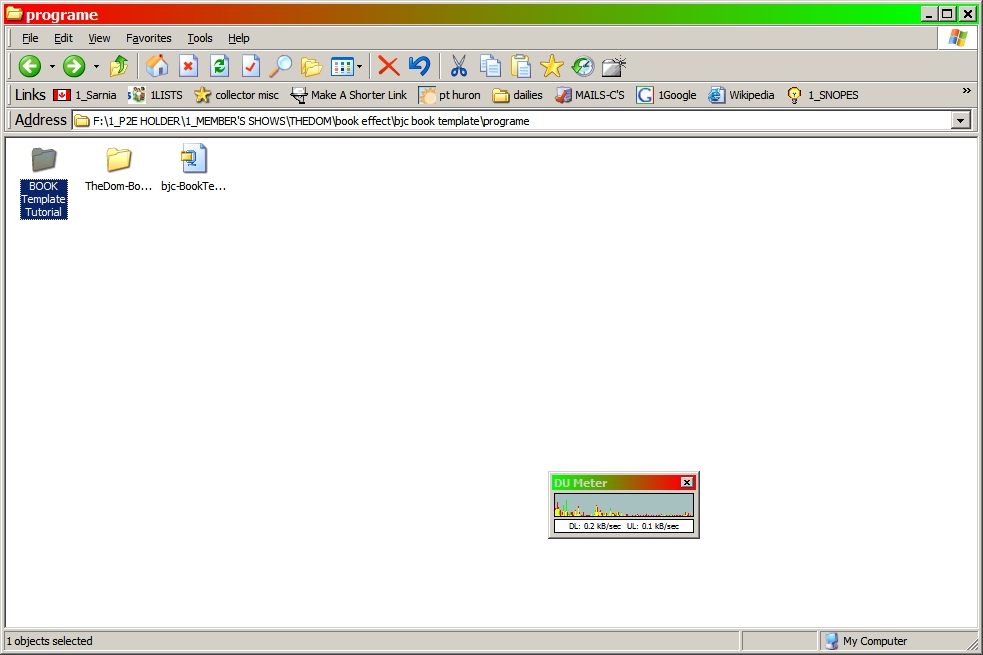
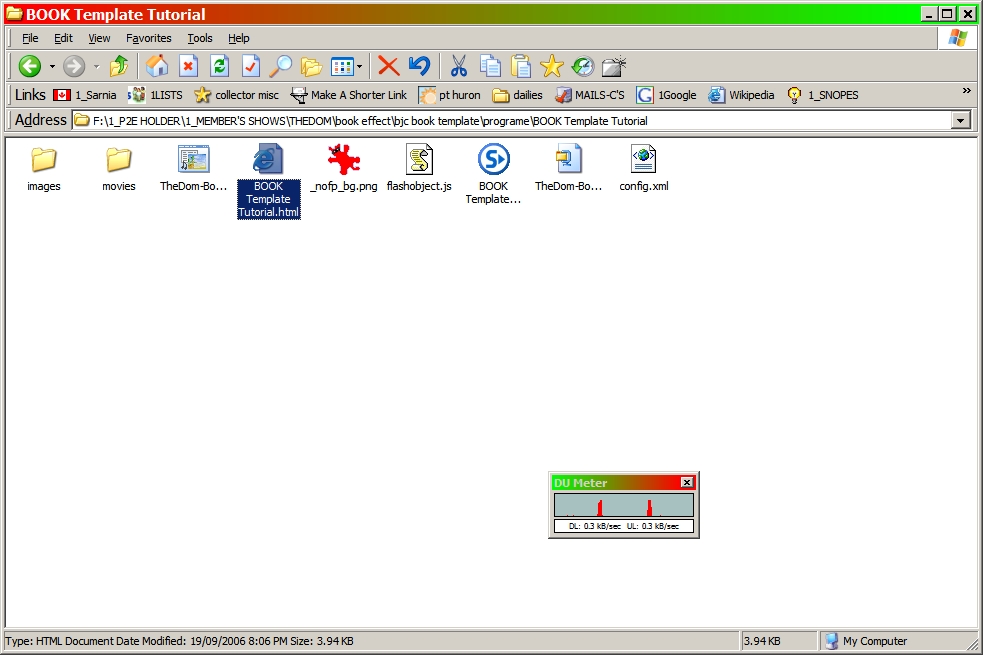
you download the zip to a folder unzip same and you get 2 folders see screen shot there are 2 folders open the folder book template tutorial see screen shot are you clicking the html in screenshot
-
same for me Dom as well the layout of that window has changed from what it looks like in v5 b5 ken
-
David see http://www.picturestoexe.com/forums/index....indpost&p=32756 ken
-
David read my sig again -- has been there for quite a while now and i have the MS timezone in my systray with 5 parts of the world selected - it is 0845 pm in Igor's home now ken Kirov Russia time -- Igor's home http://www.worldtimeserver.com/current_time_in_RU-KIR.aspx
-
John keep going in ver 4 and get as much as possible done before 5 unless IGOR ARE YOU GOING TO CHANGE THE GUI WITH VER 5?? If he does at least you done an excersise of learning controls etc -- and dry runs are never a waste couple years ago when the translation thing was active, one translator said it was the best thing he had done as he learned what the program would do during the translation process ken
-
fyi only http://www.hi.is/~antoni/volumetouch/ Requirements: Windows 2000 or Windows XP Microsoft .NET Framework ken
-
ver 5 gives that message you must open the ver 5 program and then open the pte of the show that was made with ver 5 exe's will open with no error message you dealing with a beta version ver 4.~ series will not open a show made with ver 5 ken
-
Need clarification on v 5, objects and video requirements
Ken Cox replied to mhwarner's topic in General Discussion
SOME OF THESE ARE COMMERCIAL SEE http://www.picturestoexe.com/forums/index.php?showtopic=87 ken -
I think Dom is right ken
-
John on ver 4 i think the P means the slide is modified start the proggie and watch the bottom left of screen -- when clicked "modified" appears ken