All Activity
- Today
-

Enhance Your Videos with PTE Video Optimiser (YouTube)
jkb replied to Igor's topic in PTE Video Optimiser
Malcolm, The discount expired a long time ago, it was only if you bought it pre final release. PTE already produces optimised file sizes, so running a MP4 created in PTE through Optimiser won't really reduce the file size. At least I don't think it would. But if your MP4 has been created by another program, then it may reduce the size. But I think PTE would also. This is my understanding, if Igor can say otherwise then I stand corrected. Jill -
Enhance Your Videos with PTE Video Optimiser (YouTube)
AVMalcolm replied to Igor's topic in PTE Video Optimiser
Hi Igor, Mark Allen has just told me that PTE Video Optimiser can dramatically reduce the file size of MP4s so I'd like to try it. I thought there was a discount code. Has that expired? Malcolm - Yesterday
-
I have been using ChatGPT for photo enlargements. I also have Topaz Photo AI 3 (old version), but I think ChatGPT does a better job from my limited testing. AI seems to be everywhere now. Original image with prompt "enlarge this image 4 times and improve quality" https://cleanshot.com/share/xFfSPhYt ChatGPT 4x results with description "Seagull Gliding Over Sparkling Blue Ocean" https://cleanshot.com/share/NCTtdGk5
-
Yes, it' a common issue for all TIFF files included in a slide style or CT resources. TIFF decoder incorrectly handles the "{" character in the file path. We have already fixed this bug, and the solution is very simple and reliable - just one line of code. I'll publish the new version on Monday.
-
Thanks, I wasn't aware of that function when creating the style; it's really good to know.
-
Good morning, Igor. I wanted to thank you for all the trouble you've taken and for your assistance. However, I don't think the issue is limited to that specific TIFF file; I downloaded two TIFF files from the internet and created a simple style (Zoom only) for each image, yet the problem persists when applying the style. I believe the issue lies in the process of applying the style to TIFF images—there seems to be an error.
-
Hello Igor, It's great that this point has been taken into account. Actually, I made this suggestion because in the "slideshow workshop" group that I lead, no one had heard about the release of V12.
-
Even modern cameras with Animal detect features have these problems. I use AI but in a paid appliciation - Topaz Photo. It has now gone to a subscription type application but I have had it since the start. It also has a un upsize application as AI edited images are generally a lower resolution. For me it is a worthwhile inventment to upgrade regularly. If you are interested, have a look here - https://www.topazlabs.com/topaz-photo?srsltid=AU7gw4Xfkq6viLMGx2BZyOjtE18_1-MjfCziRU7qcXV5Q8BoJHJXlYS7
- Last week
-
I've fixed the issue with this TIFF image. I'll send you the new version on Monday.
-
AI like ChatGPT can recover much more detail. After AI identifies the subject (or you describe it), then it can add more detail to the feathers because it knows what a Night Heron looks like. You can use a budget low resolution camera and get good results by enhancing with AI. AI masking, sky replacement, resizing, and noise reduction is common in most photo editors today. I almost always use AI to help identify new birds I have never seen before.
-
 Hi, Good idea. Technically, everything is ready to notify V11 users about the release of the new version 12.0 via this function. However, it is currently configured to display the notification to all V11 users simultaneously (upon program startup). I planned to enable this message a bit later so that the rollout of version 12.0 would happen gradually. You’ve given me an idea - to separate the automatic notification and the notification shown during a manual check. I will implement this for a future version. In any case, there is also our website https://www.wnsoft.com/ and AI chatbots are already aware of the latest version of the program
 -
Have you investigated STYLES? You can create a series of styles based on your needs and if a new combination occurs, create a Style from it. The only thing to remember about Styles is that they are not cumulative.I Templates are another option. A couple of examples of what you need would help. DG
-
pan054 joined the community
-
Hi, I'm a beginning PTE AV Studio Pro user, but an experienced slideshow developer. The PTE AV Studio Pro is a very complete and feature-rich app, but the one thing I really miss is the option to define caption styles. I often use 3 or four such as Title, Caption, Date, scientific name. A 150 slides 'show' is not uncommon and it is a lot of work to keep changing the various captions per page manually. The offered 'copy and paste' suggestion only really covers one style and is not very practical as many other things will be using the clipboard, thus erasing the definition. My question is wheter others have the same needs and if somebody has found a way to make this easier?
-
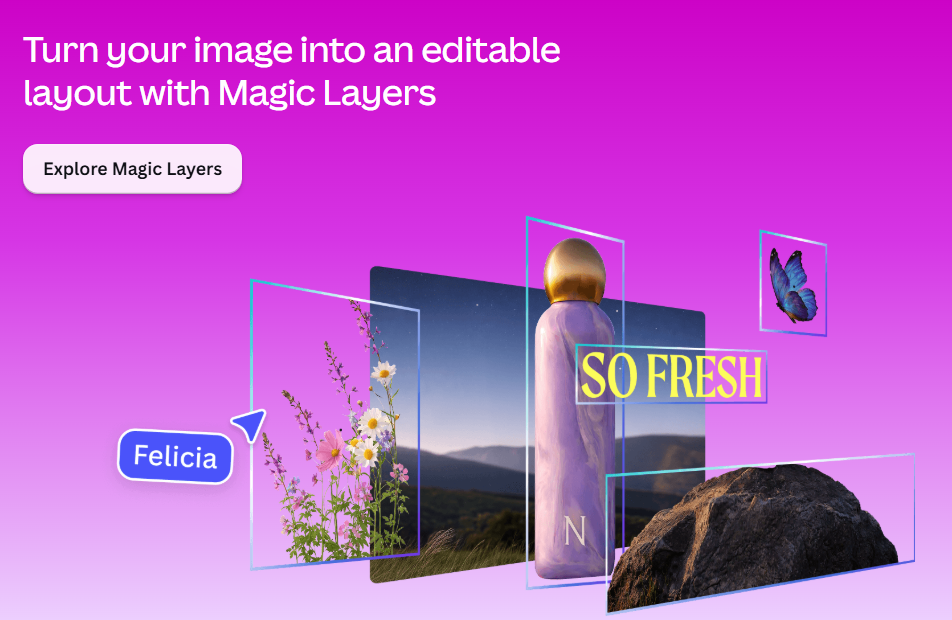
I understood so my explanation was also misunderstood as I was thinking of something similar to what Igor suggested. I asked AI and got the following reply. The first 2 are only available in PS. Compatible Text Editing File Formats PSD / PSB: Adobe Photoshop formats that store individual elements, effects, and text vectors on separate, editable layers. TIFF: A flexible bitmap image format that can optionally save Photoshop layers intact if compatibility settings are enabled. XCF: The native layered image format used by GNU Image Manipulation Program (GIMP). PDN: The native file type for Paint.NET which preserves unflattened layers. SVG / AI: Scalable vector graphics and Adobe Illustrator files where text remains vector-based and editable. [1, 2, 3] Interestingly, Canva (an Australian company who purchased Affinity) have release a product called Magic Layers. I don't subscribe to Canva Pro but here is some info showing a flattened image and editable layout created. Cheeers Mark
-
Let me see if I can explain this clearly: if I provide the style and you want to change "Halloween Party" to "Halloween Night"—well, if I create the style in PNG format, you won't be able to edit the file. However, if I create it in TIFF format, anyone who wants to can edit it to their liking—using an editing program like Photoshop or GIMP, for example.
-
Imagine you own PTE V11 and you're going to check if a new version or update is available. If your version is up to date you will see "You are using the latest version of PTE AV Studio Pro 11 ..." when clicking on Help / Check for free update menu. And when clicking on Help / Check for new version you can see "You are using the latest version of PTE AV Studio Pro 11" There is nothing to indicate that a new version of PTE is available. It would be relevant to display a message stating that version 12 of PTE is available. (For example, Audacity displays this type of message for version 4). For users who frequently visit the WNSOFT forum, it's obvious that a new version of PTE is available; however, for others, there is no information regarding the availability of V12.
-
Hi Ken, Firstly, click the "Add Mask" icon on the top toolbar. 2. Choose "Add Blend Mask" and choose one of the blend modes (Screen, Overlay, etc). 3. You'll see a Mask container with two objects: Mask Stencil and Mask Content. 4. Put one image into the Mask Stencil, and another image into the Mask Content: Simply drag'n'drop an Image object into the Mask Stencil/Content with the mouse cursor in the Tree of objects. Or select Mask Stencil and click the Add Image button - the image will be inserted into the Mask Stencil. You can change blending mode later in the Properties tab for the Mask Container.
-
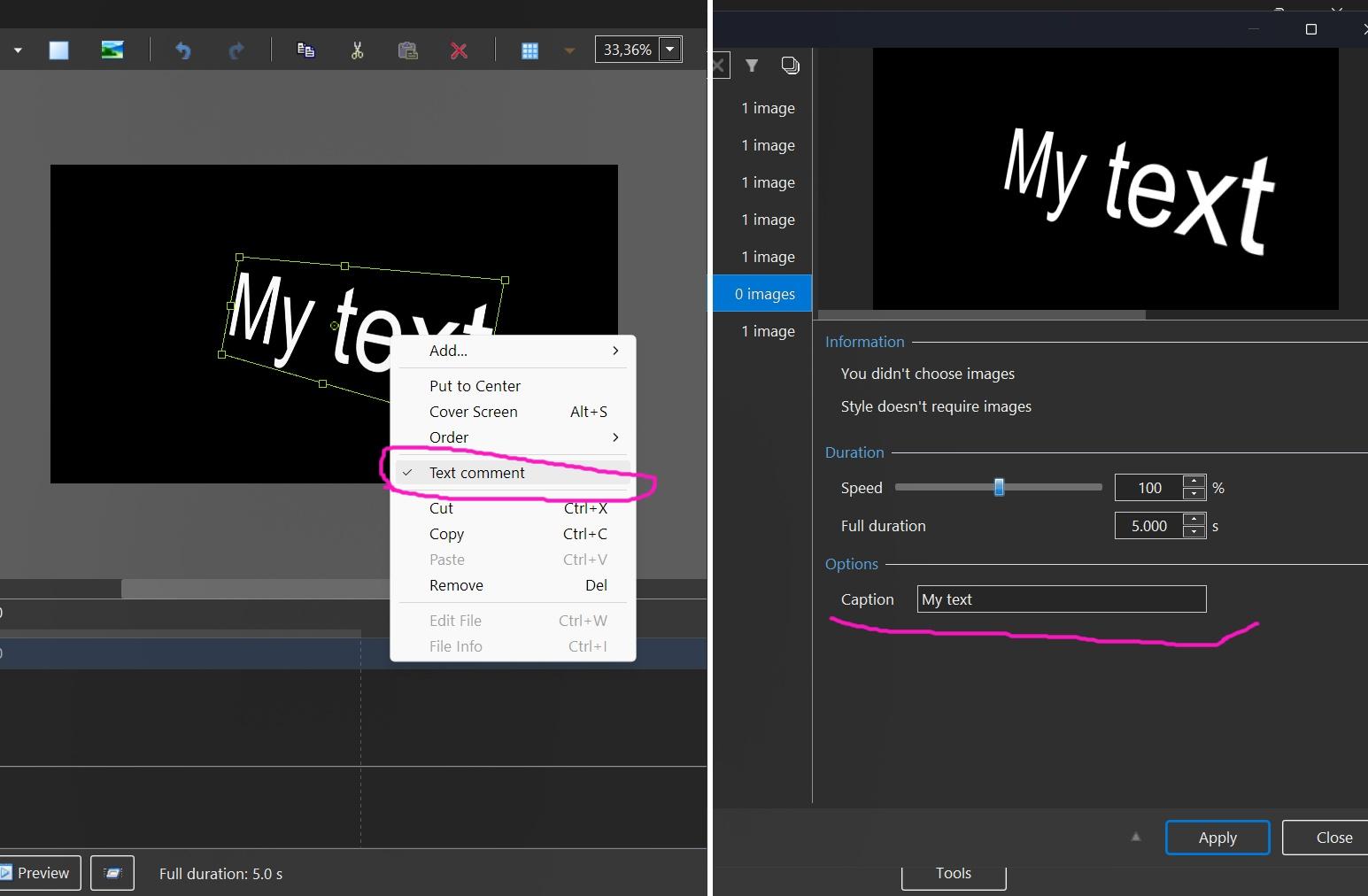
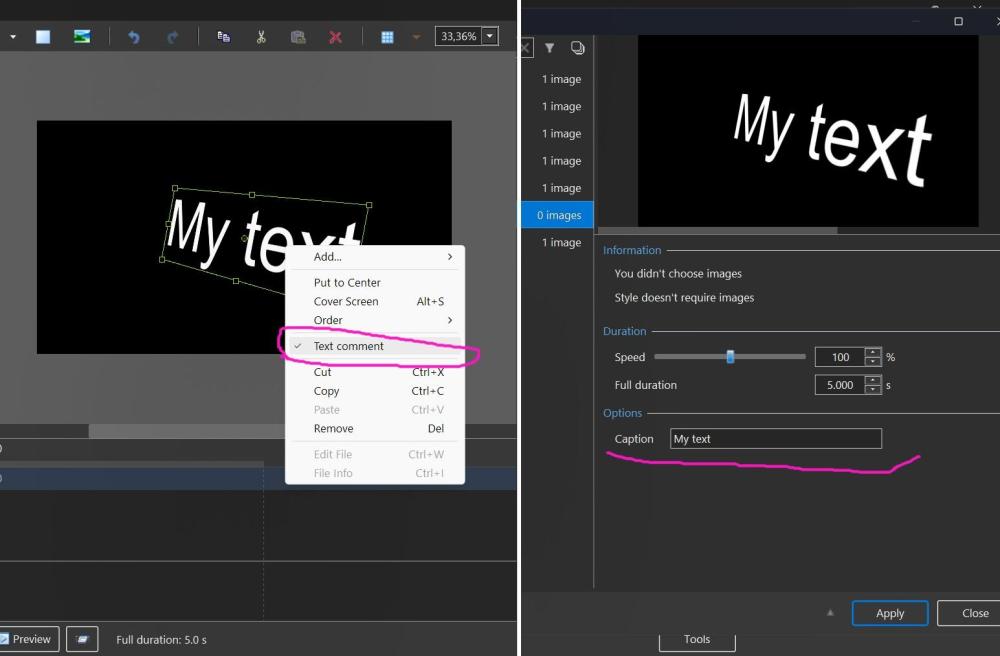
One more idea for your style. It's possible to create a slide style with a text object which can be changed when user apply your style. You need to select a Text object, call the popup menu and choose "Text comment". Then create a slide style. Yes, the choice of fonts and decoration will be limited.
-
Honestly, I don't understand the advantage of TIFF over PNG for this particular case?
-
So I am guessing you want that particular style and edit and a normal text box in O & A would not work. The other thing is will the viewer be actuaslly able to edit a TIFF file either with access to software or knowledge? If you just replaced the Image in O & A they could add the text they liked?
-
Miange joined the community
-
Thanks for confirming the issue. I’ve reduced the TIFF file as much as possible, but the problem persists. I know the file size is much smaller in PNG and doesn't cause issues, but if I want to share it with others so they can edit it, PNG wouldn't work.
-
Hi, I confirm the issue with this TIFF image. We'l check the code tomorrow. Thanks. However, I recommend you optimize this TIFF file. Because this file is 50 MB for 2213 x 1246 image! After converting to PNG (lossless compression) you get only 1.2 MB. A good optimization for the slide style.
-
You will have to ask Igor. It is not a straight forward TIFF. It has transparency. DG
-
Right, but the intention was for it to be editable—hence the TIFF file. It supports that format in principle, so why the error?
-
Try converting the TIF to a PNG - it works then. DG