All Activity
- Past hour
-
Free Music / SFX Resource - Over 2000 Tracks
Eric Matyas replied to Eric Matyas's topic in General Discussion
Halloween shall be here soon...so in that spirit (no pun intended) we have this week's new music track: "THE HAUNTED HOUSE ON YOUR STREET " You can listen to it here: https://soundimage.org/wp-content/uploads/2026/10/The-Haunted-House-on-Your-Street.mp3 And download it here: https://soundimage.org/dark-ominous-2/ As always, it's 100% free to use in your projects with attribution. HELPFUL LINKS: https://soundimage.org/attribution-info/ https://soundimage.org/ogg-game-music-mega-pack/ https://soundimage.org/ogg-music-packs-2/ https://soundimage.org/donate/ Enjoy! 🙂 -

Visual Clue for Open Project in Unsaved State (macOS)
Igor replied to GordW's topic in Suggestions for Next Versions
Hi, Thanks for your message. We've added this idea to our TODO list. - Today
-

Visual Clue for Open Project in Unsaved State (macOS)
jkb replied to GordW's topic in Suggestions for Next Versions
I assume it is the same on Mac as in Windows, in PTE the little floppy disk icon is grey when saved and blue when not saved. You can position this icon where you want it in Settings, Preferences. Jill -
Rosemary, I believe that this was something that I developed and Lin modified. The Text, in this case, is made in Photoshop and introduced into the Mask in PTE. It might even have been before it was possible to introduce video into the mask! It is not difficult and with the ability to use Video would be more realistic. I will have a quick search to see if I still have it. DG P.S. Here is my original Style...it can be probably be done more easily now. Text - See Through.ptestyle P.P.S Try this, change the "Video or Image" element in O&A for your own choice. To move etc use the FRAME. Mount Etna.ptestyle
-
.thumb.jpeg.275a23bb9c94b74fa0ee2ccae5279a1c.jpeg) When using many other Mac apps there is a small visual clue in the top left corner of the app to show that the open file is in an unsaved state. When the open file has been edited but not yet saved, there is a black dot in the middle of the "Close" jellybean (see image). Once the file is saved, the jellybean turns to solid red. I've become used to seeing this visual clue to quickly determine if the open file needs to be saved. I suspect this small suggestion likely requires many hours of coding to implement.
When using many other Mac apps there is a small visual clue in the top left corner of the app to show that the open file is in an unsaved state. When the open file has been edited but not yet saved, there is a black dot in the middle of the "Close" jellybean (see image). Once the file is saved, the jellybean turns to solid red. I've become used to seeing this visual clue to quickly determine if the open file needs to be saved. I suspect this small suggestion likely requires many hours of coding to implement.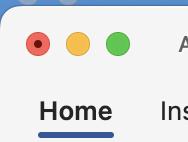
-
Finding where to change text in a style
Rosemary A replied to Rosemary A's topic in General Discussion
You are correct, Jill and I often change the text used in slidestyles. Unfortunately I just don't see how I can do this with this slide style. Thank you - Rosemary -
I don't use SlideStyles, but would have thought you could just apply the Style & then go into O&A & amend the Text there. Jill
- Yesterday
-
Hi, I am attempting to make a slideshow about Mt. Etna and I thought that a slidestyle made for Version 10 by Lin Evens (RIP) that has text strokes around a flame would be appropriate as an intro. My problem is that I cannot find where to change the text! Can someone help please? Rosemary Fire filled text.pte
- Last week
-
https://mapanimator.baldinger.se/ It works with GPX data files and photos along the map.
-
- 2
-

-
Henry, Igor, Thank you guys! Appreciate yours comments. Alex
-
Works for me in Versions 11/12 https://www.wnsoft.com/en/blog/royalty-free-music/ https://www.pteavstudio.com/forums/topic/18786-free-music-sfx-resource-over-2000-tracks/ DG
-
I can see how this would be great for rapid prototyping of apps but not optimized for speed like hand coded apps. Today I asked aistudio to make a HDR camera app. After a few minutes of typing and debugging it works. Definitely much faster than coding by hand. It must copy and paste various Java libraries into the app depending on what you want in your app.+ https://cleanshot.com/share/LH2jwqbr Tom
-
When clicking on "get free music," a 404 "page not found" error appears.
-
mary61130 joined the community
-
Hi, Welcome to the forum, and thanks for sharing your tool. It has some good ideas. Good luck!
-
Hi Tom, A fun idea and an impressive result
-
Thanks for sharing, Alex!
-
Updated version of PTE AV Studio 12.0.5 is available for PC and Mac Download: https://www.wnsoft.com/pte-av-studio/download/ Or use the Auto Update function: Main menu > Help > Check for Free Updates Added support for images in PSD format. Only for PSD files saved with the "Maximize Compatibility" option (enabled by default), which includes the merged layer. Added support for videos in the MXF file container. Fixed an issue where TIFF images used as decorations were not displayed correctly in slide styles. Fixed an issue on macOS where Arabic letters in text objects overlapped each other. About window shows: 12.0.5 Build 2 (Build 1 on Mac)
-
Merci Alex pour ce nouveau cadeau !!! Henry
-
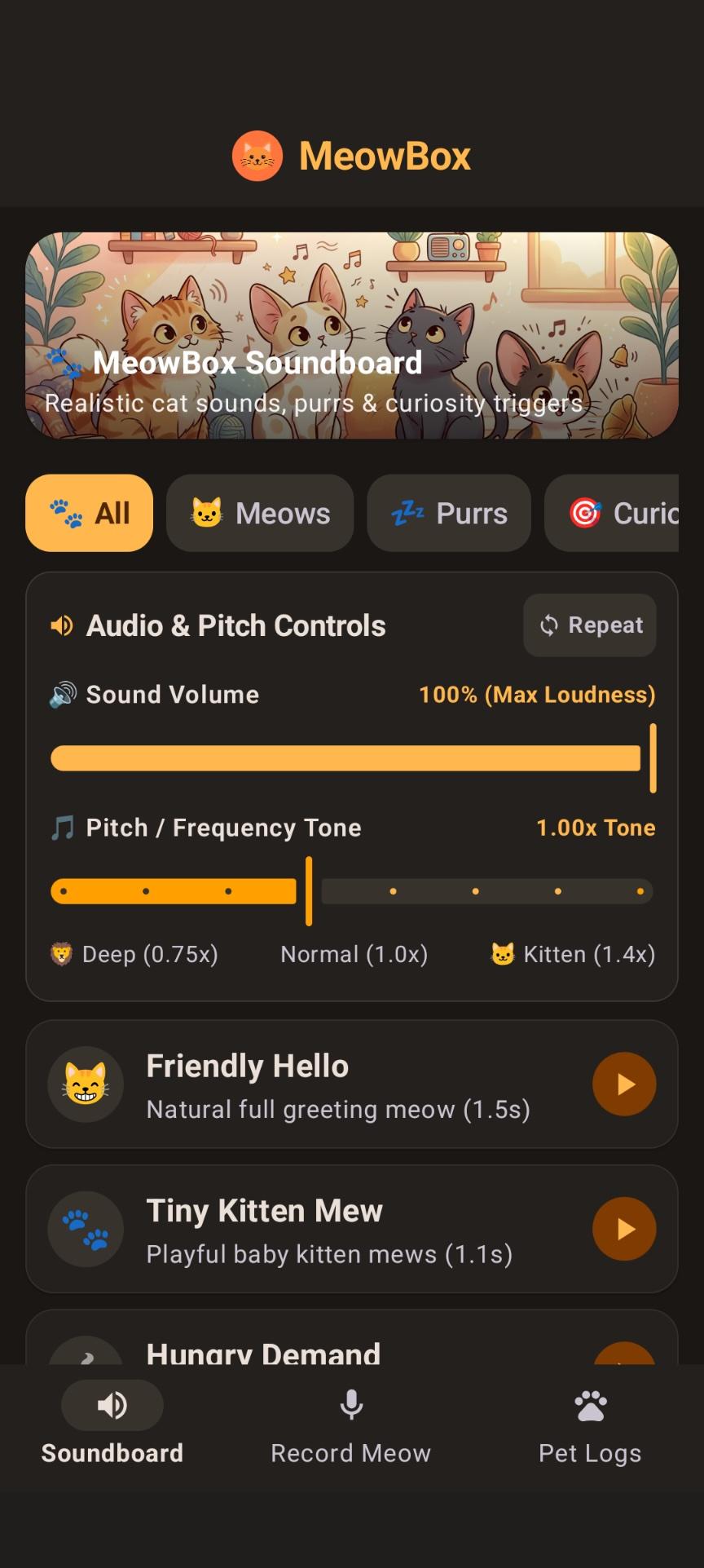
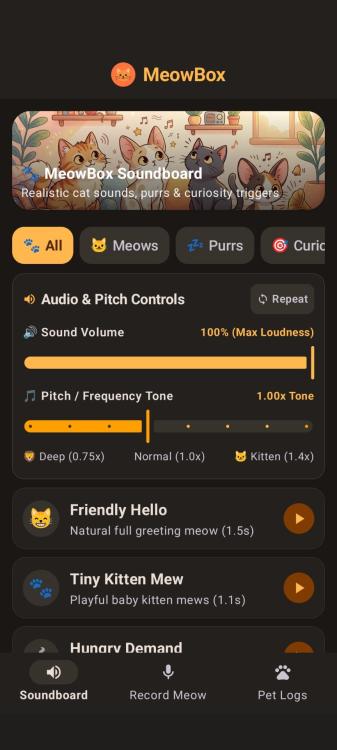
With more Vibe "developers" appearing every day I thought I would try creating an app for fun. I visited Google AI Studio. Total time from concept to working app less than 30 minutes. I was impressed but also kind of shocked with this type of coding. I gave it a basic command create an app that makes cat sounds for my pet and allows users to record their own meows. After configuring my Pixel phone for developer mode and connecting to PC with USB cable the AI studio browser window uploaded an .apk file. The app had audio bugs which I described to AI stuido and it created a new .apk that works. the app sounds are very quiet and very fast. I have identified and resolved the causes for the sounds playing quietly and ending prematurely: What was Happening Premature Playback Cut-off: The playback engine was streaming PCM chunks into an in-memory buffer without awaiting real-time playback completion. This caused the coroutine to release and stop the AudioTrack after only ~10ms, cutting off 99% of the sound before it could exit the device speaker. Short Initial Durations: Several procedural algorithms had short sub-second durations that felt abrupt rather than natural. Volume Channel & Normalization: The audio channel used notification sonification instead of media playback, and peak waveforms were not normalized to maximum 16-bit PCM amplitude. Fixes Applied Complete Playback in MODE_STATIC: Switched to AudioTrack.MODE_STATIC with AudioAttributes.CONTENT_TYPE_MUSIC and USAGE_MEDIA. The audio hardware plays the entire buffer to completion before stopping, tracking playbackHeadPosition to update playback progress smoothly. Realistic Natural Durations & Rich Acoustics: Extended cat sound durations to authentic feline vocalizations (e.g., Friendly Hello is now 1.45s with warm vocal cavity formants, Tiny Kitten Mew is 1.1s, Hungry Demand is 1.65s with repeated urgent calls, and Deep Purr is 3.6s with low 26Hz resonant breathing cycles). Peak Volume Normalization: Added an automatic loudness normalization pass to scale every synthesized sound to peak at 31,500 (safe maximum for 16-bit PCM without clipping). Volume Control Slider: Added a dedicated Sound Volume slider in the app's audio controls (ranging from 20% to 100% maximum loudness). All tests passed (BUILD SUCCESSFUL), verifying that: Sounds now play with natural durations (1.1s to 3.6s). Audio output reaches maximum loudness (peak amplitude normalized to 31,500). Playback runs to completion through AudioTrack.MODE_STATIC with media stream volume and interactive volume controls.
-
Hi everybody, It's looks pretty slow on Forum. Here's the project someone may find handy. The Link included. Alex55
-
Does this help? https://www.pteavstudio.com/forums/topic/55682-pte-av-studio-12-transferring-styles-and-transitions-solved/
-
Do you mean downloaded Styles? DG
-
What to do for opening " styles and themes in PTE 12.04 Antoon de Rooij
-
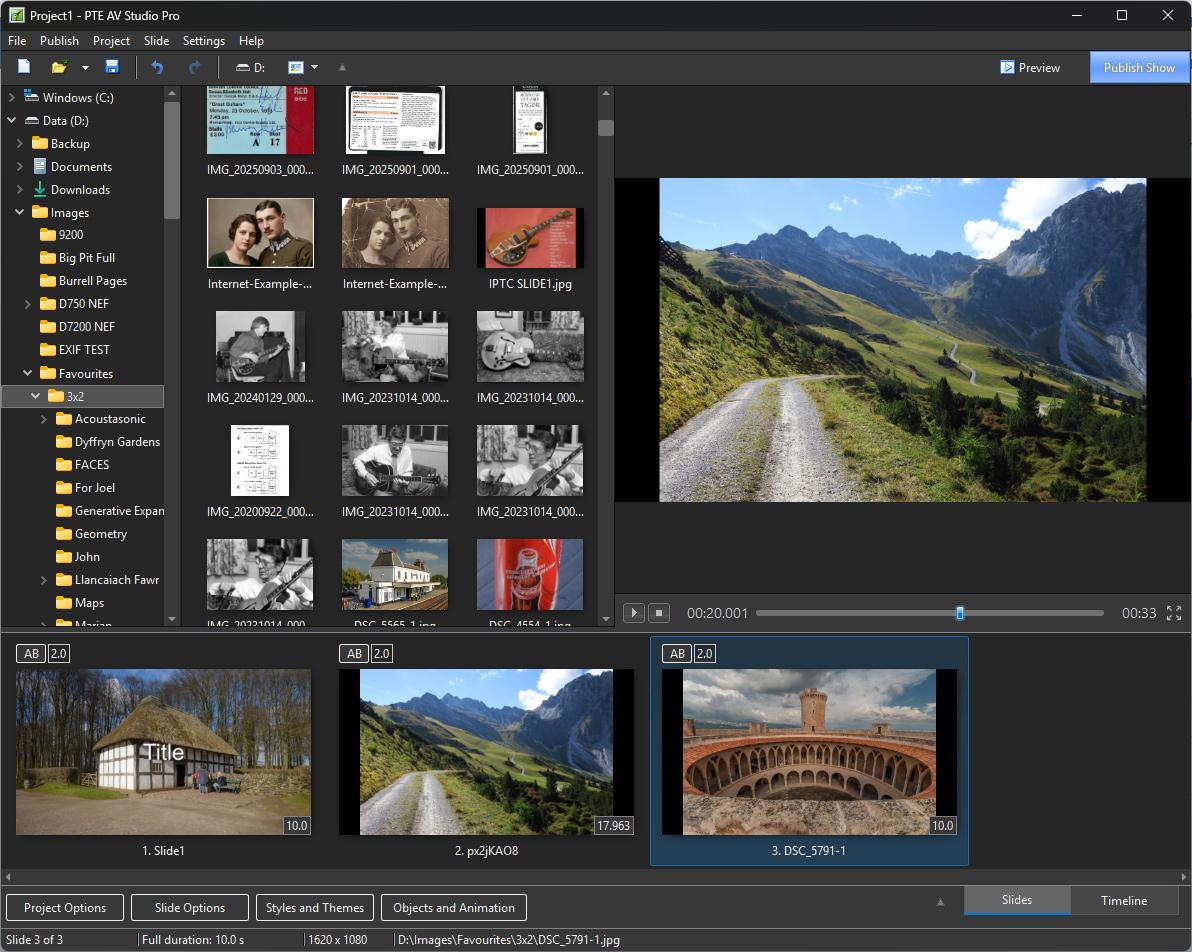
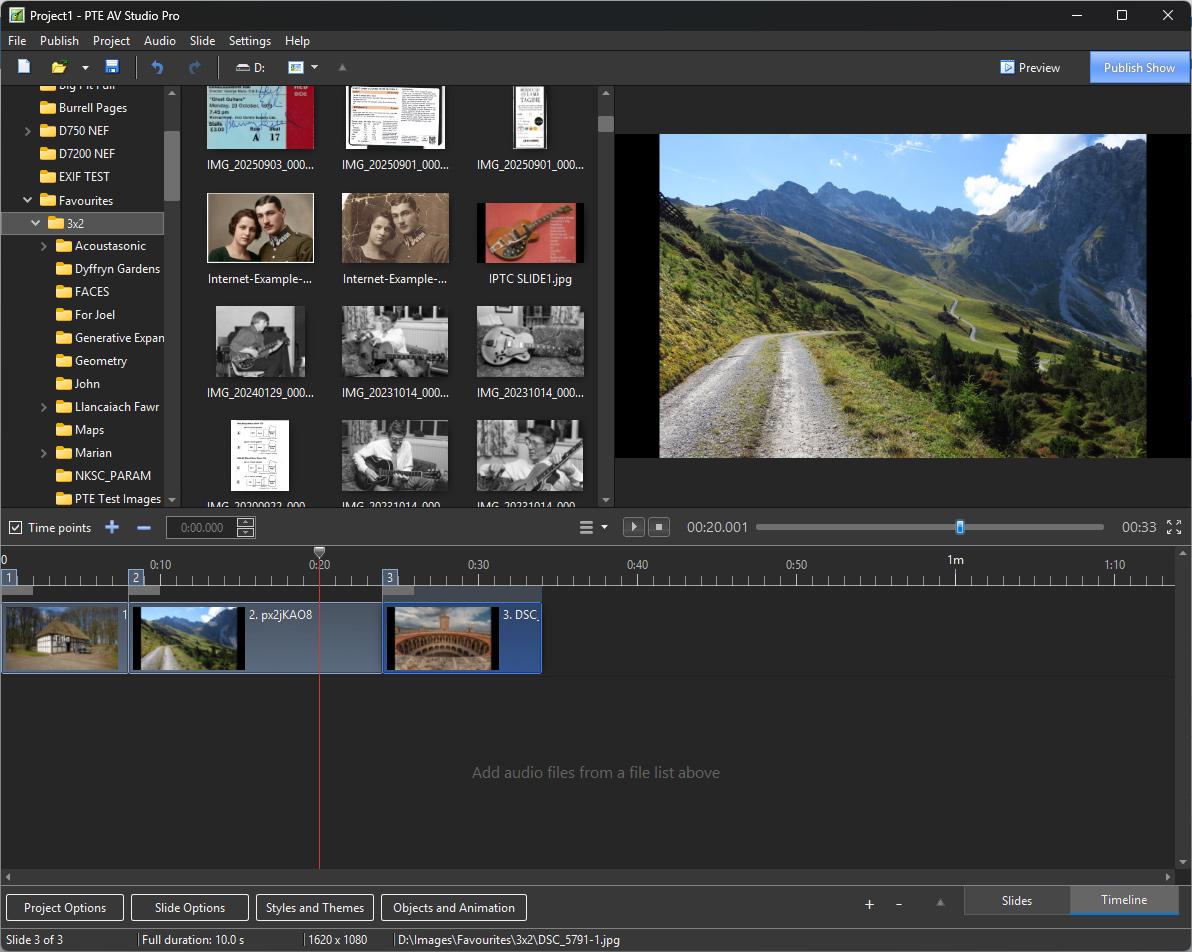
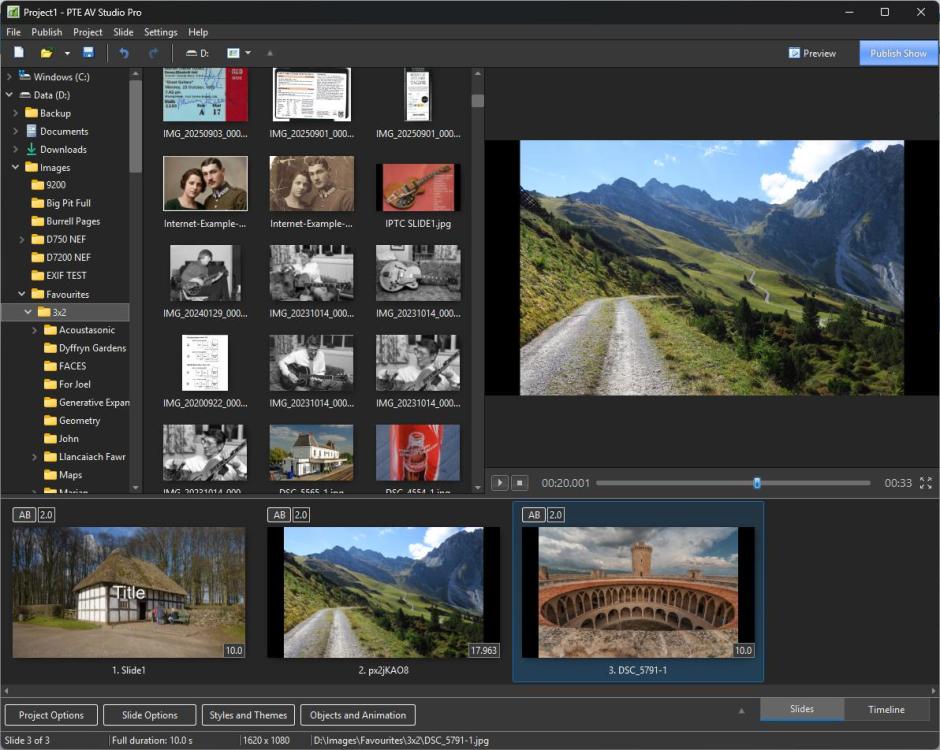
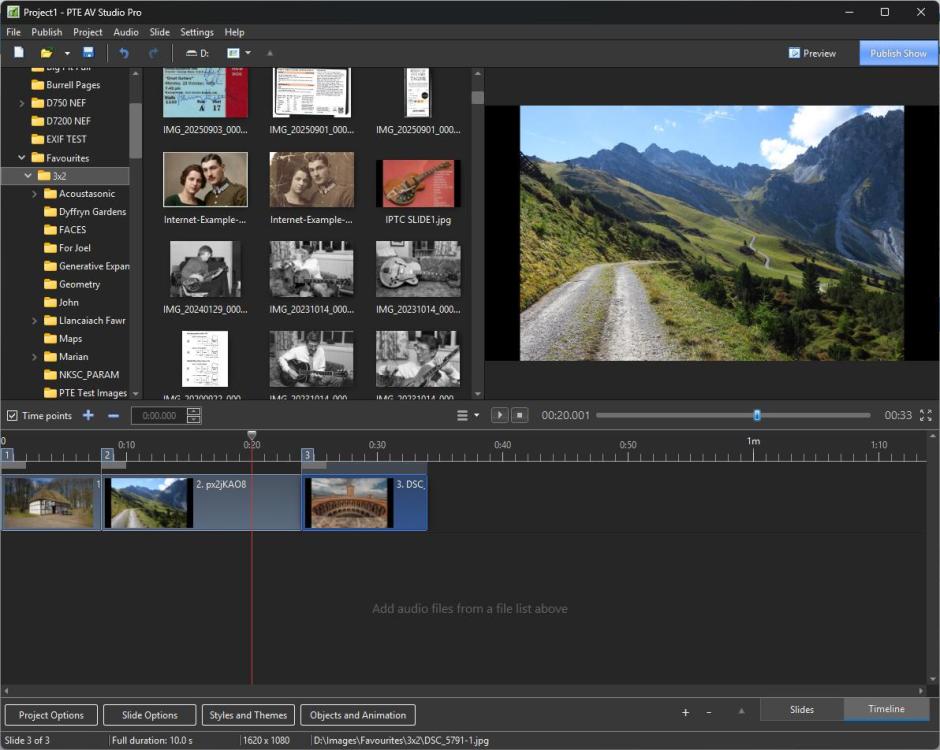
This is the SLIDE LIST This is the TIMELINE DG
-
you should be able to, nothing has changed. But it is best to add, delete & move Slides in Slide View not Timeline View Jill