All Activity
- Past hour
-
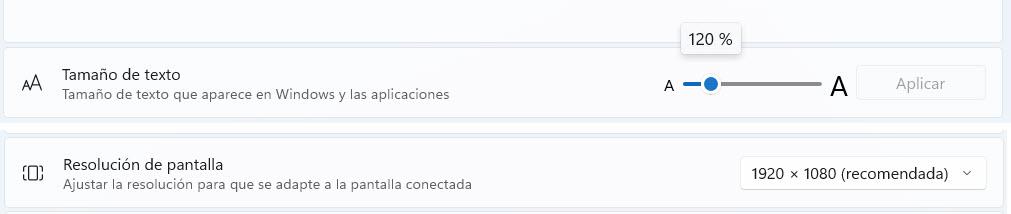
Set to 120% and it looks good now. I'll have to get used to the big font, 😀👀 Edited: I knew it was too big, I don't know why, but it doesn't respect the size. I set it to 120% and I see that Windows changes it to 175%. Thanks.

- Today
-
Hi Ian, It is easy, but as it is something I have never changed it took me a while to find it! Settings/preferences/System - at the Top Double Click in Slide List - Click the drop down Arrow & change to what you want Jill
-
Until recently, double-clicking on a slide brought up O&A dialogue. Now it opens Slide options. How can I revert to the former situation? I assume it is ridiculously simple!
-
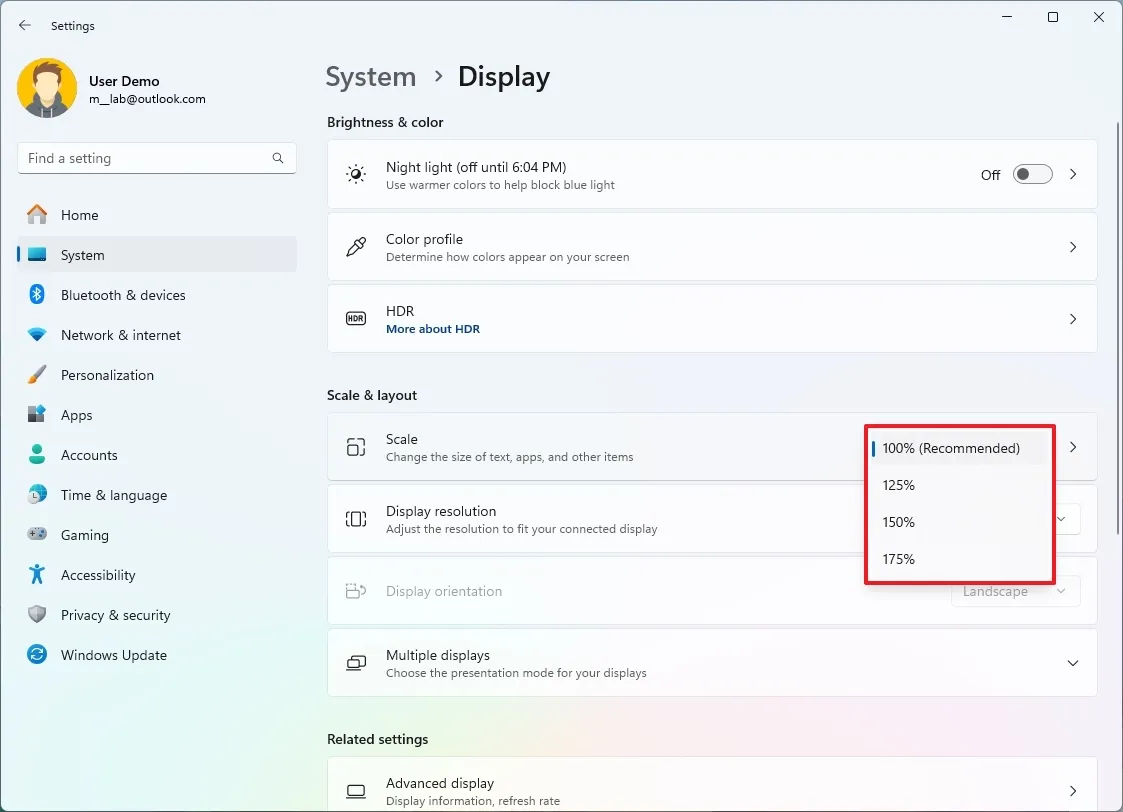
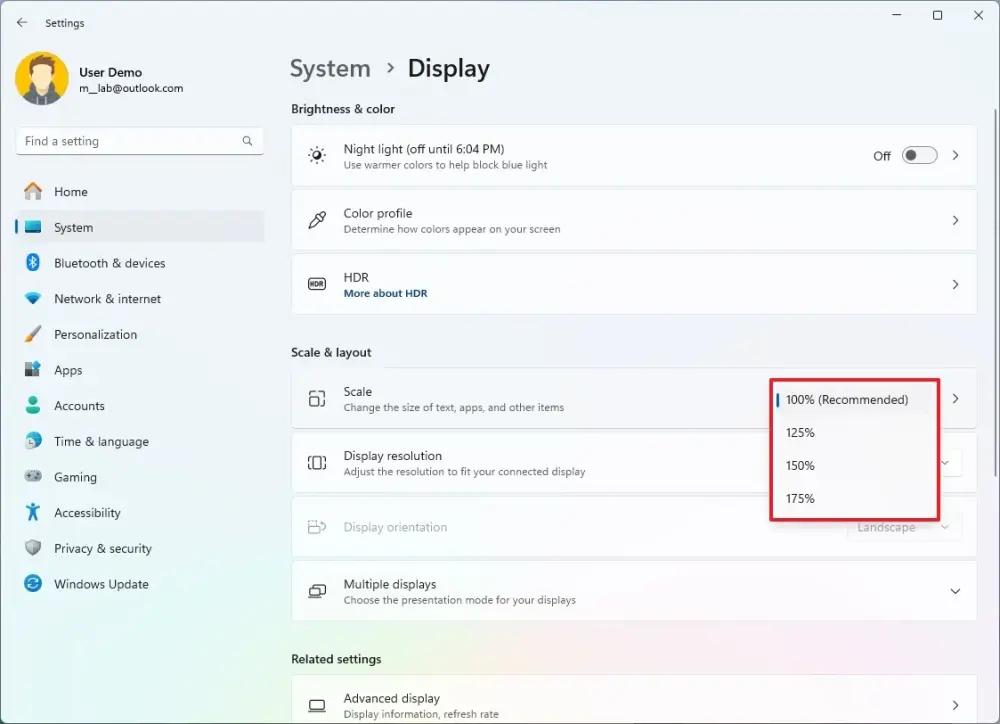
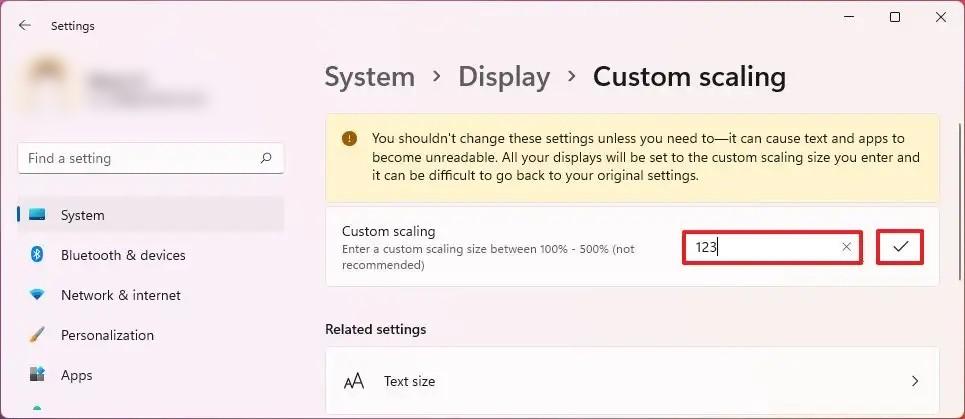
You need to use display Scale option, not Text size. I recommend to set Text size to 100% (default value) and then adjust display Scale to 125% Custom scaling where you probably set custom Text size instead of display Scale:
-
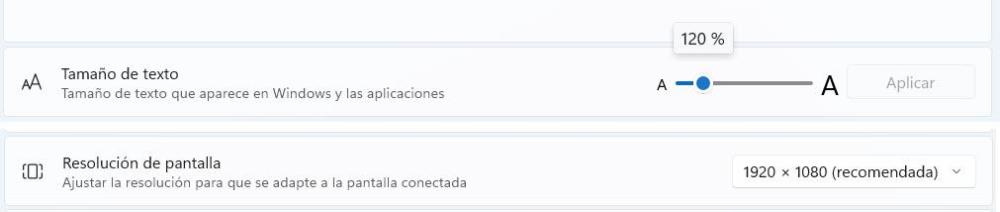
I posted the message in the other subforum; I thought it was a problem with version 12. Text size 120% Screen 1920 x 1080
-
Jill, The green timeline (with key points) always shows the original time. Including vertical red time cursor. Mini player placed above (and its time slider) shows modified resulting time. Please wait a little, I've noticed several issues with time calculations. We'll fix these mistakes in Beta 9. I suggest to try again this editor in future Beta 9.
-
Jill, thanks, we'll fix it in Beta 9 soon.
-
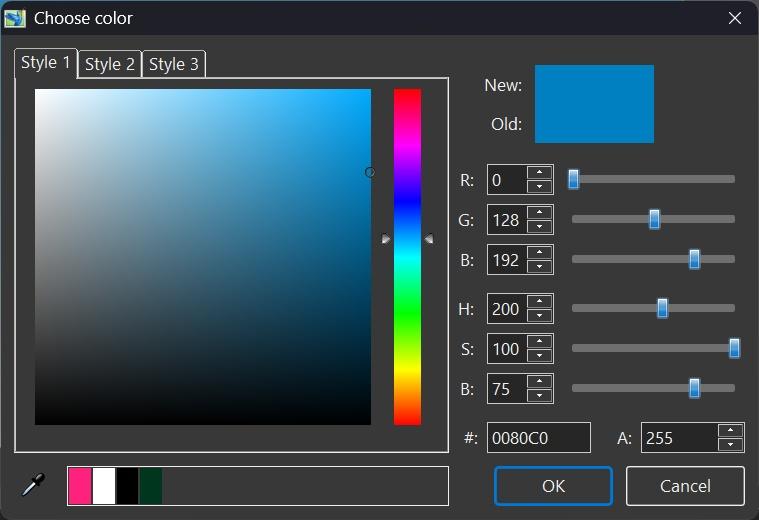
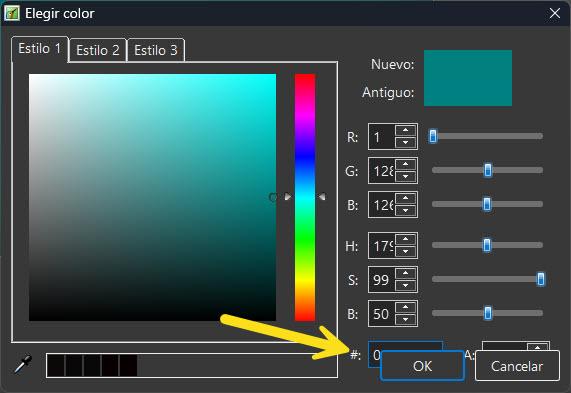
Hi, PTE AV Studio fully supports HiDPI and Windows display scaling. We recommend to use Display settings - Scale (e.g. 125%, 150%) to make everything larger - NOT adjusting the text size separately. Could you check what your current Scale and Text size settings are in Windows Display Settings? Personally I use scale at 140% for my Dell monitor and the Color window looks rightly:
-
If you have the Font Size on your Computer set to a large size this can cause the boxes to overlap. Mine is set to 125% & it is OK, but any larger & starts to overlap. Jill
-
Mine is OK on screen resolutions of 1920x1200 and 2560x1600. Have you customised you screen resolution or appearance? DG
-
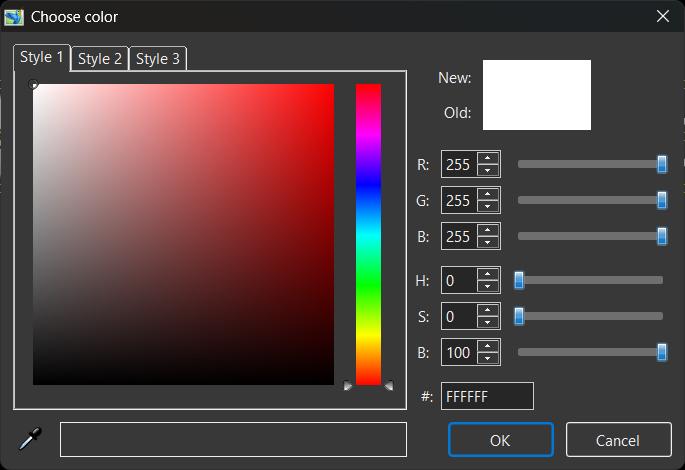
Hi, the buttons in the color selection window are displayed on top of other options, hiding them.
- Yesterday
-

Trying to make a circle around part of an image.
jt49 replied to targa911's topic in General Discussion
A slightly more sophisticated construction: Simple_Circle.zip -
Sorry for posting this. I've sorted it. John
-
Please help. It is some time since I got myself into this situation and have forgotten how to extricate myself. I included a file in a folder and uploaded it to PTE. I later moved that file to another folder and changed its name. I now find I do not require that file and have deleted it from my hard drive entirely. How do I stop PTE from looking for a file that no longer exists every time it opens or wants to save?
-
Hi Igor, yes I am using beta 8. I just downloaded and installed as a separate version. I will try later to see what it does in beta 7. I am trying to finish an AV for a competition and the closing date is Tuesday. It works ok for now as it is, so no rush if there is a bug. Jill
-
Hello, since it’s been a few years now and it still doesn’t seem to be there, I’d like to bring this post back up and make a new request to see if the warning message mentioned by jienense could be added. I think it’s helpful to know which fonts aren’t installed on your system but are used in the project.
-
- 1
-

-
Hi Jill, Please check the About window. Do you use the newest Beta 8? In Beta 7 and 8 we added many changes and improvements into video speed editor. I'll write a mini tutorial for this editor soon.
- Last week
-
PPS. In fact the keypoints at the end of the video don't seem to be working at all. It doesn't matter where I position it, the video isn't slowing down at the end. The starting points work great, but the end doesn't Jill
-
PS It would be really helpful if it is possible to show the Transition points as in O&A. At the moment I keep having to make a note of the times & keep coming in & out of the Speed window to try to get it right. Jill
-
Not sure if I am doing something wrong or it is just the way it works. I am trying to adjust the speed of a video so that it is static during the fade in & fade out of the Slide. I put a keypoint at 0 (start of Slide) & set the Speed to 0 I have another keypoint at 2 (end of Fade in) also at 0 Speed I then add another keypoint at 3 sec & set Speed to 70% This works fine at the start of the Slide. However the green track does not increase in length, so trying to position another keypoint at 7.6 Secs (start of fade out) Also for 70% & then a final keypoint at 9.6 Secs for 0% Speed I can't The original video was only 8 secs so I cannot select 9.6 secs Should the Green track expand to the new adjusted length or am I missing something? The Overall Duration shows as 15 secs but the green Track still shows the original duration of 8 secs. Also it would help if the actual window was wider as when the cursor is at the end then the displayed time & Speed are off the window & can't be read. I will keep playing until I get the keypoints as I want, but it is a bit trial & error. Otherwise it works great Jill
-

Trying to make a circle around part of an image.
targa911 replied to targa911's topic in General Discussion
Thank you! -
Rusty Steel joined the community
-
I need a project to check it with V12 Beta.
-
The thing is, when I open this project in version 11, I don't have that problem.
-
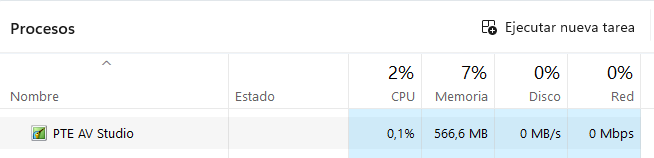
Hi, The most likely that some file in a project, most likely a video, is causing the freeze. Try to reproduce this problem in a simple test project. If you can reproduce the issue from a scratch with a simple project (from opening of a project, to a sequence of short actions until the freeze), please send me the entire project (with linked files) in a ZIP file and instructions on how to recreate it. The remaining .lock file is an indicator that the project is still open in PTE AV Studio. This is simply a result of the freeze.
-
Hi, the app freezes when you least expect it; the slide disappears, and nothing is displayed. I've also noticed that the *.lock file remains at 0 KB. I close the app, but I can't delete that file. I check the task manager, and PTE is still running, even though I've closed it. These crashes happen almost constantly Thank you. Bloqueo.mp4