goddi
-
Posts
3,593 -
Joined
-
Last visited
-
Days Won
26
Everything posted by goddi
-
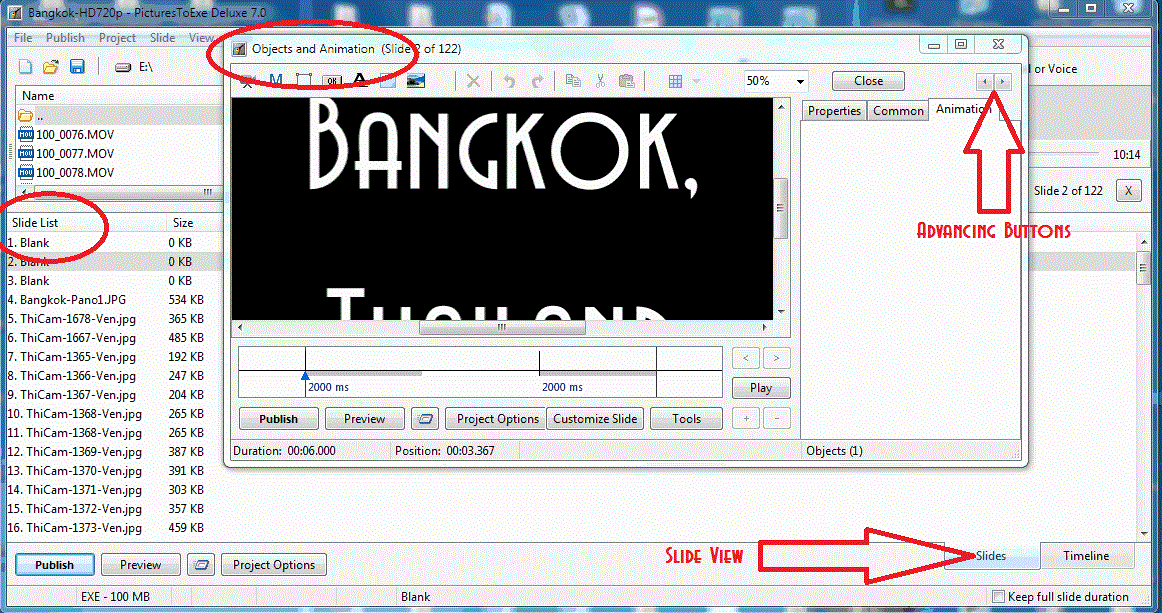
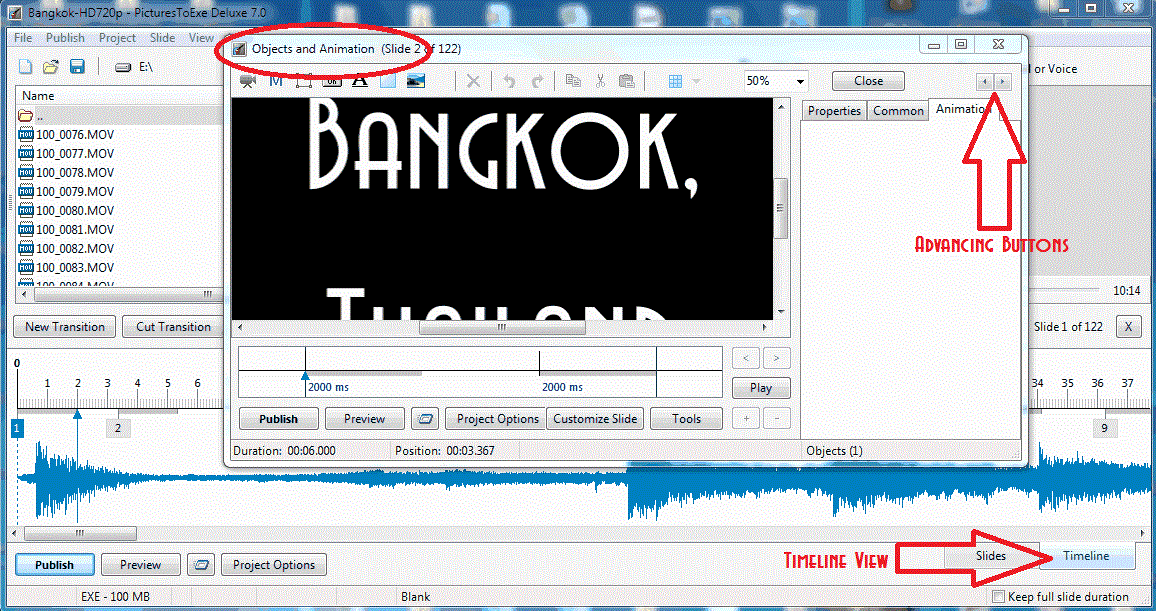
========================== Nobeefstu, When I was fooling with this before, I could swear that as I advanced through the slides in the O&A, the highlighted slide in the Slide List moved to the next slide as I advanced the slides in the O&A. Now I see that it does not. You are right. Who knows what I was looking at. However, here is my main point. Notice that once you close the O&A window, when in the Slide View, the last slide you were seeing in O&A is highlighted in the Slide View window. If you started viewing, say, slide #20 and advance to, say, slide #80. the Slide List will snap to show slide #80 in the Slide List window. This does not happen when you do this in the Timeline View. If you start out in the Timeline View and then open O&A, say, at slide #20 and then, in O&A, advance to, say, slide #80, the Timeline just stays where it was and does not shift to show slide #80 in the Timeline window. Then you have to cursor over to find the location of slide #80. It would be nice if the Timeline View worked the same as the Slide View, in this respect. Hope this is clearer. Gary
-
======================== Lin, I am in O&A in both Views. See my attached gifs. I probably didn't explain it clearly. Gary
-
===================== Eric, It has been bugging me for a long time. I just figured out why it was doing what it was doing. I had not seen this suggestion posted. Guess I'm a bit slow.... I hope Igor gets it implemented. Thanks. Gary
-
Greetings, When you are advancing from image to image in O&A in the Slide View, the Slide List will highlight each slide as you advance AND reposition itself to keep it on the screen as you progress through the images. This is good. However, when you do the same in the Timeline View, the Timeline does not move or reposition itself to keep the slide you are on to stay on the screen. When you stop advancing through the images using O&A, you have to go search (using the slider) for that slide you stopped on. It would be nice if the Timeline would reposition itself to keep the last image on the screen in the Timeline as you advance through the images using the O&A. Gary
-
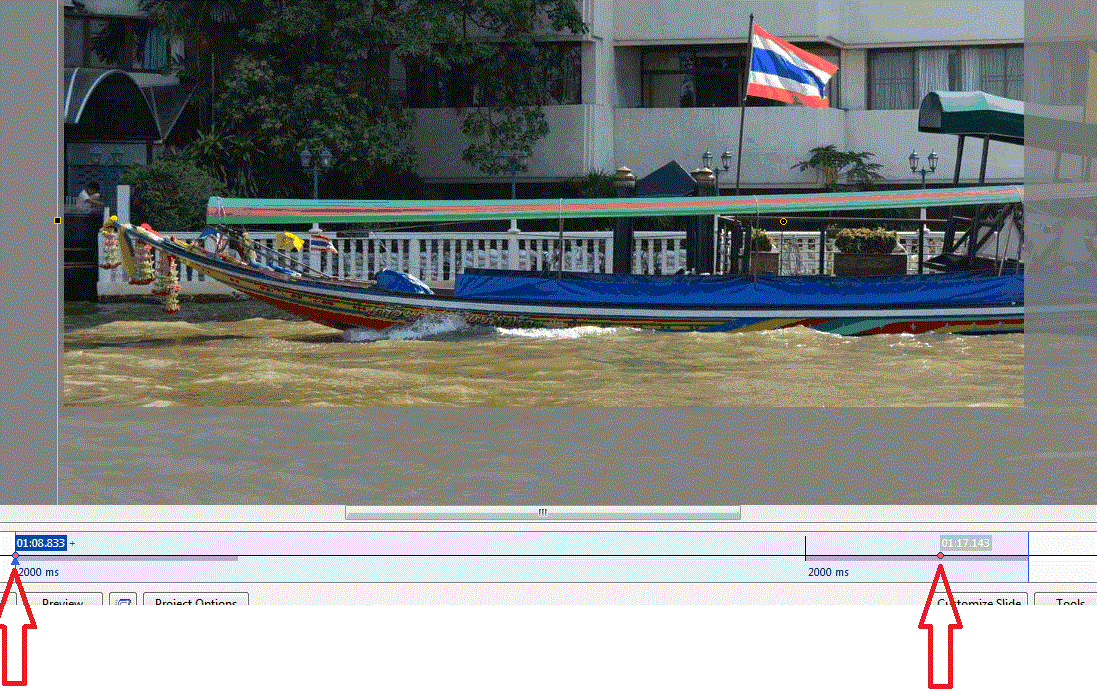
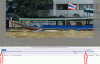
========================== DG, I am trying to understand what you are suggesting but I don't think I get it. Probably because I don't see any abrupt stops and start when I play it. See the attached gif. This is an example of how I usually configure my Zooms and Pans. Let me know what you would do differently. I put the beginning keyframe at the beginning. I don't see any where else to put it. Then I put the ending keyframe in the middle of the fade-out area so it fades-out as the beginning of the next image fades-in. I tried to understand your message about using the KFSD principle but it is apparently over my head. I keep it unticked. Glad you liked the show and it brought back memories... Ok...I see your technique about blurring the previous image and using it in the background of the next portrait image. Interesting. Thanks... Gary
-
========================================= Eric, I went back and tried to find pans & zooms of stills that started and stopped abruptly. I did not notice this problem. Could you identify a few of these points so I can have a better idea which ones they are? I have played a few of my shows at a photoclub and I noticed they did not run as smoothly as at home. Maybe it is hardware related??? Gary
-
============================= DG, At first I was not sure what you meant by 'wasting money' with Viveza. Now I see. I said I have 'NX2'. But I figured out that I have 'View NX2' and you were talking about 'Capture NX2'(?). I did not realize there are two different 'NX2's. I have not tried Capture NX2 so I didn't know what it has. Does it include the 'Structure' tool? I will look into Capture NX2. I just can't see adding a blurred image behind an image. Since I tend to shoot a lot of portrait images, it would be a lot of work to come up with different blurred images for backgrounds. I wouldn't want to repeat the same background image over and over. But as I said, never say never. I will have to work on that one. I'm not sure why it is so 'shocking' to just show a portrait image with the black background. I have tried to reduce the length of a music file by deleting portions, but it ends in a mess. I think it would have to really depend on the selected music. Thanks for watching the show. Gary
-
================== Eric, Yes, I see what you mean. I just find it to be a little distracting from the main photo. Perhaps blurring the background image would help, as Colin posted. This comment has been made before about one of my other shows but I just can't bring myself to do it...yet. Never say never! Gary
-
============================ Eric, I can't believe it. I figured you'd be the last one to download it! Thanks much for viewing it. Yes, the video was hand-held. This trip was my first attempt to take stills AND video. I do have NX2 but haven't really used it. My primary editing tool is Photoshop CS5...but recently I got Viveza 2. It works within Photoshop. It is really a gem. If you use only the "Structure" tool, it is worth the price. You can make more precise adjustments. Yes, I know some people do not like the use of the Portrait format. I don't understand why. When you shoot a vertical object, Portrait is the only way to go, IMHO. I think not having them makes the show a bit boring. But I guess that is my 'old school' mentality. I didn't notice abrupt pans and zooms. I will go back and look more closely. Maybe it has to do with video cards??? Don't know. I think music is one of the hardest parts of assembling a slide show. It puts the 'emotion' in the show. But working with the set length of the music and the number of slides you want to use, can be the real nut to crack. Thanks for the critique. Gary
-
NEW SHOW ON BEECHBROOK: BANGKOK, THAILAND http://www.beechbrook.com/pte/ Location: Bangkok, Thailand Year: November 2011 Aspect ratio: 16:9 Screen resolution: 1920x1080 Videos: Reduced from 1080p (MOVs) to 720p (MP4s) to reduce file size Size of file: 103Mbs Run time: 10:15 Manual control (yes/no): Yes Camera and lens: Nikon D7000, 18-200mm Any other info that you can provide: This is a large slide show but it is due mostly to the added video files. In order to get the size down, the video files were reduced from 1080p to 720p. It is still quite large but I hope you will give it a look. This trip to Bangkok was our final stop on our several week trip to Cambodia and Thailand. Most of the scenes are of the river taxis that are more efficient than trying to travel around by land taxi. You will note a lot of images show sandbags. This was due to the tremendous flooding that Thailand was experiencing this year. The inner city was mostly spared but was ready for the possibility. The river was high but posed no real problem for tourist in the inner city. Bangkok, as well as the rest of Thailand, is a wonderful place for a visit. Comments and critiques are welcomed. Gary Oddi
-
===================== Peter, Yes, I see what you mean that the limit is 32000. But isn't that pretty high enough??? Just wondering. I have videos SOOC from my Nikon D7000 and some of the highest bit rates vary from around 12000 to 20000 kbps. What I was trying to say was to convert your original AVIs to HD1080 MP4s and see it the quality improves without flicker in PTE. Kinda strange that you get flicker. I have used both AVIs and MP4s and don't get any flicker or jerkiness. But what do I know? There are so many variables. Just trying to figure this stuff out... Gary
-
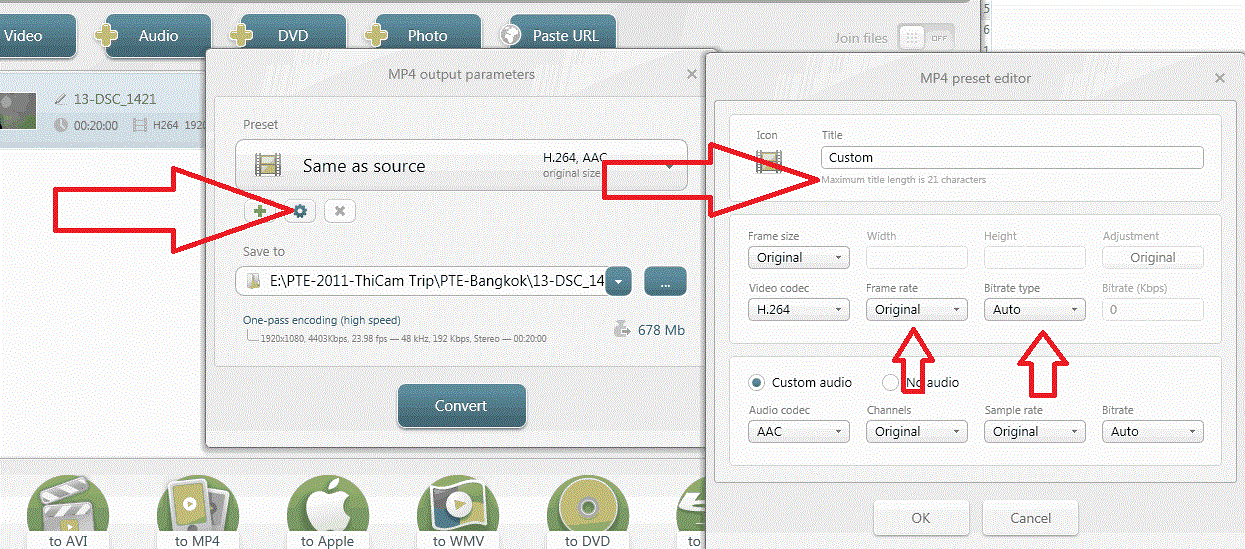
=================== Peter, I think it might default to a lower bit rate, but if you get into the Custom menu, you should be able to override the default lower setting and input your 39813. I remember now that it does this but I have not seen any quality difference or problems with flicker or jerkiness. I don't convert my videos to AVI; I seem to have no problems converting to 1080p MP4s or playing them in PTE. No flicker or jerkiness. Much to learn. I have even converted to HD720p and the quality is really good. See if you can set your bit rate to what the original is in the Custom menu. Gary
-
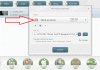
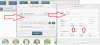
========================== Peter, You are getting close. See my attachments and you can see that you can save the edited video 'As Original' or you can get into the Custom menu and make just about any changes you want. In the trimming process, I trim out the beginning first; hit the Scissor icon; then I go to the end and trim out that part; hit the Scissor icon. You can also trim out portions in the middle. Piece of cake. Hope this helps. Gary
-
======================== Peter, You must be missing a step. I have been using Freemake for a long time with great success. After trimming the video, are you pressing the 'OK' icon? I works for me just perfectly. Give it another try. Yes, with WLMM, you have to convert it from WMV to something else. That's where Freemake comes in handy, too.:) Gary
-
================================= Eric, If you did not complete the install of Freemake Video Converter, did the Funmood add-in actually get installed? If it did, it is very strange that you got an add-in and I did not, even with multiple installs. It is too bad that the Freemake might be sneaking in any add-ins. I have not had that experience and it is a very nice tool to have to edit video. DG, The only free program that I have found to edit the Video Audio track is the Windows Live Movie Maker. You can adjust the Fade In and Out and you can adjust the overall audio level. Look under the Video Tools tab. Someone asked about being able to speed up a video. The Windows Live Movie Maker will do this too. You lose the audio but you can adjust the speed of the video and lots of other effects, too. You can trim video too, but I haven't figure it out yet. Gary
-
======================= Brian, The link you mentioned has to do with Version 2.3.1. The latest version is 3.0.2.6. I have installed it several times and I have not received the Funmood-Toolbar or the FreemakeUtilsService. I wonder if the more recent versions have eliminated these Add-ins. I checked through my Registry, Services and Processes and not a trace. When I installed it, I was careful not to accept any of the 'automatic' install procedures and took only the Freemake Video Converter program. Maybe they have changed their ways???? I think the Freemake Video Converter program is really great. Thanks for the alternative program. I'll take a look. Gary
-
============================ Eric, You must have done something different then what I did. I checked my Plug-in, Add-on and Extention lists and I don't have it. I use Firefox. If you use IE, maybe it does something different. But I am sure you can dump it if you don't want it. I went through a re-install as I described above and did not see any Funmoods Toolbar. Gary P.S. I think you might have had it installed if you let Chrome or the other choices to be installed. Real sneaky stuff. I am usually very careful to uncheck any thing that seems as if there are going to be any add-ins. Here is a site that tell how to remove it: http://removal-tool....-extension.html
-
=========================== Eric, Most software now have these tricky little add ons. All you have to do is to untick the appropriate boxes. I just downloaded its updated version and unticked the boxes of the stuff I don't want and it installed just fine with no added programs. Yes, you have to be careful but that goes for many of the programs you download nowadays. In this case with Freemake, be sure to untick the 'Quick Installation', select the 'Parameters Settings', untick the 'Install Bing Bar', untick the Plugins and away you go. No big deal. Gary
-
================= Are you talking about the Freemake Video Converter program??? Gary
-
=================================== Peter, Thanks for your reply. As far as trimming video clips and keeping the original quality, fps, etc., I have mentioned before my favorite free program for doing this, Freemake Video Converter: http://www.freemake.com/ I am now working on a slideshow and I have several videos in it. I am trying to keep the file size under 100mb so I reduced the videos from HD1080p to HD720p using Freemake. It helped to get the file size down and I don't really seen much if any quality reduction. But for posting on Beechbrook, I am trying to make it as light as I can. Give Freemake a try to see if you agree with the quality. You can also do many different conversions and specifications if you want to dabble with it. Gary
-
Greetings, Yachtsman1 and Robert, I am not worrying, just curious. But I don't think your comments encourage people who want to understand things they don't understand. And I am not just blindly asking questions. I have done a lot of researching the Internet before I ask the question but what I am trying to find out is how all this information applies directly to PTE. There is lots of info out there but how different video settings work best with PTE is the big question. Lin and Nobeefstu, Thanks for the detailed postings. This is very good info but what I am trying to understand is how it applies to getting the best results in PTE. Peter was trying different frame rates. Some worked; others did not. One of his 24 fps video's showed in his Properties tab to be 23 fps. Why? And a video of mine that is a 23.97 fps shows up on Properties tab as 23 fps. Why? Can we trust the Properties tab to give precise info? Perhaps not? If some of our videos are 23.97 or 24 fps or 25 fps, should we convert them to 29.97? Lots of questions. Maybe it is only me that is in the dark. Not too many people are apparently dealing with video in their PTE shows. I am sure as others dabble with video, more questions (and answers) will come up….I hope. Thanks… Gary
-
Greetings, Well, I poked around converting a Straight Out Of the Camera (SOOC) MOV video that has a fps of 29. I converted it to a 30 fps video. Properties/Details show it as a 30 fps video. Ok, makes sense. I also converted it to a 24 fps video. Properties/Details show it as a 24 fps video. Ok, makes sense. However, I then converted to to a 23.97 fps video. Properties/Details show it as 23 fps video. So perhaps a 24 fps is not the same as a 23.97 fps video? Perhaps a '23 fps' is actually '23.97'??? I am hoping someone who understands this stuff would clear the air. I am totally confused. Sure,some things work and we tend to do what does work but it would be nice to understand what might work better and why it does or does not work. Gary
-
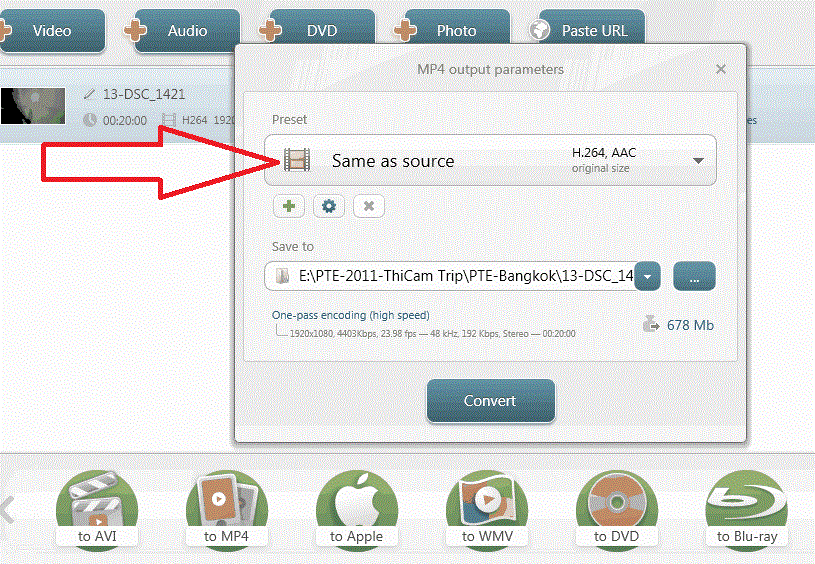
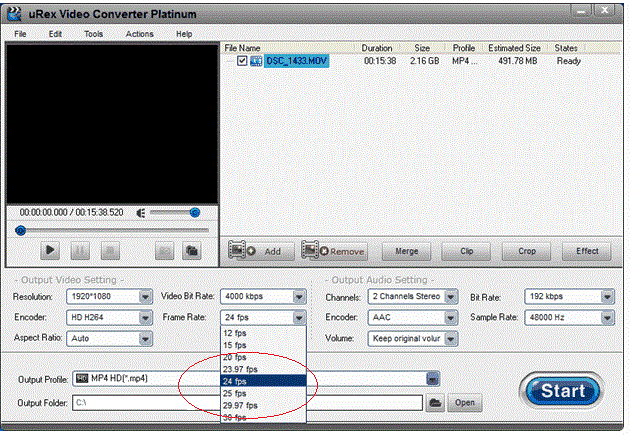
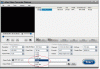
=========================== Lin, I thought your posting made sense and that it was just a way of rounding or 'expressing' the decimal numbers up to a whole number and the frame rates were actually the same. However, I was just playing around with a video converter program that shows the whole number AND the decimal number of the frame rates. They show, for example, 23.97, 24, 29.97 and 39 fps (see attached). So are these 'whole number' frame rates the same as the 'decimal number' frame rates or is there some distinction between these frame rates that we should be aware of when we are converting our videos for PTE (I am converting my MOV's to MP4's)??? Gary
-
===================== Greetings Peter, DG and Lin, Oh, do I feel like I should hide my head. Peter, you hit the nail on the head. Actually, I was using 3 different cameras that take video; a Nikon D7000, a Nikon AW100 and a Kodak Play Sport. I could not see the forest for the trees. The file name's beginning designations were different and I just did not notice that. I was SURE that the video files that I was comparing were both from the D7000....but not. Sorry for the confusion. Here are examples of the different video files with the frame rates: Nikon D7000 = DSC_9745.MOV = frame rate of 23 Nikon AW100 = DSCN0400.MOV = frame rate of 29 Kodak Sport Play = 100_077.MOV = frame rate of 29 The videos from each of these cameras are so good it is hard to tell the difference in quality. Thanks Peter... Gary
-
========================== DG, This is getting interesting. No, I am sure I have not altered anything. All are Straight Out Of the Camera MOV's. I just gave a call to Nikon tech and they could not come up with any ideas. They said to send them two of the videos and they will look at the data. They are so big, I have not done that yet...not sure if I can send such large files. Anyway, it reminded me that I have ViewNX2, so I looked at the video data with it. The first videos I took on vacation show all the data, including the frame rate of 29.97. However, the data for the recent videos only show a few items, like file name, size, date created, date modified, file size and duration, no other info. Hmmmmm.... I will try to get more info from Nikon but this is strange. I put the data in Word files, attached. Gary Video 1-29.97fps.doc Video 2-23.98fps.doc