All Activity
- Past hour
-

Trying to make a circle around part of an image.
targa911 replied to targa911's topic in General Discussion
Thank you! - Today
-
Rusty Steel joined the community
-
I need a project to check it with V12 Beta.
-
The thing is, when I open this project in version 11, I don't have that problem.
-
Hi, The most likely that some file in a project, most likely a video, is causing the freeze. Try to reproduce this problem in a simple test project. If you can reproduce the issue from a scratch with a simple project (from opening of a project, to a sequence of short actions until the freeze), please send me the entire project (with linked files) in a ZIP file and instructions on how to recreate it. The remaining .lock file is an indicator that the project is still open in PTE AV Studio. This is simply a result of the freeze.
- Yesterday
-
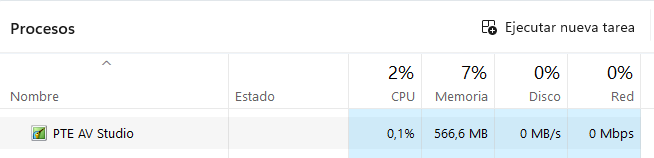
Hi, the app freezes when you least expect it; the slide disappears, and nothing is displayed. I've also noticed that the *.lock file remains at 0 KB. I close the app, but I can't delete that file. I check the task manager, and PTE is still running, even though I've closed it. These crashes happen almost constantly Thank you. Bloqueo.mp4
-
Trying to make a circle around part of an image.
jkb replied to targa911's topic in General Discussion
Very easy to do by using a Text Symbol. In O&A Click on the down arrow next to Add Text. Scroll down the list of symbols, you will see there is a Square and further down a Circle. Add this & then you can repostion over the face, change the size, colour & shadow. Very quick & easy. Jill -
PTE Video Optimizer can reverse video and then export the result. Check also the preview in realtime - it may freeze sometimes, because it's a difficult task to decode a reversed video (on the fly). P.S. Exported reversed video will play smooth.
-
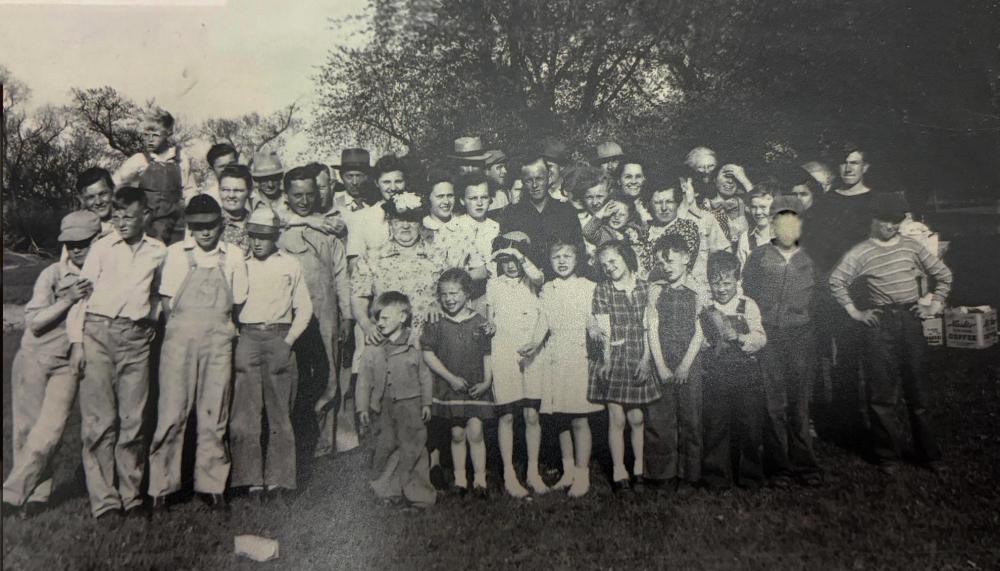
Trying to make a circle around certain people in an image in PTE Studio 11 to identify certain people. Any tutorial leads?
-
Well, what can you do ¯\_(ツ)_/¯ But can PTE Video Optimizer create a reversed video, or can it only play one?
-
Sorry, this isn't possible in real time. We cannot include this for PTE AV Studio. You can see how reverse video works in PTE Video Optimiser. For a smooth playback you need a fast PC.
-
I created a style in version 12 with a 17" slide + 2" transition with sound effects, but when I apply it, it comes out as 19" + 2", which causes the audio to become out of sync. I tested it in version 11, and it applies the 17" + 2" correctly. Could this be a bug in version 12?
-
Hi, is it possible to add an option to reverse a video? For example, a video that shows an image appearing from right to left; once it appears on the screen, it disappears by reversing the video from right to left.
-
Looks pretty clean to me. Yes, that's smart. Thanks for sharing. Alex55
- Last week
-
Hi, I'm glad you like it, thanks for the comments. It's practically all done with PTE, although, of course, if you want to change photos, you have to change masks, which is why I haven't shared the project. The waterfall was animated with DP Animation Maker. (This gives you an idea.)
-
Love this thing! Just out of curiosity, is everything done inside PTE? Thanks
-
NIce effects, nicely done
-
Hi, I'm trying to import an MOV video that doesn't have a background, but it's displaying a black background. I've tried setting up the chroma key, but it doesn't look right. I created that video with a green background, and adjusting the chroma key settings helps a little, but no matter how much I fine-tune it, the image has a green tint, or the video's color quality deteriorates. Why can't MOV videos without a background be used? Thank you.
-
Hi everyone, Playing with masks, this is what happened. Cheers.
-

When you save a project, it saves unused material
AleAle5025 replied to SoCu's topic in PTE AV Studio 12 Beta
After completing the project, without creating a new project. You start adding new files to an old project, and you continue to work on something. At this time, duplicates begin to appear. Make it a rule to start any new job by creating a new project. It is unclear after what time and why duplicates begin to appear. Just don't do that, and you'll forget about duplicates. Above, I described how to change something in old projects. Open the old project and save it. Without leaving the program (important). Create a new project. Save the old project and work with it. After creating a new project, the old slide loses its dependence on the old files and archives. If you have duplicates, (CtrlZ) will not help you to delete them. Because. (CTRL+z) Cancels the action, but the connection to archives and old files remains. -
When you save a project, it saves unused material
SoCu replied to SoCu's topic in PTE AV Studio 12 Beta
Yeah, AleAle5025, when I start a project, I create a new one that is, I don’t use one I’ve already been working on and I delete its contents. But of course, when you’re adding styles or transitions, you test them out, and if you don’t like them, you don’t use them. I think they shouldn’t be saved if they aren’t applied when you save the project—they should still be there in case you need to undo changes (Ctrl+Z), but once you save it, you won’t use (Ctrl+Z) again, so they shouldn’t be saved. As a temporary solution to prevent unused resources from being saved, once the project is finished, you have to copy all the slides and paste them into a new project; this way, those unused resources aren’t saved. -

Free Music / SFX Resource - Over 2000 Tracks
Eric Matyas replied to Eric Matyas's topic in General Discussion
Greetings Fellow Creatives, Here's a brand new music track on my Sci-Fi 14 page: "2AM IN SECTOR 3" – (Looping) You can listen to it here: https://soundimage.org/wp-content/uploads/2026/03/2am-in-Sector-3.ogg And download it here: https://soundimage.org/sci-fi-14/ As always, it's 100% free to use in your projects with attribution, just like my thousands of other music tracks and sounds. OTHER (HOPEFULLY) HELPFUL LINKS: https://soundimage.org/attribution-info/ https://soundimage.org/donate/ https://soundimage.org/ogg-game-music-mega-pack/ https://soundimage.org/custom-work/ Feel free to reach out if you need help with your projects. 🙂 In the meantime, enjoy my free library and and keep creating. -
Can Adobe Elements be linked to an image direct
Janet Wright replied to Janet Wright's topic in Troubleshooting
I think Photoshop is a bargain at £9 but mine has gone up to £14 (no add on`s except the usual ones Lightroom etc) and I believe it is over £19 to subscribe now according to their website just for photoshop Lightroom and the other things you got for £9. I will have a go at your instructions and see if I can get it to work. Thank you for your time in answering Thanks again Janet -
When you save a project, it saves unused material
AleAle5025 replied to SoCu's topic in PTE AV Studio 12 Beta
You created a slide and a transition within a single project. You saved it (created an archive). Now, both the slide and transition files are stored in one archive. To break the link between the slide and transition files, you need to create a new project. This is the only way to sever the connection between the files and their archives, resulting in separate, independent file archives. This is what I described above. Currently, you may have several archive files in your Documents folder. These archives are interconnected with each other and with various file folders, which is likely causing the issues you're experiencing. It is always necessary to create new projects for slides and transitions. Then there will be no such problems in the work. -

Can Adobe Elements be linked to an image direct
davegee replied to Janet Wright's topic in Troubleshooting
In PTE go to Settings / Preferences / System / Graphical Editor - Click on "Use the following programme" Navigate to the C Drive / Program Files / Adobe folder. Look for a Photoshop Elements folder - open it. Within that folder you will see an EXE file - probably "Photoshop Elements.exe". Click on it. Click on OK. That will allow you to use the Edit function from PTE. Please do not take this the wrong way but I wonder why you find Adobe Subscription exorbitant? At £120 per year that is less than the price of a cup of coffee once a week from Starbucks. ....and for what you get - Photoshop, Photoshop Beta, ACR, Lightroom (3 variants) and Bridge (and almost daily updates and improvements) - I call that a bargain. DG -

When you save a project, it saves unused material
Igor replied to SoCu's topic in PTE AV Studio 12 Beta
We'll fix it in future Beta 9.