All Activity
- Past hour
-
Thanks for responding Jill, but I updated my post a few minutes ago. The issue is resolved. I did in fact try everything you mention in your post to no avail. Again, it turned out that PTEAV was sending its sound to my monitor, which actually has no speakers. When it was connected to my laptop by a display port, that worked fine. Now I have a new computer and a set of standalone speakers. Trying to keep things consistent, I had copied some of the PTEAV settings files from my laptop before installing the program on my new computer instead of doing a completely new install. I was about to uninstall and reinstall, which would likely have fixed the issue, but my partner fiddled with the sound object in Windows and discovered and remedied the problem. All is well now!
-
What type of sound files are you using - Mp3, Wav, Ogg ? Have you tried a new Project with just 1 Slide & that sound file? It must be something to do with the actual file if you have tried both 11 & 12. Does the original sound file play ok in other Programs? Jill
- Today
-
PTEAV was sending sound to my monitor, which has no speakers. Made the monitor default sound output and then changed it back to my actual speakers. Sadly there was no way to change the sound output device within the program. The problem most likely was a result that I installed the program on a new computer BUT I copied all of PTEAVs files and settings from my old laptop. Next step was going to be uninstalling and reinstalling, which would probably have worked, but my IT nerd partner fixed it before having to do a reinstall. Tearing my hair out here! I can't get any sound out of PTEAV even though there is a sound track and it is not muted. The sound is obviously there as I can export the audio track to an .mp3 file and it plays fine in Windows Media player. I can create an .mp4 of a project (tried several different ones) and they played the sound just fine. I have looked at every menu and every setting and can't find anything which would allow me to turn audio/sound off within PTEAV. I tried it with the latest version 12.0.2 and also went back and reinstalled version 11.0.7. And had the same problem there as well. Would be grateful for any assistance!
-
un Grand Merci jienense superbe montage ! félicitations ! bonne Vacances !! Henry --- "A huge thank you, jienense, superb editing! Congratulations! Have a great vacation!! Henry" (Google Translate)
-
Free Music / SFX Resource - Over 2000 Tracks
Eric Matyas replied to Eric Matyas's topic in General Discussion
Greetings Fellow Creators, Please be sure to check out my Ogg Game Music Mega Pack. It has over 1400 tracks in it (looping and non-looping) so you can download all of my video game music at once...a huge time-saver. Here's the link: https://soundimage.org/ogg-game-music-mega-pack/ You can also download my smaller genre packs here: https://soundimage.org/ogg-music-packs-2/ That said, this week's brand new free-to-use-with-attribution music tracks are on my Fantasy 13 page. They are: "THE WIZARD'S CONCOCTION" "VILLAGE IN ASHES" Here's a link to that page: https://soundimage.org/fantasy-13/ I can't believe July is almost over...summer is going by so fast! Well, see you in August then! -
Hi chanfi22 Thanks for letting me know. I created the backup as usual. I used those four files from a template already installed in PTE. I created another copy, but the problem persists. I'll discuss it with Igor. I added them manually. If you could check that there aren't any other issues, I'd appreciate it. https://www.mediafire.com/file/y12e1zf0p9wwwsj/The_World_in_Your_Hands_Jul30-2026_13-55-42.rar/file
-
Hello Javier, Excellent work. It’s original and very well done. Bravo, and a big thank you for sharing the project. However, it’s a shame that 4 files are missing: 1) ramkao2-2.png 2) snow_mount-8.png 3) snow_mount-3.png 4) tree-2.png
-
Hello everyone! My vacation season is almost here, and I've already dipped my toes in the water... Good vacation !!! https://javier-pteavstudio.blogspot.com/
- Yesterday
-
Milky Way over The Byron Lighthouse Timelapse
digartal replied to digartal's topic in Slideshows & AV Shows
Thanks -

Milky Way over The Byron Lighthouse Timelapse
JRR replied to digartal's topic in Slideshows & AV Shows
Nicely done time lapse Mark - Last week
-
Hi everybody, I 've built my first Project using PTE AV Studio V. 12.1 recently. Here's a short summary. Overall the App fills much more responsive. The export movie render time is decreases significantly. Finally we got rid of that pesky problem locating same file in different locations. .That's great! Blend Mode works wonderfully to me, opening much more possibilities . The creating backup project takes less time. The only one problem I've found so far was randomly unresponsive timeline head while Stop and Go playing the timeline. While manual scrubbing the timeline goes smoothly. I still run Quad core on Win7, so that's might be the reason. I'd appreciate if someone try to feedback me. I think the Team made a great job on keeping move this great App ahead of competitors. Thank you! Alex55
-
- 3
-

-
Sometimes you may have keyframes that differ only by a few milliseconds in time 😊
-
Yes, i know i can use the buttons. But when my cursor is at the very end, and i need to jump over upon 7 keyframe points? That involves at least ONE unnecesarry step, to drag the cursor quite near my desired position (otherwise i must click 7 times), and then click the left or right arrow button. Wouldn't make more sense to snap in place while still dragging ? L.B.
-

Ticket to the Tropics: Cinematic Style Slideshow
Alex55 replied to Alex55's topic in Styles & Templates
digartal, Thanks for the comment. Best Alex -
 Curl Noise Color Backgrounds Free Downloads, No Strings Attached Here is the web links to my web site: These Wave Curl Noise Backgrounds Files are in Zip Format. Curl Noise Backgrounds Demo: https://www.pnwhiker.org/CurlNoiseBkg/CurlNoiseBackgroundsDemo.htm Curl Noise Backgrounds Zips: https://www.pnwhiker.org/CurlNoiseBkg/Zips/CurlNoiseBackgroundsZips.htm Note: These Gif's will loop endlessly no matter the time length of the clip. Hope you enjoy the show.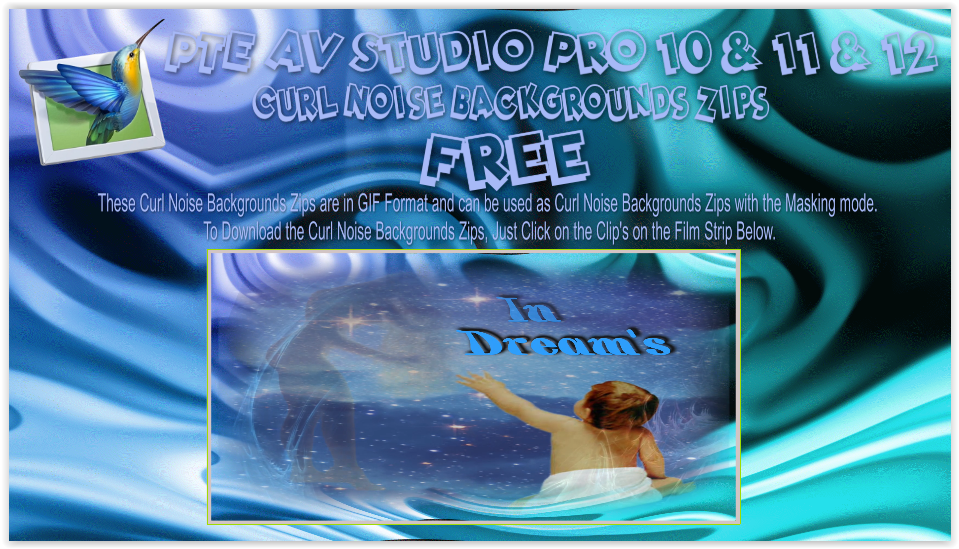
-
Ticket to the Tropics: Cinematic Style Slideshow
digartal replied to Alex55's topic in Styles & Templates
Love it - very well done. Great use of the new features. Thanks for sharing. -
Hi everybody, The idea of the Slideshow was the illustration one of the new PTE V.12 feature-Blending Modes. This is basically variations of the one Style--Screen Blending Mode. The set of pictures placed in the Stencil Container and the Background Composition-in the Mask Content. There's some whistles and bells here and there also to make it looks more cinematic. To my mind, of course. If you like it--there's The Link. Just replace the files marked "Replace Me" with yours Media. Best Alex55
-
"Spots" can be made into a separate customizable effect applied to any layer. This effect will allow you to create animated waves on the surface of water, clouds, rain, light reflections, and more. And also the "Page Curl" effect for the layer. I am confident that this effect will be very popular among slideshow creators. Sincerely, BD.
-
Have you tried the keyframe navigation arrows? https://docs.pteavstudio.com/en-us/12.0/objectsandanimation_1/managing_key_frames#navigate_key_frames DG
-
1) In Object and Animation, when you move a Keypoint, it snaps to the end and the beginning of the slide, and to the other 2 points that represent the Transition/In and Out points , -- and that's PERFECT. BUT when dragging the cursor along the existing Keyframes, it would be very useful and nice, IF the cursor would snap to the Keyframes and In/Out points too. At the moment it just flashes when upon the keyframe, but no snap/ lock to that point/keyframe. 2) Also in the same Object and Animation window, on the right side: please set the height of Properties and Animation tabs around 75% of the screen height AS DEFAULT, and the bottom section, where the created elements are listed, would then take the rest of 25%. For the moment, I always need to adjust the height of those sections too see all the settings and thats very frustrating. 3) Can you please make more variations of "Spots" transtion? Or creating various settings for changing/ varying the existing one ? Like blur margins, liquify margins, vary the pattern of holes, etc We need some more transitions, specially organic/random-shaped ones. Best regards, L.B.
- Earlier
-
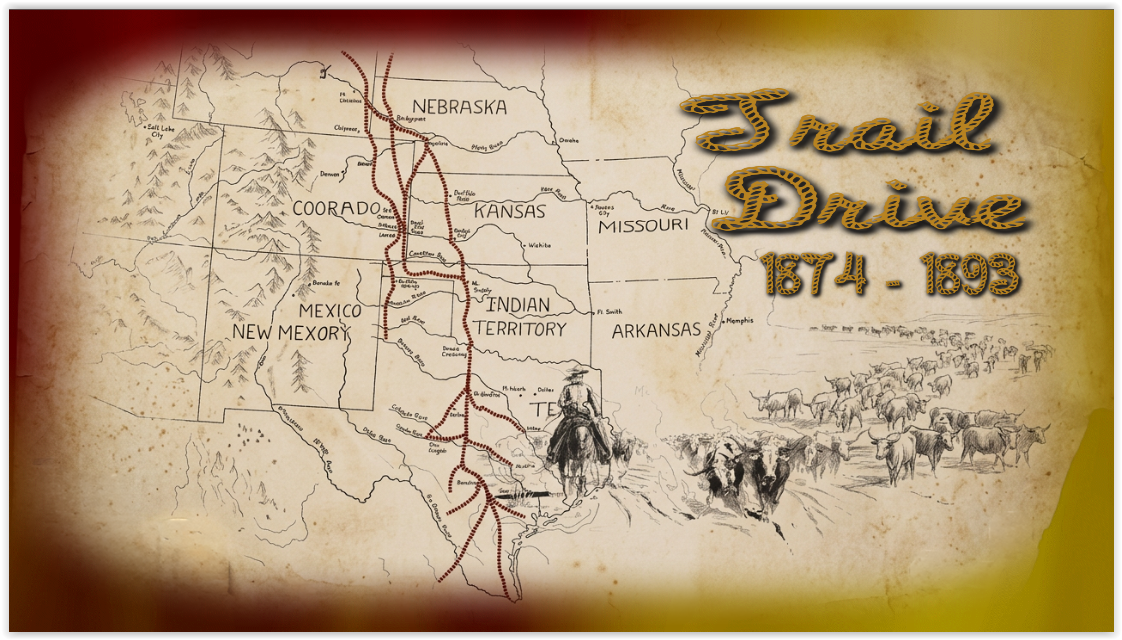
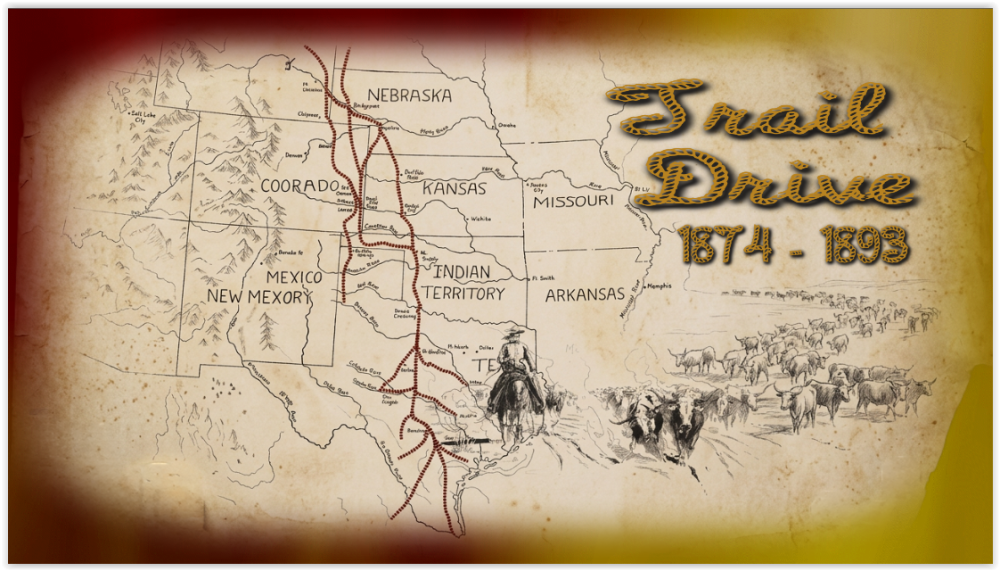
Trail Drive From 1874 - 1893, Hope you enjoy the show. Here is the web link to my web site: Trail Drive From 1874 - 1893 Show. Trail Drive From 1874 - 1893 Show Link: https://www.pnwhiker.org/TrailDrive/TrailDriveShow.htm
-
- 2
-
-
I am making a new production on my Mac Studio. All the initial slides/images are constructed using Objects and Animation with precisely positioned Key Points. I am using O&A due to the ease within PTE Studio of repositioning the slide within the frame to allow for text to be positioned next to the slide. Now the problem. When I try to place a new slide (or video) on the Timeline following the last Slide from within O&A, all the previous Slides move to the Left and reposition near to the start of the Timeline. The normal suggested advice to avoid this problem (I understand) is to make sure that in Settings/Preferences/Project you must Untick the box 'Scale key frames in Objects (on Time Change)'. This I have done but it fails to solve the problem. Advice please. This problem has now been solved through advice on the Facebook PTE Studio website. The solution is to Untick 'Scale key frames' in both Settings/Preferences/Project and Slide Options.
-
- 1
-
-
A lot of work went into that production. Nice effects. (I wonder about one image..... night guard over horses has rifle, all others are hunting with bows and arrows and spears. Being picky but that seems a bit odd.)
- 1 reply
-
- 1
-
-
Lonely Silver Dove Show Lonely Silver Dove, Hope you enjoy the show. Here is the web link to my web site: Lonely Silver Dove Show. Lonely Silver Dove Show Link: https://www.pnwhiker.org/LonelySilverDove/LonelySilverDoveShow.htm

- 1 reply
-
- 1
-
-
Free Music / SFX Resource - Over 2000 Tracks
Eric Matyas replied to Eric Matyas's topic in General Discussion
Hey Everyone, This week's brand new music tracks are: "A MAZE OF SECRET DUNGEONS" You can listen to it here: https://soundimage.org/wp-content/uploads/2026/07/A-Maze-of-Secret-Dungeons.ogg And download it here: https://soundimage.org/fantasy-13/ "LEGENDS OF LONG AGO" You can listen to it here: https://soundimage.org/wp-content/uploads/2026/07/Legends-of-Long-Ago.ogg And download it here: https://soundimage.org/fantasy-13/ "SOMETHING CREEPY THIS WAY COMES" You can listen to it here: https://soundimage.org/wp-content/uploads/2026/07/Something-Creepy-This-Way-Comes.ogg And download it here: https://soundimage.org/dark-ominous-2/ "ISOLATION 2" You can listen to it here: https://soundimage.org/wp-content/uploads/2026/07/Isolation-2.mp3 And download it here: https://soundimage.org/introspective/ As always, they're 100% free to use with attribution, just like my thousands of other music tracks and sounds. OTHER USEFUL LINKS: https://soundimage.org/custom-work/ https://soundimage.org/ogg-game-music-mega-pack/ https://soundimage.org/ogg-music-packs-2/ https://soundimage.org/attribution-info/ Enjoy! 🙂