thedom
-
Posts
2,323 -
Joined
-
Last visited
-
Days Won
6
Everything posted by thedom
-

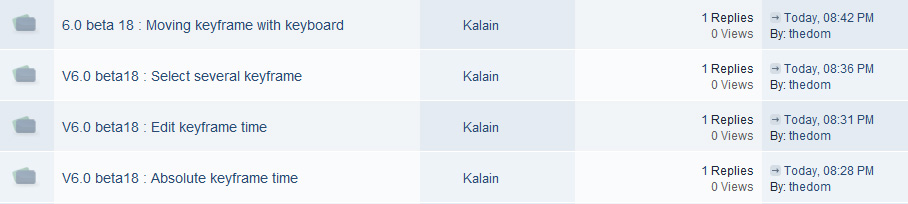
V6.0 beta18 : Absolute keyframe time
thedom replied to Kalain's topic in Suggestions for Next Versions
Kalain, OK, I undestand and I completely agree with you. Actually, if I had to make a choice between relative and absolute time of keypoints in O/A, I would find more handy for me to leave only relative time value. Thank you for posting this suggestion. -
6.0 beta 18 : Moving keyframe with keyboard
thedom replied to Kalain's topic in Suggestions for Next Versions
Kalain, if you have a keypoint at 6500 ms, instead of gradually increase or decrease the time value of this keypoint with your new keystrokes, you can type directly the new value in the Keyframe Time box. -
Kalain, yes, you can use Keyframe Time box to key and modify the time settings. I suspect there is still something I don't understand with your request.
-
Igor, thank you for your answer. Actually, I already started a topic in "Ideas and suggestions" three months ago : http://www.picturestoexe.com/forums/index.php?showtopic=10132 I just took the opportunity of your answer to the bug reported by Xaver (text and blurred picture) to try to promote this suggestion. I thought you could use a bug to transform it into a new feature ! Sorry for this lack of discipline.
-
Gary, If you want to watch it, there is a video tutorial about this simple manipulation : http://www.thedom.fr/share/dload.php?action=file&file_id=254 I made it for Stevie who had the same kind of question : http://www.picturestoexe.com/forums/index.php?showtopic=7609
-
Igor, I'm wondering if there is not a bug with stats about the number of times a topic has been viewed. I posted a reply to Kalain topics and the counters are still to 0...

-
You can go buy a good video card ! Seriously, I am surprised. Does your slideshow include a lot of animations/effects ? Even if it does, you shouldn't see any difference between the preview and the exe. Do you use a single sound file ? Is it a lot out of synch ? May be there is no link but you can try to reencode your sound file in your sound editor (like Audacity) and use this new mp3 file to see if it changes anything. Please read http://www.picturestoexe.com/forums/index.php?showtopic=10324
-
[DEMO] HUUUUGE Google Earth Zoom (1.000.000!)
thedom replied to thedom's topic in General Discussion
I just watched the video. I didn't imagined like this. Actually, I think it's completely possible (with less details) and a lot of work... And no need to have huge factor of zoom. -
[DEMO] HUUUUGE Google Earth Zoom (1.000.000!)
thedom replied to thedom's topic in General Discussion
Hi potwnc, Thank you for watching my demo and posting your comment. About your challenge, the "limitation" of PTE to 1.000.000 zoom make it difficult to make. A way to do it would be to make the zoom on different slides but I'm afraid the zoom wouldn't be continuous and smooth. I will keep the challenge in mind and may be, one day... -
6.0 beta 18 : Moving keyframe with keyboard
thedom replied to Kalain's topic in Suggestions for Next Versions
In my opinion, as you can move a keyframe with the mouse, it would be an incidental feature... but why not. -
V6.0 beta18 : Select several keyframe
thedom replied to Kalain's topic in Suggestions for Next Versions
I really support this suggestion (already posted here by ADB). -
What do you mean ? You can change keyframe time parameter without having to hit F2.
-
V6.0 beta18 : Absolute keyframe time
thedom replied to Kalain's topic in Suggestions for Next Versions
I am not sure to understand this suggestion. Could you please give more details. Thanks. -
Hello Igor, what I have in mind is a new "blur" parameter that would work the same way PZR do. For each keyframe, you can modify the amount of blur for your object (image object or text object) from 0 (no blur) to 100 (very blurry). Does it correspond to your first option "Blurring parameter for a keyframe with interpolation of blur values between keyframes of an object" ? If it does, it would be awesome !
-
[3D Transformation] Need explanations about "Z position"
thedom replied to thedom's topic in General Discussion
Umberto, that's exactly what I had in mind with the example I attached in my original post. Here are an other examples I found on YouTube to illustrate your explanation. It is already possible to make such effects now but with Z buffer or something equivallent, it would be much easier. http://www.youtube.com/watch?v=rSs42vpIaqY -
Igor, is it possible to add this feature ?
-
Eric, it's probably because somebody replied and finally deleted his post.
-
Synching Issues - PTE reads mp3 as wrong length
thedom replied to anneharrigan's topic in General Discussion
Hello Marie, This is certainly a problem of codec (you can read http://www.picturestoexe.com/forums/index.php?showtopic=10324) Open your sound file with a sound editor (Audacity like Peter suggested) and export it as an mp3 file. Use this MP3 in PicturesToexe, it should be ok. -
[ size : 23.17Mb - 1 minute and 20 seconds ] - - About three years ago, I made a test to make a Google Earth zoom. http://www.thedom.fr/share/dload.php?action=file&file_id=110 Let's face it, it was really bad. Here is an other attempt which I think is much better. I made two versions, a standard version and an extended version with SFX and sounds. Btw, I encountered the limit of PTE : it is not possible to zoom more than 1.000.000 Too bad, I could have even more details. Anyway, I think this one is already huge. For this zoom, I used 9 only different pictures (screen captures in Google Earth). The animation is perfectly smooth on my pc but it might be jerky on weaker video card. If some of you are interested in a tutorial to make such an effect, I will make one. Please let me know.
-
A really minor issue (cosmetic) : when you select multiple slide, in Customize slide, instead of "Loop this slide", the option "Custom" appears. But if you click ok, it works perfectly, the "Loop this slide" option is set for all slides selected.
-
I noticed something a little bit annoying since v5.00 about the Center parameter. If you move the center with your mouse (with SHIFT key pressed), you move the center on screen and you can put it where you want. But if you type values for the center in the "animation" tab, the center stays where it is on the screen and that's the object which is panned (to keep the center where it is on screen). The way it works with the mouse seems logical to me. Igor, is it possible to make it work the same way if you type values ?
-
Igor, I can reproduce the problem reported by Daniel with beta 16. The name of the EXE is the same as the project (=Project1). I can not reproduce the problem either with beta 16. I confirm that the rendering is not exacly the same with v6b16 and v5.6.4. But may be the rendering is now exact in v6b16 and was incorrect in v5.6.4 ? I will make a test in photoshop and compare the result.
-
Hello Davefitz, I think you're refering to this tutorial at 1 minute 2 seconds. As Xaver says, it's in version 6.0 beta and the button is called "3D parameters" (in the animation tab). You can download the last beta (beta 16) here.
-
You're right Xaver, thank you for pointing this out. => New version uploaded, multipages menu and "Run application..." used (instead of "Run slideshow...").
-
Thank you Paul. I just uploaded a new version with multipage menus. Same link : http://www.thedom.fr/share/dload.php?action=file&file_id=338 If you have time to test this new version... Thank you again.