thedom
-
Posts
2,323 -
Joined
-
Last visited
-
Days Won
6
Everything posted by thedom
-
Beautiful ! The ambience, the music, the choice of the pictures reminds me the movie "The Bridges of Madison County" of Clint Eastwood. Thank you very much for sharing this show Dave.
-
I guess you had the error when you tried to use the "Create backup in ZIP" feature, right ? If so, PTE tells you that your project uses different files located on your HD with the same name. When it wants to create the ZIP, it doesn't know which one to include in the zip because they have the same file name. Just use the same file instead of several for your black slide and everything should be ok.
-
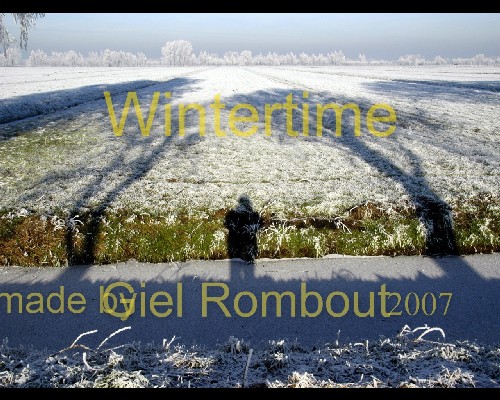
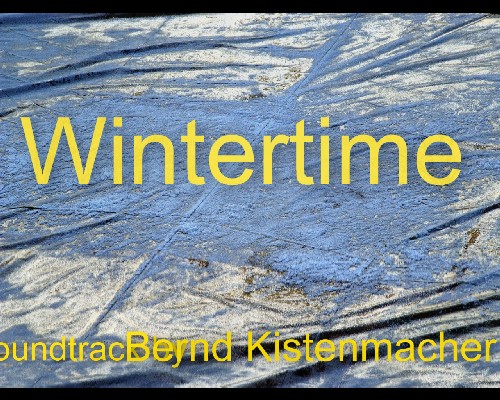
Gilio, As you probably know, there are a lot of screen ratio for PC : 5:4, 4:3, 15:9, 15:10, etc... Please have a second look at the screenshots I took that correspond to what I saw on a 5:4 ratio screen. I reduced the image but I kept the proportions of course. On those screenshots, don't you see the text at the bottom overlaps and is even out of the screen ? Or I am becoming mad ?
-
Hi Gilio, Thank you for your slideshow. I agree with BB and Judy, I like both the show and the music but I think there is something to change/improve to make them fit perfectly. If you want to keep the music, may be make your show more dynamic... I noticed a small problem on displaying your texts (beginning and end of slideshow) because they overlapp/are out of the screen (see images attached)... unless it's on purpose ?

-
Igor, just for information, do you already have an idea of what you will include in v5.2 ? Do you think "true masks" is a feature you will include in the next version ? Sorry to be so "direct" but as you answer so nicely to our requests, I am accustomed to do it now without feeling too ashamed.
-
Very smart, I like it a lot ! Thank you for the explanation.
-

Adding Copied O&A Settings to a New Template
thedom replied to mightec's topic in Suggestions for Next Versions
The more I think about it, the more I think Lin's idea ("lock" the keypoints so simply sliding the first would maintain the timing relationships between all the following keypoints) would be THE solution. And if you could choose what keypoints you want to lock (not necesseraly all of them), it would be just perfect. This feature would save a huge amount of time. -
Very interesting ! The ability to display all the timeline objects at the same time in the bottom would make life much easier. The timeline zoom is something i'm waiting for too. And of course the display of the waveform in the O/A window would be great. The cosmetic modifications and the re-organisation of this window would be nice improvements to improve the GUI. I didnt understand what are the marker magnestism ? Could you please give me more details ? Anyway, congratulations for your work !
-
Thank you wideangle. I just uploaded a new version because the previous lens flare on the ball was not well positonned and was too strong.
-
HAhaha, the elf dance is hilarious ! A happy christmas to you too.
-
Very interesting slideshow in an artistic AND technical point of view ! Your narration is very nice and it's a real pleasure to listen to you. It would be nice to hear music from time to time in the background but I guess it would need a lot of work to include it and to synchronise it. I experimented the stutter although I have a quite powerfull graphic card. My screen resolution is 1280 x 1024 and I would prefer if the slideshow would be in full window mode. Some of your picture have a white frame. In my opinion, you should decrease the size of your picture to something like 90% in order this frame is not on the border of your screen or you should remove this frame if you want to keep the image full screen. Anyway, congratulation for this great slideshow.
-
Transform your images into christmas balls in one click ! Download the photoshop action here Please have a look at this video to see what can be done in PTE with this action.
-
Misterk, I just tried and had no problem to download it. I guess it's because of your internet connection. If Igor agrees, I can send it to you by email or upload it on my website.
-
Thank you very much to all of you. The template is now available (link added in the original post above).
-
I made a new animation. You can download the demo here. . You can download the template here . The template includes actually 5 different animations. It will be FREE for a short period of time. This is my christmas gift to this community.
-
Max, I do not have Photoshop Elements. I have absolutely no idea how to adapt the action for this software. I will try to find out on the net but I can't promiss you anything.
-
May be I should have mentionned that the box is build fron scratch.
-
Jean, I don't understand what you're talking about. At the end of the "2D" action, you should have an ORANGE rectangle, a white rectangle and a black rectangle. What is this arrow you are waiting for ? If you run the "2D" action and immediately after the "3D Box" action, what do you get at the end ? Please post the result. Thanks.
-
Ken, please give kisses to the nurses for us. Hope you don't suffer to much. Have a full and speedy recovery. See you soon.
-
A new photoshop action to create 3D software box with just 3 clicks : download it here. The box is build from scratch and you can add whatever you want (text, images, symbols, etc...) at the end of the "2D" action before running the "3D" action. I made this action with photoshop CS2. Please let me know if it's compatible with your version of photoshop. Thanks.
-
Hi Fred, I don't know what exactly you want to achieve but just for information, tried tro simulate the earth model turning some months ago. You can download the demo : http://thedom.fr/share/dload.php?action=file&file_id=194 Watch the second animation. I was not completely happy with the final result but it was a start. And here is the World map I used : http://www.primap.com/Maps/en/World/Maps-world-map-2000.jpg (2000 x 1000 jpg file). May be you will be interested in trying Mapcreator 2.0 (free) on this website : http://www.primap.com/en/index.html I didn't try it myself. And if you need help with your project, do not hesitate. Hope it helps.
-
Mike, May be you will be interested by reading this thread : http://www.picturestoexe.com/forums/index.php?showtopic=6365
-
In the "customize slide" window | "Main" tab, I still don't understand the difference between : - by default (user timer to show next slide) - show next slide after indicated time interval Even in french, I don't understand... Thanks for your help.
-
Hi Mike, I think I perfectly understand your point. I guess we have the same need. I posted a message in the "ideas and suggestions" section : I suggested the ability to add (or remove) time in the timelist http://www.picturestoexe.com/forums/index.php?showtopic=7613 Would this feature help you to do what you need ? But I like your idea too Lin ("lock" the keypoints so simply sliding the first would maintain the timing relationships between all the following keypoints).
-
Mike, I don't use it but may be you can try Mediamax (25 GB free) : http://www.mediamax.com/