Paiche59
-
Posts
134 -
Joined
-
Last visited
-
Days Won
10
Everything posted by Paiche59
-
Hello everyone, and thank you all for your feedback! I really love this new effect in version 12. It makes creating creative effects incredibly simple and intuitive. I've already prepared a collection of transition effects built around this new feature, and I'll be releasing them as soon as version 12 is officially released. Pascal.
-
Version 12 of PTE AV Studio introduces a new effect mode: Gradient Map, applied to a Mask Stencil. This mode makes it possible to create dynamic visual effects using a grayscale image as a control mask. A preset called Spots is included, with fully customizable parameters. I am offering a tool that generates grayscale images specifically designed to be used as control masks for the Gradient Map effect. This generator creates images made of gradient‑based bands and provides control over the following parameters: - band structure (number and orientation) - grayscale gradient ranges (start/end values + modes) - wave distortions (sine or triangle) - natural perturbations (Perlin noise) - reproducibility (seed) - high‑definition image export This tool therefore helps expand the library of available masks for PTE AV Studio 12. The interface is originally in French, but a language selector on the web page allows you to translate it into another language. The translation may not always be perfect, but it should help you understand the meaning of the parameters. Here is the link to the tool, the parameter description page, and a demonstration showcasing several example masks generated with it: - parameter description link : https://diaporashop.com/generateur-de-bandes-en-degrade-gris/ - direct link to the generator tool : https://diaporashop.com/bandes-en-degrade-gris/ I hope you find this tool useful. A video demonstration of the results achieved: Pascal.
-
 Hello all, Thank you for the detailed explanation. That makes sense. I agree that the behavior in v12 is actually more logical than in v11 when working with grayscale images, Hue and Saturation should not introduce any color tint. That said, this change does mean I’ll need to adapt a number of existing styles and transitions where I previously relied on the Color Correction filter to colorize elements. Fortunately, it looks like this can be handled by switching to the Coloration filter instead, so an adaptation on my side should be possible. Thanks again for the clarification, and for pointing out the intended approach going forward. Pascal.
 -
Quick Search in Styles and Transitions in V12
Paiche59 replied to Igor's topic in General Discussion
Hello all, Thank you for this new feature. On my side, all features are working correctly. The search function is especially useful when a large number of styles or transitions are installed. However, the author filter for transitions does not seem relevant, as transitions are not associated with an author, unless you are planning to implement this feature in a future version. Best regards, Pascal. -
Thank you Cor and jienense, and good point for clarifying that the image comes from a PNG file. Pascal.
-
Hello everyone, I’ve noticed a difference in behavior between versions v11 and v12 when using the Color Correction filter. With the same image and identical Hue, Saturation, and Lightness settings, the final rendering differs depending on the version. This is an issue for me because I use this filter in some of my styles and transitions to colorize elements within the animation. In v12, these elements now appear in grayscale, whereas they were colored in v11. Below is the same image with identical settings applied in v11 (first) and v12 (second):
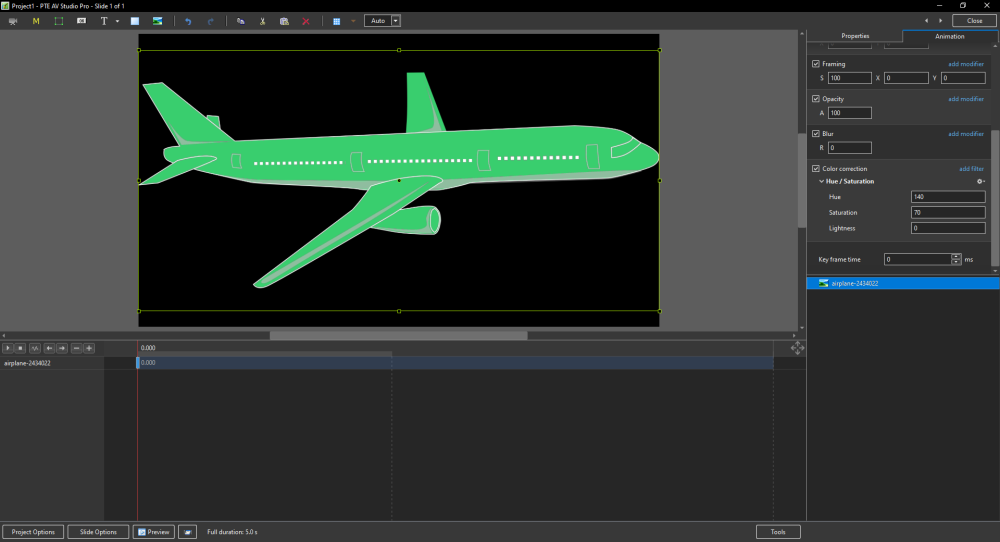
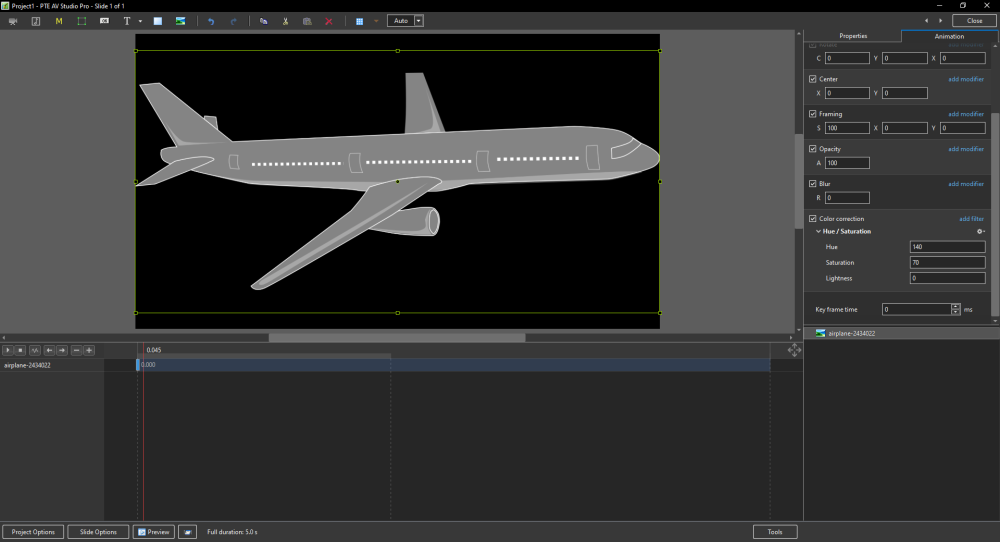
-
Hello all I’ve just tested this new feature in version 12, and it effectively replaces what I had probably somewhat clumsily called the “threshold effect.” This effect is based on the opacity of an image mask representing a grayscale pattern, where the opacity depends on the adjustment of black point and white point levels. The main drawback was that it required creating a key point for each gray value — up to 255 in order to cover the full range of shades. Several examples have been provided by different members on this forum (I’m probably not being exhaustive), for example: With the Gradient Map effect in v12, it is no longer necessary to create a large number of key points, since everything can now be controlled through the opacity parameter. This offers much greater flexibility in the adjustments, notably by allowing the use of animation speed settings, inverting the pattern (negative) to reverse the animation, and more. Below is an example of a transition made with the Gradient Map effect in version 12. Flying squares.pteeff Gradient map.mp4 Pascal.
-
Edit button is disabled in the Change Transition Effect window
Paiche59 replied to Paiche59's topic in PTE AV Studio 12 Beta
Thank you, Denis and Igor, for your feedback. I restarted my PC and relaunched PTE v12, and everything is now working properly. Sorry for the inconvenience , I can now continue testing this new version. Pascal. -
Many thanks to Igor and your team for version 12 of PTE AV Studio. I don’t know whether everyone is experiencing this issue, but on my side, the Edit button in the Change Transition Effect window is disabled. As a result, I’m unable to modify transition animations. However, the Duplicate and Rename buttons work perfectly. Thank you for your help. Pascal.
-
Hello everyone, Here's a style made from a tutorial created for After Effect and available on the "Effect For You" Youtube channel. For the PTE adaptation, I've slightly simplified the tutorial proposed by the EFY channel, especially by removing the particle effects on the appearance of the text. For ball movements, I've added the unofficial Damping factor parameter to the oscillation function. The style can be downloaded here. With a little advance, happy holidays. Pascal.
- 1 reply
-
- 10
-

-
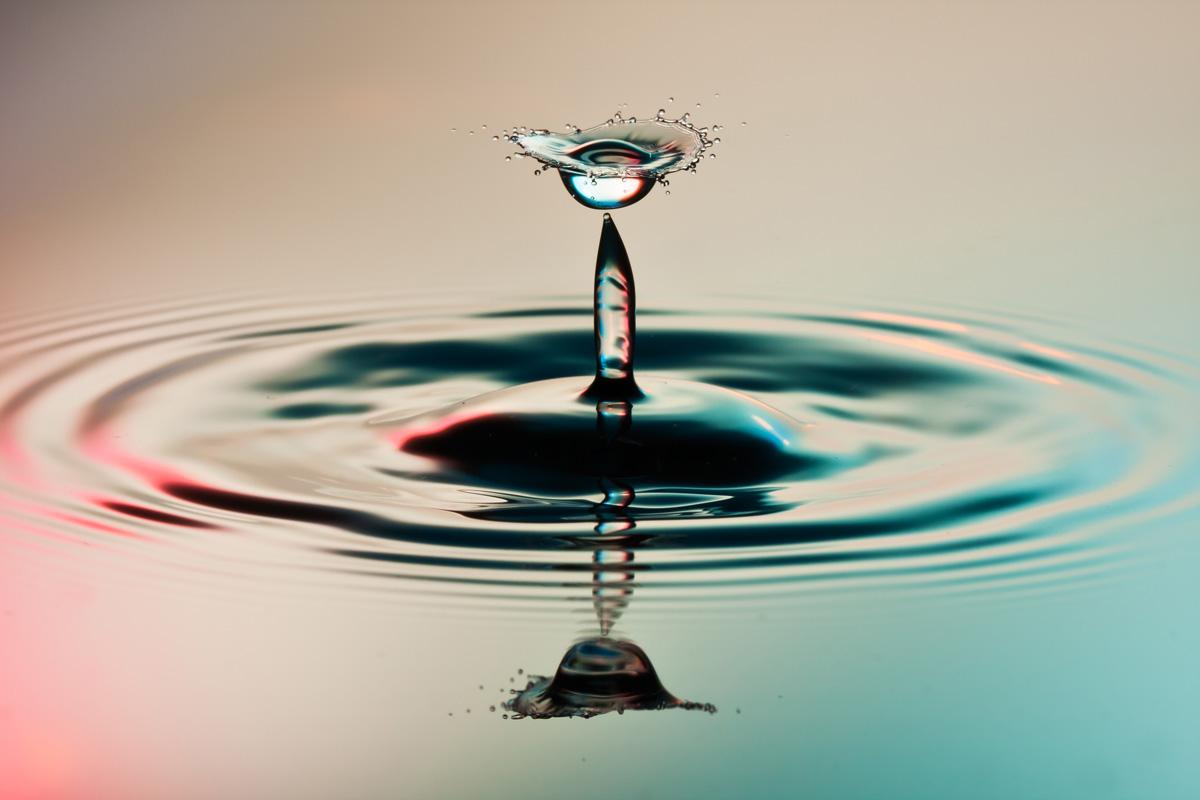
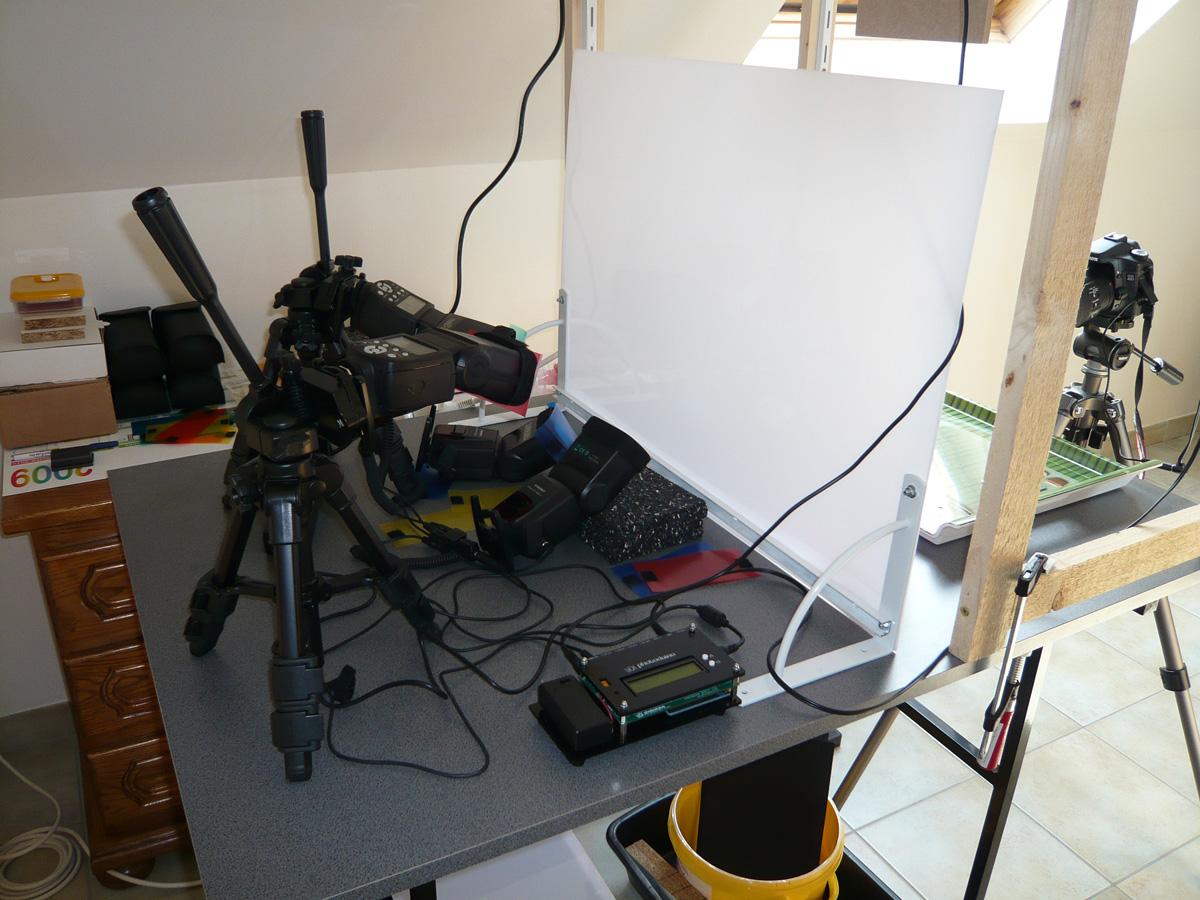
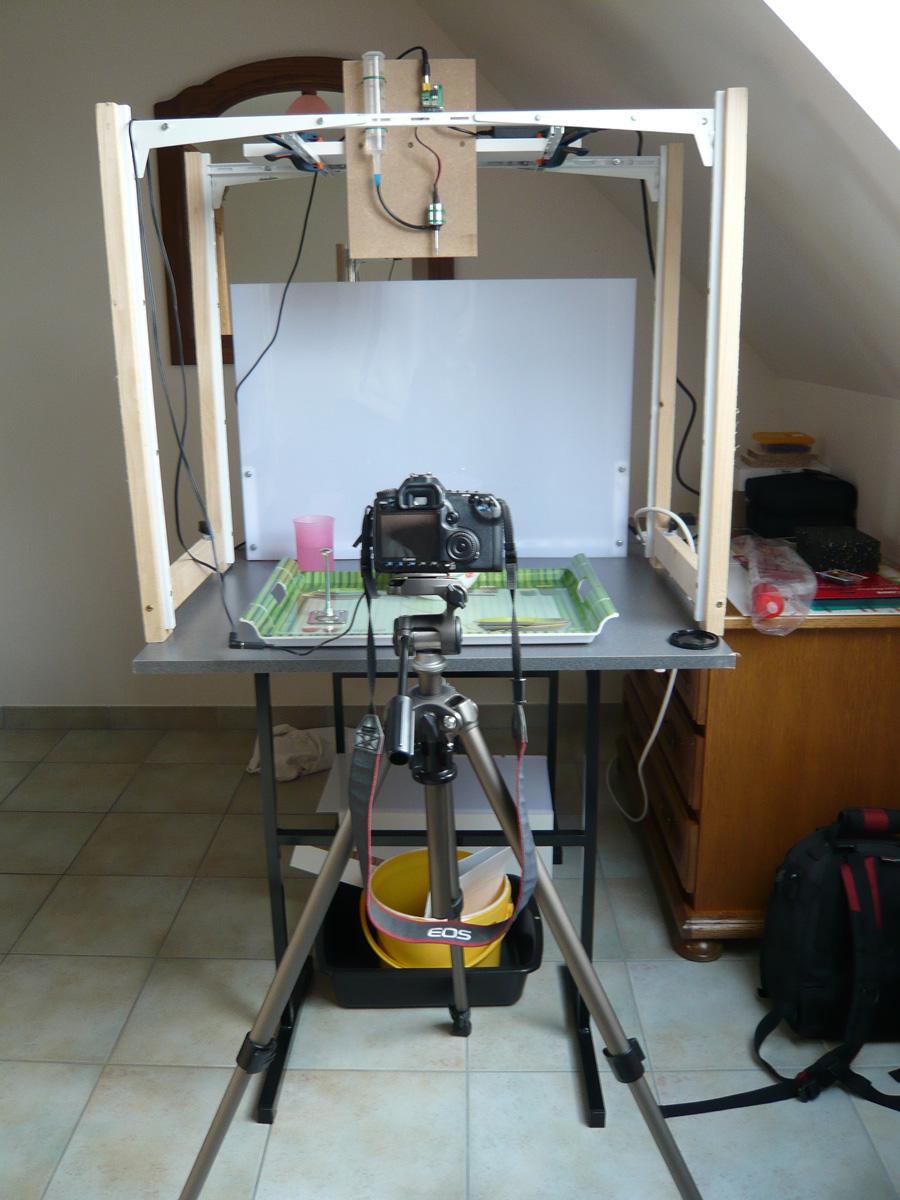
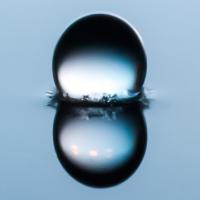
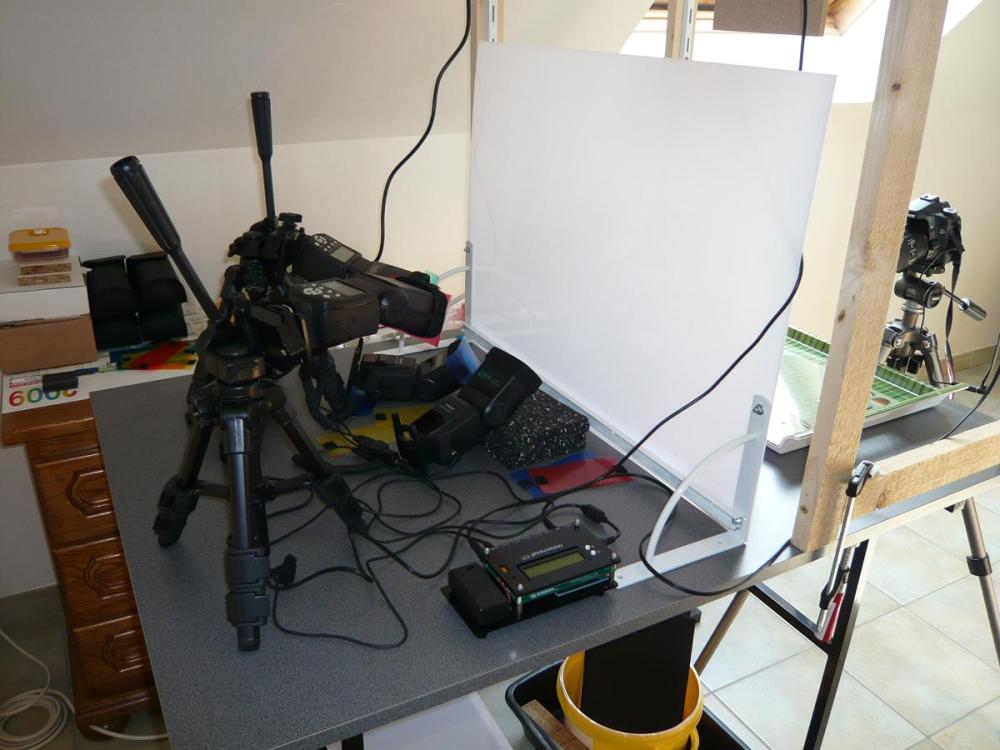
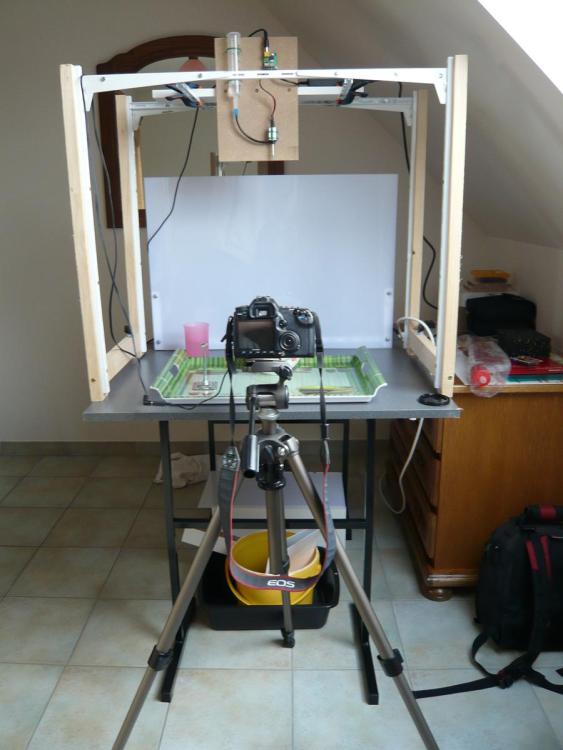
Thank you Mark for using these transition effects to illustrate your water drop image collection. I remember having a lot of fun taking pictures of water drop collisions. I used the open flash technique with 4 strobes and a solenoid valve to generate the water drops. The whole thing is driven by an Arduino electronic controller. BR, Pascal.
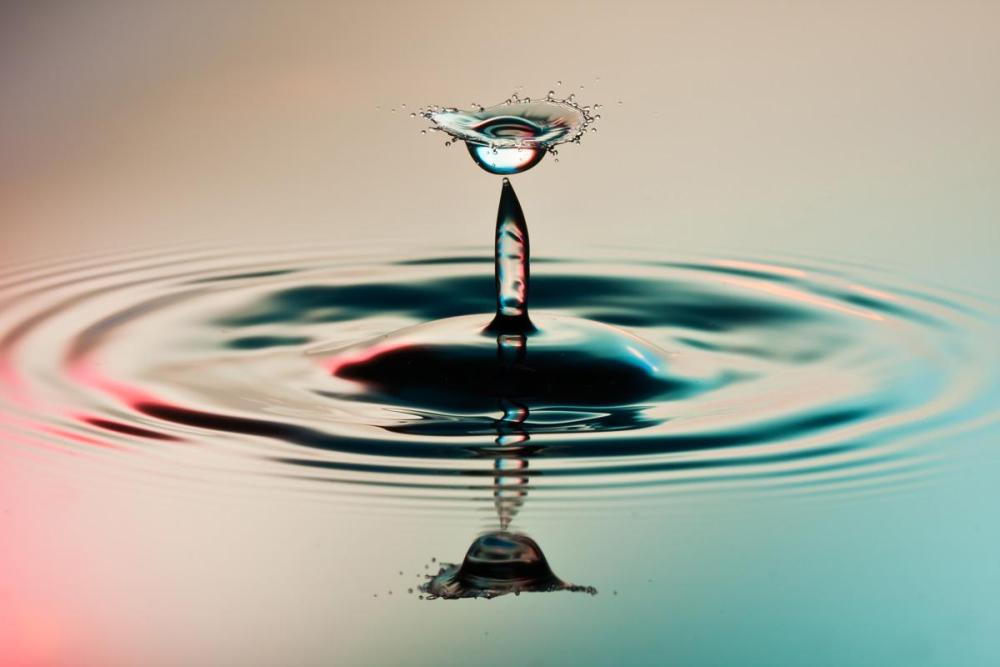
-
Hi Igor, Everything seems to be correct regarding the storage optimisations of the custom transitions. Pascal.
-
Performance of the transition effect choice in v11 [SOLVED]
Paiche59 replied to Paiche59's topic in Troubleshooting
Hello Igor and sorry for the late reply, I was away on business this Friday. I renamed the transitions directory to old and re-launched PTE v11.0.4 Build 2. The Transitions directory was created without content. I reloaded my CT by successive imports. Everything now seems to be back in order, with an excellent performance when choosing a transition. Thanks for this evolution and sorry for the inconvenience. Best regards, Pascal. -
Performance of the transition effect choice in v11 [SOLVED]
Paiche59 replied to Paiche59's topic in Troubleshooting
Hello Igor, This is a very strange behavior, transitions with an external file (jpg, png, etc.) does not work properly. An "image not found" message appears instead of external file. Even after importing a transition, everything seems to work but when importing other transitions, the initial imported transition does not work anymore. Pascal. -
Performance of the transition effect choice in v11 [SOLVED]
Paiche59 replied to Paiche59's topic in Troubleshooting
Hello Igor and thank you for taking this performance issue into account. There is no doubt that PTE AV Studio optimization produces good performance results when choosing a transition. However, I found another problem when the transitions use an external resource (like a png, jpg, or video file): The path for these files is no longer recognized. I imported the transition again and everything is fine. The difference between before and after the import seems to be in the file path definition. For example: Before : %store%\Transitions\{43687125-cbc7-4990-a75d-8a85291c6cdd}\pat004.png After : D:\Pascal\Documents\PicturesToExe\Styles and Transitions\Transitions\{43687125-cbc7-4990-a75d-8a85291c6cdd}\pat004.png I specify that my folder for custom slides and transitions is : D:\Pascal\Documents\PicturesToExe\Styles and Transitions\ Best regards, Pascal. -
Performance of the transition effect choice in v11 [SOLVED]
Paiche59 replied to Paiche59's topic in Troubleshooting
Hello Igor, Thank you for your reply. Indeed, I have assigned different folders to store the transitions for V10 and V11. Thank you for the future optimization effort, it will be much appreciated. Best regards, Pascal. -
I notice a difference in performance between version 10 and 11 regarding the choice of a transition effect. The response time is significantly superior (by a ratio of 4 times higher) in version 11/Windows 10 version 20H2. This response time is felt when opening the window for choosing a transition effect and also when clicking on the OK button to validate the choice of transition effect. I have many custom transition effects, but they are just as numerous in V10. Pascal.
-
Thanks Dave for the reference. Another way to generate distortion : Pascal.
-
Transitions with text animations features
Paiche59 replied to Paiche59's topic in Styles & Templates
Thank you all for your comments and appreciation. Pascal. -
The version 11 of PTE AV Studio integrates text animation functions. I have used these features to create transition effects. The texts are composed of square and round characters from the Webdings font also available with PTE version 11. The are many variations of animations, here are some examples. You can easily create your own animations by customizing the text animation. Regards, Pascal. (DS) Basic geometric shapes.pteeff
- 13 replies
-
- 11
-
-
Hello to all, In 2018 I posted a style simulating a tennis ball bounce effect with damping. The effect is directly configurable with the PTE interface. The style was created with PTE version 9 and it still works with version 11. In the project of this post, I also added a parameter on the PTE modifiers. I named it "Damping factor" with a value that can vary from -10 to +10. The value 0 has no particular effect and the modifier keeps its basic function. With a value >0 a damping effect is applied. With a value <0 an amplification effect is applied (not sure if this is useful). I think it is relevant that an additional Damping parameter could be added for each PTE modifier. For example on the third slide of the project, I used damping on an X-axis rotation oscillation modifier. Damping ratio.mp4 Pascal. Damping ratio_Jan23-2023_16-25-17.zip
-
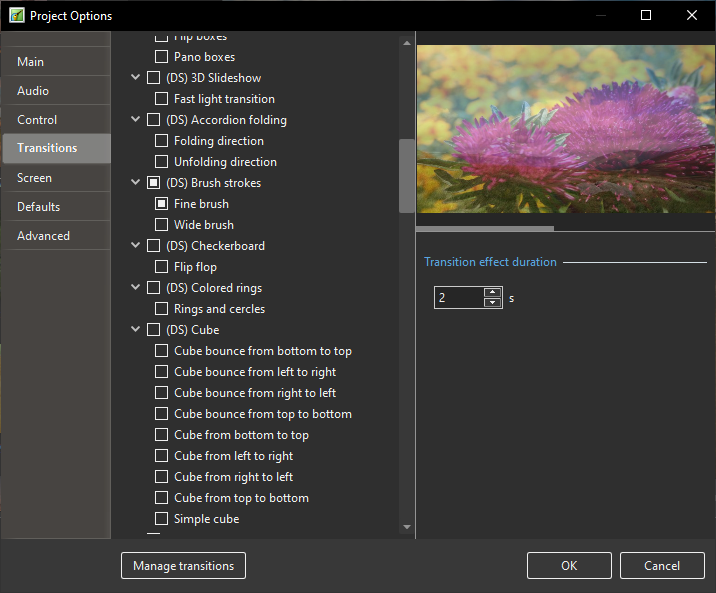
With PTE version 11, I have observed the same behaviour that other users have observed regarding the appearance of unwanted transitions on some slides. I have a large number of customised transitions and I notice a waiting time of several seconds when choosing a transition (AB button) but also when opening and closing the "Project Options" window (via the Project/Project Options... menu) and the preferences (Customize button on the Templates tab via the File/Templates/Manage Templates... or Settings/Preferences... menus). In the Transitions tab of the Project Options window, I noticed that some checkboxes remain checked even after saving a project while the active checkboxes have been disabled. The following operations should not be repeated as they may affect the proper functioning of PTE. I have done them as an experiment to perhaps help the development team identify the problem. Looking at the effectuser.ini file in the directory where the transitions are saved (under Windows), I notice that the mainprop attribute contains a sequence of 0's and 1's with the following value =100000. In the same file, another checked transition contains the value checked=1. After carefully backing up the effectuser.ini file, I changed the mainprop value of 1 to 0, and checked=1 to checked=0. After restarting PTE v11, then opening a new project, the check marks have disappeared and the check mark management is back to normal. On the other hand, the waiting times are still as long as ever. Pascal.
-
continued...Oriented lines - 1.ptestyleOriented lines - 1.ptestyle Granulated glass - 3.ptestyle Oriented lines - 2.ptestyle Pointillism - circles.ptestyle Pointillism - hexagons.ptestyle Pointillism - squares.ptestyle Oriented lines - 1.ptestyle
-
Hello all, Here are nine styles for PTE AV Studio 11 that produce graphic painting effects. The amount of the effect can be adjusted with the opacity of the texture layer. For the "oriented lines 1 and 2" styles, the orientation of the lines can be adjusted by changing the rotate value of the texture layer. These styles use a Displacement Map effect mask. This is probably a roundabout use of the original functionality, but I think the effects are interesting. Pascal. Airbrush.ptestyleAirbrush.ptestyleAirbrush.ptestyle Granulated glass - 1.ptestyle Granulated glass - 2.ptestyle Airbrush.ptestyle
-
Hello to all, Style for PTE AV Studio v11 using the displacement map effect feature and the directional blur effect. Pascal. Sway style effect.mp4 (DS) Sway.ptestyle