goddi
-
Posts
3,596 -
Joined
-
Last visited
-
Days Won
27
Everything posted by goddi
-
Greetings Just had another incident when I tried to 'Terminate' the Publishing of an MP4. I ran out of disk space so it just stopped the process and I tried to Terminate/Close the Publishing window but it will not Close. Completely different project than the previous examples. Had to use Task Manger to get rid of the window. Gary
-
Yea, you used to be able to find the Convert in the Slide List, too, but now, only in the File List. Not sure why the change. Gary
-
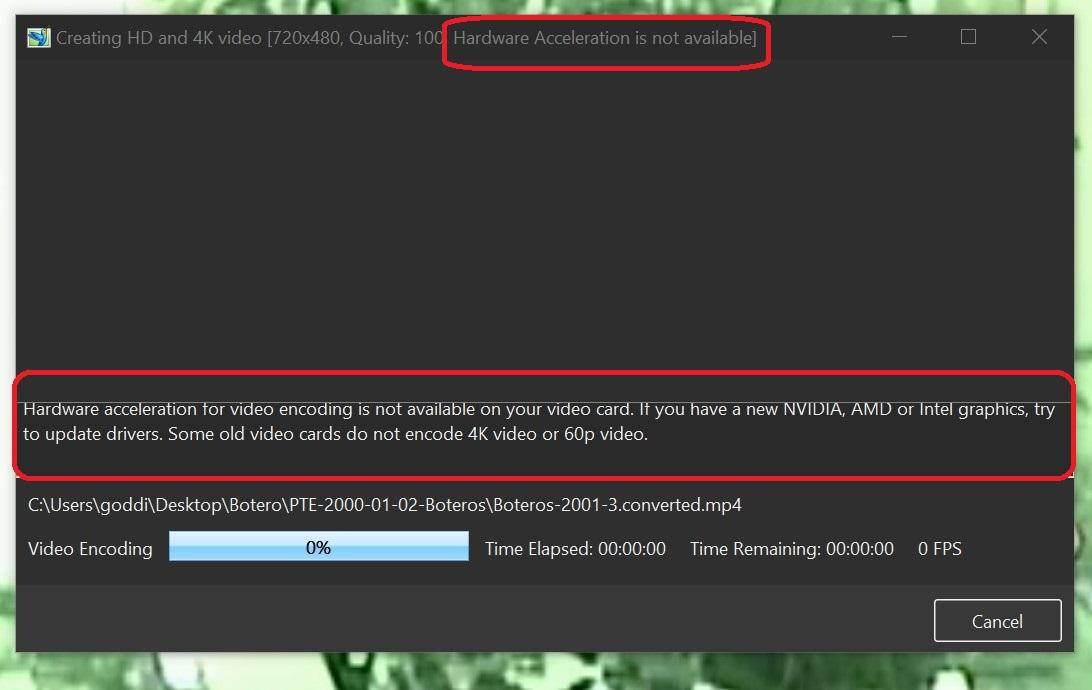
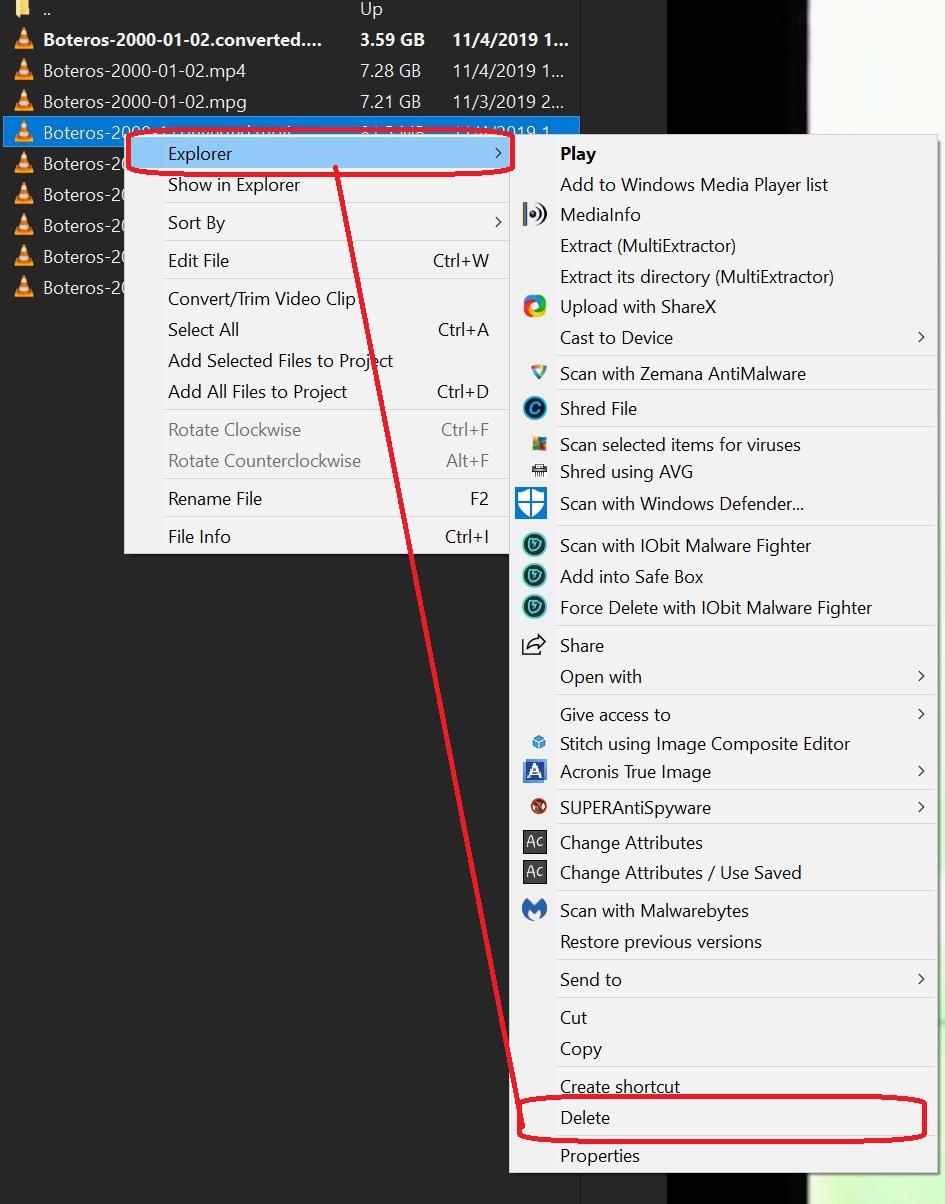
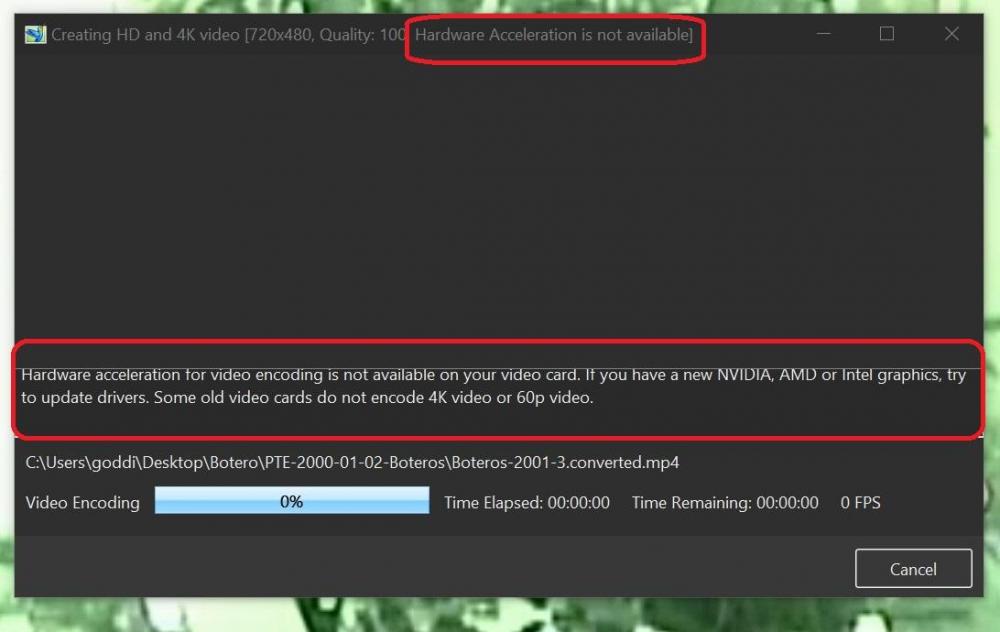
Greetings, I did a little more trying to see what is going on with this problem. I notice a couple more things in the Trim/Convert process. I tried again to Trim/Convert a portion of a video clip. It will not let me do it. I get the message 'Hardware Acceleration is not available'. And '...it is not available on your video card'. I normally do not have a problem using HW. I do have an NVidia card, up-to-date. I am not trying to encode at 4K or 60p (and I don't think you can in the Trim/Convert process). The Trim process does not proceed so I try to terminate and close the process. The Trim window will not close. I have to use Task Manager to close the Trim window. And, the clip shows up in the File List as zero bytes and can not be deleted with PTE/Explorer. Have to use MyComputer to delete that file. Gary
-
Lin...Yes, there is something going on. From my perspective, I see it as Windows can not delete the file because PTE won't release it. It will be interesting to see what Igor has to say. But then, even if I closed and reopened PTE, it still could not be deleted within PTE. Just another strange thing. Gary
-
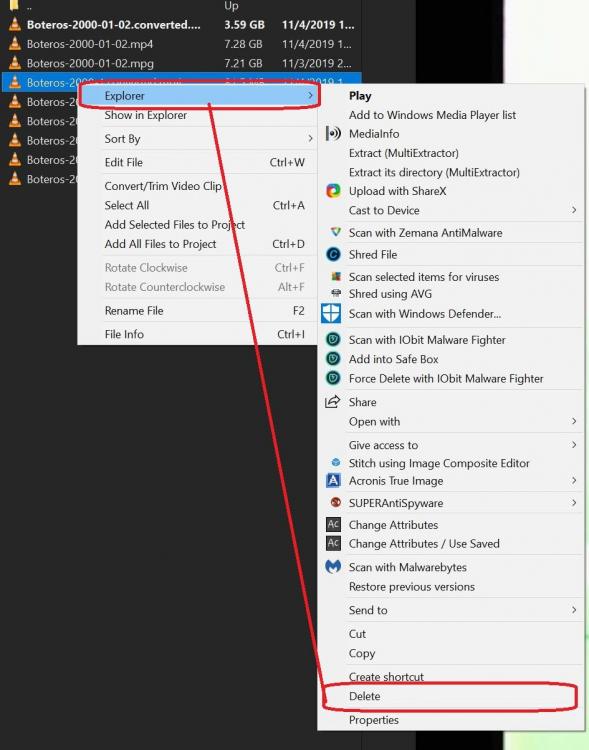
Lin... This was available in V9. When 10 Beta was started, it was missing and users asked that Explorer be put in. So, in my experience, it has been a feature in PTE, and very useful. I think the problem has to do with the Trim function. There seems to be some kind of bug. In the same vein as the overwriting/renaming problem I have posted. The screen capture I posted above is the same window I would get if I right-clicked on a file in MyComputer. Gary
-
Lin, Guess you have missed this feature? But I have been using it for a long time. In this case, the file seemed to have been stuck in PTE's memory. Right-click on the file, Explorer, Delete. Gary
-
Greetings, In addition to the above posting, I have run into another problem. After I have created the trimmed video clip resulting with no audio, I try to delete it using the PTE/Explorer. It says I can not because it is still opened in PTE. I can close and reopen PTE but it still can not be deleted using the PTE/Explorer. I have to close PTE and use MyComputer to delete the file. Gary
-
Greetings, In addition to my previous posting about locking up when I try to overwrite the previous file name, I am seeing other Trim/Convert problems. I have digitized a Hi8 analog tape, which is produced as an MPG video file. It is about 2 hours in length. I try to Trim it into separate clips. The first section Trimmed OK. But attempts to Trim the following sections into clips, they contained no audio tracks. There is audio in the MPG file. And if I Convert the entire MPG file, the MP4 file also has the audio track. Also, when I Converted the entire MPG file, it used HW. When I tried to Trim/Convert a section of the Converted MP4, it say HW is '...not available', and the Trim window freezes at 0%. Have to use Task Manager to close that window. When I tried to Trim/Convert with HW unchecked, the Trim windo still freezes. Not sure if this is a problem related to working with a digitized HI8 file or not. Gary
-
Greetings, I downloaded your project but it plays just find on my PC. I don't see any problems with it. Also, I didn't see any 'video' in the project.
-
Igor, I am pretty sure I had experience a similar problem. I was trying to trim a video clip.It kept converting the entire clip and not just where I had set the start/end points. I thought it was just me. After fiddling with it, I was able to get the clip trimmed. I can't remember exactly what I was working on so I can't provide any samples at the point. But just for your information, it did happen to me. Sorry I can't be more specific at this point. One thing I can remember is that the video clip I was trying to trim was created from digitizing a Hi8 analog tape, if that makes any difference. Gary
-
Greetings Rob, I have made dozens of shows with still images and video clips and never have had the judder problem you have mentioned. I have the NVidia 1070 now, but lesser card in the past, and never had such a problem. As Dave has suggested, post a sample of your problem so we can figure it out. Gary
-
Igor, Will it be corrected in the next sub-version update? Gary
-
Lin... Very nice show. I'm about to do a wedding show for a friend. Yours gives me great inspiration and ideas. Thanks... Gary
-
Igor, It happens when I edit the filename to be the same as the previous filename so that it gets overwritten. PTE recognizes that it is the same filename and asks if I want to overwrite the old filename and I select 'Yes'. At that point the Trim/Convert window freezes at '0%'. I think other functions of PTE also freeze and I have to use Task Manager. Gary
-
Greetings Igor, When I do a certain step in Trim/Convert, PTE V10 locks up. Here are my steps: I 'Trim/Convert' a video clip. I get the 'Filename.converted.mp4'. Then, I want to 'Trim/Convert' that file and I should get 'Filename.converted.converted.mp4. I do, but I want to overwrite the existing file so I remove the second '.converted' and it ask if want to overwrite it and I say 'Yes', to save it with the same name, 'Filename.converted.mpt'. But it locks up. This has happened several times. Needs Taskmanager to close PTE. Gary
-
Cell Phone Video Clips - borders [PARTIALLY SOLVED]
goddi replied to goddi's topic in Troubleshooting
Igor, I just sent you a small sample video clip from the cell phone via PM. I don't know yet which cell phone it came from. My friend, who has the cell phone, is out of town. Gary -
Cell Phone Video Clips - borders [PARTIALLY SOLVED]
goddi replied to goddi's topic in Troubleshooting
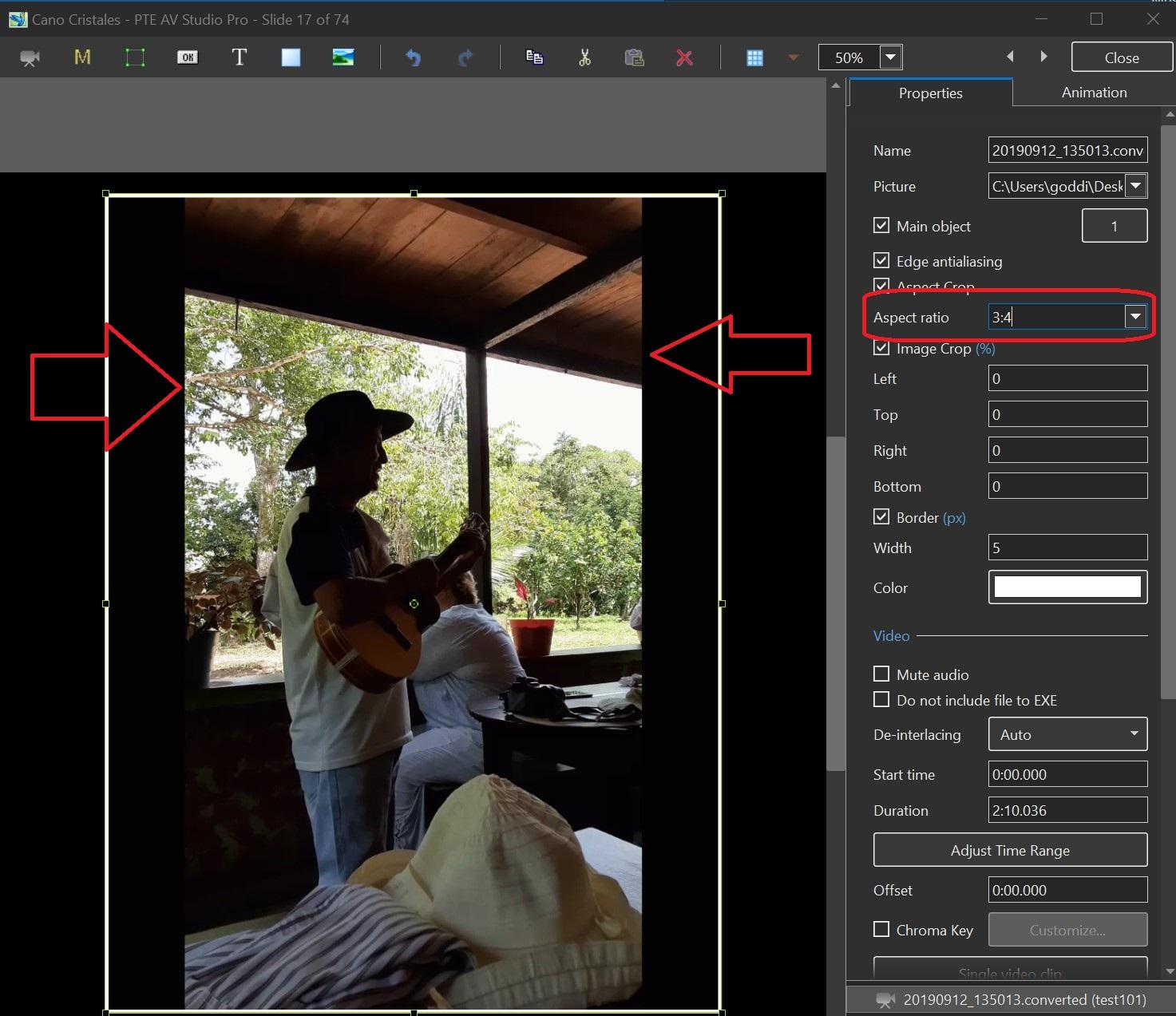
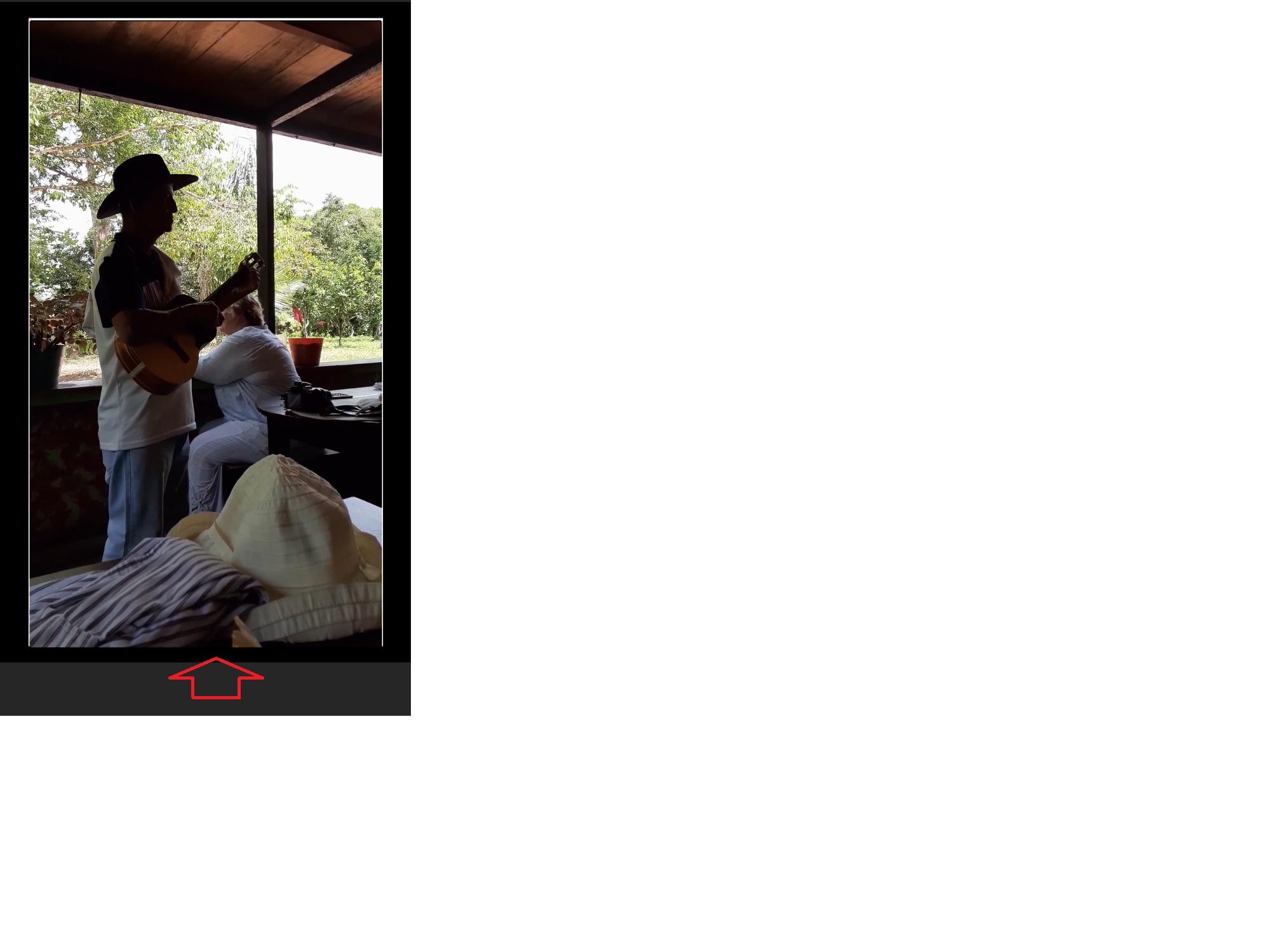
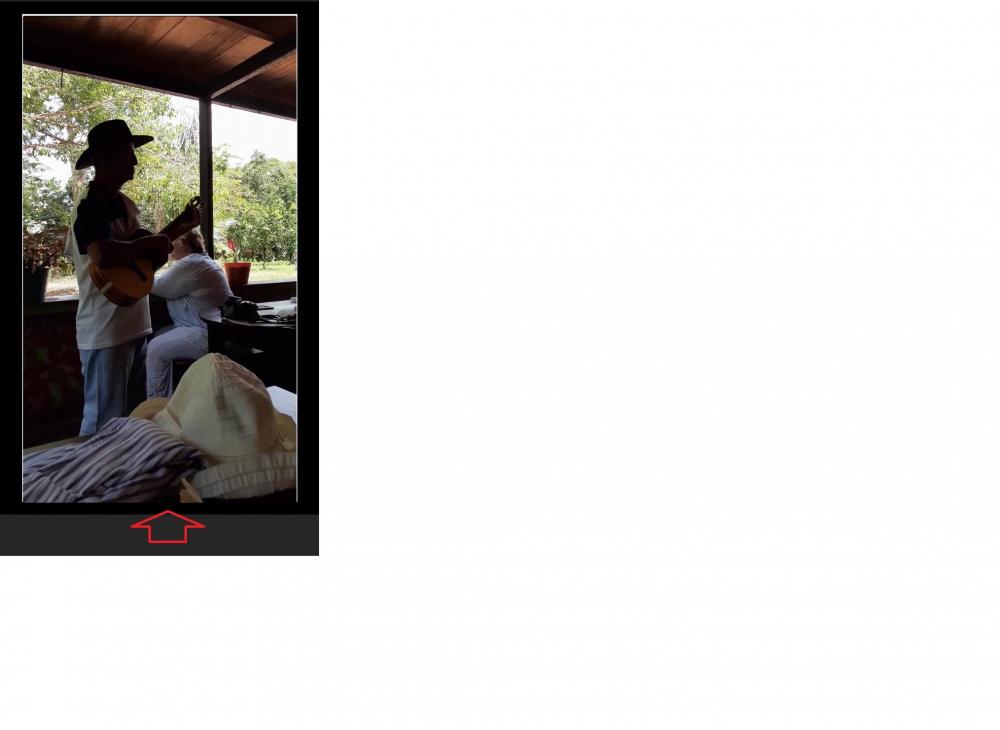
Igor, Yes, now the bottom border appears correctly. However, there is not an Aspect Ratio to select that will match the cell phone's video frame. Not sure why the 3:4 appears. I understand I can use the Image Crop to move the left and right sides into the video's frame. Or use the Framing to expand the video into the frame. But is it possible to add an Aspect Ratio to match the real Aspect Ratio of the cell phone's videos? Gary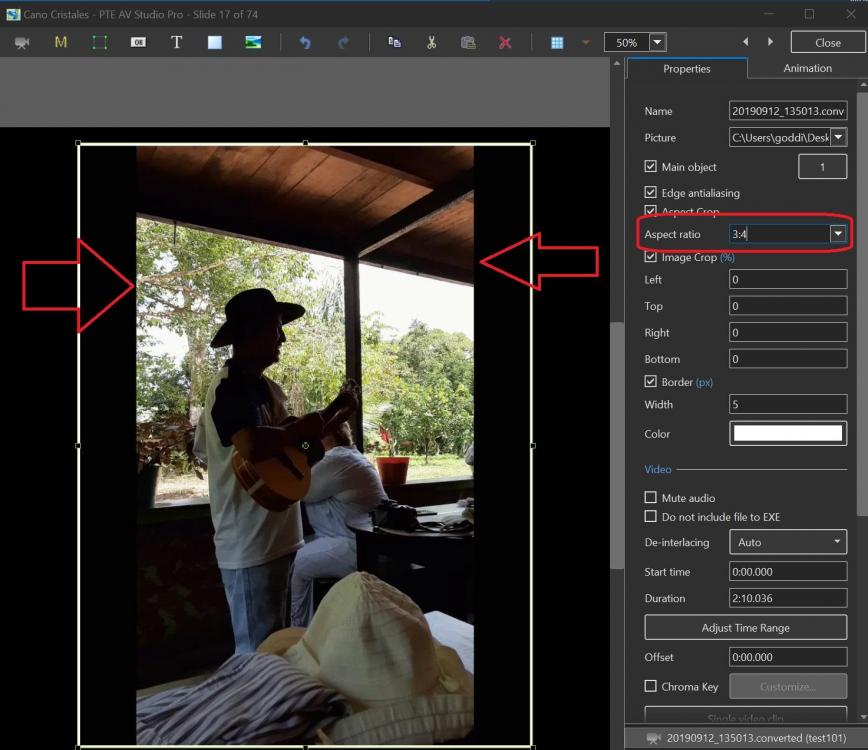
-
Glad you brought that up. I would never had noticed it! Seems like it would be better placed just under the Font window. But good to know. Gary
-
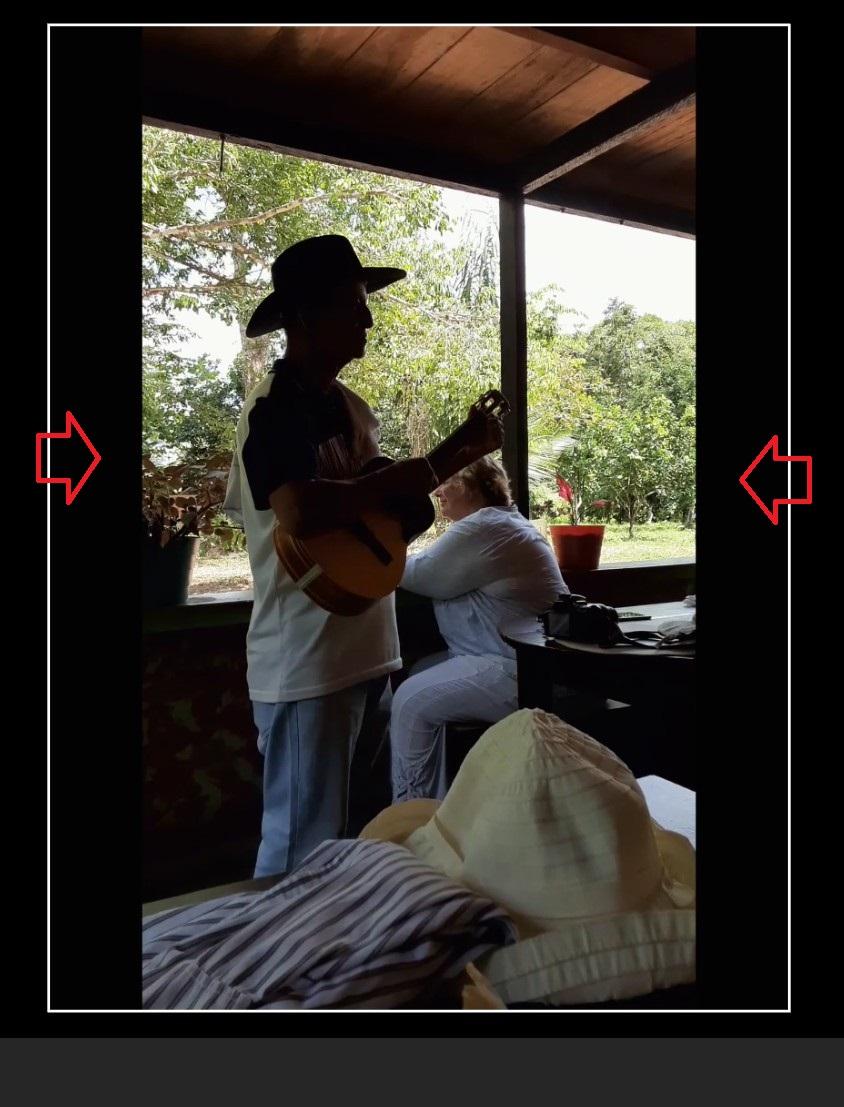
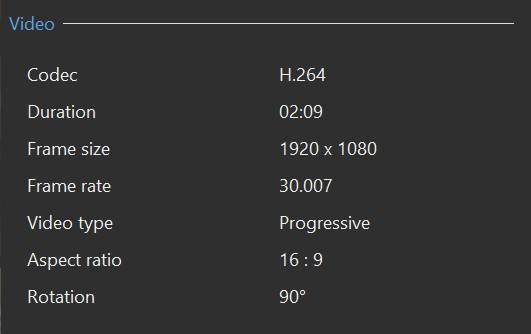
Greetings, I am working on a project for a friend who used his cell phone for still images and video clips. I don't have a cell phone so this is new to me. My question has to do with putting a border around the video clip, which has been resized to 95%. If I bring in the video clip without Convert, the bottom of the border is not being shown: If I Convert the clip, I get black borders on both sides of the clip: What am I missing? The properties of the video clip are: Not sure why the Frame Size is 1920x1080. PTE does not seem to give an Aspect Crop for cell phones? How can I get a border around the video clip? It works for its still images but not for its video clips. Gary

-
Igor, I have been misunderstanding what you have been saying about the 'Quality' mode. I finally see the light! When you said 'Quality', I thought you were talking about settings using 'High, Medium and Low Quality'. I now see it is the choice in the 'Custom'/'Bit Rate and 'Quality' menu. Thanks for the added info about the ability to set the quality value to '150%'. It made me take a closer look at the menus. Learn something most every day... I'll do more testing to see the results. Thanks... Gary
-
Igor, I did a test creating an output of MP4, instead of WMV. Yes, the audio is in sync in PTE Player. Lesson learned is not to use WMV. Thanks.... Gary
-
Greetings Igor, When the WMV clip is played in VLC or WMP, the audio is in sync. When I play it in the PTE Player, the audio is out of sync. When I converted (no trimming) the WMV clip using Quality, the audio is not in sync (as opposed to your results). This WMV clip was created using CyberLink Screen Recorder of a Tivo file and the default output was WMV. I see now that I could have chosen MP4 as the output format. I'll give that a try to see if it makes a difference with the sync. Yes, I choose Bitrate 8000kbit/s to get a higher bitrate than what Quality produces. HQ gives only 2258kbit/s. Yes, it gives a optimized (smaller) file size. I will go back and try some tests on better video clips to see the difference. It would be nice to use HQ and get smaller file size but good results. I forget you reasoning but once you recommended using 8000bit rate for something. Not sure now what it was about. Gary
-
Igor, I just sent you a PM with the project files in Zip. Notice in the final project, I had to slightly nudge the separated audio to the right a bit to match up the audio with the video. Gary
-
Igor, I hate to bring up this question because I can't replicate it. But I was not doing anything out of the ordinary. The project was just one short video clip that I had Separated the Audio from the Video. When I tried to Publish the single video clip project, the processing window came up but it just sat at 0%. Tried to terminate it but the window seemed to freeze up. I had to use Task Manager to close PTE. After reopening the project, it, again, did the same thing. Had to use Task Manager to close PTE. I then just jiggled the audio that I had separated from the single video clip. and then it worked. Not really sure what was going on but it was a strange occurrence. So, just a heads up on what happened. Maybe nothing. But, one other thing, I had to separate the audio from the video clip because after the clip was Trimmed/Converted, and it made the audio to be a bit out of sync. I had to move the audio slightly to line up with the video. Probably a more serious problem. Gary
-
Greetings Frans, For me, with V10, I don't have to convert my GoPro7 video clips. They work just fine without converting. However, I do convert the video clips in order to be able to Trim and set the Bit Rate and FPS that I want. But either way, they play just fine in V10. For me, in V9, converting the GoPro7 video clips does not help. They run rough and stumble a lot. Strange that you have no problem with them in V9. I have Win10 and GeForce GTX 1070. Gary