goddi
-
Posts
3,596 -
Joined
-
Last visited
-
Days Won
27
Everything posted by goddi
-
Igor, I just rePublished my project using '1920x1080, low quality, 30p, NO HW' and the transitions are now smooth. Thanks for helping me get to the bottom of this concern. Seems I won't be using HW until NVDIA comes up with better encoder. Thanks... Gary
-
Igor, I have normally used '30 fps and low quality' with HW and had not had problems with transitions as I am now having. Interesting that not using HW give better transition results. I'll give that a try but I have been using HW in other projects and didn't notice this problem. But, I just took a look at my past project and I do see that the transitions are not too good and I did use HW. So it seems the advantage of HW's speed is now lost to avoid this problem? Yes, I see with your example that HW degrades the fade transition. Really too bad. I'll go back and recreate my current project without HW and see how it turns out. Thanks for your reply. Gary
-
Jose, I try to keep the size of the MP4s as small as possible without losing quality. 60fps increases the MP4 file size a good bit. 30fps has always worked just fine for me in the past. I could not see any difference in the results between 30 and 60 fps.. With this current project, with reduced image file sizes, I made my standard 30fps MP4, the bit rate (BR) was 13.3Mb/s. File size: 1,751331 Kb. Transitions were not smooth. I then tried 60fps. BR was 20.3 Mb/s. File size: 2,659,292 Kb. Changing the default from 30fps to 60fps, sort of got better but not great. At '30fps-Custom Quality 50', BR was 15.0 Mb/s. File size: 1,1,972,141 Kb.Transitions were better but not great. At '30fps-Custom Quality 100', BR was 20.3 Mb/s. File size: 3,674,678 Kb. Transitions were smooth. I don't like that I have to double the MP4's file size to now obtain smooth transitions. Maybe I am doing something wrong but I don't think I've varied from what I have been doing for past projects. Gary
-
Greetings, I've just about finished my latest project. At first I used the original out-of-the-camera sized images. I noticed that the fade transition was not as smooth as I've had with previous PTE versions. So I resized all the images to smaller sizes so as not to be to 'heavy' for the transitions in hopes they would smooth out. But, when I create the MP4 at 30fps, it is still not a smooth fade. Very choppy. I had to create the MP4 at 60fps to get the fade transition to be smooth. In all previous projects, I have been using 30fps with the fade transition with no problems having a smooth transition. Has there been any changes in the newest 10.0.6 version that might affect the transition quality? Gary
-
Ok...I found Zipware. I was able to unzip the 'Backup in Zip' file and did not see any errors. The project in the new folder with the unzipped files seem to all be there and show their source is in that folder, not pointing to the original folder. So the warning to all is to update your Zip program. Apparently, the Zipware, at least, does not have the 4 Gb limitation. Gary
-
After a bit of thinking about this, all these problems could have been avoided if the 'Backup In Zip' gave a warning that the max Zip file size is being exceeded. My WinZip is pretty old. Is there a Zip program that does not have this limitation? Gary
-
JT... Oh. Did not know that. So the Backup In Zip is working but WinZip is not able to unzip all the files. Still strange that the new project shows images in the Slides but are not actually in the File List. I would have thought that the 'missing' images would have caused an error message to warn that the images were really missing from the File List, and their source is in some other folder. I'd think this might be a bug? Gary
-
Greetings, I looked a bit more into this problem. I created a new folder with the project containing the original large images from the PTE Backup in Zip file. During the unzipping is when I got all the error messages. I used FastStone Photo Resizer to resize them from 6000x4000 to 1920x1080. The show still played with all the images, and I could not see any problems. Upon further examination, I see that some of the images are still at the original 6000x4000, not the reduced size. And I notice that these images are still pointing to their original project's location, and they aren't even showing up in the File List in the new reduced project. They show up in the Slides, but not the File List. Not sure what is going on here. Hard to explain but not sure if the Backup in Zip is working correctly or the problem is with my WinZip not unzipping all the files. Strange that the some of the images in the new folder are shown in the Slides but not in the File List. Gary
-
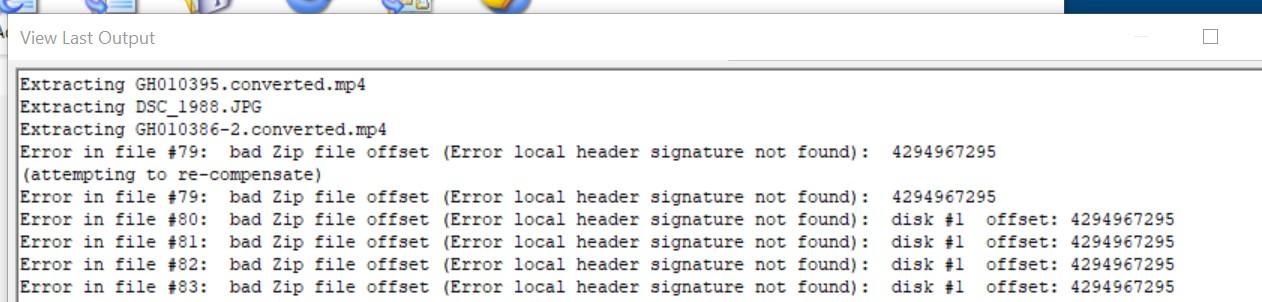
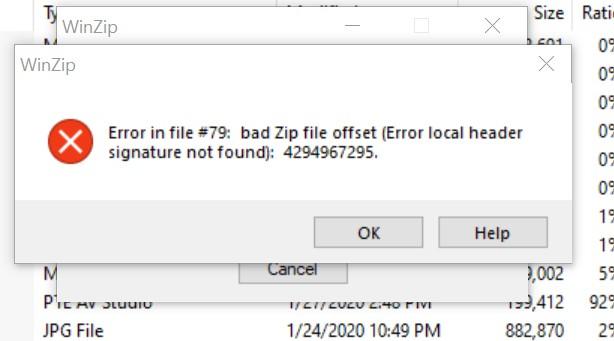
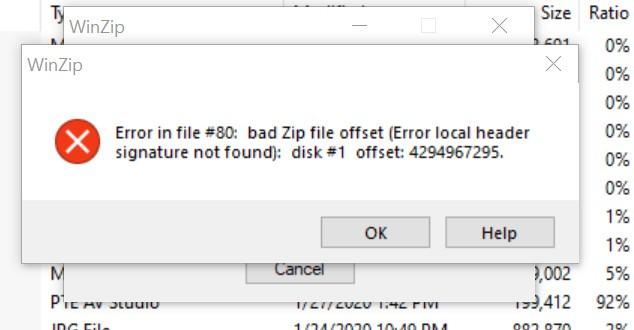
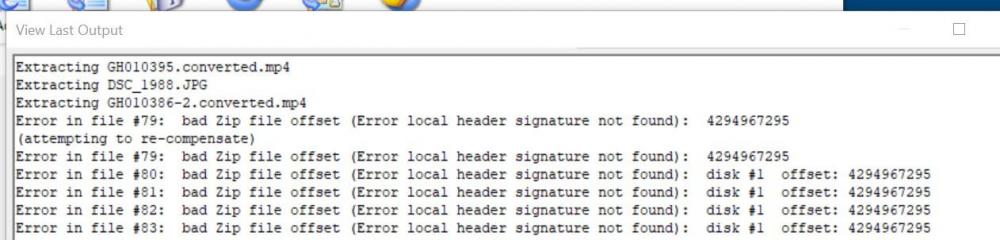
Greetings, I finished a project using the original large out-of-the-camera image files plus video files. So the final MP4 is way too big. I want to copy the entire project to another folder and reduce the file size of all the jpgs. So, I did a 'Backup in Zip'. It did not show any error messages and completed with no problems. I then, in another folder, unzipped the contents. I got a bunch of error messages during the unzip process. I am using WinZip. However, when I opened the project in the new folder where it was unzipped, I did not get any error or missing files and it looks complete. Below are some screenprints of the first few error messages and part of the WinZip log. So my question is, is PTE's Backup in Zip causing the error messages to occur or is it something else, like my WinZip not being able to handle the large file? The final zipped file is 4,815 564 Kb. Any ideas? Gary

-
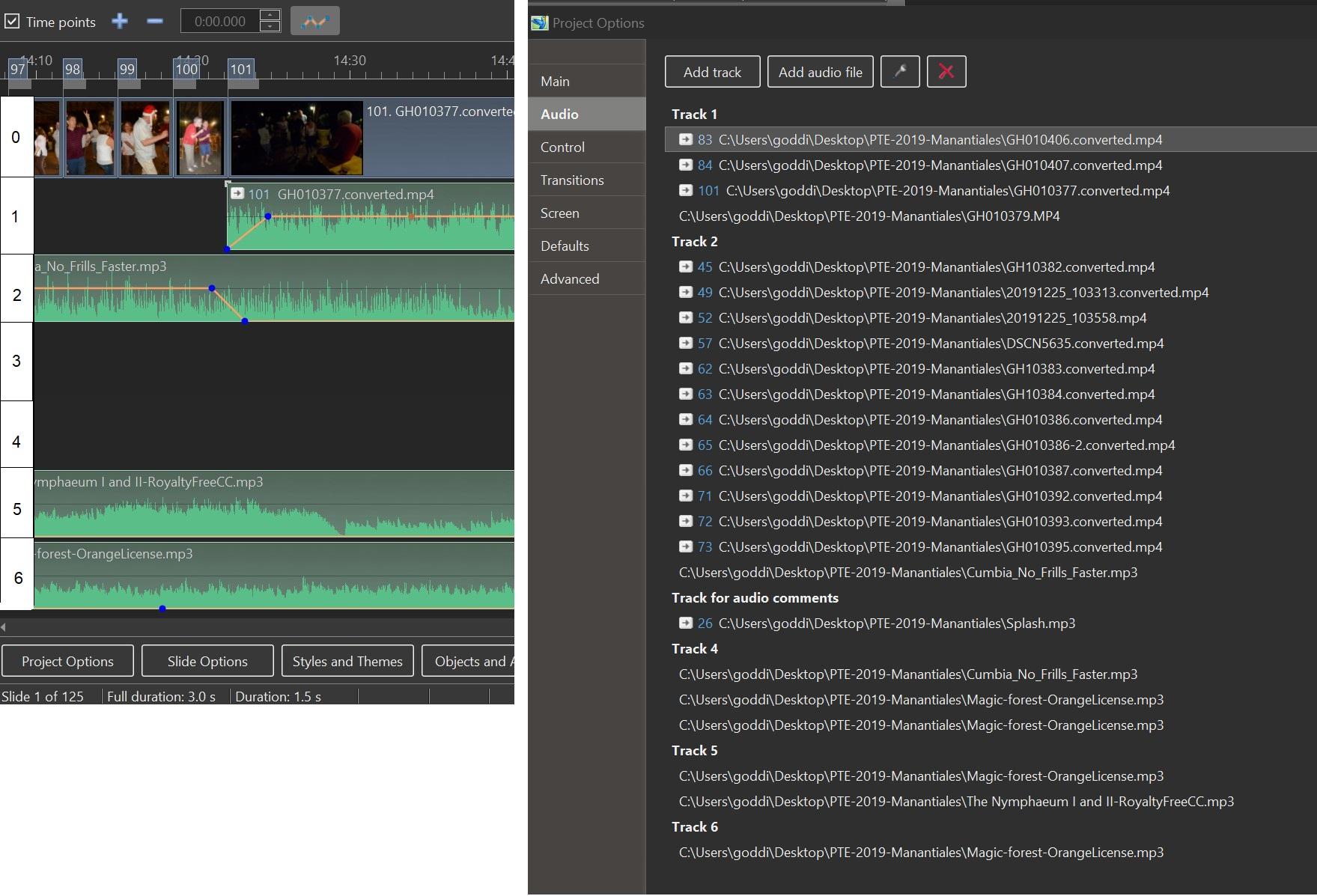
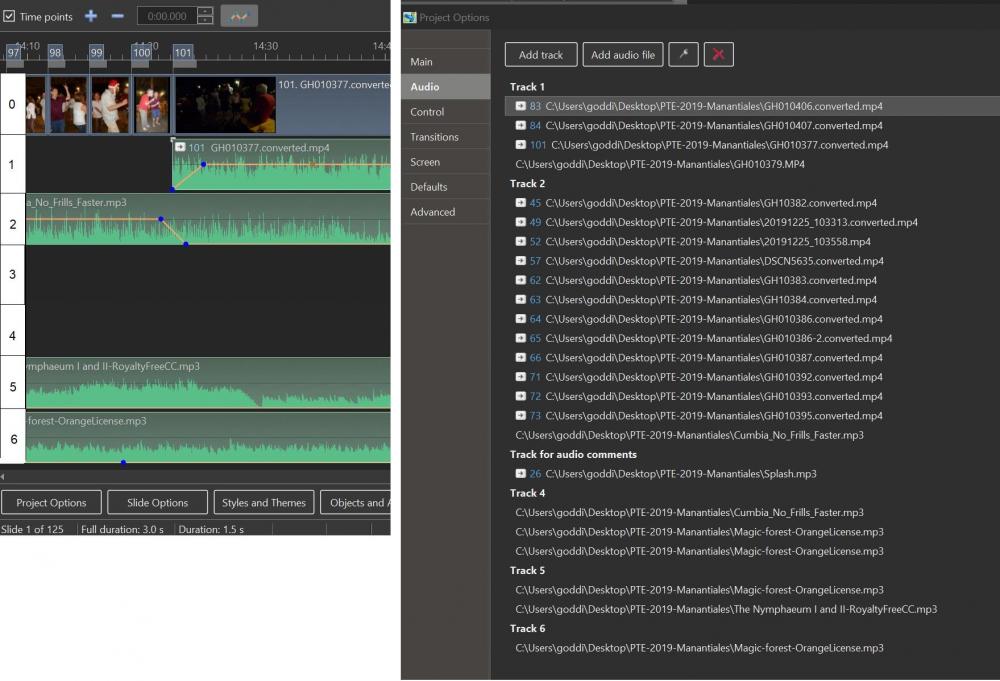
Greetings, I just noticed a problem. From the list of tracks I see on the right hand side above, there is no 'Track 3' listed. So I was going to delete it as an unused Track. However, when I looked further, the 'Track for audio comments' is actually on Track 3, but not indicated as such. Is this a bug? Gary
-
Greetings, I'm working on a new project that has a lot of audio tracks. Sometimes it is difficult to quickly see which track I want to add/delete a track or an audio file. I suggest that a column be added to the left edge that will indicate the number of the tracks that have been added. Here is a rough idea of what I mean. (I added the actual tracks on the right to show that it would be helpful to identify the track when you have so many audio files and you want to delete a track than does not have any files, like Track 3, for example.) Gary
-
Igor, Yes it fixes this problem. Thanks. Gary
-
Thanks...Igor. Gary
-
Change in AB transition time changes slide duration...
goddi replied to goddi's topic in General Discussion
JT...Yea, I 'knew' that but I had never applied it to getting rid of the 'KFSD' before. If you don't use it often, it tends to hide in the dark recesses of the brain. Thanks for setting me straight. Gary -
Change in AB transition time changes slide duration...
goddi replied to goddi's topic in General Discussion
JT...Oh, so simple. Thanks. Even after having used PTE for many years, there are still nooks and crannies I have to find. Super thanks. Hard to remember all these 'tricks'. Gary -
Change in AB transition time changes slide duration...
goddi replied to goddi's topic in General Discussion
Lin, I had saved it yesterday before unchecking it. I discovered that it was checked and then I unchecked it in Settings/Preferences and re-saved it. The KFSD for each image does not get removed. I now see that the KFSD setting is for the 'Default options for new slides', so unchecking it would not, apparently, remove the existing setting already put into each image in the Slides. So it seems I have to undo it image by image... Gary -
Change in AB transition time changes slide duration...
goddi replied to goddi's topic in General Discussion
Greetings, Ok, yesterday, I went into Settings/Preferences and unchecked 'Keep full slide duration'. I assumed that would do the trick to undo that setting in my Project. However, today, I happened to double-click on some images in the Slides and I see that every one of the images still have the 'Keep full slide duration' checked. Seems I have to uncheck each of the 100+ images I have in the Slides, one by one? Tell me it ain't so. Is there a way to globally get rid of the KFSD that has been checked for each image in the Slides? Gary -
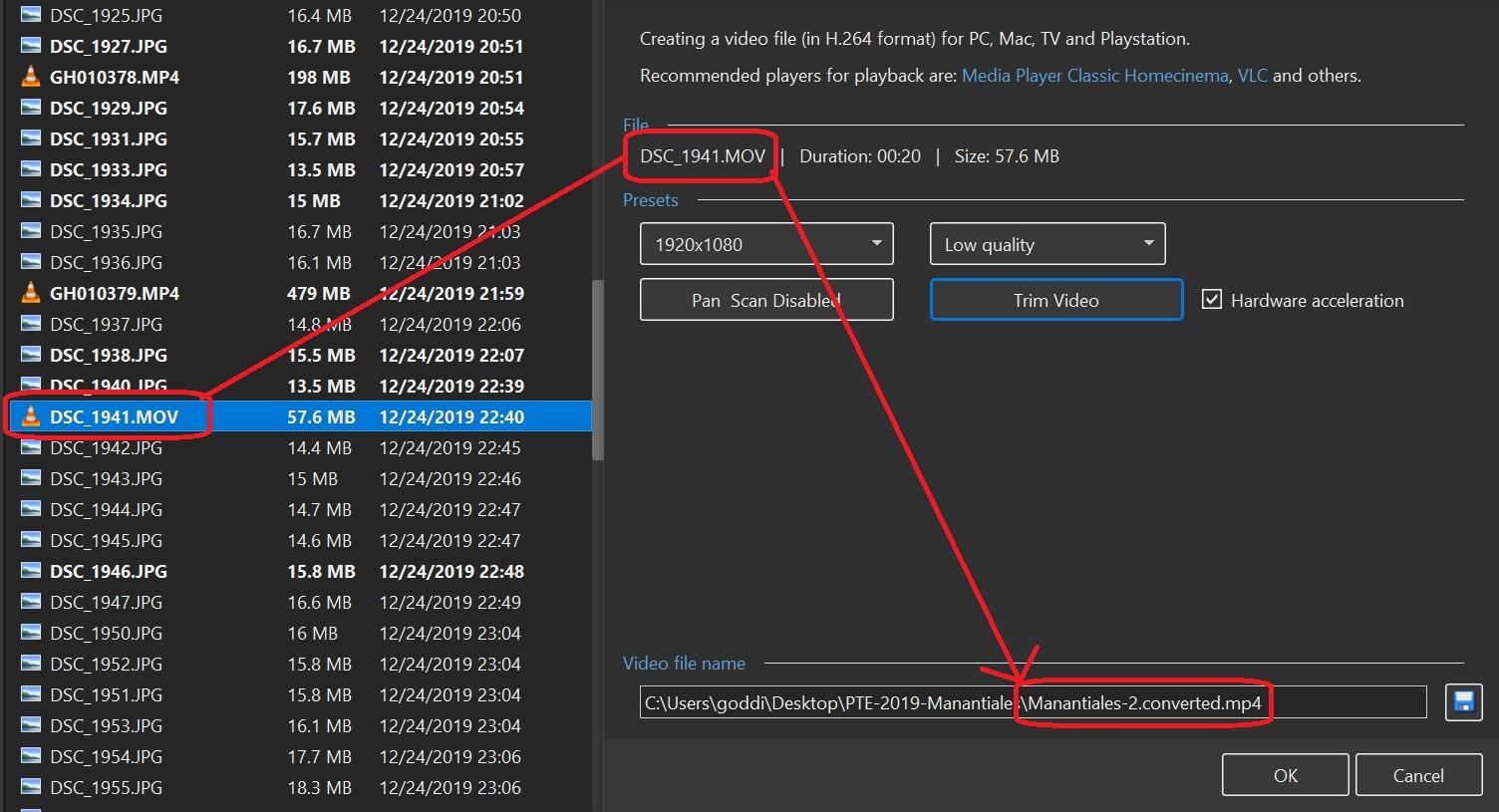
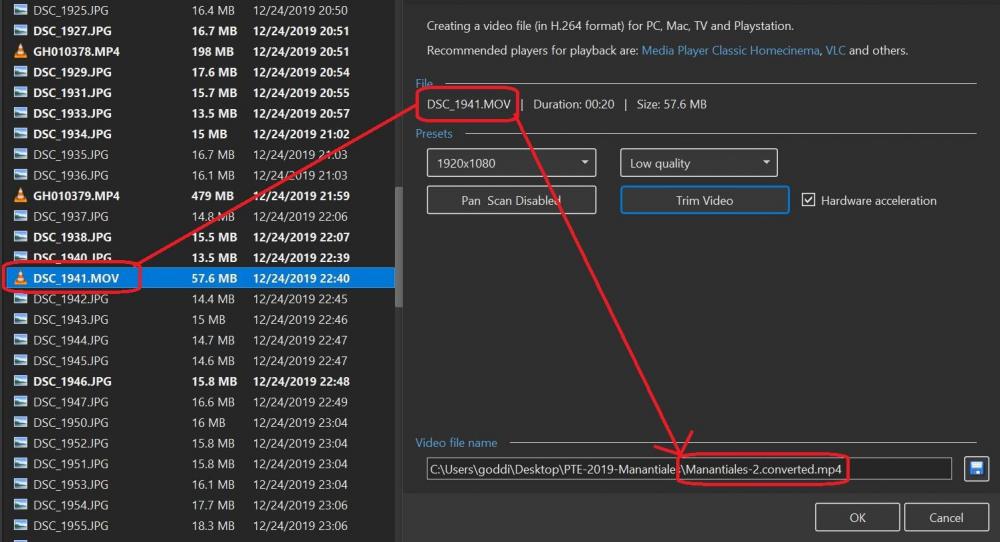
Greetings, I am doing a Convert/Trim on a video file. Normally, I'm pretty sure, the filename for the saved file will be changed to the 'videofilename.converted.mp4'. However, I notice now that it does not. It just gives the filename as the PTE's 'projectname.converted.mp4', not using the original video filename. Have I changed some setting that does this or is this a bug? Version 10.0.5. Is this happening to anyone else??? Gary
-
Change in AB transition time changes slide duration...
goddi replied to goddi's topic in General Discussion
Just checked to see if it had been selected. I thought I had it unchecked but I see it has been checked in Preferences. I haven't had a chance yet to see what the effect would be after I uncheck it. But I didn't think that KFSD, being checked, would cause these effects. Does it? Gary -
Greetings, I am starting a new project. I've run into this problem before and worked around them but it does not seem that it should be this way. I dropped and arranged all my images and video clips into the Slide List. The default AB transition was 2 seconds and the default slide duration was 5 seconds. Now that I see what I have to work with, I changed the AB transition to 1.5, but the slide duration automatically changed to 4.5. First question is, why would you want the already set slide duration to be affected by a simple change in the AB transition time? Why can they not be independently set in Project Options? (Yes, I know I can highlight all the slides and then change the AB transition time to 4.5, without affecting the slide duration, but why does the change in Project Options have to affect the slide duration?) Then, if I change the slide duration back to 5 seconds (in Project Options), it changes not only the still images but also the duration of all the video clips. Can we make it so changes in the Slide Duration be applied to only still images in Project Options? So, to avoid these problems, I have to do these adjustments pretty much slide-by-slide or in groups of slides. Not to mention that if I want a border around each slide and video clip, there is not global way to do it. I'll sure one response will be to use Styles, but these basic fundamental steps should not need Styles, which can lead to removal of other things already added in O&A. Is there a way to avoid these type of problems? Gary
-
George... Yea, me too. I went back to the original posting to see the 'here' link that I had missed before. There are so many other Styles/Themes/Transitions that can be entered into this site. It will be very helpful when/if all the Styles/Themes/Transitions can be seen in one site. But, this site is a bit confusing and hopefully, it can be made a bit more clear and complete. Great start. Gary
-
Publish video with duplicate filename without closing output window
goddi replied to tom95521's topic in Troubleshooting
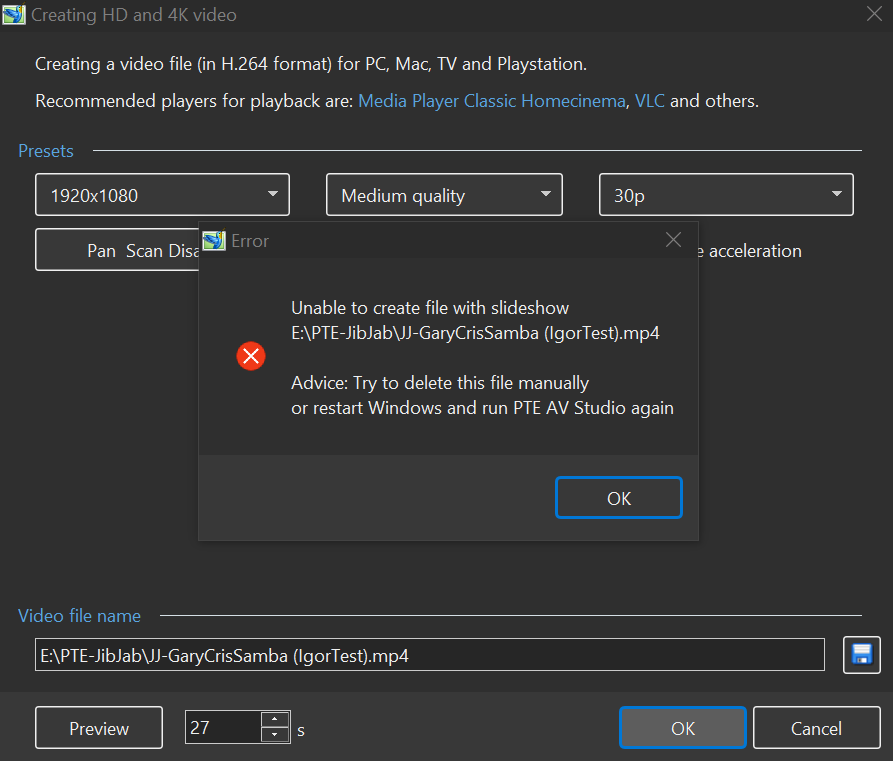
Igor, I get the warning message. But actually it should say something like 'Please 'Close' the previous 'Creating HD...' window'. Once I closed it, I could proceed to overwrite the previous Published show with the same filename. Your warning to delete the file is too extreme, not needed. The problem is that the 'Play/Close' window that come up after a Publish if finished can be hidden behind the PTE program...and not seen. Maybe make it 'always on front' so it does not get hidden and it will be closed properly. Gary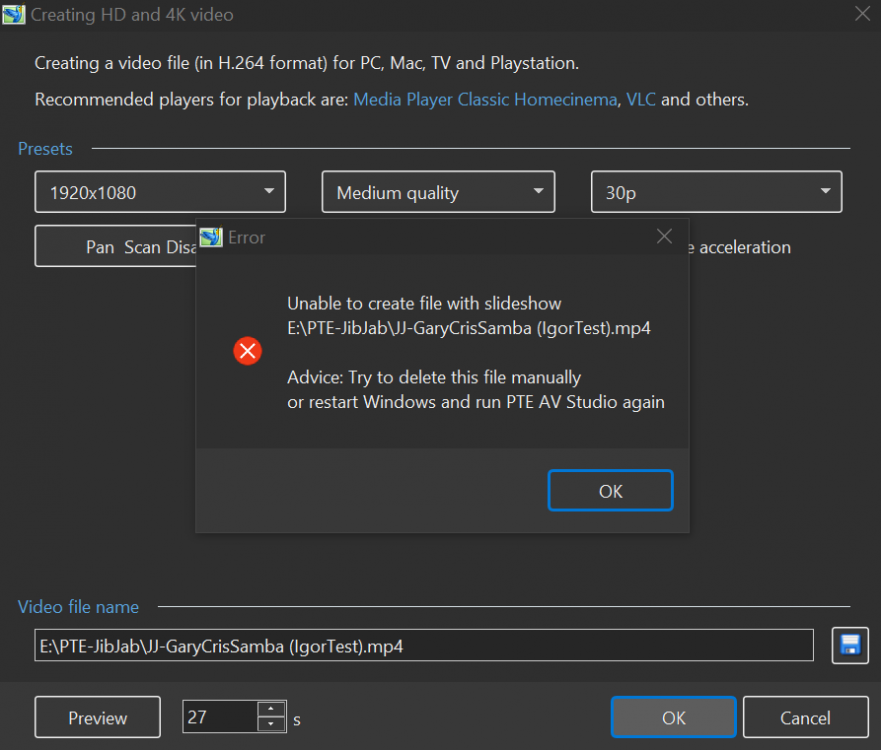
-
Publish video with duplicate filename without closing output window
goddi replied to tom95521's topic in Troubleshooting
Tom... Yep...looks like the same problem. Especially when you say " Video output window stays at 0% and Hardware Acceleration is not available" and "...must kill process using Task Manager". Gary -
Igor, Sure, but it happens so randomly and infrequently. I'll keep you posted if it happens again. But, as I had mentioned, after the Publish freezes (does not progress), the Terminate does not terminate the process or clear the Publish window. Gary
-
Igor, When I went into the Task Manager to delete the existing PTE items, there were 3 'PTE AV Studio' items listed. Normally there is only one for the opened program. I'd have a second one if I started doing a Publish. I don't remember doing anything abnormal that would cause a third 'PTE AV Studio' to occur. I'll keep my eye on it. Since it happened twice in one day, it is not clear what I might have done to cause this. But the additional problem might be that the 'Terminate' would not work to clear out the problem of the frozen Publish window. Only the Task Manager to delete the 3 instances of PTE AV Studio would clear out the problem. Gary