goddi
-
Posts
3,596 -
Joined
-
Last visited
-
Days Won
27
Everything posted by goddi
-
Igor... Ok, I just didn't know if that was a set limit for everyone or if I had just use up some portion of a higher limit, since I had be able to upload larger files before. Thanks... Gary
-
Igor, Thanks. Reading and trying to understand all the specifications of graphics cards is next to impossible. Good to know what not to get. Gary
-
Greetings Tom, Thanks... Yes, just after I had posted my question, I found Igor's post. I am still wondering if it the Intel Graphics 630 is sufficient for PTE or is it better to get the Nvidia card? For the Intel Graphic 630, I see that " Due to its lack of dedicated graphics memory or eDRAM cache, the UHD 630 has to access the main memory (2x 64-bit DDR3L-1600 / DDR4-2133) ". Not sure if that would work well with HA? Seems safer to go with the Nvidia with its own memory? Gary
-
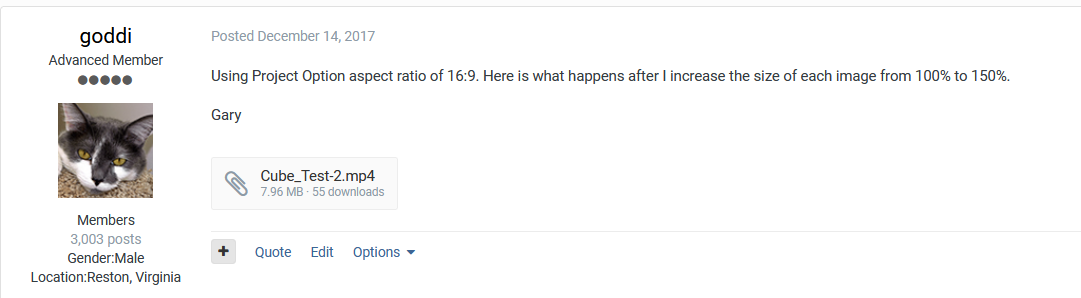
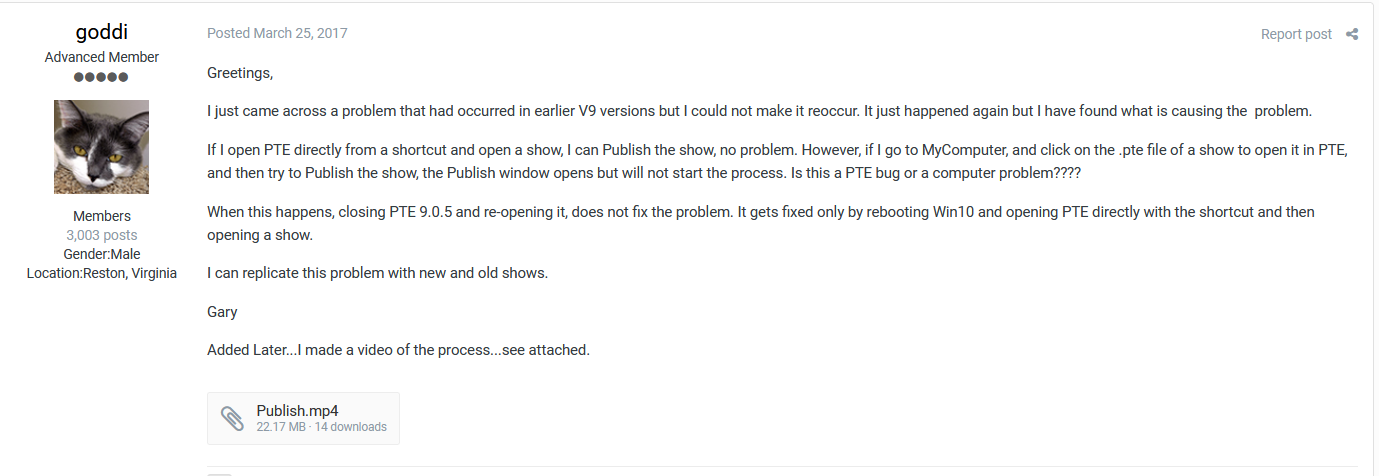
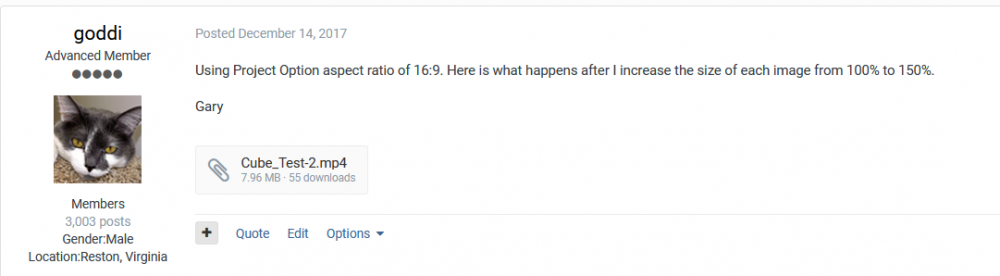
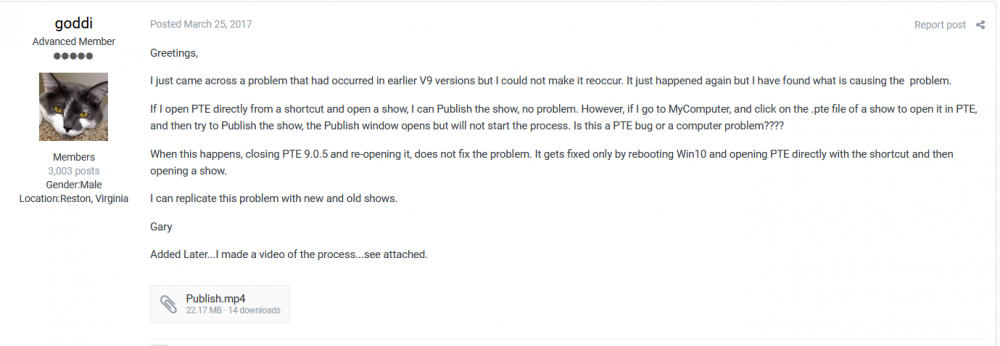
Dave, Maybe I am wrong, but here is one that I think was a 7.96Mb attachment and the second one is 22.17Mb attachment. If I remember right, weren't these 'attachments'?
-
Sure...I have made many video screengrabs for Igor to show problems where the video file exceed 3.13MB. I have had to use WeTransfer or Firefoxsend to get it to him. My recent posting regarding the video stop motion question was 4.25Mb, 59 seconds, and had to use Firefoxsend and post the link. So are you saying 3.13 Mb is the max for everyone? Gary
-
Greetings, Recently, when I try to attach a large file to a posting, I get a warning that it is too large, "Only allowed to upload 3.13MB". I see others who have larger sized attachments. Is this due to the number of my previously attached files that is reducing my attachment amount? I can see in my PTE's 'My Attachments' that it shows all of my previous uploads. My question is, if I delete any of these uploads listed in 'My Attachments', will my upload allowance increase? But will it then delete the uploaded file and the entire posting too? Gary
-
cross-fade switching from video clip and photo clip
goddi replied to carmelo.battaglia's topic in General Discussion
Not sure if my suggestion was one that you did not understand. Here is my method in a video screengrab. Also an easy way to just trim the last part of a video clip: https://send.firefox.com/download/2a538c356a0db12d/#iWQ9PbynoDSmhRPPLleGEQ Gary -
Greetings, I am planning on getting a new PC (for my wife) and I want it to be able to handle the V10's HA. It's been a while since I looked around for a PC. My current one is working well with HA, etc., but I want to be sure to have good results for this new PC. I am not familiar with the AMD Ryzen or the Nvidia's GTX vs RTX, when it comes to working with PTE. Here are 4 examples and just wondering if anyone has any opinions, one way or the other. Also, should I steer away from integrated graphics such as 'Intel UHD Graphics 630'? Gary AMD Ryzen 5 1600 Processor 3.2GHz NVIDIA GTX 1660 Ti 6GB GDDR6 16GB DDR4 RAM 500GB SSD Microsoft Windows 10 Pro $699.99 "The PowerSpec G502 desktop computer is a powerful gaming machine featuring the AMD Ryzen 5 1600 processor, an ASRock B450 Pro system board powered by a 600W PSU, 16GB DDR4 2666 RAM, a 500GB SSD, and an Nvidia GTX 1660Ti 6GB discrete video card to provide an incredible experience playing the most demanding games in the market today! Note: This system is preinstalled with Windows 10 Pro software." =================================================== Intel Core i7-8700 Processor 3.2GHz NVIDIA GeForce GTX 1650 4GB GDDR5 16GB DDR4 RAM 512GB NVMe SSD Microsoft Windows 10 Home Dell XPS 8930 $899.99 ==================================================== AMD Ryzen 7 2700 Processor 3.2GHz NVIDIA RTX 2060 6GB 16GB DDR4-2666 RAM 500GB SSD Microsoft Windows 10 Pro $899.99 "The PowerSpec G704 desktop computer is a powerful gaming machine featuring the AMD Ryzen 7 2700 unlocked processor, an ASRock B450 Pro system board powered by a 600W PSU, 16GB DDR4 2666 RAM, a 500GB SSD, and an NVIDIA RTX 2060 6GB discrete video card to provide an incredible experience playing the most demanding games in the market today! Note: This system is preinstalled with Windows 10 Pro software." ============================================================ Intel Core i7-9700k Processor 3.6GHz Microsoft Windows 10 Pro 16GB DDR4 RAM 500GB Solid State Drive $799.99 The PowerSpec B742 desktop computer is a powerful gaming machine featuring the Intel Core i7-9700K Unlocked processor, a 500GB Solid State Drive, 16GB of DDR4 memory, and the ASRock Z390 Pro 4 system board powered by a 600W power supply providing an excellent value loaded platform for your most demanding computing needs! Note: This system is preinstalled with Windows 10 Pro software. Intel UHD Graphics 630 .
-
cross-fade switching from video clip and photo clip
goddi replied to carmelo.battaglia's topic in General Discussion
Greetings, There are ways to avoid this 'stop' motion at the end of a video clip as it transitions to a still image. I use video clips all the time. My method is to go into the Timeline and then just drag the still clip to the left over the ending of the preceding video clip. When you drag the still image in the Timeline, you are dragging everything behind it so you don't lose setting for the remaining portions of the project. Also a quick way of 'trimming' the end of a video clip. Gary -
Lin... Yea, I think it is just me not following some 'logic'. I see that the 'logic' for the File List is 'logical'. I push forward, and the beginning of the file list is revealed. In the Slides, as I push forward, the beginning of the images appear. I don't know why it suddenly looked backwards in the Slides. Brain fart???? Thanks for getting me back on track. Just a momentary lapse of 'logic'. Gary
-
Greetings, I have been trying not to post this quirk that I seem to have with the Mouse-Wheel to go to the beginning or end of the Slides. It seems backwards to me. But it is driving me a bit nuts. Currently, moving the Mouse-Wheel forward, you go to the end of the Slides; move the Mouse-Wheel backwards, you go to the front of the Slides. Perhaps my brain is working backwards, but it seems to me that if you move the Mouse-Wheel forward, you should move 'forward' to the end of the Slides; and if you move the Mouse-Wheel backwards, you should go 'back' to the beginning of the Slides. I have been trying to re-wire my brain to the current methods, but it does not seem intuitive to me. Or is it just me....??? Gary
-
Greetings, This question has been brought up before but I'd like to see if it can be addressed in V10. It would be very helpful if all files that are used in a project are reflected in the Files List, as the Main Objects are now in bold, or in some way to indicate they are being used in the project. Is this a possibility for V10? (including non-main objects, sound files, png files, etc.) Thanks... Gary
-
Greetings, That is exactly the high point of this program that I try to convey to anyone who I talk to about PTE. Really amazing cooperation/communication between maker and users! Gary
-
Greetings Manuel, I tried out your Cut Out and it is really neat! I modified my intro to my current project using it. Thanks... Gary
-
Properties/Borders--allow absolute values
goddi replied to goddi's topic in Suggestions for Next Versions
Igor, I had a feeling it was one of those more difficult things to do technically. Thanks... Gary -
Greetings, I haven't really used Slide Styles much, but I was just experimenting with them. It seems you can not apply a Slide Style to an image that was added to an image in O&A. Is this true or is there a way to do that? Gary
-
Greetings, Border size is dependent of the resolution size of the object. I suggest to let us have a choice for an absolute and a relative border size. One that will be relative to the zoom or the size of the image (as it is now) and also be able to have a border that is independent (absolute) of the zoom or the size of the image. It would be more flexible to be able to select an absolute or a relative border size in the border menu. Gary
-
Igor, Sure. I have posted 5 projects, so far, using PTE 10 on my Facebook page (my recent trip to Scotland). https://www.facebook.com/gary.oddi Gary
-
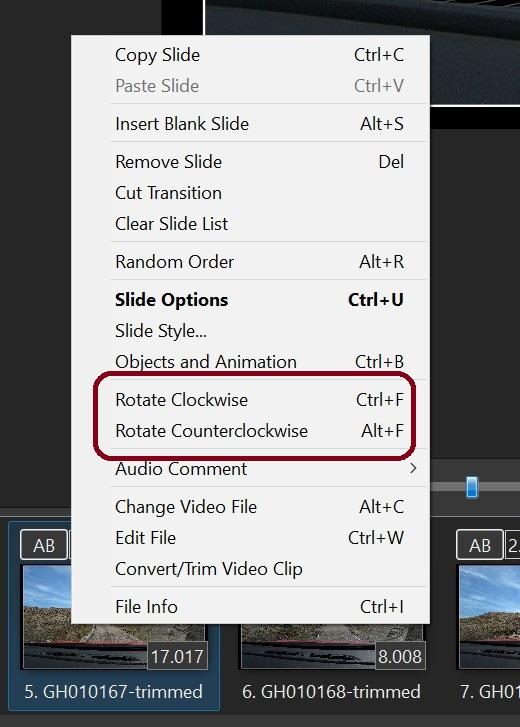
Greetings, I am wondering why the 'Rotate Clockwise/Counterclockwise' does not work for video clips? For clips that don't need to be converted or trimmed, it would be convenient, or just to be able to view them right-side up before using O&A. Should it? Gary
-
Greetings, I understand a new Convert/Trim window is coming in future Betas. However, I find the current method is a bit difficult to set begin/end points for the Trim function. My suggestion is to be able to set the Trim begin/end points while in the MiniPlayer window (Timeline view). The idea is to set the Trim's begin/end points first in the MiniPlayer window, then hit the 'Convert/Trim' button in the main window, as seen in the screenprint. Then the current Convert/Trim window would then open with the already set Trim points and settings/adjustments can be made from there. The current Convert/Trim window is really too small to made adjustments to begin/end points. Gary

-
Audio from GoPro terrible when video clip is converted
goddi replied to goddi's topic in Troubleshooting
Greetings Denis, Thanks so much. Just gave it a try and it worked!!! Do you know why the audio from Hero7 clips are being distorted in PTE when it does not happen to clips from Hero 5? I don't see any difference in the audio specs that could create this problem. I hope Igor will test the PTE 10 to be sure that Hero7 files will work with it. Thanks again. Gary -
Audio from GoPro terrible when video clip is converted
goddi replied to goddi's topic in Troubleshooting
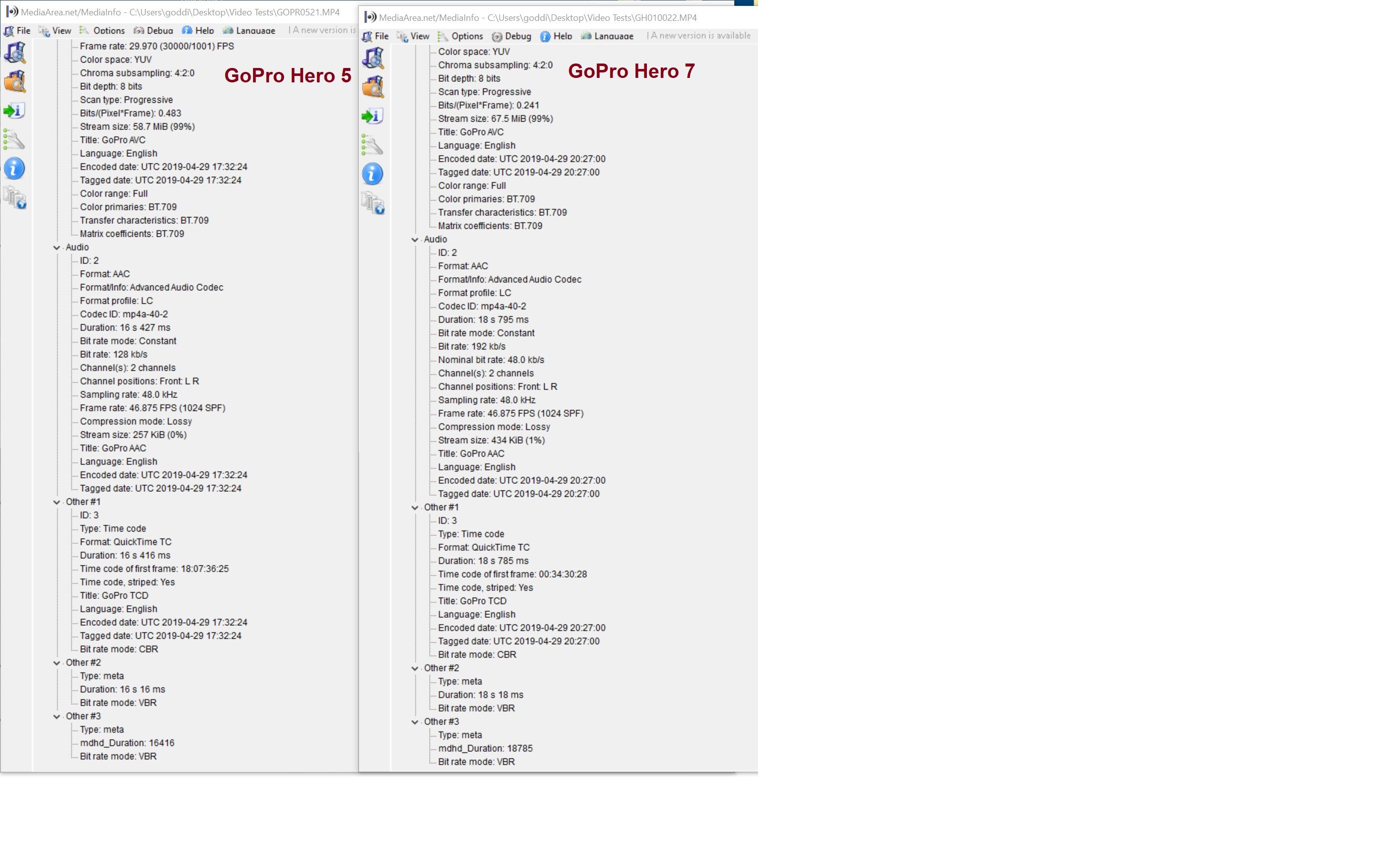
Igor, What is strange is that I have not had problems using video clips in PTE from my Hero 5. I don't see any difference in the audio specs between the Hero 5 and the Hero 7. Can you see is there is a difference in the audio specs and what might be causing the problem? Not sure if it is a GoPro problem or something else. Can some test this short file in their PTE and see if the distorted audio problem also occurs with their PTE? Just trying to isolate what is causing the audio distortion. https://send.firefox.com/download/5ed040fba80b0a10/#K4FphpogAdIPb4tuFWf1AA (This link should be good for 7 days..) (JUST NOTICED THAT THE LINK EXPIRED ALREADY....NOT SURE WHY) Here is a new link...see if this works. Should be up for 7 days...not sure why it gets expired so soon. https://send.firefox.com/download/6d523829f58aecef/#7pl84Ly4oLVGg-qaEYnLWg Gary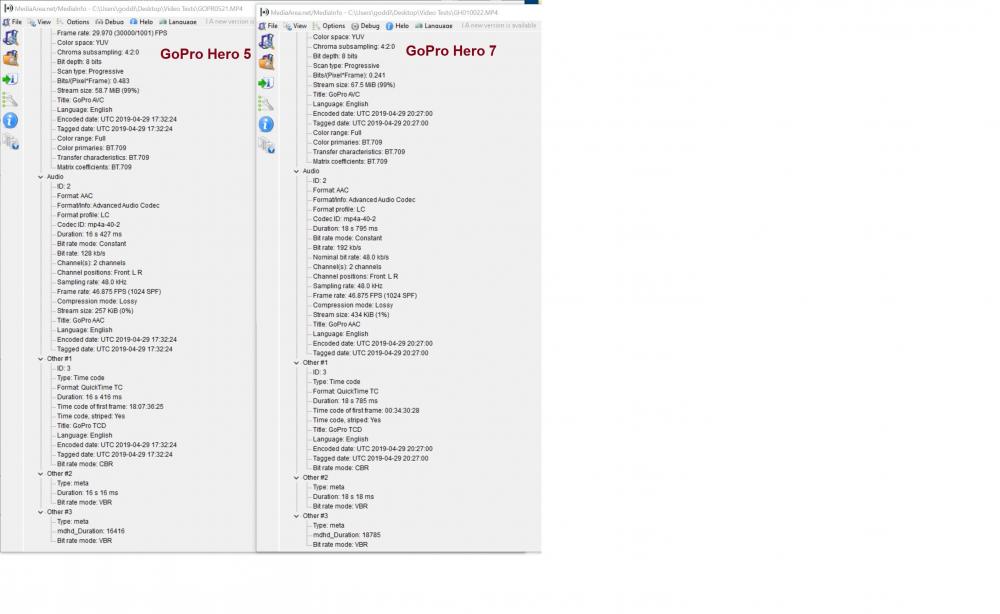
-
Audio from GoPro terrible when video clip is converted
goddi replied to goddi's topic in Troubleshooting
Igor, Here is a sample of an GoPro Hero7 Black video clip the shows the problem. You can play it in Windows Media Player with no problems. But when you play it in the PTE player, the sound is distorted. Please take a look at it and see if you can tell what the problem is. (The 'send.firefox' link will be good for 7 days or 5 downloads.) Thanks... Gary https://send.firefox.com/download/937375185843ba11/#gtkpwnUUU1ATt9GRxQHh7g -
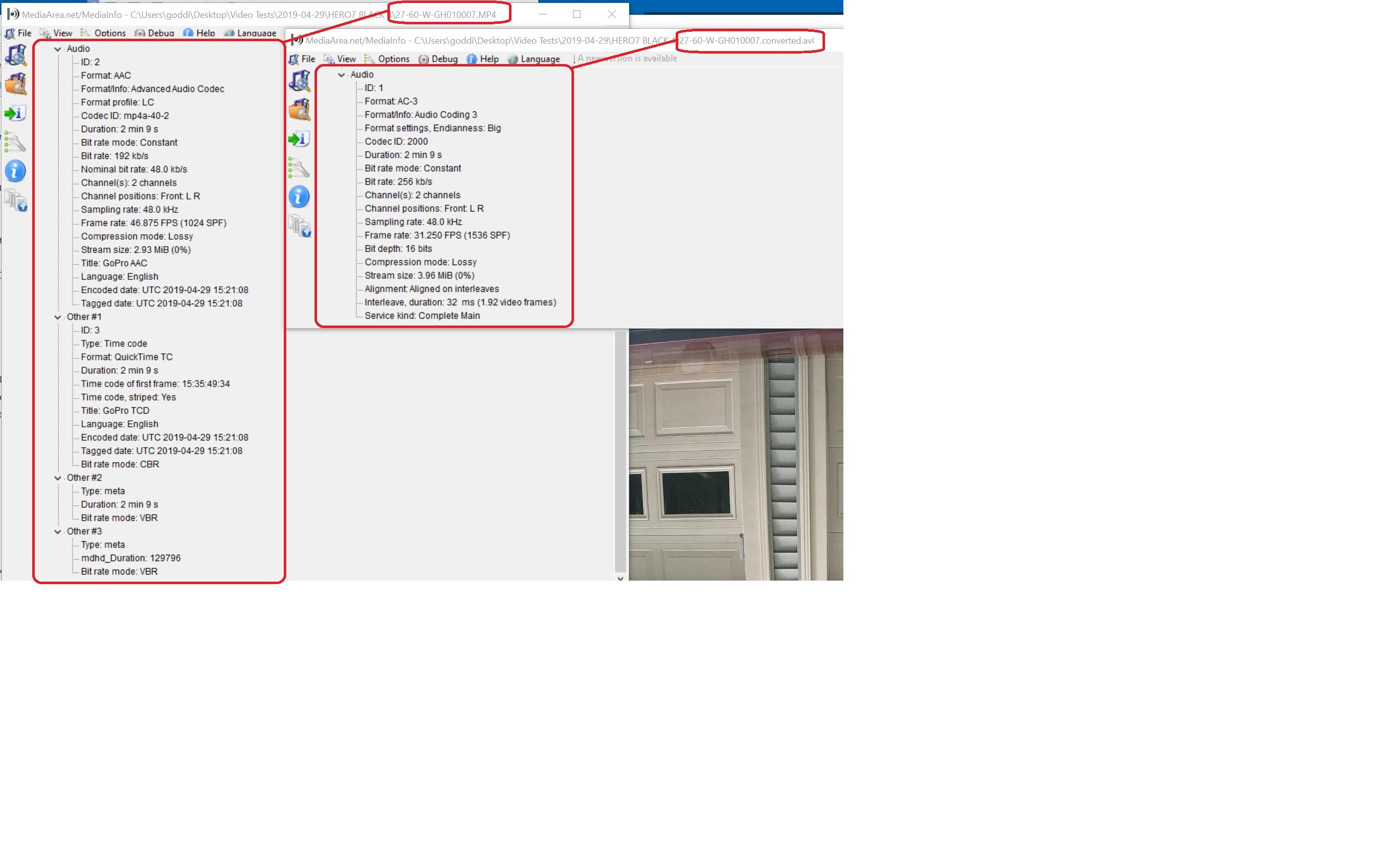
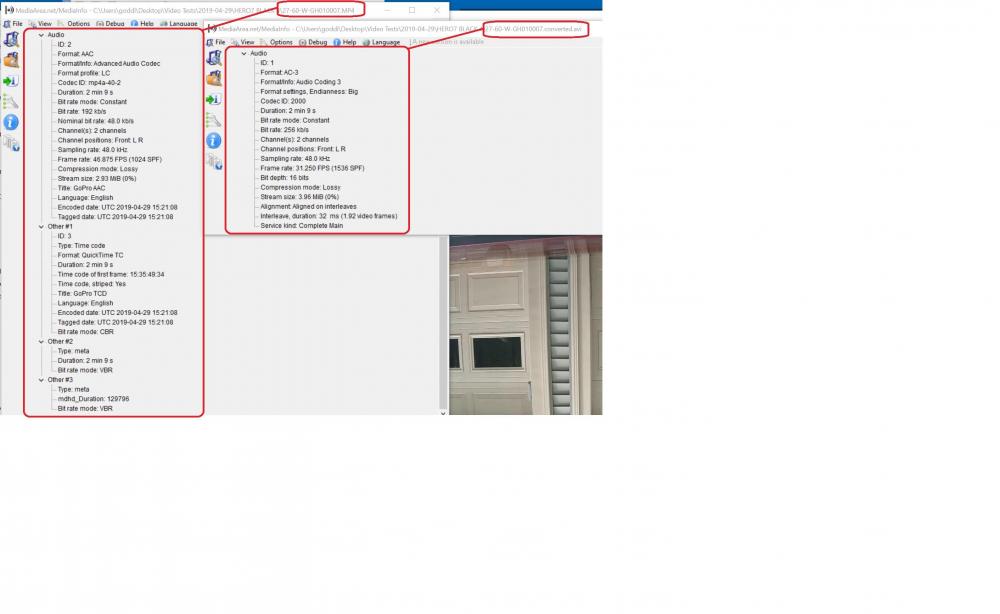
Greetings, I have not had any problems in the past with 'GoPro Hero 5 Black' audio when a clip has been converted in PTE. However, I am now using a 'GoPro Hero 7 Black' and the audio is terrible after I convert a clip in PTE. It sounds as if in a wind tunnel, totally unrecognizable. Here is a screenshot of the audio portion of the original GoPro clip and after it has been converted from MediaInfo. The sound is just fine before it is converted in PTE and plays fine in WindowsMediaPlayer. Can you see anything that points to the problem? Gary Added Later: The GoPro Hero 7 video clip's audio is distorted, whether it is the original clip or the converted clip when playing in the PTE player. The original clip plays just find if played through the Explorer. Not having the same problem with the Hero 5, no problem with its audio, when playing a converted clip in the PTE player. I attached the distorted audio portion of one of the clips from the Hero 7. GH010013.converted.mp3
-
Igor, Just to clarify, if I use an H.265 (HVAC) video clip in the upcoming PTE10, will the PTE's MP4 output be readable in computers that normally would not be able to play an H.265 clip? Gary