goddi
-
Posts
3,593 -
Joined
-
Last visited
-
Days Won
26
Everything posted by goddi
-
Greetings Barry, I tried what you suggested to put a still image (or title slide) as the first image, instead of the black blank slide. I figured out that it has to be a 'quick' transition, not a dissolve, or else you still get an initial black beginning. And the short length of the video is bummer, too. But then I thought it can be downloaded and assume it would still download the entire show if it is more than the 3 minutes. Not sure yet if this possible. But if you try to download from Flickr, you have to 'sign in' and that, too, is something I'd not want viewer to have to do. So back to the Slideshowclub, waiting for Igor to fix the max size upload restrictions. So it seems good for single images, but not for videos..... Gary
-
Greetings Barry, I could not find any limitations on the file size. Can you tell us the file size limitations or total upload limits? Gary
-
Yes, Igor, I did download 9.0.10, today. Gary
-
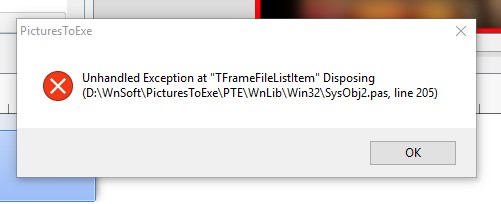
Igor, No. I tried it with 9.0.10, but I still get the errors. If I try the Style on the first image, I get the error messages. Then, I try it on a second image, I don't get the error message. Seems to happen only when I first try to use this Style from Lin. Gary
-
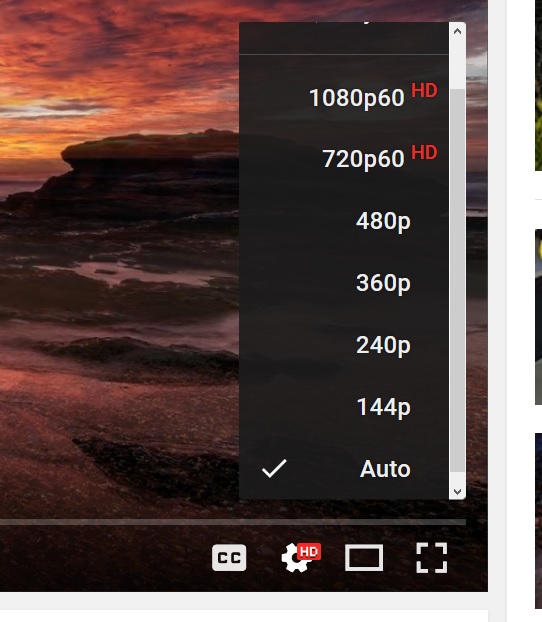
Bert, I have Win10 and Firefox browser. When I play a Youtube, I am able to choose the quality when I click on the 'cog'.
-
Greetings Igor, It seems that V9.0.10 is an improvement in the positioning of the selected image when you change from the Timeline to the Slides view. The selected image (or slide) at least stays within the screen as you are switching between Timeline and Slides. But it would be better if the selected image (or slide) maintained its relative position as you switched back and forth between the Timeline and the Slides view. For example, when you switch from Timeline to the Slides, the image (or slide) always jumps to the far right of the screen, not maintaining its original position. But much better so far Thanks... Gary
-
Igor... sent in PM. If you need more, let me know. Gary
-
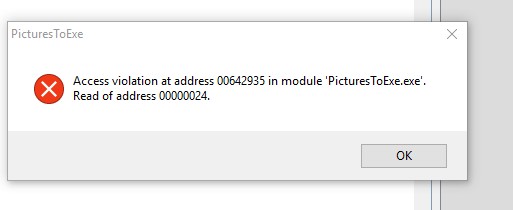
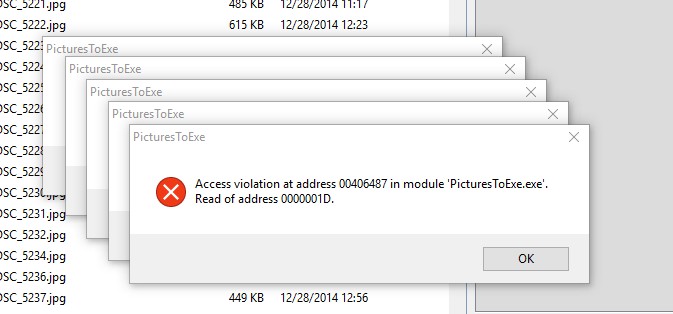
Greetings Igor Yes, it seems that if I switch the File List to thumbnail view (not table view), the problem does not occur. I also noticed that, when the problem does occur, the File List does not really disappear, as I first thought, but they are actually just pushed way down the File List window. Also, when I deleted the 'Jardin-testLinSlideStyle.resources ' folder, I got a massive amount of error messages that went on and on until I killed PTE. I did notice also that after I switched to the 'thumbnails view' in the File List, the problem seemed to stop. Even when I changed back to the 'Table View', the problem did not reoccur if I selected the Lin Style. However, if I closed PTE and started over again, the problem returned. Gary
-
Greetings Igor, Yes, I checked out the new version and it has solved the font problem. Thanks... Gary
-
Igor... Still waiting for the Slideshowclub to fix the max limit of shows back to 280Mbs. It this something that will be fixed? I have several shows that exceed the current reduced limit. I'd rather post to the Slideshowclub. Gary
-
How to move several audio files in a track? [SOLVED]
goddi replied to goddi's topic in Troubleshooting
Phil, Thanks... I was trying that but, for unknown reason, it did not work until I tried it again after your posting. Maybe my 'shift' key was not responding well. Appreciate the info... Gary -
Greetings, I have a lot of audio files in a track and I want to move all of them without disturbing their relationship to each other. I have them fading into each other just so and I don't want to have to reset them. I can move one at a time but I'd rather just be able to highlight all of them and then just slide them over, but I don't seem to be able to do that. Any way to do this? Gary
-
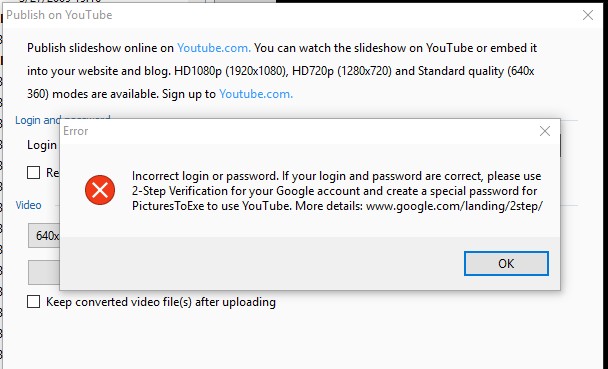
Greetings, I have never been able to 'Publish on YouTube'. I recently tried to do this just to see if I could. However, I get an error message saying I need a 'special password for PicturesTo Exe to use YouTube'. I can sign into Google with no problem. But I have no idea what this error message means. I tried to the '2-Step Verification' process but that got me nowhere. Can someone explain what is going on with this process? Also, can we 'Publish on the YouTube' so that it creates the file first on our PC before it actually get uploaded to YouTube, so we can see first how it looks? Gary
-
Greetings Igor, I just tried 'Lin's 16:9 Border Window Style' in another show but it did not cause the problem. To help you narrow your search for the cause, I reduced the specific show where the problem occurs down to just a few slides. If you run Lin's Style on the last slide, you should see the problem. It just might be something that I have done wrong, but just strange that it happens in this show, perhaps not others. Attached is the Zip of the project and Lin's Style. Also, I notice a folder was also created called 'Jardin-testLinSlideStyle.resources'. This folder disappears after the errors are cleared out. Never saw it before. Also, I notice this Zip file is really big for only a few images. Not sure why.... Gary Jardin-testLinSlideStyle.resources.zip Lin's 16_9 Border Window Style.ptestyle Jardin-testLinSlideStyle_May12-2017_11-49-46.zip
-
Ok, Good. I did try these two exe's on my other PC. The Italinate font did not show. It was replaced with some other font. Ok...no more testing. Thanks. Let me know what was going on. Thanks... Gary
-
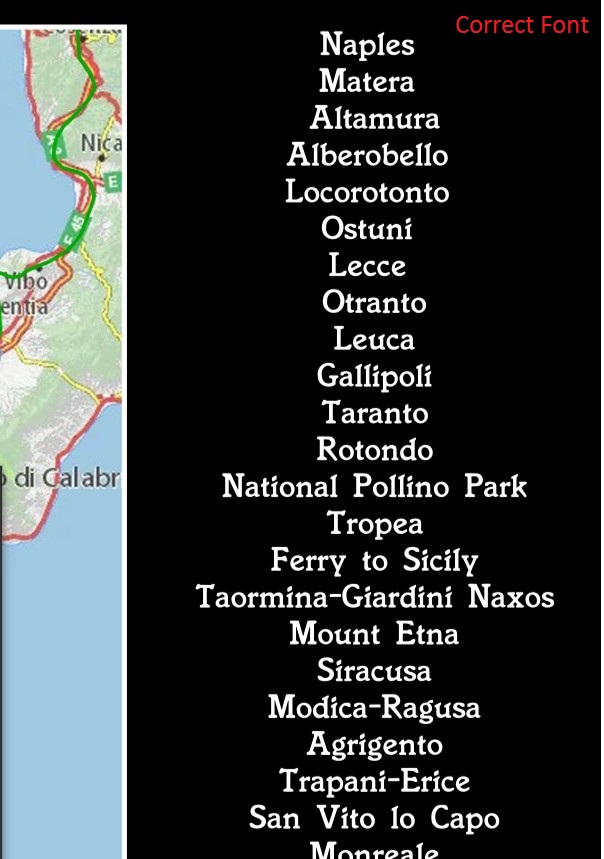
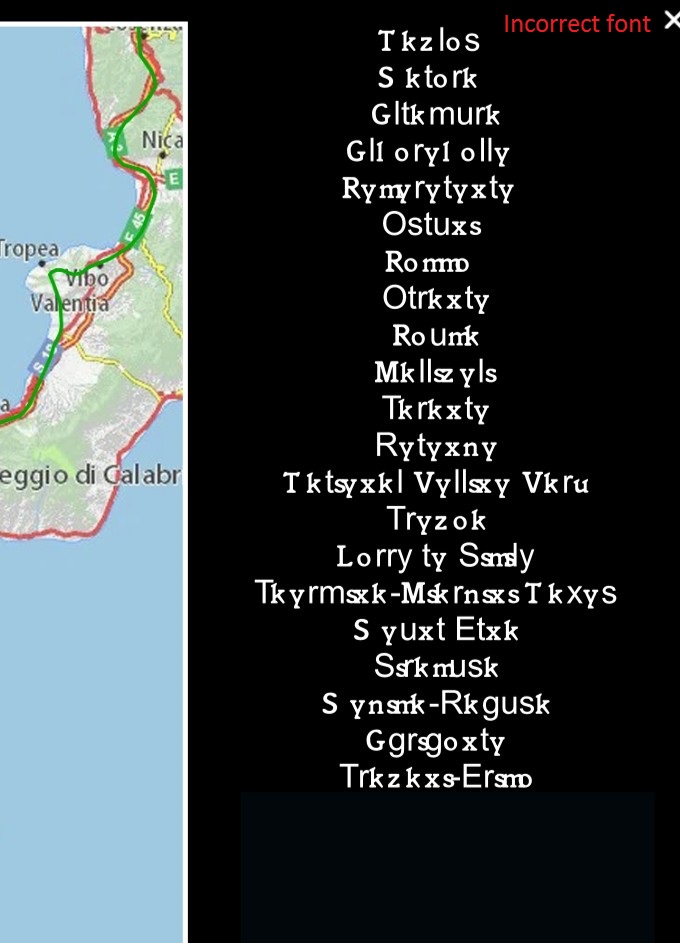
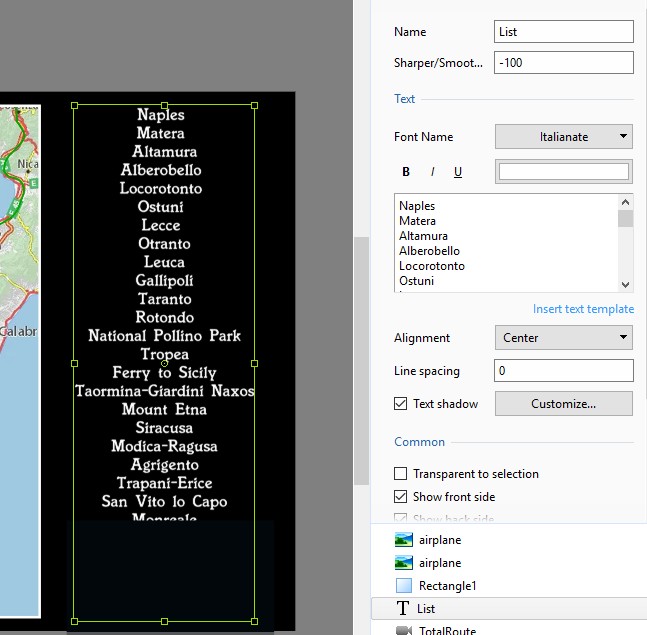
Greetings Igor, I played your exe of my show on the PC where I created the project and the font is correct. However, when I play your exe of my show on my other PC, it still does not show the correct font. It shows the same incorrect font that I showed above in previous posting. The screenshot of the text object is the same as also shown in the above previous posting, showing the correct Italinate font. If I misunderstand your request, let me know. The problem does not occur on the PC where I created the project or on my laptop that has nothing to do with creating the project. It plays fine on that laptop. Also, your exe also does not show the correct font on my wife's PC, as before with my exe. What is strange is that the font works on the first title slide's text but not in the list of cities on the last slide text block. Gary
-
Greetings Igor, Just sent to you via PM. Thanks... Gary
-
Greetings Lin, Yes, that is exactly what I did when I tested the exe on the 4 different computers. I played the exe from my thumbdrive on each PC. Two showed the correct font and two did not. What is inconsistent is that on the two PCs that did not show the correct font in the list of cities in the text block, the font did show correctly in the initial title slide. And, if the font did not show correctly in the list of cities in the text block of the exe (where font is not resident), why would the font then show up correctly after I installed the Italianate font? I didn't think the exe would be looking for the font outside of the exe. Gary
-
Lin, I created a zip file of this show. I unzipped it and played it on the PC where it did not play correctly (and did not have the Italianate font installed yet). The font of the text was some other font, as you stated would happen. I then installed the Italianate font on this PC and played the original exe and then the show displayed the text in the Italianate font. How can the exe now 'find' the Italianate font if it was not 'chiseled in stone' when it was originally created? Gary
-
Lin... Ok.This is strange. The font plays fine on my PC and on my laptop. However, it does not play correctly on my wife's PC or on my older PC. What is more strange, in the 2 computers that the font plays incorrectly, I use the same font in the title slide and it plays fine. It seems to play incorrectly in this text block that has a list of cities. A black rectangle, which initially covers the list of cities, moves down keyframe by keyframe revealing each city in the text block, which shows the incorrect font. Does this make any sense??? Gary Added Later: Just checked to see if the font is installed in my other PC that does not show the font correctly, and it is not installed.
-
Greetings All, I just had an idea to try the exe on my wife's PC. To my surprise, the problem occurred. Here is what it looks like, the correct and the incorrect results. Any ideas??? Gary
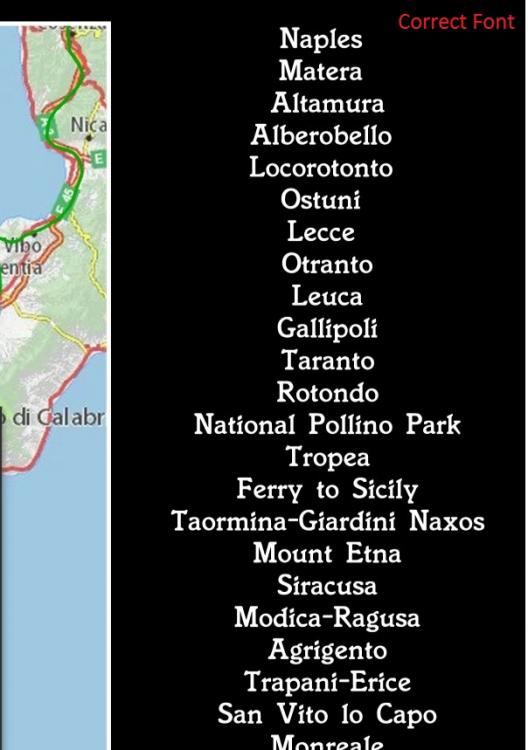
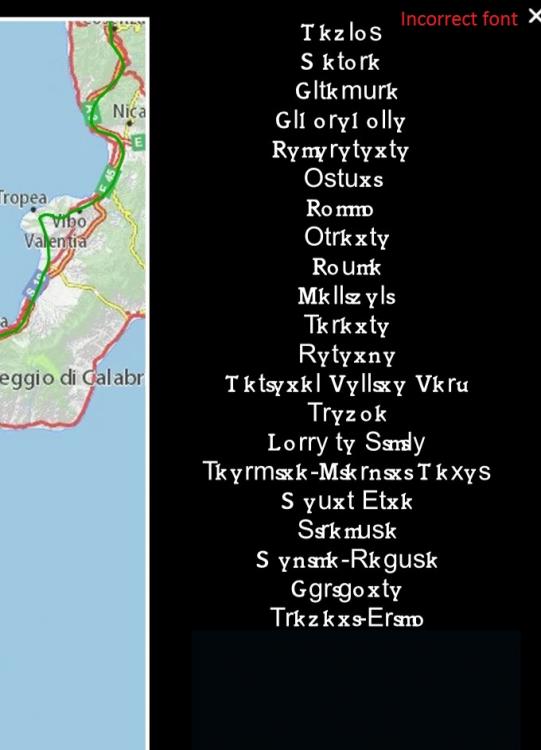
-
Greetings All, I have attached the Italianate font. If there any other info I can give, let me know? Gary Itali__.ttf
-
Greetings Lin... I created the exe on my PC and played the exe on this other person's laptop. The Italianate font did not show up. Just some crazy lettering that made no sense. Gary
-
Greetings, I recently created a show with text that used the 'Italianate' font. Works fine on my PC (Win10). Last night, I tried to play it on a friends laptop. The text showed up with some crazy lettering that was unreadable, some other font. I thought that this problem of fonts was resolved some time ago. I thought it had to do with 'rasterizing' fonts, and we did not have to do it anymore. Can someone explain what happened? I was not able to do any screenprint or testing with that laptop when this happened. Gary
-
Greetings, When you play the show in the 'Preview' window, the images in the Slides/Timeline will scroll along during the 'Preview'. So when you stop at a slide, you are at that slide's position in the show. However, when you play the show using the 'Fullscreen Preview from Current Position', the Slides/Timeline does not scroll as it plays, so when you stop the preview, it does not stop at that slide's position in the show. So you lost that ending position. The initial slide that you started the 'Fullscreen Preview...' remains highlighted and retains the current position if you wanted to start the 'Fullscreen Preview...' again from that point. I would suggest that the Slides/Timeline scroll in the same manner when using the 'Fullscreen Preview...' function as it does in the 'Preview' function so it will show where you stopped the preview when using the 'Fullscreen Preview...' function. Gary