goddi
-
Posts
3,593 -
Joined
-
Last visited
-
Days Won
26
Everything posted by goddi
-
Adjust Time Range-duration does not adjust in Timeline
goddi replied to goddi's topic in Troubleshooting
Lin and others, If I were referring to adding a video into an object in O&A, I would have used the proper O&A menu term, 'O&A/Add Video'. To me, the Slides/Timeline is the 'Project'. Ok, not as precise as I could have been...but close. Seems some responses are more concerned with what is not there, then what is there. But as I said before, this has been a good debate and it is good to learn what others think, even though some things get lost in translation. I just wish we would have these debates on so many other suggestions. I have made many and most just sit there without pros and cons added by the other members of the Forum. You'd think after a hundred or so views, you'd get some responses. No, I don't want to start a thread on why we don't get such action. Thanks for the thoughts and I hope Igor gets to read this, too. Gary -
Adjust Time Range-duration does not adjust in Timeline
goddi replied to goddi's topic in Troubleshooting
Lin, This has been an interesting back-and-forth on this issue. Actually, I never considered anyone having multiple video clips in one object. Ok. But by my second posting, I think it was clear I was talking about simply dropping a video clip into the Timeline. I have not become more creative than that with video clips, yet. But I think the more intuitive approach for PTE to take is to automatically adjust the length of a video clip when you change the Speed. What else would you expect to happen? The good point is that if someone had multiple video clips in an object, they can retain the original video's duration by just inputting that length in the 'Duration' in the 'Adjust Time Range' window. But the problem with that is, for example if you choose, say, '50', it will play only the first half of the video clip, you lose the rest. Why would you want to do that? If you choose, say, '200', you get the clip played in half the time but you have the other half still hanging around in the Timeline, and have to manually made the adjustment to the new duration. Why would you want that? Perhaps, a logical solution would be to show 'Original Duration' and 'New Duration' with a check box for the user to select, so the Slides/Timeline will reflect whichever you choose, and have PTE automatically update the playing time in the Slides/Timeline. If someone had multiple videos in an object, he could keep the original duration of that clip with its Speed change. Gary -
Adjust Time Range-duration does not adjust in Timeline
goddi replied to goddi's topic in Troubleshooting
Greetings Lin, I tried to make it clear that I was referring to applying the 'Speed' function to a single video clip that was brought into the Slides/Timeline. When you say it is "a minor task when one elects to change the speed of a video to other than the original to adjust the slide time accordingly if that video appears on the slide list", I don't think I go alone with that. Yes, you can but why have to do it? If someone has set up multiple video clips in an object in a very specific way, why would he want to use the 'Speed' function after the fact? To change the Speed of a video is a choice to be made in each instant. To 'adjust the slide time accordingly' after a Speed change is implemented, it becomes a manual adjustment that you should not have to make. For example, if you have a video clip that MediaInfo says is '23s 991ms', the File Info shows only '23', and the Slide Options shows the duration to be '22.681' (because you dragged over the following slides to help the transition from the video clip to the still image to be smoother), would it not just be easier to have PTE automatically calculate the precise updated length if the Speed was set at, say, '65'? Otherwise, you would have to manually move the slides that come after the video clip back and forth trying to find the spot where you had the video clip's ending point before in the project relative to its following slide. It would seem to me that if you changed the Speed of a video clip, whether it is a single clip from the File List or part of an object in a slide, you want to use the entire new length of that clip, and calculated precisely, automatically. The window in the 'Adjust Time Range' shows the new duration, why would it not just update the duration with that new length? Isn't it what you are expecting to do with the video clip? The neat thing is that if you do change the video clip's Speed to, say, 65, you can also enter your own duration in the 'Adjust Time Range' window for the length of the video clip you want it to be. So someone with multiple clips in an object, he has control to leave the length of a Speed-adjusted-clip to their choice. Best of both worlds. But it would help if the length (or duration) of these changes in the Speed of video clips were automatically adjusted in the Slides/Timeline to whichever duration of the Speed of the specific video clip you changed. Gary -
Adjust Time Range-duration does not adjust in Timeline
goddi replied to goddi's topic in Troubleshooting
Greetings All, Tonton, saying "using the use of a video-clip as the main object of a view is just a lazy way to proceed" is like saying using the fade transition is dull. We all have our own ways of developing our projects. Yes, I think we have not been on the same page about this 'feature'. I don't think you even used the 'Speed' function in your example. As Wideangle said, your points have nothing to do with my suggestion. I'd like for you and JT to take a single video and change the Speed to 50% and then tell me what you think. I think it is logical for the duration of the video to be updated with its new length, because that is what the function is expected to do. Gary -
Adjust Time Range-duration does not adjust in Timeline
goddi replied to goddi's topic in Troubleshooting
Greetings JT, I really am trying to understand your point. But I do not. I don't understand when you say a "single slide may contain 10 or more videos all of which may have different lengths." Do you mean a project can have many videos or do you really mean one slide will contain many videos. I am referring to placing one video in the project and changing its 'Speed'. When you change the 'Speed' of that video, using the 'Adjust Time Range' function, it will change the length of time the video plays, longer or shorter. Currently, when you change the playing time of the video using 'Speed', the change in its playing time is not automatically made to the video clip in the Slides/Timeline. The video clip stays the same playing length. So, if you have a 20 second video clip and change the Speed to 50%, the playing length changes to 40 seconds. But when you do this, the video clip's playing length in the Slides/Timeline stays at only 20 seconds. You have to manually change the duration of that clip in Slide Options to have it play the entire 40 seconds. The new playing length of the video clip is easy to compute if it is 50%. It just doubles the length. But what if you use 32.5% or 180%? More difficult to compute. But, if you wanted to change the Speed of a video clip, don't you expect it to change in its playing length? When the 'Speed' of a video clip is changed, whether you adjust the new length manually in the Slide Options or it is done automatically (as I suggest), the slides coming after this video clip are just moved down to the right, as expected. The duration of any other slide is not affected. Yes, any audio tracks you need sync'd with particular slides might have to be moved down too, but that is an easy adjustment. But audio clips can also be linked to individual slides so they would automatically adjust. So I still do not see what your opposition is to this change. Gary -
Adjust Time Range-duration does not adjust in Timeline
goddi replied to goddi's topic in Troubleshooting
Greetings JT, Not sure what you mean when you say a 'video does not have a duration in the timeline'. When you drop in a video in the project, it has a 'length' (duration) and the Slides/Timeline adjusts for that length. If you change the 'Speed' of a video clip, would you not expect the length to change (shorter or longer)? So wouldn't you expect the results? If you did not want to 'spoil' any synchronization you have already done, then you might not want to do it. I don't understand why, if you change the length using the 'Speed', you would not want it's new length to be automatically inputted into the project. If you plan to use the entire new length of the video that was affected by the 'Speed' change, you would have to make any adjustments anyway. Perhaps, a check box should be made to allow or not allow the length of a video clip to be automatically adjusted. If you change the length of a video clip using 'Speed', it seems intuitive that the new length would show up in the Slides/Timeline. Gary -
Greetings, I used the 'Adjust Time Range' to change the speed of a video to achieve slow motion by changing it from 100% to 50%. The video does slow down but the new duration (doubled) is not automatically changed for the video in the Timeline. Should changing the 'Speed' of a video in the 'Adjust Time Range' function automatically adjust the duration of the video to the new duration in the Timeline? Gary
-
Lin's Border Styles for 16:9 and 3:2 Images
goddi replied to Lin Evans's topic in Styles & Templates
Lin....Ok... But there has been some confusion for me with the first two lines of the Styles. Now I get: Master Control Frame & Windowed Image Control Frame for 3:2; and Master Image Control Frame & Windowed Image Control Frame for 16:9. Your first video shows: Master Image Control Frame for Size and Position & Control Frame for Inner Image Size and Position for 3:2; and no example for 16:9. Your second video shows: Master Control Frame & Inner Image Control Frame for 3:2; and Master Control Frame & Inner Image Control Frame for 16:9. Even your second video's lines do not match what I am getting now. It has been a bit confusing with these different descriptions. The Styles seem to work for everyone else. I'll just leave it where it is and hope Igor can figure out the error messages. Thanks... Gary -
Lin's Border Styles for 16:9 and 3:2 Images
goddi replied to Lin Evans's topic in Styles & Templates
Lin...Yes, I see the Styles have different descriptions in the first two lines for each Style. But I think you got the descriptions backwards in your posting above. They should be reversed, 3:2 vs 16:9. So I am back in the same boat. I just can not run these Styles without the error messages and the File List being affected. Hope Igor can figure out the problem. Yes, I have deleted both Styles and imported yours again. No change, still get errors. Thanks... Gary -
Lin's Border Styles for 16:9 and 3:2 Images
goddi replied to Lin Evans's topic in Styles & Templates
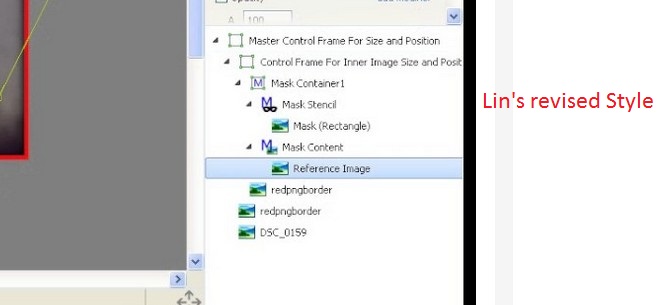
Lin, Still having the error messages with your Style. But I now notice something else that I can not figure out. After you created this Style initially, you said you had a 'bloat' problem. It was fixed and you re-issued it. I had imported your initial Style with the 'bloat' problem. Then, after you fixed the problem, I re-imported the revised Style and overwrote the initial Style. However, I notice that when I look at the lines of the Style in O&A, they are different from what I see in your video of this Style. I then deleted the Styles and re-imported your revised Styles but I still get the same lines in O&A as the old initial Style. It does not seem to be overwriting or allowing the new Style to be imported. The first two lines in the Styles are not the same. I also tried to, first, rename your initial Styles. Then tried to just import your revised Styles, but it asked if I wanted to overwrite the initial Styles, even if it had been renames. Seems something is not working correctly? Did your initial Style corrupt my PTE as I think you had a similar problem with the 'bloat'?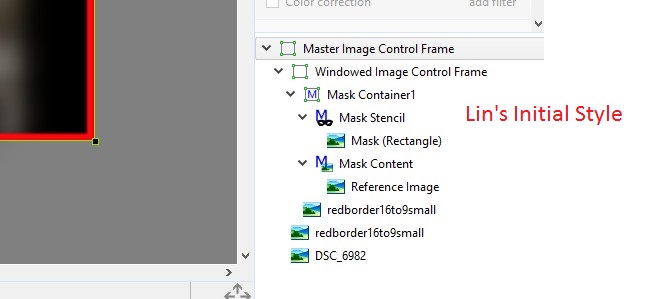
-
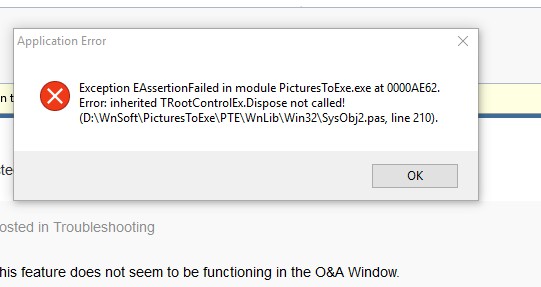
Greetings Igor, My original posting with this problem got a bit side-tracked so I am re-posting this problem to be as concise as I can. When I use one of Lin's styles (attached), I get several error messages and the File List disappears. I have tried this style on different images and in different projects, but get the same results. I am using V9.0.9, Win10. I have also attached screen prints of the error messages I get after I have applied this style. Others seem to not have this problem. Not sure where to look for the cause of this problem. A couple other border styles have caused the same results. Attached also is a video of the errors occurring when this style is applied. Gary Style_Creates_Errors.mp4 Lin's 3_2 Border Window Style.ptestyle
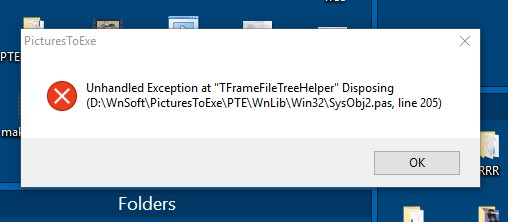
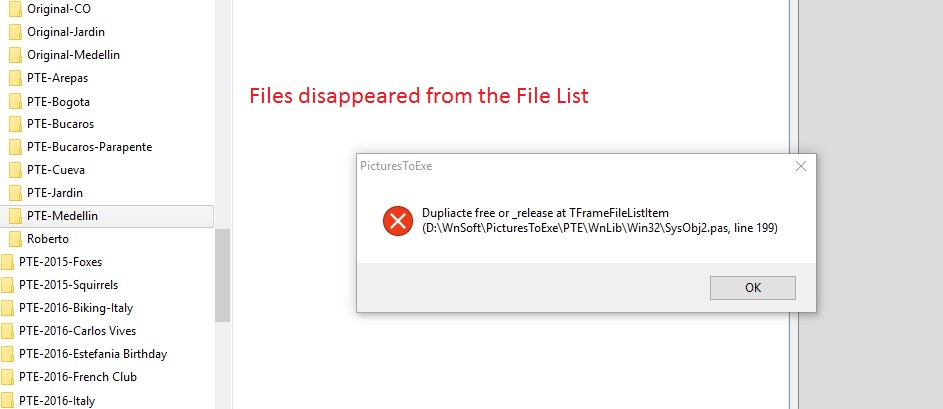
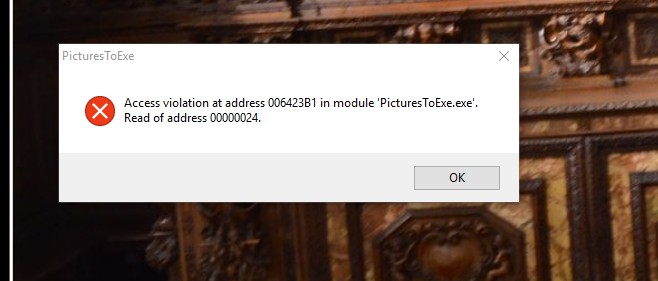
-
Lin, I have tried your two revised Styles but I still get those error messages and the disappearing files in the File List. I also tried two other Styles (attached) and they produced the same problems. Seems to be pointing to Styles with borders, but not positive? I hope Igor can sort out what is happening from looking at the error messages. But, then I tried the two attached Styles again, and I did not get the error message, but I do with your two revised Styles. I have no idea what is going on. Gary Window with Border in Mask-2.ptestyle Border Mask.ptestyle
-
Dave, Very nice. Looks useful for the beginning (entry) into a show.Thanks... Gary
-
Styles-many errors and removes files from File List
goddi replied to goddi's topic in Troubleshooting
Lin...Those error messages are captured in my initial posting and in the video. Strange no one else has indicated they have similar results. You should be able to pause the video to see them, but they are also in the initial posting. Gary -
Styles-many errors and removes files from File List
goddi replied to goddi's topic in Troubleshooting
Lin...I see that I was using the 16:9 version instead of the 3:2 version of your Style, that caused the black side bars. BUT...it still produces the disappearing of the files in the File List and the error messages.... Gary -
Styles-many errors and removes files from File List
goddi replied to goddi's topic in Troubleshooting
Lin...I just tried using different Style, using Masks, that also creates a 95% Border. I get the same problems. The files in the File List disappear and the same error messages at the end. Really strange results.... Gary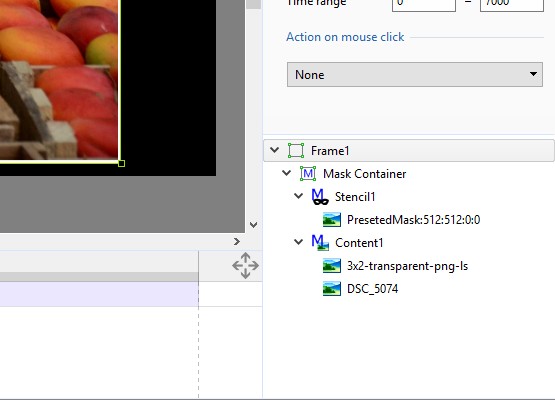
-
Styles-many errors and removes files from File List
goddi replied to goddi's topic in Troubleshooting
Lin, I made a video of what happens when I apply your Style to an image. It shows the results, with the files disappearing from the File List and the subsequent error messages. I see my image is 1.5 so that might be causing the black side borders. Gary Video_4-21-2017_7-28-11_AM.mp4 -
Styles-many errors and removes files from File List
goddi replied to goddi's topic in Troubleshooting
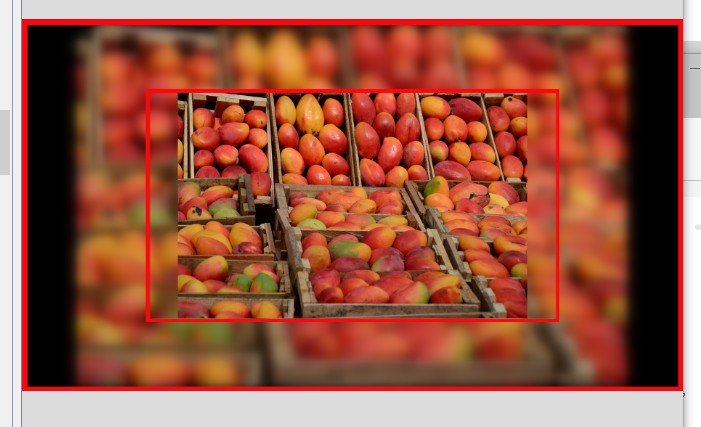
Greetings Lin, My '95% image' is from 'Defaults/Apply to all Slides'. I tried our Style again. I applied it to an image with no changes made to it. Just a dragged down image from the File List. I still get those error messages and the files in the File List disappear. Really strange. And the result is not what is expected. I get some black borders within the blurred background image. See attached. Maybe a Win10 problem? Gary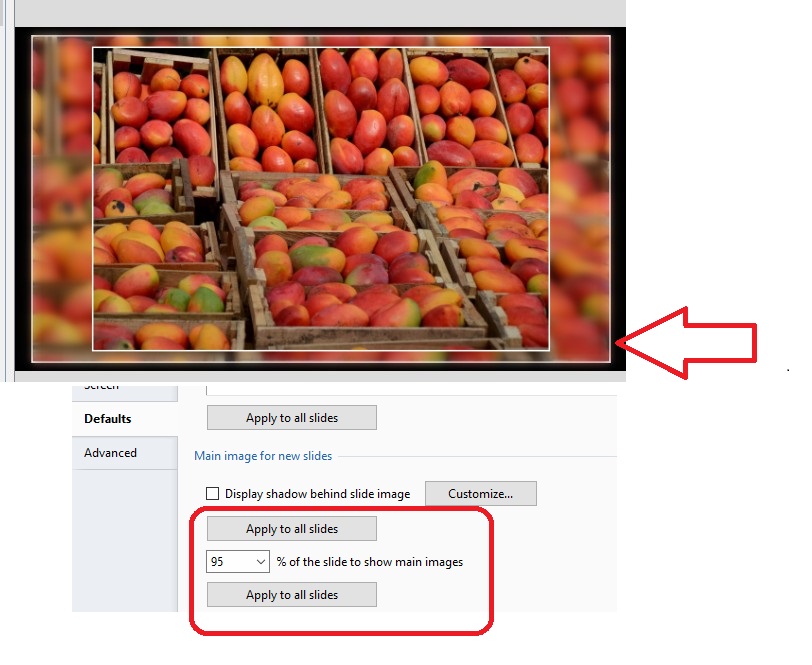
-
Styles-many errors and removes files from File List
goddi replied to goddi's topic in Troubleshooting
Lin, I've got Win10. Maybe that's the difference? It does it every time if I apply your Style to an 95% image. It is easy to apply my Style to an image and just change the main image to a video. The other two images change automatically to the video clip with this one change. And the blurred background video clip plays at the same time as the main video clip. Looks neat. Gary -
Lin, I'm not sure what you are wondering about. With my Style, all I want to do is to be able to animate the front main image with pan and zoom, at this point. It is fully adjustable. I can do that in my Style. The background image is just a static blurred image. I will just have to wait for Igor to allow the front main image to have rotation within the Frame. Yes, you can do the Rotate with Masks. I'd rather not fool with Masks at this point. Never say never so I will work on dealing with Masks as time goes on. Gary
-
Styles-many errors and removes files from File List
goddi replied to goddi's topic in Troubleshooting
Lin, I just posted a reply in the other Styles Forum, but I will post it here too: "I just fiddled with my Style a bit more. I found how to insert a video into my Style. First, I can apply my Style (image with a blurred background) to any image. Then I just change the file shown in O&A's 'Picture' to my video clip. Then all three images get changed and the blurred background is a blurred video and plays well. I just have to set the new duration corresponding to the length of the video. Pretty cool.... But it was very strange that your Style, when I applied it to an main image at 95%, it would clear out the File List...very strange." Gary -
Lin, I think I see something that is creating the problem with your Style (and maybe my Style). I have all the main images set to 95%. When I change an image back to 100%, I don't get the error messages. No, I can't rotate the image with my Style, yet. That is why I am hoping Igor will address that issue. But my point is that my simple Style can do everything, except rotate, with just three inputs. Everything else is totally adjustable. If Igor can put the Rotate function to work in Framing, it will allow for easier creativity. OH...I just fiddled with my Style a bit more. I found how to insert a video into my Style. First, I can apply my Style (image with a blurred background) to any image. Then I just change the file shown in O&A's 'Picture' to my video clip. Then all three images get changed and the blurred background is a blurred video and plays well. I just have to set the new duration corresponding to the length of the video. Pretty cool.... But it was very strange that your Style, when I applied it to an main image at 95%, it would clear out the File List...very strange. Gary
-
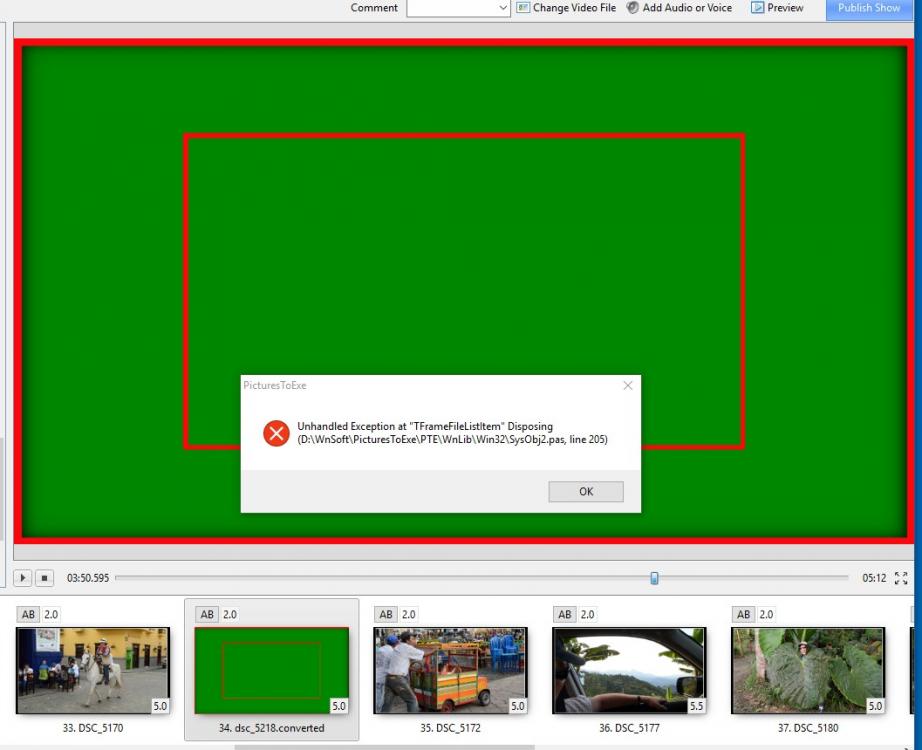
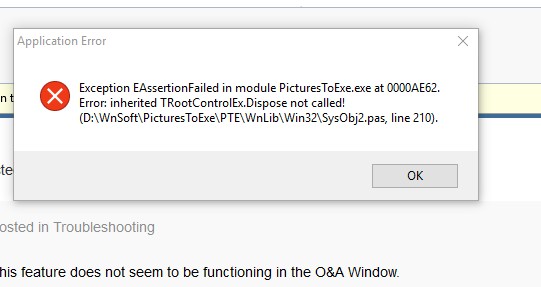
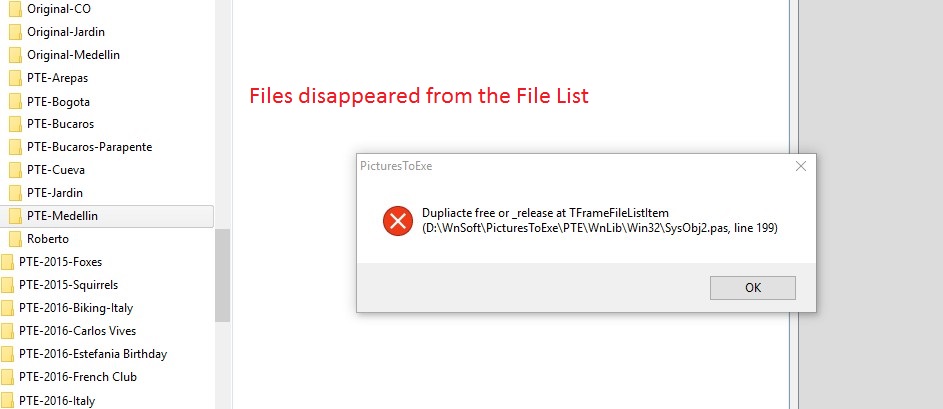
Greetings, When I apply 'Lin's Border Style for 16:9 Aspect Size.ptestyle' (see attached), I get some strange results. When I am in the Slide Styles window, with Lin's style chosen, it shows the image or the video (which ever is selected) in the Slide Styles' preview window. However, once it is selected, I get several errors, see attached. Not only that, but the files in the File List disappear. I have to close the PTE program to get back to normal. If I try to apply the Style to a video, even though it plays in the Slilde Style preview window, the video turns green in the Slides/Timeline views. This does not only happen with Lin's style. When I apply my border style to a video, the video shows green in the Slides/Timeline views (but not if used on an image). Also, the length of the video takes on the default time of the images, not the duration of the video. Is there a way for the Style to automatically take the duration of the videoZ? What can be going on??? Gary Lin's Border Style For 16_9 Aspect Size.ptestyle
-
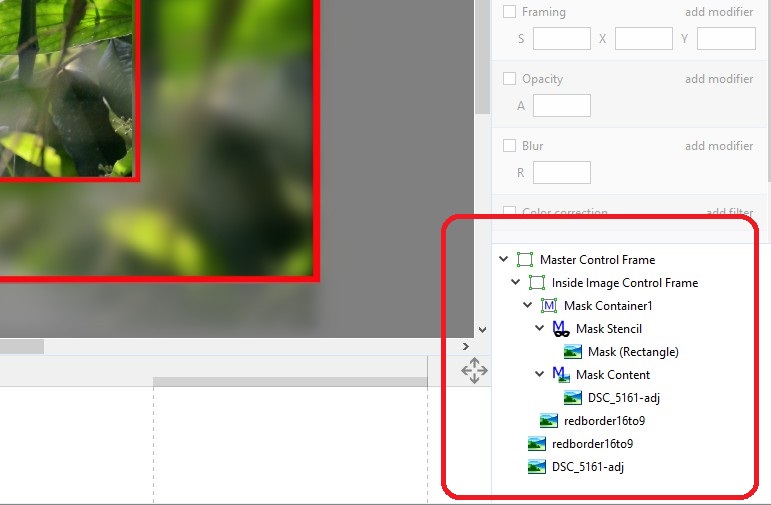
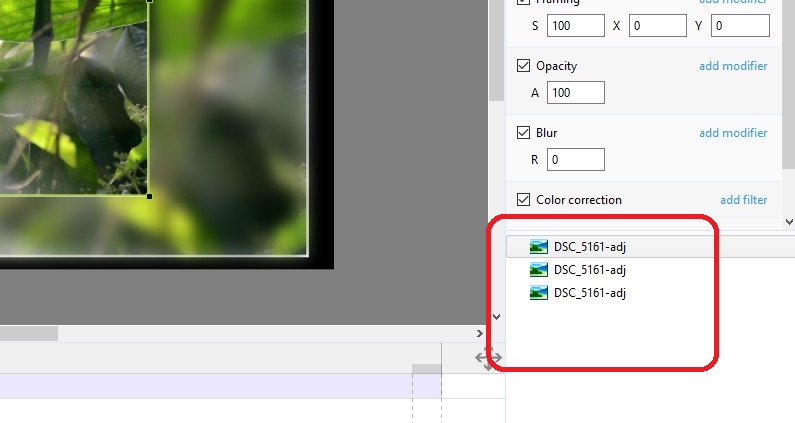
Lin, I agree with you 100%. But maybe we don't want to build a mansion. Maybe just a real nice shed...a nice on, but just a shed. When I look at the inputs for your Border Style, I get a little nervous. Way too many inputs for me to get the results I'd want. I created a Style that does pretty much the same as yours, but with just 3 inputs, no Masks. (Mine looks a bit different because I like the background image to be at 95%). I have attached a portion of your inputs (10 lines) and a similar portion of my inputs (3 lines). I think mine if fully adjustable and more intuitive to make adjustments (for non-Mask people). I don't find any fault with anyone using Masks, but if there is a more simple way of achieving the same result, I'm for that. Certainly, you must use Masks for many creative things. So I am not trying to start a conflict of Masks vs. non-Masks. If Igor can get all the Rotate functions in Framing, that would really be a winner. Gary GOddi-Border w_Blurred Inner Bkdg-Vertical.ptestyle GOddi-Border w_Blurred Inner Bkdg-Horizontal.ptestyle
-
Lin and Mick, Thanks much for your demos. I can't disagree with you that Masks are great and can do much. But, as I have mentioned before, it adds just too many steps to only rotate an image. My desire to rotate an image is to be able to make slight adjustments such as leveling the horizon. I tend to have a problem keeping the camera level. I just want to be able to quickly tweak many images I use for a show to rotate them to level the horizon. Currently, I find it easier to fix the leveling problem while optimizing the image in Photoshop then going through the steps for Masking each image. To have the features of Rotate's C, Y and X in Framing would be a super improvement and simplification. Gary