goddi
-
Posts
3,593 -
Joined
-
Last visited
-
Days Won
26
Everything posted by goddi
-
Lin, Looks like it. But did you do it with a mask and is the border adjustable (size and color)? Gary
-
Greetings Lin, The problem is that if you want to, say, pan the image with a border (using 'Adjust image and border'), the border around the image pans with the image. I want the border to stay still while I pan the image behind the border. If I can create a mask with borders that fits the edges or size of the image, the border would stay fixed while the image pans, zooms, etc. behind the border. See posting #40 for image. http://www.picturestoexe.com/forums/index.php?/topic/18016-rectangle-with-a-window-add-to-o-a-menu/page-2 Gary
-
Greetings, I would like to be able to add a border to a Mask. An example of this would be to be able to put a border (adjustable) around a Mask for an image that has been made smaller through the use of Zoom and I wanted to animate it within the borders of the Mask. Thanks... Gary
-
Rectangle with a Window - add to O&A menu
goddi replied to goddi's topic in Suggestions for Next Versions
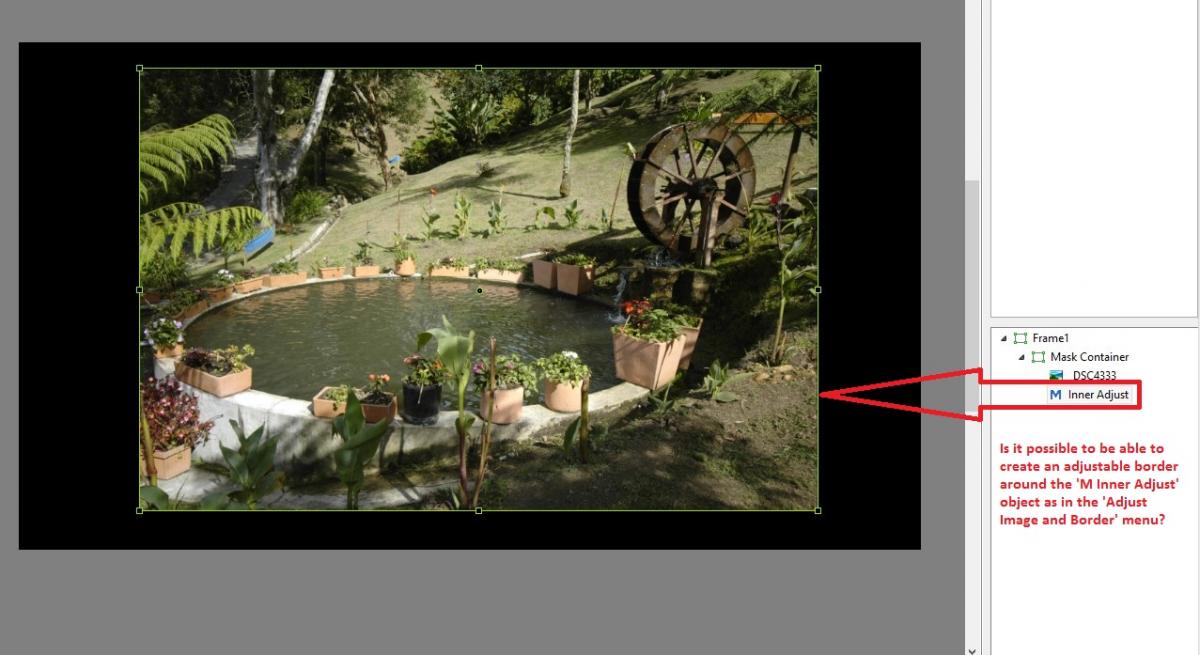
Dave, Oh... I was not sure what or how the Create worked. I fiddle with it a bit and discovered how it works. I just did not realize that it would Create the modified Style once you were out of O&A. Not intuitive but it works. I just had to rename it. Perfect. This allows me to crop an image and make it smaller to give it black borders. Now I just want to be able to create a border around the image (actually with the 'M inner Adjust' object'). So, is it possible to create a border with the 'M inner Adjust' object? Is this something Igor can create? It would very helpful to be able to create borders on objects that are not only images. Gary -
Rectangle with a Window - add to O&A menu
goddi replied to goddi's topic in Suggestions for Next Versions
Greetings Dave, Perhaps you have lost interest in this topic. I hope not because I think I have found a solution to my question after seeing your Styles that you have created. So now some questions: 1- I modified your Style to make it a simple way of creating a 'rectangle with a window'. With your Style that I modified, I can adjust the size of the image and also adjust the size of the window and crop the image as needed. Now that I have modified you Style in the O&A, how can I save it as a new Style? 2- The only thing now missing is the ability to create a border on the 'M Inner Adjust' object. I'd like to be able to create a border around this object the same way that you can in the 'Adjust Image and Border' menu. Is there a way to do this or is it possible for Igor to create a way of making a border around this object? Please see the attachment. Thanks, Gary
-
Rectangle with a Window - add to O&A menu
goddi replied to goddi's topic in Suggestions for Next Versions
Dave, If I remove the 'stroke', there is no 'Adjust image and border' choice available on any of the other components of the mask. Interesting limitation on 'handles'. Gary -
Rectangle with a Window - add to O&A menu
goddi replied to goddi's topic in Suggestions for Next Versions
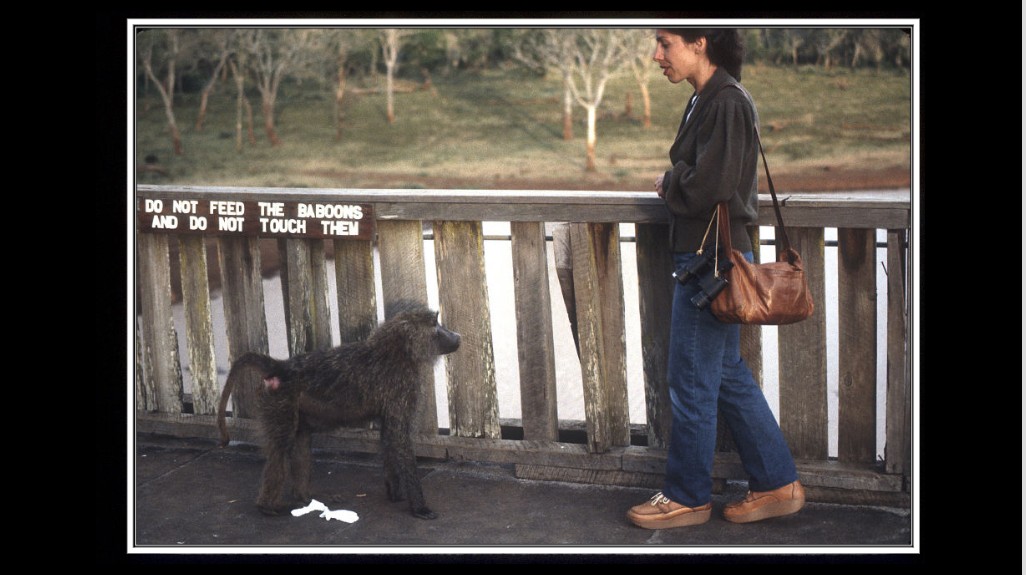
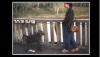
Greetings Dave, Your are a magician. Thanks. I played with both Styles. Very cool. I liked the 'Gary Mask 2.ptestyle' better because it has the 'stroke'. I liked it because, within the stroke, I was able to enable the 'Adjust image and border', which allowed me to put in my own border. But I also wanted to be able to eliminate the 'stroke' part of it and just have the border enabled (not showing the stroke). The stroke looks nice with the a border, but I'd like to be able to have the flexibility for it to not be included with a border. Possible? Then, this morning, I woke up with my original request floating around in my mind. My original point was to have a rectangle with a window so that 'both' the outer and the inner edges had handles. I was told that this could not be done with an object. There could only be one set of handles. After going through your Styles, it dawned on me that, perhaps, all that is needed is a rectangle that has a window and only the inner window has the handles. Your Style does the job and offers flexibility. But, is it possible to have an object that is a rectangle with a window (Add Rectangle with Window) with handles that are only on the inside window's edges AND be able to Enable Borders on the inside window's edges (so it will create a frame around the inserted image)???? I attached two images; one without Style applied and one with Style applied. Thanks for the Styles, Gary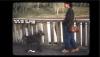
-
Rectangle with a Window - add to O&A menu
goddi replied to goddi's topic in Suggestions for Next Versions
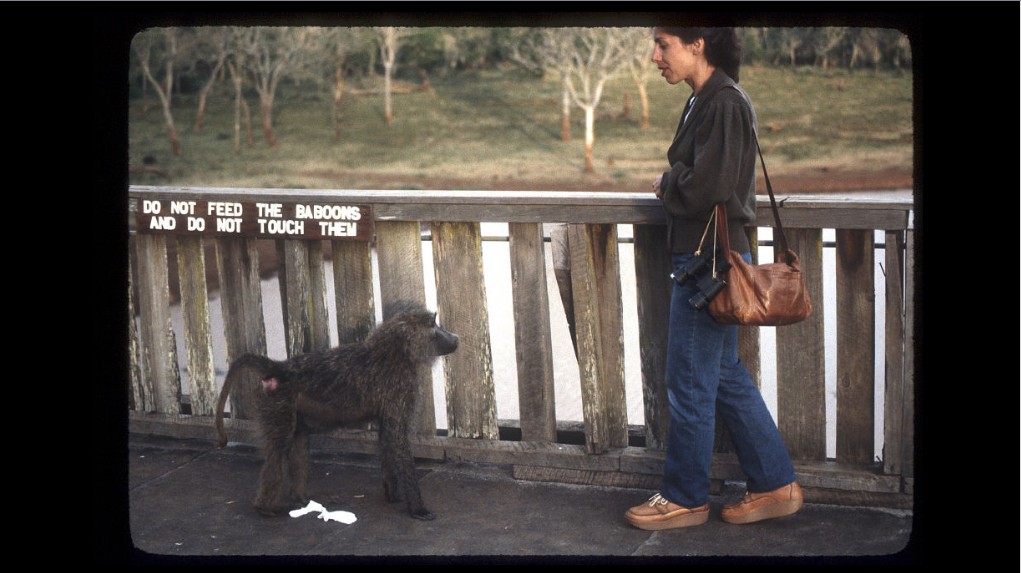
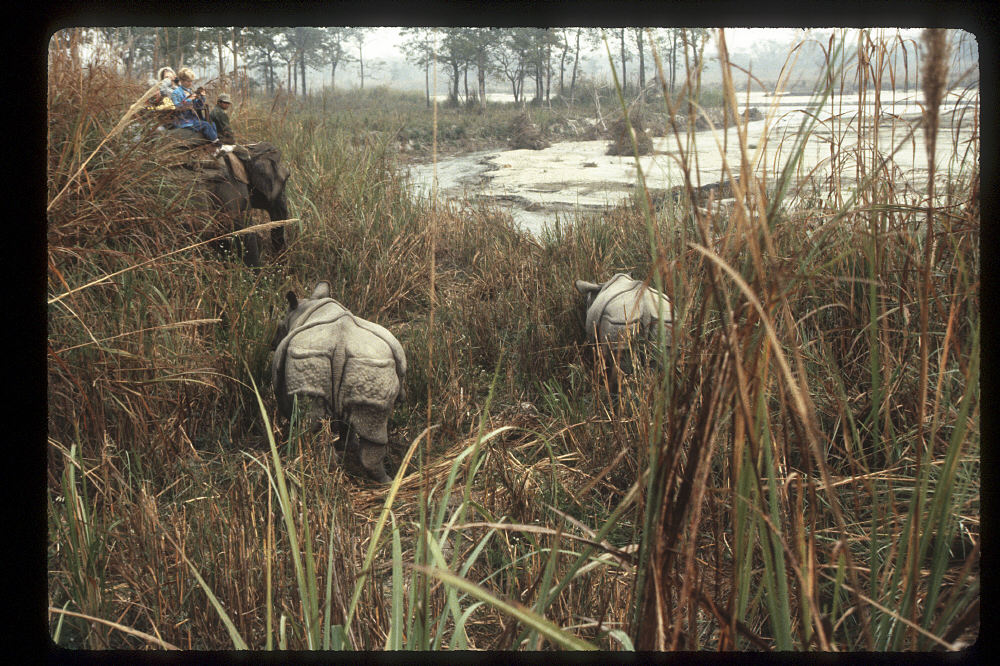
I don't remember how I scanned these 35mm slides. It could have been on my Nikon Coolscan or using a slide adapter for a camera. But the edges all came out with rounded corners that match the slides' openings and some fuzzy edges. I got a new slide scanner last Christmas but haven't even opened the box yet.... Gary -
Rectangle with a Window - add to O&A menu
goddi replied to goddi's topic in Suggestions for Next Versions
Dave, No, I don't want any background image; only the primary image will show. But, I am getting the feeling that the Style's aperature dim3ensions will not be adjustable, since you say you will 'define' the dimensions. Will the Style be adjustable for use on images that will not be exactly the same? Gary Gary -
OOpppsss... Didn't notice that. I don't have 'light'. Maybe go to his site and do their 'Try It'. And see if you get the same problem to whether it does it outside of PTE. Just guessing. http://www.fonts.com/font/microsoft-corporation/calibri/light Gary
-
Greetings, I have Calibri and tried the font in my PTE v. 8.0.6. I am using Windows 8. I also can not reproduce the problem. See attached. Gary

-
Rectangle with a Window - add to O&A menu
goddi replied to goddi's topic in Suggestions for Next Versions
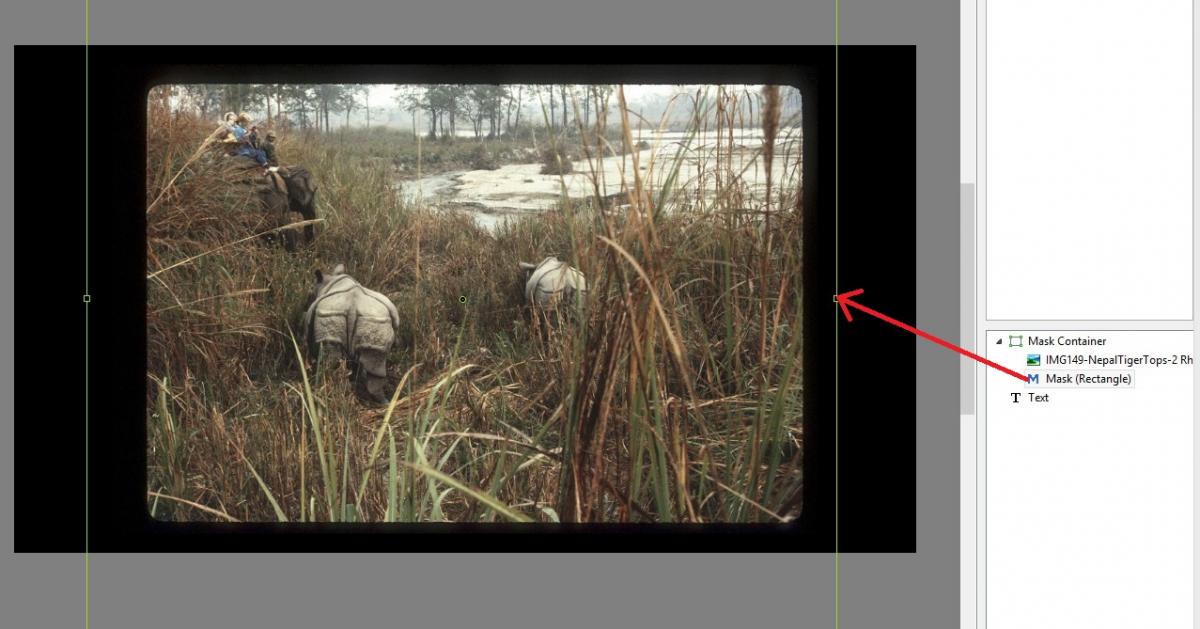
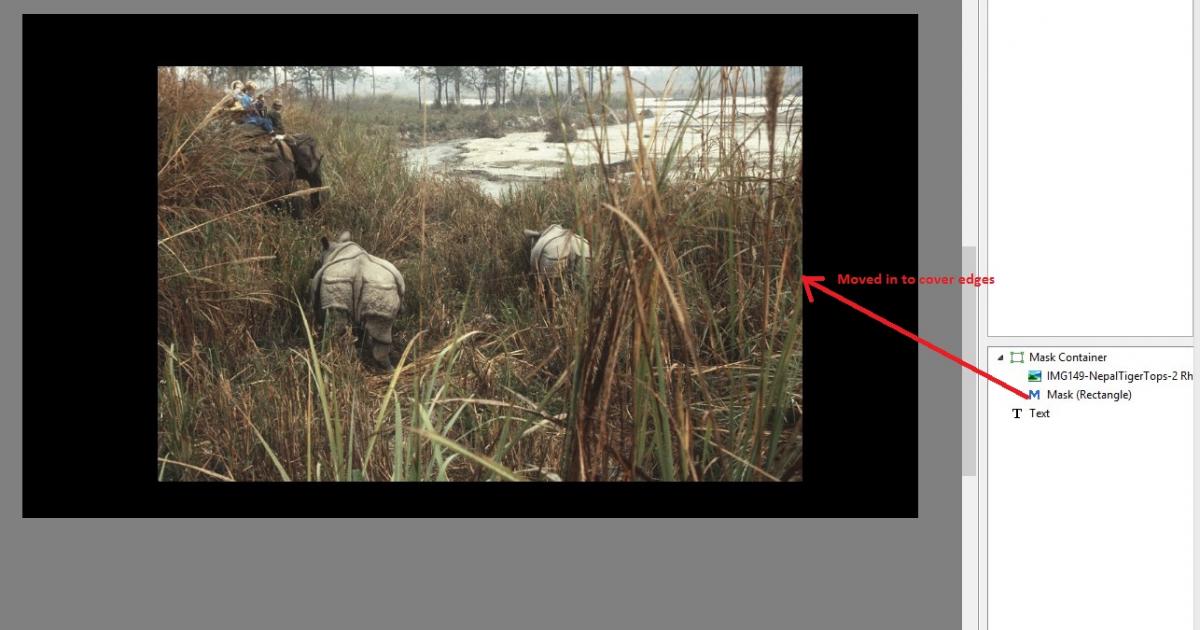
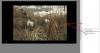
Dave, Yes, this does relate to my original idea. In my original post, I have a picture of a boat. Let's say this image has the raw borders resulting from scanning a slide, similar to my recent posting. Actually, with the Mask, I'd probably need only the inside (or window or hole) adjustments, so the image would be in the center. Then I could adjust the 'Mask (Rectangle)' object or 'frame'. I hope this is making sense. See attached images... Gary ADDED LATER: I now just noticed that I can not add a border (Adjust image and border) around the 'Mask (Rectangle)'. It can only be added around the image (with the raw edges). Seems I am back to using just the 'Adjust image and border' to be able to accomplish both effects.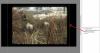
-
Rectangle with a Window - add to O&A menu
goddi replied to goddi's topic in Suggestions for Next Versions
Dave, Yes, I understand that I can copy the Mask from slide a to slide b and then change the image. Though I'd rather place all the images into the slide list first, this method is workable for when I don't have to do it to a large amount of images. Hmmmm... a Style? Now you have me really going to the edge!!! I will give that a try. I am attaching an image that was scanned from a slide with the raw edges that need to be covered with a Mask. Much appreciated. Thanks...Gary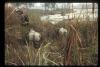
-
Rectangle with a Window - add to O&A menu
goddi replied to goddi's topic in Suggestions for Next Versions
Yes, Dave, I have been to that page...many times. One thing that kept bugging me is that I did not want the 'rounded' corners when I selected the rectangle mask. It seemed that when I moved it to 100%, the mask disappeared. But now I see that the mask does remain and I can get the sharp edges. And I am now making simple masks that seem to do what I want. But...the difficulty is to copy and paste a mask from one slide to the other. For example, if I have already have the images in the show and later want to add the same mask to each of the images, it is not simple. I have to delete the image, paste the mask, and then re-add the image to the mask. This might seem strange but I had a show with images that had been scanned and all the images had these soft and rounded or black borders that you get when scanning slides. So I first wanted to make the show with the original scanned slide images. Then I wanted to get rid of the soft, rounded edges. So putting a rectangle with a hole in the middle (that had handles) would have been very simple, especially if you had a few hundred slides in the show. I can see how to do it with masks...but not as easily, in this situation. Doing a mask after having added the images, requires the removal of the image and doing the mask and then re-adding the image. At least this how I see it so far. But I am making progress. It seems that you have to create the mask first. Then add the image to the 'Mask Container' and then adjust the 'Mask (Rectangle)'. Thanks.... Gary -
Rectangle with a Window - add to O&A menu
goddi replied to goddi's topic in Suggestions for Next Versions
Lin, Great idea. Gary -
Rectangle with a Window - add to O&A menu
goddi replied to goddi's topic in Suggestions for Next Versions
Greetings Jt, Perhaps I am not seeing the forest for the trees. But all I initially wanted was a window inside the current rectangle that would have some handles to manipulate it. Handles on the outside and handles on the inside. If that could be done, sure why not do it for elliptics, etc....if it can be done. That is all I was asking. Most of the responses have been, "learn masks." I have tried to understand how to manipulate Dave's Project 1_1.pte example. But there are 4 objects to work with. I feel like I am trying to open a combination lock that I don't have the combination to. Ok, that is my problem but I am just trying to find if such a rectangle with a window can be programmed in PTE. If it can't, case closed. Thanks for the invitation to Munich. Maybe I'll keep trying to work on Dave's example, for now.... Thanks... Gary -
Lin, I appreciate your explanation and understand about using higher res images for deep zooms. Thanks. My original question had to do with the final size of an MP4 file. When the MP4 file that was created using much smaller resized images came out to be a larger sized file then the OOC files, it made me wonder. So apparently the PTE's processing of the smaller sized images (from Faststone's resizing) actually increased the size of each of these smaller images. To me, that was strange but that seems the way it happens. Dave, I wish I could see a difference between the Low vs the High quality MP4 output. Peter, Originally, my efforts to create relatively smaller sized slideshows was not to burden the Beechbrook hosting site. Some even complained that they would not even attempt to download shows greater than a certain size. But, also, when I put them on a thumbdrive to carry around to show at friends homes, I'd rather just carry one thumbdrive. Recently, my wife wanted all of my shows (exe's and MP4's) to be put on her 64Gb thumbdrive. They all did not fit. So if I can make a slideshow as a smaller sized file, and not see any difference in quality, why not? Sure disk space is cheap, but there has to be some attention to conserve space. I just had to replace one of my three 500 Gb drives in my PC that I used for mostly images and slideshows with a 2 Tb drive. I hope I don't have to replace that one too soon. Gary
-
Lin, This has been a very interesting lesson for me. If I understand this right, and reducing the file size is the goal, resizing/reducing the images will help make the exe file size to be a smaller. But this does not necessarily work for making MP4s. So if I am trying to make my exe and MP4 files to be small in size, I should make one version with resized files for exes and then make another without resized files (original size) for making MP4s? Gary
-
Rectangle with a Window - add to O&A menu
goddi replied to goddi's topic in Suggestions for Next Versions
Jt... Masks may be a way to create an 'object with a window' but, for me at least, I don't think you can add the word 'easy' to the application of masks. Not sure why I can't grasp their use, but I'd just rather not use them. They really seem too complicated. The way I look at it is, if you can make a rectangle object, why not be able to make a rectangle object with an adjustable hole? There might be good and valid reasons for not being able to do it but that is all I was asking for. Dave's post #5 does show how to do it with masks but much too difficult to deal with. I'd like something simple. Gary -
Greetings Jt, Ok, now I am confused. You said " PTE was fed with your originals (high resolution images)....the large images had to be resized to the height of 1080 in order to do video encoding." So if images of 3008x2000 are used, PTE resizes them down to 'a height of 1080'? They why are we putting in large sized images to account for heavy zooms and pans to reduce pixelation? Not sure if I understand your point. But, then a light bulb just went off in my head. When making an MP4, I select 'HD 1929x1080', so that is where PTE is resizing the images (?). OK. So what happens to the images that were 3008x2000? They too get resized and you lose the larger file needed for the heavy panning or zooming? So to get a smaller MP4 file, I need to lower my 90% quality that I used when resizing the original images in Faststone and hope the quality does not suffer. I wonder if Igor can tell us what '%' his algorithm his process uses? Thanks... Gary
-
Rectangle with a Window - add to O&A menu
goddi replied to goddi's topic in Suggestions for Next Versions
Dave, Yes, your post #14 example looks like what I would like to have, a rectangle with a window that has outer and inner dimensions that are independently variable. Peter, When I make a Suggestion, it can be for an improvement in something that I understand how to do, but perhaps can be made more intuitive or functional. But there are also Suggestions that I have not found a way to do accomplish. If someone can tell me how to do it, then, I think, it is not a workaround. It is just that I just did not know how to do it. But when someone can do it, but it is not eventually obvious or intuitive, then I might classify it as a workaround. I do appreciate you guys coming up with ways to do it, though it might not be an obvious way. This shows me that, perhaps, we do need a better solution. I don't think I was 'testing the waters'. It really was a serious suggestion to solve a problem that I was having with PTE. I am no programmer, but I don't think it would be a difficult task to create a rectangle with a window that has outer and inner dimensions that are independently variable. I wish I had thought of those words, from Dave, to describe what I was looking for. Thanks all for your input. I hope Igor can come up with something. Gary -
Rectangle with a Window - add to O&A menu
goddi replied to goddi's topic in Suggestions for Next Versions
Lin, Yes...for both (your example and the existing 'Add Rectangle') you get the 'Properties, Common and Animation' tabs. But the Properties Tab that shows with your example is a bit different (with Fill Mode and Colors) than what you get with the existing 'Add Rectangle'. Yes, you can change color in 'Adjust image and border', but why not make 'Add Rectangle with a Window' consistent with what you see with the already available 'Add Rectangle'. Right??? Gary Added Later: After working with your example, I understand it more. I copied the transparent.png file into one of my shows and played around with it. Works pretty well. I see you Enabled Borders to make it function. Now if Igor can incorporated something like this into the O&A, it would be very useful. Thanks... Gary -
Rectangle with a Window - add to O&A menu
goddi replied to goddi's topic in Suggestions for Next Versions
Lin, Yes, it works now. Thanks. It is close to what I am looking for, but not quite. When I hold the shift key and drag a border, such as the top border, the top border moves down, but the bottom one moves too. It would be better if only the border that is selected to move actually moves. I realize that that it is adjusting the size of the other side to match the adjusting side's size. Also, to add flexibility to it, it would be nice to have handle on the inside edges, too, so it could be used also as a 'frame', being able to adjust the outside and inside edges. Thanks for the file. Getting close to what I am looking for. Why can't this type of Rectangle be added to the O&A menu? I think it would be very useful. Also, your example acts more like what is in the 'Adjust Image and Border' menu. I think it should be more like 'Add Rectangle' so you have the 'Properties, Common and Animation' tabs. Gary -
Rectangle with a Window - add to O&A menu
goddi replied to goddi's topic in Suggestions for Next Versions
Lin, Check your link. I could not get it to work. Gary -
Rectangle with a Window - add to O&A menu
goddi replied to goddi's topic in Suggestions for Next Versions
Greetings Jean-Cyprien, I understand what the Adjust Image and Borders will do. But it does not accomplish what I would like to have. Here is one example where I could use it. I took a bunch of hand-held images of a boat going through the locks at the Panama Canal. I carefully did my best to register them in a sequence in PTE so that it looked like a timed sequence. But, in the registration process, I had to do a slight rotation or slight pan to the left or to the right for each image to be pretty close to where it looked OK. I also had all the the "Percent of the slide to show main images" set at about 85%. So as the sequence played, the images would move about a bit, due to the registration process. If I could place a 'Rectangle with a Window' around this sequence of images, it would hide this movement. And having handles on the inside and outside, I could fine-tune the 'frame'. Other uses for a 'Rectangle with a Window' would be when you use the "Percent of the slide to show main images". You would have the ability to easily crop the images by just covering the images with the 'Rectangle with a Window'. Also, if you had an image that you had to rotate a bit to make it level, and it was zoomed in, the Rectangle with a Window' could be placed over it to hid the rotation. Gary