goddi
-
Posts
3,593 -
Joined
-
Last visited
-
Days Won
26
Everything posted by goddi
-
Problem: (SOLVED) MP3's inconsistency in lengths.
goddi replied to goddi's topic in General Discussion
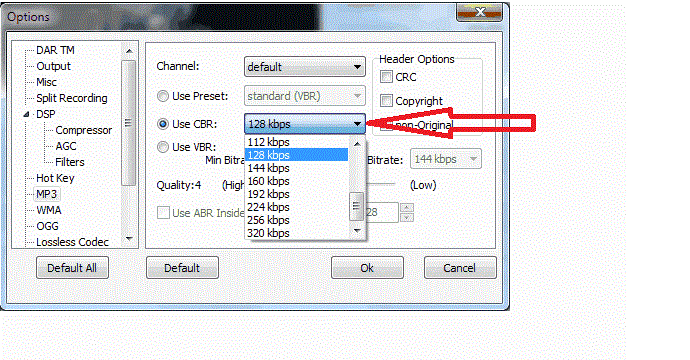
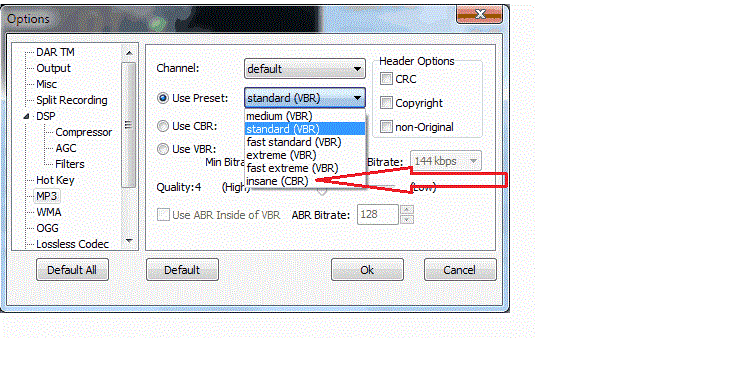
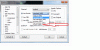
============================= Nobeefstu, I didn't know what VBR was so I poked around in the program that I used to create the File 21. I had used a program called All Sound Recorder Vista. I had used its default settings to make the recording off of what was playing on my PC. I looked into its Options menu and found that it has a default setting for recording MP3s, which is 'Standard (VBR)". In that drop-down menu, it also shows "insane (CRB)". I think that would make me not want to chose that setting..... But I see that it also has the setting choice of "Use CBR". Maybe that is the one I should use. It defaults to 128 kbps. I will try that setting out next time I use the Recorder program. Is "128" the appropriate choice? Now, how could you tell from the File21 that VBR was used to encode it????? I don't see it in any of the Properties items. Also, does Lin's comment on a "repeat" programmed into the file still something to do with the variations in lengths? Still not sure what he meant. Please see attached gifs for better understanding of the above posting. Thanks... Gary P.S. This really is fascinating. The more I screw up, the more I learn!!!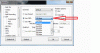
-
Problem: (SOLVED) MP3's inconsistency in lengths.
goddi replied to goddi's topic in General Discussion
========================== Yachtsman1, I think you are referring to the bitrate part of my question. I know you can set the bitrate when you are doing the Export process. However, you seem to be pointing to the Default Sample Rate set in the Quality tab. Not sure what the Sample Rate really is but I don't think it has to do with the bitrate that you can change when Exporting an MP3. I'd just like to know what Lin sees that indicates there is a 'repeat program' when he viewed my mp3 file. Thanks... Gary -
Problem: (SOLVED) MP3's inconsistency in lengths.
goddi replied to goddi's topic in General Discussion
============================ Lin, I have looked 'closely' but I really don't see what apparently you see. Can you be more specific as to what to look for in the original '21' file? I looked at the very end, at 8:52, of the original mp3 but I don't see anything. Thanks... Gary ADDED LATER: I noticed that your file was saved at 64kbps (4Mbs) as opposed to 24kbps (1.6Mbs) , as mine was. Was this just 'automatic' or do you really hear the difference? I just want a smaller file so I used 24kbps. -
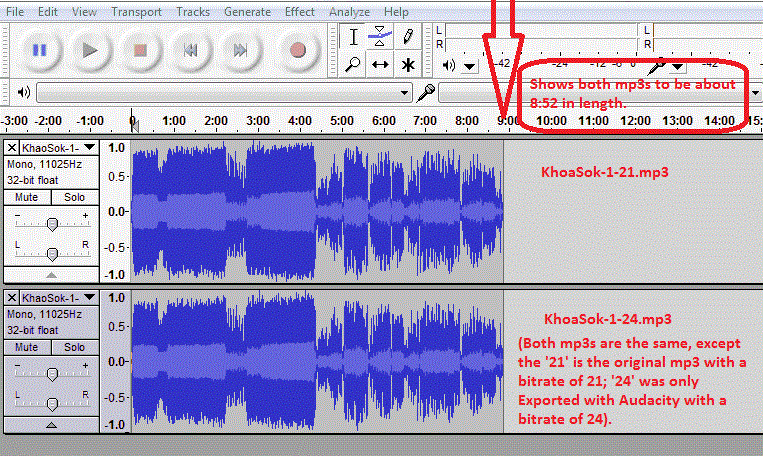
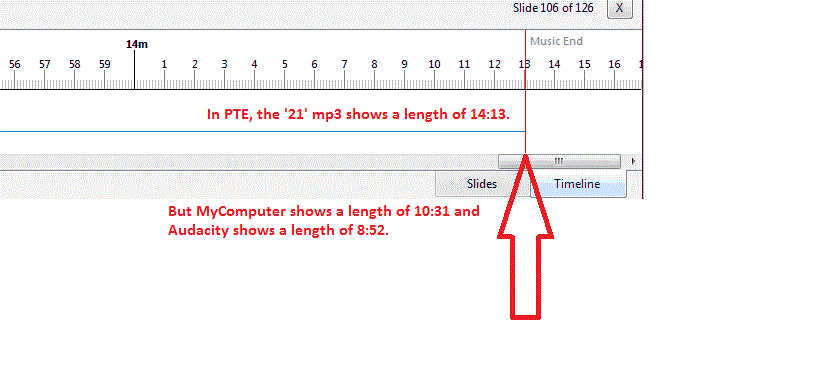
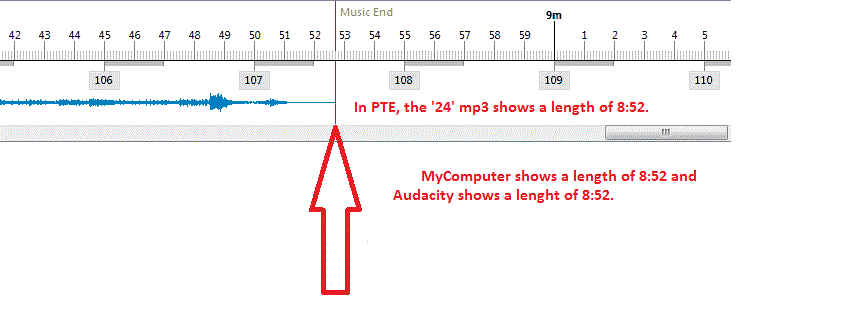
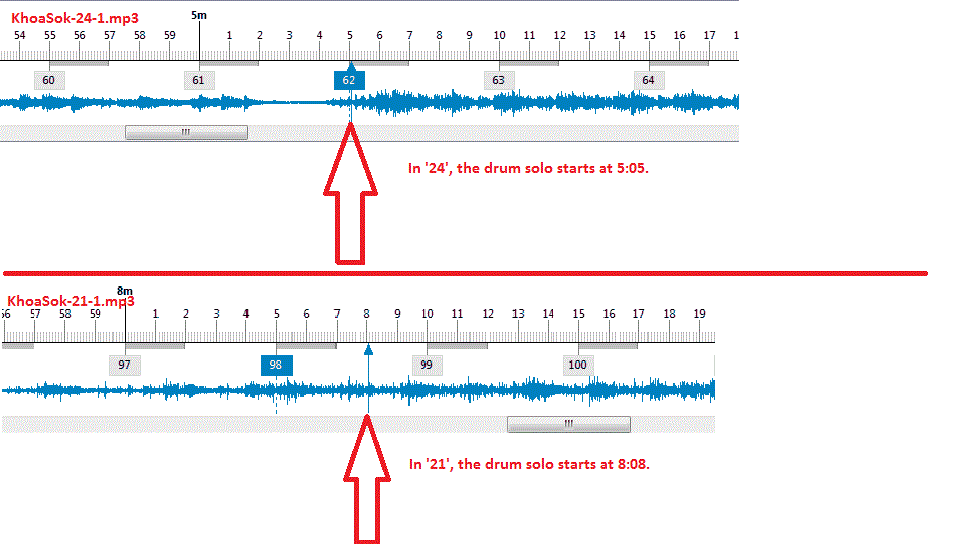
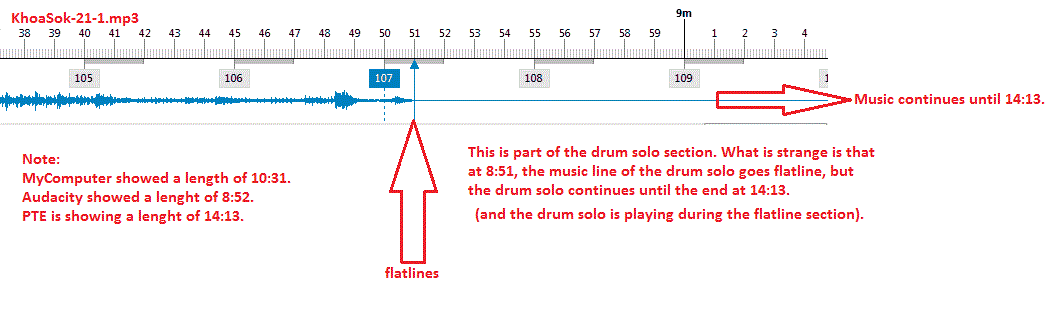
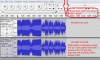
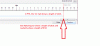
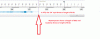
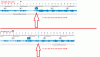
Greetings, I am having a problem with an mp3 music file that I want to use in a slideshow. It is so strange, that I am not sure how to explain it except to just show what I have been experiencing with it. The main problem is that I see different lengths (in minutes and seconds) for this file when comparing them in MyComputer, Audacity (after Exporting it) and in PTE. I took this one mp3 into Audacity only to look at it to trim off any dead end spaces but in the end I only Exported it. The original file had a bitrate of 21, so I Exported it at a bitrate of 24 to get as close to the original bitrate as possible. So only the file size changed slightly. The two file names are KhoaSok-1-21.mp3 (the original mp3) and the other KhoaSok-1-24.mp3 (the original file Exported at 24 bitrate using Audacity). Here are 6 observations of these 2 files that make no sense to me (let's call one '21' and the other '24'): 1- In MyComputer, '21' shows a length of 10:31 and '24' shows a length of 8:52. (See attached: 1-KhoaSok-MyComputer.gif) To add to the confusion, Media Player Classic: '21' shows 14:13; '24' shows 8:52. Windows Media Player: '21' shows 10:32; '24' shows 8:52. Quicktime: '21' shows 8:52; '24' shows 8:52. 2- In Audacity, '21' and '24' both show lengths of 8:52. (See attached: 2-KhoaSok-Audacity.gif) 3- In PTE, '21' shows a length of 14:13. (See attached: 3-KhoaSok-21-Timeline14-13.gif) 4- In PTE, '24' shows a length of 8:52. (See attached: 4-KhoaSok-24-Timeline8-52.gif) 5- In this mp3, there is a drum solo that starts somewhere in the music file. In PTE's Timeline, the drum solo starts at 8:08 in '21' but in '24', it starts at 5:05. (See attached: 5-KhoaSok-21and24-DrumSolo.gif) 6- In '21', the PTE Timeline flatlines at about 8:51 all the way to the end, at 14:13 (but the drum solo is playing until the end at 14:13, even though flatlined). (See attached: 6-KhoaSok-21-Timeline8-51.gif) If anyone can shed some light on these inconsistencies, I would appreciate it. I have attached all the gifs and will try to attach the original mp3. It looks like the original file, '21' has some 'problems' and that Audacity 'fixed' them when it was Exported? Just really curious why I see all these differences in lengths. Gary KhaoSok-1-21.mp3


-
======================= Jan, Thanks for your comments. Yes, it is long. I try to be more brutal in the editing process, but since it is so fresh in my mind and a 'home movie', it is not to easy to cut out some of the images or videos. As time goes on, it might be easier. But, for me, this is a lot of fun to 'document' the trip so in years to come, I can 'remember' more of the details. It was really wonderful to watch the mahouts just talk to the elephants and the elephants would respond. Simply an amazing bond between the two. Thanks... Gary
-
Greetings, I have uploaded a new show to the Beechbrook site, "Close Encounters with the Elephant Kind". This show is about our day with the rescued elephants at the Patara Elephant Farm, in Chiang Mai, Thailand. It last 14.5 minutes, at 1920x1080. Most of the video was shot by the staff at 4x3 (not so good). I shot most of the stills with my Nikon D7000. I hope it is at least entertaining for you. Comments and critiques are welcomed. http://www.beechbrook.com/pte/ Gary
-
======================= Moritz, Thanks. Yes, it was a great adventure. I couldn't believe how high we were in the trees. The music? I 'borrowed' it from the ads for the Hero2 video camera. I like watching their ads just to hear the music. (I want their camera, too!) http://gopro.com/ I hope they don't mind.... Gary
-
============== Gayland... You'll need a monkey or two on the couch, too. Gary
-
====================== Lin, Ok...I see it now. Sometimes I can't see the forest for the trees. Nothing is 'standard' so you have to really have to be on your toes to pick up all these nuances in different programs. It will take a lot of testing to see what works best but now I see more of what I should be seeing in these programs. Thanks... Gary
-
================== Colin, Wow..."Brilliant"? Thanks very much for taking a look at it and your comments. I actually took those 3 videos with the video camera rotated 90 degrees to get the 'tall' view. I was wondering if I would be able to rotate them back to vertical. I think I did it in the video editing process (FreeMake Video Converter). Or I could have done it in PTE too. I was worried if it could be done but it worked out. Having a little extra 'weight' helps zipping all the way to the platform. Thanks... Gary
-
============================== Lin, Thanks for the link. I had read it before but I did not mean much to me. But now, it has more meaning. Igor's advise to not worry about Bitrate is pointed toward creating the MP4s where he says, "I recommend use 'Quality' parameter when you output H.264 video. Not 'Bitrate' parameter." Our previous postings have to do with saving a video file in an editing program and choosing a different Bitrate. I actually have VideoPad but have not really used it. But I just gave it a go. However, I can not find a menu that will allow me to choose my own Bitrate setting, as I can in FreeMake (also a free program). When I saved the same unedited PTE converted video file mentioned in previous posting (where the file size=55 Mb; Total Bitrate=12,899 kbps; and the Data Rate=12,643), the VideoPad results were: file size=30 Mb; Total Bitrate=7123; Data Bitrate=6803. But I don't see anywhere in VideoPad to control the Bitrate. Is there a menu in VideoPad where we can adjust the Bitrate? Another strange thing. In my recently made slideshow with MOV videos, when I dragged down the video files into the Slide List, PTE automatically went through the 'conversion' process for all the videos. I didn't see the menu to adjust the quality slider scale to 100%. Now with a new slideshow with MP4 videos, when I bring a video down to the Slide List, it does not automatically go into the 'conversion' process. I can right click and manually choose the Convert Video Clip and adjust the quality slider to 100%. Can you tell me why I saw two different ways that PTE converted the video files? Added later: Oh...now I see something. When I drag down an MOV or AVI video, it automatically goes into the converting, but just gives me only the choice of 'Optimize' or "Use Original File". But with MP4 videos, I can bring it into the Slide List and then choose Convert Video Clip and have access to the Quality slider. Why is it doing this???? Gary
-
-
================= Lin, Thanks. I did feel like a monkey! One of the challenges was working with the video. I tried to get the file sizes down to a more manageable size, and retain enough quality. I think I read here to let PTE convert the video files first, then do the editing. So I did that. I started out with an MOV and PTE converted it to an AVI. For example, one MOV video of 133 Mbs converted down to an AVI of about 82 Mbs. Then, I edited out the unwanted sections using FreeMake Video Convert to reduce it down to 13 Mbs. But I am not sure what is happening in FreeMake. When in FreeMake, in order to save it after the editing process, I selected the AVI format (to keep it in the same format as the PTE converted format) and also selected the output parameters as 'Same as Source'. I would expect that if I did not edit out any of the AVI video and just resaved it as an AVI, there would be no or little change in file size. However, I did a test by not editing out any of the video and just saved the file as an AVI (selecting 'Same as Source'), but I was surprised that the file size of 55 Mb was reduced in size to 20 Mb, with some lose in quality. If the AVI is saved with the AVI parameters to be 'Same as Source' in FreeMake, why would the file size be reduced? So I am wondering if these steps are reasonable. Gary
-
Greetings, I have uploaded a slideshow to Beechbrook called Ziplining-Chiang Mai.zip. It is a very large file that Bill has graciously allowed me to upload for a short time. The file is about 350Mbs. It is large because it is a mix of images and video. I know many will not even consider downloading it but I think such large files are the 'wave' of the future. I compressed and edited everything down as much as I could. The video was taken with my Nikon D7000, hand-held, as I dangled from the ropes. So apologizes for the shaky results (my first attempt at video), but it might add to the 'adventurous' look. Next time, I'd like to use the Hero video camera and just strap it to my helmet or chest. The 'slideshow' last about 8.5 minutes. It is 1920x1080. I hope you just turn up the sound and enjoy. Comments and critiques are welcomed. http://www.beechbrook.com/pte/ Gary
-
================== Peter, Oopppss... Yes. I put the files in the Public folder. Gary
-
=================== Peter, I did a test and put another file in the Dropbox. I now see what you mean about that little circular arrow. Really hard to see unless it is pointed out. It would be nice if Dropbox would give a notice that the file was finished uploading. Thanks. The only way for me to get the link to the file I put in the Dropbox file is to go to the "Launch Dropbox website" and get it there. But Dropbox seems to be working. The Dropbox icon in the Tray does have the little green check mark. Gary
-
=========================== Peter, Yes, I kinda thought that but I could not see any 'progress' bar. I will look more closely to see if I can see that 'circular arrow'. Thanks. But what else is a bit confusing is that when I right-click on a file that I have droped in the Dropbox's desktop folder, and click on 'Copy public link', then try to Paste the link, the Paste icon is greyed-out. The only way to actually get the Dropbox link to a file is to 'Launch Dropbox website' and then right-click on the file, which will then give me the link that will Copy and Paste the link. Is this normal that you can only get the link to the file by going to the Launch Dropbox website, and not from the Dropbox desktop folder??? With videos making our PTE sideshow so big, this might be the way to go. Thanks... Gary
-
===================================== Igor, I am trying to use Dropbox but the zipped files (350Mb) of the entire slideshow does not show up in the Dropbox account. Not sure why. But here is the .pte file. I will keep trying to see if I can get the zipped file to be recognized in Dropbox. http://dl.dropbox.co...hiang%20Mai.pte Thanks, Gary Added later: The file just showed up. Here is that Dropbox link: http://dl.dropbox.com/u/13694513/ZipLining-Chiang%20Mai_Dec19-2011_9-04-14.zip
-
==================== "...BTW the size of a word or Exel file would not take as much space as a PTE Exe. Yachtsman1. " Yes, but one of my tests was to eliminate all the images and video files of my slideshow and leave only one blank slide. The Publish/overwrite error occurred even with only one blank slide. I also, just in case, started fresh and created a slideshow with only one slide. Same thing. The Publish/overwrite error occurred. Something strange is going on.... Gary
-
=========================== Yachtsman1, I had not tried that test yet. But when I just tried it, and Published the slideshow each time with a new name, the problem did NOT occur. Interesting. It clearly shows that the 'overwriting' of the file triggers the problem. It looks like the Permissions are getting changed when the overwrite is attempted. Gary ADDED LATER: But what adds to the confusion is that saving and overwriting Excel, Word or Photoshop files do NOT cause the problem. Seems only PTE files are apparently causing the problem. Hmmmm...more testing needed.
-
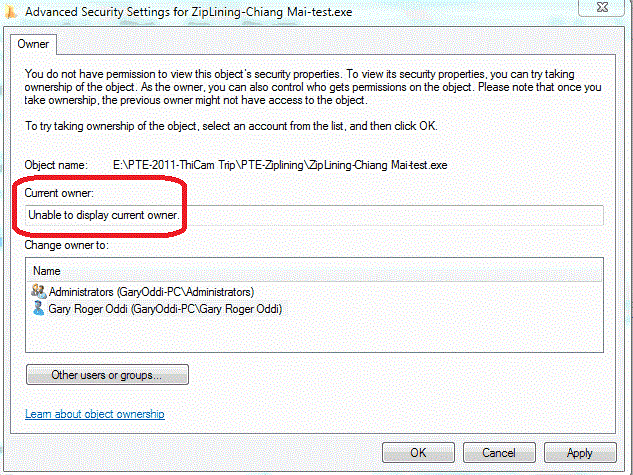
=========================== Nobeefstu, I have done so many 'tests' that I forgot about the v6.5 results. So, I just went back and re-tested Publishing/overwriting the same slideshow using v6.5. I discovered that v6.5 does produce the same problem, but in a bit different way. When I would Publish/overwrite the slideshow in v7.03 the first time (after a first successful Publish), the error message appears and PTE would lock up. When I would try the Publish/overwriting of the slideshow in 6.5, the problem would not occur until about the 6 or 7th attempt to Publish/overwrite the exe file. Also, I would not get the error message window. But PTE would lock up and I'd have to go into the Windows Task Manager to dump the PTE program. And when I checked the Security tab in the v6.5 exe file that locked up, I got the same indication that it was "Unable to display current owner:, and it won't let me change the owner to me (Administrator). So I don't think PTE is causing any problems but it does reveal I have a problem with my Administrative permissions(?). Just don't know how to fix it.... Gary
-
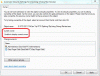
================================ Greetings, I have tried a few things to see where the problem might be. The size of the exe is about 357Mbs. I removed every image and video file and left only 1 blank slide. The problem persisted when I tried to Publish the exe for the second time (trying to overwrite the first exe). I then removed only the 2 sound files (MP3s). The problem persisted, again, when I tried to Publish the exe for the second time (trying to overwrite the first exe). I am sure it has nothing to do with PTE, but this process of trying to overwrite the first PTE exe with a second exe shows up the problem. It looks like my Users profile is corrupted. Something is converting the first exe file from an Administrator-owned-file to a file that Windows7 says is "Unable to display current owner." And it won't let me change the owner back to the Administrator. I have tried to create a new Users profile, using Microsoft's steps, but it is just not working out. This is just really strange. Gary
-
===================== Tom, et al, Sorry, but your reference to programming language is way above my head. But I think the problem is that my User Profile is corrupted. So, I Googled around to see how to 'fix' it. I followed the steps indicated on a Microsoft site. I created a new Profile and tried to copy all the files from my current Profile to the new Profile. Most of the files were copied. (I used the Windows Enabler program to be sure the Paste is not greyed out). However, many of the folders were not copied over, such as Roaming, for examplel and many more. The Microsoft steps say to copy everything in the User folder's old profile to the new User folder, except for the Ntuser.dat, Ntuser.dat.log and Ntuser.ini files. There are a lot of other Ntuser files with longer names...not sure if these should be copied or not. Anyway, no matter what I do, the Desktop, when using the new user Profle, does not appear exactly like my old Desktop (the Fences profile is not replicated nor is the Freebar replicated), and lots of the folders are not copied over. My first and main concern is that my old Desktop layout is very complicated due to the use of the programs Fences and Freebar. To manually reset both of these setups would be a major undertaking. And why the other folders do not copy over is not clear to me. I would like to make the new Profile 'look' exactly like my old Profile. Does anyone have any ideas how to 'un-corrupt' a user Profile??? Or what I am doing wrong??? Gary
-
Greetings, I think I have discovered some more details about this problem. If I try to Publish the first exe of this slideshow, I don't get the error. If I try to Publish it again to overwrite the first exe, I get the error message. If I check the Properties/Security tab of the exe that was created first, it shows I have Permission as the Administrator. However, after I try to Publish it again by overwriting the original exe, and I get the error message, the Properties/Security tab of this original file has been changed. If I look at the Current Owner, it says "Unable to display current owner". When I try to change the owner to me, it does not allow me to do it. Then, when I try to delete this original exe, I don't have permission to delete the file. It looks like something is messing with my Admistrator settings when I try to overwrite the original exe when I re-Publish it. I just have not idea how to fix this problem. These seems to go back to an earlier problem (and still have) that I occasionally would not be able to download a file to the desktop. But saving it to a Download folder on the Desktop seemed to get around this problem. Any ideas??? Gary
-
============= Peter, I have searched and I don't have any folder or subfolder called Worlds (I looked for the other parts of the path, too, but, nothing found). I have also ran full virus scan (Avast) and malware scan (Malwarebytes)--no problems found. Gary