goddi
-
Posts
3,593 -
Joined
-
Last visited
-
Days Won
26
Everything posted by goddi
-
====================== Nobeefstu, Yes, I have 6.5 installed, too. I opened a couple of older slideshows with this 6.5 version and was able to Publish their exe's with no problems, no errors. I tried it many times, no errors. I then tried to open this current slideshow with the videos that I am getting errors with, using ver. 6.5. I got the notice that the Nav.ini would not work. But, I was able to open it. I unchecked the Nav Bar and was able to Publish the exe. None of the videos would play (understandable--the exe was only about 33Mbs because it excluded all the video files--just got black screen where they were supposed to play) but I was able to Publish the exes with no errors. I tried it many times, no errors. Perhaps it does not like the videos??? All the videos came from my Nikon D7000 (mov's) that were converted first through PTE to AVIs. I did some editing of the converted videos (AVIs) using Freemake and saved as AVIs. Not sure if any of this would have any thing to do with this problem. Gary
-
========================== Peter, I looked for that file but there is no such file or path of this error message. (C:\Worlds\PTE\WnLib\\Win32\wpTypes.pas). I have Googled to find what these files might mean but no luck. I looked for the file just after the error occurred, thinking it might just be a temporary file and gets deleted when I close out the error message. But it is not there. I am using ver. 7.0.3. Sometimes it will Publish the exe; other times not. I have not had problems creating an MP4 file (380Mb). The file is large but I think it is well below the threshold of the max that PTE can take. The .pte file is 90K. The .exe file is 357Mb. There is a good bit of video in it that is creating the large size. It plays just fine in the mini-player and Previews with no problems. It will start the Create process for a couple seconds, but then the error message comes on and the PTE program freezes. I have to dump PTE using the Start Task Manager. Gary ADDED LATER: Through stages, I deleted everything and left only one blank slide. It still gives me the error message . ADDED EVEN LATER: I just opened an old PTE show and tried to Publish its exe. Got the same error message. So it is not associated with my current large slideshow. It is happening to old PTE slideshows too. :(
-
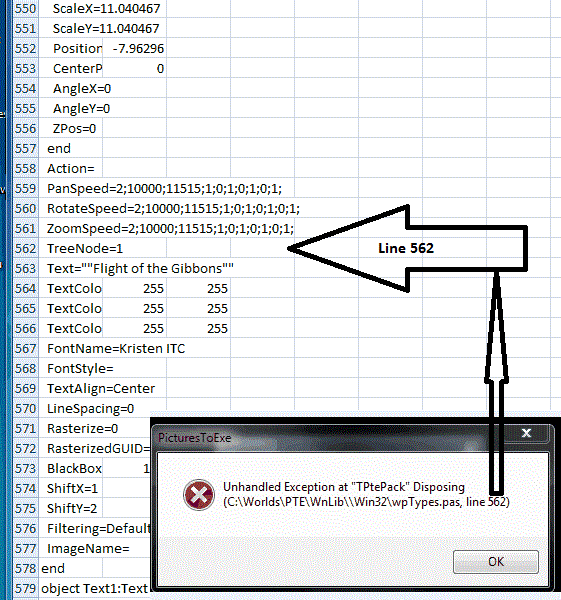
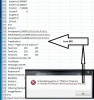
Greetings, Ok...still no responses to my error message. Maybe this will help to get a response. The problem continues. Since the last part of the error message says "...line 562", I took a look at the filename.pte file in Excel and looked at line 562. I have attached a screen print of that area of the file. Does this shed any light on the problem??? Gary
-
Igor, I was hoping the error would fade away, but it has not. It does not happen every time I try to Publish the slideshow as an exe, but it continues to occur. Any ideas???? Gary
-
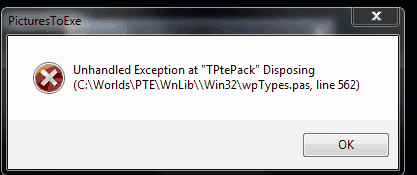
Greetings, I am starting out creating a new slideshow. As the present time, it is a pretty large production, mainly due to lots of video files. I am still editing the video and choosing the still images. However, when I have tried to Publish the slideshow as an Exe, I have received the attached error message. This has happened twice now. I have to do the 3-finger salute to dump PTE and start over. Any ideas what this might be??? Thanks... Gary

-
===================================== Bert, Oh yea... I see it now. I just missed it. Thanks... Gary
-
Greetings, I know we have gone through many discussions about resizing. But I think I have a little different question on what is the better way to do this. I recently replaced my Nikon D80 with the Nikon D7000. The size of the image files are now much larger. I just returned from a trip with over 3,500 images and over 250 video files. So my concern now is keep the PTE slideshows within a reasonable size. I tried 2 programs for resizing: Faststone and Photoscape. Since my monitor is 1920x1080, I am resizing based on the long side of 1920. This reduces the size of the image file, but not enough. Faststone lets you resize image based on the long side of 1920. However, I see that Photoscape allows resizing based on the long side of 1920 AND you can put in a percentage reduction, like 80%, at the same time. With Faststone, I don't see that you can use both parameters at the same time, so It looks like Photoscape really does a good job in getting a smaller file size.. My original size of my test image (from my D7000, 4928x3264) is 8923. Faststone, using the long side of 1920, reduced the file size to 1969. Photoscape, using the long side of 1920, reduced the file size to 1986. Photoscape, using the long side of 1920 AND 80%, reduced the file size to 449. I put these files into PTE and I could not see any real difference between them. I'd like to know if I am going down the right path in reducing the size of my images and still maintain the quality for the final slideshow by using Photoscape and the parameters of 1920 for the long side and 80% reduction? Thanks.... Gary
-
Greetings, I think I might have figured out what might be causing the problem. At first, I thought it was related to PTE because those were the files that I was having initial problems with. But is is not a problem related to PTE, I am sure now. I was able to download a file using IE that would not download correctly using Firefox (FF). Since the file would download without a problem using IE, I looked at Firefox as the culprit. In MozillaZine, I found the Reset Download Folder section, see below. I found that Firefox "may have lost track of which folder to use for the download directory." I followed the recommended solution and it seemed to have fixed the problem, sort of. After resetting the download location in FF, the downloads worked. But then the problem reoccurred. I reset the download location again, it fixed the problem. So I think it is FF that is causing the problem but I can't seem to make the fix permanent. Any more suggestions would be appreciated. Gary (from MozillaZine) Reset download folder Firefox may have lost track of which folder to use for the download directory. Symptoms would include "File - > Save Page As" and the "Save Image As" and "Save Link As" right-click context menu options not functioning or nothing downloading when you select the "Save" option in the Firefox "Opening" dialog box The solution may be as simple as choosing a different download folder, then going back and re-selecting your preferred download settings in Firefox Tools -> Options under "General / Downloads" ("Main / Downloads" in Firefox 3.5). For example, if "Always ask me where to save files" is selected, select "Save files to" and choose a download folder, then go back and re-select "Always ask me where to save files".
-
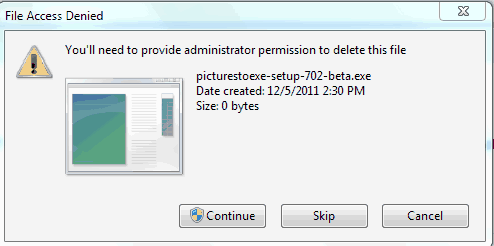
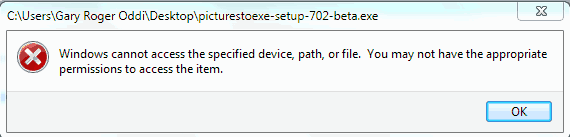
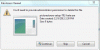
Greetings, Yes, I do have AVG but I disabled it. But the problem persists. I notice now that I can download files sometimes and sometimes not. I was out of the country for a while so I was slowly going through my 900 emails and just tried to download the beta version that Igor posted earlier. I got the error messages. Then I saw his 'Version 7.0', which I now see is build 7.0.3, which is what I meant when I stated "Version 7.0'. I got the error message with this also. I just tried to download the XMedia Recode and, it too, gave the error message. I am the Administrator so I don't understand these errors. When I try to delete the partial PTE file, I get the attached error message. Gary Added later: I was just able to download Lin's Magiccard file. So it seems to be a random thing....... ==================================
-
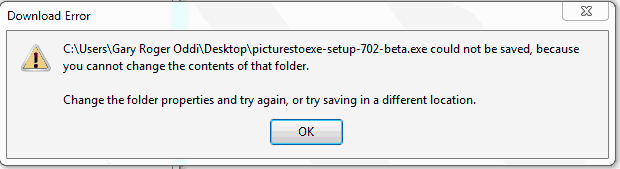
Greetings, This might be an off-topic posting but it does deal with PTE. And it might be just a 'personal' problem but I can't figure it out. I've been out of the country for a few weeks and I just noticed that the 7.02 beta was available. I tried to download it but I could not. I have attached the error gif (Download Error.gif). I then tried to download the 7.0 version to see what would happen, and I got the same results. When I try delete the incomplete files it did download, I also got error an message, see attached gif (Delete Error.gif). What puzzles me is I have be able to download other files off the Internet with no problems. Can someone point me in the right direction to figure this out? I am the Administrator on my PC. Thanks... Gary


-
======================== Dave, Well, I hope Igor sees the light and does something to make more sense of the KFSD. This is a mine field waiting for a victim. Thanks for your help. Gary
-
Dave,
-
================================ Peter, At this point, I think I agree with you. And it should be able to be undone if you decide to undo it. And having it still shown when in the Timeline, really adds to the confusion. Gary
-
Dave,
-
Dave and Peter, Thanks for your detailed replies. I have read and re-read them. I think I see what you are talking about. However, when I put in a video, I want to see the actual length of the video in the Slide View (19.62). When I put in the video (and have the Project's transitions set to fade-in for 2.0 seconds), I have no problems with the fade-in and fade-out of the video. So I think I will stick to not selecting the KFSD. Maybe the use of KFSD would be useful for more complex slideshows. Peter made the comment to not touch the KFSD once it has been selected for the project. If this is true, then the KFSD is really in the wrong place and really needs to be reworked. I see it as just a mathematical calculation that should be able to be ticked or unticked to be able to view the results as one wants. I think that if you have a box that can be ticked, you should be able to untick it and not cause a problem. Right now, the video for my slideshow now shows a duration of 17.62 (when it originally showed 19.62). I have the KFSD unticked and I can not get it to go back to the 'normal' setting that I want it to be...19.62 by ticking or unticking anyting. I can delete the video and drag/drop it into the slideshow again and it will show 19.62, but this does not make any sense that that is what I have to do to get it back to what I consider the correct duration that I want to see, especially if the slide with the video is a complicated slide. I still feel like I am missing some of the points that make using the KFSD feature useful, but I can't seem to grasp them, yet. Gary
-
==================== Greetings Dave, Well, I had already read your two new tutorials. But they do not answer my questions that I posted. I got results that made no sense. Maybe you can avoid these problems if you know what you are doing. Your tutorials deal with adding 6 videos and moving them. I am trying to make a very simple example with just one video and how the KFSD works. But if your solution is to just not tick/untick the boxes, that is not helpful. If you have a box that can be ticked, you should be able to tick it and untick it without causing questionable results. I'd appreciate responses that deal with the specific examples that I presented so I can understand it better. Thanks... Gary
-
Greetings, I have tried several different tests to see how the 'Keep Full Slide Duration' (KFSD) function works but it is still baffling me. Here are my questions and tests I performed. It is my understanding that if the KFSD is ticked, a slide’s or a video’s duration indicator in the slide’s icon (in the Slide View) is increased by the amount of the next slide’s transition. If this is an incorrect assumption, then the following questions might not make sense. However, here are my questions relating to KFSD. I have read all the post relating to the KFSD function but its understanding still eludes me: Question 1: The video’s length is 19.62 seconds. In the Slide View. Test #1 KFSD is unticked. The video is dragged/dropped into Slide View. The video’s Duration shows 19.62. If I then tick KFSD, the video’s Duration shows 21.62. So far so good. When the KFSD is ticked, the duration is adding the 2 second transition time of the next slide into the video’s ‘duration’ total. Test #2 KFSD is ticked. The video is dragged/dropped into Slide View. The video’s Duration shows 19.62 (not 21.62, as I expected). If I then untick KFSD, the Duration shows 17.62. In Test #2, why don’t I get the same values that are shown in Test #1 for the ticked and unticked choices with the same video? Question 2: Now, I don’t know why, but, with the KFSD unticked, the same video that was previously showing a Duration of 19.62, is now showing a duration of 17.62. I am expecting it to still be 19.62. If I then ticked the KFSD, and it then showed a Duration of 19.62. Next, I dragged this same video selection from the File List into another point in the Slide View. But now this video shows a Duration of 19.62. I would expect it to show 21.62 as it was in Test #1 above. Why is the same video showing two different Durations amounts with the KFSD unticked? Question 3: With the KFSD unticked, and the Duration of this video showing 19.62, I closed the program. I then opened it and the Duration of this video now shows 17.62. What made it change? Shouldn’t it still be 19.62 with KFSD unticked? If I tick KFSD, the duration goes back to 19.62. Question 4: (changing transition time of the next slide) A video of 19.62 seconds has been inserted into the Slide View, and KFSD is unticked. However, the video’s Duration shows it to be only 17.62. (I think it should show 19.62, but let’s just work with this). I then changed the next slide’s transition from 2.0 to 4.0. The Duration of the video did not change, as expected. If I then tick the KFSD, the Duration of the video changes to 21.62, as expected. Now, with the KFSD ticked, the transition of the slide after the video is set back to 2.0, and the video’s Duration is back to 19.62. I then increased the transition of the slide that comes after the video from 2.0 to 4.0. The Duration of the video did not change. I expected it to increase to 21.62. Why does it not increase to 21.62? Then, if I untick the KFSD, the Duration of the video drops to 15.62. This, also, is not what I expected to happen. Now to make it even more muddy, now all of a sudden, the video’s duration is back to 19.62, instead of 17.26 (KFSD is unchecked). And when it is re-ticked, the video’s Duration goes back to 21.62 as expected. I am getting results that just don’t make sense and are not consistent. Can someone explain what is happening. I‘d appreciate any help with this. Thanks… Gary
-
Greetings, After about 135 views, I have only received one response. I was hoping we could get past personal attacks and get some constructive discussion on my suggestions. I really do feel the contents of the menus and their labeling can made more clear. Any feedback? Gary
-
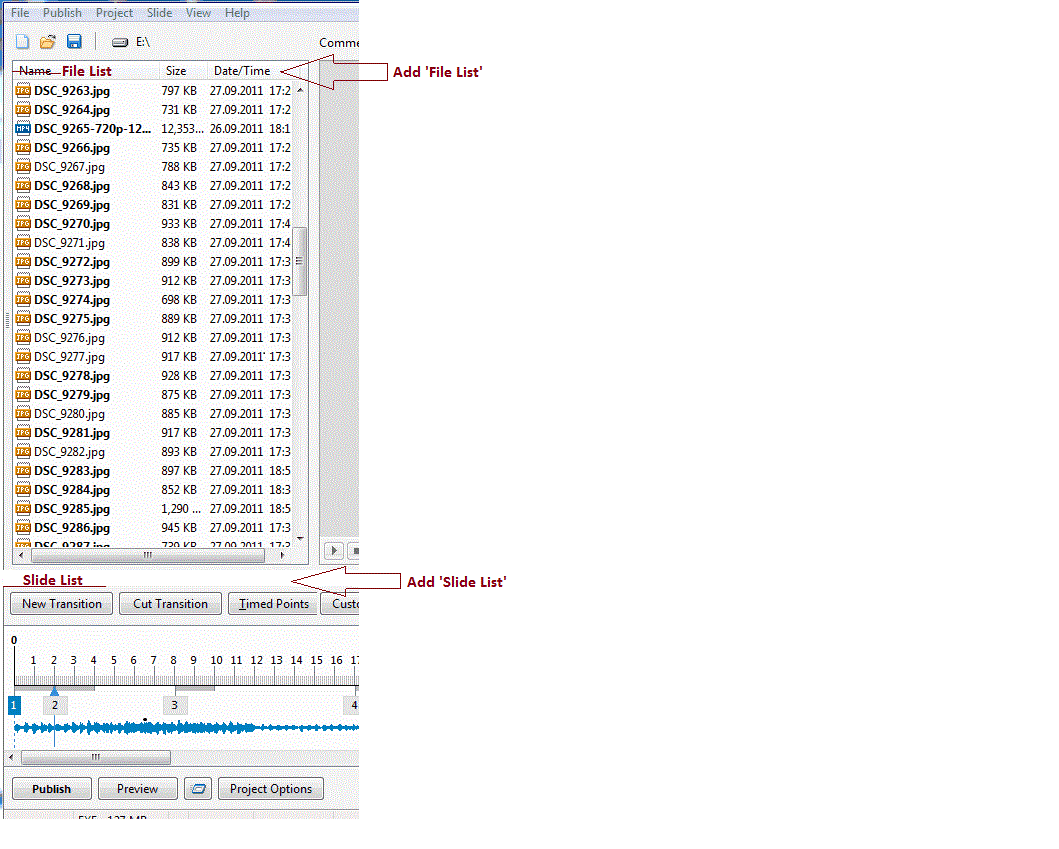
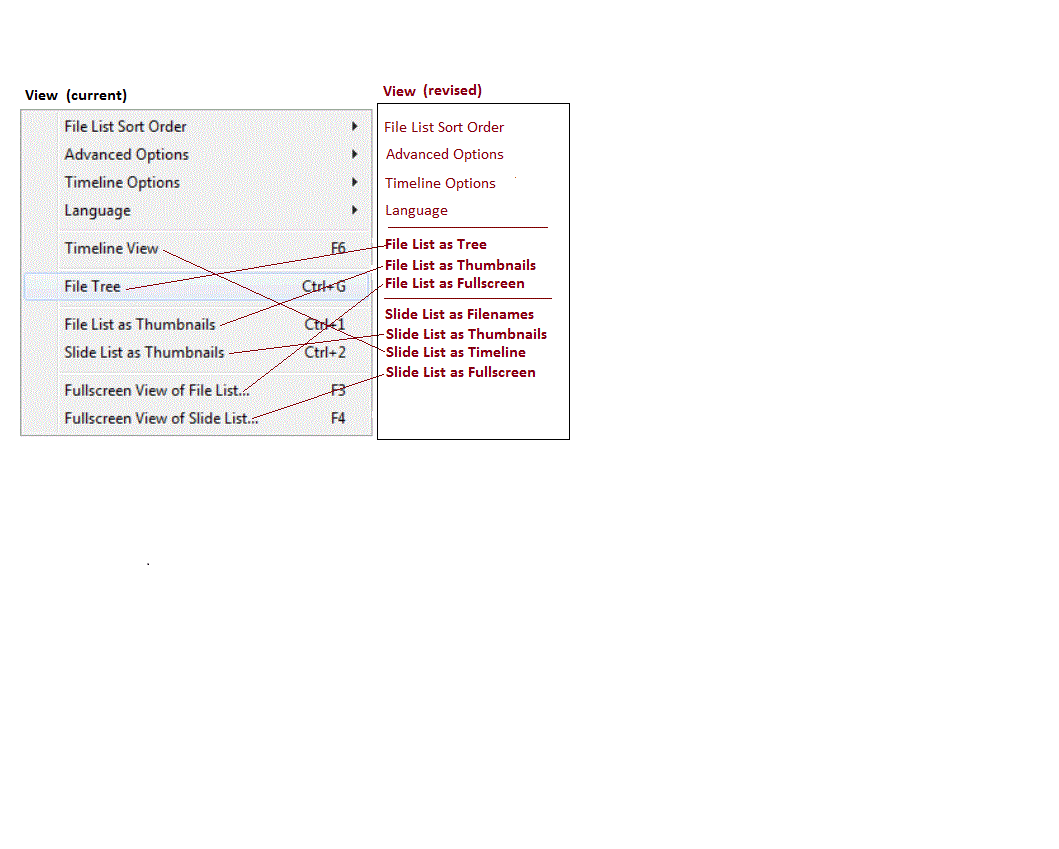
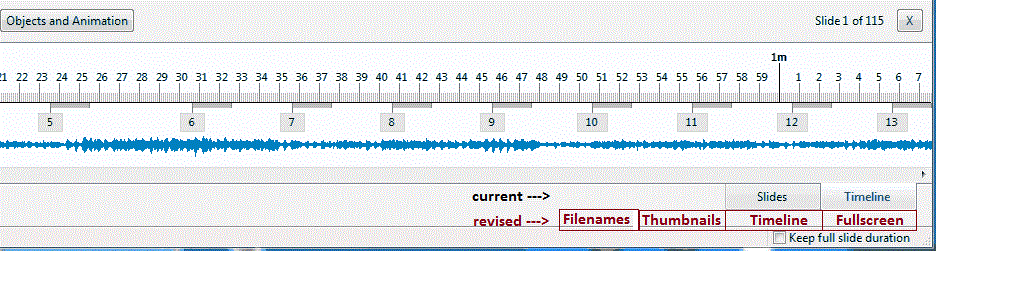
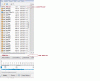
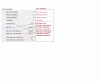
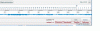
Clarification of Menu Items: I have been using PTE for a number of years. The View menu structure has always been a bit odd to me. I finally have figured out why it has been a bit of a struggle to understand it. I am suggesting some changes to make it more intuitive. First, there are basically two menus: a File List and a Slide List. I suggest that these two menus should be titled in the main screen. See the attached Menu Screen-1.gif. Secondly, revise the View menu to reflect this. This revised View menu consolidates all of the File List view choices and the Slide List view choices. See the attached View Menu.gif. Thirdly, to reflect the four Slide List views (Filename, Thumbnails, Timeline and Fullscreen), I suggest that each choice be reflected in the main screen. See the attached Main Screen-2.gif. I think these changes will remove some confusion and make the menus more intuitive. Gary
-
============================= Nobeefstu... My initial question had to do with the Keep Full Slide Duration because I thought it would retain ('Keep') the duration of a slide that you would move. I really did not care about how it is adding up the various duration times. I prefer the old method. Now I realize that the Keep Full Slide Duration function has no use for me in my work. So I see now that this function won't do what I am trying to do. I am trying to find out why you can move a slide while retaining the slide's duration in the Slides view but not in the Timeline view. And another confusing thing about the Keep Full Slide Duration is that it stays on the screen when you switch to the Slides view when it does offer any function in that view...it should disappear when in the Slides view. You might not see any real advantage but I certainly do. In the Timeline view, you have the waveform to work with. In the Slides view you don't. I think it is very well suited to make adjustment in slide organization in the Timeline view. What baffles me is that you can move a slide in the Slides view and keep the slide's duration, but not in the Timeline view. This makes absolutely no sense to me. If I have created a slide show with all the correct durations for each slide and I just want to rearrange the order of some slides, why not be able to do it in the Timeline view while you have the Timeline to help see the consequences of these movements as they relate to the waveform. I don't want to have to switch into the Slides view, make changes and then have to switch back to the Timeline view to see how the changes relates to the waveform. For a new user, this really must be a bag of worms to try to understand. I am an old user and it is just not intuitive. Gary
-
============================ Dave, Well, since I started this discussion with my question, I was hoping it would stay on track. It got off on a new track when transitions and grey bars, etc. got pulled in., That's not part of my question. Seems like no one can answer my questions. Gary
-
========================= Dave, I don't know if your posting above about transition times of slides is meant for me but here is what I was saying: I have been referring to the actual moving of an image. I am not talking about increase or decreasing transition times. I have said all along that when an image is moved in the Timeline, the slide's transition times go with it just fine. The problem is moving the slide from point A to point B, in the Timeline view, the duration of the slide does not stay with the moved image, nor do the durations for the other 2 images that are affected in the move. Gary
-
====================== Igor, Let me take one more crack at my question. When, in the Timeline view, and a slide is moved, is there a way to keep the duration of the slide from changing (I am not talking about the transition time of that slide-that does not seem to change)? Also, when a slide is moved, can the duration of the the other slides not be affected by the movement of the one slide? You can see my gifs in attachment to a posting above to illustrate my point. If not, can this be implemented? While this might not be a useful default to some, I think it would be useful to use a control key during the move to temporarily lock-in the existing duration times so they don't change. The durations don't change in the Sides view, so I would expect that they would not change in the Timeline view. Thanks, Gary
-
===================== Dave, Yea, that would work. But that is like telling your doctor it hurts when I touch my arm. And he says, "Well, just don't touch your arm." Gary
-
==================== NOTE: I tried to reply to your PM but it would not let me. Not sure why. (Error message: Array) I see you also took another look at my gifs. So I am replying to your PM here: Dave, Hmmmmm.... Well, my gifs show that the durations were NOT kept. So what am I doing wrong????????? I think I will just have a beer...it's 5 o'oclock somewhere. This is driving me a little goofy. I expected after saying that durations are not being retained when a slide is moved in the Timeline, that I'd get at least some replies saying that it is true or not true or I am nuts or something. No one else has responded to my question. So I think I will give up. Gary