All Activity
- Today
-
 Marble Gradient Backgrounds Free Downloads, No Strings Attached: Here is the web links to my web site: These Files are in Zip Format. Marble Gradient Backgrounds Demo: https://www.pnwhiker.org/MarblGradBkgrd/MarblGradientBackgroundsDemo.htm Marble Gradient Backgrounds Zips: https://www.pnwhiker.org/MarblGradBkgrd/zip/MarblGradientBackgroundsDemoZips.htm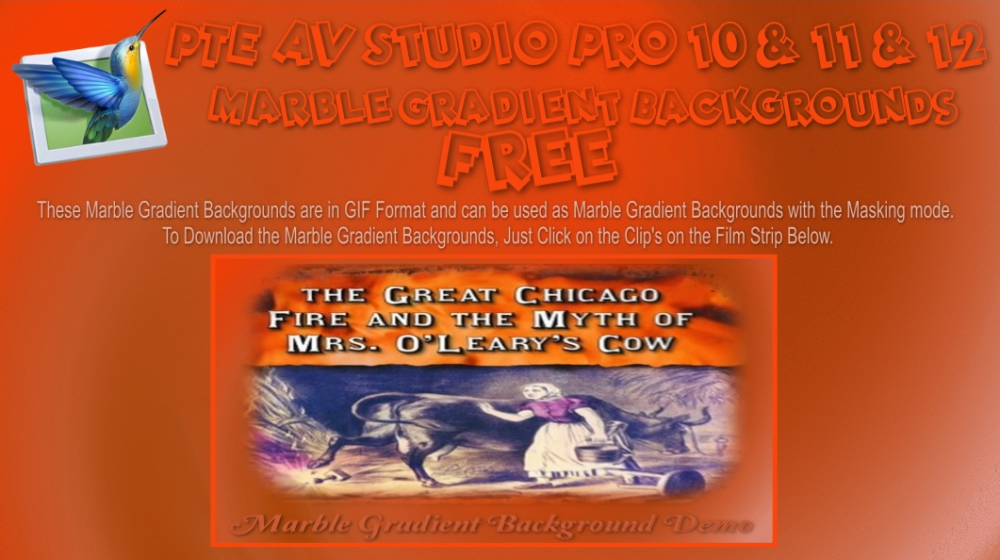
-

A new option/or menu for seriouse creatorFeature Request: Print/Export "Visual & Audio Continuity Layout" (Storyboard + Audio Workflow) The idea is simple: to have the ability to take our eyes off the software timeline and hold a physical document—or cons
Ghulya replied to Ghulya's topic in Suggestions for Next Versions
Richiesta di funzionalità: Stampa/Esporta "Layout di continuità visiva e audio" (Storyboard + flusso di lavoro audio) L'idea è semplice: poter distogliere lo sguardo dalla timeline del software e tenere tra le mani un documento fisico, o consultare un PDF lineare, che racchiuda l'intera struttura visiva e sonora di un progetto. Questo strumento ci permetterebbe di analizzare, rivedere e "osservare" il flusso di lavoro di montaggio lontano dal computer, mantenendo una visione d'insieme completa del ritmo del progetto. Nel cinema, questa è l'essenza di una sceneggiatura o di uno storyboard; in PTE, sarebbe il modo migliore per leggere la sincronizzazione tra immagini e suoni su carta. Idealmente, il software dovrebbe essere in grado di generare ed esportare un report strutturato, in formato tabellare, basato sulla cronologia degli eventi: Cronologia visiva: una sequenza di miniature che rappresentano i fotogrammi chiave, le diapositive o i tagli principali, con chiari indicatori grafici per le transizioni (ad esempio, un bordo netto per i tagli netti, una sfumatura per le dissolvenze). Rappresentazione del flusso audio: accanto o sotto ogni elemento visivo, una sezione dedicata mostra l'inviluppo della forma d'onda audio, i punti di controllo del volume e i blocchi multitraccia (voce, musica, effetti sonori). Questo rende immediatamente visibili su carta i tagli a J, i tagli a L e le transizioni guidate dall'audio. Testo e marcatori: Inclusione automatica dei nomi delle diapositive, dei codici temporali, delle durate e dei commenti o delle note di testo collegati ai marcatori della timeline. Disporre di uno "Storyboard visivo e audio" stampabile colmerebbe il divario tra precisione digitale e riflessione analogica. Permetterebbe agli autori di studiare il ritmo, il flusso narrativo e la sincronizzazione audio dei loro progetti audiovisivi durante le pause o le sessioni di riflessione offline. Best regards Ghulya -
A new option/or menu for seriouse creatorFeature Request: Print/Export "Visual & Audio Continuity Layout" (Storyboard + Audio Workflow) The idea is simple: to have the ability to take our eyes off the software timeline and hold a physical document—or cons
Ghulya posted a topic in Suggestions for Next Versions
Feature Request: Print/Export "Visual & Audio Continuity Layout" (Storyboard + Audio Workflow) The idea is simple: to have the ability to take our eyes off the software timeline and hold a physical document—or consult a linear PDF—that encapsulates the entire visual and sonic structure of a project. This tool would allow us to analyze, review, and "look at" the editing workflow away from the computer, maintaining a complete overview of the project's rhythm. In cinema, this is the essence of a continuity script or storyboard; in PTE, it would be the ultimate way to read the sync between images and sound on paper. Ideally, the software could generate and export a structured, table-like report based on the timeline: Visual Chronology: A sequence of thumbnails representing the keyframes, slides, or main cuts, with clear graphical indicators for transitions (e.g., a sharp border for hard cuts, a gradient for fades). Audio Flow Representation: Next to or beneath each visual element, a dedicated section showing the audio waveform envelope, volume control points, and multi-track blocks (Voice, Music, SFX). This makes J-cuts, L-cuts, and audio-driven transitions immediately visible on paper. Text and Markers: Automatic inclusion of slide names, timecodes, durations, and text comments or notes linked to the timeline markers. Having a printable "Visual & Audio Storyboard" would bridge the gap between digital precision and analog reflection. It would allow authors to study the pacing, narrative flow, and sound sync of their audio-visual projects during breaks or offline thinking sessions. Ghulya - Yesterday
-
 Thank you Guy, I enjoyed your images. DG
 -
 Good evening, thank you for your comment on the slideshow!
 -
JRR, can you please encourage people to use English - this is an English Forum? DG Guy, can you please use Google translate and post in English? DG
-
Bonsoir, merci pour votre commentaire sur le diaporama!
-
 Trés pour votre diaporama avec le logiciel PTE 11
 -
We plan to release the final version 12.0 on Monday or Tuesday next week.
- Last week
-
Release Candidate 2 is available See the download links above. Updated translations for German and Slovak. Note: the free Beta license key can no longer be used with the Release Candidate version. The About window shows version 12.0 Build 2.
-
Congratulations on this anniversary – I look forward to the new version.
-
Hi Igor Thank you and your team for a wonderful program and like Kieron said hours and hours of fun and looking forward to the next Pro version . Michael
-
Thanks to you and your team for allowing me hours of enjoyment. I will be upgrading as soon as it is availabe. Kieron
-

Free Music / SFX Resource - Over 2000 Tracks
Eric Matyas replied to Eric Matyas's topic in General Discussion
Happy July Everyone, Here's a fun track from my Jazz/Big Band page...now in higher-quality Ogg format: "SLAPSTICK" (Looping) Yo can listen to it here: https://soundimage.org/wp-content/uploads/2026/07/Slapstick.ogg There's also a LoFi version...you can listen to that one here: https://soundimage.org/wp-content/uploads/2026/07/Slapstick_LoFi.ogg LoFi tracks are useful if you need the music to sound like it's playing over an old transistor radio, tv, etc. Both tracks can be downloaded here: https://soundimage.org/jazz-big-band/ As always, they're 100% free to use with attribution, just like my thousands of other music tracks and sounds. WHAT'S THE BIG DEAL ABOUT OGG TRACKS? For those of you who don't know, Ogg tracks loop much better in game engines, as opposed to Mp3 tracks. Mp3 encoding will often discard music information at the end of a track. This creates an audible gap when the track reaches the end and loops to start over. Ogg encoding doesn't discard any information, hence no gap and perfect looping. For tracks that don't need to loop, Mp3 works just fine, but definitely go with Ogg for looping. Plus Ogg encoding is higher fidelity so Ogg music tracks sound richer and more full. Anyhow, if you're interested in downloading all my game music tracks at once (instead of one track at a time from my website) my Ogg Game Music Mega Pack is a huge time-saver. Plus it's a cool way to support my efforts. Here's a link: https://soundimage.gumroad.com/l/ylyre There's even a preview video you can watch if you'd like...or maybe listen to while doing other things...(it runs about an hour.) An of course, if you need some custom music created special for your project, just let me know. My contact information is here: https://soundimage.org/custom-work/ Until then, enjoy, stay safe and keep being creative! 🙂 -
voici mon premier diaporama avec le logiciel PTE 11 "Here is my first slideshow using PTE 11 software." (Google Translate)
-
Version 12.0 will be available for purchase or upgrade soon. Please wait a bit.
-
To Igor: So what's up with this release of PTE AV Studio 12 Pro? You goto the HELP and Buy Selection and select the buy option and you get the buy 11 version. So what do we use for a activate key or are we stuck 30 day trial, would an explanation. Have you decided on a upgrade price ver 11 pro to ver 12 pro yet? FYI: Remember this your final cut is 10 percent of 1 million dollars is ten cents, Government Calculator at work $1,000,0000/10 = 100,000 - 20% tax = 20% = 2, just enough for a cup of coffee. A long time customer Thanks pnwhiker......
-
Happy birthday, my beloved PTE! Wishing you long life and prosperity!
-
Hi, Release Candidate 1 for PTE AV Studio 12 is available today, and the final version is scheduled for release within a week. P.S. Today marks exactly 27 years since the release of version 1.0 on July 2nd, 1999.
-
Release Candidate 1 is available See the download links above. Fixed an issue where rewinding between slides containing video clips was slow, causing the video on the current slide to briefly play back at high speed. Updated translations for Chinese, Hungarian, Italian, Japanese, Korean, and Spanish. Note: the free Beta license key can no longer be used with the Release Candidate version. The About window shows version 12.0 Build 1.
-
Merci
-
O&A is Objects and Animation It where you can do anything and everything within PTE. Jill
-
Merci, mais c’est quoi O&A?
-
When you add an image to the Slide List it is assigned a Main Object number of 1. Such images are outlined in Blue in the File List. If you add an image in O&A the Main Image number has to be added manually. There can only be one Main Image 1 (per slide). DG
-
guy cordier changed their profile photo
-
Hello everyone, I'm new here and new to PTE11. I used to use ProShow Producer 9.0.3797. I don't speak English, but French, so I'm using Google Translate, please excuse me. I have a question: is there a way to see when a photo has already been used in the timeline so it doesn't have to be used a second time? Thank you for your reply, have a great day! Guy