All Activity
- Past hour
-
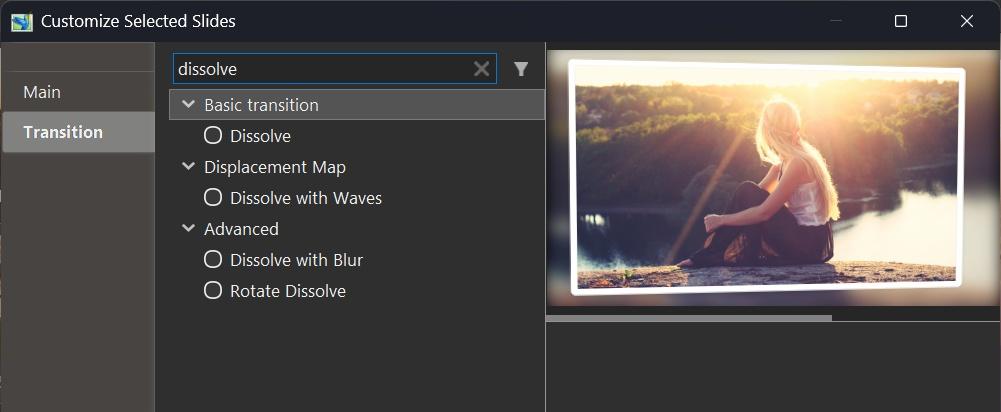
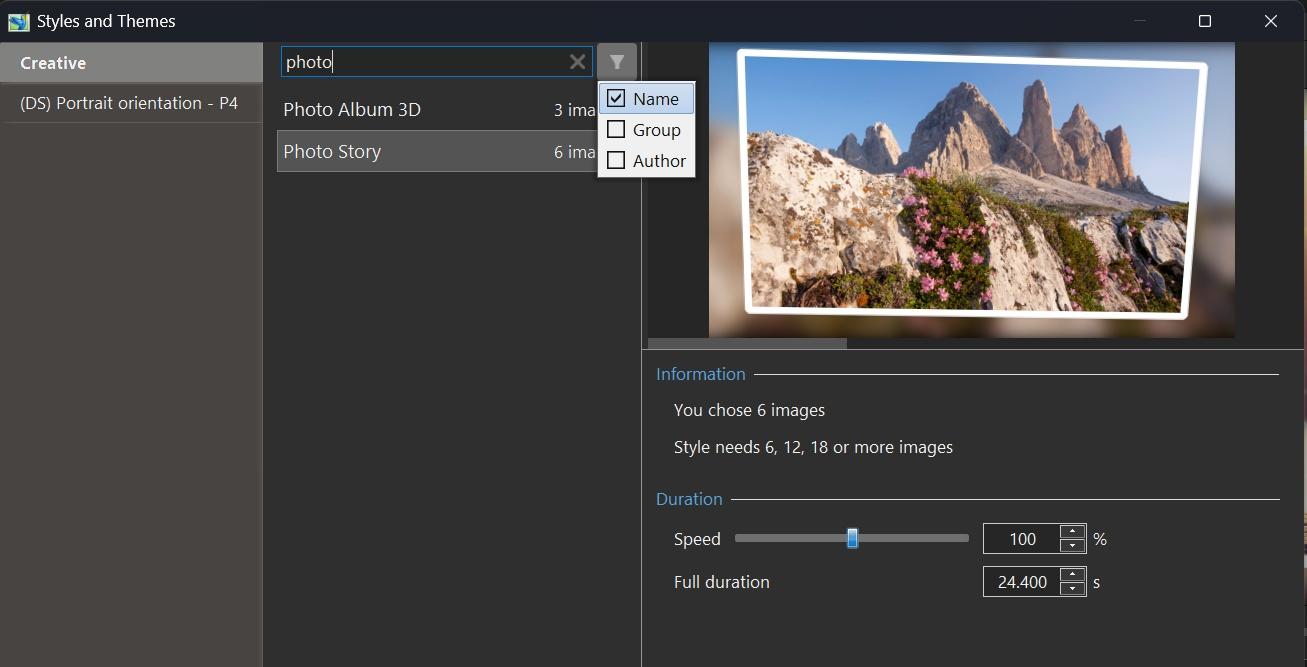
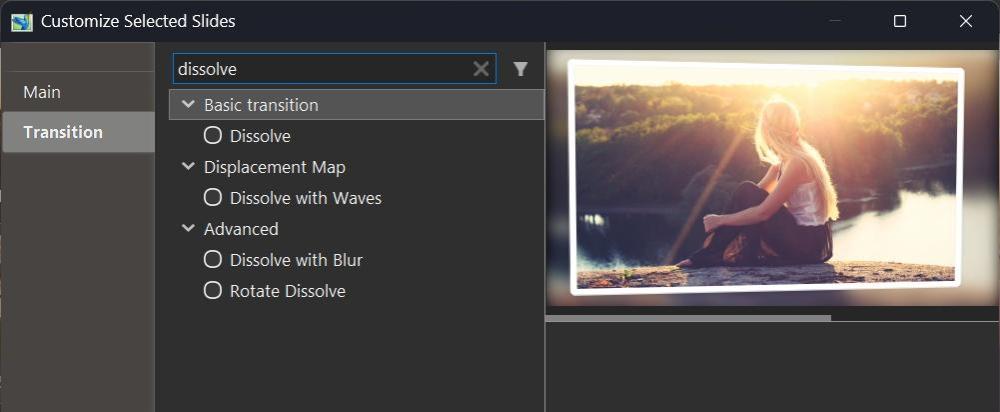
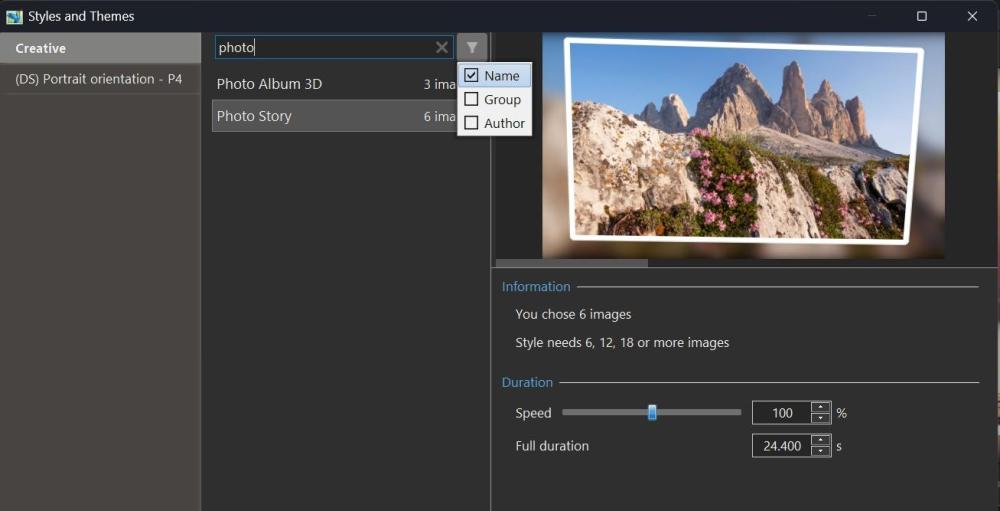
Hi, In PTE AV Studio 12, we've included a new function - Quick Search in the Slide Styles window and Transitions window. This allows you to quickly find or filter the desired transition or style by name, category, or author name. PTE AV Studio remembers your choice during the current session, independently for styles and transitions. You can hide the Quick Search bar in Preferences > Templates tab by unticking the "Search in styles and transitions" option.
- Today
-
We fixed this issue in Beta 2 today. Please try the new Beta.
-
We fixed this issue in Beta 2 today. Please try the new Beta.
-
Beta 2 is available See the download links above. Updated Dutch, French, and Spanish translations. Added full support for dead keys (^, `, ´, ¨, ~) on international keyboard layouts - French, Spanish, German, Portuguese, Italian, Dutch, and others (Mac) Fixed an issue with sound objects being duplicated in custom transitions with multiple variants. Fixed an issue where Custom width and height fields were not visible in the New project window.
- 1 reply
-
- 1
-

-
Hi Pascal, Glad that you like this new createive effect! Thanks for sharing your custom transition based on the new Gradient map effect. Looks very nice.
-
Hello all I’ve just tested this new feature in version 12, and it effectively replaces what I had probably somewhat clumsily called the “threshold effect.” This effect is based on the opacity of an image mask representing a grayscale pattern, where the opacity depends on the adjustment of black point and white point levels. The main drawback was that it required creating a key point for each gray value — up to 255 in order to cover the full range of shades. Several examples have been provided by different members on this forum (I’m probably not being exhaustive), for example: With the Gradient Map effect in v12, it is no longer necessary to create a large number of key points, since everything can now be controlled through the opacity parameter. This offers much greater flexibility in the adjustments, notably by allowing the use of animation speed settings, inverting the pattern (negative) to reverse the animation, and more. Below is an example of a transition made with the Gradient Map effect in version 12. Flying squares.pteeff Gradient map.mp4 Pascal.
- Yesterday
-

Edit button is disabled in the Change Transition Effect window
Igor replied to Paiche59's topic in PTE AV Studio 12 Beta
Pascal, please let me know if it will occur again. Maybe it happened when two instances of PTE (11 and 12) were launched at the same time? -
Edit button is disabled in the Change Transition Effect window
Paiche59 replied to Paiche59's topic in PTE AV Studio 12 Beta
Thank you, Denis and Igor, for your feedback. I restarted my PC and relaunched PTE v12, and everything is now working properly. Sorry for the inconvenience , I can now continue testing this new version. Pascal. -
Edit button is disabled in the Change Transition Effect window
Igor replied to Paiche59's topic in PTE AV Studio 12 Beta
Hi Pascal, Does this problem (non working Edit button) occur for any custom transitions? Try to create a new test transition. Will Edit button work correctly? Can you send me effectuser.ini file from Styles and Transitions > Transitions folder? -

Edit button is disabled in the Change Transition Effect window
denisb replied to Paiche59's topic in PTE AV Studio 12 Beta
Hi Pascal, No problem for me with the Edit button in the Change Transition Effect window. Denis -
Hi, PTE AV Studio 11.0.21 Beta is available for Mac users: Added full support for dead keys (^, `, ´, ¨, ~) on international keyboard layouts - French, Spanish, German, Portuguese, Italian, Dutch, and others (Mac). Download Mac: https://files.wnsoft.com/test/PTE-AV-Studio.dmg (About window shows: 11.0.21 Build 1)
-
Many thanks to Igor and your team for version 12 of PTE AV Studio. I don’t know whether everyone is experiencing this issue, but on my side, the Edit button in the Change Transition Effect window is disabled. As a result, I’m unable to modify transition animations. However, the Duplicate and Rename buttons work perfectly. Thank you for your help. Pascal.
- Last week
-
Hi, I confirm your findings. Thank you! We'll fix it.
-
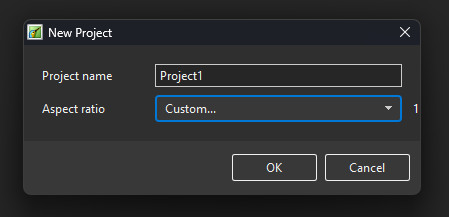
Hi, Thanks for your suggestion. I also confirm the issue with the Custom preset. Normally it should display custom width and height text boxes. We'll fix it.
-
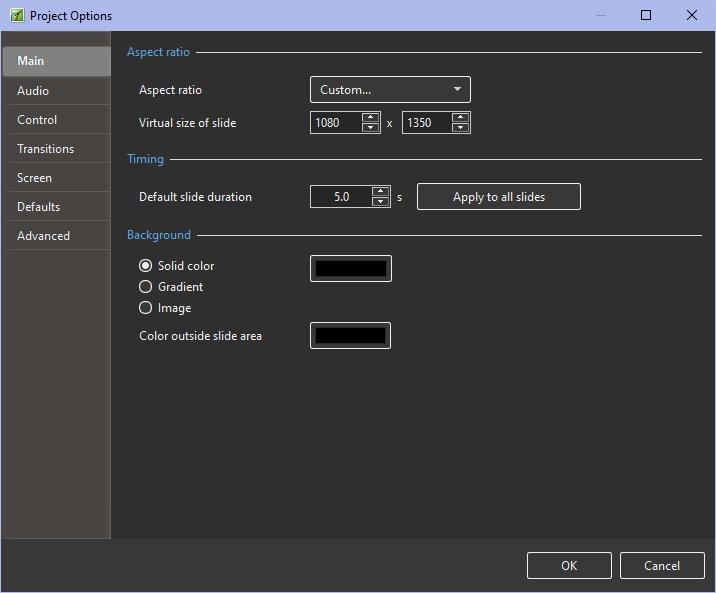
Hello, Go to project options and select what you want The initial video format is the same as Virtual size of slide. If you often use 1080x1350 create a template Denis
-
Hello, I love PTE. Please add a resolution of 1080x1350 for instagram or add save for custom resolutions. Note: in PTE 12 beta, add custom resolution not working because boxes is hidden. Thank you very much. Happy new year!
-
nunosou joined the community
-
Congratulations to the whole team on this new version, with some very interesting new features. I just tried adding sound to some multiple transitions; there are 10 variations. When I added sound to the first transition, everything was fine, but once I added sound to the second transition, the sound from both transitions played in all of them, even in those where I hadn't added sound yet. If I added sound to the third transition, all three sounds played in every transition. I finished with all 10 transitions, and no matter which transition I used, the sound from all 10 audio tracks played simultaneously. In the first transition, there's a sound that's completely unrelated; I included it to illustrate the problem. Regards. Transitions: https://www.mediafire.com/file/895mn7daqkvttsm/Vidrios+Rotos.pteeff/file
-
Yes, agree, Masking is what makes PTE one of the best AV App on market. So any addition like more Blend Effects(Screen, Add, Multiply and so on..) or Tools, like Pen, (or 1 or 2 extra Video tracks) would make the App much more premium and desirable for customers. Anyway, thanks a lot for keeping on improving PTE. I'm sure we'll see much more new features upcoming in the future.
-
I really want layer overlay effects in this program, at least Screen and the usual Bounce fade effect in modifiers.
-
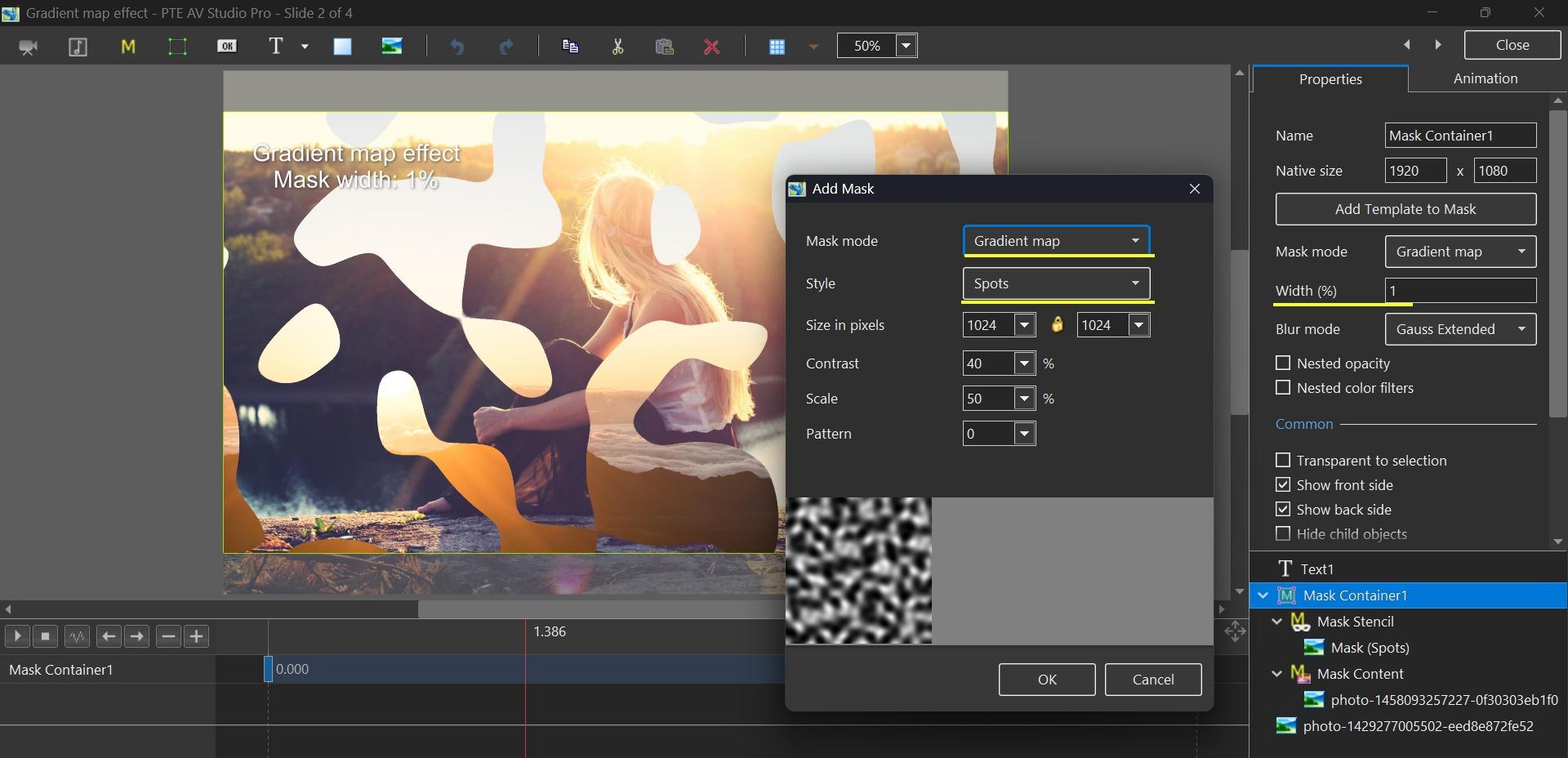
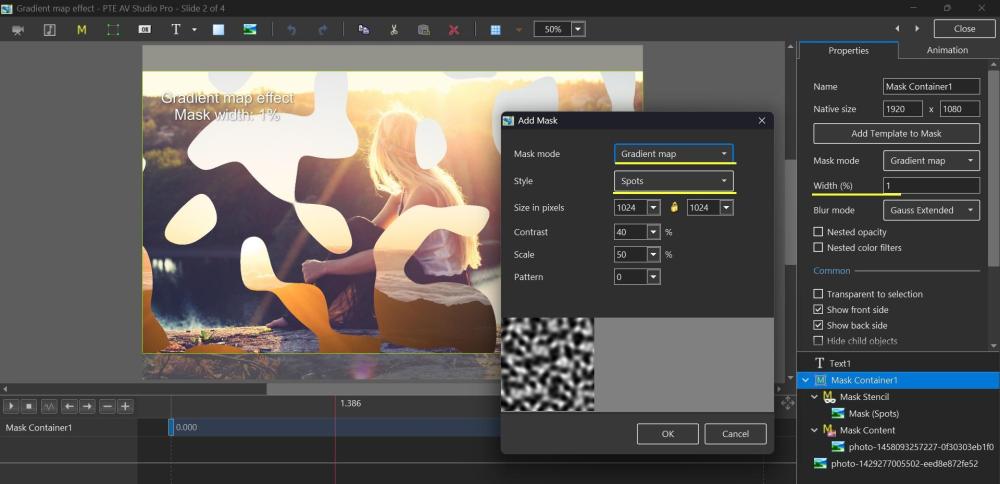
Hi, In PTE AV Studio 12 we added a new Gradient map effect mode for a Mask container. You can create dynamic effects using a grayscale image (grayscale is the better term here). Download a demo project: Gradient map effect.zip Video example: Gradient map effect.mp4 Explanation how it works: Explanation_of_Gradient-map.mp4 1. Add a Mask Template. Choose Mask mode as "Gradient map". 2. We provided one preset "Spots" with customizable parameters. You can add a grayscale picture as a stencil for this effect. 3. Adjust the "Width %" parameter in the Properties for a Mask Container which controls the smoothness of edges. 4. Add the 2nd keyframe for a Mask container and change the Opacity parameter to create a dynamic animation. This effect works when the Opacity changes from 0% to 100% for a Mask container.
-
Hi Andrew, Can you send me the project (the full project archive in ZIP format)? A link in a personal message. I'll check the problem. I don't know your PC's specifications, but the project is likely too large due to large images (large pixel size). Alternative solution is to create a MP4 video, this will completely solve the problem.
-
Something like this: Project1_Dec26-2025_14-06-53.zip DG
-
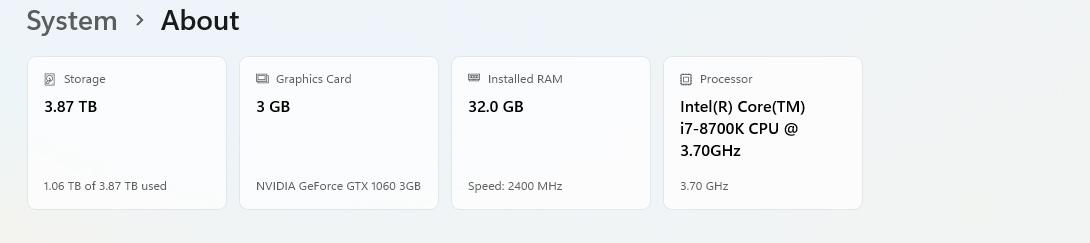
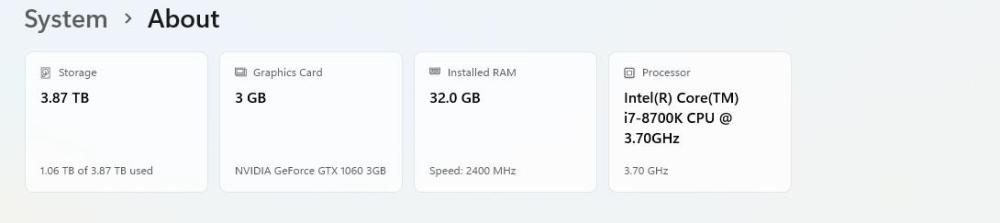
It might be helpful to know a bit about your system. Go to Settings/ System /About and post what you see. Example: In addition you could create a one slide project which displays the symptoms and post it here as a Template or a BIZ so that someone can analyse it. Good luck, DG
-
arthurjw joined the community
-
JKB, thanks for your quick response (and Christmas greeting!) Happy New Year Everybody! Following up on your tips I can update as follows: I have rescaled my pan images to 72 dpi. No improvement. (Should have remembered to do this - very rusty!) I made a test sequence with just one of the pans in it and it still stutters at the requisite duration. If I give it much longer duration it becomes acceptably smooth. (This very basic test has presumably got no acceleration modifier in it - I didn't put one in, anyway!.) I'm working in the latest Windows version of Studio Pro. The stutter is in O&A, and in mini preview, and in full screen preview, and also in published sequences (i.e. videos made in various different settings, and an executable). So, apart from longer duration test I've still got the same problem! Any help would be most gratefully received! Time is running out! 😬
-
Thank you, Igor. I wish you and your team a Happy New Year. I’m looking forward to seeing what v12 has to offer.