All Activity
- Past hour
-
Thanks. I also created a dissolve version. I promise not to make a pan version. 😀 Tom Step Dissolve.pteeff
- Today
-
Many thanks for all your replies - most if not all of my earlier shows had pan&zoom, not much but just enough to give some movement. I'll have a look at these styles and in the meantime if anyone has a simple theme/template I could use???
-
PTE Video Optimiser 1.0.3 is available: Added support for HDR video in Dolby Vision with HLG. Improved audio synchronization for video files recorded with variable framerate. Diapositif PTE Video Optimiser is now built on the PTE AV Studio 12 codebase. Download https://www.wnsoft.com/pte-video-optimiser/download/ The About window shows: 1.0.3 Build 1. It is the same build as the latest Beta version.
-
Thanks for sharing. I confess to not doing any kitten videos but I can see where these effects might be useful in some of my travel videos.
-
I'm with you Doug. I rarely create a show where the images are totally still onscreen. I also didn't like the all of the movements or the timing in the included Ken Burns style (I don't like the tilting effects). So I just created several of my own custom "Ken Burns" styles with just the amount of zoom or pan or timing that I like and tend to use my styles in most of my shows with various transition effects to suit the show or the individual slides. Of course I usually make adjustments to individual slides where needed. I guess to each his own.
- Yesterday
-
Thanks for sharing, very nice.
-
Hey Jill I sort of disagree with your "seasick" analogy. I tend to use the pan/zoom pretty much on all of my "travelogue" shows that are anywhere from 20 to 40 minutes in length with hundreds of slides (mostly jpg's with some video clips mixed in). I have also tended to be very subtle in the degree of the effect (e.g., sometimes zoom out very slightly, sometimes zoom in somewhat faster, same for the pans). I often have video clips mixed in which changes the pace of things and also occasionally mix in some other styles and transitions. Doug
-
This was popular in the 1960s and 70s. Possibly due to limitations of manual zoom lenses and focusing. It was in a popular American TV show intro Hawaii Five-O. I think you need a high beats per minute music. You can adjust transition duration to match the beat. Four steps 125, 150,175,200%. Media from : https://www.pexels.com/search/kittens/ https://pixabay.com/music/search/180 bpm/ Thanks, Tom Step Zoom.pteeff
-
Too many Pans & Zooms can leave your audience feeling seasick! The effects can take over & you end up watching them & not the actual content of the Slides. If you must do it then do it yourself in O&A, it is very simple using Keyframes. Click on the Slide in the Slide List, open Objects & Animation. Click the image so that it is highlighted & drag with the mouse on any of the grab handles around the edge. You can easily Zoom it in by dragging, or click anywhere on the image & drag left/right/up/down as required. Right Click the blue KeyFrame & select Clone. This creates a 2nd KeyFrame, drag that along the Timeline to where you want it & adjust the image size/position to where you want it to end. Press play & see how it looks. All very easy & simple to achieve exactly the effect you want. Jill
-
I had a similar frustration when I first moved from using MemoriesOnTV (a slideshow software that is no longer available) to PTEAV. MOTV had an option to apply random pan/zoom to all of the slides (or whatever slides you wanted) but you would still need to go back afterwards to fine-tune them. The closest thing that PTEAV has is the Ken Burns Effect Theme (a Theme is just a collection of Styles). The KBE Theme has 8 styles that are variations of Pan/Zoom/Rotate effects and you can apply the Theme to as many slides as you select. Again you need to go back afterwards and fine tune the result since it may be zooming out on a slide you wanted to zoom in to or might be panning right to a slide that you wanted to pan left, etc. It also helps to watch the tutorial videos that can be found via the Forum.
-
Hello Thanks for sharing. Well done
-
I am a bit exasperated - years ago I used to make slideshows with Windows 7 and their MediaPalyer. It had a simple slideshow creator and it had a Pan & Zoom transition. I even think it randomly changed the zooming & panning from slide to slide. I just bought the latest PTE AV studio Pro and it has lots of transitions but NO pan & zoom. Is there an easy way to apply a simple pan & zoom to a small slide show?
-
 ProfZArkov joined the community
-
I NEED TRANSITION FOR PTE AV STUDIO ,can you help me ? send me
Igor replied to PKDKTHIENHAU's topic in General Discussion
Hi, Could you explain in more details? What kind of transition are you looking for? -
I NEED TRANSITION FOR PTE AV STUDIO ,can you help me ? send me
- Last week
-
rozsa1949 joined the community
-
Thanks. They also have an interesting YT channel that covers ArtCraft software. https://www.youtube.com/@OpenDesignerCloud
-
I guess that is it. I have the project settiings as Show Full Slide Duration. So what I need to do is manually reduce that number in the Slide List view or the video comes to an abrupt end in a still image rather than fading out in the transition.
-
Is it showing Full Slide Duration i.e. Video Duration plus Transition Duration? DG
-
Here is a weird thing I just noticed. I take a mp4 file from the File List area that is 21 seconds in duration. I move it to the Slide List and the duration now shows as 23.624 seconds. What happened?
-
 steevewick changed their profile photo
-
Free Music / SFX Resource - Over 2000 Tracks
Eric Matyas replied to Eric Matyas's topic in General Discussion
Happy November, everyone! I just created this new looping music track to share with you: "FUNKY PUZZLE WEIRDNESS" You can listen to it here: https://soundimage.org/wp-content/uploads/2026/11/Funky-Puzzle-Weirdness.ogg And freely download it here: https://soundimage.org/puzzle-music-8/ As always, it's 100% free to use in your projects with attribution. Information on how to credit me is here: https://soundimage.org/attribution-info/ MUSIC PACKS Please be sure to check out my music packs which allow you to bulk-download all of my tracks at once...a huge time-saver. GENRE PACKS - Contain all of my tracks from specific genres (fantasy, sci-fi, puzzle, etc.) https://soundimage.org/ogg-music-packs-2/ MEGA PACK - Contains all of my game music from my genre packs (1460 tracks and growing.) https://soundimage.org/ogg-game-music-mega-pack/ Reviews from users have been super-positive. I'm glad my packs are so helpful! So enjoy...stay safe and keep being creative! 🙂 -
Hi Tom Open Designer seems to offer us a wide range of tools. Very interesting for us. Thank you for sharing.
-
Thank you, appreciate you sharing these.
-
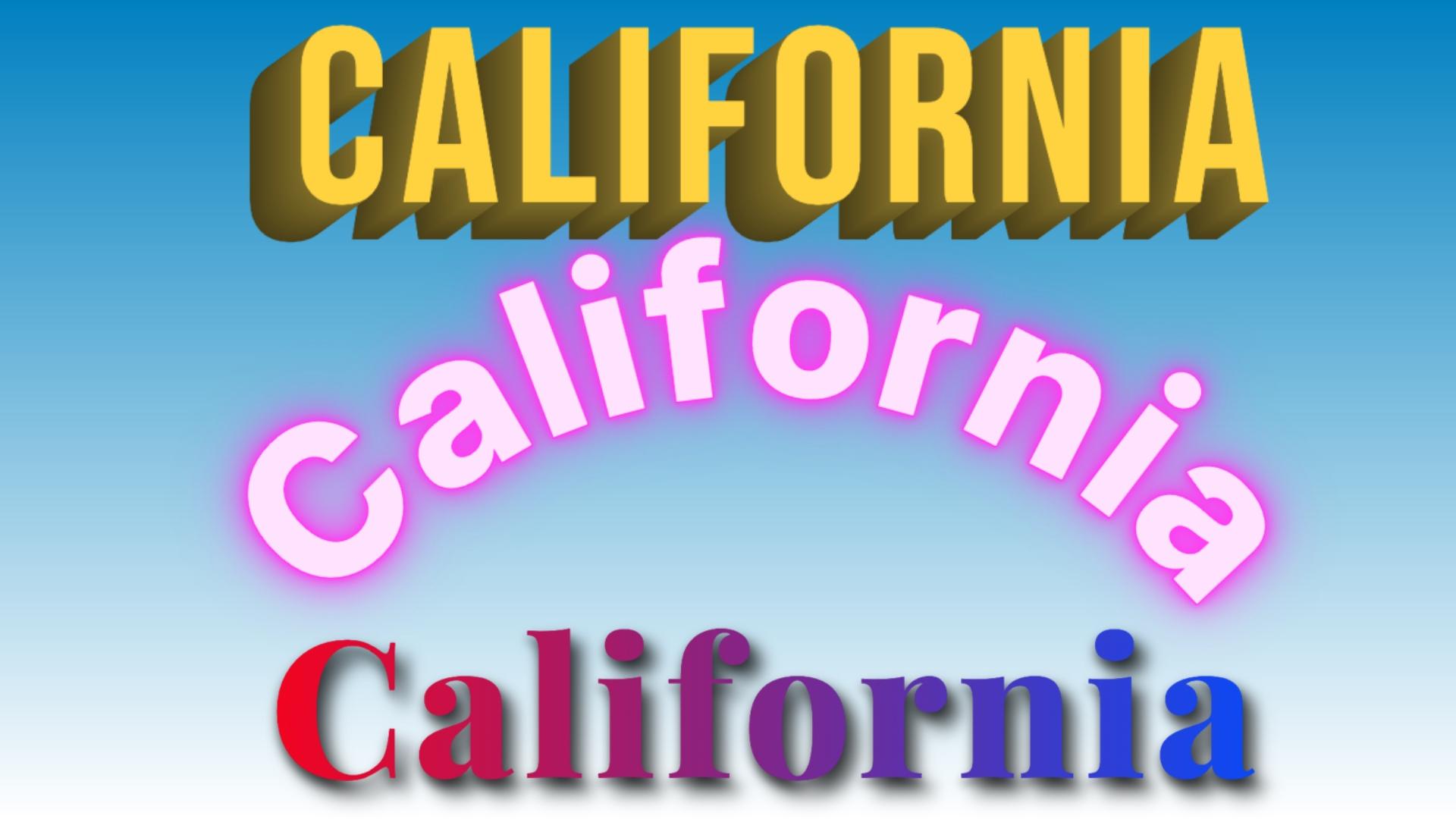
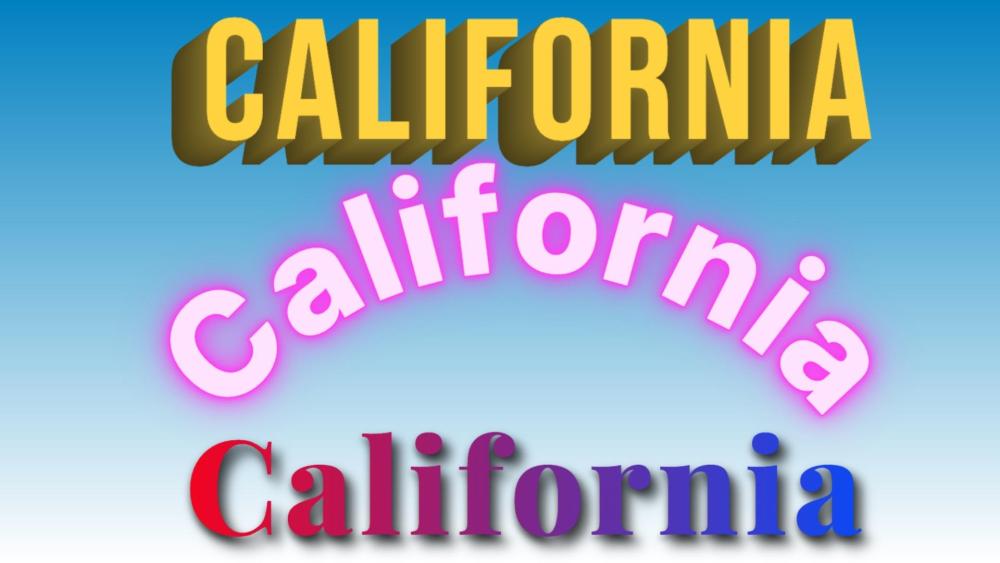
Save as transparent PNG and import into PTE. PTE drop shadow can be added. https://opendesignercloud.com/studio/text-effects/ Other studio tools. https://opendesignercloud.com/studio/ Tom
-
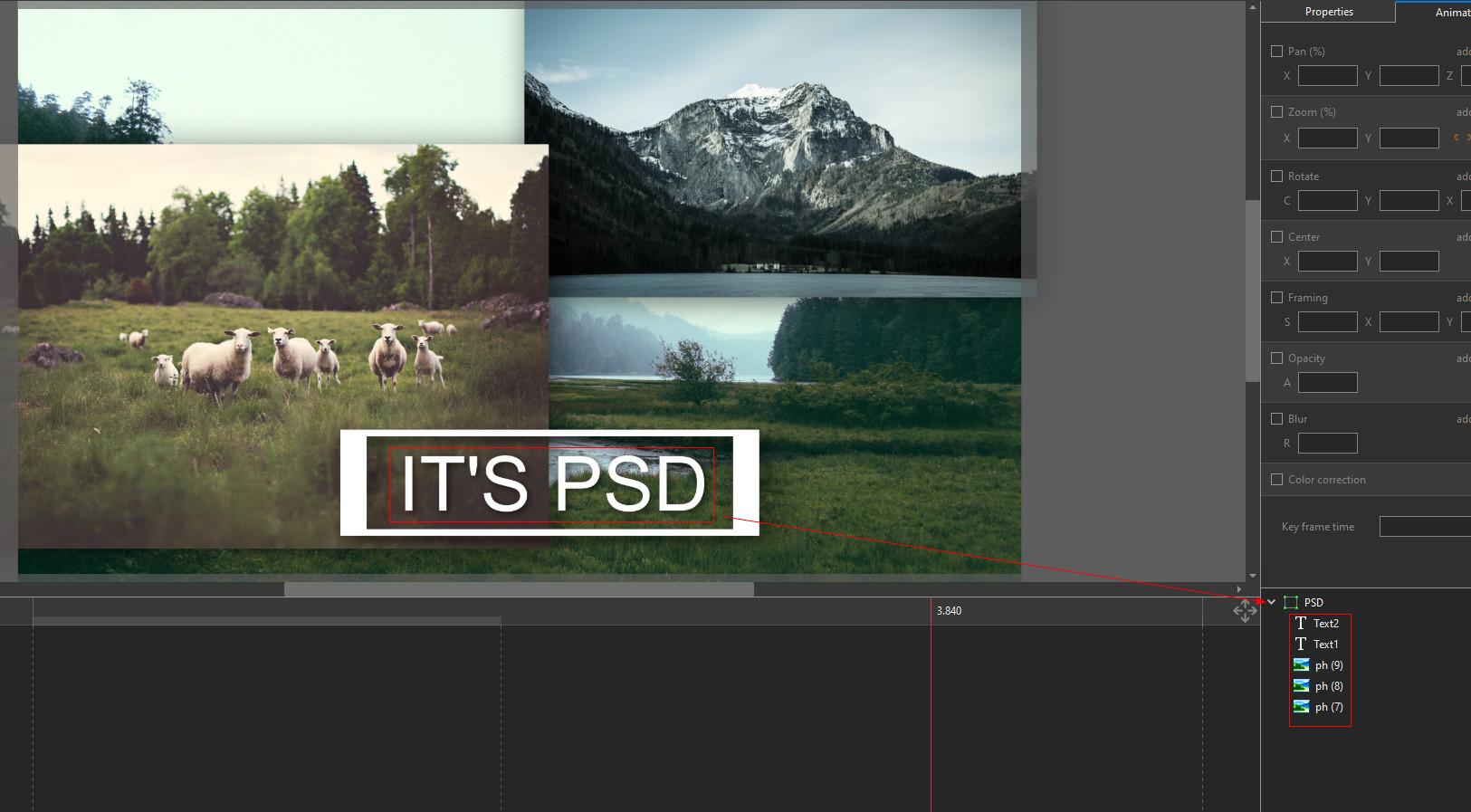
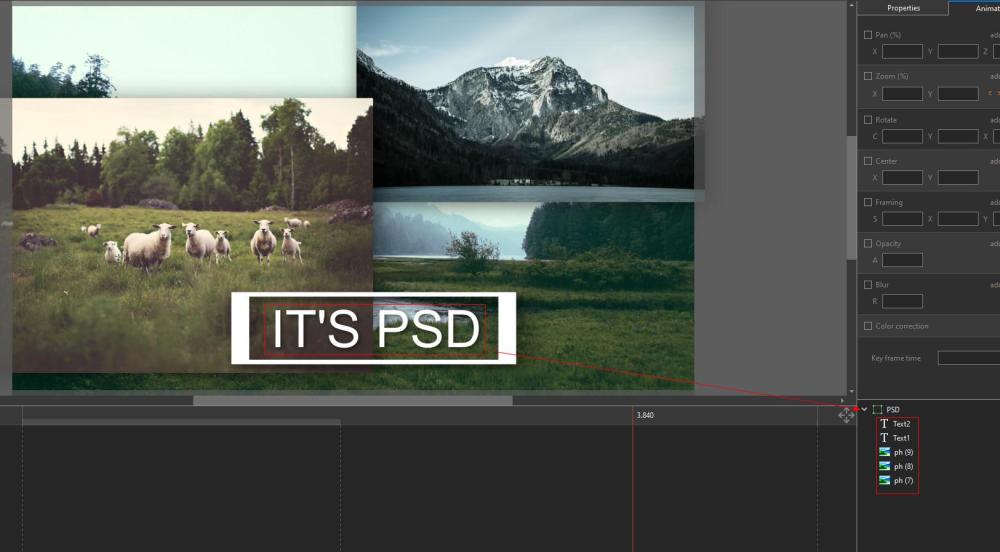
Ghulya, A frame in PTE is essentially a PSD in its primitive form. PSD is a PhotoShop Document containing multiple layers, including text layers. When you open a PSD in the program, you can edit each layer. In PTE, you can actually only open a PSD with the layers merged into one. You won’t be able to edit the layers. That’s all I wanted to say. And where is the mention of video files here?
-
Бася joined the community
-
I think it’s just as you say; it’s not about using PSD files for everything from now on, but if someone wants to share a project—for instance, one with a complex title—and allow others to edit it, I think this is a good solution. I honestly don’t understand why anyone would object to having more options. As for the drawback that PSD files are larger, I don’t think an extra few megabytes is going to cause any real trouble for anyone these days.
-
JPEG and PNG are definitely the best formats for images, and we recommend to use them in PTE AV Studio projects. IMHO, I've found an interesting use for the PSD format - creating text titles with complex visual decoration. Photoshop offers many great tools for styling an decorating text. If you add a PSD file with a transparent background to a slide, you can easily edit the text at any time. The changes will be updated automatically in PTE. The PSD file will also be automatically included in the project backup ZIP archive. The only downside is that PSD files are much larger than PNG files. P.S. It's always better to have more options than limited choice.