All Activity
- Past hour
-
 Hi everyone, I wanted to share two free browser-based tools that may be useful for preparing images, textures, and visual assets for PTE/AV projects. NormalMap AI is a free normal map and PBR texture generator: https://normalmap.ai/?utm_source=pteavstudio&utm_medium=forum_post&utm_campaign=backlink_2026 It can generate normal, roughness, ambient occlusion, metallic, height, and ORM maps from an uploaded color/albedo image, with a real-time 3D preview. The uploaded-image workflow runs locally in the browser via WebGL, so it can be useful when experimenting with displacement/normal-style effects or preparing texture assets. Demo video: https://www.youtube.com/watch?v=H-13KG5UeDY I also build PhotoQuill, a free web-based Photoshop alternative for quick 2D image editing, cleanup, cropping, and texture/image preparation: https://photoquill.com/?utm_source=pteavstudio&utm_medium=forum_post&utm_campaign=backlink_2026 Both tools run in the browser and are free to try. I hope they may be useful to some members here who work with images, slideshows, textures, or visual effects. Best regards, Tools Crazy
 -
CrazyTools joined the community
- Today
-
IcropLess joined the community
-
Downloaded from TheDom yesterday the "Trio slideshow". The issue I'm finding, when loading 20 images, every second slide has only half the time allow from the previous slide ... therefore only starts animation, but fails to complete. Anyone else finding this issue ... any suggests how to correct the style? Cheers, Peter
-
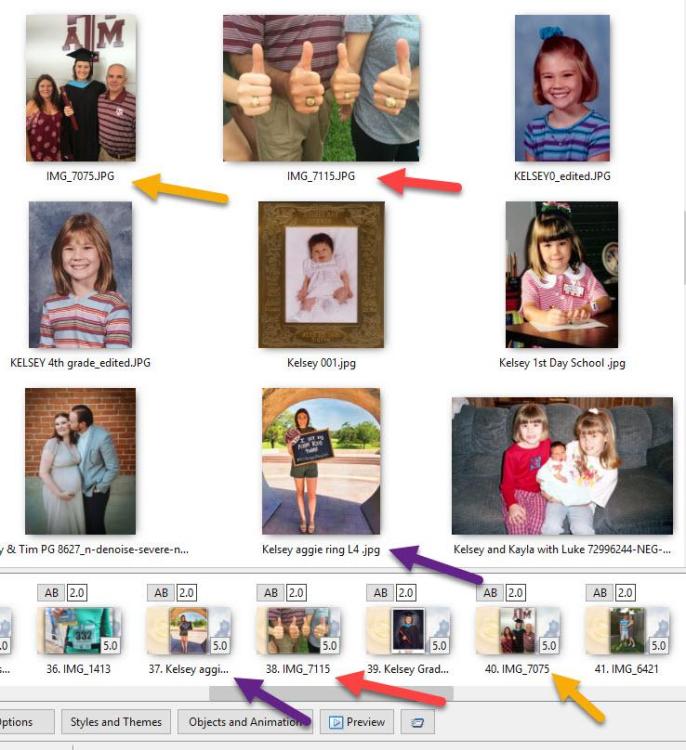
Hi SeismicGuy, thank you for your reply. That really confuses things with the approach I am taking by adding more photos and not being able to see the ones I have already added. I got it done but it would have been easier with the indicator present. Thanks again for your help.
-
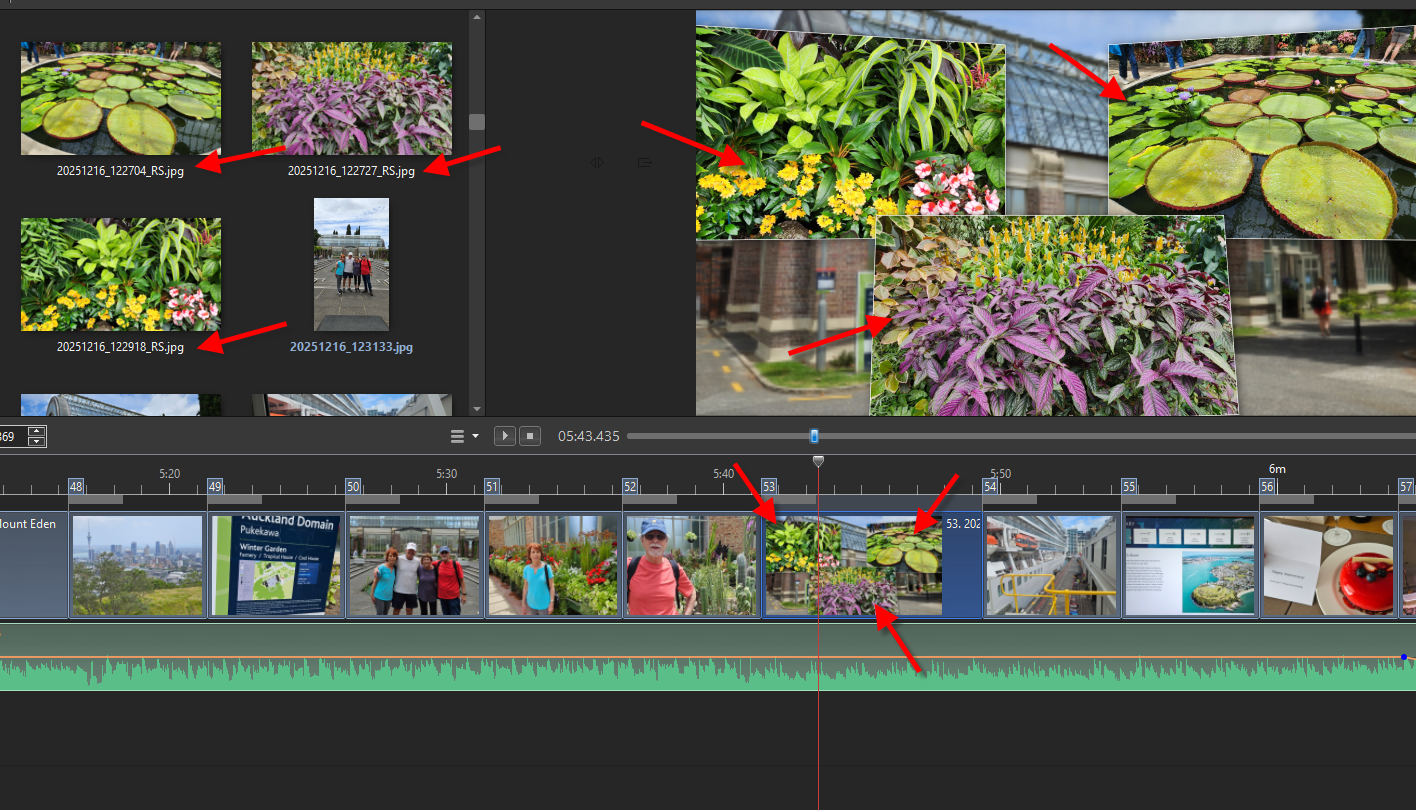
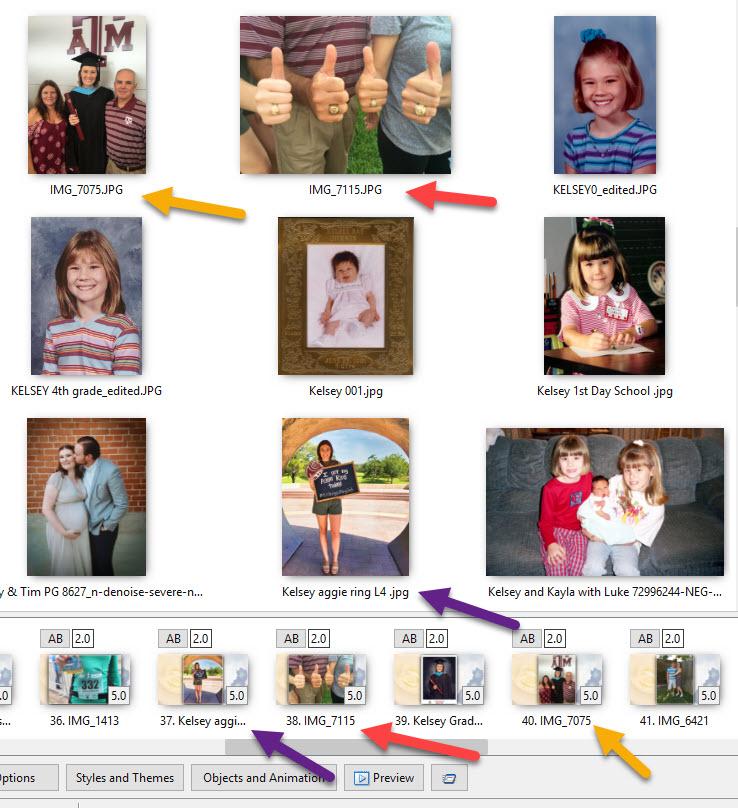
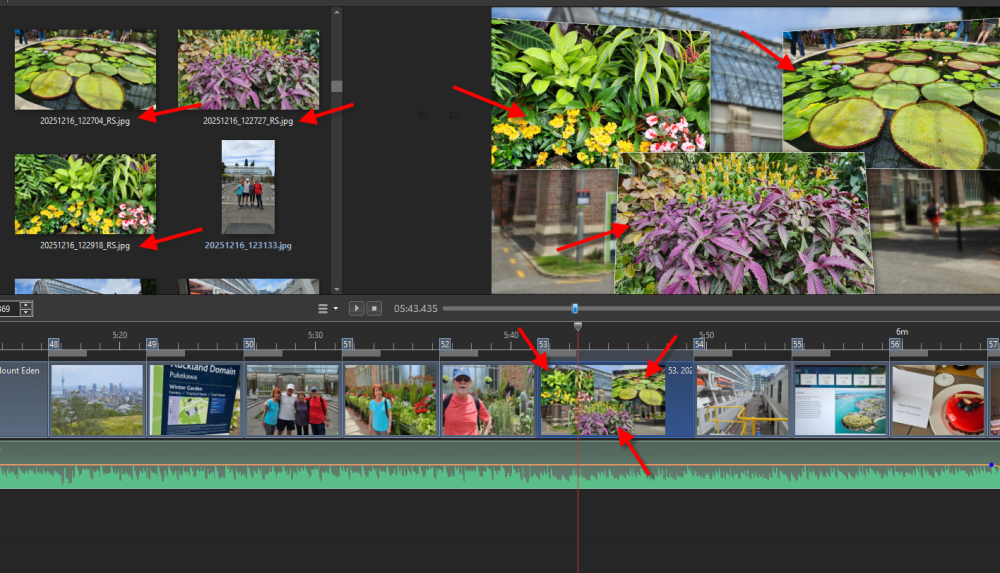
On a tangential issue similar to this is that I found that when you have a slide with a style that includes some of your jpg images, those images in the image area do not have a BLUE indicator to show they are actually being used already--see below:
- Yesterday
-
HI everyone, I am reworking a show from last year, and there is no blue indicator that I have used each old particular photo. I had created a saved zip file and moved it to another folder. Would this move have caused what I am seeing? Thank you for any help, Robert.
- Last week
-
creatos joined the community
-
Thank you - glad you enjoyed it.
-
yes you can open old shows made with an earlier version of PTE in the current version - as long as you have the .pte file. Or just download the older PTE from the website if you want to stay with the same version it was made with. If you only have the exe or MP4 then no. Jill
- 1 reply
-
- 1
-

-
Is there any way to open old shows and modify them?
-
.thumb.jpeg.275a23bb9c94b74fa0ee2ccae5279a1c.jpeg) GordW changed their profile photo
GordW changed their profile photo -
Very impressive... Alex55
-
We solved the freezing issue in Beta 14 today.
-
Beta 14 is available See the download links above. Fixed a freezing issue in all previous Beta versions that could appear in the mini player, Slide Styles, or Slide Options for transitions when a project had slides or custom transitions with many video objects.
-
That's great opportunity for the Camera Club ! And great benefit for the cast and crew. (PS- my name is Jim 😊)
-
Hello everyone, and thank you all for your feedback! I really love this new effect in version 12. It makes creating creative effects incredibly simple and intuitive. I've already prepared a collection of transition effects built around this new feature, and I'll be releasing them as soon as version 12 is officially released. Pascal.
-
Thanks for your comment. @Digartal, I'm glad you found them useful. I just watched your presentation, and as you said, it's something to be happy about. I really liked both the effects and the animations. Congratulations!
-

Error Creating style version 12 [SOLVED]
jienense replied to jienense's topic in PTE AV Studio 12 Beta
Thank you very much, it works well. -
Thanks Jim, I have shared this with the group both as individual images and well as the AV. The camera group I started 16 years ago has photographed over 75 productions for this theatre group. For this one we had about 15 members present and 20 - 30 images from each member, so the cast and crew get around 400 images for their use. Mark
-
Fixed - when it first loaded it showed the video. Was waiting for the property owner to come back to me so now public.
-
I think the transitions work well on this particular AV Nice consistent use throughout. Aside from Av producers seeing the transitions in use, I suspect this AV is really more of interested to the performing group. (But certainly not solely limited to them)
-
Private video. Can't see it
-
A project for a client last weekend.
-
Inspired by the transitions posted by jienense to make this AV overnight of a local theatre company production.
-
Thanks for sharing!
-
Well done, very effective and impressive with this subject. Nice work. Overnight, it inspired me to make an AV from images taken at a local theatre company's production of Chorus Line. Happy how it came out with some animations. Thanks again, it inspired me to make an AV from images from a local theatre company's
-

Free Music / SFX Resource - Over 2000 Tracks
Eric Matyas replied to Eric Matyas's topic in General Discussion
NEED HELP WITH YOUR TRAILER VIDEO? Here's one that I created the music for (and edited as well.) The developer sent me video clips of game-play and I put it together using Davinci Resolve. You can check it out here: https://store.steampowered.com/app/4179990/Agromatic/ If you need help with your trailer, just let me know! https://soundimage.org/custom-work/ That said, this week's new Ogg music releases are: "MEDITERRANEAN BREEZE" You can listen to it here: https://soundimage.org/wp-content/uploads/2026/06/Mediterranean-Breeze.ogg And download it here: https://soundimage.org/world/ "COUNTRY ROMANCE" You can listen to it here: https://soundimage.org/wp-content/uploads/2026/06/Country-Romance.ogg And download it here: https://soundimage.org/country/ As always, they're 100% free to use with attribution. Attribution information is here: https://soundimage.org/attribution-info/ OTHER HELPFUL LINKS: My Game Music Mega Pack https://soundimage.org/ogg-game-music-mega-pack/ My Genre Music Packs https://soundimage.org/ogg-music-packs-2/ Support the site https://soundimage.org/donate/ Enjoy! 🙂