All Activity
- Today
-
Dave, Thank you very much for this update and your help!
-
The Online Help for Version 12 has been updated in line with the "What's New in Version 12" posted by Igor: https://docs.pteavstudio.com/en-us/12.0/v12_wn/main Links have been added to each paragraph as appropriate. There is obviously more work to do but the OH is an ongoing and evolving document and if anyone wishes to contribute it will be hugely appreciated by the PTE community. "How to" articles are largely driven by Forum Posts for which there is no obvious answer in the OH and these will continue to be added when they arise. DG
- 1 reply
-
- 2
-

-

-
Hi, We published the final version of PTE AV Studio 12 today. See the official announcement here: https://www.pteavstudio.com/forums/topic/55186-pte-av-studio-120/ Tell us your impressions of the new version.
-
- 1
-
-
Hi, We're releasing PTE AV Studio 12 for all users on Windows and macOS: https://www.pteavstudio.com/forums/topic/55186-pte-av-studio-120/ It's the same build as Release Candidate 2, published last Friday. Thank you very much for your help with testing the Beta version!
-
Hi, We're glad to introduce a new PTE AV Studio 12 - a powerful software for photo slideshows and AV shows. What's New in version 12 The new version includes many improvements, new effects and creative possibilities: - Blending Modes (Multiply, Screen, Overlay, and more) - Video Speed Control and Slow-Motion with frame interpolation - Sound Object and built-in Sound Library - Export Vertical and Square Video for YouTube Shorts and other social media - New AV1 Video Encoder - HEIC Image Support for iPhone photos on Windows - Improved Chroma Key for Video Clips - New Dynamic Gradient Map effect in the Mask container - Quick Search in styles and transitions. New built-in slide styles and transitions And more. Read a full list of new features: https://wnsoft.com/pte-av-studio/whats-new-12/ Download for Windows and Mac: https://www.wnsoft.com/pte-av-studio/download/ Prices and Editions There are two versions: - PTE AV Studio 12 Pro - 145 EUR (VAT is included) - PTE AV Studio 12 - 74 EUR (VAT is included) Buy full version: https://www.wnsoft.com/pte-av-studio/buy/ Upgrades Upgrade from PTE AV Studio 10 or 11 Pro to PTE AV Studio 12 Pro - 48 EUR (incl. VAT) Upgrade from PTE AV Studio 10 or 11 to PTE AV Studio 12 - 35 EUR (incl. VAT) I hope that you will enjoy using the new PTE AV Studio 12! Thank you very much for your support and help with Beta testing! P.S. You can still find the Beta discussion here
-
- 2
-
-
-
Please use Google Translate for all posts. DG
-
Goedemiddag, Een mogelijkheid om de handleiding of helpfile, al dan niet in de Nederlandse taal, (als PDF) te downloaden zou enorm gewaardeerd worden. Indien alleen in het Engels zou ook dat al fijn zijn, want er zijn tenslotte genoeg programma's om die vertaling uiteindelijk ook te krijgen.
- Yesterday
-
Thank you for the wonderful work, I'll look to upgrade to the new version, when available. 1) In Object and Animation, when you move a Keypoint, it snaps to the end and the beginning of the slide, and to the other 2 points that represent the Transition/In and Out points , -- and that's PERFECT. BUT when dragging the cursor along the existing Keyframes, it would be very useful and nice, IF the cursor would snap to the Keyframes too. At the moment it just flashes when upon the point/keyframe, but no snap/ lock to that point/keyframe. 2) Also in the same Object and Animation window, on the right side: please set the height of Properties and Animation tabs around 75% of the screen height AS DEFAULT, and the bottom section, where the created elements are listed, would then take the rest of 25%. For the moment, I always need to adjust the height of those sections too see all the settings and thats very frustrating. 3) Can you please make more variations of "Spots" transtion? Or creating various settings for changing/ varying the existing one ? Like blur margins, liquify margins, vary the pattern of holes, etc We need some more transitions, specially organic/random-shaped ones. 4) From my POV, this software hardly needs a good and detailed PDF manual (included in the Help, but preferably in PDF Form, not the web one). I bet 85% of the users, can-t create a modifier. But they would love to learn. Best regards, L.B.
-
 vrt51 joined the community
 -
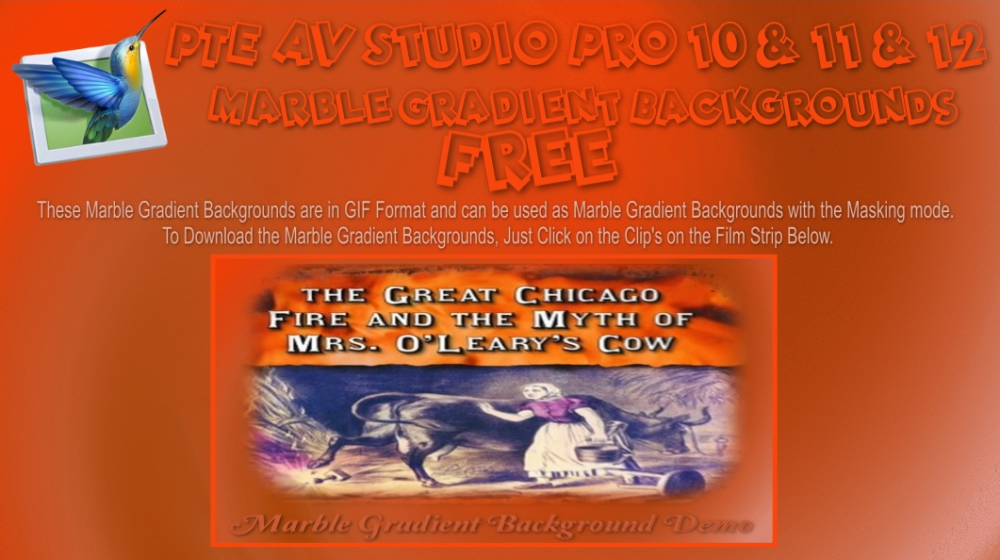
Marble Gradient Backgrounds Free Downloads, No Strings Attached: Here is the web links to my web site: These Files are in Zip Format. Marble Gradient Backgrounds Demo: https://www.pnwhiker.org/MarblGradBkgrd/MarblGradientBackgroundsDemo.htm Marble Gradient Backgrounds Zips: https://www.pnwhiker.org/MarblGradBkgrd/zip/MarblGradientBackgroundsDemoZips.htm
-

A new option/or menu for seriouse creatorFeature Request: Print/Export "Visual & Audio Continuity Layout" (Storyboard + Audio Workflow) The idea is simple: to have the ability to take our eyes off the software timeline and hold a physical document—or cons
Ghulya posted a topic in Suggestions for Next Versions
Feature Request: Print/Export "Visual & Audio Continuity Layout" (Storyboard + Audio Workflow) The idea is simple: to have the ability to take our eyes off the software timeline and hold a physical document—or consult a linear PDF—that encapsulates the entire visual and sonic structure of a project. This tool would allow us to analyze, review, and "look at" the editing workflow away from the computer, maintaining a complete overview of the project's rhythm. In cinema, this is the essence of a continuity script or storyboard; in PTE, it would be the ultimate way to read the sync between images and sound on paper. Ideally, the software could generate and export a structured, table-like report based on the timeline: Visual Chronology: A sequence of thumbnails representing the keyframes, slides, or main cuts, with clear graphical indicators for transitions (e.g., a sharp border for hard cuts, a gradient for fades). Audio Flow Representation: Next to or beneath each visual element, a dedicated section showing the audio waveform envelope, volume control points, and multi-track blocks (Voice, Music, SFX). This makes J-cuts, L-cuts, and audio-driven transitions immediately visible on paper. Text and Markers: Automatic inclusion of slide names, timecodes, durations, and text comments or notes linked to the timeline markers. Having a printable "Visual & Audio Storyboard" would bridge the gap between digital precision and analog reflection. It would allow authors to study the pacing, narrative flow, and sound sync of their audio-visual projects during breaks or offline thinking sessions. Ghulya - Last week
-
 Thank you Guy, I enjoyed your images. DG
 -
 Good evening, thank you for your comment on the slideshow!
 -
JRR, can you please encourage people to use English - this is an English Forum? DG Guy, can you please use Google translate and post in English? DG
-
Bonsoir, merci pour votre commentaire sur le diaporama!
-
 Trés pour votre diaporama avec le logiciel PTE 11
 -
We plan to release the final version 12.0 on Monday or Tuesday next week.
-
Release Candidate 2 is available See the download links above. Updated translations for German and Slovak. Note: the free Beta license key can no longer be used with the Release Candidate version. The About window shows version 12.0 Build 2.
-
Congratulations on this anniversary – I look forward to the new version.
-
Hi Igor Thank you and your team for a wonderful program and like Kieron said hours and hours of fun and looking forward to the next Pro version . Michael
-
Thanks to you and your team for allowing me hours of enjoyment. I will be upgrading as soon as it is availabe. Kieron
-
Free Music / SFX Resource - Over 2000 Tracks
Eric Matyas replied to Eric Matyas's topic in General Discussion
Happy July Everyone, Here's a fun track from my Jazz/Big Band page...now in higher-quality Ogg format: "SLAPSTICK" (Looping) Yo can listen to it here: https://soundimage.org/wp-content/uploads/2026/07/Slapstick.ogg There's also a LoFi version...you can listen to that one here: https://soundimage.org/wp-content/uploads/2026/07/Slapstick_LoFi.ogg LoFi tracks are useful if you need the music to sound like it's playing over an old transistor radio, tv, etc. Both tracks can be downloaded here: https://soundimage.org/jazz-big-band/ As always, they're 100% free to use with attribution, just like my thousands of other music tracks and sounds. WHAT'S THE BIG DEAL ABOUT OGG TRACKS? For those of you who don't know, Ogg tracks loop much better in game engines, as opposed to Mp3 tracks. Mp3 encoding will often discard music information at the end of a track. This creates an audible gap when the track reaches the end and loops to start over. Ogg encoding doesn't discard any information, hence no gap and perfect looping. For tracks that don't need to loop, Mp3 works just fine, but definitely go with Ogg for looping. Plus Ogg encoding is higher fidelity so Ogg music tracks sound richer and more full. Anyhow, if you're interested in downloading all my game music tracks at once (instead of one track at a time from my website) my Ogg Game Music Mega Pack is a huge time-saver. Plus it's a cool way to support my efforts. Here's a link: https://soundimage.gumroad.com/l/ylyre There's even a preview video you can watch if you'd like...or maybe listen to while doing other things...(it runs about an hour.) An of course, if you need some custom music created special for your project, just let me know. My contact information is here: https://soundimage.org/custom-work/ Until then, enjoy, stay safe and keep being creative! 🙂 -
voici mon premier diaporama avec le logiciel PTE 11 "Here is my first slideshow using PTE 11 software." (Google Translate)
-
Version 12.0 will be available for purchase or upgrade soon. Please wait a bit.
-
To Igor: So what's up with this release of PTE AV Studio 12 Pro? You goto the HELP and Buy Selection and select the buy option and you get the buy 11 version. So what do we use for a activate key or are we stuck 30 day trial, would an explanation. Have you decided on a upgrade price ver 11 pro to ver 12 pro yet? FYI: Remember this your final cut is 10 percent of 1 million dollars is ten cents, Government Calculator at work $1,000,0000/10 = 100,000 - 20% tax = 20% = 2, just enough for a cup of coffee. A long time customer Thanks pnwhiker......
-
Happy birthday, my beloved PTE! Wishing you long life and prosperity!