Igor
-
Posts
13,676 -
Joined
-
Last visited
-
Days Won
288
Everything posted by Igor
-
Sorry, Ray. We can't add support of 64-bit PTE video coder in this version. In the next version 7.5. There is a drop down list with presets (click the small button) to quickly choose the most used video sizes. We didn't limit manual editing in this version.
-
They virtually equal. Probably 60 Hz is preferable.
-
It's my favourite subject. Conversion from 24p/25p to 30p leads to a bad result. It does not matter when you perform this conversion (in real time or in the video editor). Pans and any animation will not be smooth. The only way to get the best result is to keep the original frame rate and show video clips on a display with same frame rate (or doubled/tripled). For this reason even being in European region (PAL) with 25p/50i/50p I always record my video at 30p. Because any recent TVs can show videos in all standards. 60p is always supported. And majority of computer displays work at 60p. Even if I use 75 Hz, I can easily switch to 60 Hz. If you have 24p or 25p video you need to set 72Hz, 50 Hz or 100Hz. Only rare computer displays can use these screen modes. You can easily perform a simple test. PicturesToExe allows outputs video in HD format with any frame rate 24p, 25p, 30p. Create a test sequence with Pan effects for images and export 3 video files with different frame rates. Now compare results.
-
PicturesToExe Deluxe 7.0 Beta 18 is available now. It is a release candidate with all features of version 7.0 Download link in the first post above. List of changes: + Added Resize function to the video converter. + Updated language files for the release. + Improved support of interlaced video and video with different aspect ratios in the video converter. * Bug-fixes.
-
Please try uninstall version 6.5 and install it again.
-
Hi Gary, Personally I think that difference between 24p and 30p is tiny. TV look mainly has been reached by using of 60i (60 frames per second packed to 30 frames). 30p video is more preferable because it's multiples of 60 Hz - a typical refresh rate of computer displays. Created video show will look good on PC, Mac and on television. 24p video looks good on computer displays with refresh rate at 72 Hz. 25p video looks good on computer displays with refresh rate at 75 Hz and 100 Hz. 30p video looks good on computer displays with refresh rate at 60 Hz and 120 Hz.
-
Hello Jill, We hope to include this feature to the next version 7.5. We faced with a need to rewrite some parts of our graphical engine. I'm very impatient to release the blur feature as soon as possible.
-
Thanks, Barry. It's a simple bug. I also noticed it today. Beta 18 will cure this small problem.
-
I've moved the conversation regarding a full slide duration to a separate topic: "Changes in Slide Duration"
-
I think these two options placed here will vastly complicate the program. Most users will not understand purpose of them. And majority of users even need not change these modes at all. I'll reply on Daniel's posts today later.
-
If it possible, please send me this WMV video file. I'll check up. Thanks, I've replied here:
-
This designed to make simple the optimization of video clips. You can choose any of these two ways: 1. Add video clip for the optimization and when pause conversion. Now you can change necessary parameters. 2. Add video clips to the Slide list. Discard optimization. Click right mouse button to show the popup menu. Choose "Convert video clip". Video converter will be launched. After conversion PicturesToExe will replaced the completed video file.
-
I've disussed with Harold this interesting issue. Regrettably I have no idea how to cure this problem. Indeed all previous versions since 5.0 to 6.5 work as in version 7.0 Beta you set "0" for the unsharp mask. Because previous versions don't have the unsharp mask feature. Harold, probably you could publish a short demo for other users to compare results?
-
Please leave here your comment or testimonial on PicturesToExe (any language). What you think about this software, how you use it, or how PicturesToExe changed your business? I think it would be interesting for new customers. Please add your name (company), and country to your comment. Also we'll copy responses from this thread to our website - www.wnsoft.com Thanks!
-
"Allow modification of EXE file with slide show" option. When this option is OFF. Default state. Purpose: Protects created executables for PC against viruses. Infected or corrupted slideshow will not work and will warn an user that file is damaged or infected. When this option is ON. Recommended for advanced users only. With this mode you can use 3rd party software to apply additional protection for executable files for PC. PicturesToExe already provides password protection, time limited usage. But other software can suggest more features and more flexible options to protect EXE file.
-
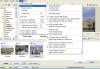
Daniel, 1. New modes "Show full slide duration" and "Keep full slide duration" are used by default and usually no need to change them. Also there is an important moment - if you uncheck "Show full slide duration" option you also must turn off "Keep full slide duration", too. These both options work together. The Project options window displays a default slide duration according state of "Show full slide duration" option. In one case it's a pure slide duration, in second case - a pure slide duration + next effect duration. Also if you changed a state of "Show full slide duration" option, the default slide duration will not be updated automatically. To perform a correct test you need to start a new project or correct default slide duration manually. 2. Sorry, I was not able reproduce a situation shown on Figure 1. It's impossible to get this result with these settings (default slide duration in the Project options as 9 seconds and transition duration as 4 seconds). See attached screenshot.
-
Thanks, Barry! I just fixed this old bug in following Beta 18. Now after use of Save As for a project file, output for Mac will suggest the project name by default.
-
It happens because beta versions share common shortcut on the desktop - "PicturesToExe 7.0" Normally uninstaller of a software product should delete all program files and shortcuts and it doesn't know if somebody else uses this shortcut, too. In theory I can find a complex detector to find other beta releases of same version 7.0 But it will not work if an user changed installation folder. This problem will not occur with stable final versions. As temporal solution, I recommend rename this shortcut on the desktop - "PTE 7.0 Beta" for example.
-
Xaver, Yes, we plan vastly improve the user guide after the release of version 7.0.
-
Beta 17 has a full integration with the video converter. When you add a heavy video file (H.264 codec at 1280x720p and larger), PicturesToExe will suggest optimize this video file. Converted file will be automatically attached to the project.
-

Very sorry, but I'm desperate for help with Registration Key
Igor replied to wilse's topic in General Discussion
Hello Brad, I just sent you email with a new license key. Please try it. -
Thanks, we'll fix it!
-
PicturesToExe Deluxe 7.0 Beta 17 is available now. It is a very important beta version which includes almost all features of version 7.0. Download link in the first post above. List of changes: + After adding of video clips PicturesToExe suggests optimize heavy video files (in H.264 format) for smooth playback. + Various improvements. * Fixed issue with encoding to MP3 in voice recording function. * Fixed problem (Beta 1-16) with opacity of video clips in executables for Mac. Opacity always was locked to 100%. * Fixed bug (Beta 1-16) with a casual disappearing of the file tree in the main window.
-
Thanks, I'll add this correction (I also will correct other links). I'm grateful you that you told me about this problem! We plan send all textes to a special company for proofreading later. Also we plan move the user guide to a wiki-based system on our website. Can I ask you - what quality of text in the program (PicturesToExe)? Is it suitable or should we urgently order the proofreading?
-
User Guide for PicturesToExe Deluxe 7.0: English: http://www.wnsoft.com/files/picturestoexe/user-guides/7.0/PicturesToExe_User_Guide_v70.pdf