SeismicGuy
-
Posts
220 -
Joined
-
Last visited
-
Days Won
4
Everything posted by SeismicGuy
-
Similarly I always end up struggling to deal with the music. For my travelogue shows I typically end up with 200+ slides, some of which are jpg images and some mp4 clips. I try to add those first and then follow it up with music. Some of the music clips are just nice background cuts but I also put in pieces that relate to particular slides (e.g., Tie Me Kangaroo Down for images of Kangaroos at a wildlife preserve). No fault of the program but it is sometimes excruciating getting the various timings right.
-
As always astounding and thanks!
-

15 Free PTE AV Studio Transitions - Romantic Light Transitions
SeismicGuy replied to Bad Dancer's topic in Styles & Templates
Looks great and, as always, thanks!- 1 reply
-
- 1
-

-
I guess I should become more familiar with creating Styles. What I pretty much always do when creating one of my travelogue shows is to choose the jpgs and mp4s and assemble on the slide list or timeline in some meaningful order. Then I apply various styles (many of them downloaded from other advanced members like you or Barry) to either single slides or group of slides but almost always modify the style to my liking. When modified should I be calling that a new "created" style?
-
Yes I played around with that and I see what it did. But I am still not entirely clear about the Main Object designation and/or the number assigned to each of the Main Objects. But I guess I have survived without understanding this with the various shows I have created thus far so no harm/no foul as they say.
-
Yes I read the description of there needing to be a "main image" but it still doesn't make sense to me about the description about a style including more than one main image and indexing of the images 1,2,3, 4.... Something is not sinking in with me as to the consequences of the numbering.
-
I have to admit it has never been quite clear to me as to how or why something is designated "Main Object" in the O&A properties tab and/or the number of the object.
-
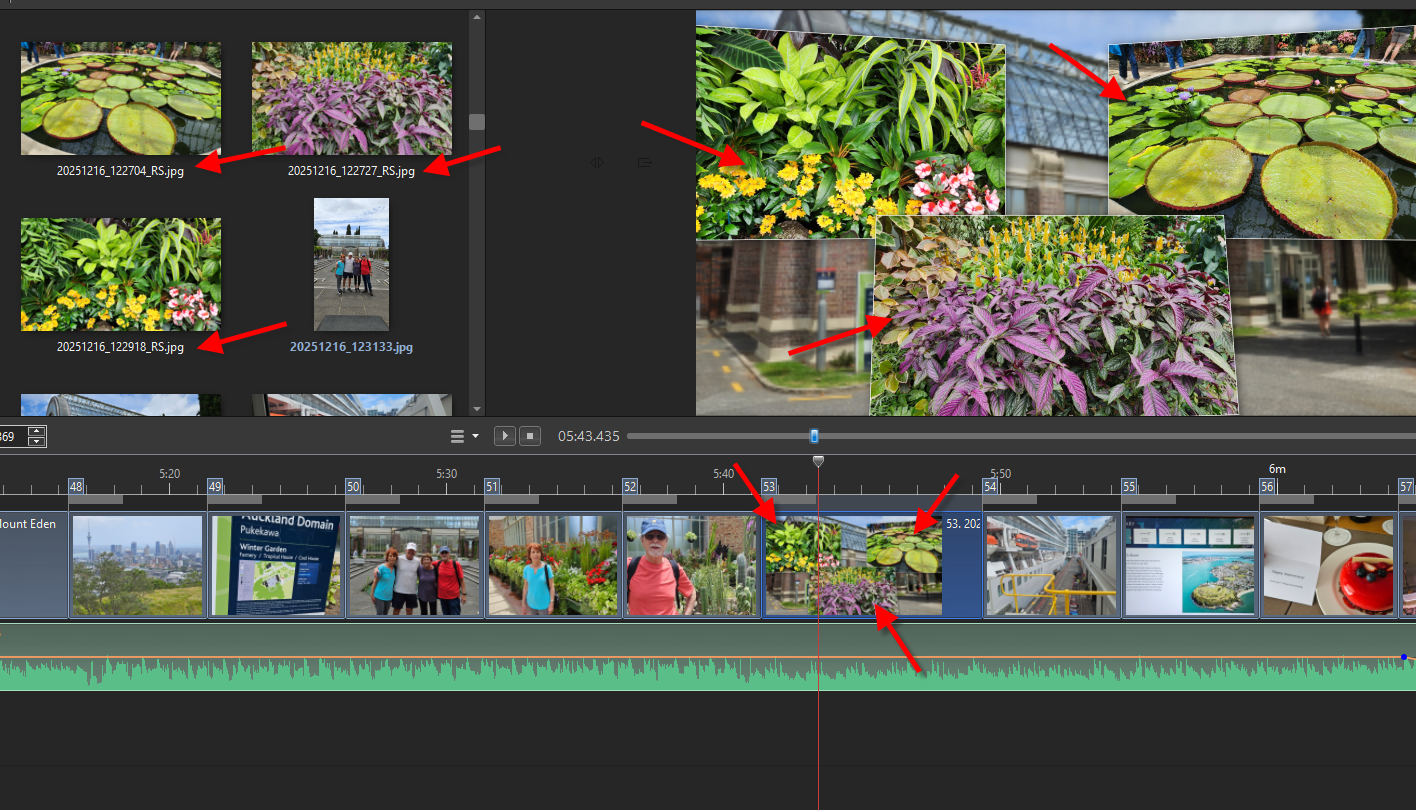
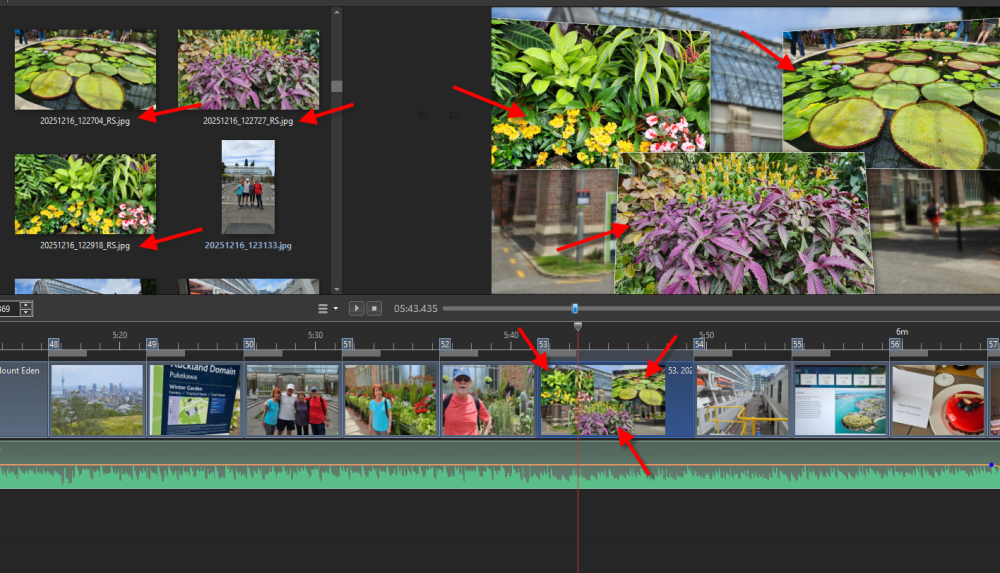
On a tangential issue similar to this is that I found that when you have a slide with a style that includes some of your jpg images, those images in the image area do not have a BLUE indicator to show they are actually being used already--see below:
-
How to compress and save in a smaller sized slide show
SeismicGuy replied to BenHerrmann's topic in Slideshows & AV Shows
Depending on how long your slide show is and if it contains video clips as well as jpg's, 140mb doesn't seem all that large. My travelogue shows are from about 20 minutes to 30 minutes and the resulting mp4 files are from 2GB to 4+GB in size. -
How to compress and save in a smaller sized slide show
SeismicGuy replied to BenHerrmann's topic in Slideshows & AV Shows
By show are you talking about the resulting mp4 file size? -
The alternative I chose for simple beginning and ending trimming of the slide in question was to right-click the mp4 clip in the file list and choose Convert/Trim Video Clip and then do the trimmimg similar to this Beckham tutorial. This ends up creating a revised video clip that can be added as a slide and is done entirely within PTEAV. Actually it was this tutorial that led me to believe that the O&A method I was fiddling with would accomplish the same thing.
-
My usual need is when I am making one of my travelogues which normally have a mix of jpg's and video clips. With the videos I may have anywhere from 2 to 4 clips on my Galaxy related to some experience (e.g., taking a gondola up a mountain) where each clip might be 20 or 30 seconds and I end up taking pieces of each to create one single clip that I end up using in PTEAV. When doing so I have been using Movavi to accomplish the editing and piecing together to create the single clip. But there are times like this where I have a single clip and I may need to cut a bit from the beginning and a bit from the end. I thought it would be easier to do entirely within PTEAV but perhaps it is easier just doing in Movavi.
-
If the only "object" in the slide is the video clip and you trim from the beginning and end of the clip on O&A doesn't it seem like the duration should also adjust to match the duration of the revised clip? I guess I can just change the duration myself but it seems like this should be automatic.
-
That is exactly my point. Why bother with any "clip" adjustments if they don't actually translate to the slide? Again it seems like there is something missing here.
-
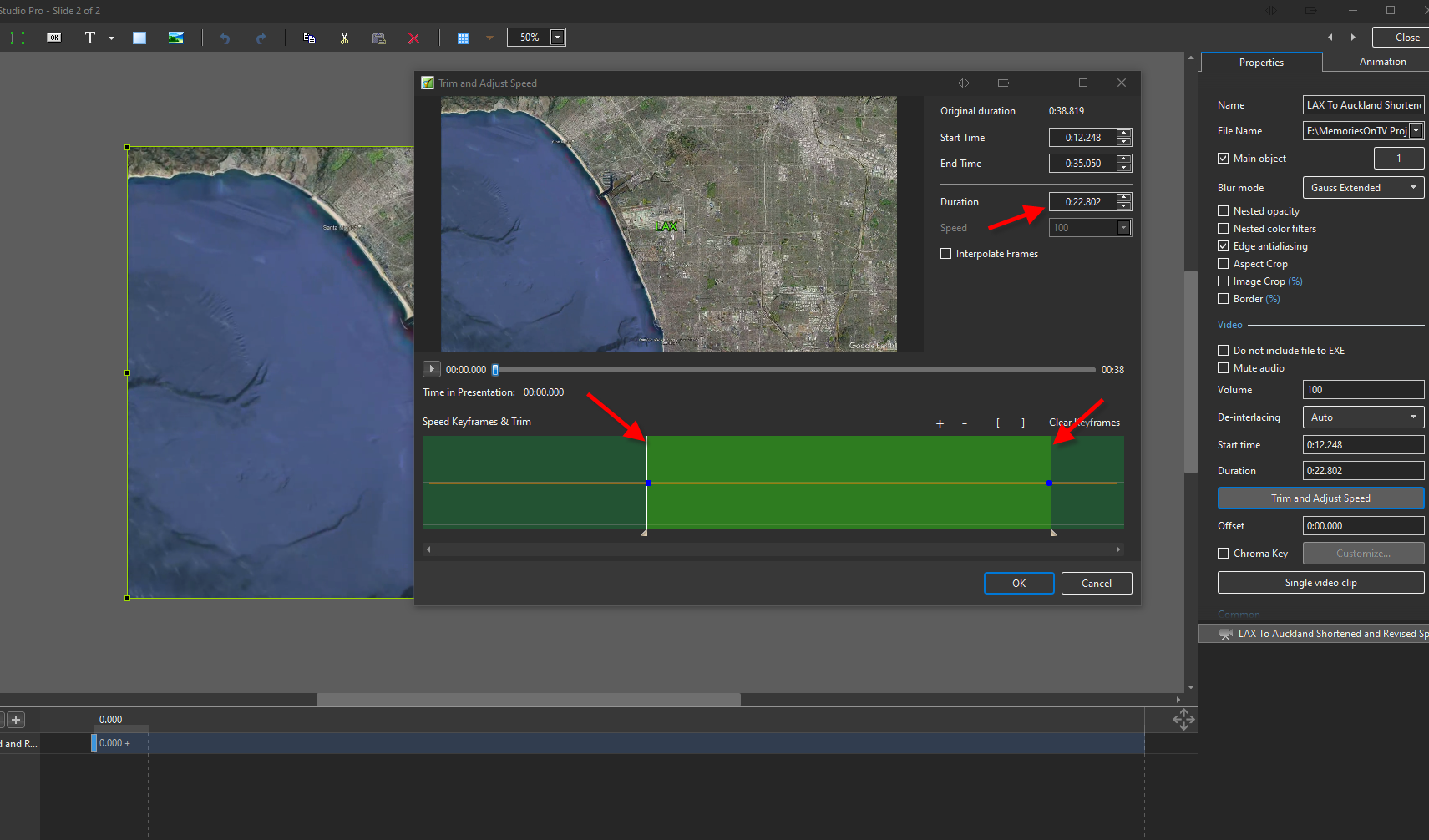
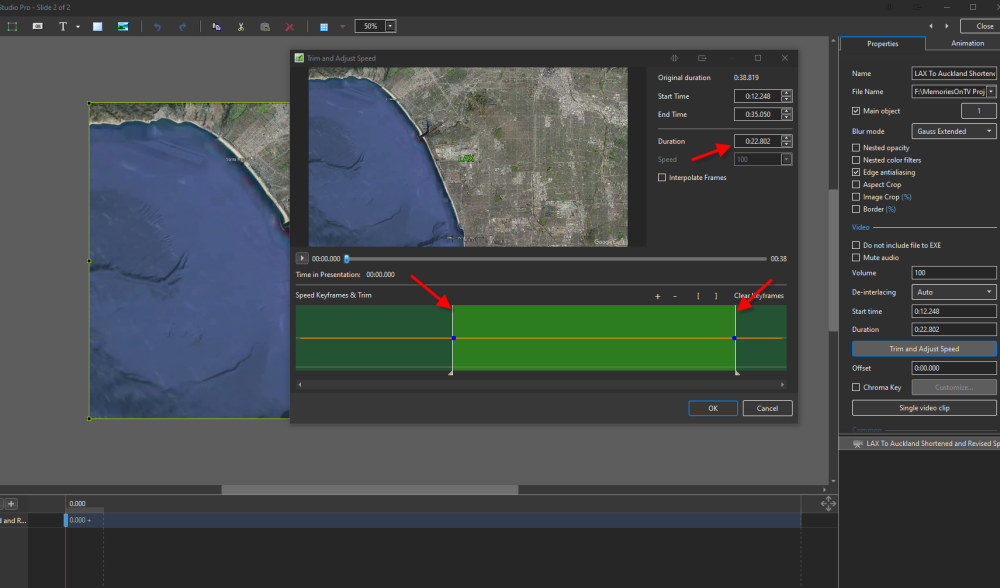
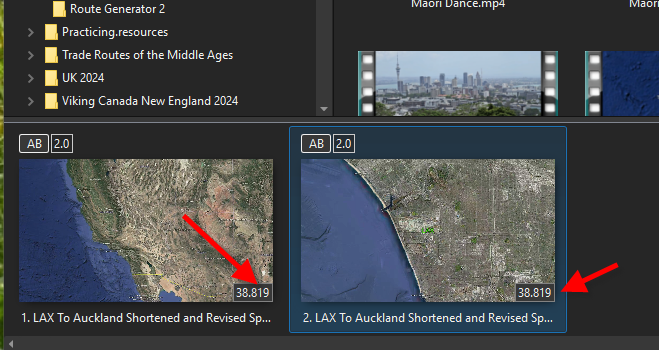
I am still stumped with the Trim and Adjust property feature with a video. I have a video clip that is about 38 seconds long. I add it as a slide and then add it as another slide right next to the first just to play around. On the second slide I go to the Properties and choose Trim and Adjust Speed and move the start and end points and it shows doing so changed the duration to about 23 seconds. HOWEVER when I go back to the main screen the duration shows the same on both slides and then when playing the second slide which I thought I reduced to 23 seconds it still shows the 38 second duration and it plays for 38 seconds although the last 14 seconds or so is just really a freeze frame. What am I misunderstanding or doing wrong since it seems that the Trim is not really having the desired effect?
-
Not sure if this is pertinent/related but I tried deleting the style in question using Tools/Delete Style and it doesn't delete.
-
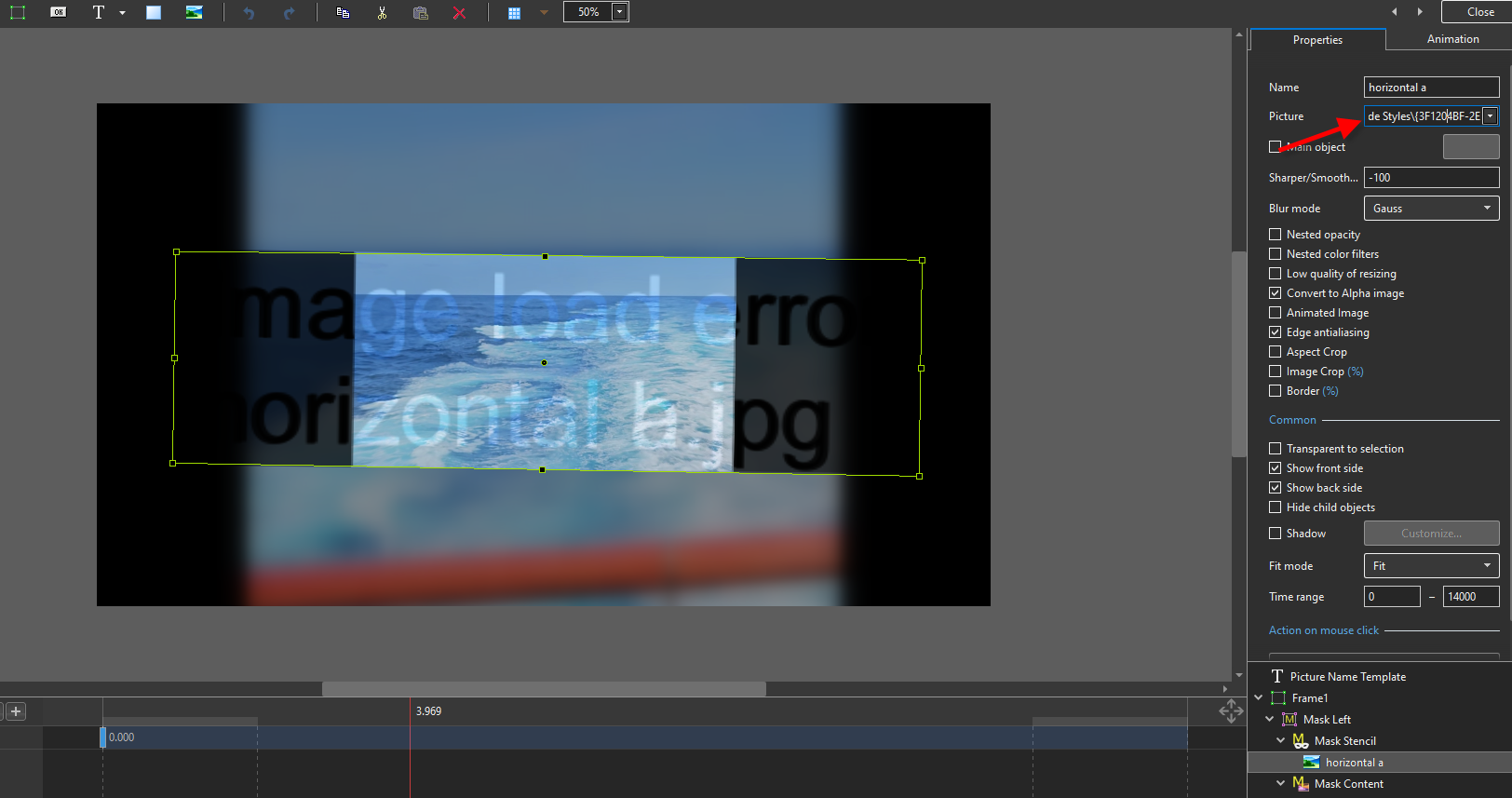
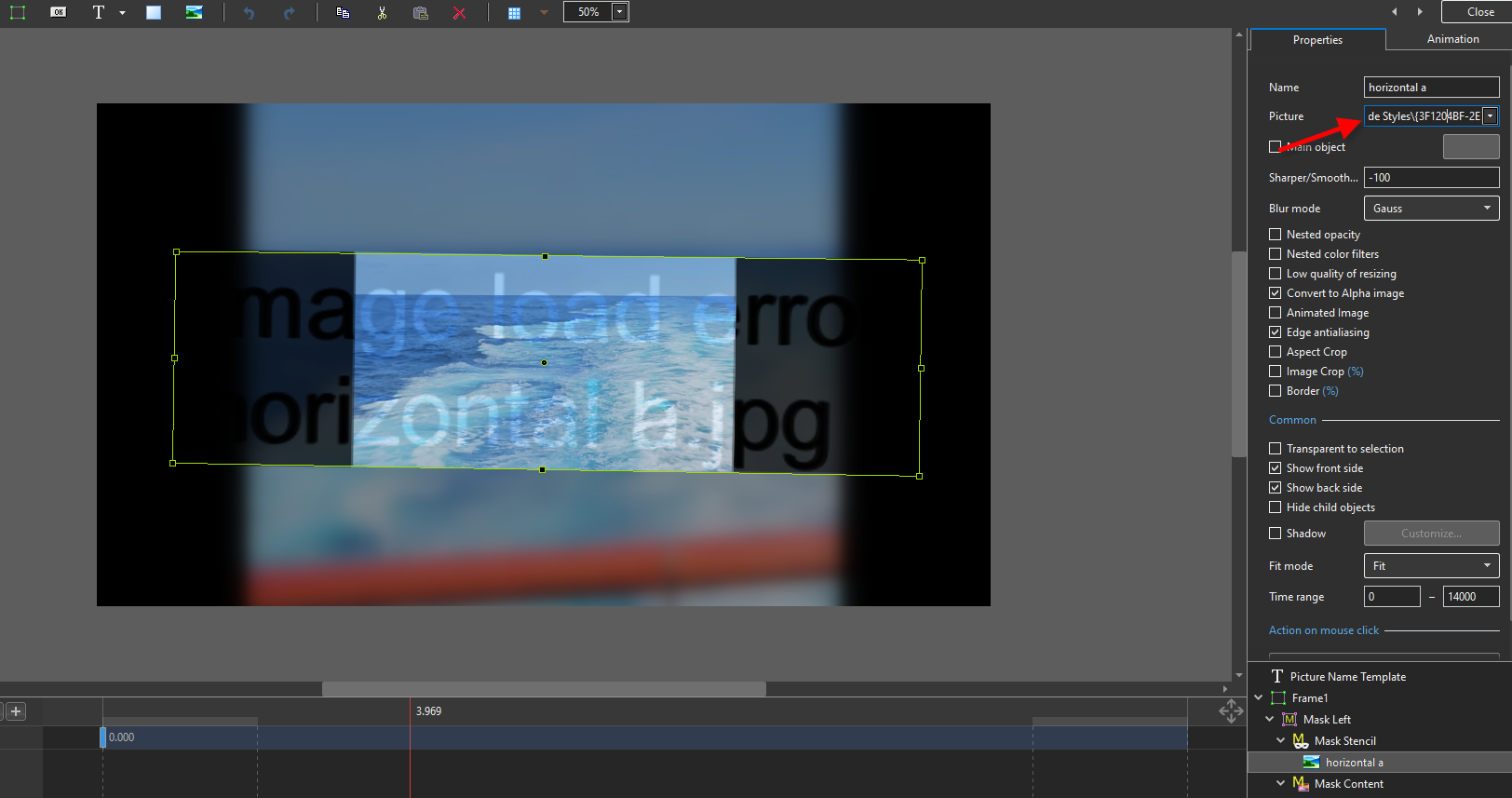
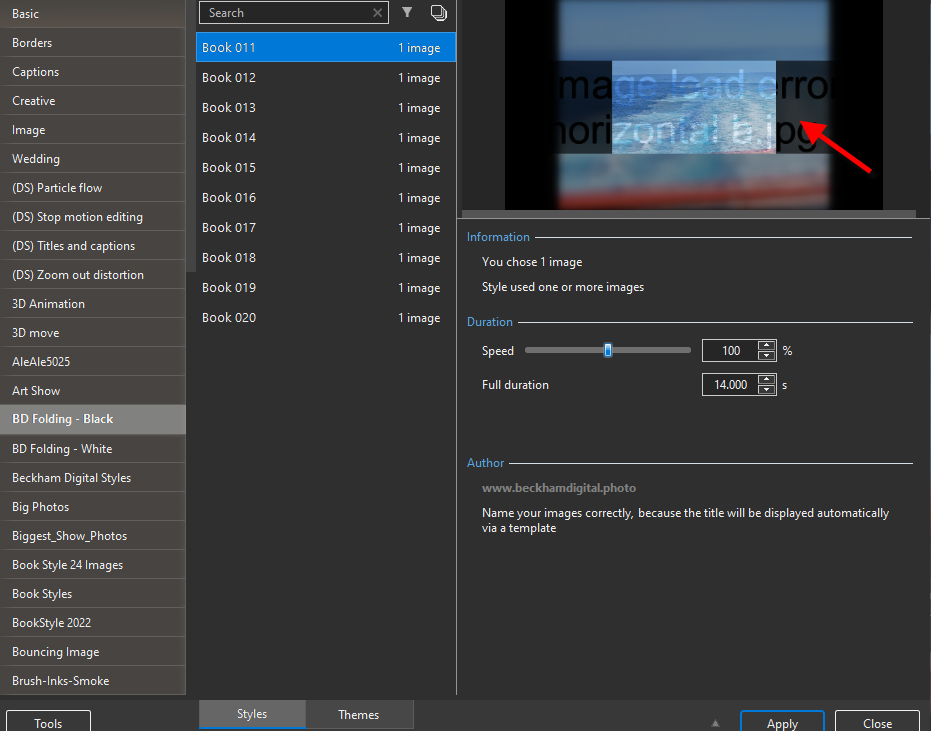
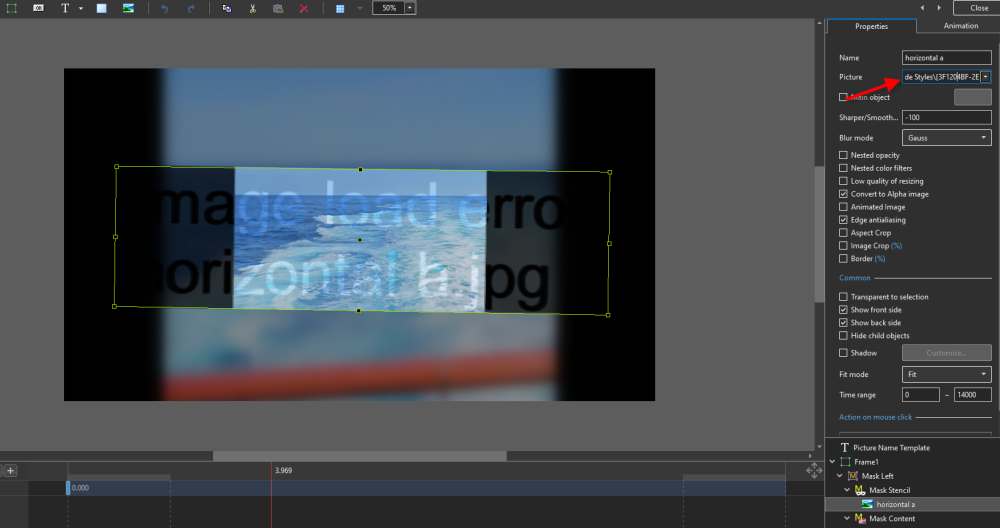
Not sure if I am describing this correctly but I was playing around today seeing what different styles I might apply to one or more images. One of the styles I looked at was downloaded from Barry Beckham's site and is a book-folding effect and I think I had actually used this previously. Anyway when I look at the style within O&A there is an "image load error" that appears: When go to the "Picture" that is referenced in the O&A window I found the file in the referenced folder (horizontal a.jpg) but it is a ZERO length file. I also found the file in other folders and they were okay so I just copied to the folder in question. Any explanation about what is going on here?
-
May be a moot point for me now since I figures out a way within Google Earth Tour Maker to sort of accomplish what I was trying to do. Still I find the Trim & Adjust subwindow operations within the O&A window to be somewhat inscrutable, or at least the results are.
-
I guess I should explain what I am trying to do and then see if what I want can even be done within PTEAV. Google Earth has a feature to create a "tour" where you enter points and then record the tour. Then you can export the tour as a video file. My "tour" is just 2 points with a start city (Los Angeles) and an ending city (Auckland). I want to use this as my first "slide" in another one of my travelogue shows I am working on. I when playing the Google Earth generated movie the speed throughout is fairly high. I want it to linger longer on the starting and ending cities but be normal speed or greater for the "flying over the ocean" portion. So far the only place where I have been able to accomplish this is within the Trim and Adjust Speed sub-window of O&A. But the changes don't "stick". So am I trying to accomplish something that cannot be done in PTEAV?
-
Still no joy! The ONLY place where the time-adjusted video clip plays correctly is the Trim and Adjust Speed window where you presumably make the adjustments for start/end time, speed changes, etc. (I still don't understand what Interpolate Frames does). Anyway when I say OK and close that window and play it in the Objects and Animation screen it does NOT play the same. Similarly when I exit O&A and go to the Main screen it also does not reflect any of the alterations I made in the Trim and Adjust Speed window. Maybe I am doing something wrong but not obvious to me.
-
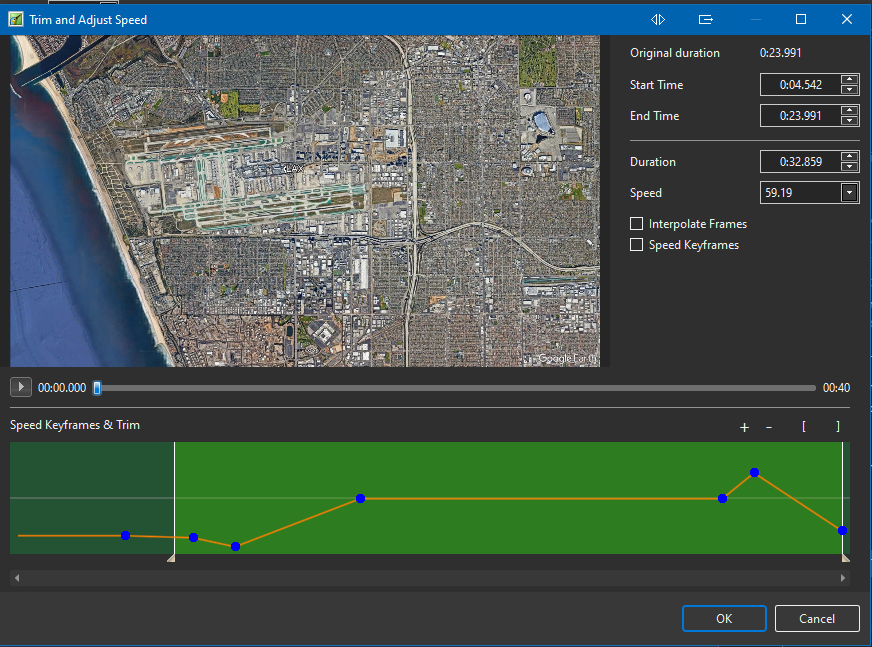
Still having a problem with the Trim and Adjust Speed option in Objects and Animation for a single video clip. I used Google Earth to record a "movie" that shows flight path from A to B. I open the clip in PTEAV and I wanted to start the beginning a bit later and then alter the speed during the rest of the clip. This is what it looks like in the Trim and Adjust Speed window and it plays fine in that window. HOWEVER, when I close the O&A window and view the clip in the main PTEAV window the playback does not match what was shown while in the O&A screen. What am I doing wrong?
-
On a somewhat related issue, I have created a number of mp4 shows from past projects and seem to recall that the Time Remaining for the resulting mp4 was generally around the time length for the actual overall project (my shows are usually 20-30 minutes total). I am in the Publishing step of a current project that is 21 minutes in length. The Publishing phase shows about 3 HOURS for the process which seems weird. The only difference is that I changed the "motion blur" option from disabled to enabled with the recommended settings. Is this what is causing the seemingly excessive Publishing Time?
-
I probably should have described my process better. Basically there are times on trips where I have a series of separate videos related to an overall single activity. For example going out on a boat for whale watching or taking a gondola up a mountain and then walking around and then back down the mountain. So the overall "activity" might consist of 4 or 5 separate pieces of video taken on my phone. What I do is load ALL of those clips in Movavi and of course leaving them all intact as originally taken results in an overall boring and too long clip. So I start snipping out pieces and deleting them (e.g., the 30 seconds of going up the mountain taken from the gondola might be reduced to 15 seconds, etc.). In the end I might end up with a number of pieces (all in one single piece) that total 30 or 40 seconds. But if I do nothing beyond that there are a bunch of jerky distracting changes from one piece to the next. So one of the Movavi tools is to insert transitions between the pieces resulting in a much smoother overall clip. So I do not have separate video slides with a transition between slides (I think that is what you were suggesting) but, rather, one overall video created from a number of clips with transitions in between each clip. Does this make sense? By the way I realize I could probably do all this within PTEAV and/or Optimizer but I wanted to end up with a resulting single video clip/slide.
-
Thanks for the info. I was just used to using Movavi and it has some nice transitions to insert between each clip. Is that also the case with Video Optimizer?
-
Ah I see said the blind man! I missed the obvious about just clicking the line to create the points and then moving those points up or down exactly like the audio adjustments. Thanks much!