goddi
-
Posts
3,593 -
Joined
-
Last visited
-
Days Won
26
Everything posted by goddi
-
And...the filename gets changed to "redwood-national-park...." Gary
-
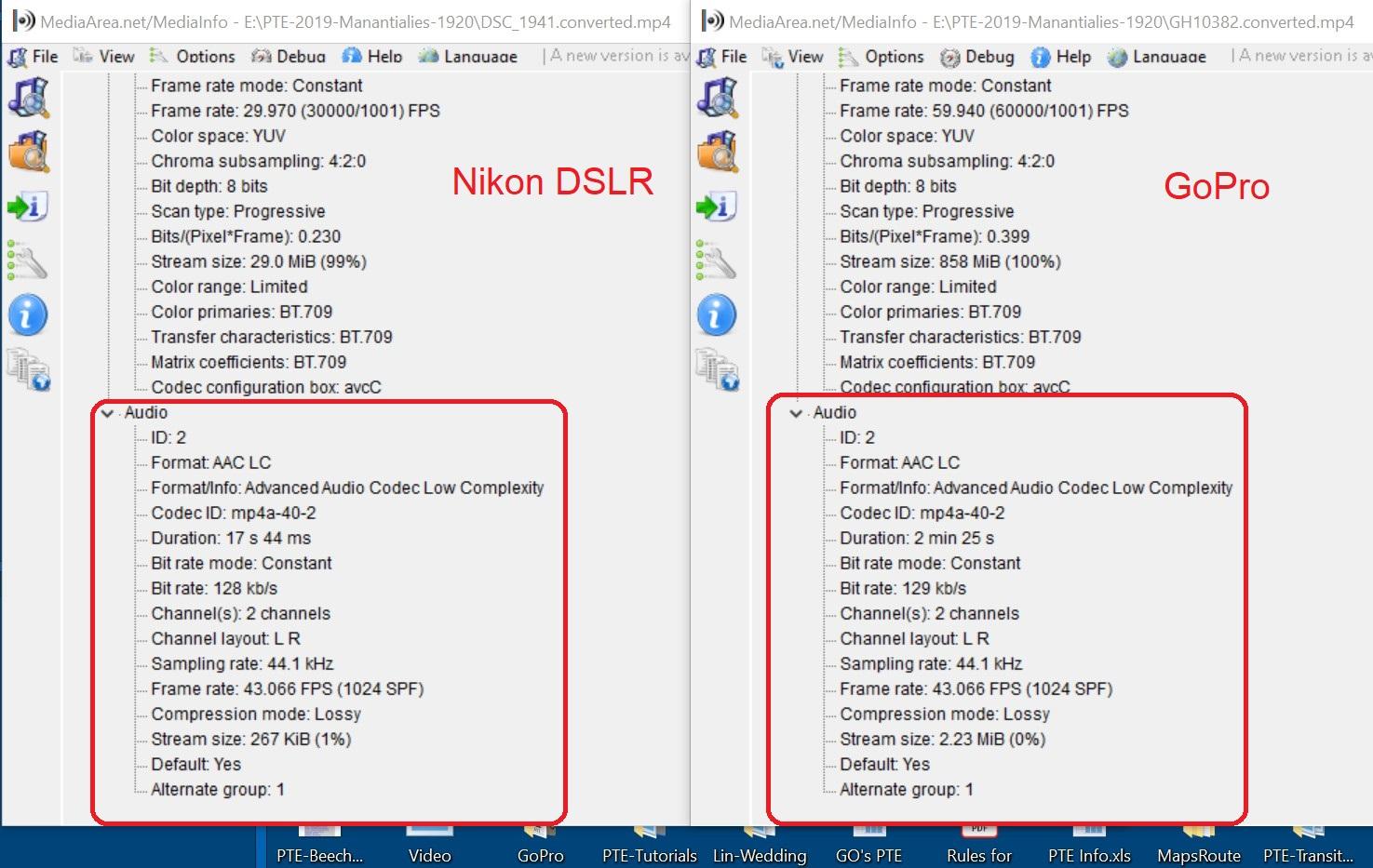
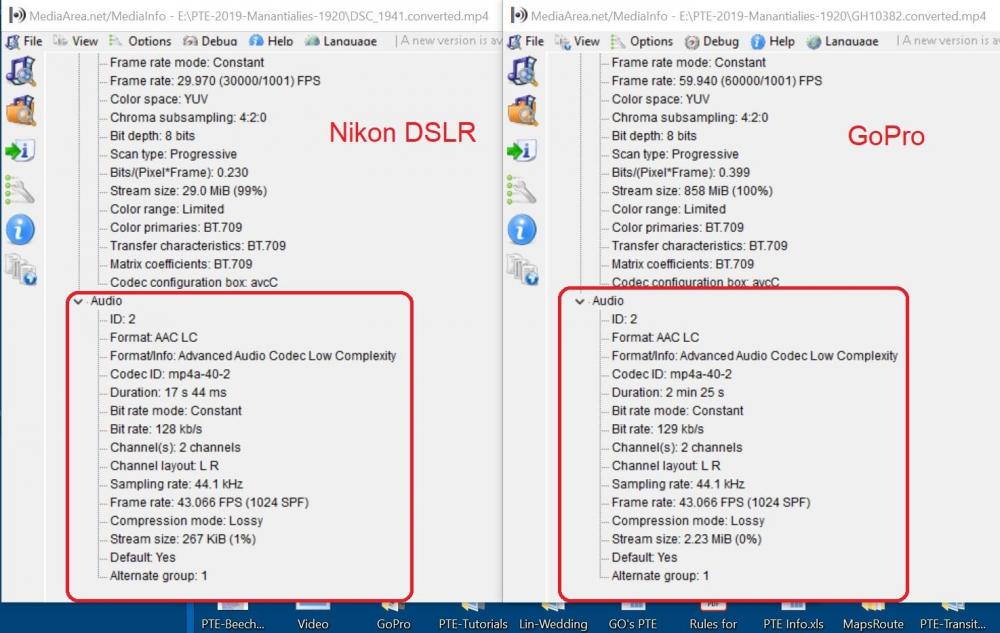
Greetings Tom, Thanks for the Style. I tried it with video clips. It works well with video clips from my Nikon DSLR. However, I notice that the audio get garbled when I use it with video clips from a GoPro camera. I took a look at the audio stats using MediaInfo, but I could not detect any difference between them. I even separated the audio from the GoPro clip but that did not make any difference, still garbled. Any ideas? Gary
-
Your link has a typo. '...thedol' should be '...thedom'. Gary
-
Greetings Jill, Thanks. I had tried everything except Ctrl+PgUp or Ctrl+PgDn. I checked the Help but it didn't come up. Saved me lots of frustration... Thanks... Gary
-
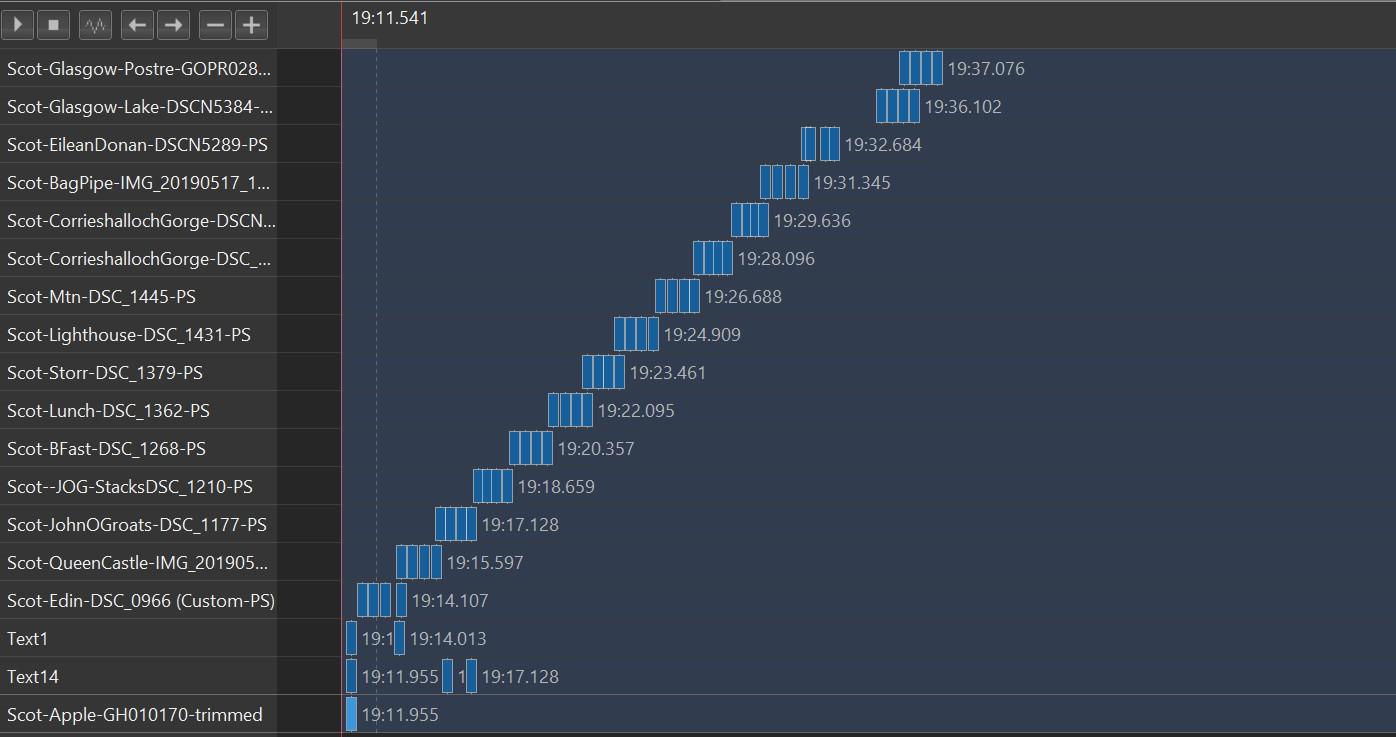
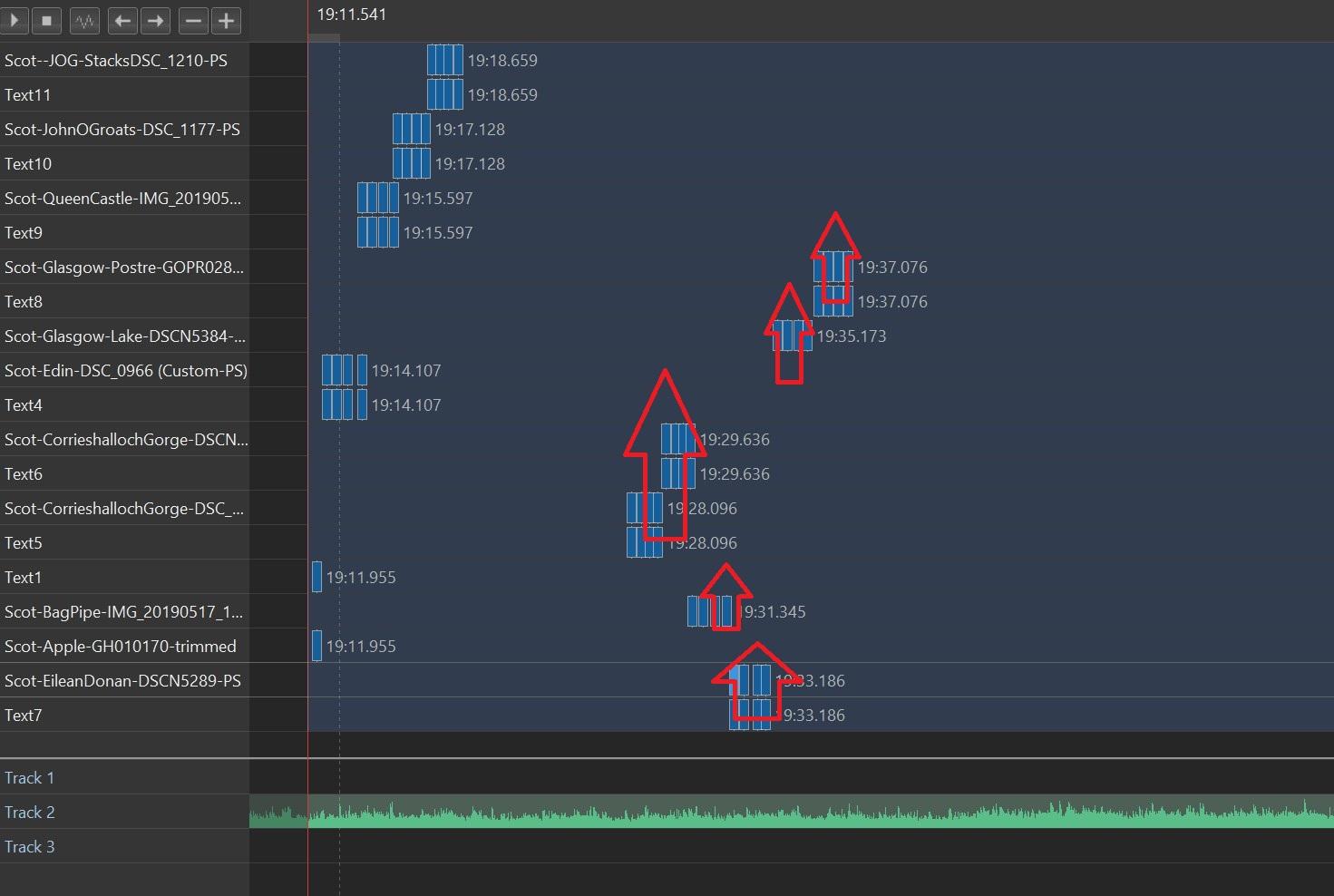
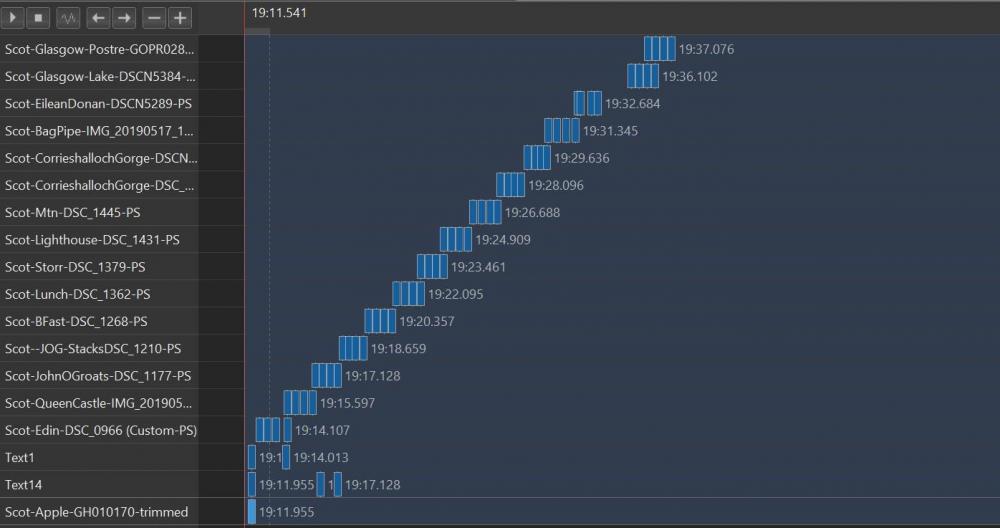
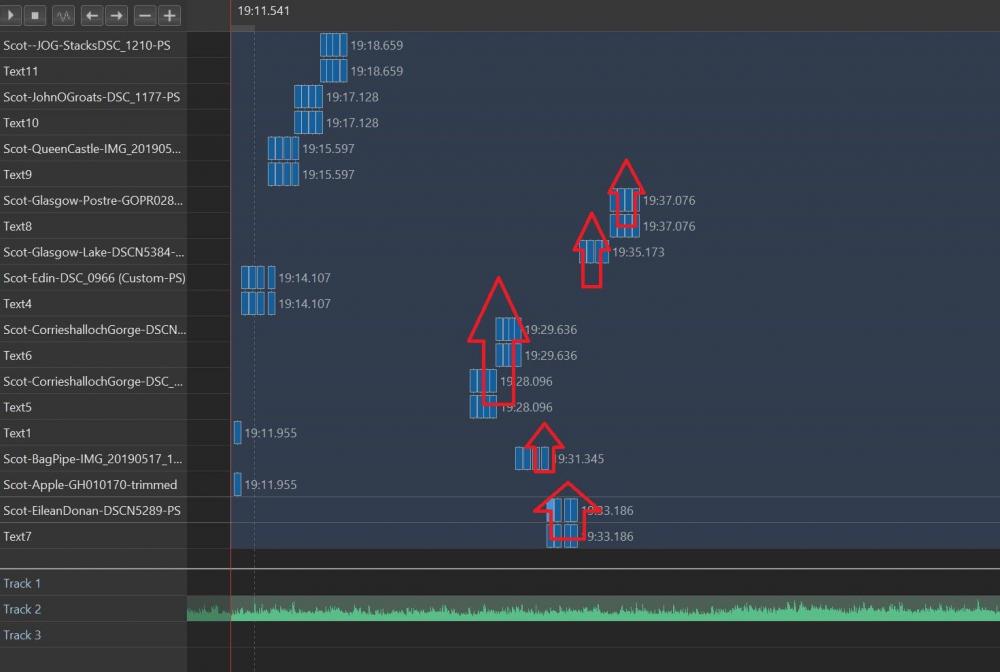
Greetings, I started a project and I have a bunch of keyframes that were not put in the sequence I finally wanted. How can I move keyframes vertically? I have a video playing in the background and images open/close as it plays. I'd like to re-arrange these keyframes in the sequence vertically in sequence that they actually appear in the project. Not sure how or if they can be moved. Gary
-
Greetings Igor, Yes, I did a test on a couple clips and the problem is resolved. Thanks... Gary
-
Igor, The video clip came from my GoPro that I think didn't automatically properly rotate the clip. The GoPro was attached upside down on the car windshield. Only had a problem with a few of the GoPro clips. I had to rotate them in PTE. Thanks... Gary
-
Igor, I am sending you the zipped project via Firefox Send. I tried to trim this single video clip down to a smaller length, but when I did that, the problem disappeared. So I am sending the full length clip (about 11 seconds). So the file is 2.35 GB. Perhaps it is something in the video clip, but I am wondering if you can see what the problem is. Also, when I had used it before in another project, it did not exhibit this problem. https://send.firefox.com/download/a3ebbf56ec901d8c/#SZ161D8ytzTK5Z2qiUG_MA Gary
-
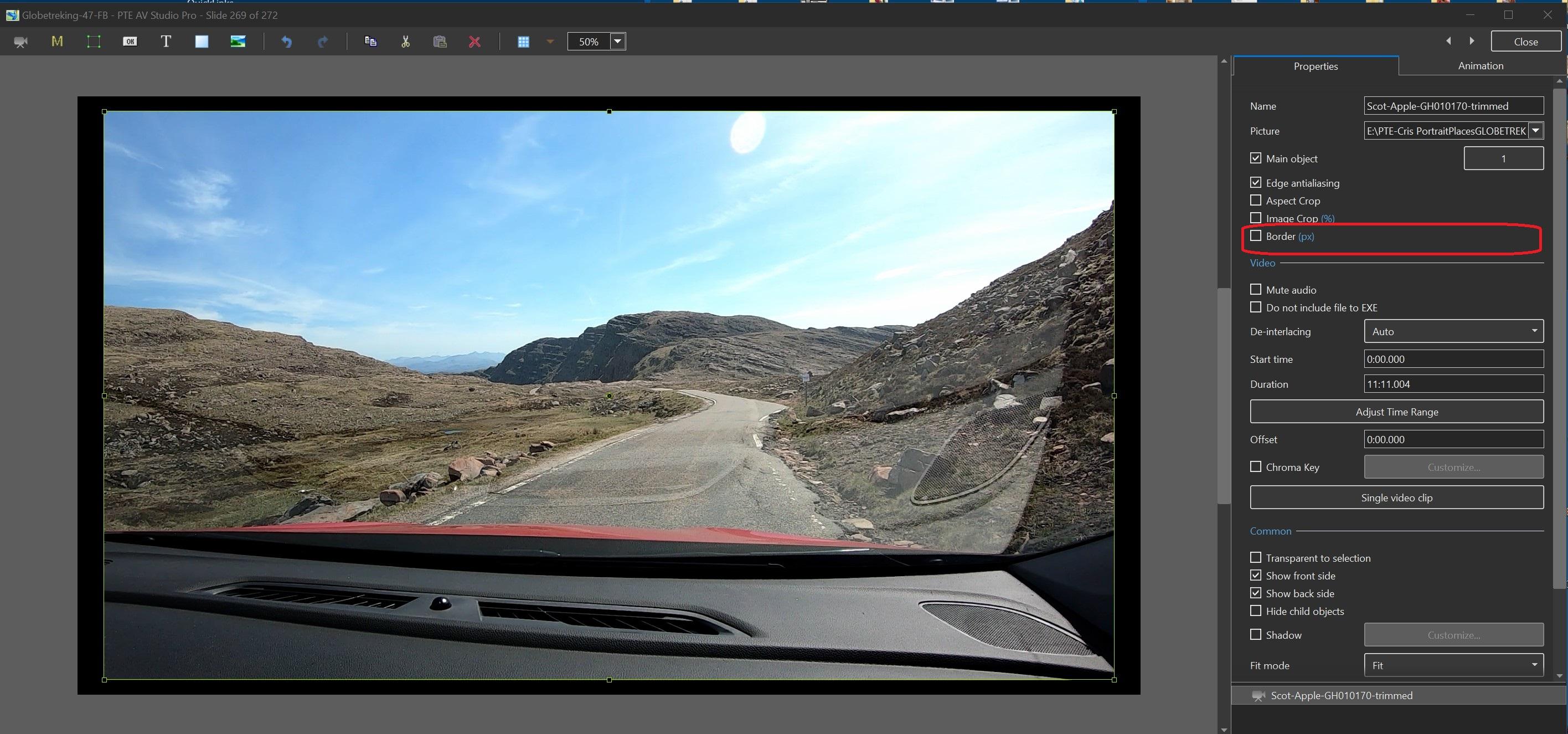
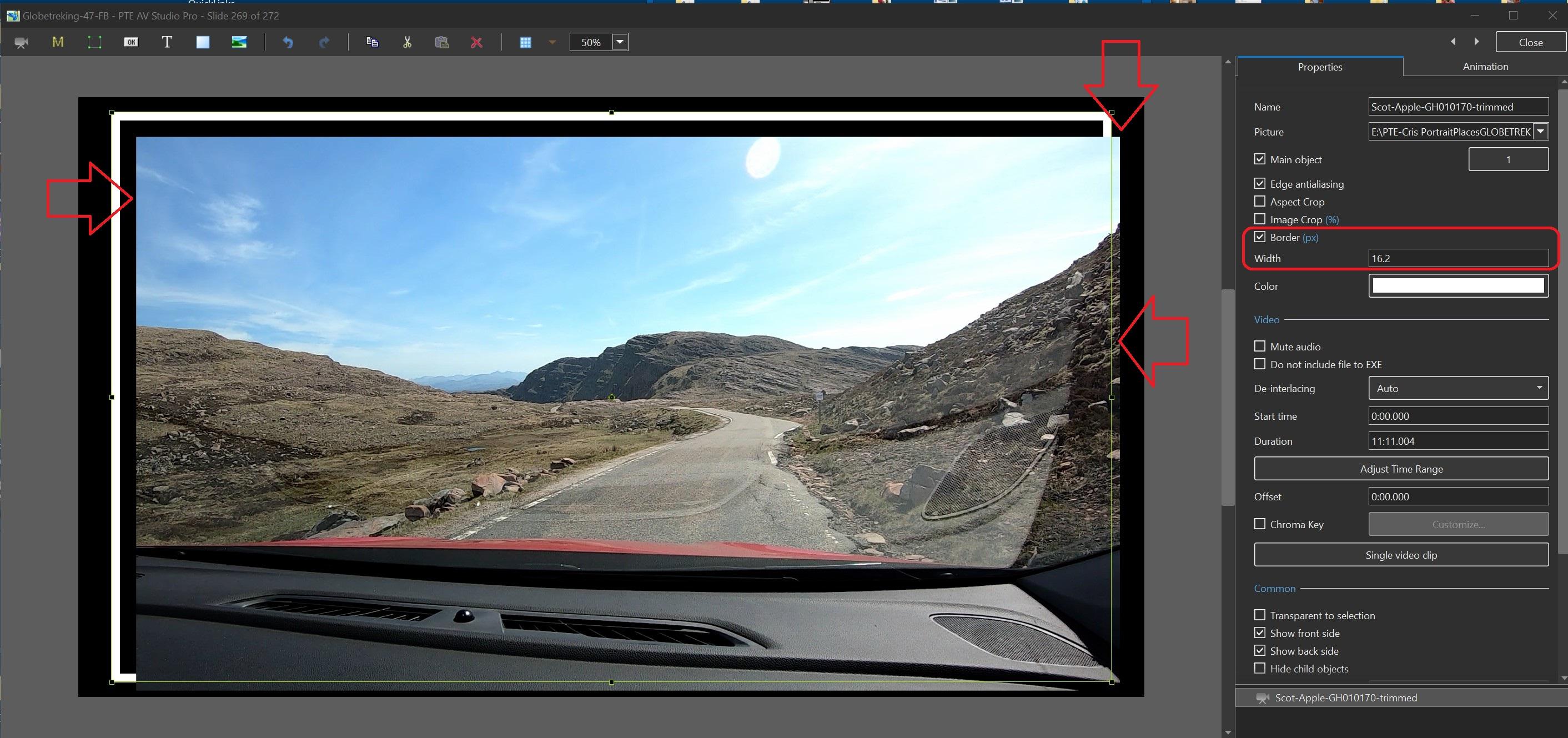
Greetings, When I try to add a Border to a video clip, the clip gets moved a bit down and to the right of the Border, outside the Border. I have used this clip in other projects with a border but did not have a problem. I then tried this same video clip in another project, where it was used before and did not show the problem, but it occurred there, too. Can someone tell me what I have done wrong or what is going on? Here is before adding the Border and After I added the Border (the clip is at 95% Zoom). Just seems to be happening with only this clip now (but did not when used before). Before: After: Gary
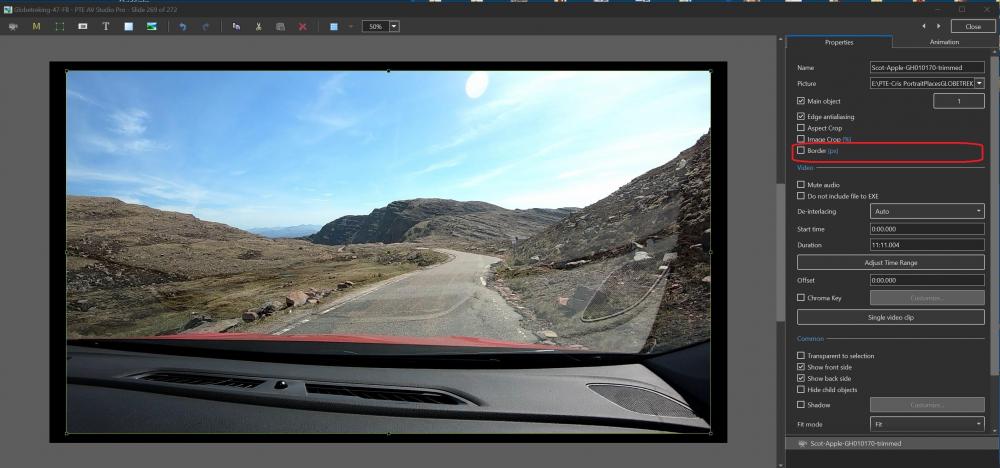
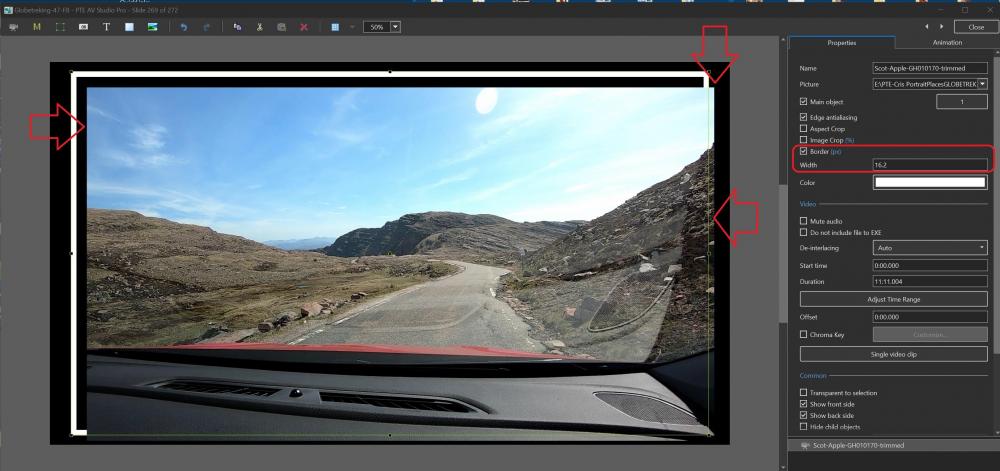
-
Dave....Thanks...I kinda see that. The sides were what my eyes caught but was not sure. It will be interesting to see the actual Style. Gary
-
Greetings, I see that there is a difference between your 3D-Zoom and a normal zoom. But I'd like to see a side by side comparison between the two. My eyes/brain is not sure what I am seeing that is different from a regular zoom!!! I know there is a difference but can you make a comparison video??? Thanks... Gary
-
Greetings, I downloaded your Style. However, it looks like the filename extension is not correct. You have, for example, the filename as 'thedom-3D Zoom In-Style.pte. The extension should be '.ptestyle'? Also, after I changed the filename extension and imported it, I could not find it in the Styles. I tried several times and looked at each folder, but could not find it. Am I incorrect? Thanks... Gary
-
How to download and install slide styles Win 10
goddi replied to eyeUU's topic in General Discussion
Greetings, See if this helps... https://docs.pteavstudio.com/en-us/10.0/slide-styles/import Gary -
Auto-detect scanned slides' black borders & crop them
goddi replied to goddi's topic in Equipment & Software
Greetings Judy, Thanks for the info. I took a look at the scanner you mentioned. The problem is that I have about 7,000 slides already in Kodak carousels. And a few thousand in sleeves and boxes. To take them out and run them though a scanner manually would be a tough job. I'm looking into a scanner that will scan using the carousels. And will let me use the Kodak Stack Loader for my loose slides. I'd appreciate your opinion on this type of scanner I found. I found the SlideSnap Pro. It is expensive ($3,450) and I'd have to buy a 90mm macro lens to go with my Nikon7100 DSLR. I like it but really too expensive. But if last resort, I might convince myself that it would be the only way I'd get it done: http://slidesnappro.com/product/slidesnap-pro/ But, I found a place that rents a similar setup, and includes the camera. So basically, ready to go. Three-days, $325; Five-days $450. Cheaper, relatively, but nothing additionally needed. Only thing is the pressure to get it done in the 3 or 5 days. https://services.ezphotoscan.com/home/ I'd appreciate it if you can give an opinion on this method of scanning since you're an experienced scanner. About the same price as buying the Plustek but leaving all the slides in the carousels would be a less traumatic process. And once done, I wouldn't need the scanner anymore. Just not sure of the quality of the digitized slides. Thanks... Gary -
Auto-detect scanned slides' black borders & crop them
goddi replied to goddi's topic in Equipment & Software
Judy, When I retired about 17 years ago, my main desire was to scan all of my slides...many thousands. I fooled around with my Nikon digitize but it did one at a time. Then I got a flat bed scanner, but it did about 9 or so at a time. So far I've digitized about a few dozen or so. Just can't get motivated to slog through is sloooooow process. Most of mine are still in Kodak carousels. I recently found that I can rent one where you can digitize from these carousels. That would make it so much easier. But I still get weak in the knees thinking still of all the work involved in post-scan processing. But being able to use PS to batch crop gives me a little hope that I can do it, eventually. I think it would be easier to just scan all the slides and then just pick out the ones I want for PTE shows for post processing. Gary -
Auto-detect scanned slides' black borders & crop them
goddi replied to goddi's topic in Equipment & Software
Barry... I guess it nice to have both possibilities in the same Action. Just need to check/uncheck the box. But good to know. Gary -
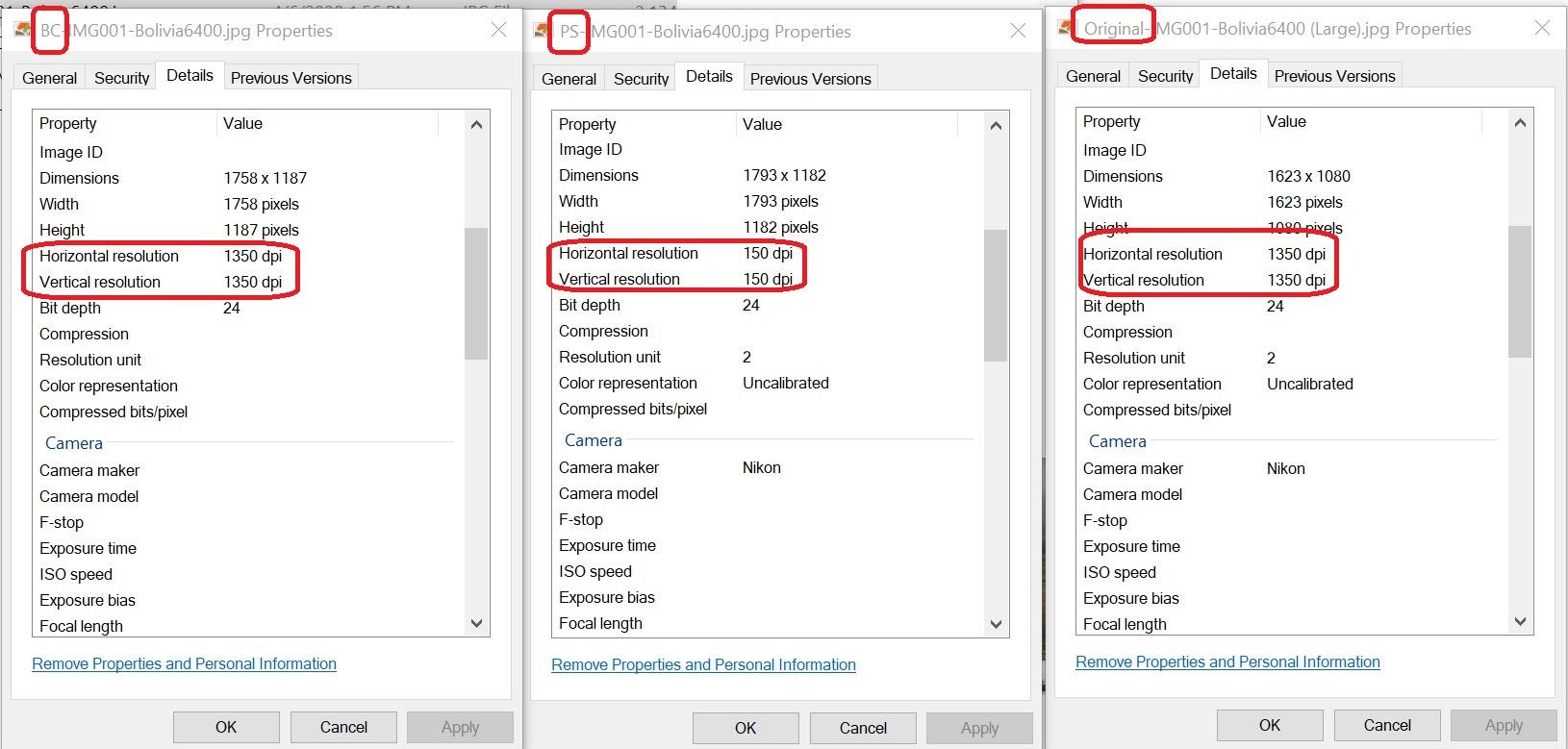
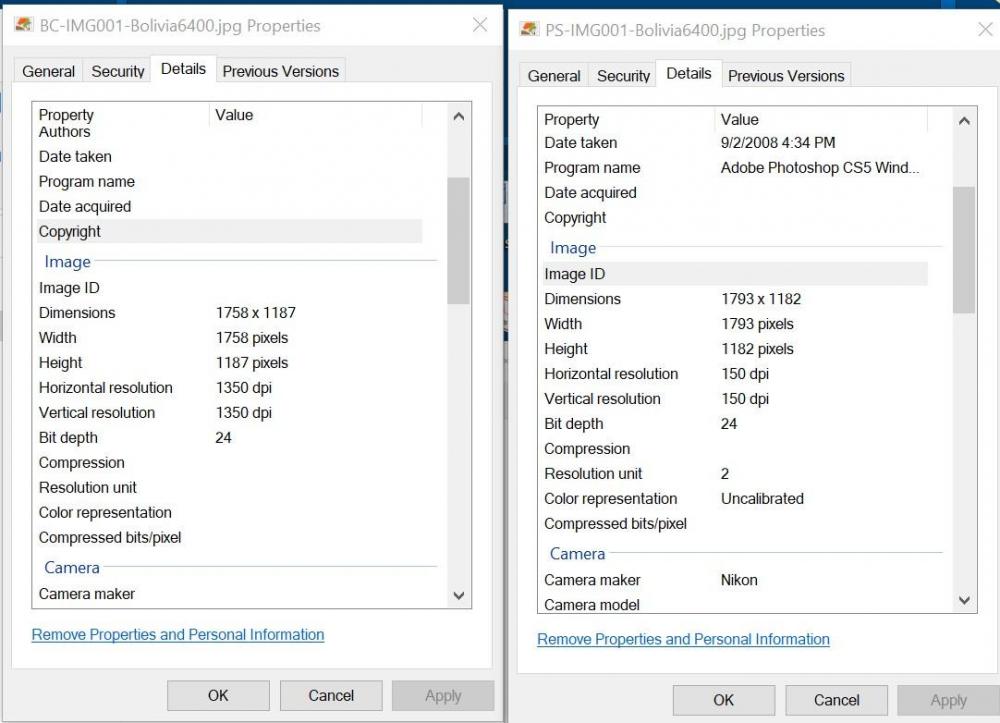
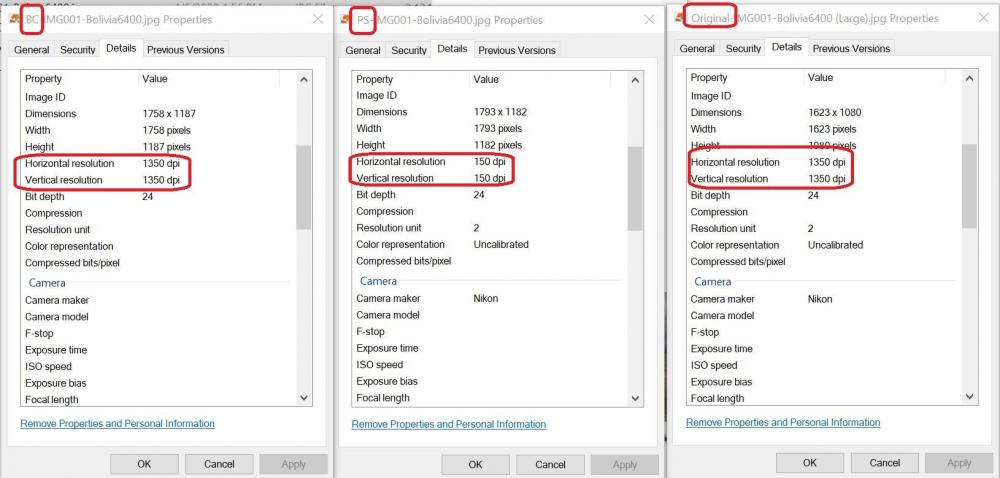
Lin, Just wondering why PS would change the DPI, anyway. I don't think I made any such choice in the Action I had created. I'll have to take a look. So the difference in the color (and maybe sharpness) just had to do with the cropping process. To me, the crop done by PS seemed better for color/sharpness. I can't see much difference in the two images in my posting above, but I can see the difference on my monitor when I open them up side-by-side. No big deal at this point side I can use the PS Action in batch to process all the crops. Gary
-
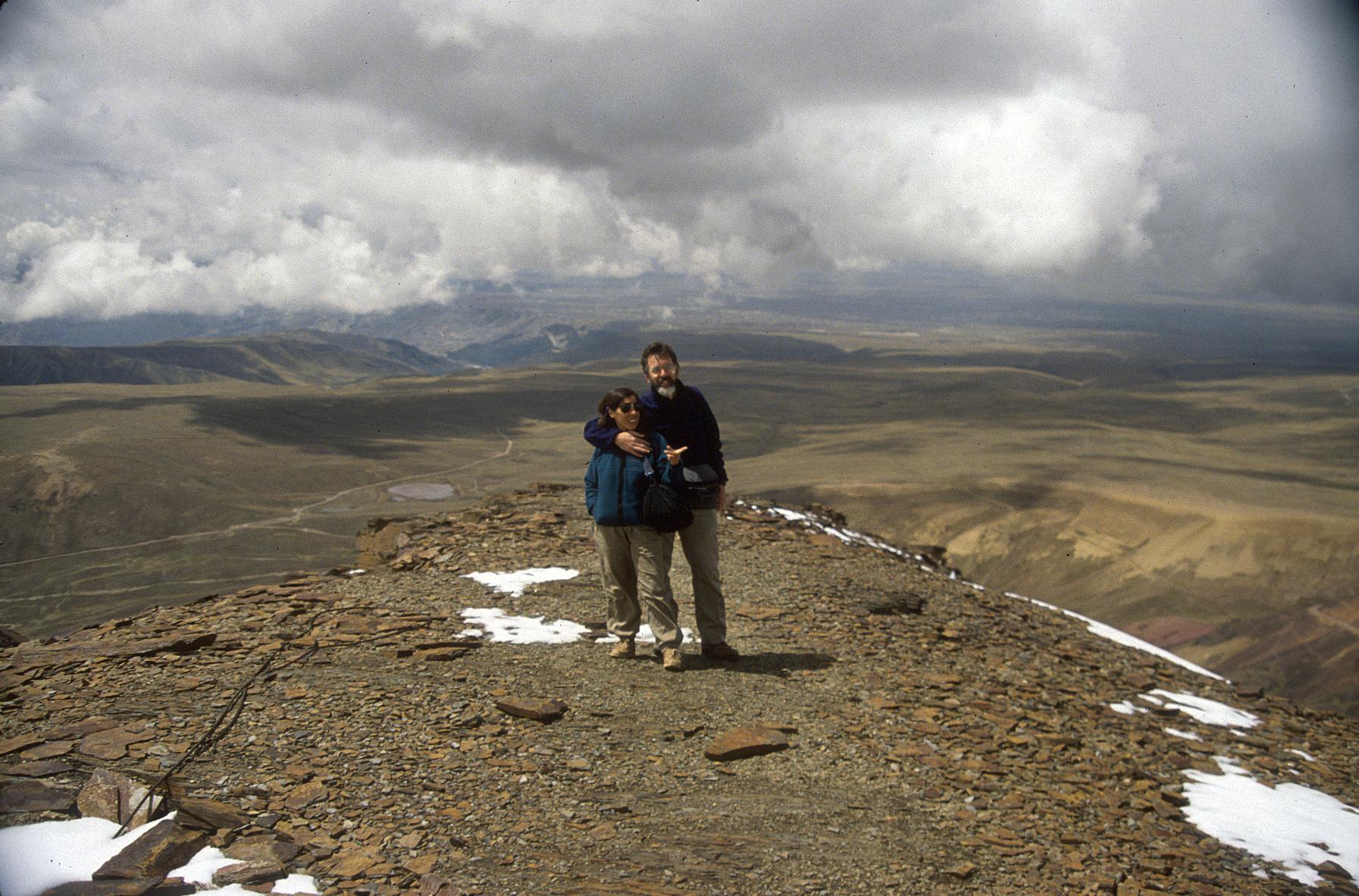
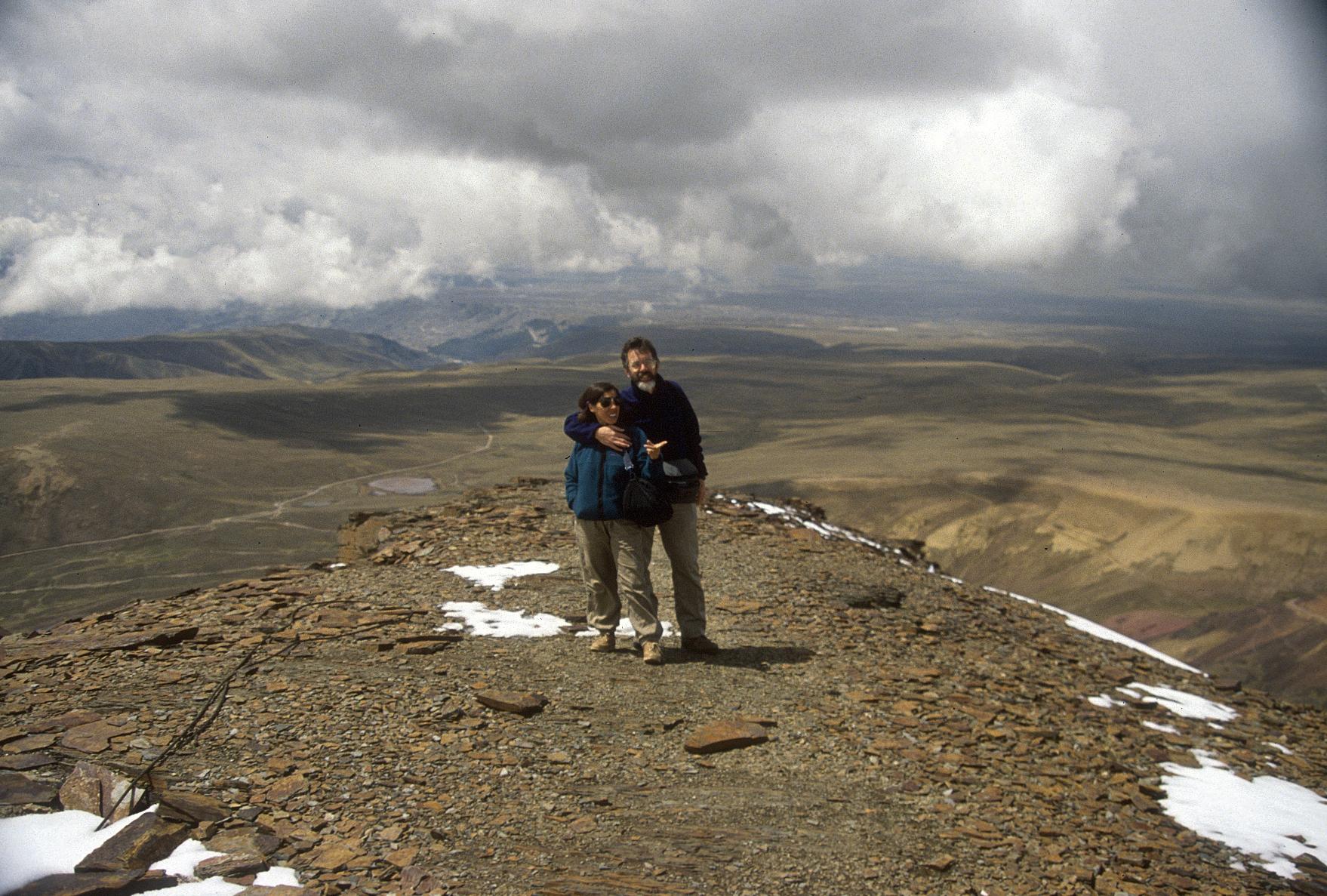
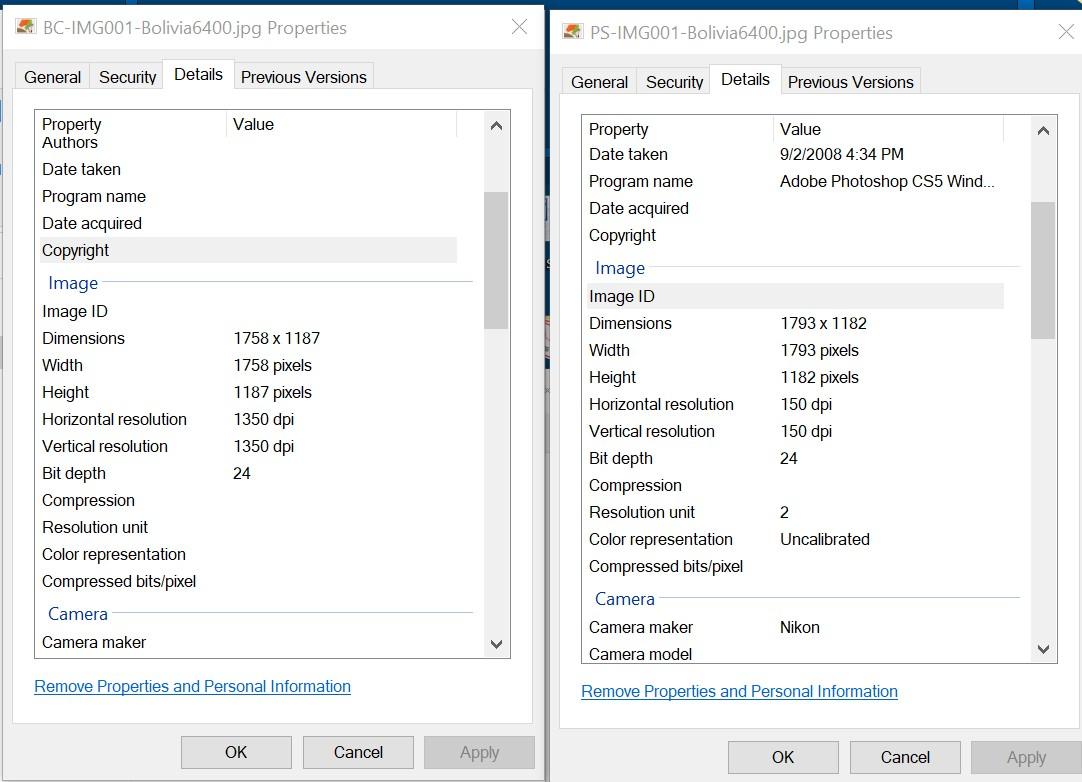
Greetings, I cropped an image (from digitizing a slide) using Photoshop and another program called BatchCrop. Both came out with just about the same dimensions. However, the dpi came out differently. The Photoshop file (PS...) shows 150 dpi. The BatchCrop file (BC...) shows 1350 dpi. But, the Photoshop image looks better at 150 dpi than the BatchCrop image at 1350 dpi. Why would the lower dpi look better (to me) than the higher dpi image? The colors of the 'BC...' image seem to be muted a bit. The original scanned image also is 1350 dpi (ran out of room to attach) but it looks (the colors) very similar to the 'PS...' image that is 150 dpi. Does the dpi have anything to do with what I 'see'. Gary
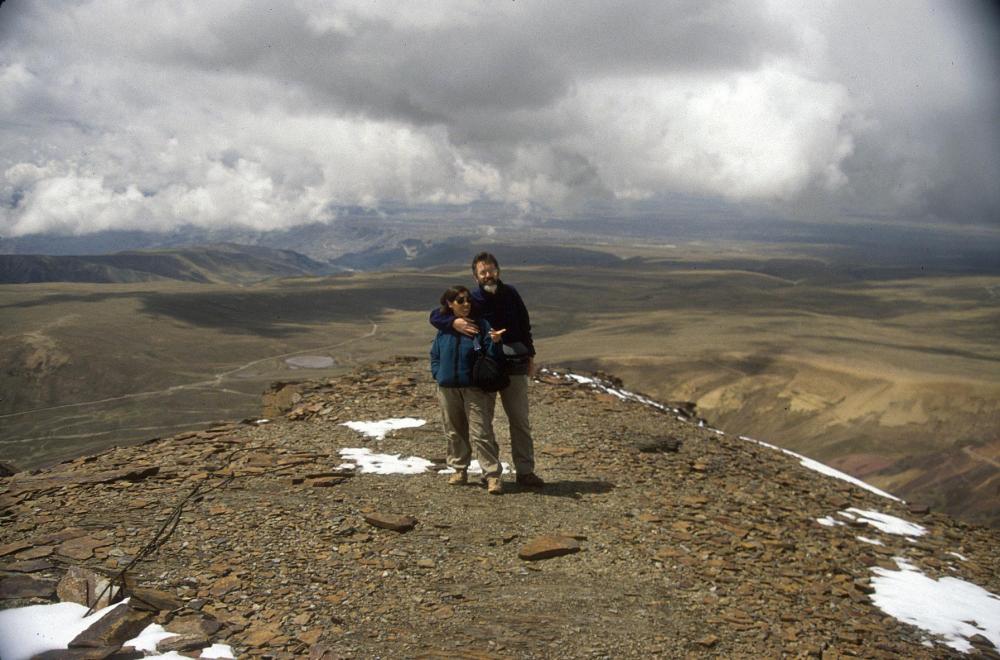
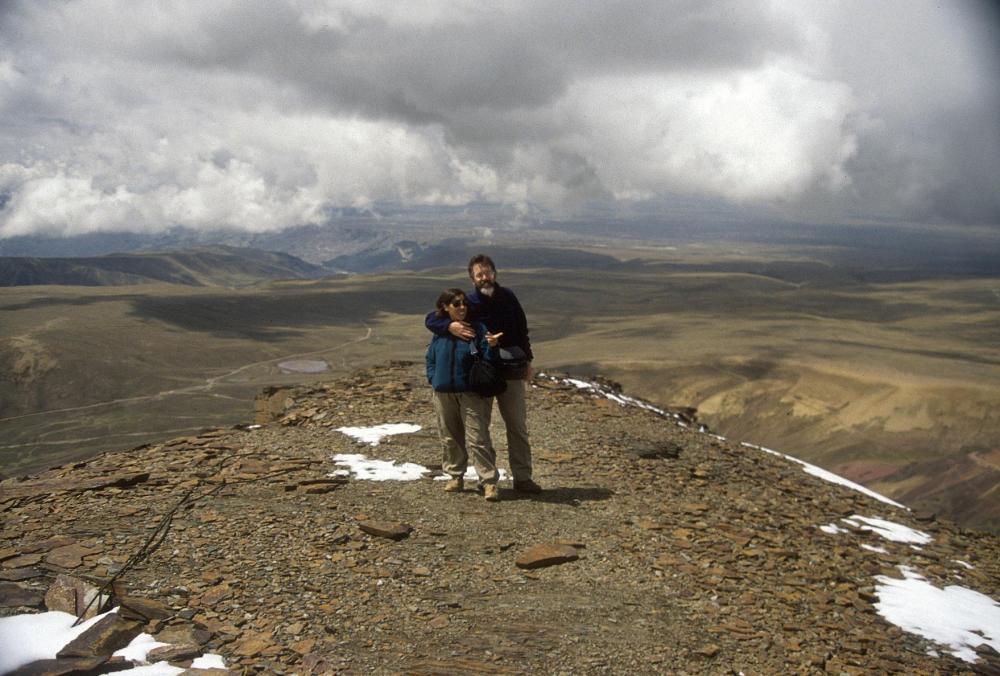
-
Auto-detect scanned slides' black borders & crop them
goddi replied to goddi's topic in Equipment & Software
Barry, I finally got back to learning how to run my cropping Action as a Batch. But I did it a bit differently. If I use your suggestion of 'File>Scripts>Image Processor' method, the action does save the cropped image in the appropriate folder, but it also saves the original non-cropped image to my Desktop. Perhaps that is just the way I created my Action. Not sure how to remove that step. But I also tried the File>Automate>Batch process. I like this better because it has the 'Override Action "Save As" Commands', which apparently will not save the original non-cropped image to my desktop. Both methods seem to do the same thing, but it is nice to have the ability to be able to check the 'Override...' I guess I could re-write the Action to avoid this step but it is nice to have learned both methods. Not sure what the difference is except for being able to do the 'Override...'. Your method, I see, also allows you to choose the 'Quality', which can be useful in other situations. Thanks for the help. The batch cropping in PS will really help. Some will need the cropping to be fixed but that will be much easier to deal with. Gary -
Auto-detect scanned slides' black borders & crop them
goddi replied to goddi's topic in Equipment & Software
Thanks, Barry. I will give it a try. It will be a while until I decide when/if to rent the digitizer. I'll get on to learning how to do the batch action in PS. I noticed that the program I mentioned seems to reduce the resolution of the images it crops. PS action did not. Have to study it more. https://services.ezphotoscan.com/home/ Thanks... Gary -
Auto-detect scanned slides' black borders & crop them
goddi replied to goddi's topic in Equipment & Software
Barry, Yes, thanks for the suggestion. I just made one action for horizontal images and one for vertical images. They work. However, if I digitize all of my slides, I will have 7,000 or 8,000 or more images. I haven't figure out yet how to do it as an action batch. I'll look into that. Yes, I could sort them by 'Dimensions' and apply the 'horizontal corp action' to the horizontal images and 'vertical crop action' to the vertical images. I'll see if I can figure that out. However, I would like to find, if possible, a program that will automatically detect the proper crop, whether horizontal or vertical. I have found one called BatchCrop. https://www.batchcrop.com/download.php?a=dwin Its auto-detect seems to still need some tweaking. But I haven't figured out how to use this program as a batch function yet. Anyway, I was wondering if anyone has found something that auto detects and crops in an easier way and have been successful with it. I have sent a lot of time searching for something like that but nothing yet. Thanks... Gary -
Tom, I can't take any credit for the animated slide style. I got it from Morasoft a long time ago. I fiddled with it a bit, changed the music and added the video at the end. There is no way I am smart enough to come up with such a cool slide style. Yes, it's a jungle out there. Currently, I'm trying to medicate (with ivermectin) a neighborhood fox that just got the mange. Hiding the meds in hotdogs. Oh...it's 'Colombia', not 'Columbia'. Thanks for watching the videos. Gary
-
Greetings, I am thinking of renting a slide scanner that can scan slides from a Kodak carousel. I'll have thousands of images. But, the scanned images will all have the black borders around them. I have been searching everywhere on the net to see if I can find a program that will auto-detect the black borders and crop them out. I have not found any program that will do it to images that have already been scanned,. Has anyone found such a program. I'd hate to have to crop them one-by-one. Gary
-
Greetings, Well, since we are sitting around waiting for something to do, I figured you could have some time to watch a few of my recent PTE projects. I have discovered that posting them on my YouTube channel makes it easy to just paste a link to them. Anyway, here are some to while away your time.... Gary My Backyard Wildlife: https://www.youtube.com/watch?v=u-kAv8qmqlA Fox vs. Hot Dogs: https://www.youtube.com/watch?v=aaKjk5w2gOY Manantiales, Colombia: https://www.youtube.com/watch?v=Mz5BGcV8B2o&t=7s
-
Igor, After closing and re-opening the files a bit later, the Error notation disappeared and all is back to normal. I've never seen this happen before. But I just had a thought. When I opened the PTE shows, I was also in the process of using Handbrake to encode a .TS file to MP4. My CPU was up to about 98%. Perhaps this had something to do with the generation of the waveforms with the Error notation. Seems to be back too normal and was only temporary. Thanks for the quick reply. Gary