goddi
-
Posts
3,596 -
Joined
-
Last visited
-
Days Won
27
Everything posted by goddi
-
Hardware Acceleration + fade transition [SOLVED]
goddi replied to goddi's topic in General Discussion
Greetings Igor, I have used 30fps to have a smaller file size. Though, now I'll switch to 60fps to get better smoothness. I do see the difference in the fade transition. This was a habit I had when trying to upload to the SlideShowClub, which as a size limit. So now I upload shows to my Facebook and YouTube channel. I'll also experiment with your other suggestions. Thanks. Gary -
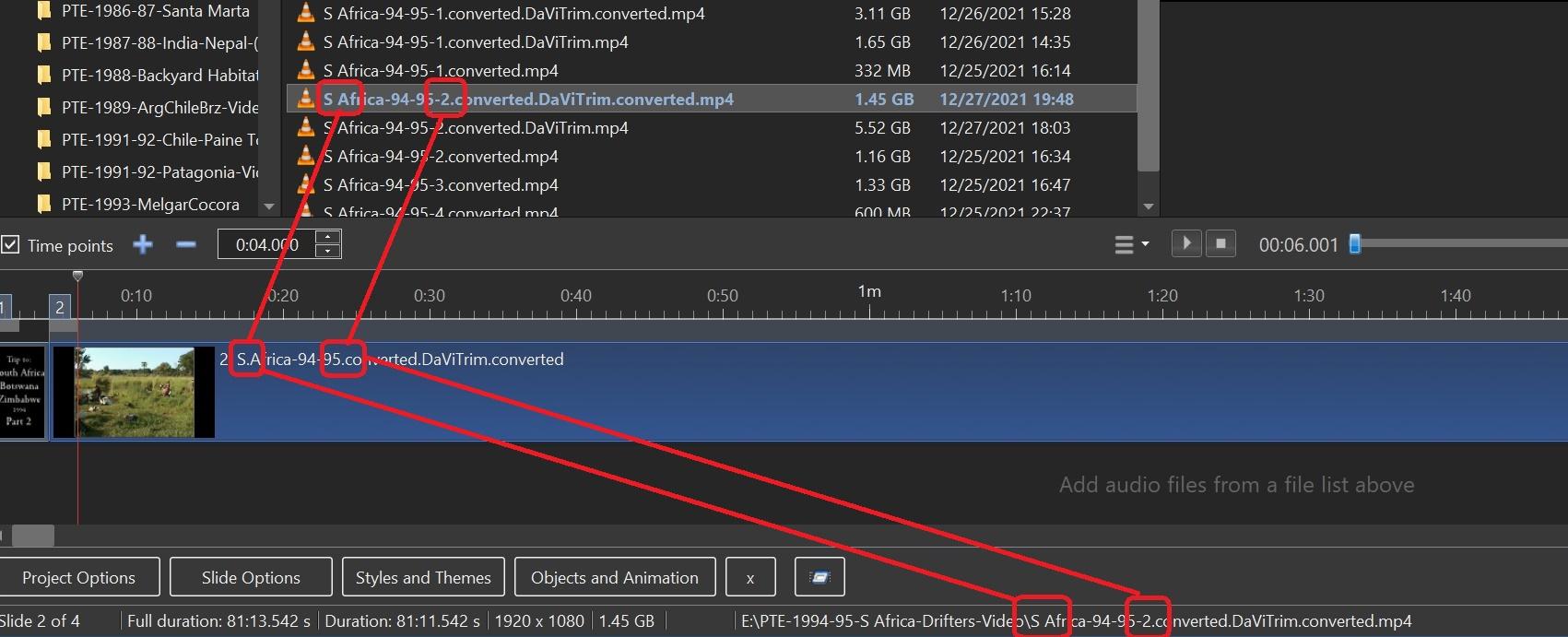
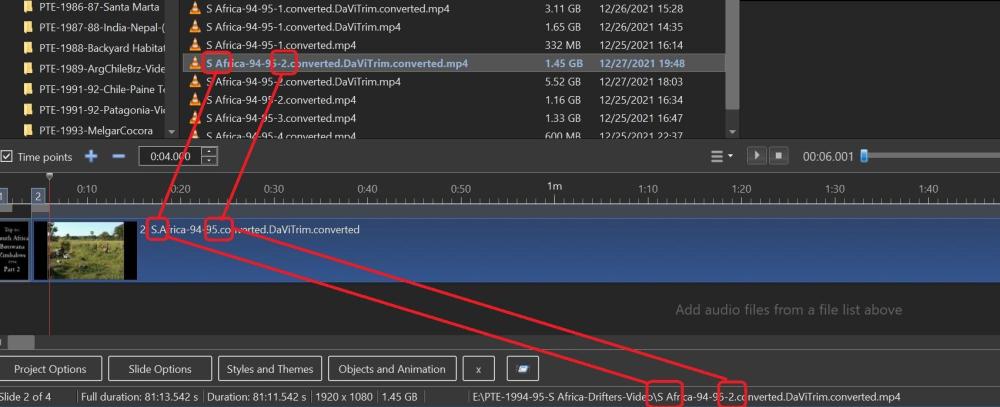
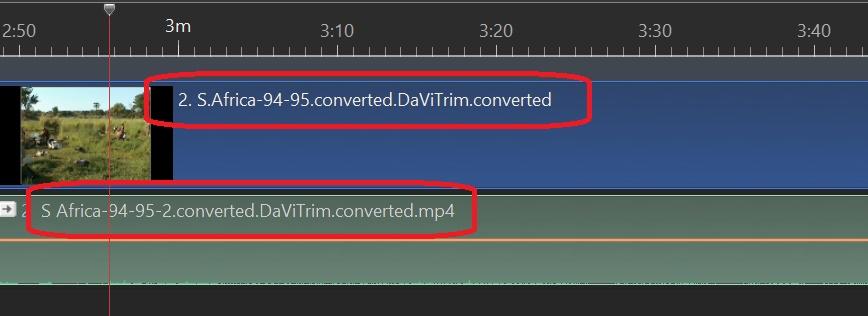
Greetings, I 'Changed Video File'. The new video file is correct but it did not update the file's name in the Timeline. And the file name's info at the bottom of the screen is correct. When I look at the file's name in the Timeline, it is still the name of the old file, even though the added video file is correct. I can bring down the new file and it shows the correct name in the Timeline, but why does it not correct the file name when I do a 'Change Video File"? Notice the new file name has a space between the 'S' and 'Africa' and there is a '-2' after '95'. The old file name has a period instead of a space and does not have the '-2', as it shows incorrectly in the Timeline's file name. This was the old file's name. (Even right-click on the file in Timeline and choosing 'File Info' also shows the correct file name). Gary When I separate the audio from the video file, the separated audio shows the correct file name.
-
Hardware Acceleration + fade transition [SOLVED]
goddi replied to goddi's topic in General Discussion
Rosy, Do you use 30fps or 60fps? Gary -
Hardware Acceleration + fade transition [SOLVED]
goddi replied to goddi's topic in General Discussion
Greetings Igor, I think we talked about this a long time ago, and had forgotten. I have an NVidia GEForce GTX1070. Using HWA with 30fps does reduce the fade transition quality. So, I will uncheck HWA and use 30fps for most shows; probably 60fps if it has video clips for the final Publish. I do upload my shows to my Facebook and my YouTube channel, so I did not quite understand you last statement. Do you mean it does not matter how you encode if you do this as far as the final quality for FB or YT? Will they all come out the same when they re-encode them? Or using 60fps will come out better than 30fps? What is the best Publish setting for uploads to FB and YT? Thanks... Gary -
Greetings, I have been going back to older shows and updating them. I noticed that when I Publish HD videos and I use the Hardware Acceleration, 30p, the fade transition is not so good. When I do it at 60p, it much better. Then I Published it at 30p without HWA and it looked as good as the 60p. So what is the purpose of HWA? Is it only to process the file faster and lose some transition quality? I could just use 60p with HWA but I'd like to keep the file size down as best I can. So should I just use 30p without HWA? Gary
-
Greetings Igor, Would it be possible to include the 'Build' number when you post a new version? I have 'Build 4' from earlier notice from you but not sure if I have the most recent. It would help to have the full version info with the 'Build' number to avoid updating when I might not need to. Thanks...Gary
-
I've received similar Copyright Claims and they let it run if there was no monetization. But I've also had some removed even though the music came from the YouTube library of 'free' music. Guess you just have to post it and see what happens... Sometimes, they let it go but say it can not be played in certain countries. Gary
-
Greetings Alex55, Your project is very entertaining. But how does YouTube let you use that music. I'd think you'd be dinged right away!!! What's your secret? I see you gave it attribution but that never stopped them from dinging any music that might be copyrighted that I inadvertently used. Gary
-
When you only have two images for a slideshow (1 min long)
goddi replied to Delicate's topic in Slideshows & AV Shows
HA!!! Made me smile!!! -
Sure...very useful...especially for those who mix videos with their images.
-
Greetings Jill, At first, I was not too sure if I understood your comment. But it seems that you might think all the clips came from an individual long video file and each trimmed out of it. Each clip is a separate short video clip that had been taken. I understand your comment if I had a single long video file. Thanks... Gary
-
Share Screen in zoom. Improved smoothness and sound
goddi replied to Igor's topic in Equipment & Software
Igor, Can you define "dynamic scenes in a video"? Gary -
Greeting Igor, Another improvement with Convert/Trim process is to be able to Trim an already converted video clip without having it go through the convert process and adding another '.converted' to the filename. Doing a second 'Convert' does lower the bitrate a bit. Would be nice to have Trim as a separate process. Gary
-
Share Screen in zoom. Improved smoothness and sound
goddi replied to Igor's topic in Equipment & Software
Just checked my Zoom. Not sure how I did it, but it said there was an update. So I clicked on it to update and it did...Version 5.8.1 (1435). I see the Version number in the Settings/Statistics. Maybe the update notice just popped up...not sure how I made it appear. Gary -
Greetings Jill, It really is not a matter of PTE's ability of playing the video files. I want the final show to not be too large for posting or for downloading. The Convert process has a good effect of reducing the size of a show, especially if you have many video clips. And, I don't see any quality reductions. Being able to 'batch' convert would be helpful instead of having to do it one-by-one. But at least now, Igor might be able to make such an improvement in the future. Gary
-
Barry, I think I remember getting similar notices. Sometimes, they just say it can not be played in certain countries, so that is fine with me. Maybe a couple times, it was a flat refusal to let me use the music clip, even though I got it off the YouTube Audio Library. Getting the right music for the show is probably one of the hardest parts to set the feeling of the show... Thanks... Gary
-
Here is video of what is going on. You should notice after converting one of the clips, it wants to re-convert the same clip, and not just go on to the next clip to convert: ConverError.converted.converted.mp4
-
Greetings Barry, Impressive architecture and show, indeed. Your comment about getting flagged with copyright music caught my attention. I have to be careful, too. My Facebook and YouTube channel are not monetized but I have to be careful to not get flagged. Where do you find the way to divert money to the creator and still use their music? Is this possible if your site is not monetized? I have received a couple flags in the past but have not seen this possibility you mentioned. (Some times it just says it can't be played in certain countries). Gary
-
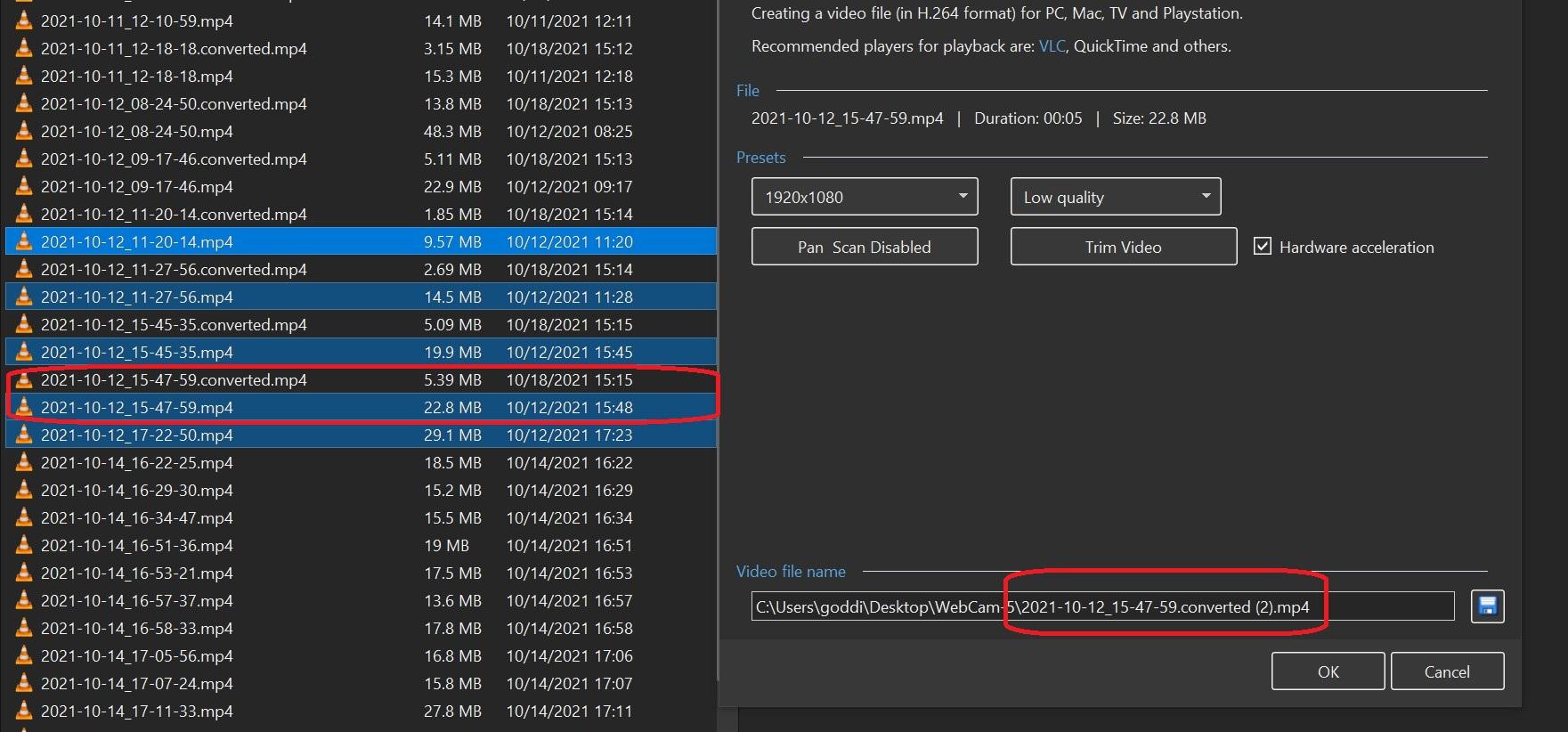
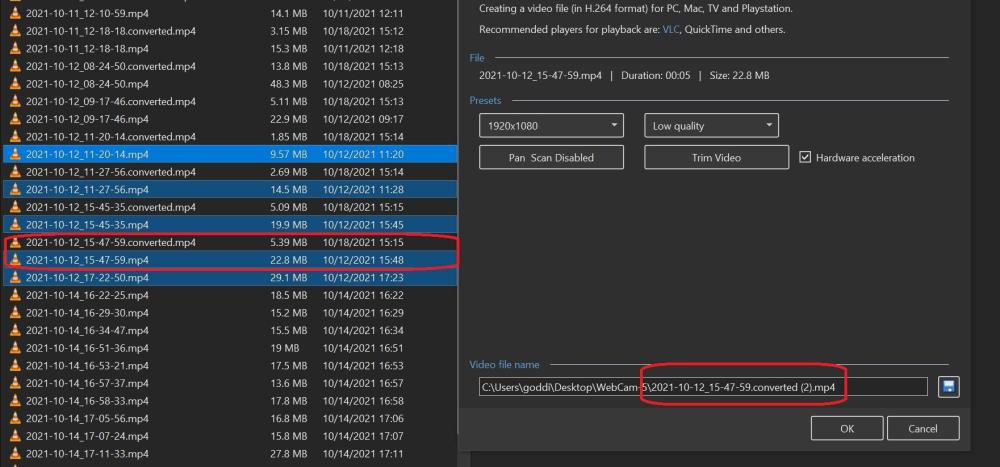
Greetings, I have a few dozen video clips I want to Convert. I can highlight a group of them and select Convert. The problem is that after it has Converted a clip, I have to click on Close to close the progress window and to get it to go to the next video clip. But then, the Convert wants to re-convert the same clip...filename.converted (2).mp4. I have to click Cancel a couple times for it to go to the next video clip to Convert. Would be nice if it just did the Batch Convert without stopping to Close the progress window and then went to the next video clip without trying to make a second copy of the same video clip. Gary
-
Greetings Igor, Ok...I guess I didn't go that far into the Upload section. But, it might also be nice to have it on the Slideshow's opening page, too, as a reminder before you get into the upload section and find your show is too big. I also thought that the upload size was going to be increased. Hard to get a show to be under 125MBs, especially with video clips. Thanks, Gary
-
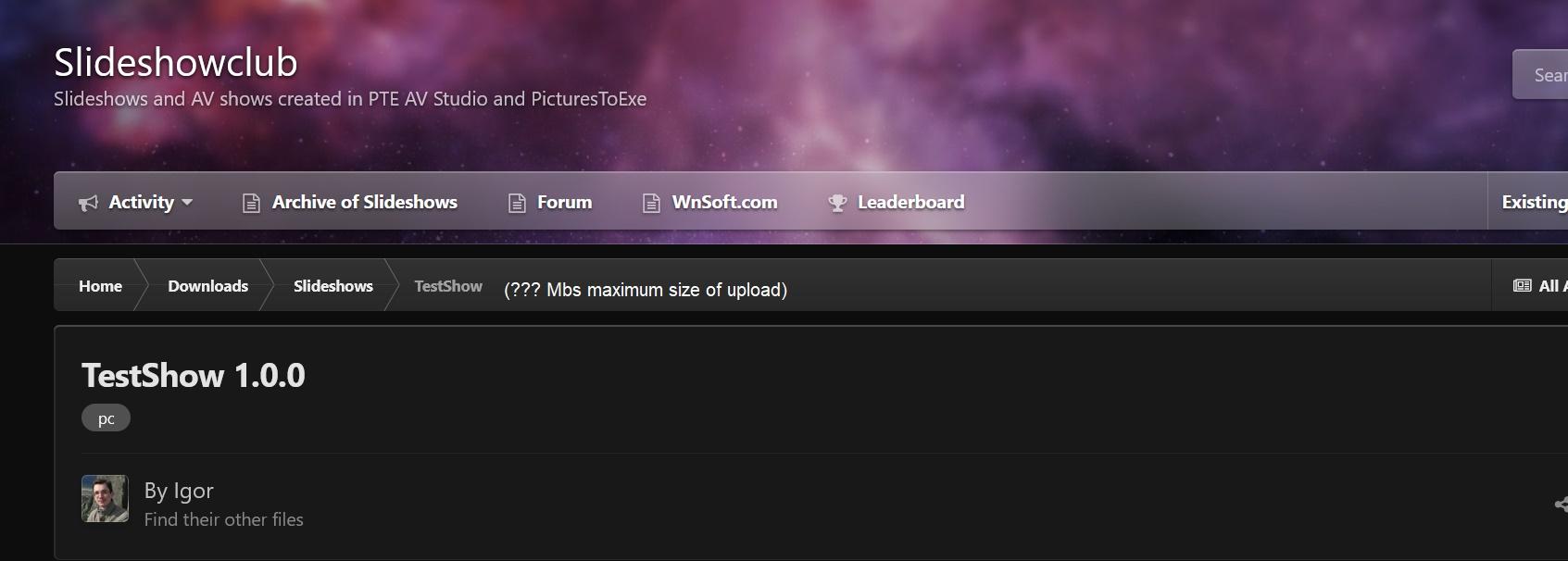
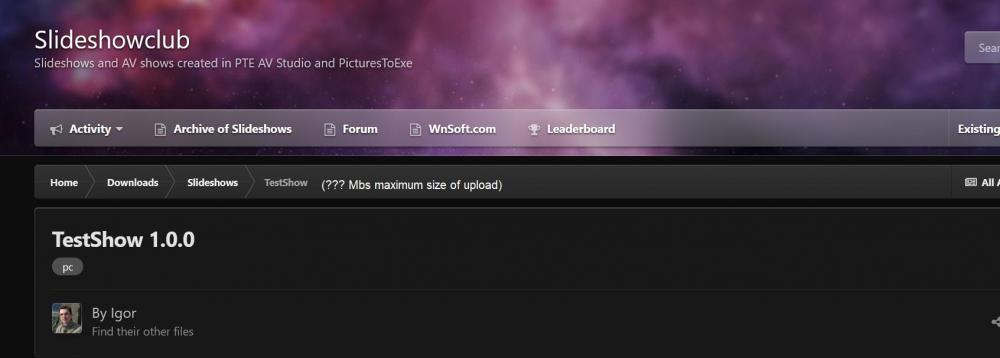
Greetings Igor, It would be helpful to show what the maximum size of an upload is. I have had problems before and just stopped uploading because I was not sure if the problem was due to size or something else.
-
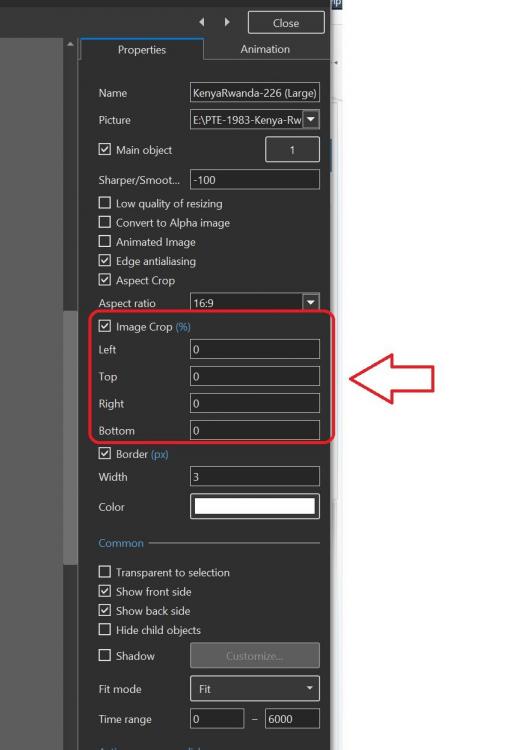
Greetings, Not too sure if this is what you are looking for. See if this works for you: Gary
-
Greetings, Here are my two sites where I post my PTE shows: https://www.facebook.com/gary.oddi https://www.youtube.com/user/goddi2/videos Gary Oddi
-
Dave, Yea...could not think of the 'drag and drop' words when I was searching for it, because I did not remember that you could do it. Hard to keep up with all the different ways to do things. But great program...and thanks for the link to the Help. Gary
-
Greetings, Oh...so easy. I was just adding the audio files through the Project Options/Audio menu. Dang...would have saved me a lot of time if I had remembered this. I searched the Help but not easy to find something that you are not sure what it is. Thanks for reminding me of this step. Gary