cead
-
Posts
200 -
Joined
Everything posted by cead
-
Gary, Igor, On my PC in PTE 9 the quality of the GoPro file is good, but you have to convert the video, as recommended. Frans
-
Thank you DG For me, that function doesn't work, maybe I suppose you can do something else with the Cover Screen function in the pop-up window. I now use the Zoom function in the Animation window and the Put to Center function of the pop-up window. Frans
-
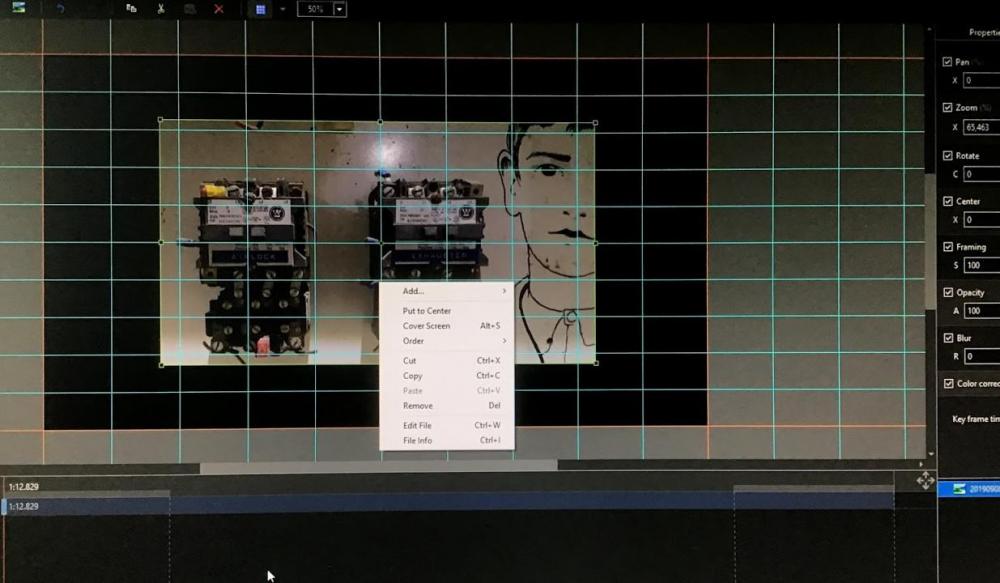
Is it ok that in Object and Animations the Alt + S (cover screen) command on the image (pop up window) does not work ? It does not matter whether Zoom is on or off (Put to center does work)
-
Hi Igor, Thanks for the quick response. Regards, Frans
-
LS, Of course you can have the file played on Preview on the second screen (Display 2). When I press (bottom left side) Project Options, Slide Options or Slide Style, they do appear on the second screen (display 2) and the Main Menu (File Menu) remains fully visible on display 1. However, when I press Objects and Animation, this appears on display 1 and the Main Menu (File Menu) disappears. Is there a possibility that Objects and Animation will also open on the second screen (display 2)? So: Main Menu (File Menu) on the first screen (display 1) and Object and Animation on the second screen (display 2). Would be very pleasant to work with. Regards, Frans
-
Igor and team, congratulations on this achievement !
-
-
Tonton Bruno, Thank you for this clear explanation. I didn't know that. Regards, Frans
-
Hi Igor, Is it possible to expand the aspect ratio in Project Options, Main, with 3: 1 (Panorma 1920x640). I know that under Custom ... I can change the Virtual size or slide, but a mouse click is easier. If the list box becomes too long, you may be able to remove a less useful size (16:10 ?). Kind regards, Frans
-
Hello Lin, Nice 'exercise', in which tutorial can I find these effects ? Regards, Frans
-
Thanks again Dave, Please continue with this kind of explanation (video). Regards, Frans
-
Merry Christmas and a good and healthy 2019 for everyone ! Frans
-
Igor, Thanks for the quick solution. Regards, Frans
-
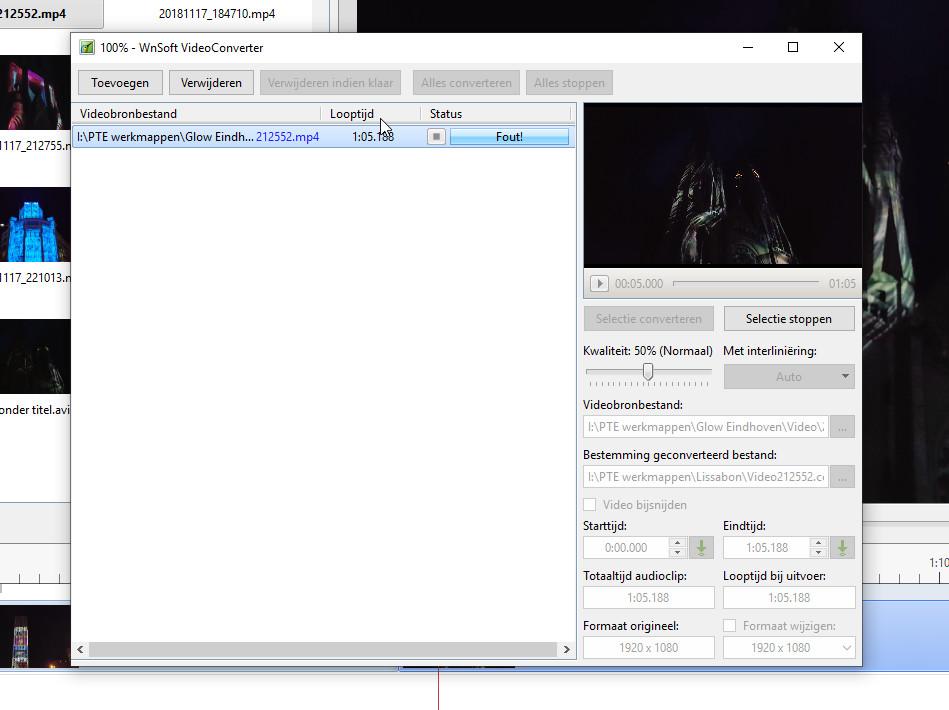
LS, What could be the cause that some MP4 videos can not be converted by PTE ? Regards, Frans
-
Hi Lin, Your HD video runs excellent on my PC (Windows 10, 32bit, Intel Core2 Quad). But only with the Pot Player media player; unfortunately with all other media players (VLC, Windows, etc.) you can not do it (jerky, cubes, etc.) What can be the reason here? Regards, Frans
-
Hi Caveolk, This is the website you need: https://www.wnsoft.com/en/picturestoexe/ Regards, Frans
-
Can't find the page !
-
Critical Sound Volume Changes
cead replied to Barry Beckham's topic in Suggestions for Next Versions
I too agree with Barry. It is a whole job to set the correct percentage of the audio track. Frans -
Lin, thank you for this fantastic and useful 'tool' ! Regards, Frans
-
Nice report Trailertrash. Regards, Frans
-
Davegee, The fact that the UHD MP4 on my laptop is not running properly is probably the combination display, processor and memory (not enough). Frans
-
A UHD MP4 does not play on a 64 bit laptop with a 1920x1080 screen. This is perhaps the memory of the laptop ?? A 'normal 1920x1080' mp4 plays fine. Frans
-
-
Thanks Dave for the ptestyles.
-
Hello, Very nice quality (2K) ! Regards, Frans