CorVdK
-
Posts
336 -
Joined
-
Last visited
-
Days Won
1
Everything posted by CorVdK
-
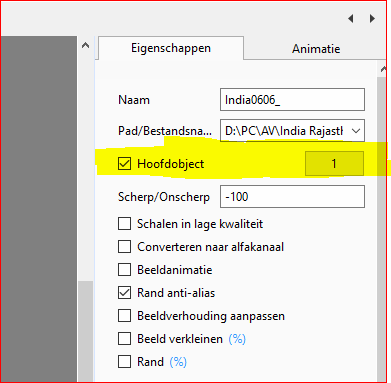
Erik, As Dave wrote: Sleep de "Landscape" afbeelding in de Dialijst (hoofdscherm) - het Hoofdobject 1 zal automatisch worden geïndexeerd. Voeg de twee portretafbeeldingen in Objecten en Animatie toe en stel Hoofdobjecten Index 2 en 3 voor deze afbeeldingen in. Maak de stijl en voeg drie afbeeldingen toe aan de Dialijst - Pas uw stijl toe. Dave thanks for your help.
-
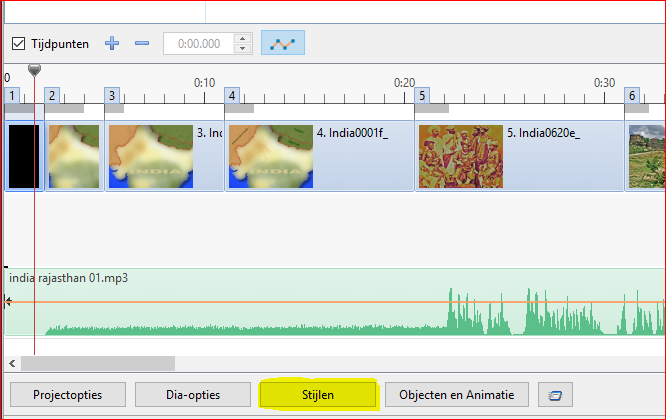
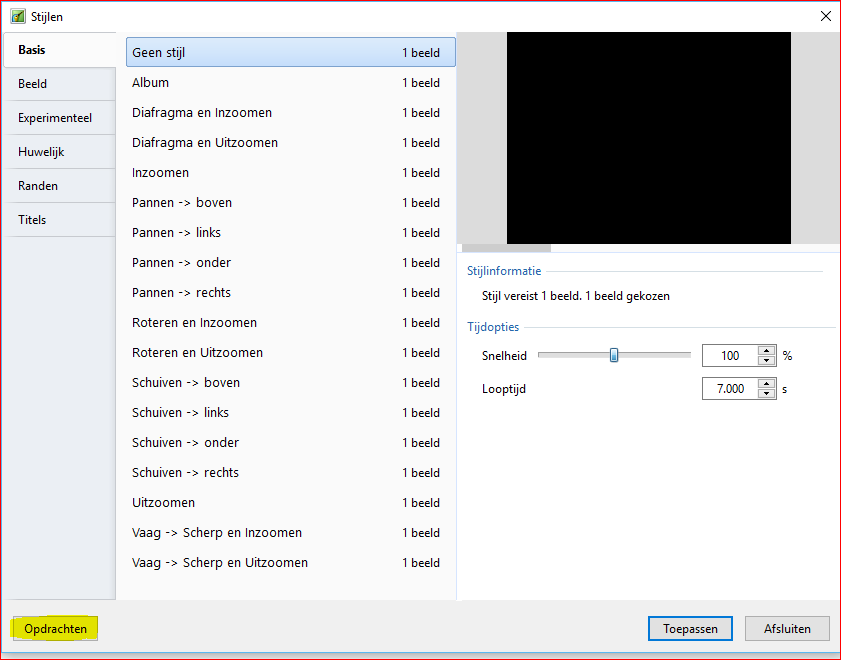
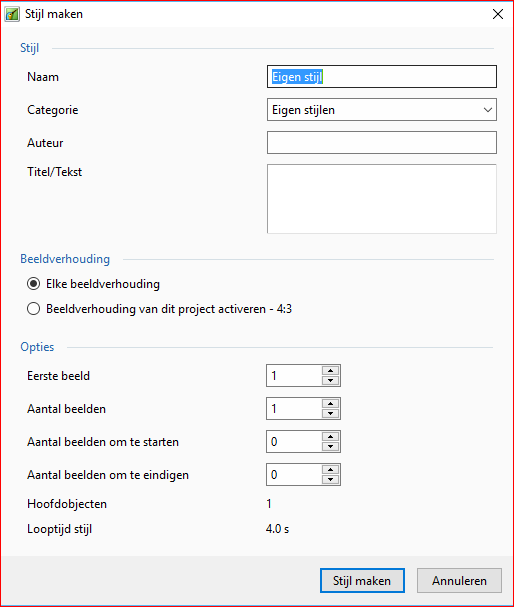
Erik, However, that is the right order to capture the style. Nothing has changed in the working mode of the program, only the names are translated in Dutch. I've done it myself and it works perfect. In principle, the duration of the style and the number of slides used are also recorded. Maybe there is something wrong with the registration of the category? Give the style a name, then the category, eg "Eigen stijlen", author and text are not necessary. Than the aspect ratio, which must be correct (4: 3, 16: 9, etc.). Then "Stijl maken". Go back to the main screen and press "Stijlen", then you must see the created style in the list under "Eigen stijlen". Do you see the style under that category? Import a Slide Style The Style (“xxxx.ptestyle”) can be imported from any source. Click on Slide Style ("Stijlen") Click on Tools ("Opdrachten") Click on “Import” ("Stijl importeren") Or click right with your mouse on the style and you see also the instruction "Stijl importeren".
-
Hello Erik, I checked your exe file and the style is fine. To keep him in the list Click on "Slide Style" "Tools" "Create Style" or in Dutch the buttons: "Stijlen" "Opdrachten" "Stijl maken"
-
Hi Erik, Hi Lin, Igor sent me a PM. I am from Belgium and speak Dutch. For many years I have been translating PTE into Dutch. Has Erik sent you an example already? I'll help with the translation if necessary. Best regards, Cor
-
Daniel, I'm afraid that you are right. Greetings, Cor
-
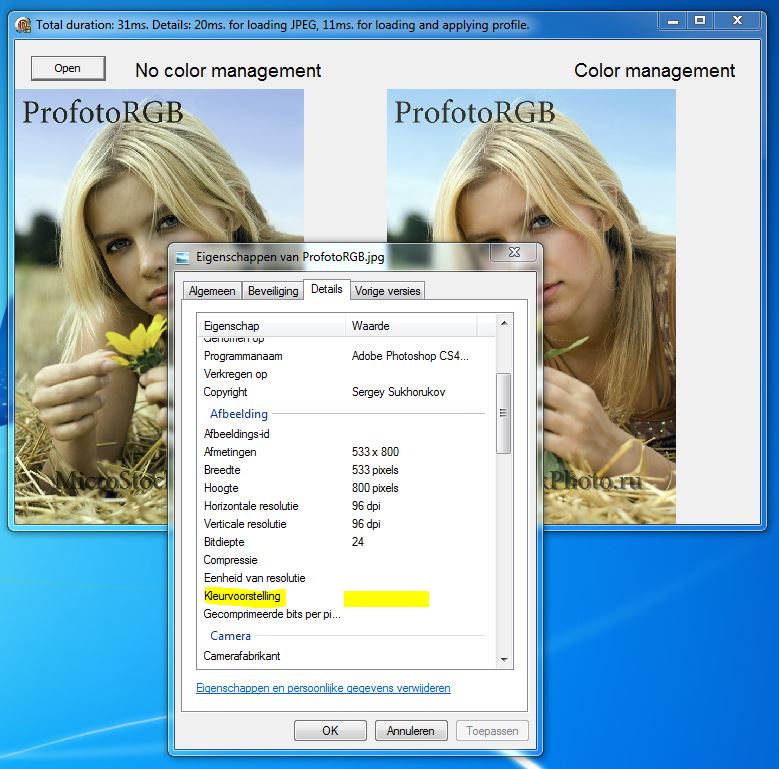
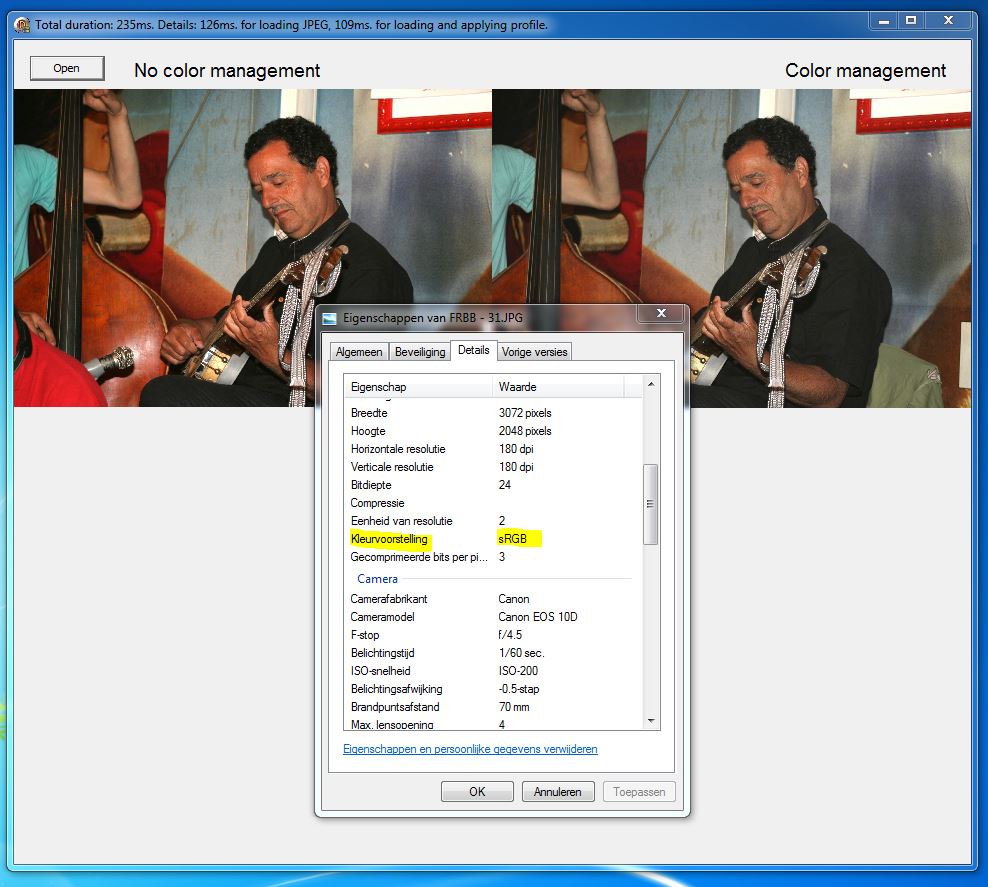
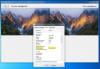
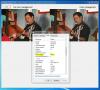
Large differences in Igor's JPEG test: Igor's photo: Properties | Details | Color Management: no value. Test Left (no color management): washed-out colors, Right (color management): normal colors. ------------------------------------------------------------------------------------------------------------------------------------------------------------------------------ My Photo 1: Properties | Details | Color management: not calibrated Test Left (no color management): more visible grayscale, Right (color management): beautiful colors. ------------------------------------------------------------------------------------------------------------------------------------------------------------------------------ My Photo 2: Properties | Details | Color management: sRGB Test Left (no color management): exaggerated colors, Right (color management): natural colors. In Photoshop, Photo 2 (sRGB) appears in Variations: Original: with the natural colors, Current image: the exaggerated colors. Greetings, Cor

-
Hallo Cèlou, I think it's a Windows problem (^, /, ", etc. anyway). There is an old message in the INI file about files in the ZIP format, maybe it's the same for separate files in PTE. "Ce projet contient des fichiers avec des symboles nationaux ou des caractères spéciaux. Les étrangers ne pourront pas ouvrir le projet, le format ZIP ne supportant pas l'Unicode. N'utilisez que des symboles latins dans les noms de fichiers. Continuer?" or in English: "This project contains files with extended Latin or national symbols. Users from other countries will not be able to open your project, because ZIP format does not support Unicode. Please only use Latin symbols in file names. Continue?" I think best is, not to use accents in file names, however some are allowed in Windows. Greetings, Cor
-
100 % agreed! I'll vote for NO. Put the cursor on it and it shows what it does. How is it possible that people want such an ugly button. Everybody need to invest some time to learn the software! Almost daily there is a request for changes and adjustments to the program, do you think a newcomer is happy with that? Greetings, Cor
-
Slideshow presentation of PicturesToExe 8.0 ...
CorVdK replied to Aginum's topic in Slideshows & AV Shows
The master of the French manual knows also how to do it in real! A fantastic demonstration of the possibilities of PicturesToExe Jean-Charles. I hope Igor will use it for promotion. Congratulations and thanks for sharing. Best regards, Cor -
Thank you so much Igor.
-
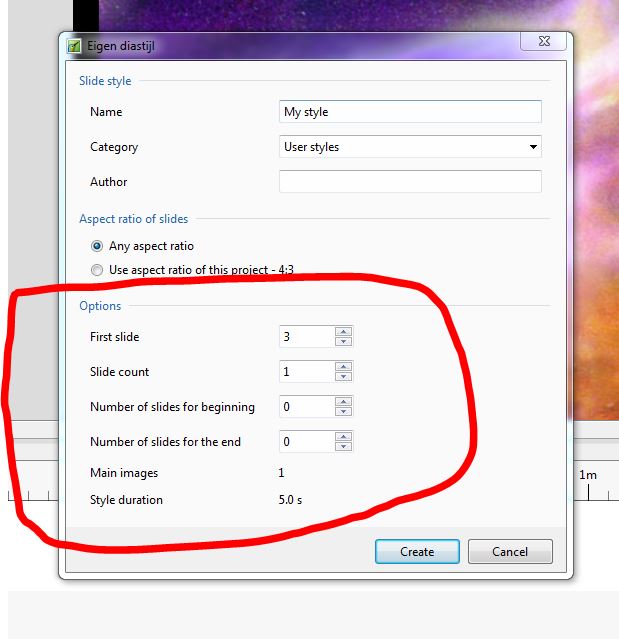
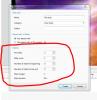
Hello Igor, Thanks for so many new features. Is it possible to explain the "Slide Style Options" especially the "Number of slides for beginning" and "... the end" Thanks in advance. Cor
-
Aspect Ratio and Fit to Slide/Cover Slide options
CorVdK replied to Igor's topic in General Discussion
For me it's 16 x 9 and "Fit to Slide". Thanks Cor -
Yes, Eric, it is up to date with 7.5. It's really the perfect manual for PTE, with a lot of know-how and background information about "How to make a slide show". A must for beginners and very profound for experienced users. Regards Cor
-
Hello Tom, Philips has stopped the production and development in 2012 of that aspect ratio, see Philips Cinema 21:9 is dead Sad step for film fans, indeed. Cor
-
HDMI ignores "Fixed size of slide..." setting?
CorVdK replied to fh1805's topic in General Discussion
Hello Peter, To project without problems with a laptop and a projector, some simple actions are required: When connecting your projector the correct order is important. Connect the cable between the laptop and beamer. Then turn on your projector and allow to warm up until the projector is ready for projection. Then turn on the laptop. By this order the laptop will recognize the projector and usually also the correct resolution. If that fails you can use the external signal in the laptop. By simultaneously holding down the FN key and the monitor button and choose for simultaneous display. Each laptop is different but usually FN + F4 or FN + F5 or FN + F7. This information is based on some practice experience. Greetings, Cor -
Hello Eric, Click on "Insert template" and then choose "Slide number". All your slides will then be numbered. If you want the number on a certain spot on your slide, you can choose "Position on a slide", then "Top", "Right", "Bottom",... Greetings, Cor
-
Definitely not, if you add a slide the template will be executed on the added slide, not on the existing slides, when you click on the button "Set for existing Slides" all slides will be adapted.
-
Don't forget to click on the button: "Set for existing slides". Greetings, Cor
-
Hello Steven, Your first song, A is 4:40 and you want a silence of 6 seconds, so B will start at 4:46. Go to Project Options - Music: click on your song B to activate. Now click - Customize - Audio clip properties, you see Start time and duration of your song B Click Offset to activate (blue point) and type 4:46. Now your song B will start at 4:46, six seconds after song A. Do the same for C; Activate C in Project Options - Music. Go to Customize - Audio clip properties Now your timings are: A = 4:40 + 6 seconds + B = 3:15 + 6 seconds When I calculate it right that's 8:07 So type 8:07 in Offset and C will start at 8:07. I hope that is what you wanted. Greetings, Cor
-
I'll vote for option B. Thanks, Cor
-
Although, the best manual for PicturesToExe, in my opinion, is the French book by Mr. Jean-Charles Pizolatto, avatar "Aginum". That book can be used as a perfect and complete manual. But the first thing that one should consider, is to ask Aginum if he gives his permission for a translation to an other language! Greetings, Cor
-
Yes, we can. But here is a pretty good explanation of what I mean: Making Masks with Channels Cor
-
Yes of course, it is with new and different ideas that we try to think along with Igor. AV is not only, beautiful pictures with some beautiful music (sadly no matter how beautiful, but soon very boring). PicturesToExe provides many opportunities for so many different minds. Also PixBuilder Studio would be a very nice alternative to the expensive Photoshop. When PixBuilder Studio would be made really functional for PicturesToExe users, possibly with a direct link to the program. Yes, PixBuilder Studio has channels and an alpha channel. But when it would be possible to copy the R, G, B channels that could give a boost to both programs. Cor
-
Currently there are three forums discussing this experimental feature. The conclusion, so far: The hotkey Ctrl+Shift+P, in its present form, is very limited and requires adaptations to be really functional. Change the image in black and white could be useful for making masks, but we must be able to adapt the mask in PTE and that's not possible now. As in Photoshop where we have Channels to work with. With Channels your able to make selections (and masks) the easiest and accurate way. Some time ago I asked if it's possible to have Channels in PixBuilder Studio. So far no go. About the Ctrl+E in Object and Animation, this function is also experimental and need adaptations. Because it's only possible to move all the keypoints at once. Not usefull in complex animations. You need to select keypoints first. And what about Parent and Child logic? Let's see what Igor intends to do with it. Cor
-
Hello Andrew, Very touching AV. Good pictures and well chosen music. While on this subject many audio visuals are created, the implementation nevertheless is always different. As you could experience, this part of the history will not be forgotten by the Belgians and quite right. About the German Cemetery at Langemark I know there is another approach in the construction of the cemetery. (translated from WESTHOEK.BE) The vegetation is very sober. Designer Tischler wanted the cemetery to look as an oak woodland. Therefore the cemetery is not "strict aligned" as the other cemeteries. On the street side there are bushes with rhododendron and the footpath is leading between two hedges. In the first half of the 1950 the governments of Belgium and Germany decided that only four German cemeteries would remain: Hooglede (remained unchanged), and by the evacuations there was a strong expansion in Vladslo, Langemark and Menen. More than 9000 remains of identified bodies of 14 cemeteries in the vicinity of Langemark were transferred. All "non-in-name-identified" from the whole Belgian territory were also transferred to Langemark. (Therefore, there are several people in one grave). Just for your information: The city name Ypres is in French, also most commonly used in English. The English pronunciation = /'i:prə/ The town lies in the Dutch part of Belgium and his original name is Ieper, pronounced ['ipər]. Greetings, Cor