All Activity
- Past hour
-
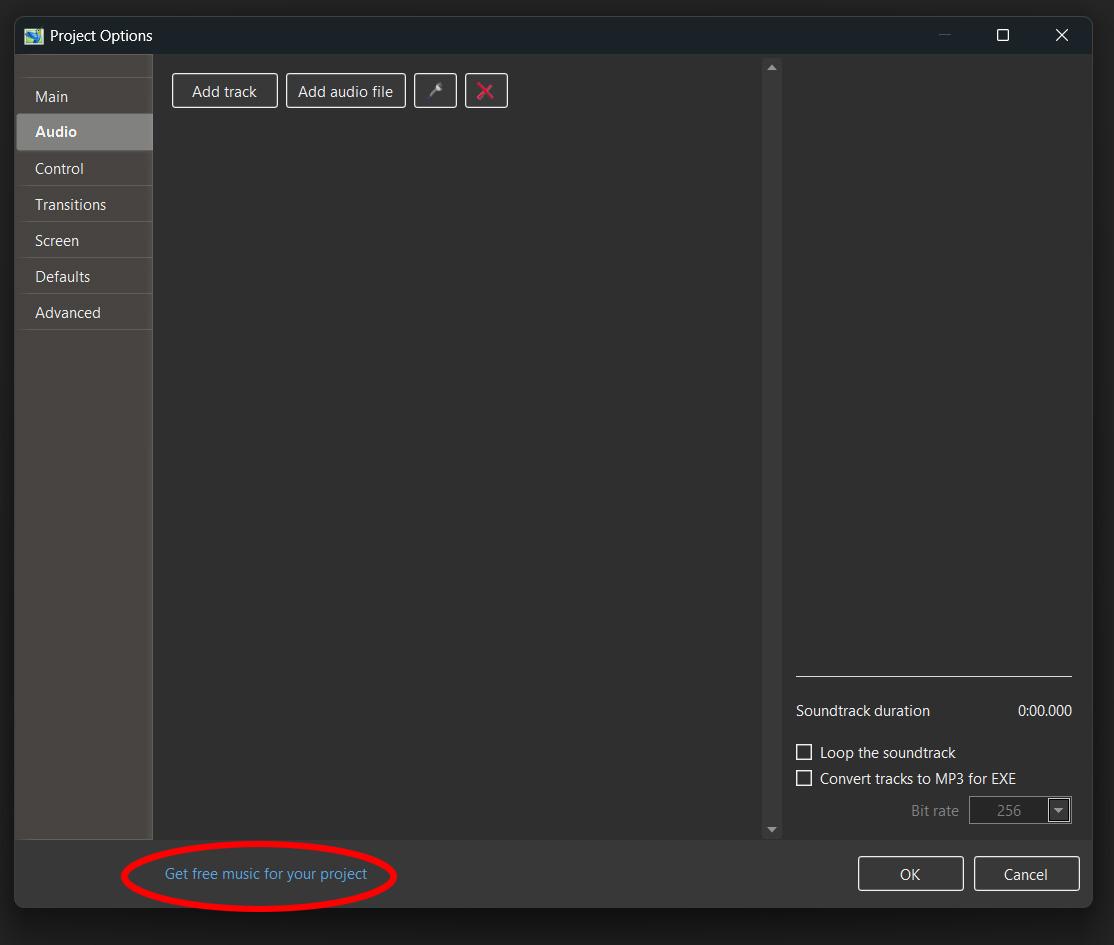
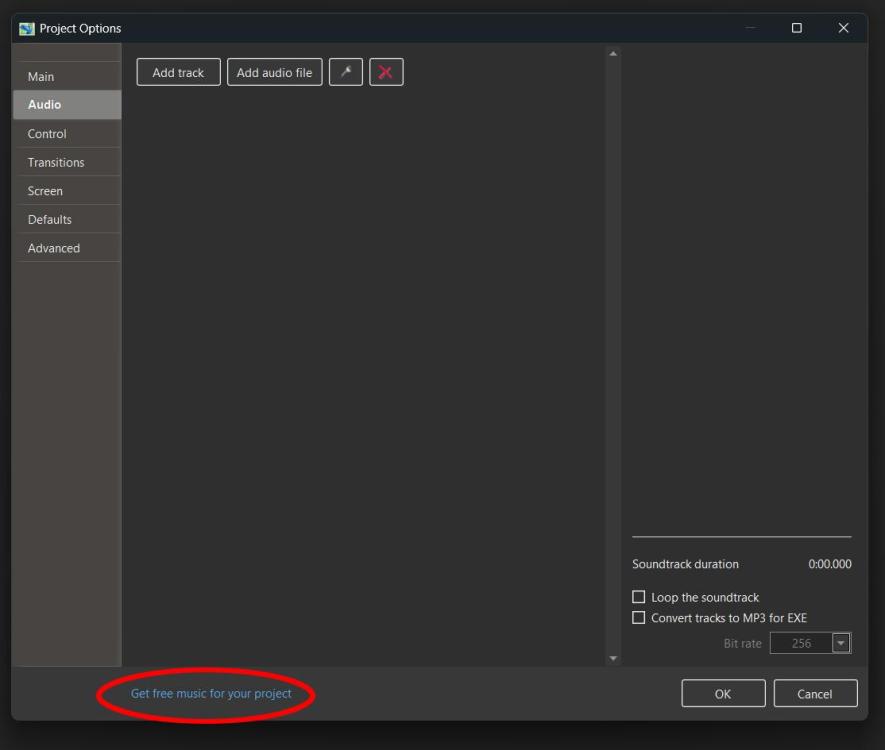
I assume this is what you mean Mike Project/Options/Audio at the bottom of that window it says - Get Free Music If not then ask at our meeting tomorrow Jill
-
Have just upgraded to v12 for mac and want to find items in the sound library but just cannot see how to get there. Advice please
- Last week
-
If you can still find it the following software will do a good job for you: CaptionsAlivePro DG
-
Nicely done! Thanks Alex55
-
This style looks absolutely stunning, but I just can’t seem to get it to work. Do you perhaps have any further advice on this? Thanks in advance.
-
Thanks for sharing, it looks great.
-

Populate the 'File Name' window automatically
davegee replied to goddi's topic in Suggestions for Next Versions
Templates? DG -
Thanks, I’m glad you like them and that they can be put to use.
-
Hello SoCu, A very nice set of geometric transitions. It’s varied and very well executed. Thanks for sharing!
-
Wouldn't it be nice if the 'File Name' window gets populated automatically once you do a 'File Open' of a .pte file from File Manager? It is a pain to have to hunt through the folders to locate the folder with the associated images once the .pte has been selected and populated in the Slides. Gary
-
Hi! In case you like geometric shape transitions, here is a link if you want to try them out. https://www.mediafire.com/file/owcke2r14qhaw8z/Geometric_shape_transitions.rar/file
-
.thumb.jpeg.275a23bb9c94b74fa0ee2ccae5279a1c.jpeg)
Scrolling Through File List and Slide List Using Mouse Wheel (Mac)
GordW replied to GordW's topic in Troubleshooting
Thanks Igor. It's good to know that I can use my old Apple Magic Mouse as a Plan "B". -

Scrolling Through File List and Slide List Using Mouse Wheel (Mac)
Igor replied to GordW's topic in Troubleshooting
Hi Gord, We'll try find this Logitech mouse (or one similar one) for testing. If we notice a difference in scrolling behavior between PTE AV Studio and other programs on Mac, we'll rework the code that handles mouse input. I'll get back to you later. -
Hi, Thanks. I’ve added the missing Spanish version of this page, so the link should now open correctly.
- Earlier
-
The same thing happens to me, too. Changing the address manually—that works. https://www.wnsoft.com/en/blog/royalty-free-music/
-

Free Music / SFX Resource - Over 2000 Tracks
Eric Matyas replied to Eric Matyas's topic in General Discussion
They turned to dust long ago, but their stories live on... "STORIES OF LONG AGO" - (Looping) - is this week's brand new music creation of mine. As always, it's completely free to use in your projects with attribution, just like my thousands of music tracks, sounds and images. You can listen to it here: https://soundimage.org/wp-content/uploads/2026/10/Stories-of-Long-Ago.ogg And download it here: https://soundimage.org/fantasy-13/ Attribution information is here: https://soundimage.org/attribution-info/ Praise for Soundimage I don't often "toot my own whistle" but I am very proud of this: https://soundimage.org/praise-for-soundimage/ To those of you who have reached out, thank you for being so supportive! 🙂 -
Pere, what is your language set to? DG
-
Scrolling Through File List and Slide List Using Mouse Wheel (Mac)
GordW replied to GordW's topic in Troubleshooting
After thinking about you suggesting different programs and set-ups, I thought I would try using my Apple Magic Mouse on my backup Mac; seeing as the Magic Mouse has horizontal scrolling. In Lightroom, Lightroom Classic and iMovie it works exactly the same as my Logitech mouse; the expected operation. Of note is that it ALSO works the same way, as expected, in PTE AV Studio! When the cursor is positioned in the file list, scrolling vertically works, scrolling horizontally is disabled. When the cursor is positioned in the slide list, scrolling horizontally works, and scrolling vertically is disabled. Obviously the issue is the mouse set-up. I'm not sure if it's something within PTE AV Studio or the Logitech software that is causing the unexpected behaviour. Thanks, Gord -
Scrolling Through File List and Slide List Using Mouse Wheel (Mac)
GordW replied to GordW's topic in Troubleshooting
Hi Igor, Thank you for the follow-up. It makes sense that you concentrate on the 'typical' setup. I had not thought to check and compare how my mouse works in iMovie. In Lightroom Classic, when the cursor is in the image display area in grid view, the vertical scroll wheel scrolls through the images and the horizontal wheel is inactive. Positioning the cursor to the filmstrip area, the horizontal scroll wheel scrolls. Interestingly, the vertical scroll wheel also scrolls when the cursor is posotioned in the filmstrip area. In iMovie, when the cursor is positioned in the browser area, the vertical wheel scrolls, the horizontal wheel is inactive. Positioning the cursor in the timeline window, the horizonal wheel scrolls and the vertical wheel is inactive. I hope this helps. Please let me know if you would like me to do any further testing on other programs or set-ups. Thanks, Gord -
Scrolling Through File List and Slide List Using Mouse Wheel (Mac)
Igor replied to GordW's topic in Troubleshooting
Hi, Could you check how the mouse works with other programs on your Mac or Windows computers and compare with PTE AV Studio, specifically in programs that have list (panels) with both - horizontal and vertical scrolling? For example, the free iMovie app on Mac might be a good candidate for such a checking. It’s difficult for me to verify this myself, as we don’t currently have Logitech MX Master 4. Our assumption was that the typical, primary setup on Windows and Mac - a mouse with a single scroll wheel or Magic trackpad on a Mac. -
Hi, Could you clarify where this link ("Get free music") is located? In PTE AV Studio (Project Options), forum, or WnSoft website? 2. And what link do you see in your browser when the 404 error appears? Please copy the exact URL from the browser. I'll check the link.
-
Folder display is missing files in PTE AV Studio Pro evaluation copy
Igor replied to Helmut52's topic in General Discussion
RAW images are not supported. We recommend using JPEG or PNG images. Other supported formats: HEIC, PSD, BMP, TIFF, GIF, WEBP, and AVIF. -
Something about "getting our hands greasy" and tinkering under the hood.
-
Greetings, Ok...I cleared the Recent Recent Projects and started over. When I open a .pte from File Manager, the Slides get populate with the show's images. Ok. But then I have to go to the directory list and find the associated folder for the images to appear in the 'File Name' window. Wouldn't it be nice if the File Name window gets populated automatically once you Open a .pte file from File Manager? It is a pain to have to hunt through the folders to locate the associated images once the .pte has been selected and populated in the Slides. Gary
-
Check the type of file for one of the "missing" files - is it RAW perhaps? DG