All Activity
- Today
-
Thank you very much Igor for the explanation. Good to know.
-
Thanks for this addition. I don't recommend to run two PTE versions simultaneously with the transitions window open. Because both versions work with the same global storage of custom transitions, they interfere with each other.
-
Additional test: With version 11 opened separately, all transitions work perfectly. With version 12 opened separately, all transitions work perfectly. Apparently, I have a problem with the buttons not working properly when both versions are open on my computer. (I did this to compare and verify functions for the translation.) So the problem is solved when I don't start both versions at the same time. Sorry for the inconvenience.
-
Thank you Igor, this is nice.
-
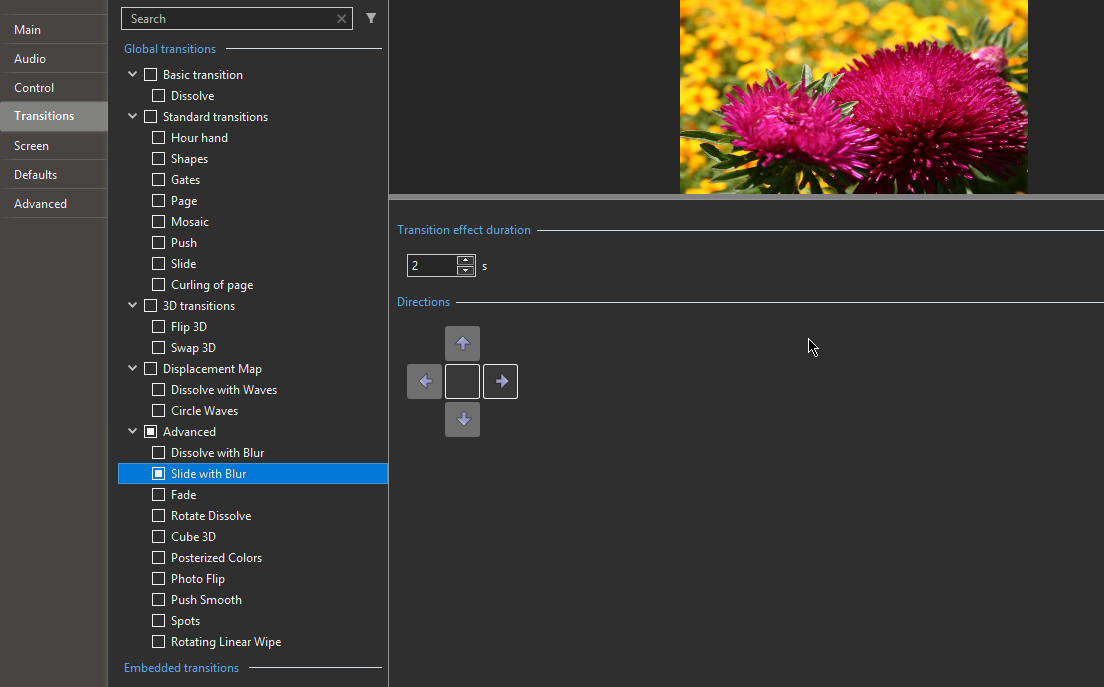
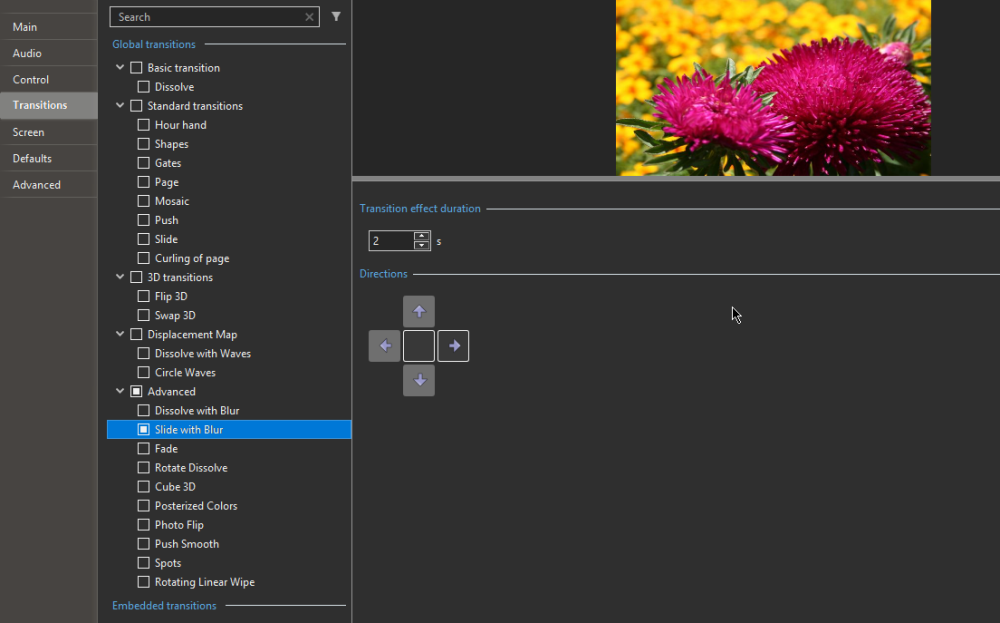
After activating a specific direction (clicking the button), for example to the right, the preview in project options shows a transition upward, left, or right, sometimes in the correct direction, sometimes not. Also the selected button gets stuck sometimes (I can not always deselect it), hence probably sometimes multiple directions being executed incorrectly, similar to a kind of random memory sequence. It's only the transitions with directional buttons that don't work well for me.
-
Captured throughout 2025, these images depict birds in their natural environments, shaped by the seasons, light, and their surroundings. Some frames celebrate the poetry of flight, where wings intersect with shifting light, while others rest in quiet observation. Together, they explore the artistic relationship between movement and illumination in the living landscape.
-

ScreenGrain - free Chrome extension for glossy/4K screens
Igor replied to Igor's topic in Equipment & Software
Hi, Thanks for your feedback and responses! P.S. I moved this topic to Equipment & Software section of the forum. -
Dave, glad that you find it useful.
-
Hi Cor, Please let me know, do you see a wrong transition (from a different transition group) or an incorrect direction in the selected transition group? Does the problem appear in the small preview window, or do you see it after applying the transition to a project? Usually, the Project Options show a preview of only one of several selected directions (3 in your screenshot). And the Slide Options shows a preview specifically for the selected direction/option. Can you record a video of your screen to demonstrate the issue?
-
Pascal, Thanks for your feedback! We'll think regarding author name filter in transitions.The good comment.
-

Quick Search in Styles and Transitions in V12
Paiche59 replied to Igor's topic in PTE AV Studio 12 Beta
Hello all, Thank you for this new feature. On my side, all features are working correctly. The search function is especially useful when a large number of styles or transitions are installed. However, the author filter for transitions does not seem relevant, as transitions are not associated with an author, unless you are planning to implement this feature in a future version. Best regards, Pascal. -
Hi I tested the Advanced transitions and for me all it's OK 😃
- Yesterday
-

Free Music / SFX Resource - Over 2000 Tracks
Eric Matyas replied to Eric Matyas's topic in General Discussion
Happy New Year, fellow creatives! To kick off 2026, I've created a couple of brand new music tracks to share with you. As always, they're 100% free to use in your projects with attribution, just like my thousands of other tracks: On my Funny 8 page: "A WILD PARTY IN DOCTOR STRANGEVOLT’S CASTLE" – (Looping) https://soundimage.org/funny-8/ On my Chiptunes 5 page: "PIXELTOWN HEROES" – (Looping) https://soundimage.org/chiptunes-5/ OTHER USEFUL LINKS: My Ogg Game Music Mega Pack (Over 1400 Tracks and Growing) https://soundimage.org/ogg-game-music-mega-pack/ My Ogg Genre Music Packs https://soundimage.org/ogg-music-packs-2/ Custom Music https://soundimage.org/custom-work/ Attribution Information https://soundimage.org/attribution-info/ Enjoy, please stay safe and keep being creative. 🙂 -
Jill, thank you for your quick and accurate response!
-
The MP4 just contains the trimmed part. If you make an exe then it will contain the whole video but only show the trimmed part. Jill
-
The new transitions in version 12 work quite well, in my opinion. But I have the impression that the transitions already present in previous versions don't respond well when clicking on the buttons. The buttons are difficult to click, and the transition doesn't follow the desired direction on the screen.
-
Please tell me, when we trim a large video in PTE, does the resulting MP4 file include the entire video file or just the trimmed portion?
-
Nice Demo, it should be very useful for Panoramas and Animation. DG
-
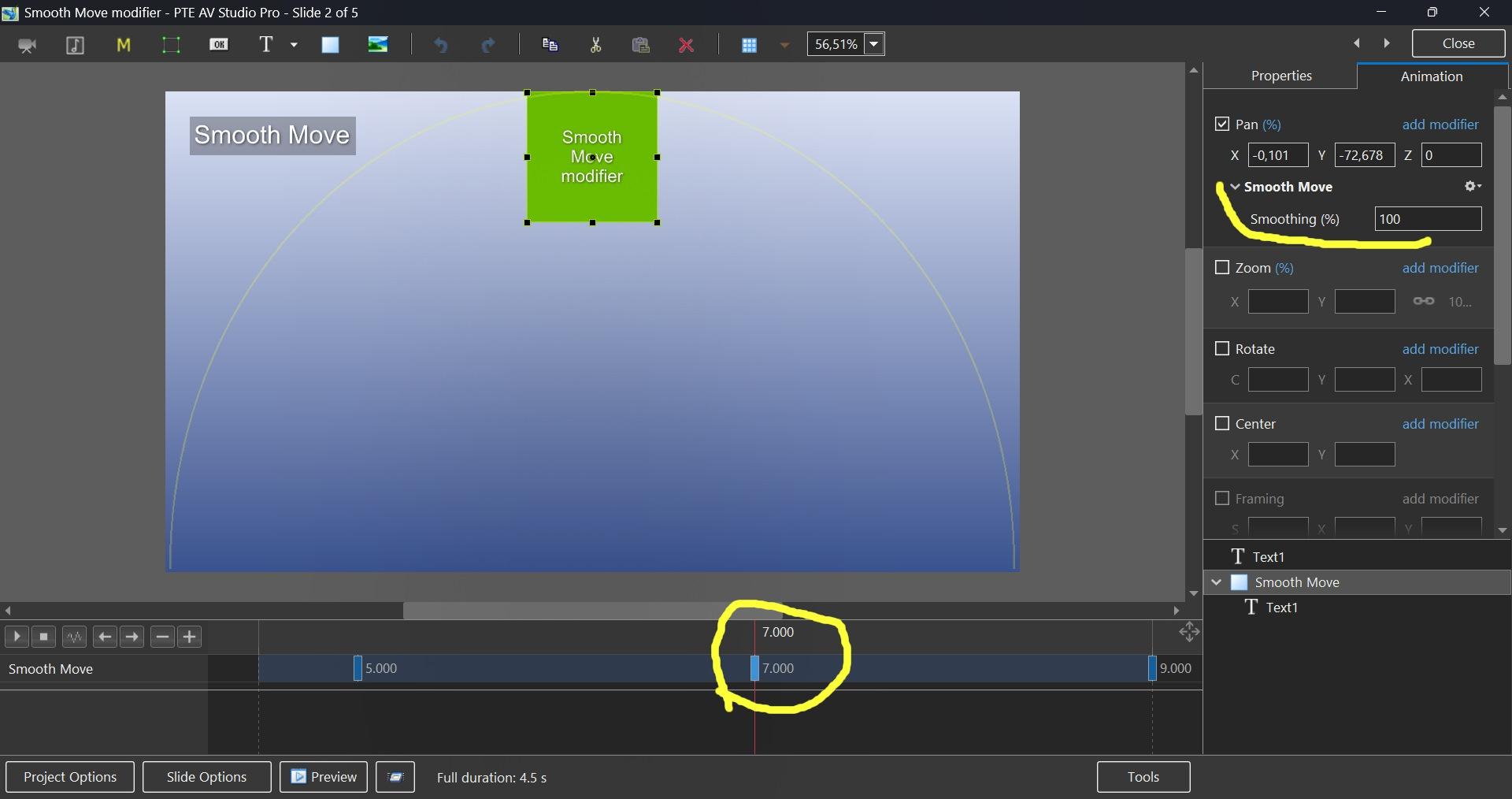
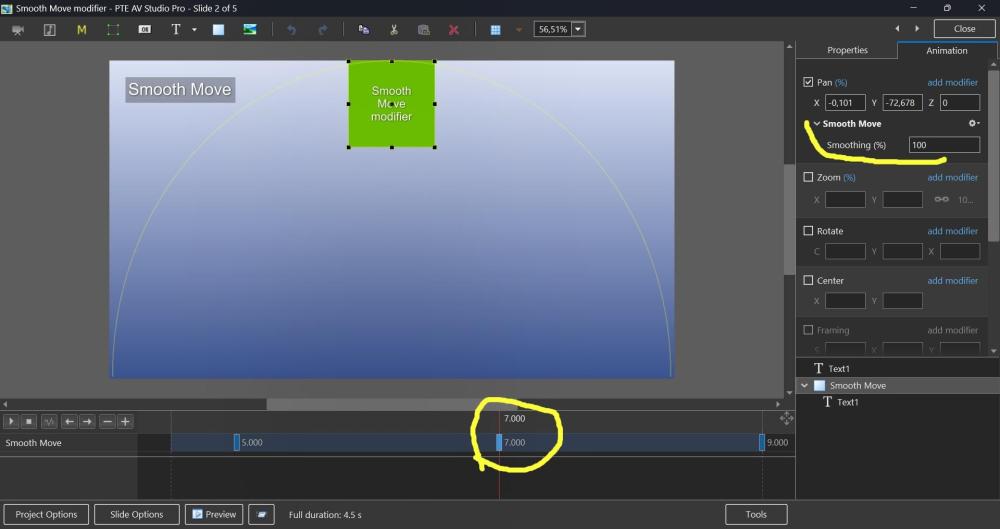
Hi, Smooth Move modifier was introduced in V11, but probably not everyone may know how useful it can be. This demo shows how the Smooth Move modifier improves animated panoramas when you change a direction of motion at a middle keyframe. Without the Smooth Move modifier, you'll see a sharp, unnatural break in the movement direction. With the Smooth Move modifier, the image smoothly changes trajectory with natural momentum, gently rounding the sharp corner. If you have 3 keyframes and a direction of motion changes at the 2nd keyframe (in the middle), you need to add the Smooth Move modifier to that 2nd keyframe. The "Smoothing (%)" parameter controls how much the motion is smoothed. I recommend to keep the default value 100%. Note that Smooth Move also creates smooth starts and stops, giving the motion a natural, momentum-based feel. If you're using simple motion between just 2 keyframes, use the Smooth speed modifier on the 1st keyframe instead. In this case, don't use Smooth Move. Download the demo project: Smooth Move modifier.zip Video example: Smooth Move modifier.webm Screenshot:
- Last week
-

ScreenGrain - free Chrome extension for glossy/4K screens
digartal replied to Igor's topic in Equipment & Software
Thanks Igor, I have downloaded and installed it. -
Hello Igor, PTE developers, and forum members. Best wishes for a happy and wonderful 2026. Do what you like and if you cannot do that like what you do. Cheers Mark
-
 JEgan2026 joined the community
 -
ScreenGrain - free Chrome extension for glossy/4K screens
Igor replied to Igor's topic in Equipment & Software
Google doesn't allow the use of any screen filters on some system pages, for example: a blank page, web store for Chrome extensions, preferences of Chrome, etc. -
ScreenGrain - free Chrome extension for glossy/4K screens
vbl2007 replied to Igor's topic in Equipment & Software
Not all pages show the effect of this extension. For example, this page doesn't:Not all pages show the effect of this extension. For example, this page doesn't: https://chromewebstore.google.com/detail/screengrain/amgkkiknaaofelhmokbhiidcganljcjh Maybe I don't see it or am I doing something wrong? -
Happy new year for you Igor, your family and your team, and to all of us ! A good health of course, this is the most important ! And a well-deserved succes for PTE 12.
-

ScreenGrain - free Chrome extension for glossy/4K screens
Aleina Show replied to Igor's topic in Equipment & Software
Thanks, Igor! I found this effect surprisingly interesting. It's truly pleasing to the eye, even though my monitor isn't glossy. It's like reading a newspaper.