mhwarner
-
Posts
709 -
Joined
-
Last visited
-
Days Won
18
Everything posted by mhwarner
-
 Indeed he did, Ken. In fact, he has 4 or 5 of them for sale in his store. I think I have purchased all of them. The only problem is that to use any of them templates, it is necessary to rename your slides to fit his scheme, or go in and edit every single object animation to load your own files. Also, there is quite a bit of overhead because there are masks and secondary pages and covers, etc. etc. While the end result of using the templates, which I have done on many occasions, is quite elegant and professional, I have been trying to come up with somewith quick and easy which gives a similar effect and can be implied as a simple transition. Anyway, maybe somebody will find it useful.
 -
My attempt at creating a flipping book/page transition without masks or auxilliary files. The edges of this look strange if your slides and your project aspect ratio don't match. When created I didn't resize my slides and my aspect ratio was set to 16:10; the edges of the "pages" were the thickness of the black margin at the right side of the screen. When I changed the aspect ratio in the project options to 3:2 to match the slides, the edges of the turning page were more or less paper thin. Was just wondering if we could have a section somewhere to share these custom transitions so they would be easy to find and share. Marybook1.zip
-
Riding the Zambezi River-New Show on Beechbrook
mhwarner replied to goddi's topic in Slideshows & AV Shows
Well, I rafted the Colorado River through the Grand Canyon last April and we had some pretty good rapids, but I don't think any of them were quite like the ones in your video. Very cool! I hope you weren't one of the people who fell out of the raft. Thanks for sharing. Can't believe you went back and did it a second time. Good for you! -
Lions, the Kings - New Show on Beechbrook
mhwarner replied to goddi's topic in Slideshows & AV Shows
Gary, That was amazing! I thought I was watching Animal Planet! You were so fortunate to have been able to witness that spectacle in person. And it is so great that you can now easily view your old movies on the computer or TV. The clarity was great at the small size and not all that bad if I made it full screen (and probably even less noticeable at a distance from a TV). The little cubs were so adorable -- especially the one who walked beneath the big guy and attempted to play with his leg. I did almost puke when then big guy was eating the intestines. And I liked the nuzzling between the lionness and "The King". Regarding the show itself, I did find the white shadow effect a bit distracting and I would personally have used a colored background instead of black (maybe some sort of beige paper-looking graphic). With that small size video I think it would be less distracting, but of course, that's my 2 cents. I'm guessing that you have lots more movies where this came from. Can't wait to see some of them! -
Minor problem with pte7.5 - please can you help?
mhwarner replied to Photofanatic's topic in General Discussion
Hi Joy, I'm sure you will hear from Dom in due time, but in the meantime, you should probably remove that template download as I believe it was not one of Dom's free templates but one that he sells. Having said that, I did not download it because I had purchased it a while back. I took a look at my version and see the same annoying off-center line. I experimented a bit and here's the fix I came up with. Open the first photo in O&A. (1) Click on the object called "Next Page left". (2) Click on the very first keyframe for that object, which should allow you to edit its properties. (3)On the "Animation" tab, change the left number for the "Pan" to 0. On my copy it was 27 for some reason. That's it! Unfortunately, you will have to do this for each set of "pages" (or you can do it once and copy that slide and replace the images). Hope this is helpful.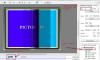
-
Maureen, Beautifully done (as usual)! I loved the music -- so much in fact that I immediately went to Amazon and downloaded it for myself. I loved the mix of distant landscapes and close-ups of small details. The icebergs were razor sharp but had such delicate shapes as well. The animation was just enough to make me feel I was cruising right alongside of you on the ship and the little dingies. Thank you so much for sharing your memories of a very special area that I will probably never get to visit. On the other hand, the show made me anxious for the spring when we plan to depart for another "voyage" in our RV to Alaska which has some similar scenery.
-
Hi Steven, I missed your first show so I don't have a comparison, but I'd say that the time you spent learning PTE was well spent! To begin with, you have a lovely "backyard". I thought the music was well chosen also -- nice and relaxing. You did a good job with the animations (the moving clouds were a nice touch too). I would have liked to have seen some more closeups or details of the beautiful leaves mixed in with the landscapes, though. I thought the show was a bit too long for what was included. I think you could perhaps edit a bit more selectively (many of the shots were almost identical) and resize the show to the length of only the first piece of music. But that is just my 2 cents. Thanks for sharing and don't be afraid to post more of your creations!
-
I am seeing the last video I watched on youTube as well -- a tutorial on Camera Raw in CS6.
-
Several Serious Bugs with Creating an EXE
mhwarner replied to mhwarner's topic in General Discussion
My show did not contain any videos, so I don't think that is a common thread. As I said, I resized all my photos and the problem went away. When I have a few minutes, I will see if I can duplicate the problem again with a smaller version of the show and post the template. -
Several Serious Bugs with Creating an EXE
mhwarner replied to mhwarner's topic in General Discussion
Peter, You can change this topic to "RESOLVED" if you wish. I don't seem to be able to modify the topic title now. Thanks! -
Several Serious Bugs with Creating an EXE
mhwarner replied to mhwarner's topic in General Discussion
Ok. Not sure what the problem was here, but I went through and resized all of the files in my slide show from 5184 x 3456 (default from Canon 60D) down to 1950 x 1300 (an odd size, I know, but I wanted some extra for zooms and pans). Anyway, this time the executable was created and the progress bar worked just fine. Apparently it was a memory issue of some sort. Odd. -
Several Serious Bugs with Creating an EXE
mhwarner replied to mhwarner's topic in General Discussion
Thanks Dave! I had already looked through the Settings\Preferences dialog as I knew from beta testing that it was possible to turn things on or off but I somehow missed the vertical scrollbar in the "Toolbars" section that allows us to add or remove things from the status bar. Checking the "Size of EXE" checkbox did the trick! -
First off, the counter that displays when you create an EXE file starts at -1% and goes to -140% (at least for the show I am attempting to create). How can you have -140% progress? Also, it appears that there is a progress bar, but the bar is empty and there is no colored slider to indicate progress (assuming that there's supposed to be one). The big showstopper for me however is that I am using a copyright logo for this show. The specified file for the logo is actually a .png picture frame which overlays the entire show. The file is there. It shows up in the mini-preview. It shows up in the fullscreen preview. I have created a DVD of the project as well and the overlayed image shows up fine there. I just cannot create an .EXE file from the project. When I open the EXE, I get the big blue missing file screen and the show doesn't run. If I remove the logo completely, the show is created, but when I play it, there is no longer any music! (And just for the record, I did nothing to alter any of the music files -- just added about 8 mp3 audio files under project options.) Again, the music plays ok in the mini preview, in the fullscreen preview and in the DVD. Update: The show in question was created entirely in 7.5. I just loaded a different project with the same sort of logo (frame overlay) created in 7.0something and it created an executable with no problem. Also, the progress bar displays properly with the correct percentages and a green slider bar. Any thoughts? THIS PART OF THE ISSUE HAS BEEN RESOLVED: Also, where is the number on the main screen that tells how large the created EXE file will be? I just noticed that it now longer displays and there doesn't appear to be a menu option to turn it on or add it in. That was a nice option to have when attempting to create a show to fit on a CD or to fit within a particular size range. Guess I should have looked more closely at the betas and reported it missing. Or maybe it was purposely left out?
-
You can download a USER Guide PDF in English from the WnSoft site. Just open PTE, click on "Help" and then choose "Download User Guide in PDF". It has lots of good information on the new functionality (as well as everything else in PTE).
-
(SOLVED) Something is really wrong with the Forum
mhwarner replied to mhwarner's topic in General Discussion
Thanks to all for getting it fixed! -
I am assuming it will be obvious to one of the moderators, but there are a bunch of php messages at the top when it loads and while the search function seems to work, all of the resulting links open totally blank pages.
-
Turbo chap, Works ok for me. Direct link to the templates: Dom's templates
-
For myself, I never use the DVD. The quality just sucks so badly! I make EXEs of everything and simply attach my laptop to my TVs or those of my friends or family where I am visiting in person. I don't mess with the other output options very often because it seems to me that it takes much longer to "publish" the output than creating an EXE. Maybe I am misremembering. Unfortunately, I sell quite a few event DVDs and would hate to see the capability disappear. Also, when I want to share a show with others that I need to send, I need to create DVDs. I agree with JEB and Dick LeBleu. Many people are clueless about video stuff and can only manage to pop a DVD into their set-connected player. Maybe in two years it will be a different story (and maybe I will be retired and won't be selling event DVDs).
-
Beautiful photos, Lin, and the music was well chosen. The Bryce Canyon photos were spectacular. You seemed to have caught just the right light. My only negative comment would be that as someone who has visited these areas many times (I live in northern Arizona), I found it a bit disconcerting jumping back and forth between Monument Valley and Bryce. I agree with your comments about Monument Valley. I have gone into the back country on some week-long horseback trips and it is so much more pleasant not to have to deal with what we called the "shake-and-bake" tour trucks. Thanks for sharing.
-
Nicely done, Patrick! Lovely photos synchronized appropriately with the music. I really liked the way you did the ending titles. My only negative comment would be that I would have liked to see the waterfalls taken at a much slower shutter speed to make them more "silky" and smooth. But maybe that wasn't possible or maybe that is not your preference for waterfalls. In any case, thank you for sharing. You have made me want to visit there someday.
-
Jean Charles, What a joy to watch. The photography is superb and the music was most enjoyable. I felt as if I were drifting about the world in the basket of a balloon (minus the wind and the noise). Thank you!
-
Sorry, Eric. Would love to watch it (and some of your other recent shows, as well as a few others posted by Goddi) but 130 MB is about a 3-hour download for me. I am on a wireless broadband card so I'm not usually willing to go over about a 75 mb download at most. Unfortunately, that has limited me on some of the newer shows using large video clips.
-
Maureen, Well done .. as usual! The photos were nicely blended with the music and I especially love your detail shots. Gorgeous colors. You were fortunately to have had such nice weather. Another keeper. Thanks for sharing!
-
From my perspective, tutorials and templates are the best means of learning to use the more sophisticated features of PTE (or any other program for that matter). But consider Photoshop. It comes with a manual (Help file/system). Actually, the latest version doesn't even include one in the download. It's online only at the moment with a downloadable version "coming in June" (maybe late June?). But I digress. That's pretty much all that you get from Adobe included in the cost of the program -- a program I might add that has more features and can do more things with pictures and other graphics than most of us can learn in our lifetime. However, there is a huge third-party market (some free, some not) providing books, classes, tutorials, actions, templates, etc., not the least of which is NAPP -- an entire empire built around teaching Photoshop. If you just want to edit a picture, resize it, sharpen, color correct, etc., you can find that in the Adobe manual. If you really want to learn how to do something more sophisticated, you're pretty much on your own, but you can usually find the answer somewhere on the internet or in one of the many books or tutorials. I think it's the same, on a much lesser scale, with PTE. I think the manual gives you enough details to create a basic slideshow, include a video or two and do some animations. Beyond that, you either need to experiment or spend some time here reading the postings and downloading the templates of the very clever people who have taken the time to learn these tricky things and are willing to share their knowledge. Or buy some of Dom's templates, or purchase some of Barry's tutorials or download one of the tutorials from Lin's site. Obviously, I wish it were easier to learn some of this fancy stuff in PTE, but I don't think we could ever expect Igor and his team -- for the small price of the program (which many of us paid once 10 or so years ago) -- to provide this kind of technical documentation. I'm not opposed to paying for it personally, but I just wish more 3rd party technical tutorials were available for download on demand.
-
Les, It looked like a really fun trip. I just loved the elephants. The sound effects were most suitable as well, although I think I might have added a bit more soft music in the background overlayed with the sound effects. Thanks for sharing this trip of a lifetime!