Rosemary A
-
Posts
428 -
Joined
-
Last visited
-
Days Won
5
Everything posted by Rosemary A
-
I am trying to add a WMA file to a show and all I get is a straight line! Could someone please let me know which music files are supported? Thank you and be safe everyone Rosemary
-
I too was a ProShow Producer user. I found the transition to PTE different. Styles are applied differently for example (Easier in PTE) The commands are different. The forum users were extremely helpful. My main concern was how to manage text in PTE as I use a lot of text in my shows. Forum members showed me work arounds. I only wish that I could work out how to make the 1500 slide styles I have for Producer work in PTE! Rosemary
-
That looks great to me. Would be so useful. Thank you. Rosemary
-
Simple Zoom Pan, Spin, Dissolve 16x9 transitions
Rosemary A replied to tom95521's topic in Styles & Templates
Thanks Tom. This will come in useful when we get out to get some more pictures to make shows. You stay safe down there. Rosemary -
Lin, I was experimenting with your Jupiter style and swapped Jupiter with my own world video. I also changed the text. Unfortunately very appropriate just now. Rosemary https://youtu.be/aqP1zmn_iAU
-
What a great skill. Now where is the tutorial?1
-
Beautiful photography and a very peaceful show. Thanks for sharing, Rosemary
-
Roll style (like a scroll opening) or unfolding
Rosemary A replied to Scraapi's topic in Styles & Templates
Thank you Lin for this timely tutorial. I have used it for the intro for a farewell party video that I made. Great work, Rosemary -
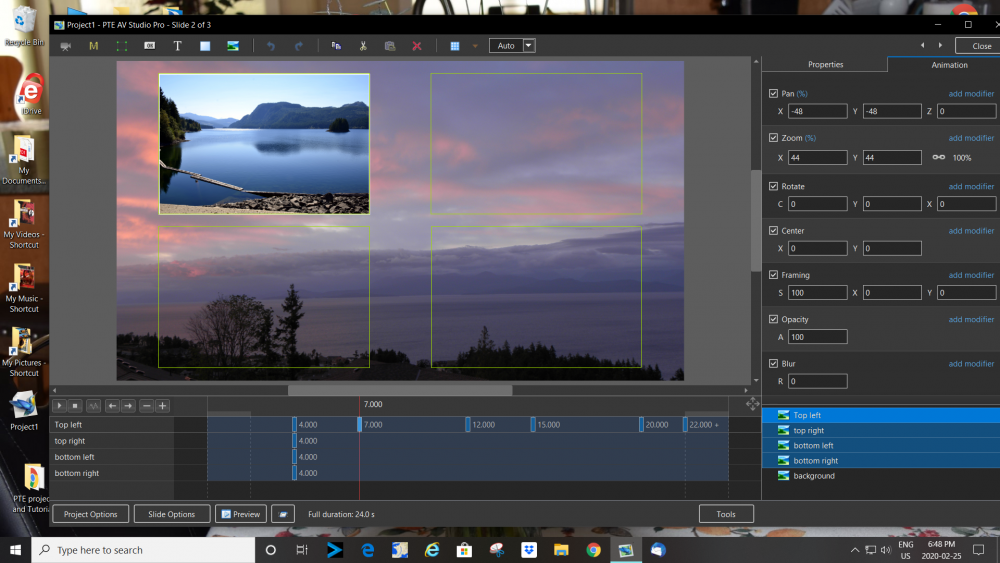
Hi Dave, Thank you so much. I had assumed that the keyframes had to be highlighted before clonning. I had tried every which way except that one obviously! Thanks as well, for the link to the list of Hotkeys. Very useful and are tucked safely in my binder. On furthur investigation, I find that if I right click the line below the KF to be cloned then I get the option to clone it but not the option for "alt insert" I think that the tutorial was made using an earlier version of PTE but I have been wrong before!!!!!! Rosemary
-
Hi, I am trying to follow Barry Beckhan's tutorial titled Video 014 3D animation Techniques. All is well until I get to the 16 min. mark when the keyframes are cloned using "Alt. insert" I click on the line below and press ALT but no option for "insert" happens! What am I missing? Thanks, Rosemary
-
Thank you Davegee. I feel such a clot. So obvious when shown! Rosemary
-
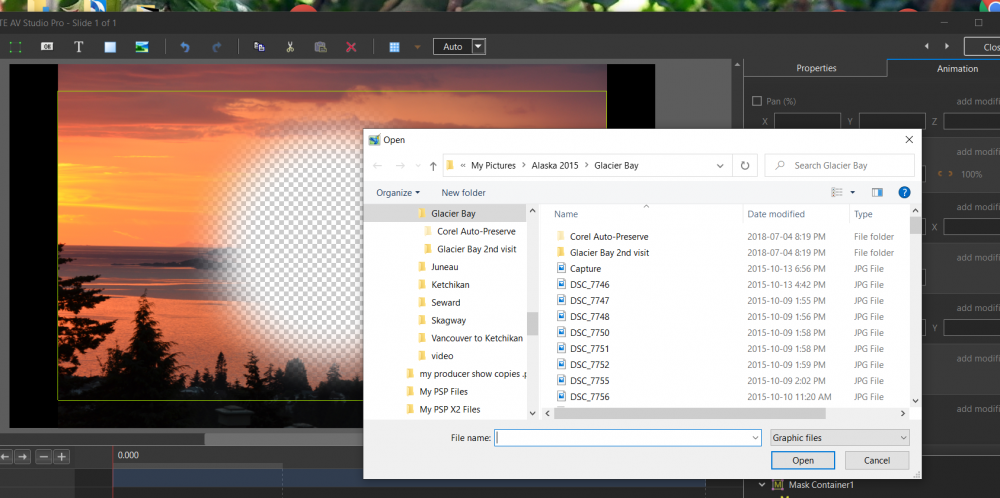
Hi, When I try to choose a picture to add to a mask etc the display only shows the Picture name. Can anyone please tell me how to get thumbnails to display so as I can see what I am choosing?
-
Thank you everyone. A lot of effort has gone in to making me this transition. I really appreciate the work. Most of it is above my skill level but I am willing to have a try! Regards, Rosemary
-
https://youtu.be/kQi4I86_zQQ I think I have joined YouTube. Anyhow this is what I am trying to achieve. I hope it works. Thanks again, Rosemary
-
Hi Richard_43. I am being a pain! When I try to open your link I get asked if I want to completely remove PTE from my computer! Lin I do not have any YouTube videos but I shall endevor to join and try to post. Thanks to you both, Rosemary
-
Hi Lin, Thanks for the reply, I have tried sending a one slide video with the star transition but the image is too large. If you want a better idea I can send you a Producer clip but basically the star collapses inwards at the end of the show. I hope this is of help Rosemary
-
Hi All, I usually end my shows with a transition (from Producer titled Star In) Basically it is a star shape which collapses in and designates the end of the show. Usually white background with black star but colour doesn't matter. Can anyone tell me how to create this transition or is it too complicated for a beginner? Thanks, Rosemary
-
jmG-06100 thank you for your suggestion. Unfortunately I do not have Lightroom or any of the Adobe products. Hopefully in a future edition of PTE this will be an option. Regards, Rosemary
-
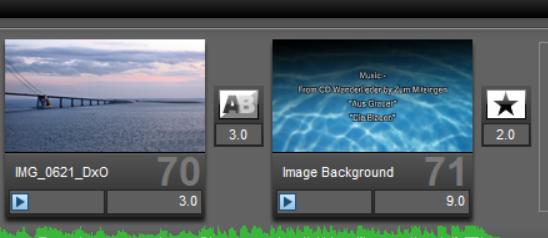
Thank you everyone. I was trying to get the first slide of the slideshow to be the thumbnail on the .mp4. Something like the Menu in Producer. I think if I set the blank slide at the beginning to 0.3 seconds I should achieve the result I want. I shall give it a try anyhow. Regards, Rosemary
-
I think that the video presents PTE AV Studio 10 very well. The video is presented simply, professionally whilst demonstrating the ability of the program. Regards, Rosemary
-
Hi All Can anyone please explain how to get the 1st frame of my video to be the thumbnail image? At present I get a random picture from the video. Thanks, Rosemary
-
Thank you so much Lin. I now have your video playing on my intro text for Trujillo. So kind of you to make the video tut. for me. I use a laptop for the instructional video and do the slideshow on my PC. as my memory isn't what it used to be! Gratefully, Rosemary
-
Quick info!! Trujillo is the name of a city in Peru. It sounds as if you are on the right track. I want the effect as the title of the show. I look forward to your tutorial. Rosemary
-
I would like to use Text See Through Image as an intro slide. I cannot see where I could change the text to eg. "Trujillo" Is this possible?
-
Lin, your advice works beautifully. I had got as far as adding the rectangle but couldn't work out how to change the colour! I used the brick colour with an opacity of 50% and changed the text colour to black. Another page for my "How to do book" Rosemary