goddi
-
Posts
3,593 -
Joined
-
Last visited
-
Days Won
26
Everything posted by goddi
-
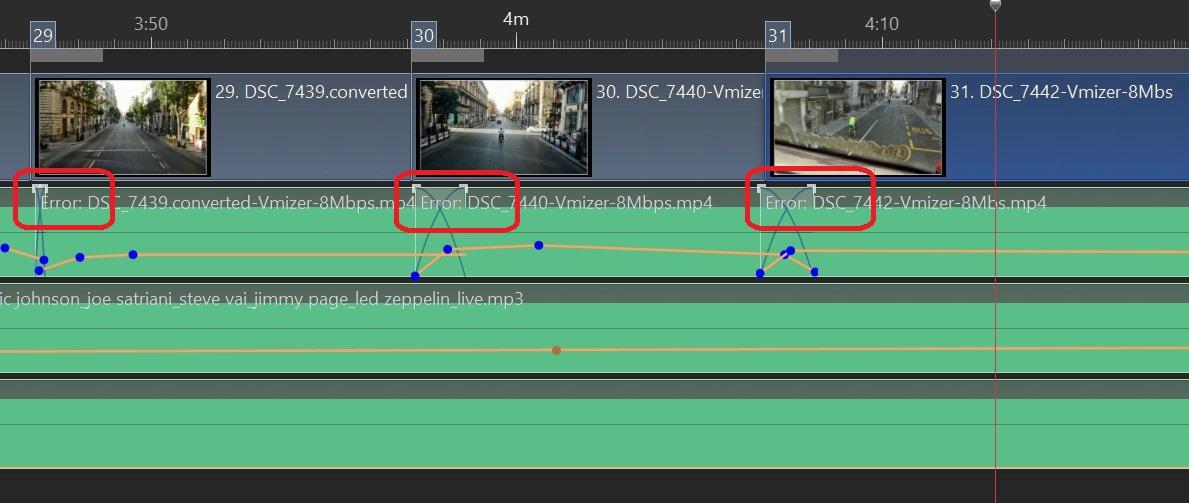
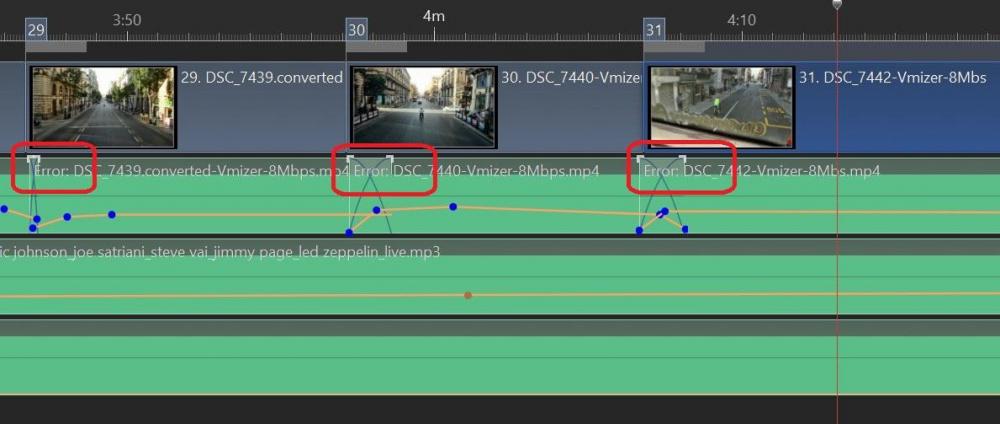
Greetings, I happened to open a project that I had created a few years ago. In the Timeline, I notice there were 'Error' notations added to the beginning of almost all of my added music files. I had several versions of the same show and all of them had these 'Error' notations in the music files shown in the Timeline. Just before finishing this post, I double checked and took a look at the same projects and then the Error notations were not there anymore. The music in these projects played just find with and without these Error notations. Can someone explain what caused these Error notations to be added to my music titles in the Timeline, and then disappear? Here is an example: Gary
-
Greetings, Here is the same site for Barry's videos but just in a different format, maybe easier to find the subjects you are looking for. It will keep you busy. https://www.youtube.com/channel/UCSRlEl6raTzjc6ju4VvucJA/videos
-
Greetings Igor, I think I found what the problem is that is causing the audio to be unsynced. The original hour long video that I had converted from the Tivo format to MP4 showed a glitch at about the 10 minute mark. The audio was in sync up to that point. After that point the audio became unsynced. So perhaps, during my conversion from Tivo format to MP4, the glitch occurred...and not in PTE. I did not notice this because I had viewed only the first few minutes of the video where the audio was OK, and assumed there was not problem with the rest of the video clip. So, sorry for posting this audio problem. It seems to have been caused by either my conversion from Tivo to MP4 or in the recording of the original broadcast. But I was able to separate the audio and move it slightly to match it up where it should have been. Thanks.... Gary PS I just went back and played the original Tivo video and it did not have the glitch. Audio was all in sync. So the glitch that caused the audio to become unsynced was caused during the conversion from Tivo format to MP4 using the Brorosoft Video Converter program. I'll have to keep my eye on that process, but I've used it many times without such a problem.... Thanks for solving the other problem with Trim. Gary
-
Igor, I think I now understand our request. I put the entire video clip in the Slide List and used 'Adjust Time Range" to play only a short portion of the video. I did this and, yes, the audio becomes unsynced. Is this what you wanted me to try? Gary
-
Greetings Igor, I did a Trim, twice, of another different video that I had converted from a Tivo video to MP4 and it did not have the sync problem. I'll do more testing. I am not sure I understand your first request..."reproduce audio sync problem in PTE by virtual trimming same video clip in video object?". Gary
-
Greetings Igor, The good news is the Trim process is working as it should. However, the audio is still not in sync. In four tests with the new version, only one time did the audio stay in sync. The other three times, the audio was not in sync. Here is a short sample. Gary 1.00«-+»x Jimmy Kimmel Live.converted (4).mp4
-
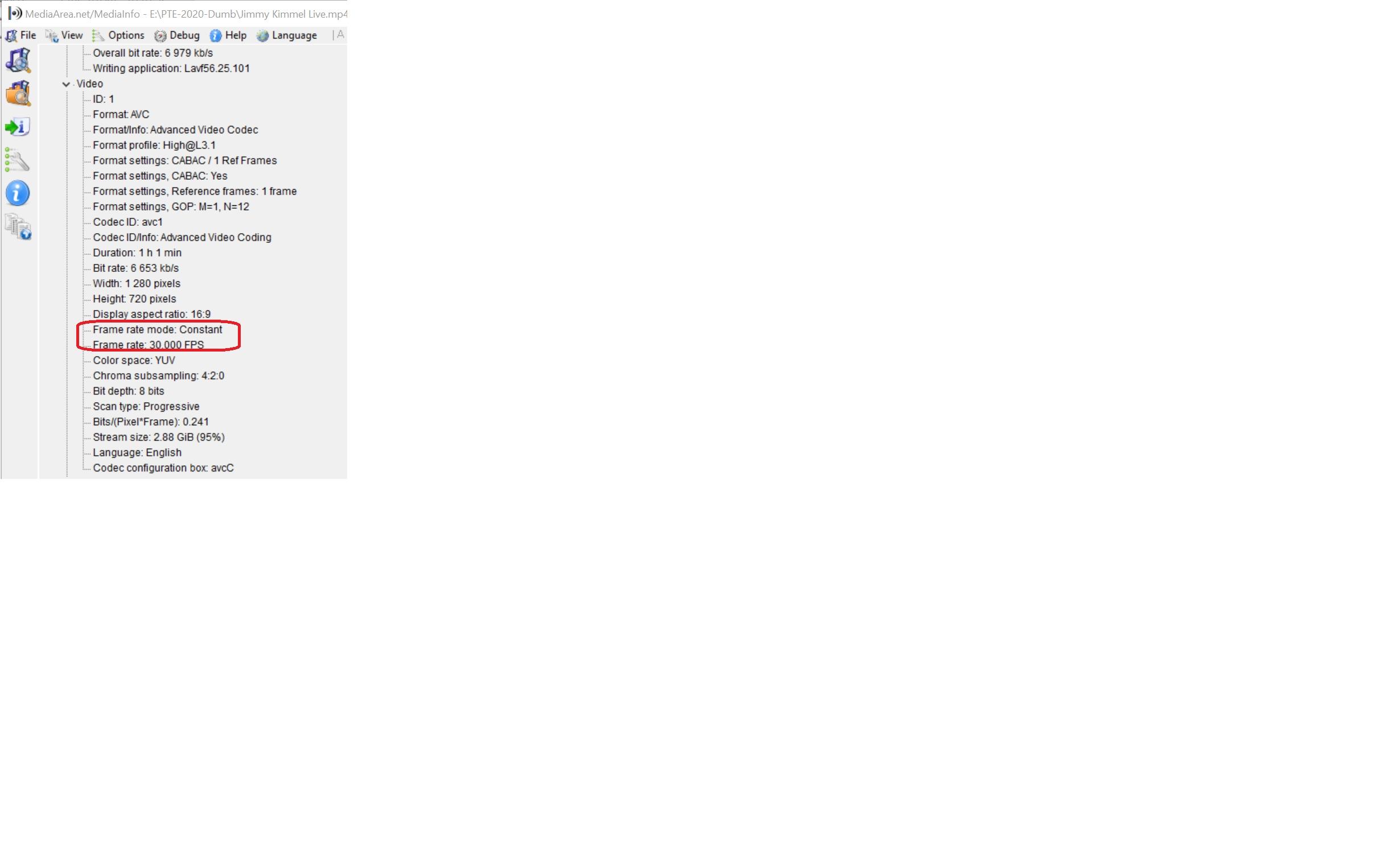
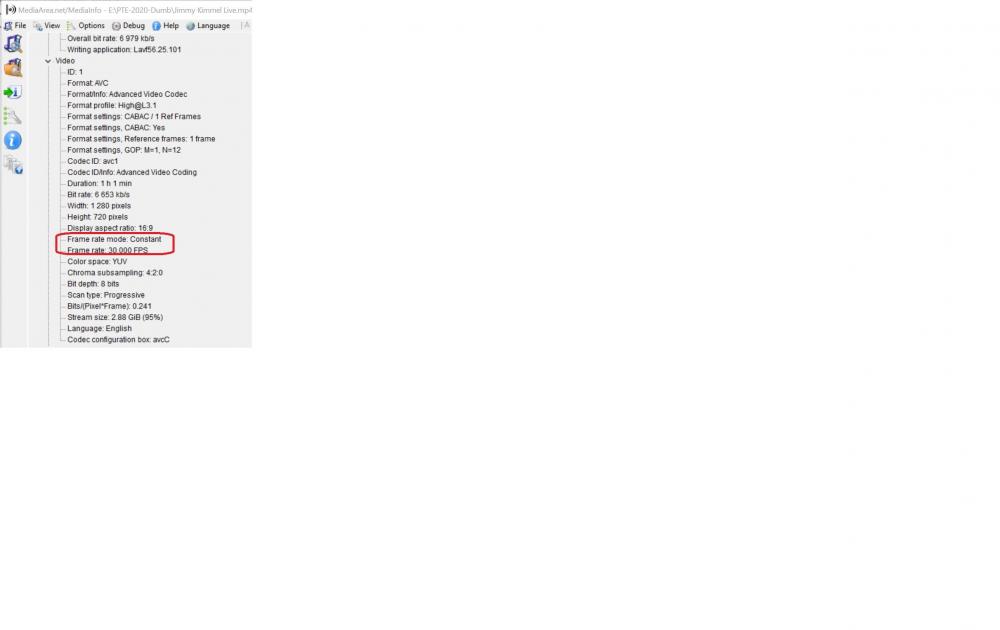
Greetings Tom, I took a look and it shows a Constant Frame Rate Gary
-
Great! I was wondering if I was doing something wrong... Gary
-
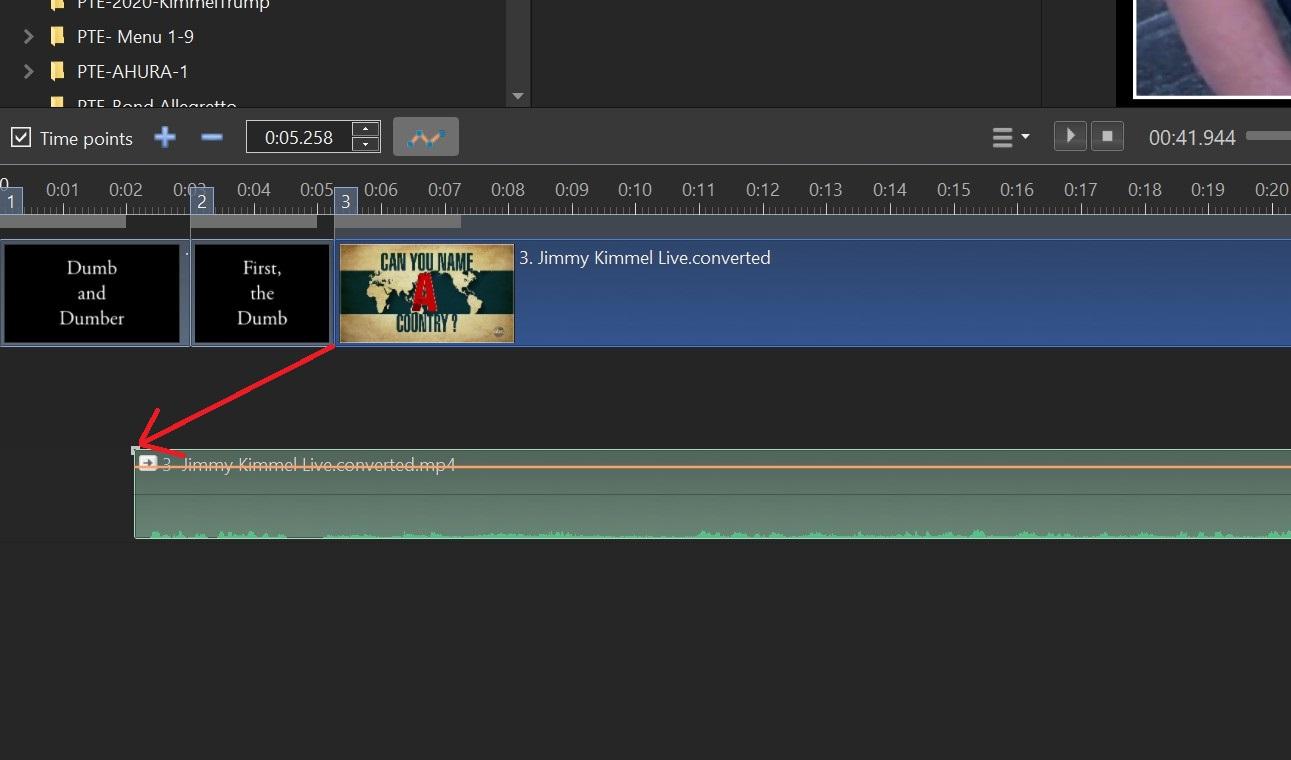
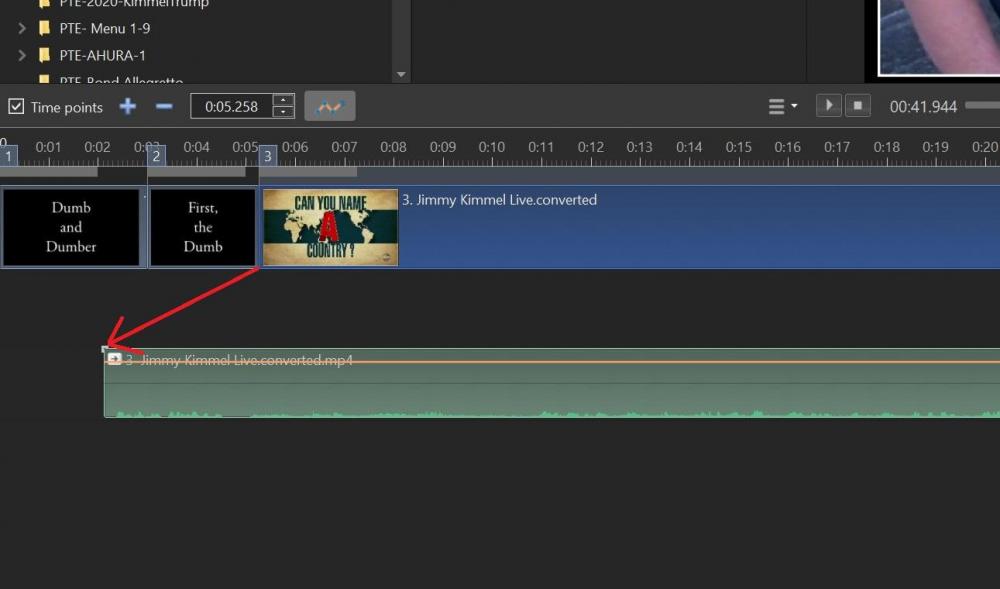
Just to add to the problem with this process, here is a screenshot of how I had to move the audio to the left to sync with the video. This was the only time I could get the Convert/Trim to actually Trim out the section I wanted for the show. Gary
-
Dave, The original video was from a TV show on my Tivo recorder. The original video was in Tivo format, which I then used Brorsoft Video Converter to convert the Tivo format to MP4. Then I tried to Convert/Trim a section of that MP4 file, but the Convert/Trim starts from the beginning of the video, and does not Trim the selected section. I have done this before with similar Tivo video files with no problems. Also, one of the attempts to Trim the video clip worked. But the audio was out of sync. I just separated the audio and moved it to match the video. So maybe there is another problem. Gary
-
Greetings Igor, I took a screen video of the problem. You will see that I tried to do a Convert/Trim of a short section in the middle of the video. When I then tried to do the Convert/Trim of that selected section, the process started at the beginning of the video, not at the short section. (The original video clip is over 3 Gbs so probably too big to send.) https://send.firefox.com/download/84db129b4a997fcb/#4Qs8Bob4tk965vceaa3y2Q Gary
-
Tom... I have been able to Convert/Trim this video clip at least once, but most times it just converts the entire clip, not just the Trimmed section. Not sure if there is a particular setting that is making it do this. I'll have to experiment more. But it is repeatable. At least with this particular video clip. Gary
-
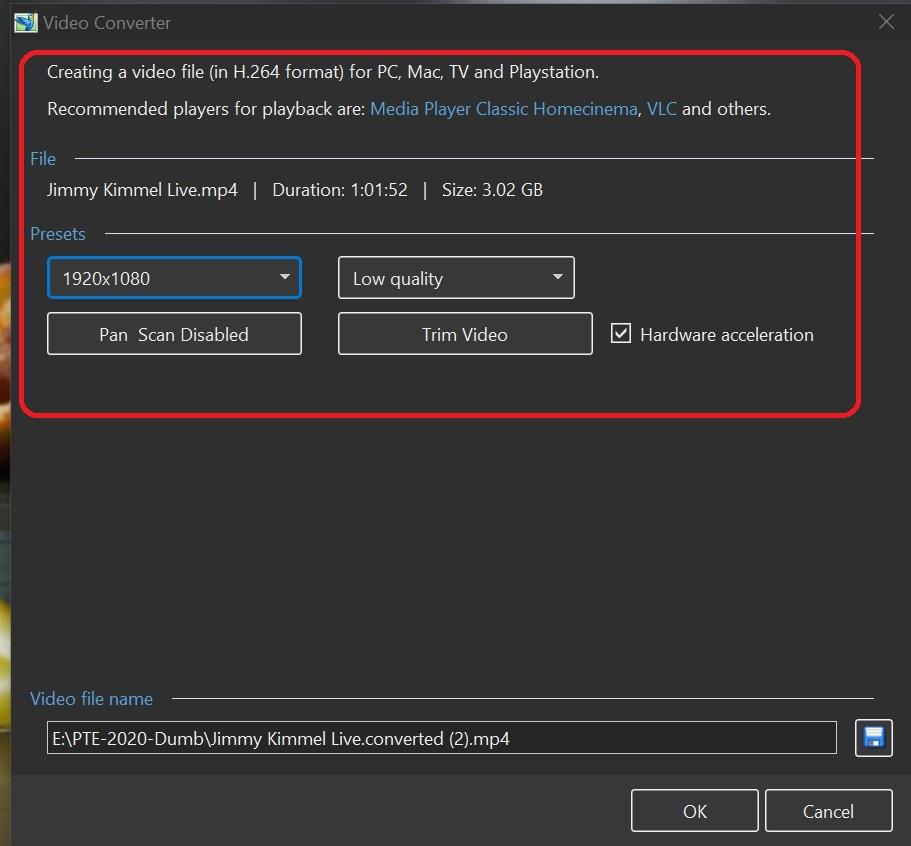
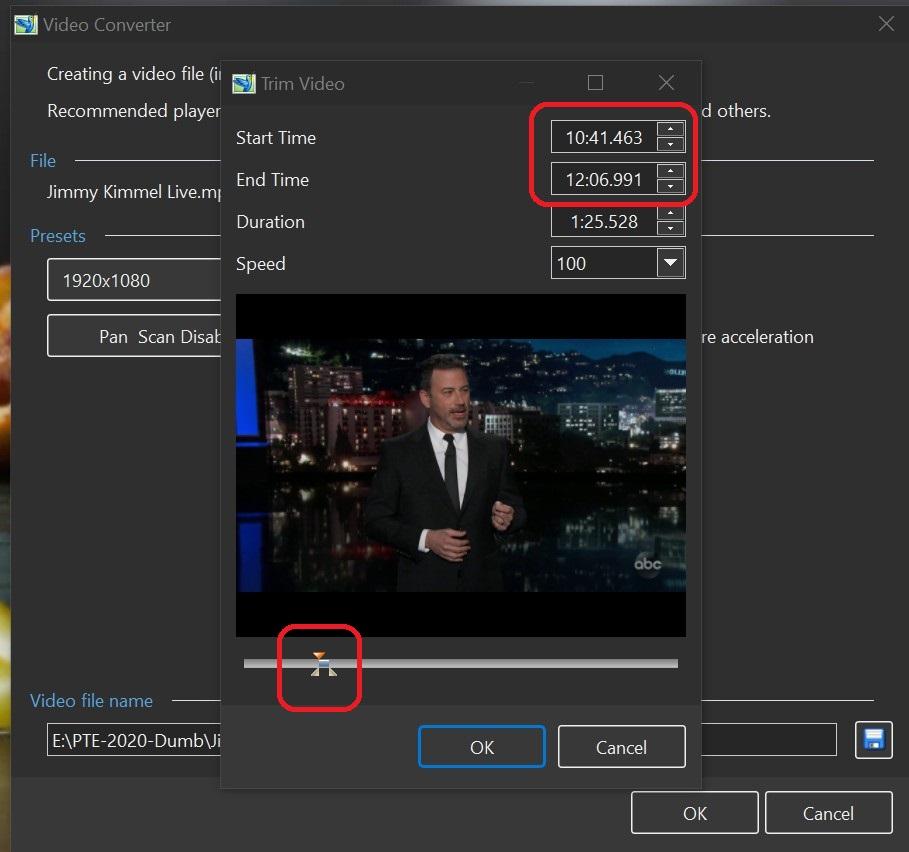
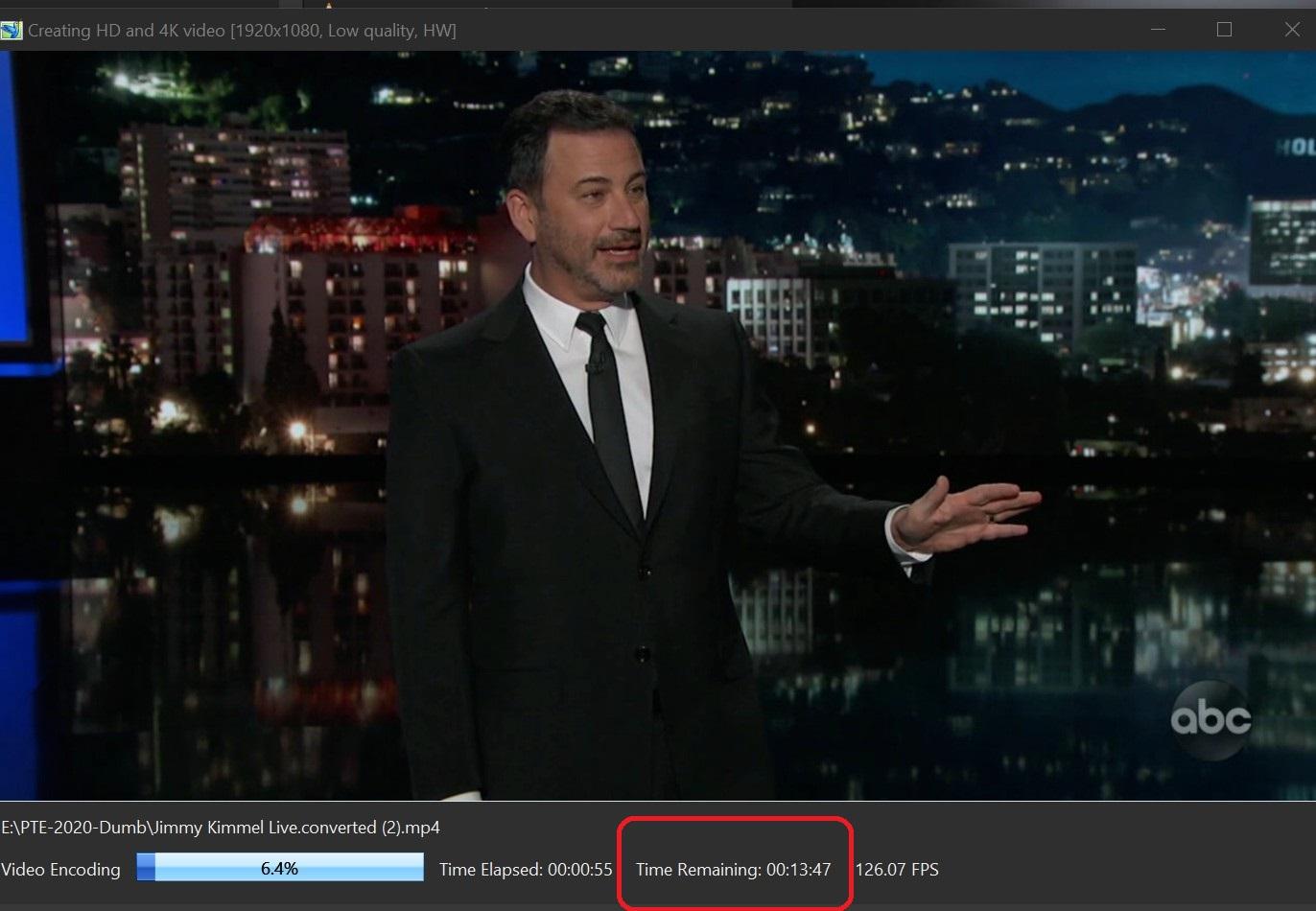
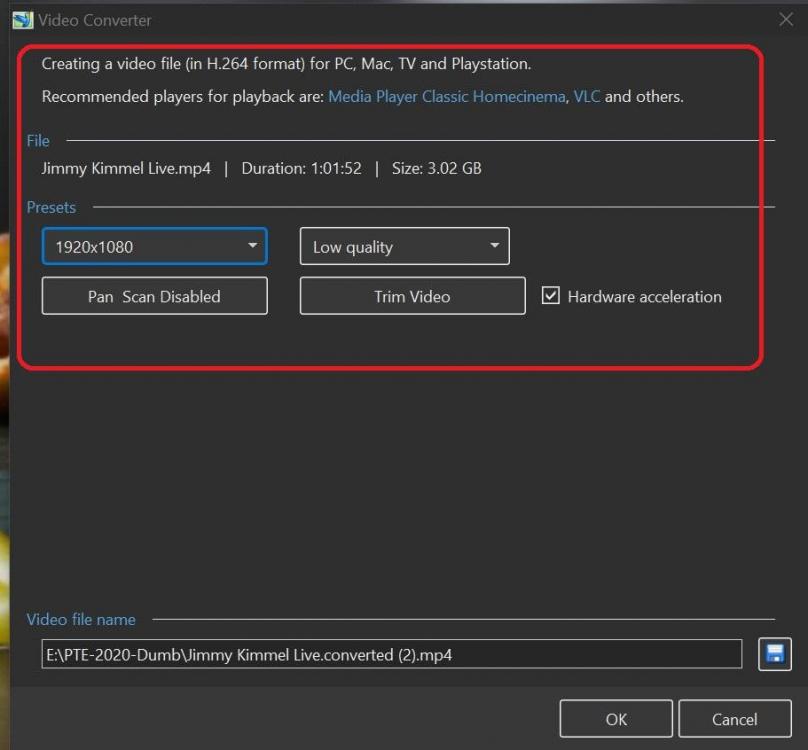
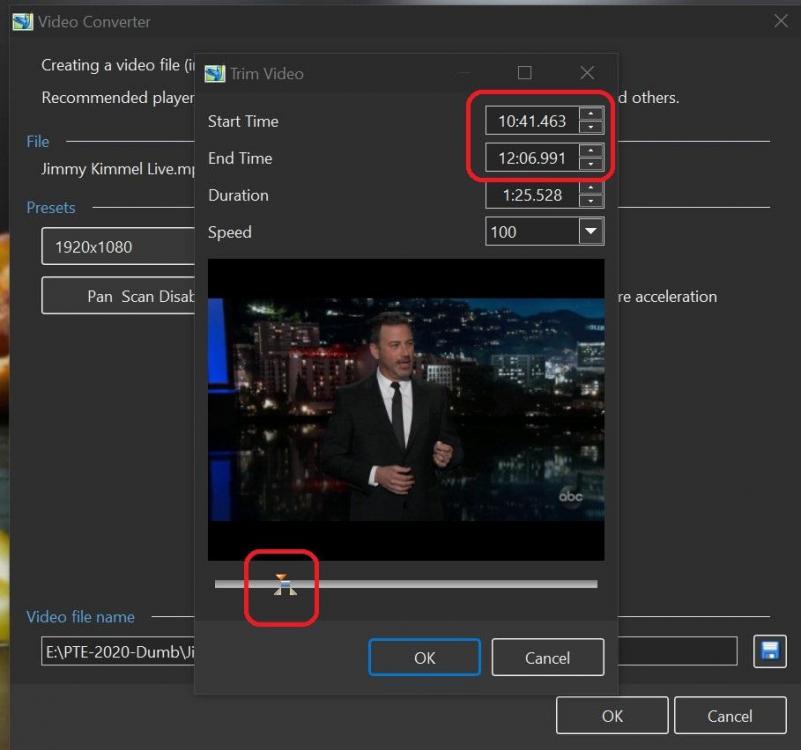
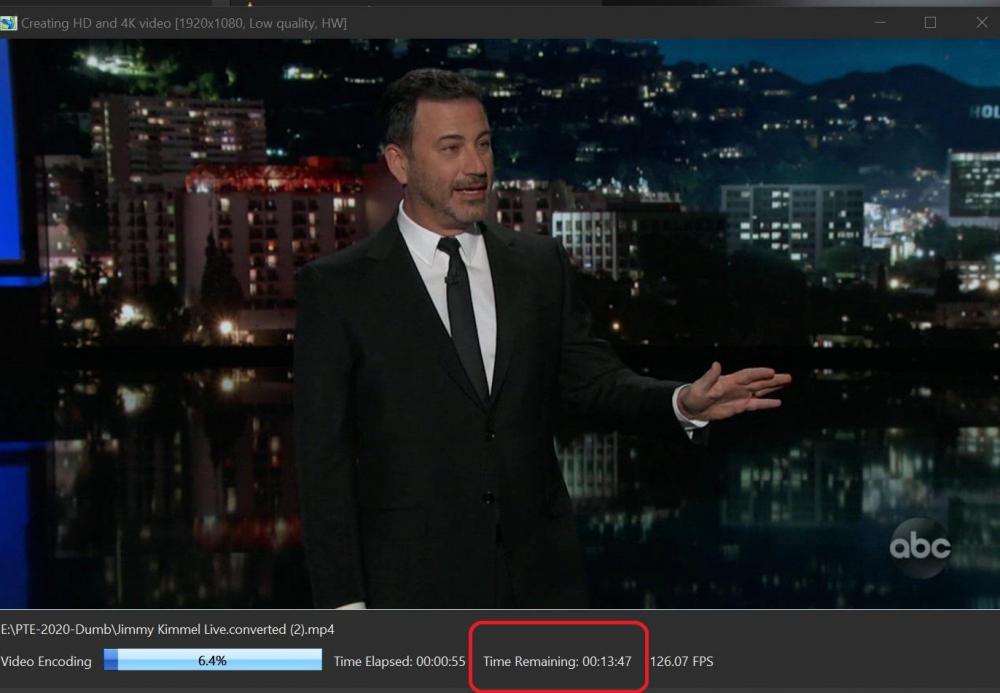
Greetings Igor, I just tried it again and the problem occurred again. I took some screen shots to show you what I did. Here are the settings: Here is the short section of the video that I want to Convert/Trim: Here is a screenshot of the Convert/Trim converting the entire video clip. It is not Converting/Trimming the small selected portion I had chosen in Trim. It is just converting the entire clip from the beginning: Gary =========================================
-
After several tries of it not working correctly, this morning it is working as it should. I don't think I've don anything differently, but Trim is working now. Gary
-
Greetings, Haven't had a problem with Trim before but now, I can't get Trim to work. Every time I make a selection in the video clip, it Converts/Trims the entire video from the beginning. Is anyone else having this problem? Ver 10.0.7 Build 2. Gary
-
Greetings, Brilliant! You made me look at something in the images that normally my eyes would normally just bypass. Gary
-
Barry, I have a 27" 4k Dell P2715Q. Love it. I don't create any 4k projects but I like the real estate of the screen at 3840 x 2160. Lots of space and sharp. Tilt, rotate and up/down helps, too. Got one for my wife, too! Gary
-
Styles-selecting images not in sequence
goddi replied to goddi's topic in Suggestions for Next Versions
Thanks, Igor. -
Styles-selecting images not in sequence
goddi replied to goddi's topic in Suggestions for Next Versions
Dave, Not sure what you are trying to say. In my case, it would do nothing, when you apply a Style that is for an individual image. I do know what it does now if you now try to apply a Style that is for an individual image to non-contiguous images. Gary -
Greetings, I posted this suggestion some time ago and Igor mentioned it would be looked at in Version 10. But V10 still has the same effects when you try to apply a Style to several image that are not is sequence. I have created two styles that do the same thing (border, zoom) but one is for horizontal and one is for vertical images. If I apply the Style for several vertical images that are not in sequence, they all get moved together, so now they are out of the original sequence in the Slides. Same with selecting several horizontal images that are not directly in sequence. They get moved together too, now out of sequence. To save time, I like to apply a Style to a bunch of vertical (or horizontal) images that might not be in sequence but I can't because they are move together in Slides. It would be helpful if the slides do not get moved when a Style is selected for individual slides that are not in sequence. Gary
-
I had a very large file to transfer and I found 'myairbridge'. I think it has a max of 20Gbs. (free) https://www.myairbridge.com/en/#!/ Gary
-
Igor, I just rePublished my project both ways, Low Quality and Medium Quality. I really don't see a difference on my 4K monitor, as long as HW is unchecked. The only difference I see is that the LQ has a BR of 8.742 and MQ has a BR of 14.4. With the higher bit rate, I'd expect to see some difference. But I'll keep an eye on this. The use of HW does have a negative effect with transitions, but does reduce the Publishing time. I'll use it for viewing of drafts and uncheck HW only for the final output. Please let us know if you find an upgrade for NVIDIA so we can use HW. Thanks... Gary
-
Igor, I just rePublished my project using '1920x1080, low quality, 30p, NO HW' and the transitions are now smooth. Thanks for helping me get to the bottom of this concern. Seems I won't be using HW until NVDIA comes up with better encoder. Thanks... Gary
-
Igor, I have normally used '30 fps and low quality' with HW and had not had problems with transitions as I am now having. Interesting that not using HW give better transition results. I'll give that a try but I have been using HW in other projects and didn't notice this problem. But, I just took a look at my past project and I do see that the transitions are not too good and I did use HW. So it seems the advantage of HW's speed is now lost to avoid this problem? Yes, I see with your example that HW degrades the fade transition. Really too bad. I'll go back and recreate my current project without HW and see how it turns out. Thanks for your reply. Gary
-
Jose, I try to keep the size of the MP4s as small as possible without losing quality. 60fps increases the MP4 file size a good bit. 30fps has always worked just fine for me in the past. I could not see any difference in the results between 30 and 60 fps.. With this current project, with reduced image file sizes, I made my standard 30fps MP4, the bit rate (BR) was 13.3Mb/s. File size: 1,751331 Kb. Transitions were not smooth. I then tried 60fps. BR was 20.3 Mb/s. File size: 2,659,292 Kb. Changing the default from 30fps to 60fps, sort of got better but not great. At '30fps-Custom Quality 50', BR was 15.0 Mb/s. File size: 1,1,972,141 Kb.Transitions were better but not great. At '30fps-Custom Quality 100', BR was 20.3 Mb/s. File size: 3,674,678 Kb. Transitions were smooth. I don't like that I have to double the MP4's file size to now obtain smooth transitions. Maybe I am doing something wrong but I don't think I've varied from what I have been doing for past projects. Gary