goddi
-
Posts
3,596 -
Joined
-
Last visited
-
Days Won
27
Everything posted by goddi
-
=========================== I have tried a dozen different times to post my reply but I keep getting the following error message, "You must enter a post". The Forum is really sluggish too.... Is it just at my end or is the Forum having problems? I hope this goes through... Gary
-
======================= Hmmmmm.... I just made a rather extensive reply to your posting but it seems to have disappeared. Is there any way to find it in the Forum???? :(/> Gary
-
Greetings, Trying to understand some of the postings and menus that deal with the 'Duration' term has me frustrated in trying to understand what they are talking about. Here are some suggestions that I think will help clarify some of the problems I think are going around. At least with me... 1- In the Users Guide and in the PTE program, change the references to the 'Duration' of media files to 'Length'. Use 'Duration' only for slide's actions in the 'Timeline'. 2- Remove the 'Settings|Preference|Toolbars|Duration of a Media File' menu item and add a column for 'Length' of media in the File List, next to the Date/Time column. But remove the 'Time', to make room; I don't think it is needed. Remove 'Duration of the media file (for files highlighted in the File list)' on page 19 of the Users Guide. It would be more useful to see all the lengths of media files in the File List as opposed to having to click on each media file, one by one, to show in the Status Bar. 3- There are too may references to 'Duration' in the Users Guide and the Forum that seem to be inconsistent or seem to be used to refer to the same definition. Here are some of them in just a couple postings: Total Duration (this is the only one with a definition in the Users Guide: 'Total Duration (means duration of the slide and the next transition effect)'. Full Duration Total Full Duration Pure Duration Transition Effect Duration Default Slide Duration Slide Duration Can we come up with a set of consistent terms with defintions for the different 'Duration' terms for use in the Forum and the Users Guide? It makes it very difficult to understand the discussions in certain postings, such as the KFSD discussion, and what these terms mean. 5- In Users Guide, page 11, it states 'Keep slide duration is helpful...'. Shouldn't it say 'Keep full slide duration is helpful...'? 6- Shouldn't the 'Default slide duration' In Project Options|Main|Timing' be 'Default full slide duration'? Gary
-
'File List' - does not input ProjectFilePath folder
goddi replied to goddi's topic in General Discussion
========================= Peter, Thanks much for going through the work you did. I'd appreciate it if you can get it to Igor's ear. Since I normally have the 'Settings\Show File Tree' unchecked, I only see the File List. Either way, the ultimate result is the File List is not showing what you want because the File Tree is not correct. :)/> Thanks... Gary -
'File List' - does not input ProjectFilePath folder
goddi replied to goddi's topic in General Discussion
========================== Peter, Hmmmm... This is getting interesting. When I installed Beta6, I did not accept the 'file association ' because I don't want all of my previously made shows to be automatically opened in the new Beta. I want to try out the Beta but not save any exiting projects with the Beta. But I don't think this would have the effect of not having the File List position the correct subfolder when I open a show in a Beta. Maybe I am wrong. I will try to delete my Beta6 and reinstall it accepting the 'file association' to check this out. But then I have the problem of everything opening in Beta6 if I open a .pte while in MyComputer. Every .pte is associated with the Beta. Let me play around a bit as see what happens. Perhaps, if I accept the 'file association' with the installation of the Beta, the File List will position the correct subfolder; and if I want to open a show in the previous version (7.05), I will have to open it within the 7.05 version itself (and not with the .pte file in MyComputer). Let me experiment. Thanks... Gary ADDED LATER: Ok...I uninstalled my Beta6 and reinstalled it accepting all the 'file association', etc. When I open the Beta6 and Open a Recent Project, the File List does NOT change to what it should be. No matter what recent project I select, the File List does NOT change. I keep the file location of some previously opened show. So there must be something different is what is happening with you and what is happening on my PC. And I notice that if I open a .pte via MyComputer, the File List does NOT display the correct folder. The .pte was created in an earlier version. So it seems to get the File List to display the correct associated files in the File List in a new version of PTE, you must re-save it in that new version. This is really makes no sense. If the .pte file contains the information for where the .pte is located, that should be the folder that automatically appears in the File List when it is opened. My thoughts. Gary -
'File List' - does not input ProjectFilePath folder
goddi replied to goddi's topic in General Discussion
========================= Eric, I don't think your response has anything to do with my question. I understand the different ways that we can open a slide show. When you say, 'finding the folder you want in the PTE file tree is putting the cart before the horse', does not explain anything. I don't understand what you are trying to say. My point is finding the associated images for your show in the File Tree should not have to be a process you have to go through (having to browse the computer to reset the associated files in the File Tree for shows that have already been created) each time you install a new Beta or a new version. The ProjectFilePath has this information and it seems that this path should be used to automatiacally set the information in the File List automatically when you open the .pte file. Gary -
'File List' - does not input ProjectFilePath folder
goddi replied to goddi's topic in General Discussion
Peter, Thanks for your response but I don't think you see the problem as I see it. Let me explain more below, in bold, to some of your points. -
Greetings, I posted a problem recently about the File List not showing the correct folder. Back then, it was more about copying all my shows from a desktop PC to a laptop. The only response was that the the new location could not know were the images were previously located. Ok. But let me restate the problem from a different angle. Each time I load in a new beta, and then try to Open Recent Project, the File List just shows a folder from some previously opened show. Barry, I believe, commented that this was brought up before and maybe fell through the cracks. But this has become a real frustration where I have to hunt for the associated folder of the images for the PTE show that I open. I have to hunt for the folder and re-save, so then it will open with the correct folder. My question is, can PTE be programed to read the 'ProjectFilePath' that is already in the .pte file and force the File List to show the folder that is in that Path? I think it is normal (at least for me) for the .pte file to be saved in the same folder where the images are placed. If not, perhaps make it a Preference setting? And, if after saving the .pte with the correct File List folder, where is this information saved to? Or am I doing something wrong and I am the only user having this problem???? For example: ProjectFilePath=E:\PTE-2011-ThiCam Trip\PTE-Phuket Night Market\Phuket Night Market.pte Gary
-
======================================== Dave, I recently got a hold of a program called Perspectivef Pilot. I happened to get it for free through a Giveaway of the Day deal. It seems to work really well, and easily: But only about $29.95. http://www.colorpilo...erspective.html I tried to corrected the perspective using Photoshop (PS) to compare the results with what I got with Perspective Pilot (PP). Using Perspective Pilot was much easier, and more accurate...at least for me. All of the other results seemed to stretch the image too much. The Perspective Pilot seemed to keep the results more accurate without stretching. It was fun to see the difference. Gary


-
Greetings, Normally, when I want to play my PTE's MP4s on my TV, I'd copy them on my thumbdrive, walk it downstairs, and play them through my Western Digital Media box that is plugged into my TV through an HDMI cable. I just discovered another way. If you have a TiVo DVR, you can use the 'TiVo Desktop' software program to directly transfer your PTE MP4s from your PC to the TiVo DVR. My desktop PC is upstairs and connected to my TiVo, which in downstairs, through Netgear PowerLine AV500 adapters plugged into electrical outlets. I have had my TiVo Premiere for a while but just figured this out. Pretty neat. Gary
-
====================== Try this. Hold down the Ctrl and the Shift keys at the same time and scroll your mouse wheel. This makes the Timeline (or the wave form) taller. Then use just the Ctrl+Mousewheel to stretch it out. (Ver 7.5.10). Gary
-
=================== Hmmmm....Third time's a charm... I just worked. Don't know why it failed twice. Gary PS Magnificent horses!!!
-
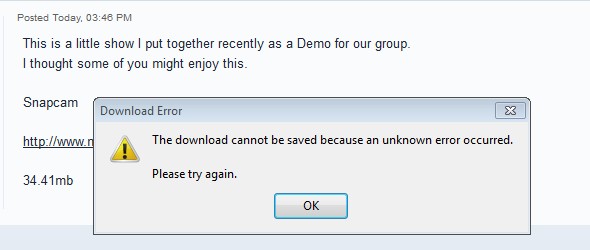
===== Snapcam... I tried twice to download it but I got the same error message twice. Gary
-
Greetings, If you try to Convert an 'Added' video clip (a video clip that has been added to a background image), it does not get automatically replaced with the converted video clip. It does get replace if the video clip is the main file but not if it is an 'Added' video clip. Also, there is no 'Replace Video Clip' icon that lets you replace a video clip when the video clip has been Added to an image if you are in O&A.. Can you add these functions, since it will work with video clips that have not been 'Added' to an image???? Gary
-
Greetings, Thanks for the neat template. Gary
-
Can't open .pte'sin 7.5 if 8.0 is installed (Win8)
goddi replied to goddi's topic in General Discussion
========================== Dave, I just uninstalled 8.0 on my laptop (Win8). I reinstalled it 'unticked'. Now it works as expected. However....when 8.0 was installed on my Win7 desktop, it was 'ticked', and this problems does not appear. I can open a .pte in 7.5, save it, and reopen it in 7.5 (even though 8.0 is installed). So I don't know what is going on with 8.0 installed in Win8. The 8.0 seems to be acting differently when installed in Win7 vs. Win8, when it is 'ticked'. I hope someone else will install 8.0 in Win8, and 'ticked', to see what happens. Gary -
Can't open .pte'sin 7.5 if 8.0 is installed (Win8)
goddi replied to goddi's topic in General Discussion
======================== Dave, Yes, I normally have it 'ticked'. I have always done this and never had this problem. I installed 8.0 on my desktop and my laptop the same way, both ticked. I don't have this problem on my desktop, but do on my laptop. I will uninstall 8.0 on my laptop and reinstall with it 'unticked' and see what happens. But....there seems to be a difference in the way 8.0 gets installed in Win8. On my desktop I can save a .pte in 7.5 and reopen it in 7.5, no problem there. Gary -
Can't open .pte'sin 7.5 if 8.0 is installed (Win8)
goddi replied to goddi's topic in General Discussion
================== Greetings Everyone, I have 8.0 installed on both my desktop (Win7) and on my laptop (Win8). On my desktop (Win7), I can open a .pte file in 7.5, edit it, save it, and it will reopen in 7.5. When I do this on my laptop (Win8), it opens only in Win8. I can open 7.5 directly and work on a file, but when I save it and reopen it, it only opens in 8.0. I know how to set the default opening program in Win7 and Win8. I have done this to try to set the default to open .pte in 7.5. But it still opens in 8.0. I have installed 8.0 in my desktop (Win7) and my laptop (Win 8) exactly the same but the results are not the same. Anybody else out there using Win8 with 8.0? Lin, When I open 7.5 first and navigate to a .pte file and open it, it opens in 7.5. I save it (in the 7.5) but when I reopen it, in any other way, it opens in 8.0. Gary -
Greetings, I don't know if this is a PTE problem or a Win8 problem. I can't seem to open a .pte show in 7.5. They keep opening in 8.0. On my Win8 laptop, I have 7.5 and 8.0 installed. I don't want to save any current PTE shows in 8.0, yet. I want to keep working and saving past shows in 7.5. However, when I open a .pte file (from MyComputer) that was formerly saved in 7.5, it opens in 8.0. So I then I do an 'Open With' of the .pte file and browse to 'PicturesToExe.exe' in the 7.5 folder, it still opens in 8.0. Even if I open the 7.5 version and then do a 'File Open' of a .pte show, and then do a 'Save As', and then open the .pte, it, again, opens in 8.0, not 7.5. What's going on here? Is this a Win8 problem or is there something in the installation of 8.0 that is causing this??? Thanks... Gary
-
========================== Ken, Thanks for the link. My laptop has the WiDi capability and I'd like to know if anyone has use the Push2TV device to show their PTE shows. Just wondering if there is any lag or weakness in the transmission of the exe or the MP4 file. I use the Western Digital media box to show the shows on the TV but it might be nice to go wireless. Gary
-
Greetings, I would like to know if anyone has tried to use any Push2TV device (WiDi) to display PTE shows from a laptop to a TV. Thanks... Gary
-
========================\ Jose, I gave it a try in my 7.5.10 and it converted just fine and played (upside down). So I don't know why you are having a problem. Gary
-
Why can't File List find proper location of files?
goddi replied to goddi's topic in General Discussion
============================= Peter, No, it still does not show the correct folder in the File List. It defaults to whatever PTE show folder that was previously shown in the File List. The only way to get the proper folder shown in the File List is to browse back to the location and find the proper folder. Then a Save As will keep that folder location. Since it knows that I opened the .pte from a particular folder, it seems that it could (should?) be able to feed that info to put that same folder in the File List as the default. Gary -
Why can't File List find proper location of files?
goddi replied to goddi's topic in General Discussion
========================================= Peter, The File List will only point to the correct folder if I browse to the correct folder and reset it to that folder. Then, only after I do a Save As, does the correct folder gets set. But the point is that I don't want to have to do the browse process. We all preach that all files for a slideshow should be in the same folder (and where the .pte file resides). So if the Save As point to the correct folder (where the .pte file resides), I think opening the .pte file should automatically bring in the same File List folder as the Save As process would. Doesn't that make sense??? This seems logical to me to make this the default and let the user decide other locations, if needed. Gary -
Greetings, I recently made a suggestion that a Default Folder setting for PTE shows be made as a setup item. Now I see that there is another sort of quirk along this line that I don't understand why it happens. I have copied all of my PTE folders from my desktop PC to a laptop. When I open a .pte file on the laptop that has been copied, I have to re-set the proper folder in the File List that contains all of the associated files for each show. It defaults to a previous show's File List folder's location. This is pain if you have lots of slideshows. However, I notice that before I go through a re-set of the File List to display the associated files for a particular show, I can do a File Save As, and it points to the proper folder where the .pte file should be saved. So, my question is, if the File Save As knows where the proper location of the .pte file should be saved to, why can't the File List, itself, set itself properly to the correct folder where all the associated files for that .pte show are located???? (Of course, this assumes that we are following the rule to keep all of our images, sound files, video files, etc., in the same folder, and this is where the .pte file is located, too). Gary