goddi
-
Posts
3,596 -
Joined
-
Last visited
-
Days Won
27
Everything posted by goddi
-
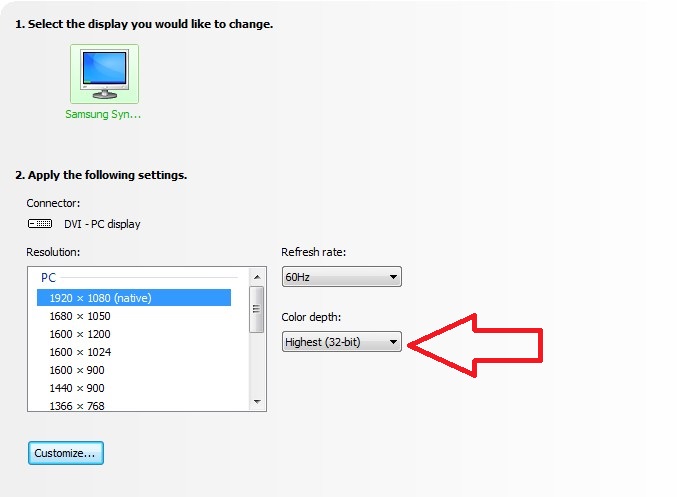
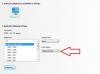
===================== Colin, Thanks for the info. But I can not get any more specs on this laptop from anyone. Still trying but it just can not be found...yet. All I can find is that it is "1920x1080, FHD TruBrite TFT LED Backlit Display, 16:9, Supports 1080p content". When I look at my Nvidia info of my Samsung monitor, it shows that the Color Depth is 32-bit. Take a look at the attach screenshot. Are we talking about the same thing? Gary
-
====================================== I have been trying to find more specs for the screen for the Toshiba Qosmio X70 laptop. It seems to be top secret information!! I have called Sales, Customer Service, Tech Support and Repair (though they would not even answer the phone). My desktop's Samsung monitor is 'True Color 32-bit'. Is this a comparable spec to what you are talking about? I put a question on a Toshiba Forum site so I will report back if I get any answer from them. This Toshiba laptop has "built-in HDMI® output feature to view your 4K Ultra HD digital content on the latest TVs". And it has "Resoluton+" that is supposed to improve the viewing of DVDs and videos from camcorders. So there is hope that it has a better laptop screen but without the detailed specs, there is no way to really know. But, this doesn't mean that the laptop's screen will show any more than 6 or 8 bit color depth (?). Gary
-
================================= Yes, that is right. But since both are independent (not integrated) graphics cards, I figure either would be pretty good. The 17" has a 3GB GDDR5 Nvidia GeForce GTX 770M w/ Nvidia Optimus. The 15" has a 2GB GDDR5 Nvidia GeForce GT 740M w/ Nvidia Optimus. Gary
-
==================================== Speaking of specs, I am not sure how to evaluate the possible choices of hard drives. Some are available only in 'custom' built and some in prebuilt. I am not sure how each would affect using PTE, in creating or showing the slideshows. Since I don't have one to test, can someone give some idea how they rate? 1- 1.0TB (5400 RPM, Serial ATA) 2- 1.0TB (5400rpm); Hybrid 8G Serial ATA hard disk drive 3- 1.256TB: 256GB mSATA Solid State Drive (SSD) + 1TB (5400rpm) Hybrid HDD 4- 256GB Solid State Drive (Serial ATA, SSD) 5- 750GB HDD (5400rpm, Serial ATA) 6- 1.0TB: 500GB (7200rpm, Serial ATA) + 500GB (7200rpm, Serial ATA) I am leaning towards the #2, #3, or #6. The size and speed seem to be optimum but I really don't know how to decide. Choosing the specific Toshiba's (4th generation) model will determine which hard drive it will have but I am not sure of the pros and cons of the different possibilities (durability, speed, heat, noise???) Can anyone enlighten me on these choices??? Gary
-
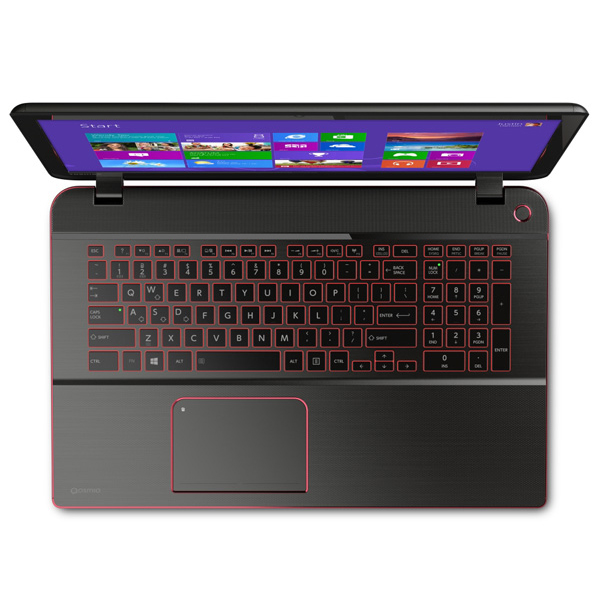
================================ I took a closer look at the keyboard on the Toshiba since you mentioned it. The layout looks pretty similar to my Microsoft keyboard, only missing some duplicate keys that I never use anyway (attached). The keys are black. I've never seen a white keyboard...but this Toshiba has backlite keys. I guess this would help in low-light situations. Yes, I do take a memory stick and test out various laptops at the store. The problem with the Toshiba that I like is that no one has it in stock yet. And if I want to customize it, I am pretty sure a store would not do it. I would rather buy a laptop locally so I have someone to talk to face to face when there is a problem. It they do come out in stores, I guess I will have to go with the pre-built models. Gary

-
============================= Yea...I keep going back and forth between a 15" and 17". When I look at the 17", it does not look too big...but then the little added weight...I just don't know. I'd rather do a live demo because I'd rather see a live demo if someone else was presenting one. I can see recorded ones on YouTube. It just is not the same, especially for a small photo club like we have. Not having used a laptop before, makes it very difficult to decide what I really want....:(/>:(/>:(/> Who knows??? I'll just have to keep asking myself questions. Gary
-
=============================== Now that is a really good question. And I am constantly asking myself that same question. It's not that I really need one on a regular basis. What triggered my searching for one is that my photo club wants me to put on a demo of the PTE program next season. I don't want to just show the slideshows but I want to show how to actually create a slideshow using PTE. The only way is to have the program on a laptop and have everything set up to work properly. I don't want to take the chance using someone else's laptop. The worse thing is to have something fail during the presentation. And I figure if I am going to get one, get a good one. Also, I'd like one to have downstairs in my home so I can do research on the laptop without having to run upstairs to my desktop PC. Getting lazy...maybe. It is a matter of convenience, I guess. It has been impossible to find a laptop that I liked but I think this new Toshiba model can be configured to pretty much how I would like it. Gary
-
=============================== I see that Toshiba just came out with the Toshiba Satellite P50-ABT2G22 Laptop. It is customizable and the 15.6" screen's resolution is 1920x1080. It tooks pretty good. It has the Haswell and i7. And the HDMI output has the '4K capability' (not sure if this will be useful but who knows...). Gary
-
================================ Dave, Yes, I am trying not to compromise. But almost every thing I look at has some deficient hardware in it. But...I just took a look at the Lenovo IdeaPad Y510p (59370005). It has 4th gen; 2.4GHz; 15.6" display; Nividia GT750M w/2Gb; 8 Gbs Ram; 1TB 5400+24Gb SSD; DVD drive; HDMI out. A bit heavy at 6 lbs. Hmmmm... The problem is I can't find it in any story around here to actually see it and test it out. But I guess there is hope. I'll have to keep checking around. Gary
-
Greetings, I am trying to decide on a laptop. Not having used one before on a regular basis, I have a lot of questions. But one configuration that can determine which set of models to zero in on is the screen size/resolution. I'd love to get the new Toshiba Qosmio X75. It has the Haswell 4th generation processor; i7; and can get SSD cache and large HDs and longer battery life (then the n non-Haswell models). But the problem is that it only comes as a 17". I did not have a problem with this size at first but most people are saying it is really too big and heavy to tote around. But I like it because the monitor is 1920x1080. Matches my desktop monitor. Having looked around at 15" models, their screens are more like 1366x768, for example. So my question is, what is the effect when viewing a PTE show created on a 1920x1080 monitor and played on a lower res screen. Since the aspect ratio is the same, I assume it will fit the screen the same. However, what about the quality of the viewing of the show? Thanks... Gary
-
============================ Tom, Thanks for the info. I finally got the real thing from Majorgeek's site. No added programs to avoid in the install! Not sure I like the program though. I have to fiddle with it more I guess. Gary
-
============================== Tom...and others, I tried to give this program a try. I could not get the Riot program to be downloaded. First, I got 'Image Converter'. Not the right program. Then I tried it again from other links on that page and got other programs. Still no luck. For anyone who wants to try it, be very very careful because are many many junk install program at this site that will be installed if you just say Yes to everything. Be sure to Decline and Not Accept and uncheck everything until you get to the program you are hoping to download. I never was able to get to Riot. Tom...if you can create a screenshot of the correct download link, I appreciate it if you can post it. I tried many of the links...but no luck. Getting all these junk programs you don't want is now typical of just about any of these downloads. You've got to be careful. Yesterday, I spend 5 hours getting these junk programs off of a friend's computer that was screwed up from them. Gary
-
=============================== One of the easiest programs is this one, called ImageResizer for Windows. Works in Windows7. I use it for quick and easy size reduction of images. http://imageresizer.codeplex.com/ For example, an original sized file of 3424K, using the 'large' choice, it gets reduced to 164K. Gary
-
Installation of PicturesToExe. Question [SOLVED]
goddi replied to Igor's topic in General Discussion
===================== Igor, No delay in the install of 7.5.9. I think I had some delays in some previous versions, but I can't be precise. This one went on very quick and smoothly Gary -
============================ Igor, Thanks for the asking. But I don't want to waste your time since I already went through the process manually to recreate the pte file from scratch. I was just wondering if there was any way to get a list of the filenames from an exe file, so in the future, if it happens again, there would be a way to produce the filenames in the proper sequence to more easily re-construct the pte file. Thanks again but I don't want you to use your valuable time with this since I already recreated the pte files. Sincerely, Gary
-
================================ Igor, It is hard to tell. The shows were created back in 2009 so I don't remember what version I used back then. But it must have been whatever the latest version was at that time. However, I went ahead and recreated the slide shows the hard way. I wrote down each file name, one-by-one, and remade the shows. But it would be nice if there was a way to do it more easily if it happens again. I was just very lucky that I still had the slide names in the text comments in the exe files to get the correct sequence of the slides. Gary
-
Greetings, A few years ago, a virus deleted several .pte files. However, I had made exe's from them and still have them. When I had made the exe's, the shows had the Text Comments showing the filenames. I don't know if this will help resolve my problem. I want to remake the shows. Is there any program that will give me the sequence of the filenames that are in the exe shows? I know I could play each exe and write down the filenames as each one shows up in the Text Comments on each image. But I'd like produce a list of the filenames in an easier way. Is there one? I did run the exe's through the Multiextractor program but it extracts each image with a new filename...so that does not help much. Any ideas??? Gary
-
========================== Igor, I also tried it and I had no problems. I do have a drive E:\. Gary
-
============================= Igor, I played both of your shows but did not have any problem. I had a similar error message with the original "River Mouse" show some time ago. But that was resolved. Take a look at my posting above. Your Var1 show played the complete show. But the Var2 show, played only about 3 seconds. Not sure why it was so short. It was a much smaller sized file. Gary
-
================================= Geoff, Did you see my reply to your @Igor posting here?: http://www.picturest...pic/16205-igor/ Maybe it didn't help. Gary
-
===================================== Geoff, I thought I had seen a similar error message in the past. I searched and I found something that might relate to your message. I got this message once: "There is no disk in the drive. Please insert a disk into drive \Drive\Harddisk4\DR4" . Not sure if this will help but take a look at this posting: Gary
-
Bug?- Publishing AVI does not 'replace' the file.
goddi replied to goddi's topic in General Discussion
========================== Peter, That is correct. All I want it to do is what it says it will do and what it is expected to do. :)/> Thanks... Gary -
Bug?- Publishing AVI does not 'replace' the file.
goddi replied to goddi's topic in General Discussion
================================= Lin, The problem is that there is an inconsistency. When you re-create an MP4, you don't get that window asking if you want to replace the file. It automatically puts a '2' in the filename. Actually, I have always felt it should always give you that choice to replace the file when you are recreating the same file. This is a normal expectations in other Windows programs. Why not here? In the case of making an MP4, I always have to go into the Browse window and have to delete the previous version before I proceed, so I don't have to deal with two files. Gary P.S. Not to mention...when you SaveAs the PTE file or the EXE file, it asks if you want to replace it. -
Bug?- Publishing AVI does not 'replace' the file.
goddi replied to goddi's topic in General Discussion
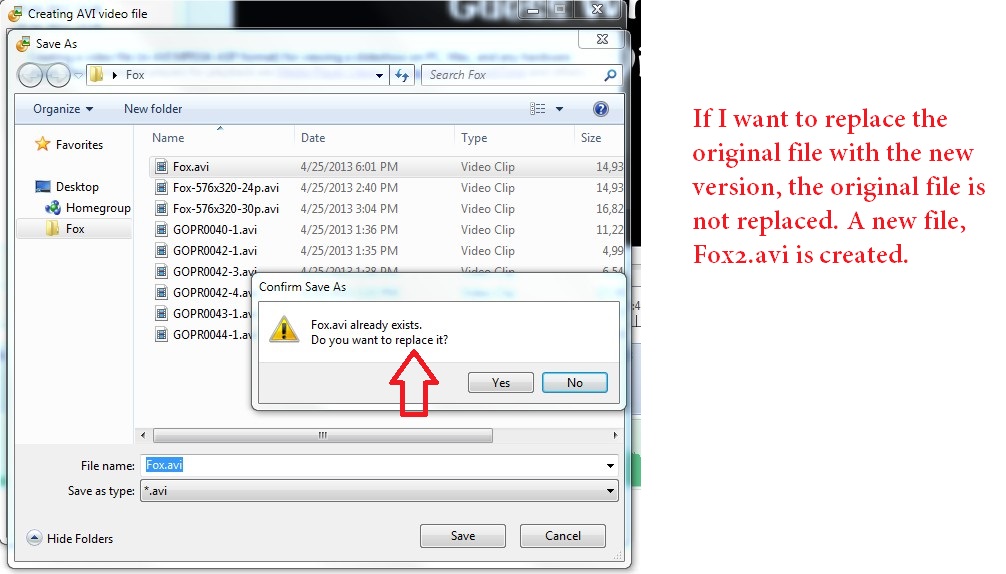
==================================== Lin, It does not make sense when the window comes up and clearly says "Fox.avi already exists. Do you want to replace it?". If I have the ability to make the choice, why not let me? Keeping a file I don't want, just adds to my work to have to find it and delete it. It just adds confusion. I should be re-worded or just removed so I know I have to delete the file first in the Browse window and then create the revised file with the same name. Gary -
Bug?- Publishing AVI does not 'replace' the file.
goddi replied to goddi's topic in General Discussion
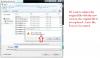
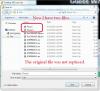
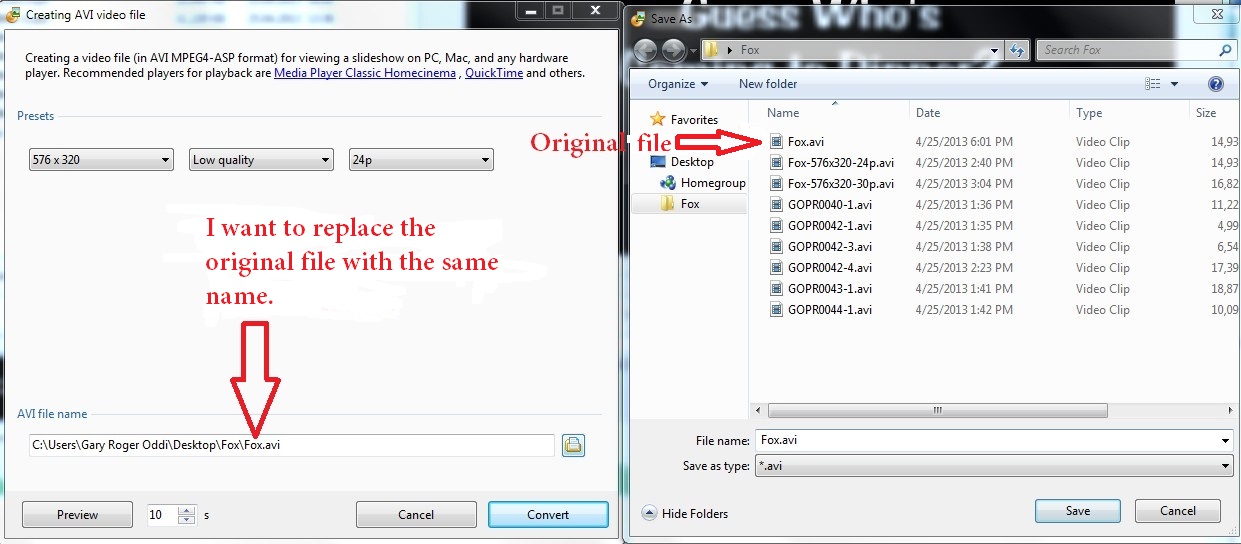
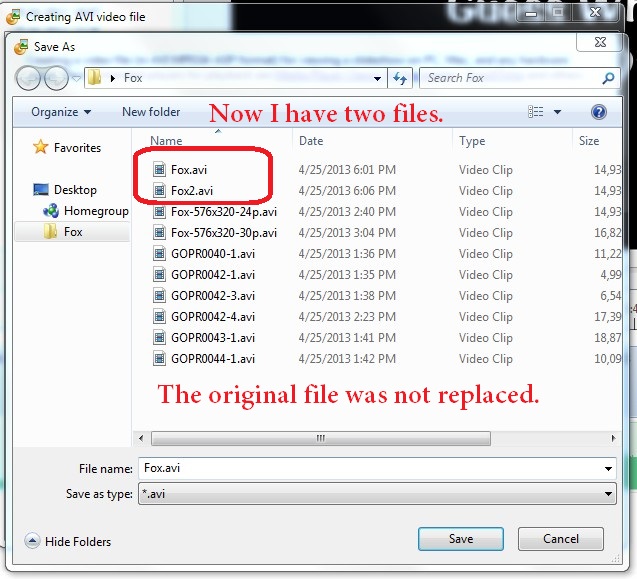
=============================== Lin, Sure. I am going into the Publish menu and selecting 'AVI file'. If I want to replace a previously created AVI file with the same name (replace it), the process does not actually replace the file. It creates a new file with a '2' added to the filename. See my attached screen prints and I hope that makes it clearer. I don't think they got uploaded in proper sequence. But they are numbered 1,2 and 3. Thanks... Gary